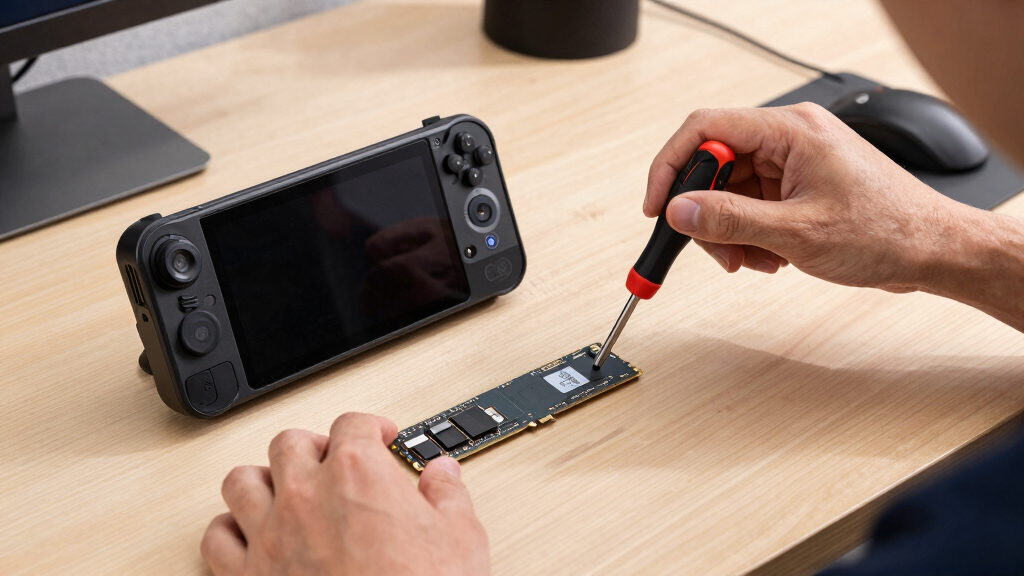
The best NVMe SSDs for Steam Deck OLED need to be M.2 2230 drives that balance capacity, heat, price, and brand confidence rather than just chasing the fastest Gen4 number. My top pick is the Addlink S91 2TB because it gives the Deck OLED a major storage jump without the same premium feel as Corsair or Sabrent. The Corsair MP600 Mini 2TB is the safer premium-style choice for buyers who want a familiar brand, while the Silicon Power UD90 1TB is the value pick if 1TB is enough. The main tradeoff is simple: 2TB drives make the hardware swap feel worthwhile, but 1TB models cost less and smaller drives mainly suit repairs or light libraries. Keep reading for the full breakdown of which SSD fits each type of Steam Deck OLED owner.

Play games on Amazon Luna for your game nights, included with Prime
- A rotating selection of games, no download needed
- Play on TV, laptop or phone
- Fast, free delivery for your gear, too
Key Takeaways
- I rank Addlink S91 2TB first because it pairs a large internal upgrade with strong Gen4 headroom without leaning as hard on brand-premium pricing as Corsair or Sabrent.
- I would move Corsair MP600 Mini 2TB and Sabrent Rocket Q4 2230 2TB up for buyers who value retail support and name recognition, but both are harder to justify if the Addlink costs much less.
- The Silicon Power UD90 1TB, TEAMGROUP MP44S 1TB, and Fanxiang 1TB cluster around the value tier; the TEAMGROUP feels steadier, the Silicon Power is the price play, and the Fanxiang chases headline speed.
- I would only choose the 512GB and 256GB options for repair or light-library needs; for most OLED owners, opening the Deck only to land below 1TB feels like a small payoff.
- Thermal design matters more than peak speed in this handheld, so low-profile labels and predictable power behavior carry more weight than big sequential-read numbers.
| Addlink S91 2TB M.2 2230 NVMe PCIe Gen4x4 SSD |  | Best Overall Balance | Capacity: 2TB | Interface: PCIe Gen4x4 | Form Factor: M.2 2230 | VIEW LATEST PRICE | See Our Full Breakdown |
| Silicon Power UD90 1TB M.2 2230 NVMe SSD PCIe Gen4 x4 |  | Best Value 1TB Pick | Capacity: 1TB | Interface: M.2 2230 PCIe 4.0 NVMe | Read Speed: Up to 5000 MB/s | VIEW LATEST PRICE | See Our Full Breakdown |
| OEM Micron 256GB M.2 PCIe Gen4 NVMe SSD for Steam Deck |  | Best Cheap Repair Drive | Capacity: 256GB | Interface: M.2 2230 PCIe NVMe | Hardware Connectivity: PCI Express 4.0 | VIEW LATEST PRICE | See Our Full Breakdown |
| Corsair MP600 Mini 2TB M.2 NVMe PCIe Gen4 SSD |  | Best Premium Performance Pick | Storage Capacity: 2TB | Form Factor: M.2 2230 | Interface: NVMe PCIe Gen4 x4 | VIEW LATEST PRICE | See Our Full Breakdown |
| Fanxiang 1TB M.2 2230 NVMe SSD, PCIe Gen 4×4 |  | Best Thermal-Minded 1TB Pick | Storage Capacity: 1TB | Form Factor: M.2 2230 | Hardware Connectivity: PCIe x4 | VIEW LATEST PRICE | See Our Full Breakdown |
| 512GB M.2 2230 NVMe Gen4x4 PCIe SSD with Graphene Thermal Solution |  | Best Budget Capacity Upgrade | Capacity: 512GB | Form Factor: M.2 2230 | Interface: PCIe Gen4x4 NVMe | VIEW LATEST PRICE | See Our Full Breakdown |
| TEAMGROUP MP44S 1TB M.2 PCIe 4.0 NVMe SSD with SLC Cache for Steam Deck and Mini PCs |  | Best 1TB Middle Ground | Storage Capacity: 1TB | Interface: PCIe x4 | Listed Form Factor: M.2 2280 | VIEW LATEST PRICE | See Our Full Breakdown |
| Sabrent Rocket Q4 2230 NVMe SSD 2TB – PCIe Gen4 M.2 Internal SSD |  | Best High-Capacity Pick | Storage Capacity: 2TB | Form Factor: M.2 2230 | Interface: PCIe x4 | VIEW LATEST PRICE | See Our Full Breakdown |
More Details on Our Top Picks
Addlink S91 2TB M.2 2230 NVMe PCIe Gen4x4 SSD
Addlink S91 2TB earns my top balanced slot because it gives Steam Deck OLED owners the two things that matter most: room for a serious game library and speed headroom well beyond what the Deck can usually use. Compared with the Corsair MP600 Mini 2TB, it is less of a pure performance flex, but that can make more sense in a handheld where load times, thermals, and price matter more than benchmark bragging rights. Against the Silicon Power UD90, the bigger 2TB capacity is the real win if you rotate large PC games often. The tradeoff is that real-world speed will depend on the Deck’s interface limits, and it is still a 2230-only drive, so it is not a flexible desktop spare.
Pros:- 2TB capacity gives much more room for large Steam libraries
- Fast Gen4 read and write ratings provide plenty of handheld performance headroom
- 5-year warranty adds confidence for a main storage upgrade
- Compact 2230 format fits Steam Deck OLED and similar handhelds
Cons:- Steam Deck OLED may not use the full Gen4 speed rating
- Less compelling for buyers who only need a small, low-cost repair drive
- 2230 size limits reuse in systems without that slot
Best for: Steam Deck OLED owners who want a 2TB upgrade with strong speed specs and sensible long-term capacity.
Not ideal for: Buyers chasing the fastest listed write speeds, since the Corsair MP600 Mini has a much higher performance ceiling on paper.
- Capacity:2TB
- Interface:PCIe Gen4x4
- Form Factor:M.2 2230
- Read Speed:Up to 5000 MB/s
- Write Speed:Up to 3200 MB/s
- Dimensions:30mm x 22mm x 2.15mm
- Key Type:M Key
- Warranty:5 years
Bottom line: This is my most sensible 2TB pick for Steam Deck OLED owners who want capacity, speed, and warranty coverage without paying mainly for peak benchmarks.
Silicon Power UD90 1TB M.2 2230 NVMe SSD PCIe Gen4 x4
Silicon Power UD90 1TB fits the buyer who wants a clean Steam Deck OLED upgrade without jumping straight to 2TB pricing. Its 5000 MB/s read and 3200 MB/s write ratings match the Addlink S91 on paper, but the smaller capacity makes it a better value play than a library-maxing pick. Compared with the Fanxiang 1TB, this model feels more straightforward: same general speed class, fewer thermal marketing extras, and a familiar 5-year warranty. The catch is capacity. A 1TB Deck can still fill quickly if your library includes modern RPGs, shooters, and shader-heavy games. I would pick this over the OEM Micron 256GB for most upgrades, but not over the Addlink if 2TB is within budget.
Pros:- Strong read and write ratings for a 1TB handheld SSD
- Good middle ground between tiny OEM drives and pricier 2TB options
- 2230 form factor suits Steam Deck OLED and compact gaming laptops
- 5-year warranty is reassuring for a daily-use internal drive
Cons:- 1TB can feel tight for large AAA libraries
- Endurance coverage may depend on TBW limits
- Requires a compatible M.2 2230 slot, so reuse options are narrower
Best for: Steam Deck OLED owners moving from 512GB or smaller storage who want a practical 1TB upgrade at a value-focused tier.
Not ideal for: Heavy game collectors who want many 80GB to 150GB titles installed at once and would be better served by 2TB.
- Capacity:1TB
- Interface:M.2 2230 PCIe 4.0 NVMe
- Read Speed:Up to 5000 MB/s
- Write Speed:Up to 3200 MB/s
- Dimensions:22mm x 30mm x 2.4mm
- Key Type:M Key
- Warranty:5 years
Bottom line: This is the 1TB pick I would steer toward when budget matters more than building a massive installed library.
OEM Micron 256GB M.2 PCIe Gen4 NVMe SSD for Steam Deck
OEM Micron 256GB sits lower in my ranking because it is not really a dream upgrade for a Steam Deck OLED; it is a budget repair or bare-minimum replacement. Compared with the Silicon Power UD90 1TB, the storage gap is massive, and that matters more than speed once game installs start piling up. Still, this drive has a place. If someone needs to revive a Deck, build a lightweight indie-game setup, or keep most large titles on microSD, the Micron OEM background is more appealing than a mystery bargain drive. The compromises are clear: 256GB disappears fast, bulk packaging may leave out screws or extras, and the 1-year warranty is short beside the Addlink and Fanxiang 5-year coverage.
Pros:- Low-capacity option can make sense for repairs or light-use Deck builds
- M.2 2230 sizing matches Steam Deck OLED storage requirements
- OEM Micron sourcing is preferable to no-name alternatives
- Useful for buyers who keep most games on microSD
Cons:- 256GB is too small for many modern Steam libraries
- Bulk packaging may not include screws or cables
- 1-year warranty is much shorter than several other picks here
Best for: Repair-focused buyers who need a low-cost internal Steam Deck OLED drive and plan to rely on microSD or a small game library.
Not ideal for: Anyone upgrading for more installed games, since 256GB is easy to outgrow after only a few large titles.
- Capacity:256GB
- Interface:M.2 2230 PCIe NVMe
- Hardware Connectivity:PCI Express 4.0
- Form Factor:22mm x 30mm x 2.38mm
- Key Type:M Key
- Compatibility:Laptop, desktop, Steam Deck
- Data Transfer Rate:1400 Megabits per second
- Warranty:1 year
Bottom line: Choose this only when price or repair needs matter more than storage headroom.
Corsair MP600 Mini 2TB M.2 NVMe PCIe Gen4 SSD
Corsair MP600 Mini 2TB is the premium choice in this batch, mainly because its 7000MB/sec read and 6200MB/sec write ratings tower over the Addlink S91 and Silicon Power UD90. For Steam Deck OLED, that extra speed will not always turn into shorter load screens, since the handheld can limit what a Gen4 drive shows in practice. Still, the Corsair makes sense for buyers who want a high-end 2230 SSD they may later move into another compact PCIe 4.0 device. It also uses high-density TLC NAND, which gives it a stronger performance-and-endurance story than the OEM Micron repair pick. The drawback is value: if the Deck is the only target device, the Addlink’s lower stated speeds may already be enough.
Pros:- Very high sequential read and write ratings for a 2230 SSD
- 2TB capacity suits large Steam libraries
- High-density TLC NAND supports a stronger endurance profile
- Good fit for Steam Deck OLED, ROG Ally, Surface, and ultra-thin devices
Cons:- Premium speed may not fully benefit Steam Deck OLED
- Likely costs more than slower 2TB alternatives
- Requires PCIe Gen4 support to show its best performance
Best for: Performance-minded Steam Deck OLED owners who want 2TB now and may reuse the drive in another fast 2230 device later.
Not ideal for: Value hunters focused only on Deck load times, because much of the listed speed may go unused in the handheld.
- Storage Capacity:2TB
- Form Factor:M.2 2230
- Interface:NVMe PCIe Gen4 x4
- Sequential Read Speed:7000MB/sec
- Sequential Write Speed:6200MB/sec
- Cache Memory:2MB
- NAND Type:High-density TLC NAND
- Dimensions:0.87 in L x 1.18 in W x 0.12 in Th
Bottom line: This is the pick for buyers who want the strongest spec sheet in a 2TB 2230 drive and are willing to pay for headroom.
Fanxiang 1TB M.2 2230 NVMe SSD, PCIe Gen 4×4
Fanxiang S630 1TB is the 1TB option I would single out for buyers who care about heat management in a cramped handheld. Its graphene heat dissipation gives it a different angle from the Silicon Power UD90, which has similar headline read speed but a plainer feature set. The Fanxiang also lists a faster 3600 MB/s write speed than the UD90, though Steam Deck OLED owners should still expect the device to shape real-world results. Compared with the Addlink S91, the big sacrifice is capacity: 1TB is easier to manage than 256GB, but it is not as relaxed for a large Steam library as 2TB. The installation caveat also matters; this is better for confident upgraders than nervous first-timers.
Pros:- Graphene heat dissipation is useful in tight handheld spaces
- 5000 MB/s read and 3600 MB/s write ratings are strong for a 1TB drive
- 5-year or 320TBW warranty gives clear endurance coverage
- Broad compact-device compatibility beyond Steam Deck OLED
Cons:- 1TB may not be enough for users with many large games
- Peak speeds depend on PCIe 4.0 support and device limits
- Brand may be less familiar to some buyers than Corsair or Micron
Best for: Steam Deck OLED users who want a 1TB drive with added thermal features for a compact handheld upgrade.
Not ideal for: First-time hardware upgraders who want the simplest path, since opening the Deck and replacing a 2230 SSD can be stressful.
- Storage Capacity:1TB
- Form Factor:M.2 2230
- Hardware Connectivity:PCIe x4
- Read Speed:5000 MB/s
- Write Speed:3600 MB/s
- Flash Type:3D NAND
- Thermal Feature:Graphene heat dissipation
- Compatibility:Steam Deck, ROG Ally, Microsoft Surface Pro, mini PCs
- Warranty:5 years or 320TBW
Bottom line: This is the better 1TB pick when thermal design and endurance wording matter more than brand familiarity.
512GB M.2 2230 NVMe Gen4x4 PCIe SSD with Graphene Thermal Solution
I would place this 512GB drive below the 1TB and 2TB picks because Steam Deck OLED storage fills quickly, but it still has a clear role: it is a low-commitment upgrade for buyers moving up from a smaller internal drive. Its 5200MB/s read speed and 4000MB/s write speed are quicker on paper than the TEAMGROUP MP44S, and the graphene thermal layer is useful in a tight handheld chassis. The tradeoff is capacity. Compared with the Sabrent Rocket Q4 2230 2TB, this model saves money and heat headroom, but it does not remove the need to manage installs or lean on microSD storage. I would treat it as the sensible pick for lighter Steam libraries, not the forever upgrade.
Pros:- Fast 5200MB/s read and 4000MB/s write ratings for the price class
- M.2 2230 size is suited to the Steam Deck OLED internal slot
- Graphene thermal solution helps in compact handheld systems
- Broad OS and device support for reuse beyond the Steam Deck
Cons:- 512GB capacity still requires regular game-library cleanup
- Real performance can vary by handheld firmware and thermal limits
- Less compelling than 1TB options for buyers who install large games
Best for: Steam Deck OLED owners who mostly play a rotating set of smaller games and want a faster, cheaper internal upgrade than a 1TB or 2TB drive.
Not ideal for: Players with large AAA libraries who want to install many 80GB-plus games at once, because 512GB will feel tight quickly.
- Capacity:512GB
- Form Factor:M.2 2230
- Interface:PCIe Gen4x4 NVMe
- Sequential Read Speed:Up to 5200MB/s
- Sequential Write Speed:Up to 4000MB/s
- NAND Type:3D NAND
- Thermal Solution:Graphene
- Compatibility:Steam Deck, ASUS ROG Ally, Microsoft Surface, laptops, mini PCs, ultrabooks
Bottom line: This is the pick I would choose for a low-cost internal speed boost, not for maximum Steam library breathing room.
TEAMGROUP MP44S 1TB M.2 PCIe 4.0 NVMe SSD with SLC Cache for Steam Deck and Mini PCs
The TEAMGROUP MP44S 1TB lands in the most practical spot for many Steam Deck OLED buyers: enough room for a healthy game library without the higher cost of a 2TB drive. Compared with the 512GB M.2 2230 Graphene SSD, its 1TB capacity matters more than the smaller difference in rated speed because it cuts down on deleting and reinstalling games. Against the Sabrent Rocket Q4 2230 2TB, it is the more restrained buy, though heavy users may outgrow it. The SLC cache helps with bursts of writes such as downloads and updates, while the graphene label addresses heat in small systems. My hesitation is the product data: the listed 22x30mm dimensions fit the handheld target, but any buyer should check that the shipped module is the Deck-friendly size.
Pros:- 1TB capacity is a strong balance for Steam Deck OLED game libraries
- 5000MB/s read and 3500MB/s write ratings are plenty for handheld gaming
- SLC cache can help with game downloads, patches, and file transfers
- Graphene label supports heat dissipation in compact builds
Cons:- Not as spacious as 2TB picks like the Sabrent Rocket Q4 2230
- Product data has a form-factor mismatch that buyers should verify
- Higher cost than SATA-style storage, even if the Deck needs NVMe internally
Best for: Steam Deck OLED owners who want a balanced internal upgrade for several large games without paying 2TB pricing.
Not ideal for: Buyers who want a no-questions form-factor listing, because the supplied data mixes an M.2 2280 label with 22x30mm dimensions.
- Storage Capacity:1TB
- Interface:PCIe x4
- Listed Form Factor:M.2 2280
- Listed Dimensions:22x30mm
- Sequential Read Speed:Up to 5000MB/s
- Sequential Write Speed:Up to 3500MB/s
- Cache:SLC Cache
- Enclosure Material:Graphene
- Compatibility:Steam Deck, ASUS ROG Ally, mini PCs
Bottom line: This is my middle-ground pick for players who want a real capacity upgrade without jumping to a premium 2TB SSD.
Sabrent Rocket Q4 2230 NVMe SSD 2TB – PCIe Gen4 M.2 Internal SSD
The Sabrent Rocket Q4 2230 2TB earns the high-capacity role because it solves the main Steam Deck OLED pain point better than the smaller drives here: running out of internal space. Compared with the TEAMGROUP MP44S 1TB, the extra terabyte is the real upgrade, giving large RPGs, shooters, and emulation libraries more room before storage management becomes a routine chore. It also makes more sense than the 512GB Graphene SSD for buyers who dislike juggling microSD cards. The tradeoff is the drive design. This is a DRAM-less QLC model, so sustained heavy writes may not feel as strong as its 5000MB/s read rating suggests. The lack of detailed thermal information also leaves more uncertainty than graphene-labeled rivals, but 2TB in M.2 2230 is the headline advantage.
Pros:- 2TB capacity gives the Steam Deck OLED far more internal game space
- M.2 2230 form factor matches compact handheld upgrade needs
- Up to 5000MB/s read speed is more than enough for game loading
- Plug-and-play support and cloning software can simplify migration
Cons:- DRAM-less QLC design can trail stronger drives during sustained writes
- No detailed thermal management information is provided
- Costs more than 512GB and many 1TB upgrade options
Best for: Steam Deck OLED owners with large Steam libraries who want maximum internal capacity and fewer microSD compromises.
Not ideal for: Buyers who move huge files often or want the strongest sustained-write behavior, because the DRAM-less QLC design is less ideal for that workload.
- Storage Capacity:2TB
- Form Factor:M.2 2230
- Interface:PCIe x4
- Read Speed:Up to 5000MB/s
- IOPS:800,000
- Controller:Phison E21T
- Flash Type:DRAM-less QLC
- Compatibility:Steam Deck, ROG Ally, Surface Pro, mini PCs
- Weight:0.1 ounces
Bottom line: This is the drive I would pick for a big Steam Deck OLED library where capacity matters more than chasing the strongest sustained-write specs.
How We Picked
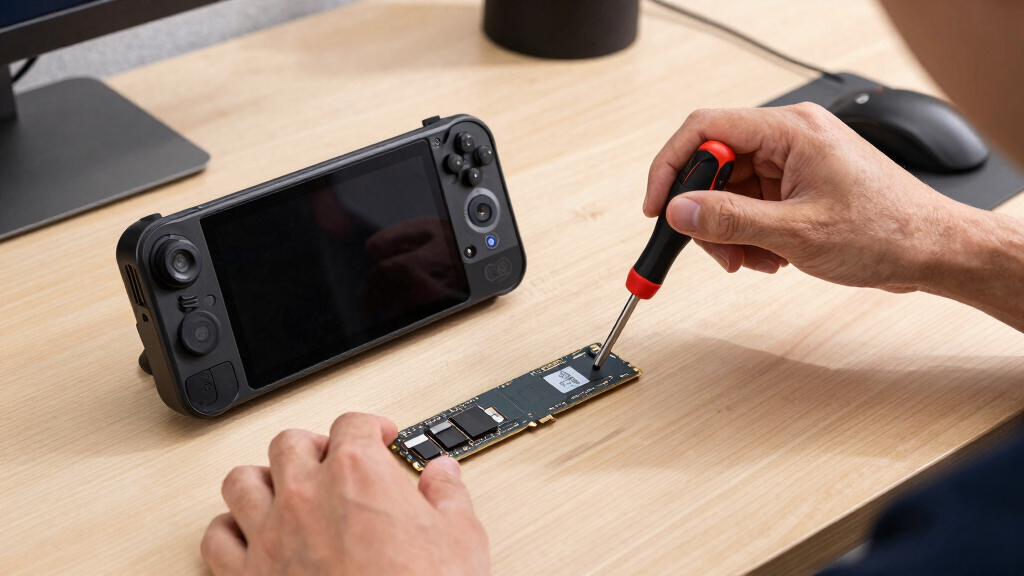
I started with the Steam Deck OLED’s storage limits, using Valve’s published specs as the baseline: the right SSD has to be M.2 2230, physically slim, and useful inside a handheld where game load times matter more than desktop benchmark bragging. I ranked the drives by usable capacity per dollar, brand support, claimed thermal design, and how much performance headroom actually benefits SteamOS. That is why 2TB drives with strong value land high, while smaller OEM-style drives only make sense for repair-first buyers. I also treated aggressive speed claims with caution because the Deck OLED will not turn every Gen4 drive into a full desktop-class experience.
Product-specific specs came from manufacturer or listing data where available, including examples such as Sabrent’s Rocket Q4 2230 page and TEAMGROUP’s MP44S page, then I weighed those claims against the Steam Deck OLED use case. The order favors drives that make the upgrade feel worthwhile after the back cover is open: 2TB capacity, low-profile thermal choices, and clearer warranty support beat small savings when the difference is narrow. Budget entries still earn a place when they serve a real buyer, such as a cheap 1TB jump or a stock-like 256GB replacement. Drives fall lower when the capacity is modest, the brand support is harder to read, or the value depends too much on a temporary sale.
Factors to Consider When Choosing Best NVMe SSDs For Steam Deck OLED
I would treat a Steam Deck OLED SSD upgrade as a balance between capacity, fit, heat, and the hassle of installation. The fastest label on the box is rarely the best deciding point, because handheld game loading and shader work do not scale like desktop file transfers. The better question is how much storage pain the upgrade removes, how much trust the drive gives me once sealed inside the Deck, and whether the price leaves room for tools or a backup microSD card.
Match the 2230 Form Factor Before Chasing Speed
I would start by filtering out anything that is not M.2 2230, even if a longer drive looks cheaper per terabyte. The Steam Deck OLED’s internal space is built around that short format, and forcing a different size can create fit, heat, or pressure problems. A drive like the TEAMGROUP MP44S signals Steam Deck compatibility more clearly than a generic listing, which lowers buying friction. The 512GB graphene model may also appeal because the thermal layer is already part of the package, but the smaller capacity limits the payoff. The common mistake is buying a fast 2280 SSD because the price looks good, then realizing it belongs in a desktop or laptop. For this roundup, I only reward drives that make sense inside the OLED Deck’s cramped internal layout.
Choose Capacity Around Your Game Rotation
Capacity matters because the installation is not as casual as sliding in a microSD card. I would pick 2TB if the Deck is the main gaming machine, if large AAA installs stay resident, or if frequent downloads are a pain. That is where Addlink S91 2TB, Corsair MP600 Mini 2TB, and Sabrent separate themselves from the 1TB group. A 1TB drive still works well for a tighter rotation of games and usually delivers the best price comfort. The 512GB and 256GB entries are easier to defend as repair parts, not ambitious upgrades. My rule is simple: if I am opening the Deck, the capacity jump should feel meaningful a year later.
Read Speed Claims Through a Steam Deck Lens
Peak sequential speed looks exciting, but I would not rank these drives like desktop SSDs. The Steam Deck OLED can benefit from NVMe responsiveness, yet game launches, patching, shader caching, and suspend behavior do not always mirror 5,000 MB/s marketing numbers. That is why Fanxiang 1TB is not automatically above Silicon Power or TEAMGROUP just because its listing pushes big speed claims. A steadier drive with clear compatibility and warranty support can be the better handheld buy. Gen4 support is still useful because it gives headroom and newer controller designs, but the payoff is smaller than it would be in a gaming PC. I would pay for speed only after the drive already wins on capacity, fit, and trust.
Treat Heat and Power Draw as Handheld Features
Heat is where tiny SSDs become different from full-size desktop drives. The OLED Deck has improved cooling as a system, but the SSD slot still leaves little room for thick add-ons or high-draw behavior. I give extra credit to graphene labels, thin thermal spreaders, and drives that do not need bulky heatsinks. The TEAMGROUP MP44S and the 512GB graphene SSD stand out on paper for this reason, while raw-speed budget drives need closer scrutiny. A hotter drive may still work, but it can make the upgrade feel less elegant if throttling or battery drain appears during long downloads. I would rather have stable handheld behavior than a benchmark number the Deck rarely uses.
Decide How Much Brand Support Is Worth
The cheapest listing is tempting because 2230 SSD prices can swing wildly. I still give weight to brand clarity, warranty terms, firmware reputation, and how easy it is to identify the exact model being sold. Corsair, Sabrent, Silicon Power, and TEAMGROUP have an advantage here over lesser-known marketplace listings. That does not make Fanxiang or the graphene-branded 512GB option wrong; it means I would want a stronger price gap before choosing them. OEM Micron sits in a different lane because it feels more like a service replacement than a value upgrade. For a device I carry around and suspend often, support and traceability are part of the purchase, not extras.
Frequently Asked Questions
Is a PCIe Gen4 SSD Wasted in the Steam Deck OLED?
Not completely, but I would treat PCIe Gen4 as headroom rather than a reason to overspend. The Steam Deck OLED benefits more from good latency, capacity, and reliable sustained behavior than from chasing the highest desktop benchmark. A Gen4x4 2230 drive can still be a good pick because many modern 2230 options use that interface, and backward compatibility makes them easy to pair with the Deck. The catch is that a faster advertised drive will not make every game load twice as fast. I would rank capacity and thermals ahead of peak read speed for this handheld.
Should I Buy 1TB or 2TB for a Steam Deck OLED?
I would choose 2TB if the Deck OLED is your main library device or if you prefer keeping large games installed instead of rotating them. It gives the upgrade a longer shelf life and makes the installation effort feel more worthwhile. A 1TB SSD is the better value point for buyers who play a smaller set of games and do not mind occasional cleanup. The 2TB picks in this list cost more, but they reduce the need to juggle microSD cards or redownload big titles. My cutoff is practical: if your current storage already feels tight every week, go 2TB.
Is a 256GB OEM Micron Drive Still Worth Buying?
Yes, but only for a narrow buyer. The OEM Micron 256GB option makes sense if you need a low-cost replacement, want a stock-like part, or are repairing a Deck rather than upgrading one. Compared with the Silicon Power UD90 1TB, it gives up too much capacity for most game libraries. It also makes the installation feel less rewarding because many modern games can consume a large share of 256GB on their own. I would skip it unless price, repair simplicity, or exact OEM-style replacement matters more than storage growth.
Do I Need a Heatsink or Graphene Label Inside the Steam Deck OLED?
I would avoid thick heatsinks inside the Steam Deck OLED because clearance is limited. A thin thermal label or graphene layer is more appropriate for this form factor, especially when it is part of the SSD design rather than an add-on. Drives such as the TEAMGROUP MP44S show why low-profile heat spreading can be more useful than a bulky cooling accessory. That said, a thermal label does not turn a weak-value drive into the best buy by itself. I would treat cooling design as a tie-breaker after capacity, warranty confidence, and price.
When Is a microSD Card Smarter Than Replacing the SSD?
A microSD card is the easier answer if you want cheap extra space and do not want to open the Deck. It is also handy for indie games, emulation libraries, screenshots, and overflow installs that do not need the fastest load times. An internal SSD upgrade makes more sense when the system drive itself feels cramped, when shader caches are eating space, or when you want one clean internal library. Compared with even a good microSD card, an NVMe drive is better for heavier installs and general system responsiveness. I would use microSD for low-risk expansion and reserve the SSD swap for a capacity jump that clearly changes daily use.
Conclusion
My final recommendation is Addlink S91 2TB as the best overall pick because it gives the Steam Deck OLED the kind of capacity jump that justifies opening the handheld. For value, I would choose Silicon Power UD90 1TB if the price stays comfortably below the better-known 1TB rivals, while TEAMGROUP MP44S 1TB is the steadier 1TB choice when warranty clarity and a thin graphene label matter. Beginners should lean toward Corsair MP600 Mini 2TB because the brand support and retail familiarity reduce uncertainty, and premium buyers with a huge library can still justify the Sabrent Rocket Q4 2230 2TB when availability and price line up. For repair-first or light-use needs, the OEM Micron 256GB and 512GB graphene options are easier to defend than they are to recommend as ambitious upgrades. Fanxiang is the pick for bargain hunters chasing advertised speed, but I would only choose it when the savings are large enough to offset weaker brand confidence.
Fall Picks
fall essentials
As an affiliate, we earn on qualifying purchases.