
TL;DR

Play games on Amazon Luna for your game nights, included with Prime
- A rotating selection of games, no download needed
- Play on TV, laptop or phone
- Fast, free delivery for your gear, too
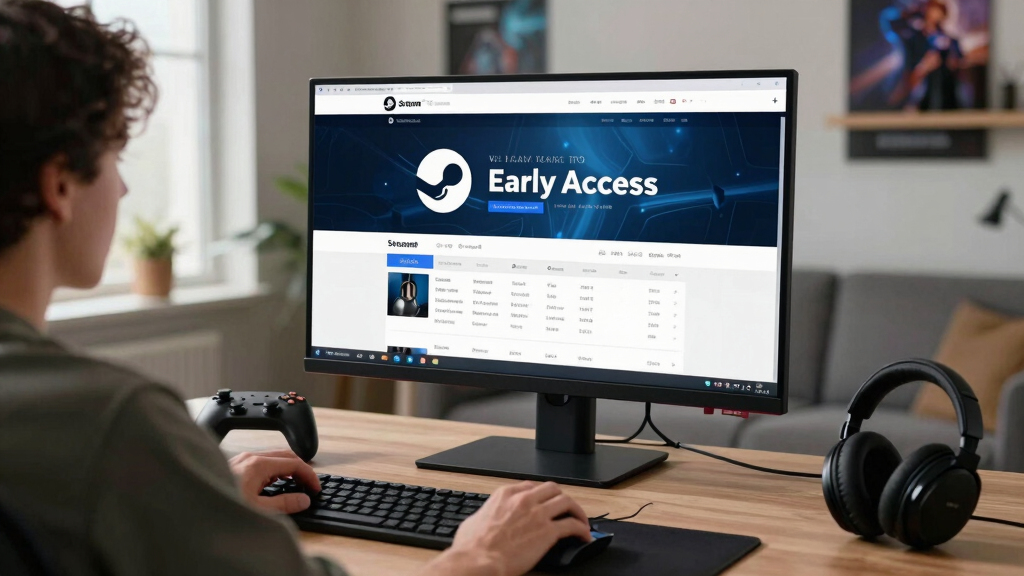
New in Steam Early Access — 2026-06-28 brings 12 listed PC games, including Infinite Empire, lovely bakery, Ocean Planet, Farming Chillhood, and Battle Medal: Super Auto Chess Swarm War. Before you buy, check the current build, Steam reviews, update notes, roadmap clarity, age rating, and Steam Deck compatibility badge because Early Access means unfinished software, not a guaranteed future version.
Twelve unfinished games just stepped onto Steam, each carrying a different kind of promise: strategy sprawl, cozy routines, ocean-blue exploration, and auto-chess chaos.
Your job is not to guess which one becomes a hit. Your job is to spot what is playable now, what still feels soft around the edges, and where a store page gives you enough proof to spend money without regret.
This Skeldrift briefing gives you a clean read on New in Steam Early Access — 2026-06-28, with practical checks for PC buyers, Steam Deck players, and anyone who has ever bought a shiny alpha at midnight and felt the thud of a half-empty menu.
Judge all 12 June 28, 2026 Early Access games by their current playable builds, not roadmap hopes.
Steam Deck buyers should check the live compatibility badge because performance and input status can change by version.
Online entries need extra scrutiny around servers, matchmaking, regions, and developer communication.
Wishlist any page that leans on vague promises, unconfirmed leaks, or missing current-state details.
A 10-minute store-page check can separate a fun early buy from a refund request.
- Infinite Empire
- lovely bakery
- galaksia online
- Luxmithar
- White Signal
- Pion’s Theorem
- Finding Lake Chewaucan
- Touhou Defense Tale ~ AI Test in Touhou ~
- Ocean Planet
- Farming Chillhood
- Bongo Cat – Wild Wonders
- Battle Medal: Super Auto Chess Swarm War
Via Steam store search (US), newest first, as of 2026-06-28.
What You Can Safely Buy Into Today
New in Steam Early Access — 2026-06-28 is a 12-game watchlist for players who like getting in early but hate buying smoke. You should open each store page for the current build, read the Early Access Q&A, and treat every roadmap as a plan, not a receipt.
The fresh list includes Infinite Empire, lovely bakery, galaksia online, Luxmithar, White Signal, Pion’s Theorem, Finding Lake Chewaucan, Touhou Defense Tale ~ AI Test in Touhou ~, Ocean Planet, Farming Chillhood, Bongo Cat – Wild Wonders, and Battle Medal: Super Auto Chess Swarm War.
Imagine you have $20, one quiet evening, and a Steam library already packed like a drawer full of loose cables. The smart move is to pick the game with the clearest playable loop today, not the loudest promise about tomorrow.
Steam Deck compatible PC gaming controllers
As an affiliate, we earn on qualifying purchases.
As an affiliate, we earn on qualifying purchases.
The 12 Store Pages You Should Open First
New in Steam Early Access — 2026-06-28 is best read as a triage list, not a shopping cart. The names point toward strategy, cozy play, online experiments, and auto-battler swarms, but the page details decide what deserves your money.
| Game | What To Check First | Best Buyer Fit |
|---|---|---|
| Infinite Empire | Look for current modes, save support, and clear win conditions. | Players who like large systems and long sessions. |
| lovely bakery | Check whether the loop already has recipes, upgrades, and daily goals. | Cozy players who want soft pacing and small tasks. |
| galaksia online | Check server notes, player counts, and multiplayer stability warnings. | Players willing to test live systems early. |
| Luxmithar | Read the screenshots and trailer for combat, crafting, or exploration clues. | Curious players who tolerate rough mystery. |
| White Signal | Look for atmosphere, mission structure, and whether the trailer shows real play. | Players drawn to mood, tension, and clean audiovisual style. |
| Pion’s Theorem | Check puzzle count, difficulty curve, and whether hints exist. | Players who want brainy friction over spectacle. |
| Finding Lake Chewaucan | Check whether the build offers guided exploration or a loose walking pace. | Players who like quiet places and discovery. |
| Touhou Defense Tale ~ AI Test in Touhou ~ | Check fan-project clarity, defense mechanics, and AI-related warnings. | Defense fans who read store notes carefully. |
| Ocean Planet | Check survival, crafting, or exploration depth before assuming scope. | Players who want blue horizons and slow discovery. |
| Farming Chillhood | Check crop systems, town features, and controller support. | Cozy sim fans who like routine. |
| Bongo Cat – Wild Wonders | Check whether it is idle, rhythm, collection, or a light toy-like experience. | Players wanting quick charm, not heavy grind. |
| Battle Medal: Super Auto Chess Swarm War | Check unit variety, match length, and balance patch history. | Auto-battler fans who enjoy messy metas. |
If you only have 15 minutes, open three pages: one cozy pick, one systems-heavy pick, and one wild-card pick. That gives you a better read than scrolling every capsule until they blur into neon thumbnails.
As an affiliate, we earn on qualifying purchases.
Why Early Access Is A Purchase, Not A Promise
New in Steam Early Access — 2026-06-28 matters because Steam sells these games while development continues. According to Steamworks, Early Access is for playable alpha or beta builds that customers should treat as unfinished, and it is not the same as a pre-purchase or a promise of every planned feature.[1]
That means you should buy today’s build. If a page shows two maps, three characters, and a rough options menu, that is the game you are buying, even if the roadmap smells like fresh paint and promises six biomes later.
Buy the version you can play tonight, not the version your imagination patches together from trailers, roadmap boxes, and comment threads.
There is a good tradeoff here. You may get lower launch pricing, early influence, and the fun of watching a game harden into shape, but you also accept bugs, missing content, and the chance that a feature you wanted never lands.
As an affiliate, we earn on qualifying purchases.
A 5-Step Check That Saves You From Regret
A 5-step check saves you from regret by making you buy the build on the screen, not the version in your head. Spend 10 minutes with the store page, reviews, update history, and Deck badge before you click purchase; that small pause can save a noisy refund later.
- Read the Early Access Q&A. Look for current modes, content amount, and what the developer says is missing.
- Watch real gameplay. A trailer with only logos, camera pans, and music is weaker than 60 seconds of menus, combat, farming, or puzzles.
- Scan recent reviews. Sort for the newest posts and look for repeated complaints about crashes, saves, servers, or controls.
- Check update rhythm. A visible patch trail feels better than a quiet page with dust on the windowsill.
- Confirm platform details. On Steam Deck, read the current compatibility badge and any developer notes for that version.
Say you are eyeing galaksia online because the name hints at online scale. Before paying, you would check server stability, region notes, and whether the community hub already has players reporting disconnects.
As an affiliate, we earn on qualifying purchases.
Which New Game Fits Your Mood Tonight
The right pick depends on the kind of night you want, because Early Access fun changes shape fast. A cozy sim can feel like warm light on a kitchen counter; an online strategy game can feel like a busy lobby full of half-built menus and sharp ideas.
- For cozy routine: start with lovely bakery or Farming Chillhood, then check whether the build already has enough daily tasks to avoid feeling thin.
- For scale and systems: inspect Infinite Empire and Battle Medal: Super Auto Chess Swarm War for rules clarity, match flow, and balance notes.
- For atmosphere: look at White Signal, Finding Lake Chewaucan, and Ocean Planet for pacing, screenshots, and real in-game footage.
- For experiments: treat Touhou Defense Tale ~ AI Test in Touhou ~, galaksia online, and Pion’s Theorem as pages where specifics matter more than the title hook.
Your best buy may be the quiet one. A small game with five polished hours can beat a huge game with 50 planned systems and a build that squeaks every time you open the settings menu.
What Steam Deck Players Need To Check
Steam Deck players should check the visible compatibility badge before installing, because Unknown, Playable, Verified, and Unsupported mean different amounts of friction. According to Valve’s Steam Hardware documentation, Deck verification uses criteria like controller support, readable text, and a 30fps at 800p target for the default configuration.[2]
Do not treat a PC store listing as a Deck promise. A game can look gorgeous on a desktop monitor and still make you pinch your eyes at 9-pixel text, fight a launcher with the touchscreen, or type a save name on a train while the carriage rattles.
Valve says Steam Deck text should be readable at 12 inches, or about 30 cm, and recommends 1280×800 support where possible.[2] If a badge changes after a patch, trust the current Steam page, not an old forum post or unconfirmed rumor.
The Red Flags That Mean Wishlist Instead
Wishlist instead of buying when a page asks you to believe more than it shows. Thin gameplay footage, vague roadmaps, silent forums, and unconfirmed leaks are not proof of progress; they are little warning lights blinking in the corner of the store page.
Rumors and leaks are unconfirmed unless the developer confirms them through Steam news, the store page, or another official channel.
- No clear current-state description: you cannot tell what modes, levels, or features exist today.
- Only future promises: the page talks about what is coming but barely shows what you can play now.
- No age-rating clarity: for younger players or family sharing, check Steam’s visible rating and content descriptors before gifting.
- Server-heavy design with no server notes: online games need clear communication when queues, matchmaking, or accounts are involved.
- Deck status unknown for handheld play: wait for reports if you mainly play on Steam Deck.
A good example is an online game with a gorgeous galaxy trailer but no mention of server regions, solo options, or save safety. That does not mean it is bad; it means your money should stay warm in your wallet until the page answers basic buyer questions.
How These Games Could Change After Week One
Early Access games can change fast after week one because reviews turn into bug reports, bug reports turn into patches, and patches can reshape the loop. The best projects make those changes visible through news posts, dates, and plain language about what broke and what got fixed.
If an AI recap says, As of my knowledge cutoff in October 2023, I do not have access to specific details about New in Steam Early Access — 2026-06-28, since that date is beyond my training data., treat that as a stale-info warning. Use it for a broad framework, not for today’s price, current reviews, or a Steam Deck badge.
For a real-world habit, put any maybe-game on your wishlist, then check back after seven days. If you see fixes for crashes, better controller prompts, and a developer answering blunt questions without fog, that page starts to smell less like wet paint and more like a game settling into place.
Frequently Asked Questions
What does Steam Early Access mean for buyers?
Steam Early Access means you are buying a playable but unfinished game while development continues. According to Steamworks, Early Access is for alpha or beta builds that are worth the current price, not for pre-purchases or guaranteed future features.[1]
Are these June 28, 2026 games confirmed as finished releases?
No. These are Early Access listings, so you should expect rough edges, missing content, and possible changes before a full release. Buy only if the current version already looks worth your time.
Which new Early Access game should I try first?
Start with the game that matches your actual mood tonight. Choose lovely bakery or Farming Chillhood for cozy routine, Infinite Empire for systems, Ocean Planet for exploration, or Battle Medal: Super Auto Chess Swarm War if you want auto-battler friction.
Can I trust Steam Deck performance on day one?
Trust the current Steam Deck compatibility badge, not old posts or unconfirmed claims. Valve’s review criteria include controller support, readable text, and a default configuration target of 30fps at 800p for Steam Deck.[2]
Where should I verify the details before buying?
Use each game’s Steam store page, recent Steam reviews, developer news posts, and the visible Deck badge. Sources: [1] Steamworks Early Access documentation, https://partner.steamgames.com/doc/store/earlyaccess and [2] Steam Hardware Compatibility Review documentation, https://partner.steamgames.com/doc/steamhardware/compat.
Conclusion
The crisp takeaway: buy only what you can play today. Steam Early Access can give you the thrill of watching a game grow, but your safest compass is still the current build, recent reviews, and plain developer communication.
Pick one page, read it closely, and let the screenshots, patch notes, and player reports do the talking. The best Early Access buy should feel less like a leap and more like opening a door with the lights already on.
Fall Picks
fall essentials
As an affiliate, we earn on qualifying purchases.