The HUANUO FlowLift™ Dual Monitor Stand is my best overall pick for most gaming setups because it balances smooth adjustability, strong everyday monitor support, and a layout that fits both competitive and casual desk builds. The MSI MPG MT201R V2 stands out for premium single-screen gaming rigs, especially for larger displays and RGB-themed setups, while the VIVO Dual Monitor Stand makes the most sense for buyers who want a simpler dual-arm setup at a lower price. The main tradeoffs are screen count, weight support, desk depth, adjustability, and whether a gas-spring arm is worth paying more for. Triple mounts save desk space but can feel less flexible, while heavy-duty single arms are better for ultrawide monitors. Keep reading for the full breakdown of which arm fits each type of gaming setup.

Play games on Amazon Luna for your game nights, included with Prime
- A rotating selection of games, no download needed
- Play on TV, laptop or phone
- Fast, free delivery for your gear, too
Key Takeaways
- The best all-around choice is the HUANUO FlowLift™ Dual Monitor Stand because it gives dual-screen gamers better movement and cleaner positioning than basic mechanical dual mounts.
- Heavy ultrawide users should skip lighter dual or triple mounts and focus on the HUANUO TitanLift or MSI MPG MT201R V2, both rated for large 49-inch displays.
- Triple-monitor buyers have two different paths: the 13-27 inch HUANUO triple mount suits tighter battlestation layouts, while the 17-32 inch version fits larger screens but needs more desk width.
- The VIVO Dual Monitor Stand offers the strongest value play, but it gives up the smoother feel and premium adjustment of the HUANUO FlowLift™ Dual Monitor Stand.
- Single-monitor arms are not just for small desks; the Acer mount and HUANUO FlowLift™ Pro are better fits for gamers who want more desk space without committing to a multi-screen layout.
| HUANUO Triple Monitor Mount for 13-27 inch Screens |  | Best Triple-27-Inch Setup | Monitor Size Support: 13-27 inches | Number of Monitors: 3 | Weight Capacity: 19.8 lbs per arm | VIEW LATEST PRICE | See Our Full Breakdown |
| HUANUO Dual Monitor Stand for 13-40 inch Monitors with USB |  | Best Dual Arm for Large Monitors | Supported Screen Size: 13-40 inches | Listed Maximum Screen Size: 32 inches | Weight Capacity: 26.4 lbs per arm | VIEW LATEST PRICE | See Our Full Breakdown |
| HUANUO Triple Monitor Mount for 17 to 32 inch Screens |  | Best for Bigger Triple Screens | Monitor Size Range: 17-32 inches | Number of Monitors: 3 | Weight Capacity: 4.4-17.6 lbs per monitor | VIEW LATEST PRICE | See Our Full Breakdown |
| HUANUO FlowLift Dual Monitor Stand |  | Best for First-Time Dual Setups | Monitor Size Support: 13-32 inches | Number of Monitors: 2 | Weight Capacity: 4.4-19.8 lbs per arm | VIEW LATEST PRICE | See Our Full Breakdown |
| HUANUO TitanLift Heavy Duty Monitor Arm |  | Best for Ultrawide Gaming | Screen Size Range: 17-49 inches | Number of Monitors: 1 | Weight Capacity: 44 lbs | VIEW LATEST PRICE | See Our Full Breakdown |
| Acer Single Monitor Mount Fully Adjustable Monitor Arm |  | Best Midrange Single-Arm Pick | Supported Screen Size: 17-34 inches | Weight Capacity: 4.4-19.8 lbs | VESA Compatibility: 75x75mm and 100x100mm | VIEW LATEST PRICE | See Our Full Breakdown |
| MSI MPG MT201R V2 Premium RGB Single Monitor Stand Arm |  | Best Premium Ultrawide Gaming Arm | Supported Screen Size: 17-49 inches | Weight Capacity: Up to 44 lbs | VESA Compatibility: 75x75mm and 100x100mm | VIEW LATEST PRICE | See Our Full Breakdown |
| VIVO Dual Monitor Stand Fully Adjustable Arms |  | Best Value Dual-Monitor Mount | Screen Compatibility: 17-32 inch flat or curved screens | Weight Capacity: 19.8 lbs per monitor | VESA Pattern: 75x75mm and 100x100mm | VIEW LATEST PRICE | See Our Full Breakdown |
| HUANUO FlowLift Pro Monitor Arm |  | Best for Easy Single-Monitor Setup | Minimum Supported Screen Size: 13 inches | Maximum Supported Screen Size: 32 inches | Max Load: 19.8 lbs | VIEW LATEST PRICE | See Our Full Breakdown |
| HUANUO Dual Monitor Mount for 2 Monitors up to 32 Inches |  | Best Dual 32-Inch Support | Weight Capacity: 22 lbs per arm | Monitor Size Range: 17-32 inches | VESA Compatibility: 75x75mm and 100x100mm | VIEW LATEST PRICE | See Our Full Breakdown |
| monitor arms for gaming setup | Weight Capacity | VESA Compatibility | Mounting Options |
|---|---|---|---|
| HUANUO Triple Monitor Mount fo | 19.8 lbs per arm | 75x75mm, 100x100mm | — |
| HUANUO Dual Monitor Stand for | 26.4 lbs per arm | 75x75mm, 100x100mm | Clamp and grommet |
| HUANUO Triple Monitor Mount fo | 4.4-17.6 lbs per monitor | 75x75mm, 100x100mm | — |
| HUANUO FlowLift Dual Monitor S | 4.4-19.8 lbs per arm | 75x75mm, 100x100mm | C-clamp and grommet |
| HUANUO TitanLift Heavy Duty Mo | 44 lbs | 75x75mm, 100x100mm | — |
| Acer Single Monitor Mount Full | 4.4-19.8 lbs | 75x75mm and 100x100mm | C-clamp and grommet |
| MSI MPG MT201R V2 Premium RGB | Up to 44 lbs | 75x75mm and 100x100mm | Clamp and grommet |
| VIVO Dual Monitor Stand Fully | 19.8 lbs per monitor | — | C-clamp and grommet mount |
| HUANUO FlowLift Pro Monitor Ar | — | — | — |
| HUANUO Dual Monitor Mount for | 22 lbs per arm | 75x75mm and 100x100mm | C-clamp and grommet |
More Details on Our Top Picks
HUANUO Triple Monitor Mount for 13-27 inch Screens
HUANUO Triple Monitor Mount for 13-27 inch Screens earns its spot as my pick for gamers who want three matched displays without moving into oversized hardware. Compared with the HUANUO Triple Monitor Mount for 17 to 32 inch Screens, this one is better for lighter, tighter battlestation layouts where three 24- or 27-inch panels need to sit cleanly side by side. The 19.8 lbs per arm capacity gives it more headroom than many basic triple mounts, which matters if gaming monitors have heavier stands removed or thicker housings. The tradeoff is size ceiling: anyone using larger 32-inch panels should move to the other triple HUANUO mount. I would also skip it if the desk is unusual, since the clamp range and VESA-only support narrow compatibility.
Pros:- Supports three monitors while keeping the desktop clear
- 19.8 lbs per arm capacity suits many gaming monitors
- Tilt, swivel, rotation, and height adjustment help align side displays
- Aerospace-grade aluminum build is stronger than basic steel-only mounts
Cons:- Limited to 27-inch displays, so it is not ideal for larger triple-screen layouts
- Setup can take patience because three screens need careful alignment
- Only works with 75x75mm or 100x100mm VESA monitors
Best for: Gamers building a three-screen cockpit with 24- or 27-inch VESA monitors and a standard-thickness desk.
Not ideal for: Ultrawide users or 32-inch triple-monitor builders, since this mount tops out at 27-inch screens.
- Monitor Size Support:13-27 inches
- Number of Monitors:3
- Weight Capacity:19.8 lbs per arm
- VESA Compatibility:75x75mm, 100x100mm
- Desk Thickness Range:0.39 to 3.15 inches
- Material:Aerospace-grade aluminum
- Adjustments:Tilt, swivel, rotation, height
Our verdict“This is the triple-monitor pick I would choose for a compact gaming cockpit built around three 27-inch-or-smaller displays.”
HUANUO Dual Monitor Stand for 13-40 inch Monitors with USB
For a two-screen gaming desk with bigger panels, HUANUO Dual Monitor Stand for 13-40 inch Monitors with USB is the most flexible dual option in this batch. It carries up to 26.4 lbs per arm, giving it more load headroom than the HUANUO FlowLift Dual Monitor Stand, which is capped at 19.8 lbs per arm. That extra strength helps with heavier curved or high-refresh displays, while the USB ports add a handy charging point for controllers, headsets, or desk lights. The weak spot is clarity: the listing mentions 13-40 inch support but also lists a 32-inch maximum, so I would verify monitor fit carefully. It also demands more assembly confidence than a simpler single arm.
Pros:- 26.4 lbs per arm capacity supports many heavier gaming displays
- Built-in USB ports reduce cable clutter for small accessories
- Clamp and grommet mounting give more desk setup options
- Long reach and tall height adjustment suit deep gaming desks
Cons:- Screen-size support is confusing because the specs list both 40 inches and 32 inches
- Not suitable for desks thicker than 3.54 inches
- Assembly instructions may slow down first-time monitor-arm buyers
Best for: Gamers running two heavier displays who want extra arm capacity plus built-in USB access on the desk.
Not ideal for: Buyers who need a no-guesswork fit for 40-inch panels, since the screen-size data is mixed.
- Supported Screen Size:13-40 inches
- Listed Maximum Screen Size:32 inches
- Weight Capacity:26.4 lbs per arm
- VESA Compatibility:75x75mm, 100x100mm
- Mounting Options:Clamp and grommet
- Desk Thickness Support:Up to 3.54 inches
- Arm Height Adjustment:Up to 21.1 inches
- Arm Extension:Up to 25.59 inches
- Movement:-30 to +85 degree tilt, +/-90 degree swivel, 360 degree rotation
Our verdict“This is my pick for dual large-monitor setups where load capacity matters more than the cleanest setup process.”
HUANUO Triple Monitor Mount for 17 to 32 inch Screens
The HUANUO Triple Monitor Mount for 17 to 32 inch Screens is the better triple-screen choice when 27 inches feels too limiting. Compared with the HUANUO Triple Monitor Mount for 13-27 inch Screens, this version suits wider gaming layouts with 32-inch displays or a mixed center-and-side setup. The real benefit is immersion: raising three larger monitors off the desk makes room for a full keyboard, mouse pad, speakers, and stream gear. The catch is weight. Its 17.6 lbs maximum per monitor is lower than the smaller triple HUANUO mount, so heavier 32-inch gaming panels may exceed the range. I would pick it for screen size flexibility, not maximum load strength.
Pros:- Supports larger triple-screen layouts up to 32 inches
- C-clamp and grommet options help match different desk builds
- Landscape and portrait rotation is useful for chat, streaming, or coding side screens
- Lifts three displays off the desk to free space for gaming peripherals
Cons:- Lower maximum weight capacity than the smaller HUANUO triple mount
- Wide triple-screen setups need careful desk width planning
- Requires VESA-compatible monitors
Best for: Gamers who want a three-monitor layout with 27- to 32-inch displays and enough desk depth for a wide span.
Not ideal for: Owners of heavy 32-inch gaming monitors, since the 17.6 lbs capacity may be too tight.
- Monitor Size Range:17-32 inches
- Number of Monitors:3
- Weight Capacity:4.4-17.6 lbs per monitor
- VESA Compatibility:75x75mm, 100x100mm
- Installation Options:C-clamp, grommet mount
- C-Clamp Desk Thickness:0.39-3.15 inches
- Grommet Desk Thickness:0.39-2.36 inches
- Adjustments:Swivel, tilt, rotation
Our verdict“This is the triple-arm I would choose for bigger screens, as long as each monitor stays within the weight range.”
HUANUO FlowLift Dual Monitor Stand
HUANUO FlowLift Dual Monitor Stand is my most approachable dual-arm pick for a standard gaming desk. Compared with the higher-capacity HUANUO Dual Monitor Stand for 13-40 inch Monitors with USB, this model has tighter screen and weight limits, but its role is different: it focuses on stable everyday positioning for two common 24- to 32-inch gaming monitors. The dual C-clamp base is the standout because it aims to reduce wobble during typing, clicking, and mouse-heavy play. Its drawback is desk selectivity. HUANUO recommends wooden desks only, with no cross beams or underside panels in the way. I would choose it for a clean, predictable dual-screen build, not for unusual desks or very heavy panels.
Pros:- Dual C-clamp base is designed for steadier two-monitor support
- Full-motion adjustment makes it easier to align two screens at eye level
- Cable management keeps headset, display, and power cables tidier
- Clamp and grommet mounting add useful setup flexibility
Cons:- Wooden desks are recommended, ruling out glass and plastic surfaces
- 19.8 lbs per arm is lower than the HUANUO 13-40 inch dual stand
- Underside desk beams or panels can interfere with installation
Best for: First-time monitor-arm buyers with a wooden desk and two standard 24- to 32-inch VESA gaming monitors.
Not ideal for: Glass, plastic, or braced desks, since the mounting requirements are stricter than many competing arms.
- Monitor Size Support:13-32 inches
- Number of Monitors:2
- Weight Capacity:4.4-19.8 lbs per arm
- VESA Compatibility:75x75mm, 100x100mm
- Mounting Options:C-clamp and grommet
- Desk Thickness Range:0.59-3.54 inches
- Tilt Range:+85 to -50 degrees
- Swivel and Rotation:+/-90 degree swivel, 360 degree rotation
- Height Adjustment:Up to 15.75 inches
Our verdict“This is the dual-arm pick I would steer toward for a normal wooden gaming desk with two mainstream monitors.”
HUANUO TitanLift Heavy Duty Monitor Arm
HUANUO TitanLift Heavy Duty Monitor Arm is the specialist pick for the one-screen gamer using a big ultrawide instead of multiple smaller displays. Compared with the triple HUANUO mounts, it does less on paper because it holds only one screen, but it solves a harder problem: keeping a 49-inch, 44 lbs monitor adjustable without crowding the desk. That makes it a stronger fit for racing, flight sim, and cinematic single-display setups than a dual or triple arm. The 22.5-inch extension also helps pull a curved screen forward for play and push it back for work. The limits are strict, though: it needs VESA holes and a wooden desk within the listed thickness range.
Pros:- 44 lbs capacity supports many large ultrawide gaming monitors
- Fits screens up to 49 inches for single-display immersion
- Wide tilt, swivel, rotation, height, and extension ranges give strong positioning control
- Aluminum alloy construction suits a heavier monitor load
Cons:- Only supports one monitor, unlike the dual and triple options in this lineup
- Wooden desk requirement limits where it can be installed
- Large arm and screen combination may overwhelm shallow desks
Best for: Gamers with a large ultrawide or super-ultrawide monitor who want strong single-screen positioning.
Not ideal for: Multi-monitor players or anyone using a glass, plastic, extra-thick, or non-VESA desk setup.
- Screen Size Range:17-49 inches
- Number of Monitors:1
- Weight Capacity:44 lbs
- VESA Compatibility:75x75mm, 100x100mm
- Material:Aluminum alloy
- Tilt Range:+50 to -50 degrees
- Swivel and Rotation:180 degree swivel, 360 degree rotation
- Extension and Height:22.5 inch extension, 19.6 inch height adjustment
- Desk Thickness Range:0.8 to 3.5 inches
Our verdict“This is the arm I would pick for a heavy ultrawide gaming monitor when strength matters more than multi-screen support.”
Acer Single Monitor Mount Fully Adjustable Monitor Arm
Acer Single Monitor Mount earns its place as my midrange single-arm choice because it gives a gaming desk the core adjustments that matter: wide tilt, full rotation, and gas-spring height control. Compared with the HUANUO FlowLift Pro, it supports a slightly larger 34-inch screen, which makes it better for players using a 32-inch main display with room to spare. It is less ambitious than the MSI MPG MT201R V2, though; the Acer tops out at 19.8 lbs, while the MSI is built for heavier ultrawides. The tradeoff is desk fit. Its clamp and grommet options are useful, but curved edges and double-shelf desks can rule it out. I would pick this for a clean single-monitor gaming setup where adjustability matters more than RGB or extreme weight capacity.
Pros:- Broad 17-34 inch screen support works well for common gaming monitor sizes
- Gas-spring height adjustment makes it easier to shift between seated posture and focused play
- Large tilt and rotation range helps with portrait mode, secondary angles, and glare control
- Clamp and grommet mounting options cover many standard desks
Cons:- 19.8 lb limit is not enough for many heavy ultrawide gaming monitors
- Gas-spring tension may need tuning before heavier screens hold position cleanly
- Not a good fit for curved-edge desks or double-shelf desktop designs
Best for: Single-monitor gamers using a 27- to 34-inch display who want flexible positioning without paying for an ultrawide-grade arm
Not ideal for: Players with thick, curved-edge, or double-shelf desks, since the mounting hardware needs a compatible flat surface
- Supported Screen Size:17-34 inches
- Weight Capacity:4.4-19.8 lbs
- VESA Compatibility:75x75mm and 100x100mm
- Tilt Range:-60 degrees to +90 degrees
- Swivel Range:+/-90 degrees
- Rotation:360 degrees
- Maximum Height Adjustment:18.1 inches
- Mounting Options:C-clamp and grommet
- Desk Thickness Compatibility:15-80 mm
Our verdict“I would choose this for a flexible single-screen gaming desk, as long as the monitor is not a heavy ultrawide.”
MSI MPG MT201R V2 Premium RGB Single Monitor Stand Arm
MSI MPG MT201R V2 is the most gamer-coded pick in this batch, but its real advantage is not just lighting. The draw is the combination of 49-inch screen support and 44 lb capacity, which puts it in a different class from the Acer Single Monitor Mount and HUANUO FlowLift Pro. Compared with the HUANUO TitanLift Heavy Duty Arm from the wider lineup, the MSI adds customizable RGB and a gray finish that may suit a themed battle station better. The downside is that it asks more from the buyer: installation can take more effort, and the lighting may feel wasted if the arm sits behind a large display. I would rank it high for ultrawide gaming setups, but overkill for a standard 27-inch monitor.
Pros:- 44 lb capacity suits many large ultrawide gaming monitors
- Supports screens up to 49 inches, giving it more range than most midrange arms
- Adjustable gas spring helps reposition a large display with less strain
- RGB lighting can match a themed gaming setup
Cons:- RGB adds little value if the arm is hidden behind the monitor
- Bulkier installation than lighter single-arm mounts
- Too much arm for smaller monitors and compact desks
Best for: Ultrawide gamers with a 34- to 49-inch display who want heavy-duty support and visible RGB styling
Not ideal for: Minimalist desk setups or standard 24- to 27-inch monitor users who would pay extra for unused capacity and lighting
- Supported Screen Size:17-49 inches
- Weight Capacity:Up to 44 lbs
- VESA Compatibility:75x75mm and 100x100mm
- Mounting Options:Clamp and grommet
- Clamp Range:10-85 mm
- Grommet Range:10-48 mm
- Adjustment Type:Heavy-duty gas spring
- Color:Gray
Our verdict“I would reserve this for large ultrawide gaming displays where strength and style both matter.”
VIVO Dual Monitor Stand Fully Adjustable Arms
VIVO Dual Monitor Stand makes sense as my value dual-arm pick because it covers the classic gaming-plus-chat layout without chasing the biggest specs in the roundup. It supports two 17- to 32-inch screens at 19.8 lbs per monitor, which is enough for many 24- and 27-inch gaming displays. Compared with the HUANUO Dual Monitor Mount, the VIVO gives up some per-arm capacity, but it remains a practical choice if price and desk space matter more than extra load headroom. Its mechanical arms are fully adjustable, though not as slick as gas-spring designs like the Acer Single Monitor Mount. The main issue is clearance: the arms can extend behind the desk, so shallow desks pushed against a wall may feel cramped.
Pros:- Dual-arm design lifts two monitors while freeing desk surface for mouse movement
- Supports flat or curved screens from 17 to 32 inches
- Tilt, swivel, and rotation support common side-by-side and angled layouts
- C-clamp and grommet options make it adaptable to many desks
Cons:- 19.8 lb per-monitor limit is lower than the HUANUO Dual Monitor Mount
- Arms may extend past the back edge of the desk
- Mechanical adjustment is less fluid than gas-spring alternatives
Best for: Budget-focused gamers building a two-monitor setup for gameplay on one screen and chat, streams, or guides on the other
Not ideal for: Shallow desks against a wall, since the rear arm movement may need more clearance than the setup allows
- Screen Compatibility:17-32 inch flat or curved screens
- Weight Capacity:19.8 lbs per monitor
- VESA Pattern:75x75mm and 100x100mm
- Mounting Options:C-clamp and grommet mount
- Tilt:+90 degrees to -90 degrees
- Swivel:180 degrees
- Rotation:360 degrees
- Arm Type:Mechanical articulating arms
Our verdict“I would pick this for a cost-conscious dual-monitor gaming setup with enough rear desk clearance.”
HUANUO FlowLift Pro Monitor Arm
HUANUO FlowLift Pro is the pick I would steer toward buyers who want a cleaner install and fewer setup headaches. Its tool-free VESA mount and lockable tension system make it friendlier than heavier-duty arms like the MSI MPG MT201R V2, especially for a single 24- to 32-inch gaming monitor. Compared with the Acer Single Monitor Mount, the HUANUO supports a smaller maximum screen size, but its MechaSpring design and aluminum build make it feel purpose-built for repeat repositioning rather than raw size coverage. The catch is desk compatibility: it is described as better suited to wood desks, and the 85-degree maximum tilt is less generous than Acer’s range. I would choose it for an uncluttered single-display setup where quick mounting matters more than ultrawide support.
Pros:- Tool-free VESA mount helps speed up monitor attachment
- MechaSpring design is aimed at smooth repeated adjustment
- Lockable tension system helps the arm hold the chosen position
- Aluminum enclosure keeps the build more refined than basic budget mounts
Cons:- 32-inch maximum screen size is less flexible than the Acer Single Monitor Mount
- 85-degree maximum tilt is narrower than some competing arms
- Desk material guidance may limit buyers with glass, metal, or unusual desktops
Best for: Gamers with a single 24- to 32-inch VESA monitor who want quick installation and frequent screen repositioning
Not ideal for: Ultrawide owners or buyers with non-wood desks who need confirmed compatibility before mounting
- Minimum Supported Screen Size:13 inches
- Maximum Supported Screen Size:32 inches
- Max Load:19.8 lbs
- Movement Type:Articulating and tilt
- Maximum Tilt Angle:85 degrees
- Mounting Type:Tabletop
- Enclosure Material:Aluminum
- Color:Black
Our verdict“I would buy this for a simple single-monitor gaming desk where easy mounting and smooth movement rank above maximum size support.”
HUANUO Dual Monitor Mount for 2 Monitors up to 32 Inches
HUANUO Dual Monitor Mount ranks ahead of the VIVO Dual Monitor Stand for heavier dual-screen gaming setups because each arm supports up to 22 lbs. That extra margin matters if the main display is a larger 32-inch gaming monitor and the second screen is not especially light. Compared with the HUANUO Dual Monitor Stand with USB from the wider roundup, this model gives up the built-in USB convenience and lower 40-inch ceiling, but it is a cleaner fit for players who simply need two stable 32-inch arms. The 17.5-inch extension and height range help align mismatched monitors, which can reduce neck strain during long sessions. The tradeoff is physical heft: once mounted, it is not the easiest stand to move, and setup still takes some assembly.
Pros:- 22 lb per-arm capacity gives more load headroom than the VIVO Dual Monitor Stand
- Supports two monitors up to 32 inches for larger side-by-side gaming layouts
- 17.5-inch extension helps position screens around keyboards, speakers, and wide mouse pads
- Clamp and grommet mounting options support different desk layouts
Cons:- Heavier to relocate after installation
- Requires assembly and tools rather than a near tool-free setup
- Lacks extras such as USB passthrough found on some HUANUO dual-monitor models
Best for: Gamers running two larger monitors up to 32 inches who want more per-arm load capacity than a basic dual mount
Not ideal for: Buyers who frequently rearrange their desk, since the mount can be heavy and awkward to move after installation
- Weight Capacity:22 lbs per arm
- Monitor Size Range:17-32 inches
- VESA Compatibility:75x75mm and 100x100mm
- Maximum Extension:17.5 inches
- Height Adjustment:Up to 17.5 inches
- Mounting Options:C-clamp and grommet
- Adjustment:Height, tilt, swivel, and rotation
Our verdict“I would choose this over the VIVO if my dual-monitor gaming setup uses heavier 32-inch screens.”
How We Picked
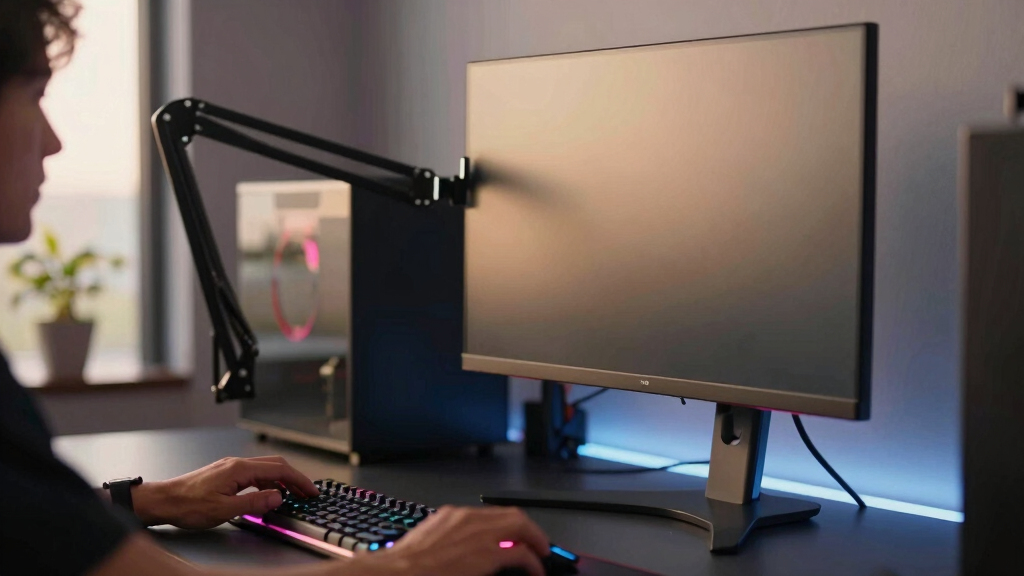
I ranked these monitor arms around the way gaming desks actually get used: screen stability, range of adjustment, supported monitor size, weight capacity, mounting flexibility, cable control, and how well each option fits common setups like dual 27-inch screens, ultrawides, and triple-monitor sim rigs. I gave extra weight to arms that can hold a monitor in a comfortable play position without forcing awkward compromises in height, viewing angle, or desk placement.
The order favors models that solve the broadest gaming problems first. A strong dual-arm gas-spring mount ranks above basic dual arms because it helps more users keep a main gaming screen centered while placing a second display off to the side. Heavy-duty single arms rank highly for ultrawide owners, while triple mounts are placed by how practical they are for real desk width, screen size, and adjustment limits.
| monitor arms for gaming setup | Mounting Options |
|---|---|
| HUANUO Triple Monitor Mount fo | — |
| HUANUO Dual Monitor Stand for | Clamp and grommet |
| HUANUO Triple Monitor Mount fo | — |
| HUANUO FlowLift Dual Monitor S | C-clamp and grommet |
| HUANUO TitanLift Heavy Duty Mo | — |
| Acer Single Monitor Mount Full | C-clamp and grommet |
| MSI MPG MT201R V2 Premium RGB | Clamp and grommet |
| VIVO Dual Monitor Stand Fully | C-clamp and grommet mount |
| HUANUO FlowLift Pro Monitor Ar | — |
| HUANUO Dual Monitor Mount for | C-clamp and grommet |
Factors to Consider When Choosing Best Monitor Arms For Gaming Setups
A good gaming monitor arm is less about making a desk look clean and more about putting the screen where your posture, aim, and peripheral layout need it. I would choose based on the monitors you actually own, the desk you actually use, and how often you change screen position.Match the Arm to Your Screen Layout
The first decision is whether your setup needs a single, dual, or triple-arm mount. A single arm is best when the main goal is freeing desk space or supporting an ultrawide, while a dual arm works better for stream chat, Discord, guides, or productivity beside a primary gaming display. Triple arms can look impressive, but they demand more desk width and more patience during alignment. If you play racing or flight sims, a triple setup can feel more natural than one ultrawide, but competitive shooter players may prefer one centered primary screen with a side display. Compared with the HUANUO triple mounts, the FlowLift™ Dual Monitor Stand gives more flexible everyday positioning for most players. My rule is simple: only buy a triple mount if the third screen has a real job.
Check Weight Capacity Before Screen Size
Monitor size gets the attention, but weight rating matters more for stability. Two 32-inch displays can have very different weights, and an arm that technically fits the size may still sag if the monitor is near the limit. Gas-spring arms such as the HUANUO FlowLift™ models need the monitor weight to fall inside their supported range, not just below the maximum. For 49-inch ultrawides, I would move straight to heavy-duty picks like the HUANUO TitanLift or MSI MPG MT201R V2 rather than stretching a standard arm. Lighter monitors can use simpler mounts, but heavy panels punish weak tilt joints. Before buying, check the monitor weight without the stand attached.
Think About Desk Depth and Clamp Space
A monitor arm can only work well if the desk gives it room to move. Shallow desks may push the screen too close when using bulky dual or triple arms, while thick desktops can rule out some clamps. Clamp mounts are easy for renters and anyone who changes layouts, but grommet mounts are cleaner for permanent battlestations. The dual and triple HUANUO options include clamp and grommet hardware, which makes them more adaptable than arms with only one mounting path. If your desk has a rear cable tray, wall clearance, or a raised lip, measure before choosing. A great arm on the wrong desk becomes a constant adjustment problem.
Decide How Much Adjustment You Really Need
Gamers who frequently switch between seated play, controller sessions, work, and media viewing benefit most from full-motion gas-spring arms. These make height and depth changes easier than mechanical arms, especially when the monitor moves often. If the screens stay in one place all year, a simpler mechanical mount like the VIVO Dual Monitor Stand can be the smarter value. Tilt, swivel, and rotation matter more for side monitors than for the main gaming display, since secondary screens often sit in portrait mode or angled toward the player. Compared with fixed-height dual mounts, the HUANUO FlowLift™ Dual Monitor Stand is better for mixed-use desks. Paying more makes sense when movement is part of your routine.
Plan for Cable Routing and Desk Clutter
Monitor arms can clean up a setup, but only if the cables have enough slack to move with the screens. Gaming monitors often need DisplayPort, power, USB, and sometimes HDMI or audio cables, so tight cable channels can become crowded fast. The HUANUO Dual Monitor Stand with USB is useful if front-access ports matter, but built-in USB should not outweigh arm strength or screen fit. For streaming setups, leave room for webcam cables, capture cards, lights, and mic arms near the same clamp zone. A heavy-duty single arm may actually create a cleaner desk than a crowded multi-arm layout. I would map cable paths before choosing the mount, especially with triple screens.
Know When Premium Is Worth It
Premium monitor arms are worth paying for when the monitor is expensive, heavy, or moved often. The MSI MPG MT201R V2 costs more because it targets large-screen builds with stronger support and gamer-focused styling, while the HUANUO TitanLift is more about heavy-duty function. For a modest 24-inch or 27-inch monitor, that extra spending may not change much. Budget arms make sense for static side screens, starter dual setups, and lighter displays. The mistake is saving money on the mount after buying a large ultrawide that needs real support. I would put the better arm under the main gaming monitor and save on secondary displays.
Frequently Asked Questions
Is a Dual Monitor Arm Better Than Two Single Arms for Gaming?
A dual monitor arm is cleaner and usually cheaper than buying two separate single arms, but it gives less freedom over placement. If both screens sit close together and share the same desk zone, a dual arm such as the HUANUO FlowLift™ Dual Monitor Stand makes sense. Two single arms are better when one monitor is centered for gaming and the second sits far off to the side or above. Separate arms also reduce the chance that adjusting one screen shifts the other. For most standard dual 27-inch setups, I would start with a dual arm unless the desk layout is unusual.
Should I Buy a Heavy-Duty Arm for a 49-Inch Ultrawide?
Yes, a 49-inch ultrawide should be paired with a heavy-duty monitor arm, not a standard model pushed to its limit. Large ultrawides create more leverage than smaller monitors, so tilt strength and clamp stability matter as much as the listed weight capacity. The HUANUO TitanLift and MSI MPG MT201R V2 are better matches for that category than the lighter FlowLift™ Pro or Acer single arm. A weaker arm may hold the screen at first but sag over time or struggle during angle changes. For an expensive ultrawide, the mount is part of the display investment.
Are Triple Monitor Arms Worth It for Gaming?
A triple monitor arm is worth it if the setup benefits from a wide field of view, such as racing, flight simulation, stock dashboards, or multitasking around a main game. For many players, though, three screens create alignment work, cable clutter, and a much wider desk footprint. The HUANUO 13-27 inch triple mount is better for compact triple layouts, while the 17-32 inch version fits larger panels but asks more from the desk. If the third monitor would mostly sit unused, a better dual arm will feel cleaner and easier to live with. I would choose triple only when the screen count supports a specific play style.
What Makes a Monitor Arm Good for Competitive Gaming?
For competitive gaming, the best monitor arm keeps the main display centered, stable, and at eye level. Micro-wobble matters because fast mouse movement can shake a weak desk-and-arm combination, especially with larger screens. A simple single arm or strong dual arm can be better than a flashy triple mount if it keeps the primary monitor exactly where it belongs. Depth adjustment is also useful because many players pull the display closer for shooters and push it back for work. I would prioritize stability and fine positioning over RGB or extra screen count.
Do I Need a Gas-Spring Monitor Arm?
You need a gas-spring monitor arm if you expect to move the screen often or share the desk for gaming, work, media, and console play. Gas-spring arms like the HUANUO FlowLift™ Dual Monitor Stand and FlowLift™ Pro make height and depth changes easier than mechanical arms. If your monitor stays in one position, a mechanical arm can save money without hurting the daily experience. The catch is that gas-spring arms require correct tension setup and a monitor weight within the supported range. I would pay for gas-spring adjustment on the main screen and use simpler support for fixed side monitors.
Conclusion
My best overall recommendation is the HUANUO FlowLift™ Dual Monitor Stand because it fits the widest range of gaming desks and gives dual-screen players the best mix of movement, support, and clean setup. For value, I would pick the VIVO Dual Monitor Stand, especially for lighter 17-32 inch screens that do not need premium gas-spring movement. The MSI MPG MT201R V2 is the premium choice for a large single-screen gaming setup with RGB styling, while the HUANUO TitanLift is the better function-first pick for heavy ultrawides. Beginners should look at the HUANUO FlowLift™ Pro or Acer Single Monitor Mount for simpler single-screen desk cleanup. For specific needs, choose the HUANUO triple mounts for sim-style multi-screen layouts and the HUANUO Dual Monitor Stand with USB if front-access ports matter in a busy setup.
Fall Picks
fall essentials
As an affiliate, we earn on qualifying purchases.