
TL;DR

Play games on Amazon Luna for your game nights, included with Prime
- A rotating selection of games, no download needed
- Play on TV, laptop or phone
- Fast, free delivery for your gear, too
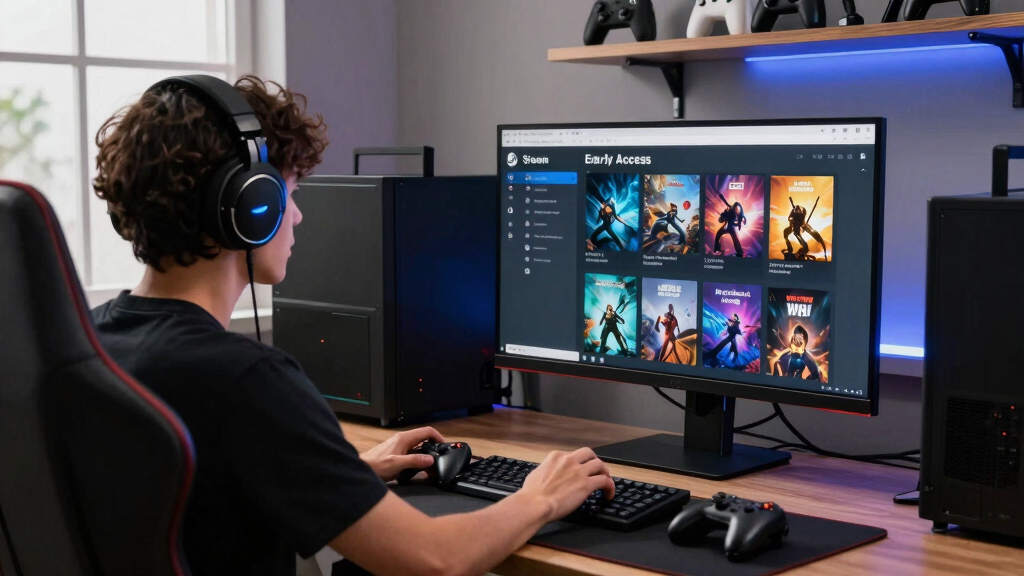
New in Steam Early Access — 2026-07-13 includes 12 listed entries, from the three-part Blackwater Exchange group to Kisen: Seeker of Aenjan City, Ascend to ZERO, Sonachord, Carpet Cleaning Simulator, and Gunbarich. Treat each release as a work in progress: check its current build, recent updates, controller support, age rating, and Steam Deck status before paying.
Twelve Steam store entries sit in this July 13 snapshot, and the range of names is striking. One promises the grime of Carpet Cleaning Simulator; another points toward the distant streets of Aenjan City. Then you reach three separate Blackwater Exchange listings and realize this is not a simple queue of unrelated games.
This briefing helps you sort those names without pretending a title reveals more than it does. You will see every listed entry, the questions each store page needs to answer, and a practical way to judge Early Access risk. You will also learn why the current build matters more than a glowing roadmap or an exciting feature planned for six months from now.
Steam introduced Early Access in 2013 so developers could sell playable works in progress, gather feedback, and fund continued development [1]. That model can produce wonderful games, but it can also leave you with broken saves, thin content, or a project that never reaches version 1.0. Think of the Early Access label as wet paint on a door: you can walk through, but you should expect marks on your sleeve.
Open all three Blackwater Exchange pages together and confirm ownership requirements before buying any one of them.
Judge every Early Access entry by its current playable build; roadmaps and release estimates can change.
Spend the first 10 minutes checking recent updates, fresh reviews, hardware support, and refund conditions.
Attach Steam Deck performance claims to a build date, Deck model, settings, and demanding gameplay scene.
Write bug reports with reproduction steps, build information, hardware details, and the expected result.
- Blackwater Exchange – City Trouble
- Blackwater Exchange – Starter Ledger
- Blackwater Exchange
- Kisen: Seeker of Aenjan City
- Ascend to ZERO
- Soulforge Lost Path
- Sonachord
- Carpet Cleaning Simulator
- Finding Cats
- Drident
- Snooker Billiard
- Gunbarich
Via Steam store search (US), newest first, as of 2026-07-13.
What You Are Really Buying When You Choose Early Access
Steam Early Access means you are buying a playable game that remains unfinished, not reserving a guaranteed future product. According to Steam’s Early Access guidance, buyers should choose based on the current playable build, because development plans can change and some projects never reach a full release [1].
The easiest analogy is a restaurant running its first public service while the kitchen crew still adjusts the menu. Your meal may taste excellent, but one course could disappear next week and another may arrive half-cooked. An Early Access game can change its controls, balance, story, save format, and your opinion in one patch.
Imagine buying Kisen: Seeker of Aenjan City because the name sparks visions of lantern-lit alleys and a sprawling quest. Before paying, you need to confirm what the present build actually contains: perhaps a complete opening area, perhaps a short test space, or perhaps something else entirely. The store page and current player reports—not the image in your head—hold the specific details about playable content.
Buy the game you can play today, not the game described in a future-tense roadmap.
Early Access can still be a rewarding choice when you enjoy reporting bugs and watching a project grow. You may see rough animation, hear an audio loop cut too sharply, or lose an evening to a corrupted save. In exchange, your feedback can shape difficulty, controls, accessibility, and the features the developer tackles next.
Steam Deck compatible gaming controllers
As an affiliate, we earn on qualifying purchases.
As an affiliate, we earn on qualifying purchases.
The 12 Store Pages Worth Opening in This July 13 Snapshot
New in Steam Early Access — 2026-07-13 covers 12 listed store entries, led alphabetically by neither genre nor price but by a wonderfully odd mix of names [2]. The list gives you a discovery map; each link still needs a close read before you can call any entry a game that fits you.
- Blackwater Exchange – City Trouble — Check whether this is standalone content, an expansion, or another form of companion release.
- Blackwater Exchange – Starter Ledger — Confirm what the ledger contains and whether ownership of the main listing is required.
- Blackwater Exchange — Use this page as the likely starting point for understanding the three related names.
- Kisen: Seeker of Aenjan City — Look for present story content, supported controls, and the size of the playable area.
- Ascend to ZERO — Verify its current play loop and what the developer plans to add before version 1.0.
- Soulforge Lost Path — Check combat footage, save support, and whether the existing content matches your expectations.
- Sonachord — Read its feature description closely rather than guessing at mechanics from its music-tinged name.
- Carpet Cleaning Simulator — Inspect tool variety, job structure, and performance when large areas become covered in effects.
- Finding Cats — Confirm the number of available scenes, hint options, and any accessibility settings.
- Drident — Let screenshots and current gameplay footage explain the unusual title before you assign it a genre.
- Snooker Billiard — Look for physics quality, rule sets, input options, and any online-mode limitations.
- Gunbarich — Check the current modes, difficulty settings, and controller support shown on its official page.
Suppose you have 20 minutes before dinner and want something easy to test. Finding Cats may catch your eye, while Snooker Billiard may suit a longer, measured session—the quiet click of a virtual cue replacing frantic keyboard taps. Those are useful first impressions, but current user reviews and unedited footage should settle the choice.
PC gaming accessories for early access games
As an affiliate, we earn on qualifying purchases.
As an affiliate, we earn on qualifying purchases.
Use This Quick Comparison to Find Your First Store Page
New in Steam Early Access — 2026-07-13 becomes easier to scan when you group each listing by the question its title raises. This comparison does not assign unconfirmed genres; it shows where your attention should go first, so a vivid name never outruns the facts on its Steam page.
| Entry or group | Why you may click | What to verify first |
|---|---|---|
| Blackwater Exchange listings | Three connected names suggest a larger product structure | Ownership requirements and how the entries connect |
| Kisen: Seeker of Aenjan City | A named city and seeker premise invite story expectations | Current story length and playable locations |
| Ascend to ZERO and Soulforge Lost Path | The names suggest progression and conflict | Present gameplay loop, saves, and difficulty options |
| Sonachord and Drident | Unusual names create curiosity | Official description, footage, and input support |
| Carpet Cleaning Simulator | A concrete task offers an easy-to-grasp fantasy | Tool variety, job count, and performance |
| Finding Cats | The goal sounds immediate and approachable | Scene count, hints, and replay value |
| Snooker Billiard and Gunbarich | Both names invite questions about precision play | Physics, modes, controllers, and difficulty |
Think of the table as the label on a row of mystery jars. It tells you which lid to open, but not what the contents taste like. If you want a slow evening with a mug beside the mouse, start with Finding Cats or Snooker Billiard, then confirm whether the live builds match that mood.
Your priorities can reverse the order. A player who loves testing unfinished systems may open Blackwater Exchange first, while someone with only a Steam Deck may begin by checking compatibility badges across all 12 pages. The best first click depends on your hardware, patience, and appetite for rough edges.
As an affiliate, we earn on qualifying purchases.
Why the Three Blackwater Exchange Listings Need Extra Care
The Blackwater Exchange group deserves extra attention because this snapshot lists three separate Steam pages: Blackwater Exchange, City Trouble, and Starter Ledger. Their shared naming signals a relationship, but the titles alone do not prove whether the smaller entries are standalone games, add-ons, prologues, tools, or bundled content.
Start with the main Blackwater Exchange page and compare its developer, publisher, requirements, release notes, and linked content against the other two pages. A matching visual style is not enough. You need a clear answer about whether City Trouble requires the base product and what role Starter Ledger plays before money changes hands.
Here is a realistic checkout mistake. You spot Starter Ledger at an inviting price, click through quickly, and expect the complete experience; ten minutes later, you discover that it serves a narrower purpose than the name suggested. That is why reading the ownership notice and package contents can save both your wallet and your evening.
The three pages may form an inventive entry path, and separate listings can make demos, companion content, or editions easier to find. They can also create confusion when store descriptions use similar artwork and repeated language. Treat any forum explanation, leaked plan, or rumored bundle as unconfirmed until the official pages or developer announcements support it.
Shared branding is not proof of shared ownership. Confirm what each Blackwater Exchange entry includes before you buy any of the three.
As an affiliate, we earn on qualifying purchases.
Five Checks That Can Save You From an Early Access Regret
A five-check buying routine can reveal whether an Early Access release fits your budget, hardware, and tolerance for bugs. You only need about 10 focused minutes: read what exists now, inspect recent development activity, check user reports, verify compatibility, and review the refund rules before launching the game.
- Read the Early Access box. Find the developer’s description of the current build, planned additions, estimated schedule, and expected price changes. Treat the schedule as a goal rather than a promise.
- Check update dates. A recent patch with concrete fixes tells you more than a grand roadmap posted months ago. Look for details such as fixed save errors, adjusted controller input, or added levels.
- Filter reviews by recent. Older reviews may describe bugs that no longer exist, while a fresh patch may introduce new ones. Search for repeated reports about crashes, content length, performance, and lost progress.
- Match the build to your hardware. Compare the listed requirements with your CPU, GPU, memory, operating system, controller, and display setup. For Steam Deck, check the current compatibility result and recent player reports.
- Know your exit route. Review Steam’s current refund policy in your region before testing. Use your first session to check performance and controls instead of spending it inside a character creator.
For example, you install Carpet Cleaning Simulator on a modest laptop after work. Rather than polishing one digital rug for two hours, you load a busy job, spray a large area, rotate the camera quickly, and test several tools. That short stress test can expose frame drops, input lag, and crashes while your purchase is still fresh.
This routine also protects your time. Early Access can swallow an evening with shader compilation, control rebinding, and a tutorial that breaks at the third prompt. A deliberate first session tests the game and your patience—a small bit of zeugma with a useful payoff.
What Steam Deck Players Should Verify Before Installing
New in Steam Early Access — 2026-07-13 does not guarantee that every listed entry will run well on Steam Deck. You should verify the compatibility badge, test version, controller layout, text size, and recent handheld reports for each game because an Early Access patch can change performance or break a previously working feature.
A Verified or Playable result belongs to a particular test state, not a permanent promise. The game can receive a new renderer, launcher, anti-cheat component, or control scheme after testing. Steam Deck status changes, so attach any performance claim to the game version and date that produced it.
Imagine opening Soulforge Lost Path on a train as rain streaks across the window. The game reaches 40 frames per second in a quiet starting area, but a later fight fills the screen with sparks and drops into the twenties. A useful player report would name the Deck model, build number, graphics preset, frame cap, and demanding scene—not simply call performance smooth.
- Readability: Can you read menus and subtitles on the Deck’s display without leaning forward?
- Controls: Does every action map cleanly without reaching for the touchscreen?
- Battery: Does the reported power draw fit the length of your usual session?
- Sleep and resume: Does the current build return safely without losing audio, input, or progress?
- Storage: Does the installed size leave space for patch downloads and shader data?
Age ratings and content notices also deserve a quick check, especially on a shared family device. Ratings can differ by region, and an unrated Early Access build may still contain mature material. Use the official regional rating where one exists, then review the store’s content description before handing the Deck to a younger player.
Turn Your First Hour Into Feedback Developers Can Use
Useful Early Access feedback describes what happened, where it happened, and how another person can reproduce it. A short report with the build number, hardware, steps, expected result, and actual result gives a developer far more to work with than a review that only says the game feels broken.
Suppose Sonachord stops responding after you change an input setting. Write down the exact menu path, the controller model, and whether restarting restores control. If the same problem appears three times after the same four clicks, you have found a repeatable pattern rather than a bad moment.
Separate bugs from preferences. “The game crashes when I open this menu” reports a fault; “I want faster movement” describes taste. Both can help, but clear labels let developers sort the smoking wires from the paint colors. You can report a broken save and your frustration in the same sentence, but the reproduction steps do the repair work.
Use the feedback channel named on the official store page or developer post. Before submitting, search for an existing thread and add new evidence there when appropriate. Never include passwords, account tokens, private messages, or other personal information in screenshots and log files.
A strong bug report is a recipe: someone else should be able to follow your steps and produce the same burnt result.
This brings us back to the wet-paint door. You may leave Early Access with a mark on your sleeve, but a precise report tells the painter exactly where the surface remains sticky. That exchange—access now for informed feedback—is where the model works best.
Frequently Asked Questions
What is new in Steam Early Access on July 13, 2026?
This snapshot contains 12 Steam store entries: three Blackwater Exchange listings, Kisen: Seeker of Aenjan City, Ascend to ZERO, Soulforge Lost Path, Sonachord, Carpet Cleaning Simulator, Finding Cats, Drident, Snooker Billiard, and Gunbarich [2]. Check each official page for live pricing, features, and availability in your region.
Which July 13 Early Access game is the best one to buy?
There is no defensible single winner without comparing the current builds and your preferences. Start with the title that fits your mood, then weigh recent reviews, available content, update history, and hardware support. A short game that runs cleanly may offer you more value than a grand project filled with unfinished systems.
Are City Trouble and Starter Ledger part of Blackwater Exchange?
The three entries share the Blackwater Exchange name, but naming alone does not prove their ownership or content relationship. Compare the official store descriptions and package requirements before buying. Any explanation based only on forum chatter, leaks, or assumptions remains unconfirmed.
Will these games run on Steam Deck?
Check each page’s current Steam Deck compatibility result and recent reports from players using the same Deck model. Early Access patches can alter frame rates, controls, launchers, and sleep behavior. A useful performance report names the build, settings, frame cap, and scene tested.
Can an Early Access game change or stop development?
Yes. Steam’s Early Access guidance says development schedules and planned features can change, and a project may never reach its intended full release [1]. Base your purchase on the game available today, then treat future additions as possibilities rather than guarantees.
Conclusion
Your best move on July 13 is simple: pick the store page that sparks your curiosity, then spend 10 minutes verifying the current build before spending money. Whether you choose a grimy carpet, a hidden cat, a snooker table, or the mystery of Blackwater Exchange, buy what you can play now—not a polished future that exists only in a roadmap.
Early Access works when curiosity travels with clear eyes. Check the version, test the rough corners, and leave useful feedback if something cracks. The paint may still be wet, but you can choose which door is worth opening.
Columbus Day / Indigenous Peoples' Day Picks
long weekend sales
As an affiliate, we earn on qualifying purchases.