
TL;DR

Play games on Amazon Luna for your game nights, included with Prime
- A rotating selection of games, no download needed
- Play on TV, laptop or phone
- Fast, free delivery for your gear, too
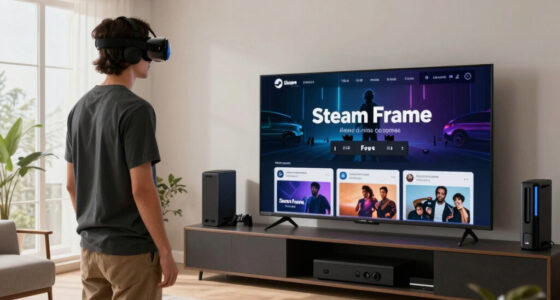
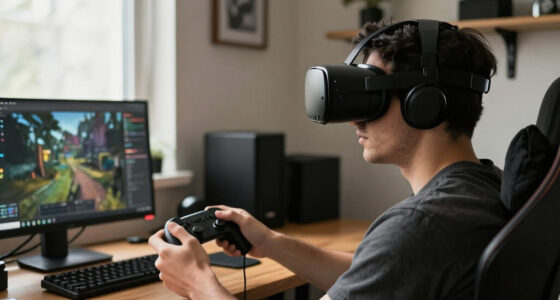
Steam Frame is Valve’s wireless VR headset built around streaming PC VR over an included 6GHz dongle, but it also runs full SteamOS on a Snapdragon 8 Gen 3 chip, so it plays games with no PC at all. Its eye-tracked foveated streaming works with any streamed game, no developer support required. Demanding titles like Half-Life: Alyx still need a gaming PC; standalone mode covers lighter VR builds, flat games on a virtual big screen, and media.
Valve just built the headset PC VR players have been duct-taping together for years — and then made sure it also works when your PC is switched off. Steam Frame, announced in November 2025 alongside a new Steam Machine and Steam Controller [1], is a wireless headset running full SteamOS on a Snapdragon 8 Gen 3 chip. Yet its entire design orbits one idea: streaming games from your gaming PC over a dedicated 6GHz dongle.
That sounds like a contradiction. It isn’t. In this guide you’ll learn why Valve bet on streaming as the flagship experience, what standalone mode actually runs, how the Frame stacks up against Meta’s Quest 3, and which launch details remain unconfirmed so you can plan with clear eyes.
One transparency note up front: pricing and ship timing were still in flux as of my knowledge cutoff, so treat any specific date or dollar figure you read — here or anywhere — as provisional until Valve confirms it. Now, the fun part.
Steam Frame defaults to wireless PC VR streaming over an included 6GHz dongle, but it runs full SteamOS standalone — no PC required.
Foveated streaming works on any streamed game with no developer support; foveated rendering still needs per-game support. Don’t confuse the two.
Demanding titles like Half-Life: Alyx stream from your PC; standalone mode covers lighter VR builds, flat games on a virtual big screen, and media.
There’s no DisplayPort input and no Lighthouse support — wireless streaming or standalone only, with the Frame’s own controllers.
Price and ship date were unconfirmed at reveal, with 2026 targeted and memory costs in flux — check Valve’s official word before budgeting.
Streaming-First.
Not Streaming-Only.
Steam Frame is Valve’s wireless VR headset built around streaming PC VR over an included 6GHz dongle — but it also boots full SteamOS on a Snapdragon 8 Gen 3, so it plays games with no PC at all. Eye-tracked foveated streaming works with any streamed game, no developer support required. It’s the headset PC VR players duct-taped together for years — that also works when your PC is switched off.
One Headset, Two Complete Computers
Think of it like a good laptop: docked, it drives heavy workloads; undocked, it’s still a full computer. Your PC is the dock — and the headset never becomes a paperweight when you walk away from it. Streaming is the default path, not the only one.
Wireless PC VR over the 6GHz dongle
Your PC’s GPU renders every frame; the dongle shuttles it to your eyes with low latency. The headset stays cool, quiet, and light — and inherits your PC’s upgrade cycle.
- Half-Life: Alyx and other demanding titles at full PC quality
- Foveated streaming on any game — day one, whole SteamVR library
- Visual ceiling tied to your rig, not mobile silicon
Full SteamOS on Snapdragon 8 Gen 3
Boots and runs games locally like a Steam Deck for your face — via FEX translation plus Proton, with a “Steam Frame Verified” badge program.
- Lighter VR builds as developers ship ARM versions
- Flat games on a giant virtual big screen
- Media, desktop mode, and sideloading on an open Linux platform
The Little 6GHz Dongle That Does the Heavy Lifting
VR streaming isn’t really a bandwidth problem — it’s a consistency problem. One delayed frame is the difference between presence and motion sickness. A private 6GHz channel with nothing else on it removes contention entirely: no router, no network config, no Air Link rituals.
Plug in the dongle
It pairs straight with the headset over USB. Nothing ever joins your home network — router quality becomes irrelevant.
Open your Steam library
Put on the headset and your PC VR titles appear ready to stream. No sideloading tools, no third-party apps.
Launch and play
Your PC renders each frame; the dongle acts as a private highway lane between your GPU and your retinas.
Foveated Streaming ≠ Foveated Rendering
Eye tracking tells the encoder exactly where you’re looking, so it sends maximum detail to that spot and slashes bandwidth everywhere else. The distinction decides whether a feature ships as an ecosystem — or as a promise.
| Dimension | Foveated Streaming (Steam Frame) | Foveated Rendering |
|---|---|---|
| Where it lives | In the streaming pipeline — the encoder, not the game | Inside the game engine’s render path |
| Developer support | ✓ None required — works with any streamed game | ✗ Required per game, title by title |
| Library coverage | Your whole SteamVR library, even years-old titles | ~ Only games that integrate it |
| What it saves | Bandwidth on the wireless link | GPU render cost — bigger per-game gains |
What Runs Where — and Why
Standalone mode is genuinely capable, but the fidelity ceiling is honest: the heaviest VR titles still belong to your PC’s GPU. Indicative rendering demand by workload:
Your visual ceiling is tied to your rig and your wireless link. A weak GPU or congested 6GHz environment caps the experience no matter how good the headset is.
The dongle is where your PC is, and 6GHz trades penetration for speed. Practical play space: the room your PC lives in, give or take a wall. Basement-rig-to-living-room dreams — temper them now.
Most SteamVR players already own capable gaming PCs. Every design dollar went to that use case — for everyone else, flagship mode has a hidden entry fee.
Steam Frame vs. Meta Quest 3
Quest 3 is standalone-first, streaming-optional. Steam Frame flips that bet: streaming-first, standalone-capable — and deliberately skips mixed reality to focus on VR.
| Dimension | Steam Frame | Meta Quest 3 |
|---|---|---|
| Default mode | Wireless PC VR streaming via included dongle | Standalone; PC streaming is optional extra |
| Wireless link | ✓ Dedicated 6GHz dongle, plug-and-play | ~ Shared Wi-Fi (Air Link / Virtual Desktop) |
| Eye tracking | ✓ Built-in, powers foveated streaming | ✗ Not included |
| Passthrough / MR | ✗ Monochrome only — VR-first by design | ✓ Color mixed reality |
| Platform | SteamOS — open Linux, desktop mode, sideloading | Closed Meta ecosystem |
| Wired PC VR | ✗ No DisplayPort, USB-C is charge/data only | ✓ Link cable supported |
From Your GPU to Your Retinas — and Back Again
Every design choice reinforces the same loop: offload the heavy work, keep the headset featherweight, never strand the user without a PC.
The Hard Boundaries & Open Questions
Wireless streaming or standalone only — those are the lanes. And as of the reveal, the two numbers everyone wants are the two Valve hasn’t locked down.
No DisplayPort input
USB-C handles charging and data only. There is no wired PC VR fallback — the wireless link is the PC connection, full stop.
No Lighthouse support
Tracking is inside-out via four monochrome cameras, with Frame’s own controllers. Existing base-station setups don’t carry over.
Price & ship date unconfirmed
Valve targeted 2026 at the November 2025 reveal, but industry-wide memory and storage cost spikes complicated pricing and timing announcements.
Standalone library still forming
Native ARM VR builds depend on developers shipping them; the “Steam Frame Verified” badge will signal what runs well. Check Valve’s official word before budgeting.
What ‘Streaming-First But Not Streaming-Only’ Actually Means
Steam Frame is streaming-first but not streaming-only: Valve built it mainly to stream PC VR wirelessly from your gaming rig, yet it still boots full SteamOS and runs games on its own Snapdragon 8 Gen 3 chip with 16GB of RAM — no PC required. Streaming is the default path, not the only one.
Think of it like a good laptop. Docked at your desk, it drives big monitors and heavy workloads; undocked, it’s still a complete computer. Steam Frame applies that same logic to VR. Your PC is the dock, and the headset never becomes a paperweight when you walk away from it.
The weight tells the story. At roughly 440 grams, with the battery pushed to the back of the strap, the Frame balances like a ball cap rather than a brick strapped to your forehead. Because your PC’s GPU does the heavy rendering during streamed sessions, the headset itself stays cool, quiet, and light.
Here’s why that tradeoff matters more than it first appears. Onboard rendering forces a brutal compromise: you either pay for flagship mobile silicon and carry its heat and battery drain on your face, or you accept cut-down graphics. Offloading the work to a PC you already own sidesteps that entire equation. The tradeoff is real, though — your visual ceiling is tied to your rig and your wireless link, so a weak GPU or a congested 6GHz environment caps the experience no matter how good the headset is. Valve is betting you’d rather inherit your PC’s upgrade cycle than buy a new headset every time mobile chips improve.
Valve’s reasoning is cold, practical math. Most SteamVR players already own capable gaming PCs — that’s the audience Valve sees in its own hardware data. So instead of chasing mass-market standalone buyers, Valve optimized for people who already have a rig humming under their desk. The implication cuts both ways: if you’re in that group, every design dollar went toward your use case; if you’re not, the Frame’s flagship mode has a hidden entry fee in the form of a gaming PC you don’t yet own.
As an affiliate, we earn on qualifying purchases.
The Little 6GHz Dongle That Does the Heavy Lifting
Steam Frame is streaming-first but not streaming-only, and the included 6GHz USB dongle is the ‘first’ half of that promise. It creates a direct, dedicated wireless link between your PC and the headset — no router, no network configuration, no praying over your Wi-Fi channel list.
If you’ve ever fought with Air Link on a Quest, you know the pain: router in the wrong room, a laptop hogging bandwidth, stutter every time someone fires up a 4K stream in the next room. Valve looked at that pile of third-party workarounds — Virtual Desktop, dedicated routers, Ethernet rituals — and productized it into one plug-and-play stick.
Why does a dedicated link change everything? Because VR streaming isn’t really a bandwidth problem — it’s a consistency problem. A shared Wi-Fi network might average plenty of speed, but VR punishes the spikes: one delayed frame at the wrong moment is the difference between presence and motion sickness. A private 6GHz channel with nothing else on it removes the contention variable entirely, which is what actually makes wireless feel wired.
- Plug the dongle into your PC’s USB port. It pairs straight with the headset — nothing joins your home network.
- Put on the headset and open your Steam library. Your PC VR titles appear ready to stream.
- Launch the game. Your PC renders each frame; the dongle shuttles it to your eyes with low latency.
That simplicity matters more than any spec-sheet number. The dongle works like a private highway lane between your GPU and your retinas — no traffic lights, no merging, no rush hour. Wireless PC VR used to be a hobbyist’s weekend project. Valve turned it into an appliance.
The implication for your setup is worth stating plainly: because the link is direct and point-to-point, your router quality becomes irrelevant — but so does your router’s range. The dongle is where your PC is, and 6GHz signals trade penetration for speed, so the practical play space is the room your PC lives in, give or take a wall. If your dream setup involved streaming from a basement rig to a living room two floors up, temper that expectation now.
As an affiliate, we earn on qualifying purchases.
Eye Tracking That Works in Every Game You Stream
Foveated streaming is Steam Frame’s quiet superpower: built-in eye tracking tells the encoder exactly where you’re looking, so it sends maximum detail to that spot and slashes bandwidth everywhere else. According to Valve, it works with any streamed game — no developer support needed.
That’s a different animal from foveated rendering, which changes how the game itself draws frames and does require per-game support. Steam Frame’s trick lives in the streaming pipeline, so your existing SteamVR library benefits on day one — even titles that shipped years before this headset existed.
Why does the distinction matter so much? Because it decides whether a feature ships as an ecosystem or as a promise. Foveated rendering delivers bigger per-game gains, but each title needs a developer to integrate it — which historically means a handful of showcase games and a long tail of nothing. Foveated streaming trades some of that peak efficiency for total coverage: it rides on top of the video encode, so it doesn’t care what the game is, when it shipped, or whether its studio still exists. Valve chose the feature that works everywhere over the feature that works best.
Think of a stage spotlight. The theater keeps the house lights low and blasts lumens only where the actors stand, and the audience never misses the dark corners. Foveated streaming does the same with pixels. Take Half-Life: Alyx (rated M for Mature by the ESRB): streamed from a capable PC, you get full PC fidelity — the oily sheen on a headcrab, dust hanging in a flashlight beam — while the encoder quietly starves the peripheral pixels you’d never notice anyway.
There’s a second-order payoff here that’s easy to miss: saved bandwidth isn’t just efficiency, it’s headroom. Every megabit the encoder doesn’t spend on your peripheral vision is a megabit available for sharper detail, higher frame rates, or resilience when the wireless link degrades — and it’s what makes a visually lossless stream over a small USB dongle plausible at all.
One caveat for spec shoppers: eye tracking is hardware-level, but the two ‘foveated’ features aren’t interchangeable. Streaming gets it everywhere; rendering gets it only where developers build it in. Keep that distinction in mind when hands-on coverage mixes the two.
As an affiliate, we earn on qualifying purchases.
What Standalone Mode Actually Runs When Your PC Is Off
Steam Frame is streaming-first but not streaming-only, and the ‘not only’ half is a real computer: SteamOS on ARM, 16GB of LPDDR5X RAM, and 256GB or 512GB of storage plus microSD expansion. It boots, browses your library, and plays games with zero PC involved.
Valve’s ARM translation stack does the heavy lifting. The FEX layer plus Proton lets many existing x86 Steam games run natively on the headset, and the Steam Frame Verified badge — an extension of the Deck Verified program — flags which games run well standalone. Imagine a hotel room with an hour to kill: no PC, no dongle, just you and your library dropped onto a virtual screen the size of a cinema wall.
Set expectations on what translation actually means, because it’s the crux of standalone mode’s value. FEX and Proton are compatibility layers, not magic: they make x86 games run on ARM by translating instructions in real time, and translation always costs performance. The Steam Deck proved this model works for thousands of games, but the Deck’s lesson cuts both ways — the titles that shine are the ones with performance headroom to spare. Lighter and older games will feel native; games that already pushed hardware to its limit have nothing left to pay the translation tax.
- Less-demanding VR titles as developers ship ARM builds.
- Flat Steam games on a giant virtual screen, via FEX and Proton.
- Media, desktop mode, and sideloading — it’s an open Linux device, with Valve-backed Android app compatibility work in the mix.
Notice that two of those three pillars depend on other people. Native ARM VR builds require developers to actually ship them, and the Verified catalog grows only as Valve and the community test titles. Standalone mode’s value on launch day versus its value in year two could look very different — it’s a platform bet, not a fixed feature list. The open-Linux angle is the hedge: sideloading and desktop mode mean the community can fill gaps Valve never gets to, which is precisely what kept the Deck thriving between official milestones.
Reality check, though: demanding PC VR titles don’t run natively. Half-Life: Alyx needs a streaming PC — full stop. Standalone mode is the road trip, not the home garage, and it shines brightest with lighter VR builds, flat games, and everything an open platform lets you bolt on yourself.
As an affiliate, we earn on qualifying purchases.
Steam Frame vs. Meta Quest 3: Mirror-Image Headsets
Steam Frame is streaming-first but not streaming-only; Meta Quest 3 is the philosophical inverse — standalone-first, streaming-optional. Same category, opposite priorities. The right pick depends on whether a gaming PC already sits under your desk.
That inversion isn’t marketing spin — it’s visible in where each company accepted compromise. Meta spent its hardware budget on color passthrough cameras and a mobile chipset strong enough to carry games alone, which is why its PC streaming story leans on your home router. Valve spent its budget on the dongle, eye tracking, and light weight, and accepted monochrome passthrough and a standalone mode aimed at lighter fare. Each headset is great at the thing the other treats as a bonus feature.
| Steam Frame | Meta Quest 3 | |
|---|---|---|
| Design priority | Wireless PC VR streaming first | Standalone gaming first |
| PC connection | Included 6GHz dongle, direct link | Optional Air Link or third-party apps over your router |
| Passthrough | Monochrome only — VR over mixed reality | Color passthrough for mixed reality |
| Software | Open SteamOS: desktop mode, sideloading | Meta’s curated store and ecosystem |
| Tracking | Inside-out via four cameras, plus eye tracking | Inside-out; no eye tracking |
The software row deserves a second look, because it’s the longest-term difference on the table. Meta’s curated store means guaranteed polish but platform lock-in — your purchases live in Meta’s ecosystem. SteamOS means your existing Steam library follows you, plus desktop mode and sideloading for whatever Valve never ships. Openness costs you some curation and convenience; curation costs you ownership flexibility. Neither is wrong, but they age very differently as platforms evolve.
Valve also drew a hard line on legacy gear. Your Index controllers and Lighthouse base stations don’t work here — the Frame uses inside-out tracking and its own new controllers. And there’s no wired DisplayPort mode: USB-C handles charging and data only, so your choices are wireless streaming or standalone.
That second cut is the more revealing one. Dropping DisplayPort entirely means Valve is willing to bet the product on wireless quality — there’s no fallback cable for competitive players who distrust compression, and no migration path for Lighthouse households beyond selling the old kit. It’s a confident, user-hostile-in-one-edge-case decision that tells you exactly how much faith Valve has in its own link.
The passthrough decision says everything about intent. Where Meta and Apple chase mixed-reality living rooms, Valve shipped monochrome passthrough and spent the savings on VR. If your dream is digital furniture on real walls, look elsewhere; if your dream is Alyx at full PC fidelity with zero cable, this is your lane.
The Two Questions Valve Hasn’t Answered Yet
Valve targeted 2026 for Steam Frame but announced no price and no firm ship date at the November 2025 reveal — and an industry-wide spike in memory and storage costs has complicated both. Treat any specific price you see floating around as unconfirmed until Valve says otherwise.
That memory crunch isn’t rumor-mill decoration. A headset shipping with 16GB of LPDDR5X and up to 512GB of storage sits right in the blast zone of RAM and SSD price spikes that have squeezed hardware makers across the board, which helps explain the quiet on pricing.
Why should component costs change how you read this launch? Because Valve is cornered between two bad options: absorb the spike and eat margin on every unit, or pass it through and land above the psychological price lines Meta has trained the market to expect. The silence on price reads less like secrecy and more like a company waiting to see where component costs settle before committing — which also means the price, when it comes, will tell you a lot about how aggressively Valve wants to grow this platform.
Transparency note: this article is based on training data and November 2025 hands-on reporting; pricing and ship timing were still in flux as of my knowledge cutoff, so verify current status before publishing any firm launch-day plans. Valve’s official announcements are the final word.
The practical implication for your decision: don’t budget around a number anyone has guessed, and don’t let a rumored figure anchor you. If you’re comparing headsets today, the Quest 3 has a known price and a shipping product; the Frame has a design philosophy and a target window. That asymmetry — certainty now versus a potentially better fit later — is the real pre-order dilemma, and no hands-on report can resolve it for you.
What you can bank on: dev kits are in developers’ hands, hands-on coverage from outlets like The Verge, Road to VR, UploadVR, and Tested is public [2], and the Steam Frame Verified program is real. What’s unconfirmed: the number on the box and the day it ships. Anyone claiming otherwise is guessing.
Frequently Asked Questions
Do you need a gaming PC to use Steam Frame?
No. Steam Frame boots and runs SteamOS standalone, so it works with no PC at all. But the highest-fidelity experience — demanding PC VR titles at full quality — comes from streaming from a capable gaming rig. Streaming-first, not streaming-only.
Can Steam Frame play Half-Life: Alyx natively?
No. Demanding PC VR titles like Half-Life: Alyx (rated M for Mature by the ESRB) require streaming from a capable gaming PC over the included dongle. Standalone mode targets less-demanding VR titles with ARM builds plus flat Steam games via FEX and Proton.
Is there a wired PC VR option on Steam Frame?
No. There’s no DisplayPort input — the USB-C port handles charging and data only. Your two modes are wireless streaming over the 6GHz dongle or standalone play. If a tethered headset is non-negotiable for you, this isn’t it.
Does foveated streaming require developers to patch their games?
No. According to Valve, foveated streaming works with any streamed game because it lives in the encoding pipeline, using eye tracking to send full detail only where you’re looking. Foveated rendering is the one that needs per-game developer support — a distinction worth remembering when reading coverage.
Can you use Valve Index controllers or Lighthouse base stations with Steam Frame?
No. Steam Frame uses inside-out tracking from four onboard cameras and ships with its own new controllers. Lighthouse base stations and Index controllers aren’t supported, so plan on the included gear rather than your existing VR hardware.
What does Steam Frame cost, and when does it ship?
Valve didn’t announce a price or firm date at the November 2025 reveal, signaling 2026 as the target window. Industry-wide memory and storage price spikes have complicated both. Any specific number you see is unconfirmed — check Valve’s official announcements before making plans.
Conclusion
Remember it this way: Steam Frame is a wireless window into your gaming PC that happens to have a whole Steam Deck’s worth of computer hidden inside it. If you own a capable rig, the dongle plus foveated streaming is the main event; if you don’t, standalone mode still carries your library on the road. Buy it for the stream, keep it for everything else.
Before launch day, do one thing: check the Steam Frame Verified list against your own library. The first time you see a favorite game on a screen the size of a movie-theater wall — in a hotel room, your PC a thousand miles away — ‘streaming-first but not streaming-only’ stops sounding like a compromise and starts sounding like the point.
Fall Picks
fall essentials
As an affiliate, we earn on qualifying purchases.