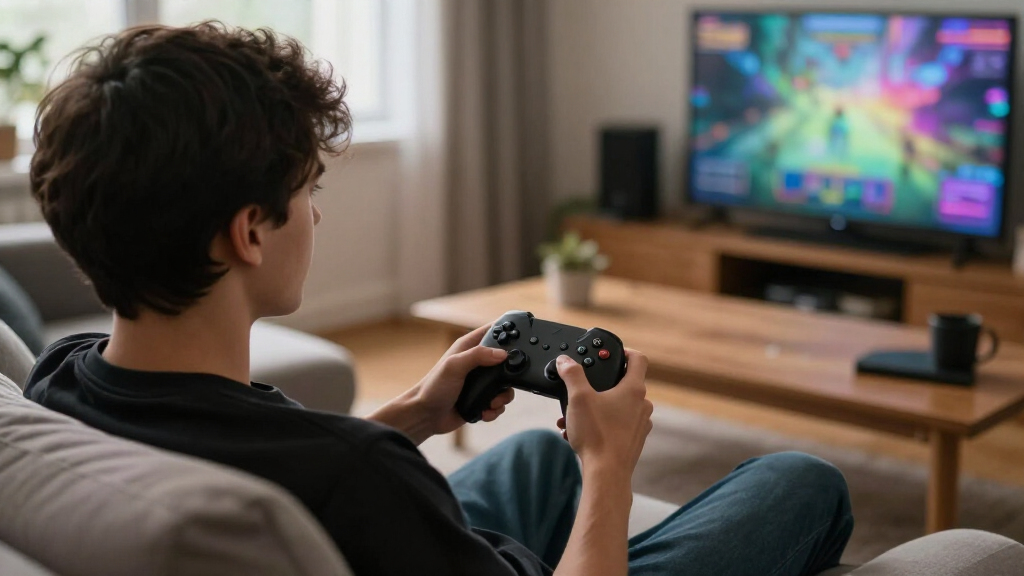
The best game controllers balance platform compatibility, comfortable controls, and the features you will actually use. I’d start with the Xbox Wireless Controller as the straightforward all-around pick, while the 8BitDo Ultimate 2 stands out for multi-platform play and the Xbox Elite Wireless Controller Series 2 for players who want extensive customization. The main tradeoffs are wired simplicity versus wireless freedom, broad compatibility versus platform-specific features, and extra controls versus a simpler layout. A controller that fits your games and devices can matter more than a longer feature list. Read on for the full breakdown and buying advice.

Play games on Amazon Luna for your game nights, included with Prime
- A rotating selection of games, no download needed
- Play on TV, laptop or phone
- Fast, free delivery for your gear, too
Complete the kit



Key Takeaways
- The standard Xbox Wireless Controller is the simplest all-around choice among the listed models, with several color and bundle variations; those variations do not make each one a different kind of controller.
- Multi-platform support varies sharply. The 8BitDo Ultimate 2 lists PC, Apple, Steam, and Android, while the Exilapsire model lists PC, Switch, Switch 2, iOS, and Android; confirm compatibility details for your exact device before buying.
- Wired models trade cable-free play for a direct connection. The GameSir G7 SE and Logitech F310 suit players who prefer wired setups, while wireless models offer more freedom around the room.
- Specialist features are concentrated in premium and performance-focused options. The Elite Series 2, Razer Wolverine V3 Pro 8K, and GameSir G7 Pro variants target players seeking advanced controls or specific platform support.
- Several entries are close variants rather than wholly different choices. Compare the G7 Pro editions and the Xbox controller colors by connection, platform support, and included accessories instead of choosing by edition name alone.
| Wireless Gaming Controller with Hall Effect Joysticks, Charging Dock, and RGB |  | Best for Multi-Platform Play | Sensors: Hall effect joysticks and triggers | Joystick accuracy: 4096 levels | Polling rate: 1000Hz via 2.4GHz dongle | VIEW LATEST PRICE | See Our Full Breakdown |
| GameSir G7 Pro Zenless Zone Zero Wireless Xbox Controller |  | Best Premium Xbox Customization | Compatibility: Xbox Series X|S, Xbox One, PC | Connection: 2.4GHz wireless or wired | PC polling rate: Up to 1000Hz | VIEW LATEST PRICE | See Our Full Breakdown |
| Xbox Wireless Controller with USB-C Cable, Carbon Black |  | Best for Wired-or-Wireless Flexibility | Color: Carbon Black | Included cable: 9-foot USB-C | Connectivity: Wireless, Bluetooth, USB-C | VIEW LATEST PRICE | See Our Full Breakdown |
| 8Bitdo Ultimate 2 Wireless Controller for PC, Apple, Steam, and Android |  | Best for Low-Latency PC Play | Compatible devices: Android, Windows | Connectivity: USB, wireless 2.4GHz | Polling rate: 1000Hz over 2.4GHz and wired connections | VIEW LATEST PRICE | See Our Full Breakdown |
| Xbox Wireless Controller, Robot White |  | Best for Straightforward Xbox Play | Color: Robot White | Connectivity: Xbox Wireless, Bluetooth, USB-C | Compatible devices: Supported Xbox consoles, Windows PCs, mobile devices, Smart TVs, and other compatible devices | VIEW LATEST PRICE | See Our Full Breakdown |
| GameSir G7 Pro Controller for Xbox, PC, and Android |  | Best for Multi-Platform Tuning | Connectivity: Wired for Xbox; wired or 2.4 GHz wireless for PC; Bluetooth for Android | Stick technology: Mag-Res TMR | Triggers: Hall Effect analog triggers with switchable Micro Switch trigger stops | VIEW LATEST PRICE | See Our Full Breakdown |
| Logitech G F310 Wired Gamepad Controller, Blue/Black |  | Best for Legacy PC Games | Connection: Wired USB | Cable length: 6 feet | Programmable buttons: 10 | VIEW LATEST PRICE | See Our Full Breakdown |
| Xbox Wireless Controller, Shock Blue |  | Best for Everyday Xbox Play | Color: Shock Blue | Connectivity: Xbox Wireless, Bluetooth, USB-C | Audio: 3.5 mm headset jack | VIEW LATEST PRICE | See Our Full Breakdown |
| Exilapsire Wireless Game Controller for PC, Switch, Switch 2, iOS, and Android |  | Best for Cross-Platform Customization | Compatible devices: Windows PC, Nintendo Switch, Switch 2, Android, iOS | Connection options: Bluetooth, 2.4 GHz wireless receiver, USB-C wired | Joysticks and triggers: Hall Effect | VIEW LATEST PRICE | See Our Full Breakdown |
| GameSir G7 SE Wired Controller for Xbox and Windows (White) |  | Best Wired Xbox Upgrade | Compatible devices: Xbox Series X|S, Xbox One, PC | Operating system: Windows 10 and later | Connectivity: Wired USB | VIEW LATEST PRICE | See Our Full Breakdown |
| GameSir G7 Pro 8K PC Wireless Controller – Nioh 3 Edition |  | Best for Competitive PC Play | Compatibility: PC | Connectivity: 2.4 GHz wireless; wired USB | Polling rate: 8000 Hz | VIEW LATEST PRICE | See Our Full Breakdown |
| 8BitDo Ultimate 2C Wireless Controller for Windows and Android (Green) |  | Best Value Pick | Compatibility: Windows, Android | Connectivity: 2.4 GHz wireless; USB | Polling rate: 1000 Hz wireless and wired | VIEW LATEST PRICE | See Our Full Breakdown |
| GameSir G7 Pro Wired Controller for Xbox Series X|S, Xbox One, PC & Android – White |  | Best for Multi-Platform Play | Connectivity: Wired Xbox; 2.4 GHz wireless or wired PC; Bluetooth Android | Polling rate: 1000 Hz on PC | Sticks: TMR with Hall Effect technology | VIEW LATEST PRICE | See Our Full Breakdown |
| Razer Wolverine V3 Pro 8K Wireless Gaming Controller for PC |  | Best Premium PC Controller | Compatibility: Windows 11 PC | Connectivity: Wireless via USB-A dongle; wired USB-C | Polling rate: 8000 Hz | VIEW LATEST PRICE | See Our Full Breakdown |
| Xbox Elite Wireless Controller Series 2, Black |  | Best for Customizable Xbox Play | Compatibility: Xbox Series X|S, Xbox One, Windows PC, cloud gaming | Connectivity: Xbox Wireless, Bluetooth, USB-C | Battery life: Up to 40 hours | VIEW LATEST PRICE | See Our Full Breakdown |
| game controller | Connectivity |
|---|---|
| Wireless Gaming Controller wit | 2.4GHz, Bluetooth, USB-C |
| GameSir G7 Pro Zenless Zone Ze | — |
| Xbox Wireless Controller with | Wireless, Bluetooth, USB-C |
| 8Bitdo Ultimate 2 Wireless Con | USB, wireless 2.4GHz |
| Xbox Wireless Controller | Xbox Wireless, Bluetooth, USB-C |
| GameSir G7 Pro Controller for | Wired for Xbox; wired or 2.4 GHz wireless for PC; Bluetooth for Android |
| Logitech G F310 Wired Gamepad | — |
| Xbox Wireless Controller | Xbox Wireless, Bluetooth, USB-C |
| Exilapsire Wireless Game Contr | — |
| GameSir G7 SE Wired Controller | Wired USB |
| GameSir G7 Pro 8K PC Wireless | 2.4 GHz wireless; wired USB |
| 8BitDo Ultimate 2C Wireless Co | 2.4 GHz wireless; USB |
| GameSir G7 Pro Wired Controlle | Wired Xbox; 2.4 GHz wireless or wired PC; Bluetooth Android |
| Razer Wolverine V3 Pro 8K Wire | Wireless via USB-A dongle; wired USB-C |
| Xbox Elite Wireless Controller | Xbox Wireless, Bluetooth, USB-C |
More Details on Our Top Picks
Wireless Gaming Controller with Hall Effect Joysticks, Charging Dock, and RGB
Broad compatibility and drift-resistant controls make this a flexible pick for players who move between PC, Switch, and mobile. Its Hall effect sticks and triggers are designed to resist the wear that can lead to drift, while the included 2.4GHz dongle supports 1000Hz polling for PC play. Two rear buttons and app-based remapping add control options that the standard Xbox Wireless Controller lacks. The tradeoff is a more involved setup: players who want a straightforward console pad may prefer Xbox’s simpler controls and established console compatibility. This model also needs up to three hours to recharge, and the listed runtime is up to 15 hours with RGB enabled. Choose it for its platform range and customization; skip it if you want a familiar, no-fuss Xbox controller.
Pros:- Hall effect joysticks and triggers are designed to resist stick drift
- Supports Windows PC, Nintendo Switch, Android, and iOS
- Includes a charging dock and 2.4GHz dongle
- Two programmable rear buttons and app-based remapping
Cons:- A full recharge takes three hours
- Listed battery life is up to 15 hours with RGB on, with no runtime stated for RGB off
Best for: PC and Switch players who also want one customizable controller for Android or iOS
Not ideal for: Xbox console players who want a straightforward officially supported Xbox controller
- Sensors:Hall effect joysticks and triggers
- Joystick accuracy:4096 levels
- Polling rate:1000Hz via 2.4GHz dongle
- Connectivity:2.4GHz, Bluetooth, USB-C
- Compatible platforms:Windows PC, Nintendo Switch, Android, iOS
- Battery:1000mAh; up to 15 hours with RGB on
- Recharge time:3 hours via USB-C
- Programmable controls:2 rear buttons; up to 21 functions each
- RGB lighting:7 modes and 4 brightness levels
Our verdict“Choose this if you want one customizable, drift-resistant controller across PC, Switch, and mobile.”
GameSir G7 Pro Zenless Zone Zero Wireless Xbox Controller
Four remappable buttons and switchable triggers give this licensed Xbox controller more room to tailor controls than the standard Xbox Wireless Controller, Robot White. Its TMR joysticks are designed for precise input, and players can choose Hall effect or micro trigger modes to suit different games. On PC, polling reaches 1000Hz; the included charging station and magnetic faceplates add convenience and a way to change its look. That expanded setup comes with a narrower role: the high polling rate is PC-only, and the listed compatibility covers Xbox consoles and PC rather than mobile or Switch. Players who want a simpler Xbox pad can save themselves the customization overhead with the standard Xbox controller. This is the better fit for Xbox and PC players who will use its extra controls.
Pros:- Four remappable buttons provide more control customization than the standard Xbox Wireless Controller
- TMR joysticks and switchable Hall effect or micro triggers
- Supports wireless 2.4GHz or wired play
- Charging station, magnetic faceplate, and extra D-pads are included
Cons:- 1000Hz polling is supported on PC only
- Listed compatibility is limited to Xbox consoles and PC
Best for: Xbox and PC players who want multiple remappable buttons, trigger modes, and a charging station
Not ideal for: Players seeking one controller for Switch or mobile, or who do not need extra controls
- Compatibility:Xbox Series X|S, Xbox One, PC
- Connection:2.4GHz wireless or wired
- PC polling rate:Up to 1000Hz
- Joysticks:TMR
- Trigger modes:Switchable Hall effect and micro triggers
- Battery:Built-in 1200mAh
- Remappable buttons:4
- Customization:GameSir Nexus app, magnetic faceplate, extra D-pads
Our verdict“Pick this for a highly configurable Xbox and PC setup; choose the standard Xbox Wireless Controller for simpler everyday play.”
Xbox Wireless Controller with USB-C Cable, Carbon Black
A 9-foot USB-C cable in the box makes this bundle a practical choice for players who want wireless freedom but also a long wired option for a desk or low-battery session. The hybrid D-pad, textured grips, headset jack, and customizable button mapping keep the core Xbox experience familiar. Against the Xbox Wireless Controller, Robot White, its clearest distinction is that included cable; both rely on AA batteries for wireless use and offer up to 40 hours of battery life. That estimate depends on use, and the AA batteries are not listed as included, so wireless play may require a separate purchase. Compatibility also varies by device and operating system. Pick this bundle when the cable matters; skip it if you need a rechargeable battery built into the controller.
Pros:- Includes a 9-foot USB-C cable for wired play
- Can connect wirelessly, over Bluetooth, or through USB-C
- Textured grips and hybrid D-pad support controlled handling
- Up to 40 hours of wireless battery life with AA batteries
Cons:- Wireless play requires AA batteries, which are not listed as included
- Compatibility varies by device and operating system
Best for: Xbox and Windows PC players who want a long included cable for wired sessions alongside wireless play
Not ideal for: Players who want a built-in rechargeable battery or need guaranteed compatibility with every device
- Color:Carbon Black
- Included cable:9-foot USB-C
- Connectivity:Wireless, Bluetooth, USB-C
- Battery life:Up to 40 hours with AA batteries
- Audio:3.5 mm headset jack
- Controls:Hybrid D-pad; customizable button mapping
- Compatible platforms:Xbox consoles, Windows PC, and select compatible devices
Our verdict“Choose this Xbox bundle if you want an included long cable for wired play and the option to go wireless.”
8Bitdo Ultimate 2 Wireless Controller for PC, Apple, Steam, and Android
Under 1 ms stated wireless latency and 1000Hz polling over 2.4GHz or wired connections make this the performance-focused pick for compatible PC play. TMR sticks and switchable trigger behavior let players choose between Hall effect linear input and tactile, non-linear response. It also offers more extra controls than the standard Xbox Wireless Controller, including back paddles and R4/L4 bumpers, plus a multifunction dock. Those additions suit players who like to tune their setup, though the listed compatibility is limited to Android and Windows, and its stated weight of 630g may feel substantial. Choose this over the Xbox model for its configurable controls and high polling; choose Xbox for a more familiar console-oriented option with broader stated compatibility.
Pros:- 1000Hz polling over 2.4GHz wireless and wired connections
- TMR joysticks and switchable trigger modes
- Back paddles, R4/L4 bumpers, and motion control add configuration options
- Includes a multifunction charging dock and USB-C adapter
Cons:- Listed compatibility is limited to Android and Windows
- Listed weight is 630g
Best for: Windows PC players who want low-latency wireless input, configurable triggers, and extra controls
Not ideal for: Console-focused players or anyone who prioritizes a lightweight controller and broad listed compatibility
- Compatible devices:Android, Windows
- Connectivity:USB, wireless 2.4GHz
- Polling rate:1000Hz over 2.4GHz and wired connections
- Wireless range:10m
- Wireless latency:Under 1ms
- Joysticks:TMR
- Triggers:Switchable Hall effect linear and tactile non-linear
- Additional controls:2 back paddles, R4/L4 bumpers, Turbo function
- Included accessories:Multifunction charging dock, USB-C adapter
Our verdict“Choose this for configurable, low-latency PC play if its listed weight and platform limits suit your setup.”
Xbox Wireless Controller, Robot White
Familiar Xbox controls and broad supported-device connections make the Robot White model a straightforward choice for players who value ease of use over extra paddles or trigger modes. It connects through Xbox Wireless, Bluetooth, or USB-C, and its hybrid D-pad, textured grips, headset jack, and Share button cover everyday play and chat. Compared with the GameSir G7 Pro Zenless Zone Zero Wireless Xbox Controller, it offers a simpler control layout and skips the charging station and advanced trigger options. That simplicity also means fewer customization controls, and wireless play relies on AA batteries. The manufacturer estimates up to 40 hours, though actual battery life varies. Pick it for a familiar Xbox-centered setup; look elsewhere for built-in rechargeable power or extensive remapping.
Pros:- Connects through Xbox Wireless, Bluetooth, or USB-C
- Textured grips and hybrid D-pad support controlled play
- Includes a Share button and 3.5 mm headset jack
- Custom button mapping is available through the Xbox Accessories app
Cons:- Wireless play requires AA batteries
- Some compatibility and customization features require supported devices or a separately sold USB-C cable
Best for: Xbox players who want a familiar controller that can also connect to supported PCs and mobile devices
Not ideal for: Players who want a built-in rechargeable battery, rear buttons, or advanced trigger customization
- Color:Robot White
- Connectivity:Xbox Wireless, Bluetooth, USB-C
- Compatible devices:Supported Xbox consoles, Windows PCs, mobile devices, Smart TVs, and other compatible devices
- Power source:AA batteries
- Battery life:Up to 40 hours; varies by use
- Audio jack:3.5 mm
- Button quantity:12
- Dimensions:6.91 x 5.61 x 2.76 inches
Our verdict“Choose this for familiar Xbox controls across supported devices; opt for the GameSir G7 Pro if you want extra remappable controls and trigger modes.”
GameSir G7 Pro Controller for Xbox, PC, and Android
The GameSir G7 Pro suits players who want configurable controls across Xbox, PC, and Android. Its TMR sticks and Hall Effect triggers offer a different hardware approach from the Xbox Wireless Controller, while four extra buttons and a PC-only gyroscope give PC players more ways to tailor inputs. On PC, it supports up to a 1000 Hz polling rate over wired or 2.4 GHz connections; the included charging station also gives its 1200 mAh battery a dedicated home. Those features come with a platform split: Xbox requires a cable, and the gyro works only on PC. Choose it over the simpler Xbox Wireless Controller if customization and PC tuning matter more than wireless play on console.
Pros:- Supports Xbox, PC, and Android through platform-specific connections
- TMR sticks and Hall Effect triggers
- Four customizable extra buttons and PC gyroscope
- Charging station is included
Cons:- Xbox connection is wired
- Gyroscope features are limited to PC
- Different connection methods are required across platforms
Best for: Players who switch between wired Xbox play, wireless PC gaming, and Android, and want extra controls to customize
Not ideal for: Xbox players who want to play wirelessly or use the gyroscope on console
- Connectivity:Wired for Xbox; wired or 2.4 GHz wireless for PC; Bluetooth for Android
- Stick technology:Mag-Res TMR
- Triggers:Hall Effect analog triggers with switchable Micro Switch trigger stops
- PC polling rate:Up to 1000 Hz via wired or 2.4 GHz connection
- Gyroscope:Built in; PC only
- Extra buttons:Four customizable buttons
- Battery capacity:1200 mAh
- Charging:Smart Auto Start-Stop Charging Station
- Audio jack:3.5 mm
Our verdict“Choose the G7 Pro if you want extensive controls and PC features across several platforms and can accept wired Xbox play.”
Logitech G F310 Wired Gamepad Controller, Blue/Black
The Logitech F310 is a straightforward wired pick for PC players whose game libraries include older titles or games without native gamepad support. Its programmable buttons and floating D-pad can help bridge that gap, and Logitech Profiler can map controls to keyboard and mouse commands. That gives it a practical niche beside the more feature-rich GameSir G7 SE, which adds Hall Effect sticks and triggers, vibration, and headset support. The F310 keeps things simpler with a six-foot USB cable and a familiar layout, but its listed Windows compatibility stops at XP, Vista, and 7, so buyers on newer systems should check compatibility before choosing it. Profiler also requires installation, and the cable rules out wireless play.
Pros:- Programmable controls can map to keyboard and mouse commands
- Floating 8-way D-pad is programmable
- Six-foot USB cable allows some distance from the PC
- Familiar gamepad layout
Cons:- Wired USB connection only
- Listed Windows compatibility is limited to XP, Vista, and 7
- Profiler software requires installation
Best for: PC players with older game libraries or games that need keyboard and mouse input mapped to a controller
Not ideal for: Players seeking a modern console controller, wireless play, or current Windows support stated in the product data
- Connection:Wired USB
- Cable length:6 feet
- Programmable buttons:10
- D-pad:Programmable 8-way floating D-pad
- Compatibility:Windows XP, Vista, and 7
- Color:Blue/Black
Our verdict“Pick the F310 for older PC games and input mapping, but choose the GameSir G7 SE if you want modern Xbox support and newer controller features.”
Xbox Wireless Controller, Shock Blue
The Xbox Wireless Controller is the uncomplicated choice for players who want one familiar gamepad for Xbox and Bluetooth-compatible devices. Its Xbox Wireless, Bluetooth, and USB-C connections make it more flexible for everyday use than the wired GameSir G7 SE, while textured grips and a hybrid D-pad support comfortable handling across different game types. The Share button, headset jack, and Xbox Accessories app add practical conveniences without the deeper tuning focus of the GameSir G7 Pro. That makes this a strong fit for straightforward play and custom button profiles, but it lacks the listed Hall Effect sticks, extra rear buttons, and charging station of those GameSir options. Headset compatibility also depends on the headset.
Pros:- Xbox Wireless, Bluetooth, and USB-C connectivity
- Textured grips and hybrid D-pad
- Button remapping and profiles through the Xbox Accessories app
- Share button and 3.5 mm headset jack
Cons:- Headset jack supports compatible headsets only
- No extra customizable rear buttons are listed
- Does not list Hall Effect sticks or triggers
Best for: Xbox players who want a familiar controller that can also connect to Bluetooth devices and supports basic button remapping
Not ideal for: Players seeking extra rear buttons, Hall Effect stick and trigger hardware, or a bundled charging station
- Color:Shock Blue
- Connectivity:Xbox Wireless, Bluetooth, USB-C
- Audio:3.5 mm headset jack
- D-pad:Hybrid
- Grip:Textured
- Share control:Share button
- Customization:Button remapping and profiles via Xbox Accessories app
Our verdict“Choose the Shock Blue controller for familiar, flexible Xbox play; pick the GameSir G7 Pro if extra buttons and PC-focused tuning matter more.”
Exilapsire Wireless Game Controller for PC, Switch, Switch 2, iOS, and Android
The Exilapsire Wireless Game Controller is aimed at players who move between PC, Switch, Switch 2, and mobile devices and want settings close at hand. Its Bluetooth, 2.4 GHz receiver, and USB-C options offer more connection variety than the Xbox Wireless Controller, and the LCD interface provides access to settings and connection status. Hall Effect sticks and triggers, two programmable back buttons, motion control, and adjustable vibration add room to tailor play. The tradeoff is a busier feature set and a stated battery life of up to 10 hours, shorter on paper than many players may want for extended sessions. iOS connects via Android mode, which is less direct than the platform-specific approach of the GameSir G7 Pro.
Pros:- Bluetooth, 2.4 GHz receiver, and USB-C wired connections
- Hall Effect joysticks and triggers
- Two programmable back buttons with macros of up to 16 actions
- LCD interface for settings and connection status
Cons:- Battery life is listed as up to 10 hours
- iOS devices connect via Android mode
- RGB, display, and motion features add complexity for players who want basic controls
Best for: Players who use a PC, Switch, or mobile device and want on-controller access to settings and programmable back buttons
Not ideal for: Players who prioritize long sessions between charges or want a simple, dedicated Xbox controller
- Compatible devices:Windows PC, Nintendo Switch, Switch 2, Android, iOS
- Connection options:Bluetooth, 2.4 GHz wireless receiver, USB-C wired
- Joysticks and triggers:Hall Effect
- Back buttons:Two programmable buttons; macros of up to 16 actions
- Motion control:6-axis gyroscope
- Display:LCD
- Battery:800 mAh; up to 10 hours of play; 2.5-hour charging time
- Dimensions:6.14 x 4.21 x 2.4 inches
- Color:White
Our verdict“Choose Exilapsire for customizable play across PC, Switch, and mobile, provided its 10-hour stated battery life and iOS connection method suit you.”
GameSir G7 SE Wired Controller for Xbox and Windows (White)
The GameSir G7 SE makes sense for Xbox and Windows players who want extra controls and Hall Effect hardware while keeping a direct wired connection. Its Hall Effect joysticks and triggers, two customizable back buttons, vibration, and headset jack offer more specialized play features than the basic Logitech F310. The F310 is better suited to older PC titles and keyboard-to-controller mapping; the G7 SE instead targets current Xbox consoles and Windows 10 or later, including Steam. Its corded design keeps the setup simple but limits movement and makes it a poor fit for players who expect wireless convenience. The GameSir G7 Pro adds wireless PC play and more customization, so the G7 SE is the more focused choice for wired Xbox use.
Pros:- Compatible with Xbox Series X|S, Xbox One, and PC
- Hall Effect joysticks and triggers
- Two customizable back buttons
- Vibration feedback and 3.5 mm headset jack
Cons:- Requires a wired USB connection
- At 420 g, it may feel heavy to players who prefer lighter controllers
Best for: Xbox Series X|S or Xbox One players who want Hall Effect controls and customizable back buttons in a wired setup
Not ideal for: Players who need wireless play, use Android, or want the broader connection options of the GameSir G7 Pro
- Compatible devices:Xbox Series X|S, Xbox One, PC
- Operating system:Windows 10 and later
- Connectivity:Wired USB
- Joystick and trigger type:Hall Effect
- Back buttons:Two customizable
- Audio jack:3.5 mm
- Weight:420 g
- Dimensions:8.27 x 4.53 x 2.56 inches
- Color:White
Our verdict“Pick the G7 SE for a feature-rich wired Xbox controller; choose the G7 Pro if wireless PC play or Android support is a priority.”
GameSir G7 Pro 8K PC Wireless Controller – Nioh 3 Edition
The 8,000 Hz polling rate over wired USB or 2.4 GHz wireless and TMR sticks make this a specialist pick for PC players who prioritize fast inputs and precise aim. Its four macro buttons support sequences of up to 32 steps, while the six-axis gyroscope adds another aiming option. Compared with the GameSir G7 Pro for Xbox Series X|S, this Nioh 3 edition pushes polling speed much higher, but gives up its broader Xbox and Android connectivity. That focus also narrows who can use it: the supplied compatibility is PC only, and the polling rate matters most to players with a setup and games that can take advantage of it. I’d choose it for competitive PC control customization, not as an all-purpose living-room gamepad.
Pros:- 8000 Hz polling over wired USB and 2.4 GHz wireless
- TMR joysticks are designed to resist stick drift
- Four macro buttons support sequences up to 32 steps
- Six-axis gyroscope and asymmetric rumble add control and feedback options
Cons:- PC-only compatibility limits its use across consoles and mobile devices
- Advanced macros and high polling may be unnecessary for casual play
- The supplied specs do not state battery life
Best for: Competitive PC players who want very high polling, gyro aiming, and programmable macro inputs.
Not ideal for: Xbox, PlayStation, or mobile players, since the listed compatibility is PC only.
- Compatibility:PC
- Connectivity:2.4 GHz wireless; wired USB
- Polling rate:8000 Hz
- Joysticks:Magnetic TMR
- Triggers:Hall Effect and mechanical
- Gyroscope:6-axis
- Macro buttons:4, up to 32 steps each
- Weight:272 g
Our verdict“Choose this for a PC setup where high polling, gyro aiming, and extensive macros matter more than console compatibility.”
8BitDo Ultimate 2C Wireless Controller for Windows and Android (Green)
The Ultimate 2C brings useful performance features to a simpler Windows and Android gamepad: Hall Effect sticks and triggers, 1000 Hz polling, and remappable L4/R4 bumpers. Button mapping works without software, which makes it a more approachable setup than the macro-heavy GameSir G7 Pro 8K Nioh 3 Edition. It also includes turbo for games where repeated inputs help. Its tradeoff is a narrower control toolkit: there are two extra bumpers, but no listed gyro or long macro sequences, and the supplied information does not specify battery runtime. For players who want responsive wireless control across PC and Android without tuning a high-end esports setup, it makes a straightforward pick; console players should look elsewhere.
Pros:- Hall Effect joysticks and triggers
- 1000 Hz polling over 2.4 GHz wireless and wired connections
- L4/R4 bumpers can be remapped without software
- Turbo function adds an alternate input option
Cons:- Listed compatibility covers Windows and Android, not consoles
- No gyroscope or advanced macro controls are listed
- Battery runtime is not specified in the supplied product data
Best for: Windows and Android players who want Hall Effect controls, wireless play, and easy button remapping.
Not ideal for: Console players or PC competitors seeking gyro aiming and extensive macro programming.
- Compatibility:Windows, Android
- Connectivity:2.4 GHz wireless; USB
- Polling rate:1000 Hz wireless and wired
- Joysticks and triggers:Hall Effect
- Extra bumpers:Remappable L4/R4
- Button quantity:14
- Weight:280 g
- Power source:Battery
Our verdict“Pick the Ultimate 2C for responsive Windows or Android play with easy remapping, rather than a broader console or esports feature set.”
GameSir G7 Pro Wired Controller for Xbox Series X|S, Xbox One, PC & Android – White
The strongest reason to choose this GameSir G7 Pro is its platform spread: wired Xbox play, 2.4 GHz wireless or wired PC play, and Bluetooth for Android. TMR sticks, four programmable buttons, and a 1000 Hz PC polling rate give it more tuning options than the 8BitDo Ultimate 2C, while the charging station and 1200 mAh battery support a ready-to-play setup. The tradeoff is that some features depend on the device: gyro is PC-only, and Xbox connection is wired rather than wireless. Its polling rate also sits well below the 8,000 Hz PC controllers in this roundup. I’d favor it when one gamepad needs to serve Xbox, PC, and Android, rather than when peak PC polling is the main goal.
Pros:- Supports wired Xbox, multiple PC connection modes, and Android Bluetooth
- TMR sticks use Hall Effect technology
- Four extra programmable buttons
- Includes a 1200 mAh battery and smart auto start-stop charging station
Cons:- Xbox connection is wired
- Gyroscope functionality is limited to PC
- 1000 Hz PC polling is lower than the 8000 Hz PC-focused options in this roundup
Best for: Players switching between Xbox, PC, and Android who want programmable controls and a charging station.
Not ideal for: Players who need wireless Xbox play or gyro controls on Android and Xbox.
- Connectivity:Wired Xbox; 2.4 GHz wireless or wired PC; Bluetooth Android
- Polling rate:1000 Hz on PC
- Sticks:TMR with Hall Effect technology
- Extra buttons:4 programmable
- Gyroscope:PC only
- Battery capacity:1200 mAh
- Charging station:Smart auto start-stop
- Audio jack:3.5 mm
Our verdict“Choose this if you want one configurable controller for wired Xbox play, PC, and Android, and can accept platform-specific feature limits.”
Razer Wolverine V3 Pro 8K Wireless Gaming Controller for PC
The Razer Wolverine V3 Pro pairs an 8,000 Hz polling rate in wired or wireless mode with TMR sticks, adjustable triggers, and a dense set of remappable controls. Its up to four onboard profiles help players keep different layouts ready, while the included case, spare stick caps, and braided cable suit a dedicated PC setup. Compared with the GameSir G7 Pro 8K Nioh 3 Edition, it offers clearly specified profile storage and swappable caps, but the GameSir lists a six-axis gyro and macros with up to 32 steps. The Razer’s biggest compromise is compatibility: it is specified for Windows 11 PCs and excludes consoles, macOS, and mobile. I’d choose it for a PC player who wants adaptable physical controls and saved profiles, not one controller for every device.
Pros:- 8000 Hz polling in wired and wireless modes
- TMR thumbsticks with replaceable caps
- Four back buttons, two claw grip bumpers, and programmable triggers
- Includes a carrying case, replacement caps, and a 2 m braided cable
Cons:- Compatibility is limited to Windows 11 PCs
- No console, macOS, or mobile support is listed
- The supplied specs do not state battery life
Best for: Windows 11 PC players who want saved control profiles, adjustable triggers, and swappable thumbstick caps.
Not ideal for: Players using Xbox, PlayStation, macOS, or mobile devices, which are outside its listed compatibility.
- Compatibility:Windows 11 PC
- Connectivity:Wireless via USB-A dongle; wired USB-C
- Polling rate:8000 Hz
- Thumbsticks:Anti-drift TMR with swappable caps
- Programmable controls:4 back buttons, 2 claw grip bumpers, adjustable triggers
- Onboard profiles:Up to 4
- Included cable:2 m braided cable
- Other included accessories:Carrying case, 2 replacement thumbstick caps
Our verdict“Pick the Wolverine V3 Pro for a Windows 11 setup that benefits from fast polling, remappable controls, and saved profiles.”
Xbox Elite Wireless Controller Series 2, Black
The Xbox Elite Wireless Controller Series 2 is the flexible pick for players who want to change how a familiar Xbox-style pad feels. Adjustable thumbstick tension, three-step trigger locks, six swappable sticks, four paddles, and two D-pads let players shape the controls around different games. It also works across Xbox, Windows PC, and cloud gaming, unlike the PC-only Razer Wolverine V3 Pro. That broader reach comes with a different focus: its listed specs emphasize customization and up to 40 hours of battery life, not 8,000 Hz polling or a gyro. Three saved profiles provide useful presets, though fewer than the Razer’s four. I’d pick it for adaptable cross-device play and long sessions, while competitive PC players chasing the highest polling should compare the dedicated 8K options.
Pros:- Adjustable thumbstick tension and three-step trigger locks
- Interchangeable sticks, paddles, and D-pads
- Up to 40 hours of rechargeable battery life
- Works with Xbox consoles, Windows PC, and cloud gaming
Cons:- Three saved profiles, fewer than the Razer Wolverine V3 Pro’s listed four
- No high polling rate or gyroscope is listed in the supplied specs
- Custom components add setup choices that may be unnecessary for players who prefer a standard layout
Best for: Xbox and Windows players who want interchangeable controls and adjustable stick and trigger feel across games.
Not ideal for: PC esports players who prioritize 8000 Hz polling or players who want a built-in gyroscope.
- Compatibility:Xbox Series X|S, Xbox One, Windows PC, cloud gaming
- Connectivity:Xbox Wireless, Bluetooth, USB-C
- Battery life:Up to 40 hours
- Custom profiles:Up to 3
- Adjustments:Adjustable thumbstick tension; three-step trigger locks
- Included thumbsticks:6
- Included paddles and D-pads:4 paddles; 2 D-pads
- Audio jack:3.5 mm
Our verdict“Choose the Elite Series 2 for adaptable Xbox, PC, and cloud gaming controls, especially if battery life and interchangeable parts matter to you.”
How We Picked
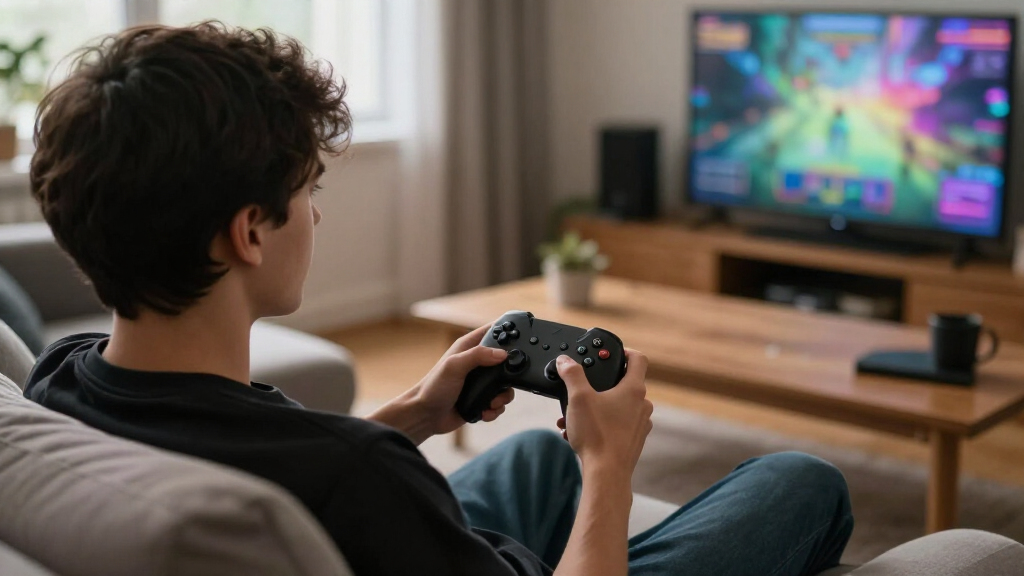
I ranked these controllers by how well their listed features answer common buying needs: platform compatibility, wired or wireless use, control options, and ease of choosing the right model. I gave the broadest all-around position to the standard Xbox Wireless Controller because it offers a familiar, straightforward path for compatible Xbox and PC setups. Controllers with wider stated device support or more specialized controls rank well for buyers who need those advantages, but they do not automatically outrank simpler options.
I also considered whether a product has a clear role in this lineup and whether its tradeoffs are easy to understand from the available product information. Wired models suit players comfortable with a cable; premium models make the most sense when their additional controls match a specific need. The list includes multiple colors, bundles, and editions of related models, so I treat those as variants and avoid implying meaningful performance differences where the supplied names do not establish them.
Factors to Consider When Choosing Best Game Controllers
Before choosing, I’d narrow the field by how and where you play. A controller can have an appealing feature set and still be a poor fit if it does not work with your platform or if its extra controls go unused.
Start With Your Platform and Connection
Write down every device you want to use before comparing controller features. Product titles can list several platforms, but support may differ by connection method, operating system, or game, so verify the exact combination in the maker’s compatibility information. Also check whether a wireless controller uses a connection your device supports or needs an adapter. A wired model avoids battery charging and wireless pairing, but the cable can limit seating distance and movement. If you switch between console, computer, and mobile, broad stated compatibility may be more useful than a feature tied to only one platform. Avoid assuming that two controllers with similar names support the same devices.
Match Extra Controls to the Games You Play
Additional buttons and adjustable controls are useful when they make frequent actions easier to reach. They matter less if your games use a simple control scheme or you rarely change button assignments. Think about the types of games you play most: a player focused on competitive action may value quick access to extra inputs, while someone playing platformers may prefer a familiar, uncluttered layout. Check whether customization happens on the controller, through software, or both. Software features may depend on the device you use, which can make an otherwise appealing controller less convenient. Buy for repeated needs rather than a feature list you may never configure.
Consider Comfort Over Long Sessions
Controller fit depends on hand size, grip style, weight, and where the sticks and buttons sit. Product names rarely tell you whether a shape will feel comfortable, so use detailed dimensions and return terms where available. A heavier model with more controls may suit one player and tire another. If you share a controller at home, a familiar standard layout can be easier for different players to pick up. Consider whether you prefer textured grips and whether your hands tend to rest on the shoulder buttons. The best fit is the one that stays comfortable across the games and session lengths you actually play.
Choose Wired or Wireless for Your Setup
Wireless play keeps the area around your seat clear and makes it easier to move, but it adds charging or battery management to your routine. A charging dock can make that routine easier if it is included and suits your setup. Wired controllers keep a direct connection and do not need charging, though cable length and routing become part of the decision. For desk gaming, a cable may be unobtrusive; from a couch, it can be restrictive. Check whether a wireless model includes the cable or accessories you expect, since bundle names can signal different contents. Do not treat wireless support alone as proof that pairing will be effortless on every device.
Pay for Features You Will Use
Premium controllers make sense when their adjustable controls, extra inputs, or platform-specific features solve a real problem for you. They are harder to justify if you mainly need a reliable standard layout. Before stepping up, decide which feature would change how you play and how often you would use it. Also look into maintenance: removable parts, replaceable components, and software support can affect how practical a feature-rich model is over time. A simpler controller may be the better buy for a beginner or a household with several players. Compare the complete package, including required adapters and accessories, rather than judging by the controller name alone.
Frequently Asked Questions
Will an Xbox controller work with my PC without extra hardware?
It depends on the controller model, your PC, and the connection you plan to use. Check whether the specific model supports Bluetooth or requires a separate wireless adapter, and confirm that your computer has the needed connection. A USB cable can provide a wired option for compatible controllers, but cable inclusion differs by listing. Also check whether the games you play support the controller’s input mode. Confirm those details before choosing based on the Xbox name alone.
Should I choose a wired controller if I mostly play from the couch?
A wired controller can be a good fit if you sit near the console and have a cable route that stays out of the way. From a couch farther from the screen, cable reach can become a daily annoyance, so check the cable length rather than assuming it will suit your room. Wireless play removes that constraint but brings charging or battery upkeep. A charging dock may help if it is part of the package and has a convenient place near your setup. Your seating distance and cable layout should settle this choice.
Are Hall Effect sticks a reason to choose one controller over another?
Hall Effect sticks use magnetic sensing, a design often chosen to reduce wear associated with some contact-based stick mechanisms. That feature may appeal if stick durability is high on your list, but it does not tell you everything about feel, calibration, or warranty support. Compare the controller’s full compatibility and layout with your needs rather than treating one component as a guarantee of long-term performance. Look for manufacturer details on maintenance and coverage as well. Choose this feature when it accompanies a controller that already fits your platform and play style.
Do I need a premium controller for competitive games?
No. A standard controller can be enough if its layout feels comfortable and its inputs work well with your games. Premium models are most useful when extra buttons or adjustable controls give you options you will actually use. They can also add weight, setup steps, or configuration software to your routine. Consider whether you have a specific control limitation to solve before paying for more customization. If you cannot name the feature you need, start with a simpler option.
How can I tell whether a controller listed for Switch 2 will work the way I expect?
Check the manufacturer’s compatibility notes for Switch 2 specifically, not just a general claim covering Switch or multiple platforms. Confirm which functions work, how the controller connects, and whether any adapter or update is required. Third-party support may not match every feature of a first-party controller, even when basic gameplay works. Also verify that the games you care about recognize the controller correctly. This extra check is especially useful for listings that bundle several platforms into one title.
Conclusion
For most buyers who want a familiar everyday option, I’d choose the Xbox Wireless Controller; its Carbon Black, Robot White, and Shock Blue listings are color or bundle variations to compare by included accessories. For value-focused wired play, consider the Logitech F310 or GameSir G7 SE, depending on your platform and layout preference. Beginners are likely to have an easier start with a standard Xbox controller than with a model built around extensive customization. For a premium pick, the Xbox Elite Wireless Controller Series 2 is aimed at players who will use its extra controls, while the Razer Wolverine V3 Pro 8K targets a more specialized PC setup. If you need cross-device flexibility, compare the exact compatibility of the 8BitDo Ultimate 2 and Exilapsire model against your devices before deciding.
Fall Picks
fall essentials
As an affiliate, we earn on qualifying purchases.