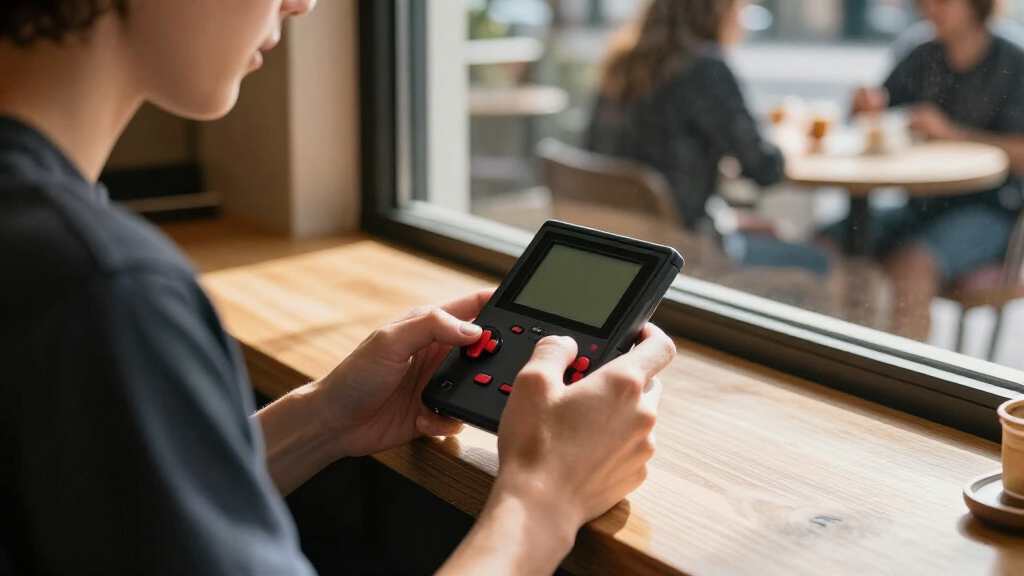

The best Raspberry Pi handheld consoles balance a usable screen and controls with a setup that suits your comfort with Raspberry Pi hardware. My best overall pick is the Waveshare Game HAT with a 3.5-inch IPS screen, a practical middle ground between screen size and handheld design. The Retroflag GPi Case 2W stands out for a more traditional, self-contained handheld form, while the GamePi43 offers a larger display for players who put screen space first. The main tradeoffs are portability versus visibility, and a ready-made case versus a board that needs more assembly and configuration. Read on for the full comparison, setup considerations, and advice on which style fits your use.

Play games on Amazon Luna for your game nights, included with Prime
- A rotating selection of games, no download needed
- Play on TV, laptop or phone
- Fast, free delivery for your gear, too
Complete the kit



Key Takeaways
- The 3.5-inch Game HAT is the strongest all-around format in this lineup: it avoids the tiny-screen limits of the 1.3-inch boards without taking the larger-screen approach of the GamePi43.
- The Retroflag GPi Case 2W prioritizes handheld form and enclosure, making it a better fit for buyers who value a console-like shell over the open-board approach.
- The 1.3-inch Waveshare and GamePi13 boards trade comfortable viewing for compactness; their small displays suit simple, low-resolution play better than extended sessions.
- The GamePi43 favors screen space over pocketability, so its appeal depends on whether a larger viewing area matters more than carrying a smaller device.
- Compatibility and setup matter as much as the screen: check the exact Raspberry Pi model, board requirements, and included components before assuming a kit is ready to play.
| Waveshare Game HAT for Raspberry Pi with 3.5-Inch IPS Screen |  | Best for Broad Raspberry Pi Compatibility | Display: 3.5-inch IPS | Resolution: 480 × 320 | Refresh rate: 60 Hz | VIEW LATEST PRICE | See Our Full Breakdown |
| AKNES Retroflag GPi Case 2W for Raspberry Pi Zero, Zero W, and Zero 2W |  | Best for Solder-Free Assembly | Compatibility: Raspberry Pi Zero, Zero W, and Zero 2W | Display: 3-inch IPS LCD | Resolution: 640 × 480 | VIEW LATEST PRICE | See Our Full Breakdown |
| Waveshare 1.3-Inch LCD Game Console Board for Raspberry Pi |  | Best for Minimalist DIY Builds | Brand: Waveshare | Model: GamePi13 | Display: 1.3-inch IPS LCD | VIEW LATEST PRICE | See Our Full Breakdown |
| GamePi13 1.3-Inch LCD Game Console Board for Raspberry Pi and RP2040-PiZero |  | Best for Development Resources | Display: 1.3-inch IPS LCD | Resolution: 240 × 240 | Color depth: 65K colors | VIEW LATEST PRICE | See Our Full Breakdown |
| Waveshare Game HAT for Raspberry Pi with 3.5-Inch IPS Display |  | Best for Longer-Screen Gaming Sessions | Display: 3.5-inch IPS LCD | Resolution: 480 × 320 | Frame rate: 60 frames | VIEW LATEST PRICE | See Our Full Breakdown |
| Waveshare GamePi43 Portable Retro Game Console with Raspberry Pi 3B+ |  | Best for a Larger Built-In Display | Included Raspberry Pi: Raspberry Pi 3B+ | Display: 4.3-inch IPS | Resolution: 800 × 480 | VIEW LATEST PRICE | See Our Full Breakdown |
| Raspberry Pi handheld console | Display | Resolution | Controls | Audio |
|---|---|---|---|---|
| Waveshare Game HAT for Raspber | 3.5-inch IPS | 480 × 320 | Joystick and buttons | Onboard speaker and earphone jack |
| AKNES Retroflag GPi Case 2W fo | 3-inch IPS LCD | 640 × 480 | Turbo button and customizable hotkey | — |
| Waveshare 1.3-Inch LCD Game Co | 1.3-inch IPS LCD | 240 × 240 | 12 customizable buttons | — |
| GamePi13 1.3-Inch LCD Game Con | 1.3-inch IPS LCD | 240 × 240 | 12 customizable buttons | Onboard audio output |
| Waveshare Game HAT for Raspber | 3.5-inch IPS LCD | 480 × 320 | — | Onboard speaker and earphone jack |
| Waveshare GamePi43 Portable Re | 4.3-inch IPS | 800 × 480 | — | — |
More Details on Our Top Picks
Waveshare Game HAT for Raspberry Pi with 3.5-Inch IPS Screen
The Waveshare Game HAT is a practical choice for builders who want a larger handheld screen without limiting themselves to one Raspberry Pi generation. Its 3.5-inch, 480 × 320 IPS display and 60 Hz refresh rate give retro games more room and smoother motion than the tiny GamePi13 boards, though the smaller boards suit projects where pocket size matters more. This HAT works with several A, B, and Zero-series models, but Zero-family builds need an additional HDMI cable. The onboard speaker and earphone jack cover both casual play and private listening. The main setup tradeoff is power: you must supply an 18650 battery, and the Pi itself is also needed. I’d choose it over the closely related Waveshare Game HAT B07PKGGD14 when the listed Pi 4B compatibility matters; that model’s supplied data names support only through the 3B+.
Pros:- 3.5-inch IPS screen offers more viewing area than the GamePi13 boards
- 480 × 320 resolution and 60 Hz refresh rate
- Onboard speaker and earphone jack
- Supports a range of Raspberry Pi models, including the Pi 4B
Cons:- 18650 battery is sold separately
- Zero, Zero W, and Zero WH builds require an additional HDMI cable
- Requires a compatible Raspberry Pi and assembly
Best for: Raspberry Pi builders who want a 3.5-inch handheld screen and compatibility that includes the Pi 4B
Not ideal for: Buyers seeking a ready-to-play console or a complete power setup, since the Raspberry Pi and 18650 battery are not included
- Display:3.5-inch IPS
- Resolution:480 × 320
- Refresh rate:60 Hz
- Compatibility:Raspberry Pi A+, B+, 2B, 3B, 3B+, 4B; Zero, Zero W, and Zero WH with additional HDMI cable
- Power:18650 lithium battery, not included
- Audio:Onboard speaker and earphone jack
- Controls:Joystick and buttons
- Weight:0.2 kg
Our verdict“Choose this Game HAT if you want a relatively large screen and broad Pi compatibility, and are prepared to source the battery and assemble the handheld.”
AKNES Retroflag GPi Case 2W for Raspberry Pi Zero, Zero W, and Zero 2W
The AKNES Retroflag GPi Case 2W is the clearest fit here for someone building around a Raspberry Pi Zero-family board and wanting fewer wiring hurdles. Its POGO-pin connection allows solder-free assembly, unlike the Waveshare GamePi13 boards, which are more open-ended DIY components rather than a case-based handheld. The 3-inch, 640 × 480 IPS screen is smaller than the 3.5-inch Waveshare Game HAT displays, but it has a higher stated resolution, a useful distinction for buyers who favor finer image detail over screen area. A 2,800 mAh rechargeable battery is included, with up to 10 hours of play claimed, so this build avoids the separate 18650 purchase required by the Game HAT options. You still need to provide a compatible Raspberry Pi, and its stated compatibility is limited to Zero, Zero W, and Zero 2W.
Pros:- POGO-pin connection supports solder-free assembly
- 3-inch IPS display with 640 × 480 resolution
- Includes a 2,800 mAh rechargeable battery
- Turbo button and customizable hotkey add control options
Cons:- Raspberry Pi is required and not included
- Compatible only with Raspberry Pi Zero, Zero W, and Zero 2W
- Smaller display than either 3.5-inch Waveshare Game HAT
Best for: DIY handheld builders who own a Raspberry Pi Zero-family board and want solder-free assembly with a rechargeable battery
Not ideal for: Builders using Raspberry Pi A- or B-series boards, or anyone who wants a larger display than three inches
- Compatibility:Raspberry Pi Zero, Zero W, and Zero 2W
- Display:3-inch IPS LCD
- Resolution:640 × 480
- Battery:2,800 mAh rechargeable
- Claimed battery life:Up to 10 hours
- Assembly:Solder-free POGO-pin connection
- Controls:Turbo button and customizable hotkey
- Item weight:375 g
Our verdict“Pick the GPi Case 2W if your build centers on a Zero-series Pi and you value a solder-free setup with an included rechargeable battery.”
Waveshare 1.3-Inch LCD Game Console Board for Raspberry Pi
The Waveshare GamePi13 is a bare game-console board for builders who prioritize a compact project over a conventional handheld experience. Its 1.3-inch, 240 × 240 IPS display and 12 customizable buttons provide the core controls in a small footprint, while the ST7789 driver and SPI interface make it suited to Raspberry Pi development projects. That compactness is the defining compromise: compared with the AKNES Retroflag GPi Case 2W, this board gives you far less screen area and no stated built-in battery or case. In return, it leaves more of the project open to your own hardware and software choices. The listing includes the GamePi13 board only, so I would not treat it as a self-contained console. Choose it for a small experimental build, not for comfortable long sessions or an out-of-box setup.
Pros:- Compact 1.3-inch IPS display with 240 × 240 resolution
- 12 customizable buttons support flexible control layouts
- SPI interface and ST7789 driver are specified
- Designed for Raspberry Pi compatibility
Cons:- Board only; Raspberry Pi is not stated as included
- Very small display is less suited to extended play than the Game HAT screens
- No battery or enclosure is specified
Best for: Makers developing a compact Raspberry Pi game project who are comfortable supplying the rest of the handheld setup
Not ideal for: Players who want a ready-to-use portable console, a larger screen, or an included battery and enclosure
- Brand:Waveshare
- Model:GamePi13
- Display:1.3-inch IPS LCD
- Resolution:240 × 240
- Color depth:65K colors
- Driver chip:ST7789
- Communication interface:SPI
- Controls:12 customizable buttons
Our verdict“Choose this board for a compact, customizable Raspberry Pi project, but skip it if you want a complete handheld rather than a DIY starting point.”
GamePi13 1.3-Inch LCD Game Console Board for Raspberry Pi and RP2040-PiZero
This GamePi13 board makes the most sense for builders who want to experiment across Raspberry Pi and RP2040-PiZero projects, rather than assemble a conventional handheld. Like the Waveshare GamePi13 B0DPW348LG, it uses a 1.3-inch, 240 × 240 IPS display, an ST7789 driver, SPI communication, and 12 customizable buttons. The distinction is its stated onboard audio output and online development resources with demos, which give project-minded buyers a more explicit starting point. Those additions do not change the central limitation: this is a board, not a complete console, and a compatible device plus setup work are required. Compared with the AKNES GPi Case 2W, it offers broader project flexibility but lacks the case-based form, rechargeable battery, and larger display. I’d pick it when development support matters more than ready-made portability.
Pros:- Supports Raspberry Pi and RP2040-PiZero projects
- 12 customizable buttons
- Onboard audio output
- Online development resources and demos are listed
Cons:- Board only; a compatible device is needed
- 1.3-inch screen is substantially smaller than the Game HAT displays
- DIY setup is required
Best for: Makers prototyping small game projects for Raspberry Pi or RP2040-PiZero who want onboard audio and demo resources
Not ideal for: Buyers looking for a finished handheld with an enclosure, included Raspberry Pi, or larger screen
- Display:1.3-inch IPS LCD
- Resolution:240 × 240
- Color depth:65K colors
- Display driver:ST7789
- Connectivity:SPI
- Controls:12 customizable buttons
- Audio:Onboard audio output
- Compatible platforms:Raspberry Pi and RP2040-PiZero
Our verdict“Choose this GamePi13 variant for a compact development board with audio and project resources, not for a ready-made Raspberry Pi handheld.”
Waveshare Game HAT for Raspberry Pi with 3.5-Inch IPS Display
This Waveshare Game HAT pairs a roomy 3.5-inch screen with charging while playing, a helpful combination for builders who expect to stay near a power source. The 480 × 320 IPS display runs at a stated 60 frames, and the onboard speaker and earphone jack cover shared or private listening. Compared with the AKNES Retroflag GPi Case 2W, it offers a larger screen but lacks an included rechargeable battery: this model needs a separately purchased 18650 cell and lists only about 1–2 hours of battery life, depending on the game. It also includes an acrylic case, HDMI connector, and Pi screws, making it a more defined kit than the GamePi13 boards. Its listed compatibility stops at the Raspberry Pi 3B+, so I’d favor the other Waveshare Game HAT B07G57BC3R if Pi 4B support is a requirement.
Pros:- 3.5-inch IPS display with 480 × 320 resolution
- Supports charging while playing
- Onboard speaker and earphone jack
- Includes acrylic case, HDMI connector, and Raspberry Pi screws
Cons:- 18650 battery is sold separately
- Listed battery life is about 1–2 hours, depending on the game
- Listed compatibility reaches the Raspberry Pi 3B+ but does not include Pi 4B
Best for: Raspberry Pi A- or B-series owners who want a larger-screen HAT with an acrylic case and the ability to charge while playing
Not ideal for: Buyers needing long untethered sessions, an included battery, or stated compatibility with Raspberry Pi 4B
- Display:3.5-inch IPS LCD
- Resolution:480 × 320
- Frame rate:60 frames
- Compatible platforms:Raspberry Pi A+, B+, 2B, 3B, and 3B+
- Battery:18650 lithium battery, not included
- Battery life:About 1–2 hours, depending on the game
- Audio:Onboard speaker and earphone jack
- Included accessories:Acrylic case, HDMI connector, and Raspberry Pi screws
Our verdict“Pick this Game HAT for its larger display, included case accessories, and charging support, but choose another option for longer battery sessions or Pi 4B compatibility.”
Waveshare GamePi43 Portable Retro Game Console with Raspberry Pi 3B+
The GamePi43 suits buyers who want a self-contained handheld with more screen space than the Waveshare Game HAT with a 3.5-inch IPS screen. Its 4.3-inch, 800 × 480 IPS display gives retro games more room, while the included Raspberry Pi 3B+ means you do not need to source a board separately. Built-in speakers, an earphone jack, and controls for volume and backlight make it a more complete handheld package than the small Waveshare 1.3-inch LCD Game Console Board. The tradeoff is that it needs separate 18650 batteries, and the listing does not establish how long software updates will continue. I’d choose it for a larger screen and integrated controls, but skip it if you want the smallest build or prefer a setup with fewer battery details to manage.
Pros:- Includes a Raspberry Pi 3B+, avoiding the need to source that board separately
- 4.3-inch IPS display offers more viewing area than the 3.5-inch Game HAT options
- Onboard speakers and an earphone jack support both shared and private listening
- Battery indicator and separate volume and backlight controls aid handheld use
Cons:- 18650 batteries are required but not included
- Software update support duration is not specified
- Its larger display makes it less suited to buyers prioritizing the smallest possible handheld
Best for: Retro gaming fans who want a ready-to-assemble Raspberry Pi handheld with a larger screen, onboard audio, and physical controls.
Not ideal for: Buyers seeking a very compact board-style build, or anyone who wants batteries included and clear information about future software support.
- Included Raspberry Pi:Raspberry Pi 3B+
- Display:4.3-inch IPS
- Resolution:800 × 480
- Frame rate:60 fps
- Processor:64-bit quad-core, 1.4 GHz
- RAM:1 GB
- Storage capacity:32 GB
- Connectivity:HDMI
- Power:18650 lithium batteries, not included
Our verdict“Choose the GamePi43 if a larger built-in screen and an included Raspberry Pi 3B+ matter more than a compact footprint or supplied batteries.”
How We Picked
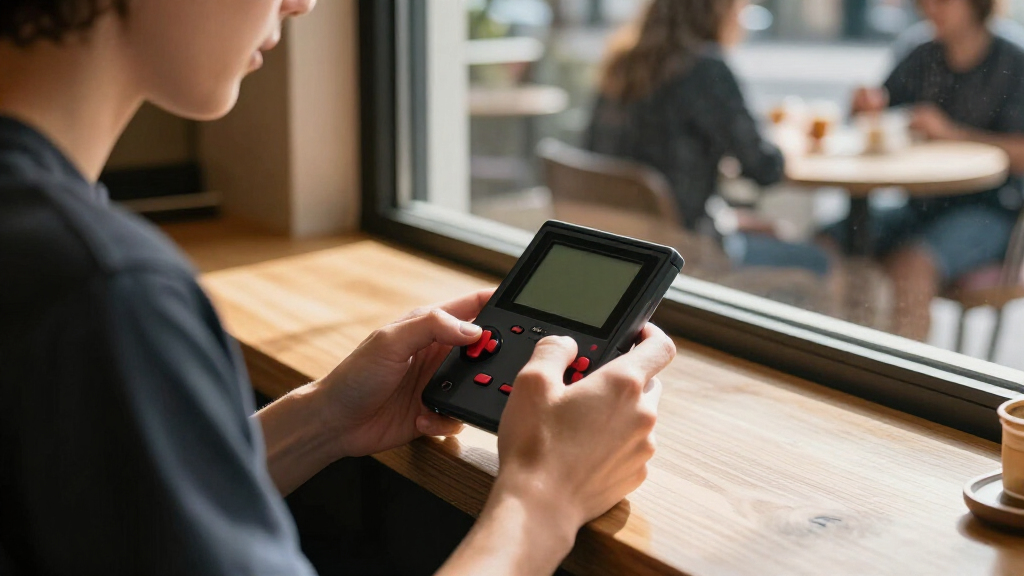
I compared these six options by how well they serve as portable Raspberry Pi gaming devices, not just by their screens or product names. The main criteria were display size and type, handheld controls and enclosure, portability, compatibility with the specified Raspberry Pi hardware, and how much assembly or configuration a buyer may need. I also weighed whether each format makes sense for regular play, occasional use, or a compact build.
The ranking favors devices with a useful balance of viewing comfort, handheld usability, and practical setup. The 3.5-inch Game HAT leads as a versatile middle ground; the GPi Case 2W ranks highly for a more enclosed handheld experience, while the GamePi43 suits buyers willing to accept a larger format for more screen area. The two 1.3-inch boards rank lower for general play because their compact displays impose a more noticeable viewing tradeoff. Since related Game HAT listings can differ in naming and included components, I treat exact compatibility and kit contents as things buyers should verify before ordering.
| Raspberry Pi handheld console | Audio |
|---|---|
| Waveshare Game HAT for Raspber | Onboard speaker and earphone jack |
| AKNES Retroflag GPi Case 2W fo | — |
| Waveshare 1.3-Inch LCD Game Co | — |
| GamePi13 1.3-Inch LCD Game Con | Onboard audio output |
| Waveshare Game HAT for Raspber | Onboard speaker and earphone jack |
| Waveshare GamePi43 Portable Re | — |
Factors to Consider When Choosing Best Raspberry Pi Handheld Consoles
Picking a Raspberry Pi handheld is partly a screen decision, but the less obvious choices—hardware compatibility, controls, and setup—can shape the experience just as much. I’d match the device to where and how you plan to play before choosing based on a product label alone.
Choose Screen Size for the Games You Play
A display that looks acceptable for short sessions may feel cramped during longer play, especially when game text or small interface elements matter. The 1.3-inch boards in this roundup make the most sense when small size is the point, not when you want a general-purpose handheld. A 3.5-inch screen is a more forgiving middle ground, while the GamePi43’s larger display suits buyers who value visibility over compact carrying. Don’t judge only by the diagonal measurement: resolution, aspect ratio, and the way the screen sits in the enclosure affect legibility too. If you mostly play games with dense menus or fine details, lean toward a larger screen rather than assuming every retro title will suit a tiny panel.
Confirm Pi Compatibility Before Buying
Raspberry Pi handheld accessories are often built around particular boards, and similar product names do not guarantee identical compatibility. Check the exact model listed by the maker, then compare it with the Pi you already own or plan to buy. Pay attention to whether the board, battery, buttons, and enclosure are included, since a console-shaped listing may still require extra parts. A mismatch can turn a straightforward build into a search for adapters or replacement components. I’d make a short parts checklist before ordering, especially when comparing two Game HAT listings with similar screen descriptions.
Decide How Much Assembly and Software Setup You Want
A handheld shell or HAT can reduce the mechanical work, but it does not automatically remove operating-system setup, controller configuration, or troubleshooting. Buyers new to Raspberry Pi projects should check for clear setup instructions and confirm what software tasks remain. A board-style console can suit a hobbyist who enjoys tuning a build, yet frustrate someone expecting a finished device straight out of the box. Leave time for testing controls and display output before loading a full game library. Ease of assembly and ease of software setup are separate things, so check both rather than treating a neat enclosure as proof of a simple setup.
Think About Grip, Controls, and Session Length
Small handhelds are easy to carry, but a compact layout can leave less room for comfortable controls. Consider button spacing, the shape of the case, and whether the device can be held without covering ventilation or controls. A 1.3-inch board may work for brief play or a small project, while a larger handheld can feel more suited to longer sessions even if it takes up more space. If possible, inspect product images from several angles and check the dimensions rather than relying on “portable” as a comfort claim. Buyers with larger hands should give ergonomics more weight than a small reduction in device size.
Account for Battery, Charging, and Maintenance
A portable build is only useful away from a desk if its battery and charging setup match your routine. Check whether a battery is included, what charging method it uses, and whether the maker specifies runtime for the configuration you intend to use. Screen brightness and the Raspberry Pi model can affect battery life, so figures from a different setup may not predict your results. Also think about access: a design that makes it difficult to reach the battery or connectors can complicate repairs and upgrades. Confirm replaceability and charging details before choosing a model for travel or frequent use.
Choose Between a Finished Form and a Flexible Build
A dedicated case emphasizes a more unified handheld feel, while a board-based kit can offer a simpler route to experimenting with components and configurations. That flexibility is valuable if you already own compatible hardware, but it can add decisions about mounting, power, and software. A more enclosed design may feel closer to a conventional console, though it can leave less room for customization. Avoid paying for flexibility you do not plan to use, and avoid buying a bare or partial kit if you want a ready-to-play device. The right choice depends on whether your priority is building and adapting or simply having a compact gaming setup.
Frequently Asked Questions
Which Raspberry Pi handheld in this roundup is the best choice for a first build?
I’d start by comparing the 3.5-inch Game HAT with the GPi Case 2W, then choose based on how much enclosure work you want to handle. The Game HAT offers a more readable screen size for general use, while the GPi Case 2W is appealing if you want a more contained handheld shape. Neither product name alone tells you how much software setup is required, so check the maker’s instructions before buying. Confirm that your Raspberry Pi model is supported and identify any missing battery or accessory parts. A beginner may find a clear guide more valuable than a smaller or more customizable design.
Are the 1.3-inch console boards practical for playing games regularly?
They can be practical for short sessions, simple games, or a compact electronics project, but their small screens are a real compromise for everyday play. Text and interface details may be harder to read than on the 3.5-inch options, and the compact layout may feel less comfortable over time. Choose one if minimal size and the building experience matter more to you than viewing comfort. If this will be your main handheld, compare its screen and controls carefully against the Game HAT models first. A tiny display is easiest to live with when the games you favor have uncluttered visuals.
Do I need to buy a Raspberry Pi separately for these handhelds?
That depends on the exact listing and the specific product; some options are accessory boards or cases designed to pair with a compatible Pi, while a bundle may include more of the hardware. Read the included-items list rather than inferring bundle contents from the product title or photos. The GamePi43 listing names a Raspberry Pi 3B+, but buyers should still verify precisely what arrives in the package. Check for the board, battery, storage, and any required cables or fasteners. Comparing those details up front helps avoid a build that cannot be completed with the parts on hand.
Can I use any Raspberry Pi model with a Game HAT or handheld case?
No. Handheld accessories are designed around particular board dimensions, connectors, and power requirements, so a Pi that works with one option may not fit another. Check the compatibility list for the exact product revision and compare it with the model number printed on your board. The GPi Case 2W is named for Zero-family boards, while other HATs may target different Raspberry Pi models. Also check whether a listed configuration needs a specific adapter or operating-system setup. If you are buying the Pi and handheld parts together, confirm compatibility across every component before placing the order.
Is the GamePi43 a better choice than a 3.5-inch Game HAT?
It is a better fit if a larger display matters more to you than a compact handheld footprint. A bigger screen can make games and menus easier to see, but it may make the device less convenient to carry than the 3.5-inch Game HAT. The Game HAT is the more balanced pick for buyers who want a mid-sized handheld, while the GamePi43 suits a screen-first setup. Compare dimensions and included hardware, not just display size. If portability is central to your plans, the larger format may not be worth the viewing advantage.
Conclusion
For most buyers, I’d choose the Waveshare Game HAT with a 3.5-inch IPS screen as the best overall option because it balances screen comfort with a handheld format. The best value in this lineup depends on what you already own: a compatible Pi can make a board or HAT route appealing, but check the parts list before deciding. For a more enclosed, classic handheld feel, the Retroflag GPi Case 2W is my pick for a specific form-factor need. The best premium-style choice for screen space is the GamePi43, provided you accept a larger device and verify what the bundle includes. Beginners should favor the option with the clearest instructions and confirmed compatibility; the 1.3-inch boards are best for compact builds and hobby projects, not buyers seeking the most comfortable everyday screen.
Columbus Day / Indigenous Peoples' Day Picks
long weekend sales
As an affiliate, we earn on qualifying purchases.