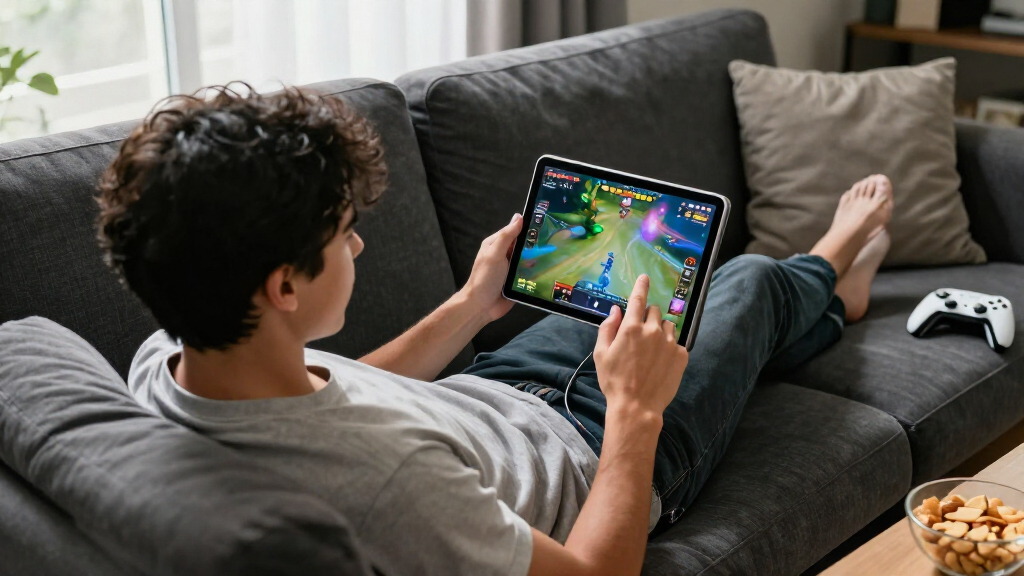
The best iPad for gaming overall is the 11-inch iPad Air with M4: it pairs strong performance with a more manageable size than the 13-inch models. For a larger play area, the 13-inch iPad Pro with M5 is the premium pick, while the iPad mini with A17 Pro suits portable gaming. The main tradeoffs are screen size versus comfort, newer chip performance versus older-model value, and storage versus the space your game library needs. Older renewed iPads can handle lighter play, but they have less headroom for demanding games and future updates. Read on for the full breakdown of which model fits your games and how you play.

Play games on Amazon Luna for your game nights, included with Prime
- A rotating selection of games, no download needed
- Play on TV, laptop or phone
- Fast, free delivery for your gear, too
Complete the kit



Key Takeaways
- The 11-inch iPad Air with M4 is the strongest all-around balance: it offers current-generation performance without the larger footprint of the 13-inch Air and Pro models.
- The 13-inch iPad Pro with M5 is the premium choice for a big screen: its larger display and high-end chip suit immersive play, but its size is less comfortable for handheld sessions.
- The iPad mini with A17 Pro is the portable specialist: its compact design is easier to hold on the go, though its screen leaves less room for touch controls.
- Newer chips matter most for demanding games and longer ownership: the M4 and M5 options have more performance headroom than the M2 and renewed older-generation iPads.
- Renewed older iPads are compromises, not equivalent budget substitutes: the 8th- and 9th-generation models make more sense for casual play than for buyers seeking sustained performance or long-term gaming headroom.
| Apple iPad mini (A17 Pro) – 256GB, Wi‑Fi 6E, 12MP Front & Back Cameras, Touch ID, Space Gray | 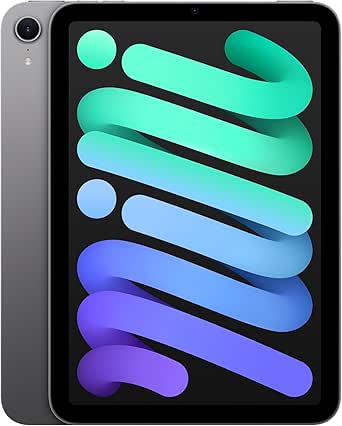 | Best Compact Gaming iPad | Display: 8.3-inch Liquid Retina, P3 wide color, True Tone | Processor: Apple A17 Pro | Storage: 256GB | VIEW LATEST PRICE | See Our Full Breakdown |
| Apple iPad (8th Generation, 2020), 10.2-inch, Wi-Fi, 128GB, Silver (Renewed) |  | Best Renewed Starter Pick | Model year: 2020 | Display: 10.2-inch Retina LED, 2160 × 1620 | Processor: Apple A12 Bionic with Neural Engine | VIEW LATEST PRICE | See Our Full Breakdown |
| Apple iPad (7th Generation, 2019), 10.2-inch, Wi-Fi, 128GB, Space Gray (Renewed) |  | Best for Basic, Casual Games | Model year: 2019 | Display: 10.2-inch Retina LCD, 2160 × 1620 | Processor: Apple A10 Fusion, 2.34 GHz | VIEW LATEST PRICE | See Our Full Breakdown |
| Apple iPad 11-inch with A16 Chip, 128GB, Wi-Fi 6, and Liquid Retina Display — Blue | 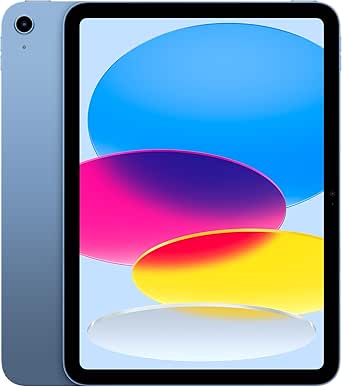 | Best Overall Gaming Balance | Display: 11-inch Liquid Retina with True Tone | Processor: Apple A16 | Storage: 128GB | VIEW LATEST PRICE | See Our Full Breakdown |
| Apple iPad Pro 13-inch with M5 chip, 256GB, Wi-Fi 7, Space Black |  | Best Premium Big-Screen Gaming | Display: 13-inch Ultra Retina XDR with ProMotion, P3 wide color, True Tone | Processor: Apple M5 | Storage: 256GB | VIEW LATEST PRICE | See Our Full Breakdown |
| Apple iPad Pro 13-inch (2024), Wi-Fi + Cellular, 512GB, Space Black (Renewed) |  | Best for Big-Screen Gaming | Model year: 2024 | Display: 13-inch Ultra Retina XDR OLED, 2752 × 2064, 120Hz | Processor: Apple M4 | VIEW LATEST PRICE | See Our Full Breakdown |
| Apple iPad Pro 11-inch (M5), 256GB, Wi-Fi 7, Space Black |  | Best Premium Compact Gaming iPad | Display: 11-inch Ultra Retina XDR with ProMotion, P3 wide color, and True Tone | Chip: Apple M5 | Storage: 256GB | VIEW LATEST PRICE | See Our Full Breakdown |
| Apple iPad Air 13-inch (M4), 128GB, Wi-Fi 7 and 5G, Space Gray |  | Best Large-Screen Air for Gaming | Display: 13-inch Liquid Retina with P3 wide color and True Tone | Chip: Apple M4 | Storage: 128GB | VIEW LATEST PRICE | See Our Full Breakdown |
| Apple iPad Air 11-inch (M4), 128GB, Wi-Fi 7, Space Gray |  | Best Balanced Air for Gaming | Display: 11-inch Liquid Retina with P3 wide color and True Tone | Chip: Apple M4 | Storage: 128GB | VIEW LATEST PRICE | See Our Full Breakdown |
| Apple iPad Air 11-inch (M2), 512GB, Wi-Fi 6E, Space Gray |  | Best for Large Game Libraries | Display: 11-inch Liquid Retina with P3 wide color and True Tone | Chip: Apple M2 | Storage: 512GB | VIEW LATEST PRICE | See Our Full Breakdown |
| Apple iPad Pro 12.9-inch (6th Generation) with M2 Chip, 128GB, Wi-Fi 6E, and Liquid Retina XDR Display |  | Best for Big-Screen Gaming | Display: 12.9-inch Liquid Retina XDR with ProMotion | Chip: Apple M2, 8-core CPU and 10-core GPU | Storage: 128GB | VIEW LATEST PRICE | See Our Full Breakdown |
| Apple iPad Pro 13-inch (2025, M5, Wi-Fi, 512GB) – Space Black (Renewed) |  | Best Renewed Premium Gaming Pick | Display: 13-inch Ultra Retina XDR | Processor: Apple M5, up to 4.4 GHz | Storage: 512GB | VIEW LATEST PRICE | See Our Full Breakdown |
| Apple iPad (9th Generation, 2021), 10.2-inch, Wi-Fi, 64GB, Space Gray (Renewed) |  | Best for Casual and First-Time iPad Gamers | Display: 10.2-inch Retina LED, 2160 × 1620 pixels | Processor: Apple A13 Bionic, 2.65 GHz | Storage: 64GB | VIEW LATEST PRICE | See Our Full Breakdown |
| Apple iPad Pro 13-inch (M4), 512GB, Wi-Fi, Space Black | 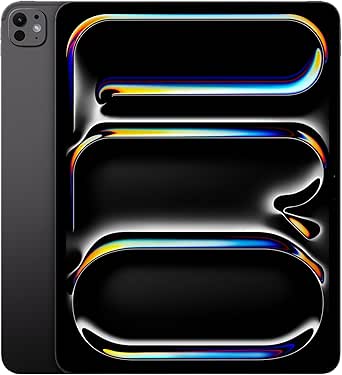 | Best for High-Refresh Gaming and Multitasking | Display: 13-inch Ultra Retina XDR with ProMotion | Processor: Apple M4, up to 10-core CPU | Graphics: 10-core GPU | VIEW LATEST PRICE | See Our Full Breakdown |
| Apple iPad Air 5th Generation (2022), 10.9-inch, Wi-Fi, 256GB, Space Gray (Renewed) |  | Best Value for M-Series Gaming | Display: 10.9-inch Liquid Retina, 2360 × 1640 pixels, 60Hz | Processor: Apple M1, 3.2 GHz | Memory: 8GB RAM | VIEW LATEST PRICE | See Our Full Breakdown |
| iPads for gaming | Display | Storage | Connectivity | Processor |
|---|---|---|---|---|
| Apple iPad mini | 8.3-inch Liquid Retina, P3 wide color, True Tone | 256GB | Wi-Fi 6E, USB-C | Apple A17 Pro |
| Apple iPad | 10.2-inch Retina LED, 2160 × 1620 | 128GB | Wi-Fi 802.11a/b/g/n/ac, Bluetooth | Apple A12 Bionic with Neural Engine |
| Apple iPad | 10.2-inch Retina LCD, 2160 × 1620 | 128GB | Wi-Fi, Bluetooth, Lightning | Apple A10 Fusion, 2.34 GHz |
| Apple iPad 11-inch with A16 Ch | 11-inch Liquid Retina with True Tone | 128GB | Wi-Fi 6 | Apple A16 |
| Apple iPad Pro 13-inch with M5 | 13-inch Ultra Retina XDR with ProMotion, P3 wide color, True Tone | 256GB | Wi-Fi 7 with Apple N1 | Apple M5 |
| Apple iPad Pro 13-inch | 13-inch Ultra Retina XDR OLED, 2752 × 2064, 120Hz | 512GB | Wi-Fi + Cellular | Apple M4 |
| Apple iPad Pro 11-inch | 11-inch Ultra Retina XDR with ProMotion, P3 wide color, and True Tone | 256GB | Wi-Fi 7 with Apple N1 | — |
| Apple iPad Air 13-inch | 13-inch Liquid Retina with P3 wide color and True Tone | 128GB | Wi-Fi 7 and 5G cellular | — |
| Apple iPad Air 11-inch | 11-inch Liquid Retina with P3 wide color and True Tone | 128GB | — | — |
| Apple iPad Air 11-inch | 11-inch Liquid Retina with P3 wide color and True Tone | 512GB | Wi-Fi 6E and USB-C | — |
| Apple iPad Pro 12.9-inch | 12.9-inch Liquid Retina XDR with ProMotion | 128GB | Wi-Fi 6E | — |
| Apple iPad Pro 13-inch | 13-inch Ultra Retina XDR | 512GB | Wi-Fi 7 | Apple M5, up to 4.4 GHz |
| Apple iPad | 10.2-inch Retina LED, 2160 × 1620 pixels | 64GB | Wi-Fi and Bluetooth; Wi-Fi only | Apple A13 Bionic, 2.65 GHz |
| Apple iPad Pro 13-inch | 13-inch Ultra Retina XDR with ProMotion | 512GB | Wi-Fi 6E; USB-C with Thunderbolt / USB 4 | Apple M4, up to 10-core CPU |
| Apple iPad Air 5th Generation | 10.9-inch Liquid Retina, 2360 × 1640 pixels, 60Hz | 256GB | Wi-Fi 6 and Bluetooth | Apple M1, 3.2 GHz |
More Details on Our Top Picks
Apple iPad mini (A17 Pro) – 256GB, Wi‑Fi 6E, 12MP Front & Back Cameras, Touch ID, Space Gray
I’d choose the iPad mini when portability matters more than having the largest play area. Its A17 Pro chip gives it a stronger performance foundation than the renewed iPad (8th Generation), while the 8.3-inch display keeps the tablet easy to hold during handheld sessions and travel. The tradeoff is screen space: games with small controls or busy interfaces feel roomier on the 11-inch iPad with A16. The mini’s 256GB storage also offers more room for a game library than either renewed iPad here, both listed with 128GB. Wi-Fi 6E and USB-C add modern connectivity, but this listing describes Wi-Fi only, not cellular. I’d pick it for players who want a capable iPad they can carry and hold comfortably, not those seeking the biggest screen.
Pros:- A17 Pro chip provides a stronger performance platform than the A12 Bionic in the renewed iPad (8th Generation)
- Compact 8.3-inch size is easier to hold and carry than the 10.2-inch and 11-inch alternatives
- 256GB storage gives a large game library more room than the renewed 128GB models
- Wi-Fi 6E and USB-C offer newer connectivity
Cons:- Smaller display gives games less space for controls and visual detail than the 11-inch iPad with A16
- This listing specifies Wi-Fi but does not mention a cellular option
- Only the 256GB storage configuration is listed
Best for: Players who travel often or prefer holding a compact tablet for handheld gaming, and want newer performance with 256GB of storage.
Not ideal for: Gamers who want a large display for detailed worlds, split-screen play, or more spacious touch controls; the 11-inch iPad with A16 is a better fit.
- Display:8.3-inch Liquid Retina, P3 wide color, True Tone
- Processor:Apple A17 Pro
- Storage:256GB
- Connectivity:Wi-Fi 6E, USB-C
- Security:Touch ID in top button
- Weight:10.4 ounces
- Battery:Lithium-ion battery included
Our verdict“Choose the iPad mini if compact, handheld-friendly gaming matters more than the broader view offered by an 11-inch iPad.”
Apple iPad (8th Generation, 2020), 10.2-inch, Wi-Fi, 128GB, Silver (Renewed)
For a first gaming tablet, the renewed iPad (8th Generation) offers a useful balance of screen size and storage without stepping up to the newer iPad with A16. Its 10.2-inch Retina display gives touch controls more room than the iPad mini’s 8.3-inch panel, and 128GB is a practical starting capacity for a mix of games and everyday apps. The A12 Bionic is an older chip than the A16 in the current 11-inch iPad, so I’d favor the newer model for demanding games and a longer performance runway. This listing’s renewed condition and 90-day limited warranty are part of the buying decision, not details to overlook. It makes sense for casual play and general use, but buyers who want newer hardware or a longer warranty should look elsewhere.
Pros:- 10.2-inch Retina display offers more play area than the iPad mini
- 128GB storage provides room for games and everyday apps
- A12 Bionic supports general tablet use alongside casual gaming
- Touch ID, stereo speakers, and support for first-generation Apple Pencil and Smart Keyboard
Cons:- A12 Bionic is older than the A16 in the 11-inch iPad
- Renewed condition may not suit buyers who want a new device
- 90-day limited warranty is shorter than some buyers may prefer
Best for: First-time iPad gamers who want a full-size screen, 128GB of storage, and a device for casual games and everyday tasks.
Not ideal for: Players focused on demanding new games, who want newer hardware, or who prefer buying a new device rather than a renewed one.
- Model year:2020
- Display:10.2-inch Retina LED, 2160 × 1620
- Processor:Apple A12 Bionic with Neural Engine
- Storage:128GB
- Connectivity:Wi-Fi 802.11a/b/g/n/ac, Bluetooth
- Battery life:Up to 10 hours
- Condition and warranty:Renewed; 90-day limited warranty
Our verdict“Choose this renewed iPad as a starter for casual gaming if its older A12 chip and renewed condition fit your expectations.”
Apple iPad (7th Generation, 2019), 10.2-inch, Wi-Fi, 128GB, Space Gray (Renewed)
The renewed iPad (7th Generation) is the most basic gaming choice in this group: it has a generous 10.2-inch display and 128GB storage, but its A10 Fusion chip is older than the A12 Bionic in the renewed iPad (8th Generation). That gap makes the 8th-generation model the more sensible pick for buyers who want a little more headroom; I’d reserve this one for lighter games and everyday tablet tasks. The large Retina screen still gives touch controls more room than the compact iPad mini, and the listing says the tablet is professionally inspected and tested. Since it is renewed, includes a 90-day limited warranty, and uses Lightning rather than USB-C, this is a tradeoff-led option—not the one I’d choose for demanding games or a longer-term performance cushion.
Pros:- 10.2-inch Retina display provides a broad play area compared with the iPad mini
- 128GB storage offers room for a collection of games
- Professionally inspected and tested, with a USB data cable included
- Up to 10 hours of listed battery life
Cons:- A10 Fusion is older than the A12 Bionic in the renewed iPad (8th Generation)
- Renewed condition and a 90-day limited warranty may not suit buyers seeking a new device
- Lightning connectivity is older than the USB-C connection on the iPad mini
Best for: Budget-conscious casual players who mainly play lighter games and want a 10.2-inch screen with 128GB storage.
Not ideal for: Gamers who want stronger performance headroom, newer connectivity, or a new tablet; the renewed iPad (8th Generation) has a newer A12 Bionic chip.
- Model year:2019
- Display:10.2-inch Retina LCD, 2160 × 1620
- Processor:Apple A10 Fusion, 2.34 GHz
- Storage:128GB
- Memory:3GB RAM
- Connectivity:Wi-Fi, Bluetooth, Lightning
- Condition and warranty:Renewed; 90-day limited warranty
Our verdict“Pick this renewed 7th-generation iPad for lighter games and a large screen, but choose the 8th-generation model for its newer chip.”
Apple iPad 11-inch with A16 Chip, 128GB, Wi-Fi 6, and Liquid Retina Display — Blue
I’d rank the 11-inch iPad with A16 as the strongest all-round choice here because it pairs a larger play area with a newer chip than either renewed 10.2-inch iPad. The A16 processor makes it a more convincing fit for current games than the A12 Bionic in the 8th-generation model, while the 11-inch Liquid Retina display gives controls and game scenes more room than the iPad mini. The mini counters with a much smaller, lighter body and 256GB storage; this iPad is 1.05 pounds and has 128GB. Wi-Fi 6, all-day battery life, and Touch ID round out a balanced everyday setup. Its main compromises are the listed storage capacity and separately sold accessories, so I’d choose it for broad gaming use rather than portability or a premium display tier.
Pros:- A16 chip is newer than the A12 Bionic in the renewed iPad (8th Generation)
- 11-inch display provides more room for gameplay than the iPad mini
- All-day battery life supports extended use away from a charger
- Wi-Fi 6 and Touch ID bring current everyday connectivity and convenient unlocking
Cons:- 128GB storage is less than the 256GB listed for the iPad mini
- Apple Pencil and Magic Keyboard Folio are sold separately
- Larger and heavier than the iPad mini for handheld play
Best for: Players who want a modern, general-purpose iPad for a broad mix of games, with an 11-inch display and all-day battery life.
Not ideal for: Travelers who prioritize a small handheld tablet, buyers who need more than 128GB, or those who want Apple Pencil and Magic Keyboard Folio included.
- Display:11-inch Liquid Retina with True Tone
- Processor:Apple A16
- Storage:128GB
- Connectivity:Wi-Fi 6
- Front camera:12MP Center Stage
- Battery life:All-day
- Weight:1.05 pounds
Our verdict“Choose the A16 iPad for the best balance of screen size, current performance, and everyday gaming versatility in this group.”
Apple iPad Pro 13-inch with M5 chip, 256GB, Wi-Fi 7, Space Black
For players who want the largest, most feature-rich screen in this batch, the 13-inch iPad Pro pairs an M5 chip with an Ultra Retina XDR display and ProMotion. That combination sets it apart from the more practical 11-inch iPad with A16: this Pro is built for buyers who value a bigger, more advanced display and higher-end hardware, while the A16 model keeps the package simpler and more portable. At 1.28 pounds, this Pro is still relatively slim, but it takes up more room and is less natural to hold for long handheld sessions. Its 256GB storage and Wi-Fi 7 add capacity and modern connectivity, while Face ID and a four-speaker system suit shared viewing and play. Apple Pencil and Magic Keyboard are supported but not listed as included.
Pros:- 13-inch Ultra Retina XDR display with ProMotion is the largest and most advanced display in this batch
- M5 chip gives this model a higher-end hardware position than the A16 iPad
- Wi-Fi 7 and 256GB storage support modern connectivity and a sizable game library
- Four-speaker audio system and Face ID add convenience for gaming and media
Cons:- 13-inch size is less convenient for handheld play than the iPad mini or 11-inch iPad
- Apple Pencil and Magic Keyboard are supported but not listed as included
- Nano-texture display glass is not available in this 256GB configuration
Best for: Players who want a large premium display, strong hardware, Wi-Fi 7, and a tablet suited to gaming at a desk or on a stand.
Not ideal for: Handheld-first gamers, buyers who favor a lighter compact tablet, or anyone who does not need a 13-inch display and premium Pro features.
- Display:13-inch Ultra Retina XDR with ProMotion, P3 wide color, True Tone
- Processor:Apple M5
- Storage:256GB
- Connectivity:Wi-Fi 7 with Apple N1
- Security:Face ID
- Audio:Four microphones and four-speaker system
- Weight:1.28 pounds
Our verdict“Choose the M5 iPad Pro if a large premium display and high-end hardware matter more than compact handheld comfort.”
Apple iPad Pro 13-inch (2024), Wi-Fi + Cellular, 512GB, Space Black (Renewed)
The 13-inch Ultra Retina XDR OLED gives games room to breathe, while its 120Hz refresh rate makes supported titles and fast movement look smoother than on the Liquid Retina iPad Air models. The M4 chip and 8GB of RAM give this renewed Pro plenty of headroom for demanding games, and 512GB leaves space for a sizable library. Cellular connectivity is useful for gaming away from Wi-Fi, too. Compared with the newer 11-inch iPad Pro with M5, this model trades a newer chip and smaller, easier-to-hold body for a larger screen and more storage. Its main compromise is the renewed condition: the listing provides a 90-day guarantee, but long-term software support is unspecified. Its size may also be tiring for extended handheld play.
Pros:- 13-inch OLED display with 120Hz refresh rate
- M4 chip and 8GB RAM for demanding games and multitasking
- 512GB storage for large game libraries
- Wi-Fi and cellular connectivity for play beyond home networks
Cons:- Renewed condition adds uncertainty compared with a new iPad
- Software update support end date is not specified
- Large size is less comfortable for prolonged handheld gaming
Best for: Players who want a large, high-refresh OLED screen and cellular gaming, and are comfortable buying a renewed tablet.
Not ideal for: Handheld players who prioritize a light, compact device or buyers who want a new iPad with clearly stated long-term support.
- Model year:2024
- Display:13-inch Ultra Retina XDR OLED, 2752 × 2064, 120Hz
- Processor:Apple M4
- Installed RAM:8GB
- Storage:512GB
- Connectivity:Wi-Fi + Cellular
- Color:Space Black
- Renewed guarantee:90 days
Our verdict“Choose this renewed Pro for expansive OLED gaming and cellular flexibility if its condition and large handheld footprint suit you.”
Apple iPad Pro 11-inch (M5), 256GB, Wi-Fi 7, Space Black
For players who want Pro-level visuals without a 13-inch tablet in their hands, the 11-inch iPad Pro with M5 is the premium compact pick. Its Ultra Retina XDR display with ProMotion brings a smoother presentation than the 11-inch iPad Air M4’s Liquid Retina screen, while the M5 chip is built for demanding games and heavy multitasking. Wi-Fi 7 suits fast home networks, though it does not provide cellular play away from Wi-Fi. Compared with the renewed 13-inch iPad Pro M4, this model is smaller, newer, and sold as a new configuration, but has half the listed storage and lacks cellular connectivity. Pencil and keyboard accessories are sold separately, and this configuration does not offer the nano-texture glass available on higher-capacity versions.
Pros:- M5 chip for demanding games and intensive multitasking
- 11-inch Ultra Retina XDR display with ProMotion
- Wi-Fi 7 with Apple N1
- Face ID authentication
Cons:- No cellular connectivity in this configuration
- Apple Pencil and Magic Keyboard are sold separately
- 256GB storage is less than the 512GB renewed 13-inch Pro
Best for: Players seeking a compact, premium screen and high-end performance for demanding games at home or on Wi-Fi.
Not ideal for: Cellular gamers, buyers seeking maximum storage, or anyone who wants a keyboard or Pencil included.
- Display:11-inch Ultra Retina XDR with ProMotion, P3 wide color, and True Tone
- Chip:Apple M5
- Storage:256GB
- Connectivity:Wi-Fi 7 with Apple N1
- Front camera:12MP Center Stage
- Rear camera:12MP Wide
- Security:Face ID
- Operating system:iPadOS 26
Our verdict“Pick this model for high-end gaming in a more manageable size, provided Wi-Fi-only play and separate accessories work for you.”
Apple iPad Air 13-inch (M4), 128GB, Wi-Fi 7 and 5G, Space Gray
This iPad Air pairs a 13-inch Liquid Retina display with the M4 chip, making it a strong fit for players who want a broad view without stepping up to a Pro model. The larger screen can make maps, strategy interfaces, and split-screen play easier to follow than on the 11-inch iPad Air M4; 5G also gives you a mobile connection when Wi-Fi is out of reach. The tradeoff is that this remains an Air display, not the Pro’s 120Hz OLED experience, so players focused on the smoothest motion and deepest contrast should look at the 13-inch iPad Pro M4 instead. The 128GB capacity can fill quickly with large games, and accessories are separate. Its M4 performance is ample, but the screen size makes it less suited to extended handheld sessions.
Pros:- 13-inch display offers more space for game interfaces
- M4 chip supports demanding games and multitasking
- Wi-Fi 7 and 5G provide flexible connectivity
- P3 wide color and True Tone
Cons:- Liquid Retina display lacks the Pro models’ OLED and 120Hz combination
- 128GB storage may constrain a large game library
- Apple Pencil and Magic Keyboard are sold separately
Best for: Players who want a large gaming canvas and 5G connectivity without choosing a Pro model.
Not ideal for: Gamers who prioritize a high-refresh OLED screen, compact handheld play, or room for a large library of installed games.
- Display:13-inch Liquid Retina with P3 wide color and True Tone
- Chip:Apple M4
- Storage:128GB
- Connectivity:Wi-Fi 7 and 5G cellular
- Front camera:12MP Center Stage
- Rear camera:12MP Wide
- Authentication:Touch ID
- Weight:1.36 pounds
Our verdict“Choose this Air for a large screen and mobile data, but pick a Pro if display smoothness and contrast are your gaming priorities.”
Apple iPad Air 11-inch (M4), 128GB, Wi-Fi 7, Space Gray
The 11-inch iPad Air M4 is the straightforward choice for players who want current performance in a more portable size. Its M4 chip is a stronger fit for demanding games than the M2 in the 11-inch iPad Air, while Wi-Fi 7 supports newer wireless networks. The 11-inch Liquid Retina display is easier to hold for casual play than the 13-inch Air M4, but it lacks the ProMotion refresh rate and OLED contrast of the 11-inch iPad Pro M5. That makes the Pro a better match for players who notice motion smoothness and display quality; this Air makes more sense if a capable gaming tablet matters more than premium visuals. Its 128GB storage can limit how many large titles stay installed, and the Pencil and keyboard cost extra.
Pros:- M4 chip for demanding games and multitasking
- 11-inch size is easier to hold than the 13-inch Air
- Wi-Fi 7 connectivity
- P3 wide color and True Tone display
Cons:- 128GB storage may be limiting for multiple large games
- Liquid Retina display lacks ProMotion and OLED
- Apple Pencil and Magic Keyboard are separate accessories
Best for: Players who want a portable, current-generation iPad for a mix of gaming, streaming, and everyday use.
Not ideal for: Gamers who need a large installed library or want ProMotion and OLED visuals for fast-moving games.
- Display:11-inch Liquid Retina with P3 wide color and True Tone
- Chip:Apple M4
- Storage:128GB
- Wireless:Wi-Fi 7 with Apple N1
- Front camera:12MP Center Stage
- Rear camera:12MP Wide
- Security:Touch ID
- Battery life:All-day
Our verdict“Choose this Air for portable M4 gaming at a standard display tier, or step up to the 11-inch Pro M5 for smoother visuals.”
Apple iPad Air 11-inch (M2), 512GB, Wi-Fi 6E, Space Gray
Among these Air models, this M2 configuration stands out for its 512GB storage, giving players room to keep more large games installed than the 128GB iPad Air M4 models. The M2 chip supports graphics-intensive apps and gaming, though it is an older generation than the M4 in either 11-inch Air; players chasing newer-chip headroom should choose those instead. Its 11-inch Liquid Retina display offers P3 wide color and True Tone, but does not match the Pro M5’s ProMotion display for motion smoothness. Wi-Fi 6E is capable, though it is a generation behind the Wi-Fi 7 in the newer Airs. This is a practical library-first pick, not the strongest choice for the latest display features, and its Pencil and keyboard are sold separately.
Pros:- 512GB storage accommodates a large installed game library
- M2 chip supports graphics-intensive games
- 11-inch Liquid Retina display with P3 wide color and True Tone
- Supports Apple Pencil and Magic Keyboard accessories
Cons:- M2 chip is older than the M4 in the newer iPad Air models
- Wi-Fi 6E is a step behind their Wi-Fi 7 connectivity
- Display lacks the ProMotion refresh rate of the iPad Pro
Best for: Players who want substantial built-in storage for a broad collection of games and do not need the newest chip or Wi-Fi standard.
Not ideal for: Gamers prioritizing the latest chip, Wi-Fi 7, or a high-refresh Pro display.
- Display:11-inch Liquid Retina with P3 wide color and True Tone
- Chip:Apple M2
- Storage:512GB
- Connectivity:Wi-Fi 6E and USB-C
- Front camera:12MP Ultra Wide
- Rear camera:12MP Wide with 4K video
- Biometrics:Touch ID
- Weight:1.02 pounds
Our verdict“Choose this Air if keeping many games installed matters more than having the latest chip and display features.”
Apple iPad Pro 12.9-inch (6th Generation) with M2 Chip, 128GB, Wi-Fi 6E, and Liquid Retina XDR Display
The 12.9-inch iPad Pro pairs an M2 chip with a Liquid Retina XDR display, making it a strong choice for visually rich games and multitasking without stepping up to the newer M4 or M5 models. Its large, bright screen gives detailed games more room to breathe, while ProMotion supports smoother scrolling and motion than the 60Hz iPad Air 5. Wi-Fi 6E is a useful fit for a compatible, less congested home network, though it cannot compensate for a weak connection. The main compromise is 128GB of storage, which can fill quickly with large game installs. At 1.5 pounds, it is also less comfortable to hold for long sessions than the iPad Air 5. Choose it for expansive visuals; skip it if portability or a generous game library matters more.
Pros:- M2 chip and 10-core GPU suit demanding games and graphics-heavy apps
- 12.9-inch Liquid Retina XDR display with ProMotion, True Tone, and P3 wide color
- Wi-Fi 6E support for compatible networks
- Supports Apple Pencil (2nd generation) and Magic Keyboard
Cons:- 128GB may constrain a large collection of installed games
- At 1.5 pounds, it is heavier to hold for extended play than the iPad Air 5
- Apple Pencil and Magic Keyboard are sold separately
Best for: Players who want a large, high-refresh display for home gaming and also use their iPad for streaming or creative work
Not ideal for: Handheld-first players who want a light tablet, or gamers who keep many large titles installed and need more than 128GB
- Display:12.9-inch Liquid Retina XDR with ProMotion
- Chip:Apple M2, 8-core CPU and 10-core GPU
- Storage:128GB
- Connectivity:Wi-Fi 6E
- Authentication:Face ID
- Front camera:12MP Ultra Wide with Center Stage
- Weight:1.5 pounds
- Dimensions:0.25 x 8.46 x 11.05 inches
Our verdict“Pick this M2 Pro for a spacious, smooth gaming screen, but choose a lighter iPad Air 5 if comfort in your hands matters more.”
Apple iPad Pro 13-inch (2025, M5, Wi-Fi, 512GB) – Space Black (Renewed)
For players seeking the most headroom in this group, this renewed 13-inch iPad Pro combines an M5 chip, an Ultra Retina XDR display, and 512GB of storage. That capacity gives a gamer more room for a broad library than the 128GB M2 iPad Pro, while the large display suits detailed games and split-screen use. Wi-Fi 7 is a forward-looking connection option when paired with a compatible router, but it does not guarantee faster or steadier play on its own. The gaming case is tempered by the renewed condition: the listed warranty is limited to 90 days, unlike the reassurance some buyers seek from a new device. This is the premium performance choice, not the sensible pick for casual play. Apple Pencil Pro and Magic Keyboard support add flexibility, but neither is listed as included.
Pros:- M5 chip offers substantial performance headroom for demanding games and apps
- 512GB storage accommodates more installed games than the 128GB M2 iPad Pro
- 13-inch Ultra Retina XDR display provides a large, detailed play area
- Wi-Fi 7 support and compatibility with Apple Pencil Pro and Magic Keyboard
Cons:- Renewed condition comes with a 90-day limited warranty
- Apple Pencil Pro and Magic Keyboard are not listed as included
- Large 13-inch form factor is less convenient for handheld play than smaller iPads
Best for: Experienced players who want a large-screen iPad with ample storage for demanding games and are comfortable buying renewed
Not ideal for: Buyers who want a new device or longer warranty coverage, and casual gamers unlikely to benefit from M5-level performance
- Display:13-inch Ultra Retina XDR
- Processor:Apple M5, up to 4.4 GHz
- Storage:512GB
- Connectivity:Wi-Fi 7
- Front camera:12MP Center Stage
- Rear camera:12MP Wide
- Condition:Renewed
- Warranty:90-day limited warranty
Our verdict“Choose this renewed M5 Pro if maximum performance and 512GB matter more than a new-device warranty and a compact gaming setup.”
Apple iPad (9th Generation, 2021), 10.2-inch, Wi-Fi, 64GB, Space Gray (Renewed)
The renewed 9th-generation iPad is the entry-level gaming option here: its A13 Bionic chip and 10.2-inch Retina screen are suited to casual games, while the familiar size works for general family use. Compared with the iPad Air 5, it gives up the M1 chip and has a smaller storage allowance, so it is not the right pick for demanding titles or a long list of installed games. Its 64GB capacity calls for selective downloads, and the 90-day warranty is a real consideration for a renewed device. On the plus side, the listed battery life is up to 10 hours, and its 1.1-pound weight is easier to manage than the 12.9-inch iPad Pro. I’d choose it for lighter play and shared household use, not as a long-term performance-focused gaming tablet.
Pros:- A13 Bionic chip handles casual gaming and everyday apps
- 10.2-inch Retina display provides more room than a phone
- Listed battery life is up to 10 hours
- At 1.1 pounds, it is easier to hold than the 12.9-inch iPad Pro
Cons:- 64GB storage can quickly limit how many large games stay installed
- Older A13 chip is less suited to demanding games than the M1 iPad Air 5
- Renewed condition includes a 90-day warranty
Best for: First-time iPad owners, families, and casual players focused on lighter games and everyday tablet tasks
Not ideal for: Gamers who want demanding graphics, a large installed game library, or stronger warranty coverage
- Display:10.2-inch Retina LED, 2160 × 1620 pixels
- Processor:Apple A13 Bionic, 2.65 GHz
- Storage:64GB
- Memory:3GB RAM
- Battery life:Up to 10 hours
- Connectivity:Wi-Fi and Bluetooth; Wi-Fi only
- Weight:1.1 pounds
- Warranty:90 days
Our verdict“This is a reasonable starter iPad for casual gaming, but players seeking demanding titles or more storage should move up to the iPad Air 5.”
Apple iPad Pro 13-inch (M4), 512GB, Wi-Fi, Space Black
The M4 iPad Pro is a compelling gaming choice for players who want a large, fluid display and do not need the newer M5 model. Its 10-core GPU and Ultra Retina XDR screen with ProMotion are built for demanding visuals and smoother on-screen motion; compared with the 60Hz iPad Air 5, the faster refresh rate is the more meaningful gaming distinction. The 512GB capacity also leaves much more room for game installs than the 128GB M2 iPad Pro. Wi-Fi 6E and Thunderbolt / USB 4 add useful flexibility for network and accessory setups, though neither turns it into a compact handheld tablet. The tradeoff is the premium Pro form factor and separately sold Apple Pencil and Magic Keyboard. Compared with the M5 Pro, it gives up the newer chip and Wi-Fi 7 while retaining a strong gaming-oriented display and ample storage.
Pros:- M4 chip with 10-core GPU supports demanding game graphics
- 13-inch Ultra Retina XDR display with ProMotion, P3 wide color, and True Tone
- 512GB storage gives room for many large game downloads
- Wi-Fi 6E and Thunderbolt / USB 4 support flexible connectivity
Cons:- Large 13-inch size is less comfortable for extended handheld sessions
- Apple Pencil and Magic Keyboard are sold separately
- Uses Wi-Fi 6E rather than the Wi-Fi 7 listed on the M5 Pro
Best for: Players who want a large 120Hz-class Pro display, high graphics capability, and 512GB for a sizable game library
Not ideal for: Buyers prioritizing a compact device, or those who want the newest M5 processor and Wi-Fi 7
- Display:13-inch Ultra Retina XDR with ProMotion
- Processor:Apple M4, up to 10-core CPU
- Graphics:10-core GPU
- Storage:512GB
- Connectivity:Wi-Fi 6E; USB-C with Thunderbolt / USB 4
- Security:Face ID
- Weight:1.27 pounds
- Scanner:LiDAR Scanner
Our verdict“Pick the M4 Pro for a large, smooth gaming display and 512GB, unless you specifically want the newer M5 chip or a smaller tablet.”
Apple iPad Air 5th Generation (2022), 10.9-inch, Wi-Fi, 256GB, Space Gray (Renewed)
The renewed iPad Air 5 delivers a practical middle ground: its M1 chip has more performance headroom than the A13 in the 9th-generation iPad, and 256GB makes game storage less restrictive than that model’s 64GB. The 10.9-inch Liquid Retina display offers True Tone and P3 wide color, so games have a larger, richer canvas than on an entry-level iPad. Its key gaming limitation is the 60Hz refresh rate; it cannot match the smoother motion of the Pro models’ ProMotion displays. Wi-Fi 6 and stereo landscape audio suit home play, while the renewed condition and 90-day limited warranty mean buyers should weigh device condition carefully. I’d favor this over the 12.9-inch M2 Pro for players who want a more manageable tablet and enough storage, but not the Pro’s larger high-refresh screen.
Pros:- M1 chip provides stronger gaming capability than the A13 in the 9th-generation iPad
- 256GB storage accommodates more games than the 64GB entry-level model
- 10.9-inch Liquid Retina display supports True Tone and P3 wide color
- Wi-Fi 6, USB-C, and stereo landscape audio
Cons:- 60Hz display lacks the smoother motion of ProMotion iPad Pro models
- Renewed condition comes with a 90-day limited warranty
- Smaller display than the 12.9-inch and 13-inch Pro options
Best for: Players who want M-series gaming performance and 256GB storage in a more manageable size than a 13-inch or 12.9-inch Pro
Not ideal for: Gamers who prioritize high-refresh motion, a Pro-level display, or the confidence of a new device and longer warranty
- Display:10.9-inch Liquid Retina, 2360 × 1640 pixels, 60Hz
- Processor:Apple M1, 3.2 GHz
- Memory:8GB RAM
- Storage:256GB
- Connectivity:Wi-Fi 6 and Bluetooth
- Audio:Stereo landscape speakers
- Battery life:Up to 10 hours
- Condition and warranty:Renewed; 90-day limited warranty
Our verdict“Choose the Air 5 for M-series gaming performance and useful storage in a mid-size tablet, provided a 60Hz display is acceptable.”
How We Picked
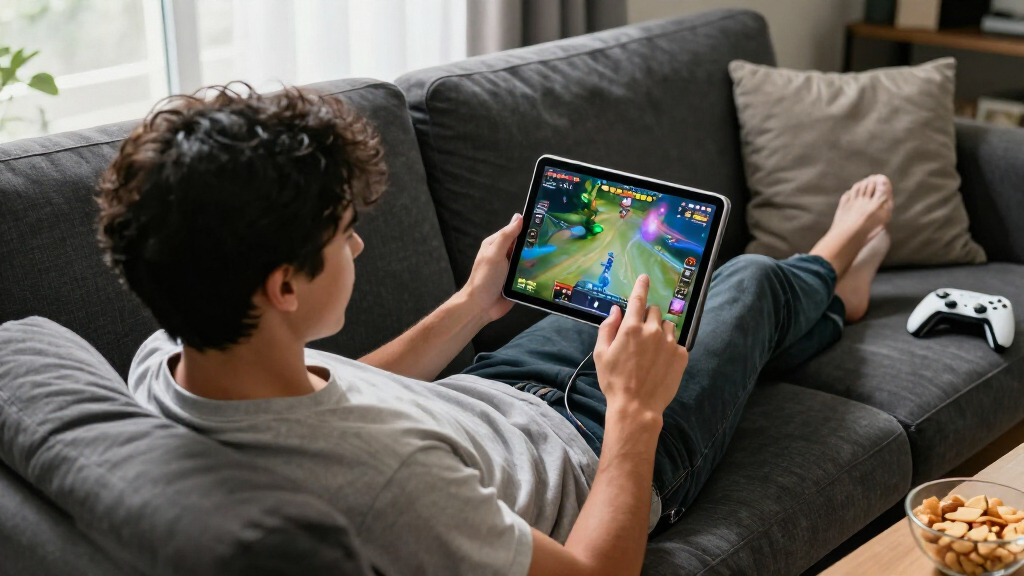
I ranked these iPads by how well their chip performance, display size, portability, storage, and connectivity serve gaming. I gave more weight to performance headroom and a comfortable play experience than to features that matter less during gameplay, while treating newer chips as a better fit for graphically demanding titles and longer ownership. I also weighed whether a device is practical for handheld sessions or better suited to a stand or controller.
That logic puts the 11-inch M4 Air first as a balanced choice, with the M5 Pro models ahead for buyers who prioritize premium performance and screen size. The mini earns a distinct place for portability, while older and renewed iPads rank lower because their chips, storage configurations, and remaining support life can limit their appeal for gaming. A larger display or newer chip does not automatically make a model right for every player, so the rankings reflect different use cases rather than treating all iPads as interchangeable.
Factors to Consider When Choosing Best IPads For Gaming
Choosing a gaming iPad is less about picking the biggest or newest model and more about matching the device to your games, grip, and play habits. These factors can help you avoid paying for screen space or performance you will not use—and avoid buying an older model that already feels constrained.
Match Chip Performance to the Games You Play
Casual puzzle and card games place different demands on an iPad than graphically intensive action games or large open-world titles. If you mostly play lighter games, an older chip may be sufficient, but it leaves less room for demanding releases and future software changes. Buyers who want smooth performance across a wider range of games should favor newer chips such as M4 or M5. A model with a powerful chip can also be more useful if you stream games, multitask, or keep an iPad for several years. Avoid assuming that every game benefits equally from the highest tier of hardware. Put your actual game library ahead of a chip name alone.
Choose a Screen Size You Can Hold Comfortably
A larger display can make game worlds and menus easier to see, but it also changes how the iPad feels during a long handheld session. The 13-inch models are better suited to tabletop play, a stand, or controller use than to holding the device above your lap for hours. An 11-inch iPad is a practical middle ground for many players, while the mini is easier to carry and grip but gives touch controls less room. Think about where you play most often, not just how impressive a screen looks on a desk. If you use a controller, a large screen becomes easier to enjoy without the device’s weight shaping your session. For touch-first games, comfort and reach can matter more than maximum display area.
Plan Storage Around Your Game Library
Large games can take up substantial space, and their updates, downloadable content, and saved media add to the total. A 128GB model can work for a curated library, but frequent installers may find themselves deleting games to make room. Higher-capacity options reduce that maintenance, especially if you also keep videos or creative files on the iPad. Do not choose storage only by counting the games installed today; leave room for updates and the apps you use outside gaming. Renewed models with less storage can be attractive for casual play, yet may become inconvenient sooner. Decide whether you prefer managing a small library or keeping more games ready to launch.
Decide Whether You Play Handheld, With a Controller, or Both
Touch controls favor a device that is easy to hold and whose controls are reachable without shifting your grip. A controller changes the equation: the iPad can rest on a stand, making a larger screen more appealing. If you switch between both styles, an 11-inch model tends to be easier to adapt than a 13-inch tablet or a compact mini. Check that your preferred controller and accessories suit the iPad you choose, and include their bulk in your portability plans. A large tablet is not automatically a better gaming setup if you intend to hold it with no support. Consider the complete play setup, not the tablet alone.
Treat Renewed Models as a Separate Value Decision
A renewed iPad can extend a limited budget, but its age makes it a different kind of purchase from a current-generation model. Check the seller’s condition terms, return window, battery information where available, and included accessories before deciding. Older models may still suit familiar, less demanding games, but they offer less performance headroom and may have a shorter runway for future software support. A newer base iPad or Air can be the better long-term choice even if an older Pro has a larger or more advanced display. Compare the whole ownership picture rather than focusing on one premium feature. For gaming, a dependable battery and enough storage can matter more than an older Pro’s display specification.
Choose Connectivity for How You Actually Play
Wi-Fi is enough for many players who game at home or in places with a reliable network. Cellular connectivity is useful when you regularly play online away from Wi-Fi, but it does not replace checking whether a specific game supports offline play. Network quality can affect multiplayer latency more than a tablet’s maximum Wi-Fi standard, so a newer wireless spec is not a guarantee of better matches. If you play mostly downloaded single-player games, prioritize the device, storage, and screen that fit you instead. Consider how often you travel and whether your games need a live connection. That can keep you from paying attention to connectivity features that do not change your usual gaming experience.
Frequently Asked Questions
Is an older renewed iPad a sensible choice for gaming?
It can be sensible if you play casual games, keep a small library, and are comfortable with a device that has less performance headroom than newer models. The 7th-, 8th-, and 9th-generation iPads are not the best fit for buyers who want to run demanding games for years. Before buying renewed, check the seller’s condition details, return policy, and battery information where available. Also think about software support and whether your essential games still run well on the model’s system version. If you want one iPad for a broad mix of new games, a newer Air or base iPad is a safer direction.
Should I choose an 11-inch or 13-inch iPad for gaming?
Choose 11 inches if you expect to hold the iPad often, play touch-controlled games, or take it with you. A 13-inch screen gives games more visual space and works well on a stand or with a controller, but the tablet is less convenient to hold for long sessions. The larger size also does not make every game more enjoyable; some interfaces simply scale up rather than adding useful detail. Consider where the iPad will rest during play and how long you typically play at a stretch. If you are undecided, the 11-inch format is the more adaptable choice for mixed use.
How much storage should I get if I play several large games?
Choose storage based on how many large games you want installed at once, along with space for updates, photos, and other apps. A 128GB iPad can suit someone who rotates through a handful of games, but it can feel restrictive for a large library. Higher-capacity configurations reduce the need to delete and reinstall games, which is useful for players who travel or have limited connectivity. Remember that a game’s space needs can change as it receives updates or extra content. If you know you dislike managing storage, capacity deserves more weight than a small difference in other features.
Is the iPad mini better for gaming than an 11-inch iPad?
The mini is better for portability and a compact handheld grip, while an 11-inch iPad gives games and touch controls more screen room. The A17 Pro makes the mini a strong compact option, but a smaller display may feel cramped in games with dense interfaces or on-screen buttons. An 11-inch Air is the more flexible choice if you also use the iPad at a desk, watch media, or want a larger view. Think about whether you value easy carrying more than screen space. Neither format wins for every game or play style.
Do I need an iPad Pro to play demanding games?
No. A Pro can suit players who want high performance, a large premium display, or a device for demanding games and other intensive work, but it is not a requirement for gaming. The M4 iPad Air offers strong headroom for a broad range of games in a less expensive-feeling product tier, while the M5 Pro models target buyers who want more. A Pro’s larger screen and capability are less valuable if you mainly play casual titles or prefer handheld comfort. Match the device to the games you play rather than assuming a Pro is necessary. Also weigh whether you will use its strengths beyond gaming.
Conclusion
For most players, I recommend the 11-inch iPad Air with M4 as the best overall: it balances modern performance, manageable size, and versatility. The best premium pick is the 13-inch iPad Pro with M5 for buyers who want a large, high-end gaming screen and plan to play with a stand or controller. The best value direction is a newer, less premium model such as the 11-inch iPad with A16, while the iPad mini with A17 Pro is best for beginners who want a compact, easy-to-carry gaming tablet. For a specific need, choose the 13-inch Air or Pro if screen space matters most, or a renewed older iPad only if your games are modest and you accept its age-related tradeoffs. Pick the format and performance level you will enjoy using, not simply the most powerful model on the list.
Halloween Picks
halloween
As an affiliate, we earn on qualifying purchases.