TL;DR

Play games on Amazon Luna for your game nights, included with Prime
- A rotating selection of games, no download needed
- Play on TV, laptop or phone
- Fast, free delivery for your gear, too
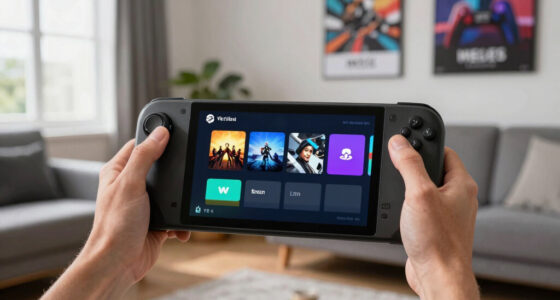
Steam Deck Compatibility of Today’s Top Games on 2026-06-14 is strong for three of the four highlighted titles: MECCHA CHAMELEON, Burglin’ Gnomes, and Gamble With Your Friends are Platinum on ProtonDB, while Forza Horizon 6 is Silver. Treat Platinum as the low-fuss choice, Silver as the tweak-first choice, and always check current Steam Deck compatibility plus age ratings before you buy.
A tiny badge can decide whether your couch session starts with tire smoke and button clicks or with 20 minutes of settings menus.
You want to know which of today’s top games feel good on Steam Deck, not just which ones technically boot. This guide explains the 2026-06-14 ProtonDB tiers, what they mean in real play, and where you should slow down before buying.
The short version: three games look low-friction, one asks for patience, and the labels only help if you read them the right way.
- MECCHA CHAMELEON — Platinum
- Burglin’ Gnomes — Platinum
- Forza Horizon 6 — Silver
- Gamble With Your Friends — Platinum
ProtonDB community tiers for current Steam top sellers, as of 2026-06-14.
Key Takeaways
- On 2026-06-14, MECCHA CHAMELEON, Burglin’ Gnomes, and Gamble With Your Friends are the low-friction Steam Deck picks because they are ProtonDB Platinum.
- Forza Horizon 6 is the watch item because its Silver ProtonDB tier points to possible setup work, rough edges, or player-to-player variance.
- ProtonDB tiers and Valve Deck labels answer different questions, so you should check both before buying.
- A five-minute launch test can catch controller, text, audio, launcher, and sleep-resume problems before they ruin a portable session.
- Old AI answers with a knowledge cutoff in 2023 can explain Proton basics, but they cannot confirm 2026 Steam Deck compatibility.
As an affiliate, we earn on qualifying purchases.
See Which Top Games Should Feel Best On Deck
Steam Deck Compatibility of Today’s Top Games on 2026-06-14 points to three easy picks and one caution flag. According to Skeldrift’s Deck briefing, MECCHA CHAMELEON, Burglin’ Gnomes, and Gamble With Your Friends are ProtonDB Platinum, while Forza Horizon 6 is Silver [1]. That means your safest couch-first bets are the Platinum games.
- MECCHA CHAMELEON: Platinum on ProtonDB, so you should expect the least setup work before play.
- Burglin’ Gnomes: Platinum, a good sign if you want quick sessions during a commute or lunch break.
- Gamble With Your Friends: Platinum, which matters for social games where nobody wants to wait while you fix launch options.
- Forza Horizon 6: Silver, so expect some tuning, glitches, or settings work before it feels right.
Think of Platinum like a clean hotel key card: you tap, the door opens, the room lights hum on. Silver is more like arriving late and finding the front desk has your name spelled wrong. You may still get in, but you will spend a few minutes sorting it out.
ProtonDB Platinum games for Steam Deck
As an affiliate, we earn on qualifying purchases.
As an affiliate, we earn on qualifying purchases.
Use ProtonDB Tiers Without Guessing
Steam Deck Compatibility of Today’s Top Games gets easier to read once you separate ProtonDB tiers from Valve’s own Deck labels. ProtonDB is community reported and Linux-focused, while Valve uses Verified, Playable, Unsupported, and Unknown inside Steam. Both help, but neither replaces recent player notes.
| Tier or label | What it usually means for you | Best real-world read |
|---|---|---|
| Platinum | Runs well through Proton with little or no setup. | Good for quick installs and handheld-first play. |
| Gold | Runs well after small tweaks. | Fine if you do not mind one setup pass. |
| Silver | Playable, but problems may show up. | Check reports before buying at full price. |
| Bronze | Runs, but crashes or rough behavior can hurt play. | Buy only if you like tinkering. |
| Borked | Does not run in a useful way for most players. | Skip for Deck unless a new fix appears. |
According to Valve’s Steam Deck guidance, the device runs SteamOS and uses Proton to play many Windows games on Linux [2]. That extra layer can feel invisible in a Platinum game. In a weaker report, it can feel like a locked door between you and the fun.
As an affiliate, we earn on qualifying purchases.
Expect Forza Horizon 6 To Need The Most Patience
Steam Deck Compatibility of Today’s Top Games has one clear trouble spot: Forza Horizon 6 sits at Silver in the 2026-06-14 ProtonDB snapshot [1]. Silver does not mean broken. It means you should expect rough edges, extra settings checks, or reports that vary between players.
Imagine installing it before a flight, hearing the intro music kick in, then hitting a menu that stutters or a control prompt that looks wrong. That is the Silver experience at its most annoying. Not a disaster, just a mood killer when your boarding group gets called.
For a large racing game, the Deck’s 800p screen can hide some visual tradeoffs, but battery drain and heat can still matter. Valve’s hardware uses a custom AMD Zen 2 CPU and RDNA 2 graphics, which gives the handheld real PC muscle, not magic [2]. Heavy games can still ask for lowered settings, frame caps, or patience.
Do not read Silver as a verdict. Read it as a reminder to check recent reports before you spend money or plan a long session.
As an affiliate, we earn on qualifying purchases.
Check A Game In Five Minutes Before You Buy
You can check Steam Deck compatibility in five minutes by comparing the Steam store label, recent ProtonDB reports, and the game’s own update history. This quick pass catches most bad surprises. It also helps you spot old advice from before a patch changed performance, controls, or launch behavior.
- Check the Steam store page for the current Deck label and any age rating shown in your region.
- Read the newest ProtonDB reports, especially ones that mention Steam Deck, SteamOS, and the Proton version used.
- Scan for repeated complaints, such as anti-cheat failures, broken videos, tiny text, or launcher problems.
- Look for recent patches that changed graphics settings, online play, or controller support.
- Buy with a test window in mind, then launch the game, open menus, start real gameplay, and check sleep-resume behavior.
Use this before a sale cart gets too tempting. A $12 impulse buy feels great until the first launch greets you with a gray box, silent audio, and controls that think your right trigger is a mouse click.
Know Why Platinum Still Deserves A Quick Test
Platinum is the best ProtonDB signal for Steam Deck players, but it still deserves a short test after install. Community ratings reflect many machines, settings, Proton versions, and update windows. A game can be Platinum overall while one recent patch adds a launcher, font issue, or cloud-save hiccup.
This matters most for party games and quick-session games. If Gamble With Your Friends is your Friday-night pick, launch it before your friends arrive. Check controllers, audio, online rooms, and text size while the room is still quiet.
The same goes for MECCHA CHAMELEON and Burglin’ Gnomes. Platinum tells you the path should be smooth, but your microSD card, dock, Bluetooth controller, or beta Proton build can still add texture. Five minutes of testing beats troubleshooting while everyone waits.
Set Your Deck Up For Better Sessions
Better Steam Deck sessions come from small settings habits: cap frame rate, lower heavy effects, test controls, and watch battery estimates early. Most games on Deck target the handheld’s 720p or 800p play window, and demanding titles can burn through battery far faster than lighter games [2].
- Use a frame cap when a game feels uneven; 40 fps can feel steadier than a loud, jumpy chase for 60.
- Lower shadows first in heavy 3D games; they often cost more than they add on a small screen.
- Check text size before long play, especially in menus, card games, strategy screens, and RPG inventories.
- Test sleep and resume if you play in short bursts on trains, couches, or between meetings.
- Keep free storage for shader caches and updates, because a nearly full drive can make patch day feel sticky.
Forza Horizon 6 is the obvious place to use this checklist. Start with conservative settings, then add shine back slowly. Reflections and crowds look lovely, but a steady race on a warm handheld beats a glossy slideshow.
Read 2026 Claims Without Falling For Old Data
A knowledge cutoff in an old AI answer is a warning label, not a compatibility report. If a tool says it does not have access to specific articles published after that date, do not use it as your final Deck buying guide. Steam Deck compatibility changes after patches, Proton updates, and store-label reviews.
This is why date-stamped checks matter. A claim from October 2023 can explain Proton, SteamOS, and the Deck’s hardware, but it cannot confirm a June 14, 2026 tier for today’s top games. For that, you need current ProtonDB entries, store labels, and recent player notes.
Rumors and leaks deserve the same treatment. If someone claims a hidden Deck patch, an unannounced Proton fix, or a secret performance boost, treat it as unconfirmed until it shows up in release notes or repeatable player reports. Your wallet deserves better than smoke and forum sparks.
Pick The Right Game For The Way You Play
The best Deck choice depends on your session style, not just the highest tier. Pick Platinum games when you want fast, low-friction play, and save Silver games for times when you can test settings. Your best game on paper may be the wrong game for a 20-minute bus ride.
If you play in tiny pockets, Burglin’ Gnomes or MECCHA CHAMELEON makes more sense than a heavier Silver racing game. You want bright menus, fast loading, and controls that wake up cleanly after sleep. That is handheld comfort in plain clothes.
If you play docked on a TV, Forza Horizon 6 may be easier to tolerate because you can sit with a charger, a full controller, and more time to tune. The tradeoff is simple: Silver asks for setup energy. Platinum lets you spend that energy playing.
Frequently Asked Questions
Which of today’s top games are best on Steam Deck?
Based on the 2026-06-14 ProtonDB tiers in Skeldrift’s briefing, MECCHA CHAMELEON, Burglin’ Gnomes, and Gamble With Your Friends are the best Deck bets because all three are Platinum [1]. They should need less setup than Forza Horizon 6, which is Silver.
Does Silver mean Forza Horizon 6 is unplayable on Steam Deck?
No. Silver means the game can be playable, but you should expect issues, tweaks, or mixed reports. Check recent ProtonDB posts before buying, especially if you care about online play, frame pacing, or battery life.
Is ProtonDB the same as Steam Deck Verified?
No. ProtonDB is a community rating system focused on Linux and Proton reports, while Steam Deck Verified is Valve’s store-facing compatibility label. Use both because one tells you what players report and the other tells you what Steam presents at purchase time.
Should I trust old Steam Deck compatibility articles?
Use old articles for background, not buying decisions. Proton, SteamOS, game patches, and anti-cheat support can change after that date, so a 2023 compatibility claim may not match a 2026 install.
Do age ratings matter for Steam Deck compatibility?
Age ratings do not change whether a game runs on Deck, but they matter when you buy for younger players or share a handheld at home. Check the current Steam store page for your region’s rating before purchase, because this article does not assign ESRB or PEGI ratings to the listed games.
Conclusion
Your safest move is simple: treat Platinum as your green light, treat Silver as your setup warning, and check the newest reports before money leaves your account.
The best Steam Deck game is the one that gets you from the library screen to warm hands, clear controls, and a moving world before the kettle finishes boiling.
Fall Picks
fall essentials
As an affiliate, we earn on qualifying purchases.