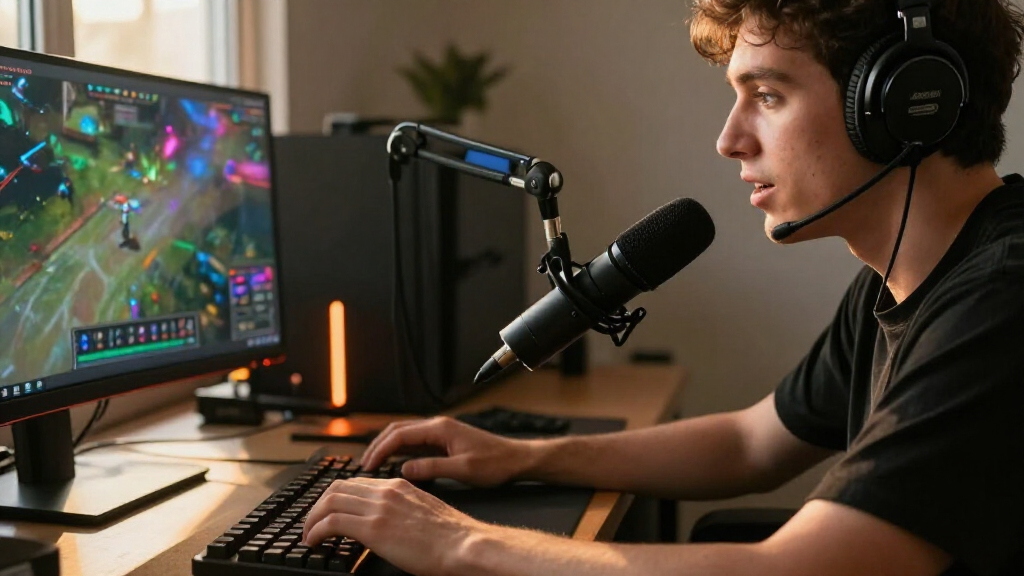

For most streamers, I’d start with the HyperX QuadCast 2 Frost as the best overall choice for its feature-rich USB setup, while the FIFINE AmpliGame AM8 stands out for USB/XLR flexibility and the MAONO PD200W for wireless freedom. The right gaming microphone depends less on flashy extras than on your room noise, desk layout, and whether you want a simple USB connection or room to grow into an audio interface. Dynamic models can help limit surrounding noise, while condenser options may suit quieter rooms and setups that need broader pickup. Bundled arms and controls can simplify setup, but add-ons do not replace good mic placement. Read on for the full comparison and a guide to matching a mic to your stream.

Play games on Amazon Luna for your game nights, included with Prime
- A rotating selection of games, no download needed
- Play on TV, laptop or phone
- Fast, free delivery for your gear, too
Complete the kit


Key Takeaways
- The standout choices serve different setups: the HyperX QuadCast 2 Frost is the all-around USB pick, the FIFINE AmpliGame AM8 offers USB/XLR flexibility, and the MAONO PD200W adds wireless operation.
- USB/XLR models appear often in this lineup, making upgrade paths a recurring strength; the tradeoff is that XLR use requires compatible extra gear.
- Included accessories change setup value: boom-arm kits such as the TONOR TC310+ and FIFINE AM8T can reduce the need to source a mount separately, while standalone mics leave more room to choose your own support.
- Dynamic designs are a practical match for active rooms, but they still need close placement and sensible gain settings to keep your voice clear.
- RGB and software extras vary in usefulness: they can add visual polish or control options, but mic placement, connection type, and room conditions matter more to stream audio.
| FIFINE AmpliGame AM8 USB/XLR Dynamic Microphone |  | Best for a Simple USB-to-XLR Upgrade Path | Connectivity: USB, XLR | Microphone type: Dynamic | Polar pattern: Unidirectional cardioid | VIEW LATEST PRICE | See Our Full Breakdown |
| HyperX QuadCast 2 Frost USB Microphone |  | Best for Multi-Pattern USB Streaming | Connectivity: USB Type-A | Polar patterns: Cardioid, omnidirectional, bidirectional, stereo | Frequency response: 20 Hz–20 kHz | VIEW LATEST PRICE | See Our Full Breakdown |
| MAONO PD200W Hybrid Wireless Dynamic Podcast Microphone | 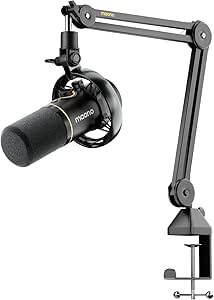 | Best for Wireless Streaming Setups | Connectivity: Wireless, USB-C, XLR | Microphone type: Dynamic | Polar pattern: Unidirectional cardioid | VIEW LATEST PRICE | See Our Full Breakdown |
| TONOR TC310+ USB Condenser Microphone Set with Boom Arm and RGB Lighting | 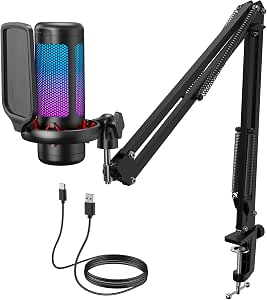 | Best Complete Starter Desk Kit | Connectivity: USB-A | Polar pattern: Unidirectional | Signal-to-noise ratio: 78 dB | VIEW LATEST PRICE | See Our Full Breakdown |
| TONOR Dynamic Gaming Microphone XLR/USB Mic with AI Noise Cancellation |  | Best for Noise-Rich Gaming Rooms | Model: TD510 Air S+H | Connectivity: USB, XLR | Form factor: Desktop | VIEW LATEST PRICE | See Our Full Breakdown |
| MAONO DGM20S USB Gaming Microphone with Noise Reduction |  | Best All-in-One USB Starter Kit | Connectivity: USB, USB-C | Microphone type: Condenser | Polar pattern: Unidirectional (cardioid) | VIEW LATEST PRICE | See Our Full Breakdown |
| MAONO PD100XS USB/XLR Dynamic Gaming Microphone with RGB Lighting, Black |  | Best for USB-to-XLR Upgrades | Connectivity: USB-C, XLR | Microphone type: Dynamic | Polar pattern: Unidirectional (cardioid) | VIEW LATEST PRICE | See Our Full Breakdown |
| FIFINE AmpliTank K688CT USB/XLR Dynamic Podcast Microphone Kit | 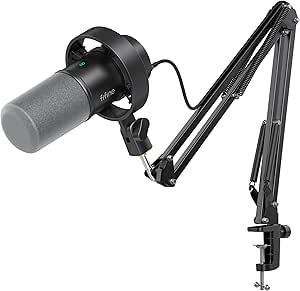 | Best XLR-Ready Kit with a Boom Arm | Connectivity: USB, XLR | Microphone type: Dynamic | Polar pattern: Cardioid (unidirectional) | VIEW LATEST PRICE | See Our Full Breakdown |
| FIFINE AmpliGame A6T USB Gaming Microphone Kit |  | Best for First-Time Streamers | Connectivity: USB | Microphone type: Condenser | Polar pattern: Unidirectional (cardioid) | VIEW LATEST PRICE | See Our Full Breakdown |
| Logitech Blue Yeti USB Condenser Microphone with Blue VO!CE, Four Pickup Patterns, and Desktop Stand – Blackout | 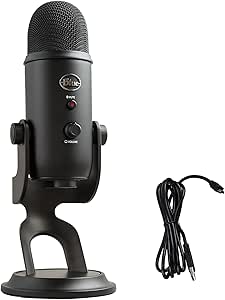 | Best for Multi-Person and Flexible Setups | Connectivity: USB | Microphone design: Tri-capsule array | Pickup patterns: Cardioid, omnidirectional, bidirectional, stereo | VIEW LATEST PRICE | See Our Full Breakdown |
| FIFINE AmpliGame A6V USB Gaming Microphone with RGB Lighting |  | Best for Beginners | Connectivity: USB | Microphone type: Condenser | Polar pattern: Cardioid | VIEW LATEST PRICE | See Our Full Breakdown |
| MAONO PD200XS USB/XLR Dynamic Microphone Kit with RGB Lighting and Boom Arm |  | Best for USB-to-XLR Upgrades | Connectivity: USB, USB Type-C, XLR | Microphone type: Dynamic | Polar pattern: Unidirectional (cardioid) | VIEW LATEST PRICE | See Our Full Breakdown |
| FIFINE AmpliGame AM8T USB/XLR Dynamic Microphone Kit with Boom Arm |  | Best Value Boom-Arm Kit | Connectivity: USB, XLR | Microphone type: Dynamic | Polar pattern: Unidirectional (cardioid) | VIEW LATEST PRICE | See Our Full Breakdown |
| FIFINE AmpliGame AM8PROT USB/XLR Dynamic Gaming Microphone Kit |  | Best for On-Mic Streaming Controls | Connectivity: USB, XLR | Microphone type: Dynamic | Polar pattern: Unidirectional (cardioid) | VIEW LATEST PRICE | See Our Full Breakdown |
| Razer Seiren V3 Pro Dynamic USB-C and XLR Microphone |  | Best Premium Processing | Connectivity: USB Type-C, XLR | Microphone type: Dynamic | Capsule size: 30 mm | VIEW LATEST PRICE | See Our Full Breakdown |
| gaming microphones for streaming | Connectivity | Signal-to-noise ratio | Polar pattern | Microphone type |
|---|---|---|---|---|
| FIFINE AmpliGame AM8 USB/XLR D | USB, XLR | 80 dB | Unidirectional cardioid | Dynamic |
| HyperX QuadCast 2 Frost USB Mi | USB Type-A | 100 dB | — | — |
| MAONO PD200W Hybrid Wireless D | Wireless, USB-C, XLR | 82 dB | Unidirectional cardioid | Dynamic |
| TONOR TC310+ USB Condenser Mic | USB-A | 78 dB | Unidirectional | — |
| TONOR Dynamic Gaming Microphon | USB, XLR | — | — | — |
| MAONO DGM20S USB Gaming Microp | USB, USB-C | 78 dB | Unidirectional (cardioid) | Condenser |
| MAONO PD100XS USB/XLR Dynamic | USB-C, XLR | 99 dB | Unidirectional (cardioid) | Dynamic |
| FIFINE AmpliTank K688CT USB/XL | USB, XLR | 80 dB | Cardioid (unidirectional) | Dynamic |
| FIFINE AmpliGame A6T USB Gamin | USB | >70 dB | Unidirectional (cardioid) | Condenser |
| Logitech Blue Yeti USB Condens | USB | 100 dB | — | — |
| FIFINE AmpliGame A6V USB Gamin | USB | 70 dB | Cardioid | Condenser |
| MAONO PD200XS USB/XLR Dynamic | USB, USB Type-C, XLR | 80 dB | Unidirectional (cardioid) | Dynamic |
| FIFINE AmpliGame AM8T USB/XLR | USB, XLR | 80 dB | Unidirectional (cardioid) | Dynamic |
| FIFINE AmpliGame AM8PROT USB/X | USB, XLR | — | Unidirectional (cardioid) | Dynamic |
| Razer Seiren V3 Pro Dynamic US | USB Type-C, XLR | 74 dB | Unidirectional (cardioid) | Dynamic |
More Details on Our Top Picks
FIFINE AmpliGame AM8 USB/XLR Dynamic Microphone
The FIFINE AmpliGame AM8 suits streamers who want practical controls now and the option to move to an audio interface later. Over USB, its tap-to-mute, gain control, and headphone monitoring keep common adjustments within reach, while the cardioid dynamic capsule is aimed at your voice rather than sound from every direction. That can help when your keyboard and room noise compete with commentary. Compared with the wireless MAONO PD200W, the AM8 gives up cordless placement and app-based shaping, but it offers a more straightforward USB/XLR route for a fixed desk setup. Its main compromise is that the useful onboard features and RGB lighting work only over USB; XLR needs a separate cable and disables those controls. I’d pick it for a desk streamer who values flexible connections over wireless freedom.
Pros:- USB and XLR connectivity support both direct computer use and future interface setups.
- USB tap-to-mute, gain adjustment, and headphone monitoring put useful controls on the microphone.
- Cardioid dynamic pickup focuses on a close voice and helps reject off-axis sound.
- Built-in 3/8-inch and 5/8-inch stand threads fit many microphone mounts.
Cons:- An XLR cable must be purchased separately.
- RGB and onboard function controls are inactive over XLR.
- The recommended close recording distance of 2–6 inches may require careful boom-arm positioning.
Best for: PC streamers who want USB controls now and a conventional XLR connection available for a future audio-interface setup.
Not ideal for: Buyers seeking wireless placement or access to mute, gain, and RGB controls while connected through XLR.
- Connectivity:USB, XLR
- Microphone type:Dynamic
- Polar pattern:Unidirectional cardioid
- Frequency response:50 Hz–16 kHz
- Signal-to-noise ratio:80 dB
- Recording distance:2–6 inches suggested
- Stand threads:3/8 inch and 5/8 inch
- Materials:ABS plastic and metal
Our verdict“Choose the AM8 if you want a close-talk USB streaming mic with a usable XLR upgrade path, and skip it if wireless operation or XLR-side controls matter more.”
HyperX QuadCast 2 Frost USB Microphone
The HyperX QuadCast 2 is the pick here for streamers who want one USB microphone to handle more than a solo voice feed. Its four selectable pickup patterns include cardioid for a single streamer, bidirectional for two people facing each other, omnidirectional for a group, and stereo for a wider sound field. That flexibility sets it apart from the cardioid-only FIFINE AM8, which is a more focused choice for a single desk position and also offers XLR. The QuadCast 2 instead keeps setup to USB and adds one-touch recording controls, LED lighting, and a removable shock mount. The tradeoff is less room to grow into interface-based audio, and the supplied data lists battery power, so buyers should check their power requirements before choosing it for an always-on desk. I’d favor it when adaptable pickup patterns matter more than XLR.
Pros:- Four pickup patterns cover solo streaming, face-to-face conversations, groups, and stereo capture.
- One-touch recording and onboard controls support quick adjustments during sessions.
- Removable shock mount helps isolate the microphone from desk movement.
- Aluminum enclosure provides a metal-bodied alternative to the TONOR TC310+ set.
Cons:- USB-only connectivity offers no XLR path for a future audio interface.
- The supplied product data lists battery power, which may add power-management needs.
- The Frost product name conflicts with the listed black color, so the finish is unclear from the provided data.
Best for: USB-only streamers who alternate between solo commentary, interviews, and small group recordings at the same desk.
Not ideal for: Streamers planning an XLR interface setup or those who want a clearly specified corded power arrangement.
- Connectivity:USB Type-A
- Polar patterns:Cardioid, omnidirectional, bidirectional, stereo
- Frequency response:20 Hz–20 kHz
- Signal-to-noise ratio:100 dB
- Enclosure material:Aluminum
- Weight:335 g
- Dimensions:4.02 × 5.28 × 9.51 inches
- Warranty:1 year
Our verdict“Pick the QuadCast 2 for USB simplicity and flexible pickup patterns, but choose the FIFINE AM8 instead if XLR expansion is part of your plan.”
MAONO PD200W Hybrid Wireless Dynamic Podcast Microphone
The MAONO PD200W stands apart from the wired FIFINE AM8 with a choice of wireless, USB-C, or XLR connections. That makes it a strong fit for streamers who move around a room, change desk layouts, or want to switch between a direct computer connection and an interface. Its cardioid dynamic pickup and three-stage noise cancellation are aimed at keeping the voice prominent when the room or keyboard is audible, while the MaonoLink app adds audio-shaping controls. The listed wireless range reaches up to 60 m, and battery life reaches up to 60 hours with RGB off. Those figures come with limits: RGB reduces the stated runtime, and camera or Lightning receivers are separate purchases. At 1.92 kg, it is also far heavier than the 335 g HyperX QuadCast 2, a point to weigh if portability means carrying the mic itself.
Pros:- Wireless, USB-C, and XLR connections support several recording workflows.
- Cardioid pickup and three-stage noise cancellation target voice focus and distracting room sound.
- Wireless range is listed up to 60 m.
- Can connect two wireless microphones to one receiver and record them to separate tracks.
Cons:- The stated battery life of up to 60 hours applies with RGB lighting off.
- Camera and Lightning receivers are sold separately.
- At 1.92 kg, it is substantially heavier than the HyperX QuadCast 2 listed at 335 g.
Best for: Streamers who need to move between a desk, room, or recording setup and want wireless operation alongside USB-C and XLR options.
Not ideal for: Buyers seeking a lightweight microphone, guaranteed long runtime with RGB on, or included camera and Lightning receiver support.
- Connectivity:Wireless, USB-C, XLR
- Microphone type:Dynamic
- Polar pattern:Unidirectional cardioid
- Signal-to-noise ratio:82 dB
- Maximum SPL:128 dB
- Wireless range:Up to 60 m
- Battery life:Up to 60 hours with RGB off
- Weight:1.92 kg
Our verdict“Choose the PD200W when wireless placement and connection flexibility justify its weight and accessory limits; for a fixed desk, the FIFINE AM8 is simpler.”
TONOR TC310+ USB Condenser Microphone Set with Boom Arm and RGB Lighting
The TONOR TC310+ makes the most sense for a new streamer who needs a complete desk arrangement, not just a microphone. The box includes a boom arm, desk clamp, pop filter, and shock mount, so it covers several setup pieces that the stand-threaded FIFINE AM8 does not include in its listed package. On-mic tap-to-mute and gain adjustment keep basic controls accessible, while adjustable RGB brightness lets the lighting fit a streamer’s desk. Compared with the AM8’s dynamic capsule and XLR option, the TC310+ is a USB-A condenser set with no stated XLR connection, so it is a less suitable starting point for an interface-based upgrade. Its clamp also fits desks only up to 2.36 inches thick, and the USB-C plug must be fully connected. Check desk fit and port access before committing to this all-in-one route.
Pros:- Includes a boom arm, clamp, pop filter, shock mount, and USB cable.
- Tap-to-mute and gain control provide direct access to common streaming adjustments.
- Four RGB modes include brightness control.
- Listed compatibility includes desktop computers, laptops, Mac OS, PS4, and PS5.
Cons:- The desk clamp supports desks no thicker than 2.36 inches.
- Requires a USB 2.0 or 3.0 port and a fully connected Type-C plug.
- USB-A connectivity offers no XLR route like the FIFINE AM8.
Best for: First-time PC or PlayStation streamers who want a boom arm, pop filter, shock mount, and USB microphone in one setup.
Not ideal for: Streamers with desks thicker than 2.36 inches, limited USB-A access, or plans to use an XLR interface.
- Connectivity:USB-A
- Polar pattern:Unidirectional
- Signal-to-noise ratio:78 dB
- Compatible devices:Desktop computer, laptop, Mac OS, PS4, PS5
- Included components:Microphone, pop filter, mic stand, shock mount, USB cable, manual
- Boom arm material:Metal
- Maximum desk thickness:2.36 inches
- Power source:Corded electric
Our verdict“Choose the TC310+ if you want a bundled boom-arm setup for a compatible desk, but pick the FIFINE AM8 if XLR growth matters more than included mounting gear.”
TONOR Dynamic Gaming Microphone XLR/USB Mic with AI Noise Cancellation
The TONOR TD510 Air S+H is aimed at streamers who need help suppressing background distractions, especially keyboard clatter. Its triple AI noise cancellation and dynamic microphone design give it a different priority from the pattern-flexible HyperX QuadCast 2: this TONOR focuses on a single voice and reducing unwanted sound rather than recording several directions. USB and XLR outputs allow a direct computer setup now and a potential audio-interface setup later, while the headphone jack and on-mic volume controls support monitoring and quick level changes. Customizable RGB adds a gaming-focused look. The tradeoffs are practical: the XLR cable is not included, Xbox is not supported, and its listed 850 g weight and large dimensions may crowd smaller desks. I’d rank it for noisy gaming spaces, not for console users on Xbox or anyone short on room.
Pros:- Triple AI noise cancellation is designed to reduce distractions such as keyboard clatter.
- USB and XLR outputs support direct computer use and possible interface upgrades.
- On-mic volume controls and headphone monitoring support live audio adjustments.
- Customizable RGB lighting suits gaming-oriented desk setups.
Cons:- An XLR cable is not included.
- Not compatible with Xbox consoles.
- Its 850 g weight and 16.65 × 5.39 × 4.49-inch listed dimensions may limit desk placement.
Best for: PC or PS4/PS5 streamers with audible keyboard or room noise who want noise reduction, monitoring, and USB/XLR flexibility.
Not ideal for: Xbox streamers, buyers without room for a bulky 850 g microphone, or anyone expecting an XLR cable in the kit.
- Model:TD510 Air S+H
- Connectivity:USB, XLR
- Form factor:Desktop
- Special feature:DeNoise
- Compatible devices:Laptop, personal computer
- Weight:850 g
- Dimensions:16.65 × 5.39 × 4.49 inches
- Warranty:Two years from date of purchase
Our verdict“Choose the TONOR TD510 Air S+H for a noise-focused PC or PlayStation setup with XLR flexibility, but skip it if you use Xbox or need a compact mic.”
MAONO DGM20S USB Gaming Microphone with Noise Reduction
The MAONO DGM20S suits streamers who want a mic and mounting accessories in one USB setup, without adding an audio interface. Its one-touch mute, gain knob, and zero-latency headphone monitoring make quick voice checks and mid-stream adjustments straightforward. Compared with the FIFINE AmpliGame A6T, it adds a one-touch noise reduction feature and lists both USB and USB-C cables, while the A6T also offers a boom arm and pop filter. The DGM20S’s cardioid pattern helps prioritize sound from the front, and the shock mount and removable pop filter make the included arm more useful for a streaming desk. The tradeoff is limited flexibility: it has no XLR connection, is not compatible with Xbox, and its noise adjustment software is Windows-only. Choose it for a ready-to-use PC or PlayStation setup, not for a system you expect to expand into studio gear.
Pros:- One-touch mute, gain control, and headphone monitoring support quick adjustments while streaming.
- Includes an adjustable metal boom arm, shock mount, and removable pop filter.
- Plug-and-play USB connectivity supports PC, Mac, PS4, and PS5.
- Controllable RGB lighting can be turned off.
Cons:- No XLR connection for use with an audio interface or mixer.
- Not compatible with Xbox.
- Noise adjustment software is available only for Windows.
Best for: PC, Mac, PS4, and PS5 streamers who want an included boom arm, shock mount, and pop filter with easy on-mic controls.
Not ideal for: Xbox players and creators planning an XLR audio setup; the mic does not support Xbox or XLR, and its noise adjustment software is Windows-only.
- Connectivity:USB, USB-C
- Microphone type:Condenser
- Polar pattern:Unidirectional (cardioid)
- Frequency range:50 Hz–20 kHz
- Signal-to-noise ratio:78 dB
- Controls and features:One-touch mute, gain control, one-key noise cancellation, RGB lighting, zero-latency monitoring
- Compatibility:PC, Mac, PS4, PS5; not Xbox
- Included accessories:Metal boom arm, shock mount, pop filter, USB and USB-C cable, desktop clamp
Our verdict“Choose the DGM20S for a bundled USB streaming setup with handy controls, but skip it if you need Xbox support or an upgrade path to XLR.”
MAONO PD100XS USB/XLR Dynamic Gaming Microphone with RGB Lighting, Black
The MAONO PD100XS is the most adaptable choice here for a streamer who expects to move from a computer-only setup to audio-interface gear. Its USB-C and XLR connections let you start with a direct computer connection, then use compatible studio equipment later. In USB mode, the mic adds gain and monitoring controls, headphone monitoring, mute, RGB, and adjustable software noise reduction. That makes it more feature-rich at the desk than the XLR-capable FIFINE AmpliTank K688CT, whose described controls are also limited to USB but whose included kit centers on a boom arm, windscreen, and shock mount. The PD100XS is dynamic and cardioid, a practical fit for voice-focused streaming, but its software features and lighting stop working over XLR. The XLR cable is not included, so the upgrade path requires extra equipment and setup.
Pros:- USB-C and XLR connectivity offer a path from direct computer use to compatible studio equipment.
- Dynamic cardioid design and adjustable USB software noise reduction support focused voice capture.
- USB mode includes mute, gain, monitoring controls, and a 3.5 mm headphone jack.
- RGB lighting offers three modes and nine color options in USB mode.
Cons:- XLR cable is not included.
- Noise reduction, RGB, and onboard control functions are available only over USB.
- The listed frequency response varies across the product data: 48 Hz–16 kHz and 40 Hz–16 kHz.
Best for: PC or console streamers who want USB controls now and plan to connect the microphone to a mixer, sound card, or audio interface later.
Not ideal for: Buyers seeking a complete XLR package or full feature access through an interface; the XLR cable is absent, and lighting, noise reduction, and controls are USB-only.
- Connectivity:USB-C, XLR
- Microphone type:Dynamic
- Polar pattern:Unidirectional (cardioid)
- Frequency response:48 Hz–16 kHz (also listed as 40 Hz–16 kHz)
- Sampling rate and bit depth:24-bit/48 kHz
- Signal-to-noise ratio:99 dB
- USB controls and features:One-touch mute, gain and monitoring controls, headphone monitoring, adjustable software noise reduction, RGB lighting
- XLR cable:Not included
Our verdict“Pick the PD100XS if you want USB convenience with an eventual XLR option, but expect to give up its USB-only features when you switch connections.”
FIFINE AmpliTank K688CT USB/XLR Dynamic Podcast Microphone Kit
The FIFINE AmpliTank K688CT makes sense for streamers who want a dynamic mic, desk mounting hardware, and an XLR option without piecing together the physical setup. Its metal boom arm, windscreen, and shock mount are included, while USB mode provides tap-to-mute, gain adjustment, and headphone monitoring. Compared with the MAONO PD100XS, the K688CT puts more emphasis on a bundled mounting kit; the PD100XS instead lists USB software noise reduction and RGB lighting. Both offer USB and XLR, but the K688CT’s controls work only over USB, so moving to an interface means losing those mic controls. The cardioid pattern and dynamic capsule suit voice-centered streaming, though the supplied clamp has a specific fit limit: it only works on desks under 2 inches thick. Check your desk before choosing this kit.
Pros:- USB and XLR connectivity support both plug-and-play use and compatible interface setups.
- Dynamic cardioid design helps focus capture on the speaker in front of the mic.
- Includes a metal boom arm, windscreen, and shock mount.
- USB mode provides tap-to-mute, gain, and headphone volume controls.
Cons:- Microphone controls are unavailable when connected via XLR.
- The desk clamp fits surfaces under 2 inches thick.
- No software noise reduction or RGB lighting is listed.
Best for: Streamers who want a dynamic microphone with an included boom arm and shock mount, plus the option to use USB now and XLR equipment later.
Not ideal for: Creators with desks 2 inches thick or more, or XLR users who want the microphone’s mute and level controls to remain available.
- Connectivity:USB, XLR
- Microphone type:Dynamic
- Polar pattern:Cardioid (unidirectional)
- Frequency range:50 Hz–16 kHz
- Maximum SPL:120 dB
- Signal-to-noise ratio:80 dB
- USB controls:Tap-to-mute, gain knob, headphone volume knob
- Included accessories:Metal boom arm, windscreen, shock mount
- Desk clamp fit:Desks under 2 inches thick
Our verdict“Choose the K688CT for a bundled boom-arm kit with an XLR option, provided your desk fits the clamp and you can accept USB-only controls.”
FIFINE AmpliGame A6T USB Gaming Microphone Kit
The FIFINE AmpliGame A6T keeps a first streaming setup simple: connect over USB, mount the included arm, and use the touch mute and gain control to manage voice levels at the desk. Its cardioid pattern focuses on sound from the front, while the shock mount and pop filter help make the supplied mounting kit more complete. Compared with the MAONO DGM20S, the A6T offers a similar USB-and-arm approach but lists a 24-bit, 192 kHz sampling specification; the DGM20S adds one-touch noise reduction and zero-latency monitoring. The A6T is a condenser rather than a dynamic USB/XLR model such as the FIFINE K688CT, so it does not offer an XLR upgrade path. Its 2-inch clamp limit also rules it out for some desks, and its listed frequency range starts at 60 Hz.
Pros:- Plug-and-play USB connection needs no separate audio interface.
- Touch mute and gain control make quick adjustments accessible at the desk.
- Cardioid pickup pattern focuses on sound from the front.
- Includes a metal boom arm, shock mount, and pop filter.
Cons:- USB-only connectivity provides no XLR upgrade path.
- The C-clamp fits desks up to 2 inches thick.
- The listed frequency range is 60 Hz–18 kHz.
Best for: New PC, Mac, PS4, or PS5 streamers who want a plug-and-play condenser mic with an included arm, shock mount, and pop filter.
Not ideal for: Streamers with desks thicker than 2 inches, Xbox players, or creators who want XLR connectivity and a future interface-based setup.
- Connectivity:USB
- Microphone type:Condenser
- Polar pattern:Unidirectional (cardioid)
- Sampling rate and bit depth:192 kHz, 24 bit
- Frequency range:60 Hz–18 kHz
- Signal-to-noise ratio:>70 dB
- Controls:Touch mute, gain control
- Included accessories:Metal boom arm, shock mount, pop filter, C-clamp, USB-C to USB-A/C cable, adapter
- Maximum desk thickness:2 inches
Our verdict“The A6T is a straightforward first streaming mic for PC and PlayStation users who want the mounting kit included and do not need XLR.”
Logitech Blue Yeti USB Condenser Microphone with Blue VO!CE, Four Pickup Patterns, and Desktop Stand – Blackout
The Logitech Blue Yeti is the flexible choice for streamers whose mic needs extend beyond solo gameplay commentary. Its four pickup patterns—cardioid, omnidirectional, bidirectional, and stereo—let one USB microphone handle a solo stream, a two-person conversation, or broader sound capture. That versatility separates it from the MAONO DGM20S and FIFINE A6T, which list cardioid pickup only and are more directly focused on a single speaker. The Yeti also puts pattern selection, mute, gain, and headphone volume on the microphone, with real-time, no-latency monitoring. Its desktop stand makes setup simple, though it occupies desk space compared with the boom-arm kits in this roundup. Full Blue VO!CE functionality requires Logitech G HUB, and the USB-only connection offers no XLR route for an audio-interface setup.
Pros:- Four selectable pickup patterns cover solo, two-person, and broader recording setups.
- Onboard controls provide access to gain, mute, pattern selection, and headphone volume.
- Real-time, no-latency headphone monitoring supports live voice checks.
- USB plug-and-play connection and an adjustable desktop stand simplify setup.
Cons:- Full Blue VO!CE functionality requires Logitech G HUB.
- USB-only connectivity does not support an XLR interface setup.
- The included desktop stand takes up desk space compared with the boom-arm kits.
Best for: Streamers who also record interviews, co-hosted content, or room sound and want multiple pickup patterns in one USB microphone.
Not ideal for: Solo streamers who want an included boom arm or XLR connectivity, and buyers who prefer not to install Logitech G HUB for full software features.
- Connectivity:USB
- Microphone design:Tri-capsule array
- Pickup patterns:Cardioid, omnidirectional, bidirectional, stereo
- Frequency response:20 Hz–20 kHz
- Signal-to-noise ratio:100 dB
- Channels:2
- Controls and monitoring:Headphone volume, pattern selection, mute, microphone gain; real-time, no-latency monitoring
- Compatibility:PC and Mac
- Included accessory:Adjustable desktop stand
Our verdict“Choose the Blue Yeti if you need multiple pickup patterns for varied streaming formats; choose a cardioid boom-arm kit for a simpler solo desk setup.”
FIFINE AmpliGame A6V USB Gaming Microphone with RGB Lighting
The FIFINE AmpliGame A6V keeps a first streaming setup simple: connect by USB, set the gain on the mic, and tap to mute without hunting for a software control. Its cardioid pickup, pop filter, and shock mount help manage plosives and desk vibrations, while the cycling RGB gives a gaming desk some visual flair. Compared with the boom-arm kits such as the FIFINE AmpliGame AM8T, the A6V takes less setup and offers a more straightforward desktop arrangement, but its tripod uses valuable desk space and places the mic farther from an ideal close-speaking position. It is also USB-only, so it cannot move into an XLR interface setup later. I’d choose it for a beginner who wants convenient controls and included accessories, not for someone planning an audio-chain upgrade.
Pros:- Tap-to-mute and gain knob are easy to reach during a stream.
- Included shock mount helps limit keyboard and mouse vibration.
- Detachable pop filter helps reduce plosive bursts.
- Comes with a tripod stand and detachable USB cable.
Cons:- Tripod placement takes up desk space and offers less flexible positioning than a boom arm.
- USB-only connectivity does not support an XLR interface.
- Requires a wired connection.
Best for: New PC or PS4/PS5 streamers who want a ready-to-connect mic with physical mute and gain controls.
Not ideal for: Streamers with crowded desks or plans to use an XLR mixer, since the tripod occupies desk space and the mic is USB-only.
- Connectivity:USB
- Microphone type:Condenser
- Polar pattern:Cardioid
- Frequency range:60 Hz–18 kHz
- Signal-to-noise ratio:70 dB
- Controls:Tap-to-mute button and gain knob
- Lighting:Cycling RGB with 7 gradient colors
- Included accessories:Shock mount, detachable pop filter, tripod stand
Our verdict“Choose the A6V for a straightforward first streaming mic with useful physical controls, but pick the AM8T if you want a boom arm and XLR upgrade path.”
MAONO PD200XS USB/XLR Dynamic Microphone Kit with RGB Lighting and Boom Arm
The MAONO PD200XS suits streamers who want to begin on USB without giving up the option to move to an audio interface later. Its USB and XLR connections make that upgrade path more practical than the USB-only FIFINE A6V, and the included boom arm keeps the mic close to the speaker while freeing desk space. In USB mode, MAONO Link adds EQ, limiter, and compressor controls; onboard gain, mute, and headphone volume controls also keep routine adjustments within reach. The tradeoff is that software processing is tied to USB, so an XLR user loses those software features, and the kit does not include an XLR cable. Compared with the FIFINE AM8T, this kit emphasizes software shaping over a simpler control set. I’d pick it for a streamer expecting to grow into interface-based audio.
Pros:- USB and XLR connections support both computer streaming and future interface setups.
- Included adjustable boom arm and shock mount allow close positioning while limiting desk vibration.
- MAONO Link provides EQ, limiter, and compressor controls in USB mode.
- Onboard gain, headphone-volume, mute, and monitoring controls support quick adjustments.
Cons:- An XLR cable is not included.
- Software processing and controls are limited to USB mode.
- The software features add setup complexity compared with the plug-and-play FIFINE A6V.
Best for: USB-first streamers who plan to add an audio interface later and want a supplied boom arm for close mic placement.
Not ideal for: Buyers who need XLR-ready accessories in the box or want MAONO Link processing while connected through XLR.
- Connectivity:USB, USB Type-C, XLR
- Microphone type:Dynamic
- Polar pattern:Unidirectional (cardioid)
- Frequency response:40 Hz–16 kHz
- Signal-to-noise ratio:80 dB
- USB cable length:8.2 ft
- Software compatibility:Windows, Mac, Android
- Included accessories:Shock mount, adjustable boom arm, USB-C to USB-A/C cable, adapter
- XLR cable:Not included
Our verdict“Pick the PD200XS if you want a boom-arm USB mic with a clear XLR upgrade path and are comfortable sourcing the XLR cable separately.”
FIFINE AmpliGame AM8T USB/XLR Dynamic Microphone Kit with Boom Arm
The FIFINE AmpliGame AM8T puts the streaming essentials in one kit: a dynamic cardioid mic, boom arm, mute and gain controls, and a headphone jack for monitoring. That makes it a more desk-efficient choice than the tripod-mounted FIFINE A6V, while USB and XLR let it serve both a basic computer setup and a mixer or interface. The controls are practical for live sessions, and the RGB can be adjusted or switched off rather than demanding attention on camera. Compared with the MAONO PD200XS, the AM8T has a straightforward control layout but does not offer the same listed software EQ, limiter, and compressor options. Its clamp also fits desks only up to 2 inches thick, and there is no XLR cable in the box. I’d choose it for a flexible, hardware-focused starter rig.
Pros:- USB and XLR connectivity supports computer use now and interface use later.
- Included boom arm and desk clamp allow flexible positioning and reclaim desktop space.
- On-mic mute, gain, and headphone-volume controls are useful during live streams.
- Customizable RGB can be adjusted or turned off.
Cons:- Desk clamp fits desktops only up to 2 inches thick.
- XLR cable is not included.
- USB operation requires a wired connection.
Best for: Streamers who want a dynamic mic, included boom arm, onboard monitoring, and USB-to-XLR flexibility without relying on software processing.
Not ideal for: People with desks thicker than 2 inches or buyers who need an XLR cable supplied with the kit.
- Connectivity:USB, XLR
- Microphone type:Dynamic
- Polar pattern:Unidirectional (cardioid)
- Frequency range:50 Hz–16 kHz
- Signal-to-noise ratio:80 dB
- Controls and monitoring:Mute, gain, headphone volume, headphone jack
- Included accessories:Boom arm, C-clamp, USB-to-USB-C cable, windscreen
- Desk clamp fit:Desktops up to 2 inches thick
- XLR cable:Not included
Our verdict“Choose the AM8T for a practical boom-arm kit with physical controls and an XLR path, provided its clamp fits your desk.”
FIFINE AmpliGame AM8PROT USB/XLR Dynamic Gaming Microphone Kit
The FIFINE AmpliGame AM8PROT is built around controls that matter during a live session: tap-to-mute, headphone monitoring, volume, and mix control, paired with a boom arm that extends up to 30 inches. Its 48 kHz/24-bit audio resolution and 20 Hz–20 kHz response give the listed specs a broader recording range than the AM8T, while USB and XLR cover computer and interface setups. Against the MAONO PD200XS, the AM8PROT offers a more explicitly streaming-centered mix-control workflow, but several conveniences—including monitoring, mix control, and RGB—work only over USB. That limits the appeal of its XLR mode if you expect the same controls through an interface. I’d choose it for USB streamers who want mic-side adjustments and flexible arm placement; XLR-focused users should treat those USB features as unavailable.
Pros:- Tap-to-mute, mix control, volume control, and headphone monitoring support live adjustments.
- USB and XLR connectivity allow use with compatible computers, consoles, mixers, and interfaces.
- Included boom arm extends up to 30 inches for flexible mic positioning.
- Foam windscreen helps reduce plosive sounds.
Cons:- Mix control, headphone monitoring, and RGB features work only over USB.
- Single unidirectional channel does not capture multiple speakers independently.
- Requires a wired connection.
Best for: PC or console streamers who want tap-to-mute, headphone monitoring, mix control, and an adjustable boom arm while using USB.
Not ideal for: XLR-first streamers who expect the microphone’s mix, monitoring, and RGB features to remain available through an interface.
- Connectivity:USB, XLR
- Microphone type:Dynamic
- Polar pattern:Unidirectional (cardioid)
- Audio resolution:48 kHz/24-bit
- Frequency response:20 Hz–20 kHz
- Maximum SPL:115 dB
- Boom arm extension:Up to 30 in
- USB cable length:8.2 ft
- Included accessories:Adjustable boom arm, foam windscreen
Our verdict“Choose the AM8PROT if USB streaming controls and a long-reach boom arm matter more than keeping every feature available over XLR.”
Razer Seiren V3 Pro Dynamic USB-C and XLR Microphone
The Razer Seiren V3 Pro is the most processing-focused pick here, pairing USB-C and XLR with onboard limiter, compressor, expander, and AI noise removal. For a streamer who wants to shape voice audio without building a separate software chain, that is a meaningful distinction from the FIFINE AM8T, whose listed strengths center on physical controls and a supplied boom arm. The Razer also includes a pop filter, shock absorber, manual gain dial, and headphone monitoring, while its zinc enclosure gives it a more substantial build. The tradeoff is a desktop form factor rather than an included boom-arm kit, and 32-bit float recording depends on Razer Synapse. XLR use also calls for an audio interface or mixer. I’d choose this model for a streamer prioritizing processing and build over a more complete mounting bundle.
Pros:- USB-C and XLR support both direct computer use and interface-based setups.
- Onboard limiter, compressor, expander, and AI noise removal provide multiple processing tools.
- Included pop filter and shock absorber help manage plosives and vibration.
- Zinc enclosure, manual gain dial, and headphone monitoring support a sturdy desktop workflow.
Cons:- 32-bit float recording requires Razer Synapse.
- XLR use requires a separate audio interface or mixer.
- Desktop form factor does not provide the included boom arm supplied with the MAONO PD200XS and FIFINE AM8T.
Best for: Streamers who want onboard voice processing, USB-C convenience, and an XLR option for a future interface-based setup.
Not ideal for: Buyers seeking a complete boom-arm kit or those who want 32-bit float recording without Razer Synapse.
- Connectivity:USB Type-C, XLR
- Microphone type:Dynamic
- Capsule size:30 mm
- Polar pattern:Unidirectional (cardioid)
- Recording:32-bit float via Razer Synapse
- Onboard audio processing:Limiter, compressor, expander, AI noise removal
- Signal-to-noise ratio:74 dB
- Included features:Pop filter, shock absorber, adjustable desktop mount, manual gain dial, headphone monitoring
- Enclosure material:Zinc
Our verdict“Pick the Seiren V3 Pro if onboard processing and a sturdy desktop mic matter more than getting a boom arm in the box.”
How We Picked
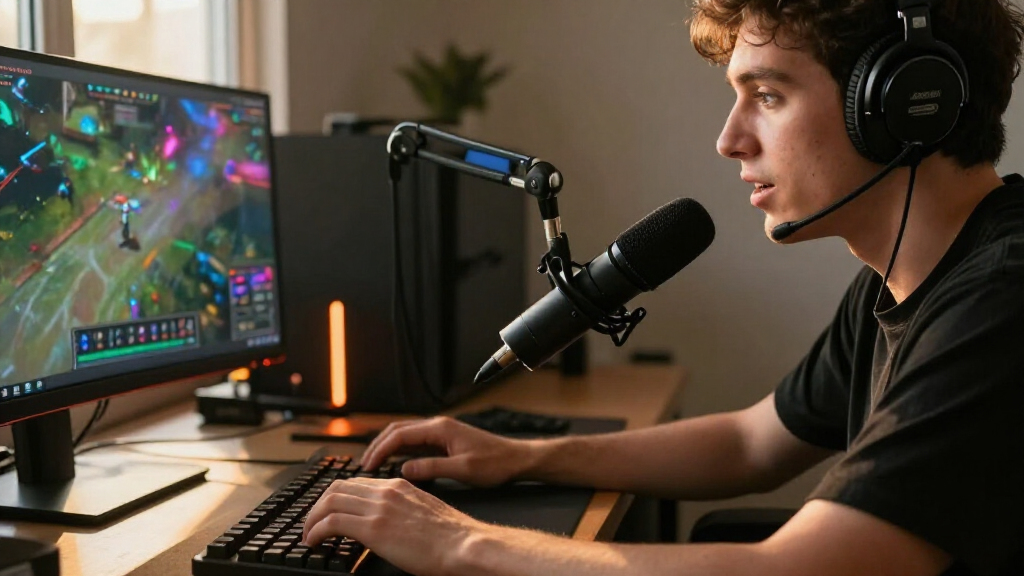
I compared these microphones as streaming tools, prioritizing voice-focused pickup, connection options, and day-to-day control over feature counts alone. I also looked at whether each model is a USB-first desk solution, supports an XLR upgrade path, includes a boom arm or other setup accessories, or adds wireless operation. Those differences affect how quickly a streamer can get set up and what extra equipment may be needed later.
The ranking favors microphones that balance useful streaming performance with manageable setup demands and flexibility for their intended buyer. Models with distinct strengths—such as included kits, compact USB setups, or hybrid connectivity—rank well for those needs, but a specialized feature does not automatically make a mic the best fit for everyone. I also weighed tradeoffs: USB simplicity can limit expansion, XLR calls for additional equipment, wireless brings different setup considerations, and decorative features do not replace good placement or room control.
| gaming microphones for streaming | Microphone type | Polar pattern |
|---|---|---|
| FIFINE AmpliGame AM8 USB/XLR D | Dynamic | Unidirectional cardioid |
| HyperX QuadCast 2 Frost USB Mi | — | — |
| MAONO PD200W Hybrid Wireless D | Dynamic | Unidirectional cardioid |
| TONOR TC310+ USB Condenser Mic | — | Unidirectional |
| TONOR Dynamic Gaming Microphon | — | — |
| MAONO DGM20S USB Gaming Microp | Condenser | Unidirectional (cardioid) |
| MAONO PD100XS USB/XLR Dynamic | Dynamic | Unidirectional (cardioid) |
| FIFINE AmpliTank K688CT USB/XL | Dynamic | Cardioid (unidirectional) |
| FIFINE AmpliGame A6T USB Gamin | Condenser | Unidirectional (cardioid) |
| Logitech Blue Yeti USB Condens | — | — |
| FIFINE AmpliGame A6V USB Gamin | Condenser | Cardioid |
| MAONO PD200XS USB/XLR Dynamic | Dynamic | Unidirectional (cardioid) |
| FIFINE AmpliGame AM8T USB/XLR | Dynamic | Unidirectional (cardioid) |
| FIFINE AmpliGame AM8PROT USB/X | Dynamic | Unidirectional (cardioid) |
| Razer Seiren V3 Pro Dynamic US | Dynamic | Unidirectional (cardioid) |
Factors to Consider When Choosing Gaming Microphones For Streaming
Before choosing among these gaming microphones for streaming, decide how the mic will fit your room, voice, and desk—not just which feature list looks longest. These broader factors can prevent mismatched purchases and clarify when an upgrade or bundled accessory is worth paying for.
Match the pickup style to your room
Your room can matter as much as the microphone itself. A noisy PC fan, nearby keyboard, untreated walls, or other people in the room can all enter a recording if the mic is positioned or set up poorly. A dynamic mic is often a sensible starting point for a typical gaming desk because it is designed for close voice use, but it will not remove every background sound. Condenser models can suit quieter rooms and broader recording needs, yet they may make room noise more apparent. Before spending extra on noise-related features, test your space and plan to keep the mic close to your mouth. A good pickup choice reduces cleanup work, but it cannot substitute for controlling the source of unwanted sound.
Choose USB, XLR, or both based on your next step
USB is usually the easiest route for a single-computer stream: connect the mic and use it without buying a separate interface. XLR can fit a setup that already has an audio interface or mixer, and it gives you more options for shaping a larger audio chain. A USB/XLR mic offers flexibility, but the two connections do not necessarily work as a simultaneous two-source setup; check the model’s connection behavior before planning around it. New streamers often pay for XLR capability long before they need it, while long-term creators may prefer not to replace a USB-only mic later. Think about the equipment you own and the upgrade you genuinely expect to make. If that upgrade is uncertain, a straightforward USB workflow may be the more useful choice today.
Budget for placement, not just the microphone
Where the microphone sits affects voice clarity, keyboard noise, and how much of the screen it blocks. A boom arm can bring the mic closer to your mouth while keeping desk space clear, but it also needs a suitable mounting point and enough reach. A desktop stand is simpler to set up, though it can take up space and transmit desk bumps. Bundled kits can save sourcing effort, yet the included arm or stand may not fit every desk thickness or layout. Check how you game, where your monitor and keyboard sit, and whether you can keep the mic at a consistent distance. Do not assume an included accessory is an upgrade unless its position works for your actual setup.
Treat software and noise processing as aids, not fixes
Software controls and noise reduction can help manage a stream, but they work best after basic placement and gain are set. Aggressive processing can make speech sound unnatural or clip quiet word endings, so listen to a test recording before using it live. Hardware mute controls are useful when you need a quick, reliable way to silence the mic without reaching for software. Monitoring also matters: hearing your own voice can help catch distortion, excessive background noise, or an awkward mic distance before viewers do. Compare the controls you will actually use rather than counting every software feature as a benefit. If your room is loud, lowering noise at the source is often more dependable than relying on a processing toggle.
Decide whether wireless freedom is worth the added setup
A wireless microphone can make sense if you move around during a stream or need to avoid a cable crossing your desk. For a stationary gaming setup, a wired USB connection is often simpler and removes the need to manage wireless charging and connection behavior. Before choosing wireless, check how the model handles power, pairing, and the connection to your computer, then consider what happens if the battery runs low mid-session. Wireless does not automatically improve sound quality, so it should solve a real movement or cable-management problem. A hybrid model may also offer a wired fallback, but confirm how that fallback works before relying on it. If you stay at your desk, spend your attention on pickup, positioning, and controls first.
Buy for the whole setup, not the feature list
RGB lighting can coordinate with a camera-facing setup, while extra pickup patterns or software controls may support more than one recording style. Those features matter only if they suit how you stream; unused options can add complexity without improving your everyday audio. Check the mic’s footprint, cable routing, mounting options, and control access alongside its headline features. A bundled kit may be a better fit when you need an arm and want fewer separate choices, while a standalone mic can make sense if you already own quality mounting gear. Leave room in your setup plan for headphones, an interface if needed, and basic room treatment rather than allocating everything to the mic. The best match is the one whose useful features you can put to work regularly.
Frequently Asked Questions
Should I choose a dynamic or condenser microphone for streaming in a room with keyboard and fan noise?
I would generally begin by comparing dynamic models if your microphone sits near a keyboard or PC fan, since close voice placement can help keep the voice more prominent than surrounding sound. That does not mean a dynamic mic cancels noise: distance, gain, and the direction of the sound still matter. A condenser can work well in a quiet, treated room, especially if you also need its broader recording flexibility. Set the mic close to your mouth and lower gain as appropriate before judging the pickup style. If the room is still noisy, address the fan, keyboard, or room layout rather than expecting the mic alone to solve it.
Is a USB/XLR microphone worth choosing if I only stream over USB right now?
It can be worthwhile if you have a realistic plan to add an interface or mixer later and want to keep the same microphone. If you expect to stay with a simple computer setup, USB may cover everything you need and reduce setup complexity. XLR also means budgeting for compatible equipment and learning a more involved signal chain. Check how the specific microphone switches between connections and whether it can serve your intended workflow. Choose the upgrade path for a likely future setup, not simply because the extra connector is available.
Do I need to buy a separate boom arm for a gaming microphone?
Not always: an included boom arm can make setup easier if it fits your desk and places the mic close to your mouth without blocking your view. A desktop stand may be enough if your desk has room and you do not need to reposition the mic. Separate arms can offer a better fit when you already know the reach, clamp style, and mounting position you need. Check desk thickness, available clamp space, and how much the arm may move during gaming. The main goal is a stable, repeatable position, not owning an arm for its own sake.
Will noise cancellation make my stream sound clean if my room is untreated?
Noise cancellation can reduce some unwanted sound, but it is not a substitute for improving mic position or controlling noise at its source. Strong processing can also alter the voice, especially when settings are too aggressive or the voice level is inconsistent. Start by moving the mic closer, aiming it appropriately, and setting gain so your voice is clear without making the room dominate. Record a short sample with processing on and off to hear what changes. If room echo is the main problem, reducing reflections around the recording area may help more than a noise filter.
When does a wireless gaming microphone make more sense than a wired USB model?
Wireless makes the most sense if you move away from your desk during streams or if a cable creates a real layout problem. For a fixed gaming position, a wired USB mic is typically easier to keep powered and connected. Compare how wireless pairing, charging, and any wired fallback work before choosing a hybrid option. Consider the length of your usual sessions and where you can charge the mic between them. If movement is not part of your stream, wireless freedom may add more upkeep than practical benefit.
Conclusion
For a well-rounded USB streaming setup, I’d choose the HyperX QuadCast 2 Frost as my best overall pick. The FIFINE AmpliGame AM8 is my best value-oriented choice for buyers who want USB now and an XLR path later, while the Razer Seiren V3 Pro is the premium pick for streamers focused on a more advanced dynamic USB-C/XLR setup. Beginners who want a direct, bundled gaming-mic setup can look at the FIFINE AmpliGame A6T or TONOR TC310+, depending on whether the included kit style suits their desk. For specific needs, the MAONO PD200W is the wireless standout, and the Logitech Blue Yeti suits buyers who want multiple pickup patterns for uses beyond gaming. Choose based on your room and workflow first; then decide whether an arm, RGB, software controls, or an upgrade path adds real value to your stream.