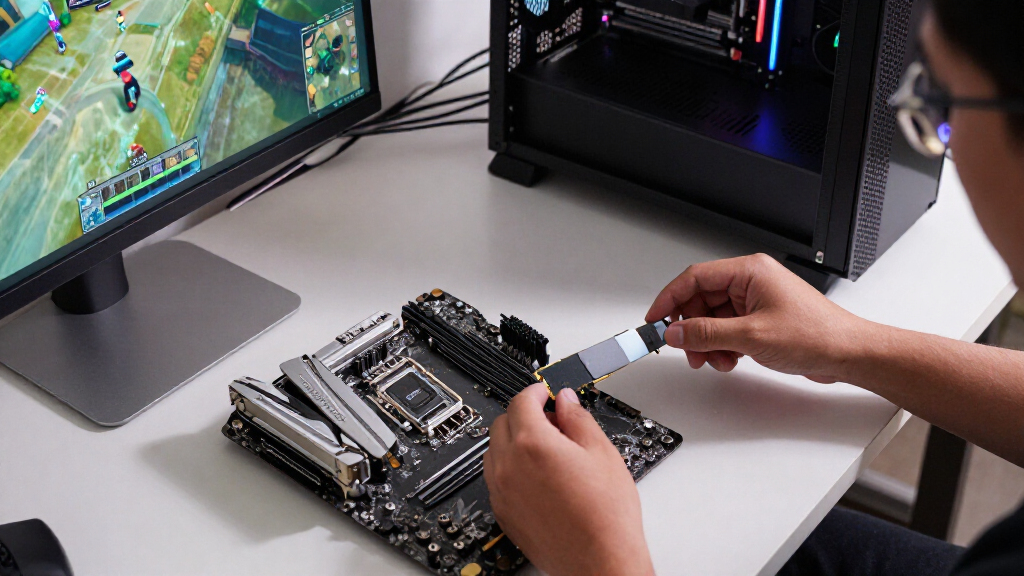

Among these best PCIe NVMe SSDs, I’d choose the Samsung 990 PRO 2TB as the best overall for its blend of high-end Gen4 performance and roomy capacity. The Crucial P510 stands out for buyers building around Gen5, while the Lexar NM790 2TB offers a compelling high-capacity Gen4 alternative. The main tradeoffs are whether your system can use Gen5 speeds, how much storage you need, and whether sustained workloads justify a premium drive. A faster SSD may make little difference in everyday use if your computer or workload is the limiting factor. Read on for the full breakdown, buying advice, and picks by buyer type.

Play games on Amazon Luna for your game nights, included with Prime
- A rotating selection of games, no download needed
- Play on TV, laptop or phone
- Fast, free delivery for your gear, too
Complete the kit



Key Takeaways
- The Samsung 990 PRO 2TB is my best overall pick: it pairs a generous capacity with high-end Gen4 positioning, which makes it a more rounded choice than a speed-first drive with less storage.
- Gen5 is a platform decision, not an automatic upgrade: the Crucial P510 and Samsung 9100 PRO make the most sense when the motherboard and workload can take advantage of Gen5.
- Capacity changes the value equation: the 2TB Lexar NM790 and Samsung 990 PRO suit large libraries better than the 500GB Samsung 980 PRO or 1TB options.
- The lineup spans different priorities: drives such as the Kingston NV3 and WD Blue SN5100 target practical Gen4 upgrades, while the Samsung 990 PRO and 9100 PRO sit closer to performance-focused builds.
- Model names alone do not settle the choice: verify the exact generation, capacity, physical fit, and thermal requirements for your system before choosing among the 15 drives.
| Crucial P310 1TB PCIe Gen4 NVMe M.2 2280 SSD |  | Best for Handheld Gaming | Capacity: 1 TB | Interface: PCIe Gen4 x4 NVMe | Form factor: M.2 2280 | VIEW LATEST PRICE | See Our Full Breakdown |
| Crucial P510 1TB PCIe Gen5 NVMe M.2 SSD |  | Best Gen5 Upgrade | Capacity: 1 TB | Interface: PCIe 5.0 x4 NVMe | Form factor: M.2 2280 | VIEW LATEST PRICE | See Our Full Breakdown |
| Samsung 980 PRO 500GB PCIe 4.0 NVMe M.2 Internal SSD |  | Best for Compact, Lower-Capacity Builds | Capacity: 500 GB | Interface: PCIe 4.0 x4 NVMe | Form factor: M.2 2280 | VIEW LATEST PRICE | See Our Full Breakdown |
| Samsung 990 EVO Plus 1TB NVMe M.2 Internal SSD | 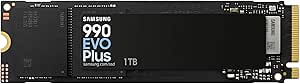 | Best Flexible Interface | Capacity: 1 TB | Form factor: M.2 2280 | PCIe compatibility: PCIe 4.0 x4 and PCIe 5.0 x2 | VIEW LATEST PRICE | See Our Full Breakdown |
| SanDisk Optimus 5100 1TB NVMe SSD, PCIe 4.0, M.2 2280 |  | Best for Power-Conscious Laptops | Capacity: 1 TB | Interface: PCIe 4.0 x4 | Form factor: M.2 2280 | VIEW LATEST PRICE | See Our Full Breakdown |
| SanDisk Extreme 1TB M.2 NVMe SSD, PCIe Gen 4.0 |  | Best for Gen 3 System Upgrades | Capacity: 1 TB | Interface: NVMe, PCIe Gen 4.0 x4 | Form factor: M.2 2280 | VIEW LATEST PRICE | See Our Full Breakdown |
| Kingston NV3 1TB M.2 2280 PCIe 4.0 NVMe SSD | 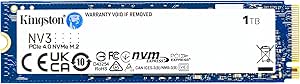 | Best for Strong Listed Read-and-Write Speeds | Capacity: 1 TB | Interface: PCIe 4.0 x4 | Protocol: NVMe | VIEW LATEST PRICE | See Our Full Breakdown |
| Dell 2TB Class 40 M.2 2280 NVMe PCIe 4.0 SSD |  | Best for Compatible Dell System Replacements | Capacity: 2 TB | Interface: NVMe, PCIe 4.0 x4 | Form factor: M.2 2280 | VIEW LATEST PRICE | See Our Full Breakdown |
| Lexar NQ780 1TB M.2 PCIe Gen 4×4 NVMe SSD |  | Best for Laptop-Focused Gen 4 Upgrades | Capacity: 1 TB | Interface: PCIe Gen 4×4 | Form factor: M.2 2280 | VIEW LATEST PRICE | See Our Full Breakdown |
| WD Blue SN5100 1TB M.2 2280 PCIe Gen 4 NVMe SSD |  | Best for High Listed Read Speed | Capacity: 1 TB | Interface: PCIe Gen 4 x4 | Form factor: M.2 2280 | VIEW LATEST PRICE | See Our Full Breakdown |
| Samsung 990 Internal SSD, 1TB |  | Best Efficient PCIe 4.0 Pick | Capacity: 1 TB | Interface: PCIe x4 | Protocol: NVMe | VIEW LATEST PRICE | See Our Full Breakdown |
| Samsung 9100 PRO 1TB PCIe 5.0 M.2 2280 SSD |  | Best for Maximum PCIe 5.0 Speed | Capacity: 1TB | Interface: PCIe 5.0 x4 | Form factor: M.2 2280 | VIEW LATEST PRICE | See Our Full Breakdown |
| Lexar NM790 2TB Internal NVMe SSD, PCIe Gen 4×4, M.2 2280 |  | Best High-Capacity PCIe 4.0 Pick | Capacity: 2TB | Interface: NVMe, PCIe Gen 4×4 | Form factor: M.2 2280 | VIEW LATEST PRICE | See Our Full Breakdown |
| Samsung 990 PRO 2TB PCIe 4.0 NVMe M.2 2280 SSD |  | Best Premium PCIe 4.0 Pick | Capacity: 2 TB | Interface: PCIe 4.0 x4 | Form factor: M.2 2280 | VIEW LATEST PRICE | See Our Full Breakdown |
| Acer Predator GM7 1TB M.2 PCIe 4.0 NVMe SSD |  | Best for Flexible PC and PS5 Upgrades | Capacity: 1 TB | Form factor: M.2 2280 | Interface: PCIe 4.0 x4 | VIEW LATEST PRICE | See Our Full Breakdown |
| PCIe NVMe Gen SSD | Capacity | Form factor | Interface | Sequential read speed |
|---|---|---|---|---|
| Crucial P310 1TB PCIe Gen4 NVM | 1 TB | M.2 2280 | PCIe Gen4 x4 NVMe | — |
| Crucial P510 1TB PCIe Gen5 NVM | 1 TB | M.2 2280 | PCIe 5.0 x4 NVMe | Up to 11,000 MB/s |
| Samsung 980 PRO 500GB PCIe 4.0 | 500 GB | M.2 2280 | PCIe 4.0 x4 NVMe | Up to 7,000 MB/s |
| Samsung 990 EVO Plus 1TB NVMe | 1 TB | M.2 2280 | — | Up to 7,150 MB/s |
| SanDisk Optimus 5100 1TB NVMe | 1 TB | M.2 2280 | PCIe 4.0 x4 | — |
| SanDisk Extreme 1TB M.2 NVMe S | 1 TB | M.2 2280 | NVMe, PCIe Gen 4.0 x4 | — |
| Kingston NV3 1TB M.2 2280 PCIe | 1 TB | M.2 2280 (22 x 80 mm) | PCIe 4.0 x4 | — |
| Dell 2TB Class 40 M.2 2280 NVM | 2 TB | M.2 2280 | NVMe, PCIe 4.0 x4 | — |
| Lexar NQ780 1TB M.2 PCIe Gen 4 | 1 TB | M.2 2280 | PCIe Gen 4×4 | — |
| WD Blue SN5100 1TB M.2 2280 PC | 1 TB | M.2 2280 | PCIe Gen 4 x4 | — |
| Samsung 990 Internal SSD | 1 TB | M.2 | PCIe x4 | Up to 7,150 MB/s |
| Samsung 9100 PRO 1TB PCIe 5.0 | 1TB | M.2 2280 | PCIe 5.0 x4 | Up to 14,700 MB/s |
| Lexar NM790 2TB Internal NVMe | 2TB | M.2 2280 | NVMe, PCIe Gen 4×4 | Up to 7,400 MB/s |
| Samsung 990 PRO 2TB PCIe 4.0 N | 2 TB | M.2 2280 | PCIe 4.0 x4 | Up to 7,450 MB/s |
| Acer Predator GM7 1TB M.2 PCIe | 1 TB | M.2 2280 | PCIe 4.0 x4 | Up to 7,400 MB/s |
More Details on Our Top Picks
Crucial P310 1TB PCIe Gen4 NVMe M.2 2280 SSD
The Crucial P310 pairs a useful 1TB capacity with PCIe 4.0 speeds, making it a flexible choice for a laptop, desktop, or select handheld gaming PC. Its listed support for the ROG Ally X and Lenovo Legion Go gives it a more specific handheld angle than the Crucial P510, which is aimed at newer PCIe 5.0 systems. At up to 7,100 MB/s reads and 6,000 MB/s writes, it can speed up game and application loading without requiring a Gen5 platform. The tradeoff is that handheld compatibility is limited to named models, so buyers should check fit and support before ordering. The included Acronis True Image offer may help with migration, but the listing does not define the license terms.
Pros:- 1TB capacity accommodates games, applications, and media
- Up to 7,100 MB/s sequential reads and 6,000 MB/s writes
- M.2 2280 format fits compatible desktops and laptops
- Backward compatible with PCIe Gen3 systems
Cons:- Handheld support is limited to select models
- Acronis True Image is described as an offer, not a clearly specified full license
Best for: ROG Ally X, Lenovo Legion Go, and AYANEO Kun owners who want a 1TB internal upgrade and have confirmed device compatibility.
Not ideal for: Buyers seeking a Gen5 SSD or anyone whose handheld is not among the listed compatible models.
- Capacity:1 TB
- Interface:PCIe Gen4 x4 NVMe
- Form factor:M.2 2280
- Maximum sequential read:Up to 7,100 MB/s
- Maximum sequential write:Up to 6,000 MB/s
- Backward compatibility:PCIe Gen3
- Listed handheld compatibility:ROG Ally X, Lenovo Legion Go, AYANEO Kun
- Included software:Acronis True Image offer
Our verdict“Choose the P310 for a 1TB Gen4 upgrade in a compatible handheld or PC, but verify your device before buying.”
Crucial P510 1TB PCIe Gen5 NVMe M.2 SSD
For buyers building around PCIe 5.0, the Crucial P510 offers the highest listed sequential speeds in this group: up to 11,000 MB/s read and 8,500 MB/s write. That makes it a stronger fit for compatible systems than the Gen4 Crucial P310, though the advantage depends on the motherboard or laptop actually providing a PCIe 5.0 M.2 connection. It also works in PCIe 4.0 systems, but there it cannot deliver its full Gen5 interface potential. The 1TB capacity is practical for an OS, applications, and a sizeable game library, while the Acronis offer and one-month Adobe subscription add software extras. Buyers who mainly want a straightforward Gen4 drive may find the P310 or Samsung 990 EVO Plus a closer match.
Pros:- Highest listed sequential read and write speeds among these five picks
- PCIe 5.0 x4 interface with backward compatibility for PCIe 4.0
- Compact M.2 2280 form factor
- Includes an Acronis offer and one-month Adobe Creative Cloud All-Apps subscription
Cons:- Full PCIe 5.0 performance requires compatible host hardware
- Requires an available M.2 slot for installation
Best for: Desktop builders and laptop owners with a confirmed PCIe 5.0 M.2 slot who want high sequential throughput in a 1TB drive.
Not ideal for: People with PCIe 4.0-only systems who do not need Gen5 performance, or users without an available M.2 slot.
- Capacity:1 TB
- Interface:PCIe 5.0 x4 NVMe
- Form factor:M.2 2280
- Sequential read speed:Up to 11,000 MB/s
- Sequential write speed:Up to 8,500 MB/s
- NAND:G8 NAND
- Compatibility:Desktop and laptop; backward compatible with PCIe 4.0
- Included software:Acronis True Image offer; one-month Adobe Creative Cloud All-Apps subscription
Our verdict“Pick the P510 when your system supports PCIe 5.0 and you want the speed advantage; otherwise, a Gen4 option may be a better fit.”
Samsung 980 PRO 500GB PCIe 4.0 NVMe M.2 Internal SSD
The Samsung 980 PRO is the capacity-conscious pick for a PCIe 4.0 system: its 500GB leaves less room for a large game library than the 1TB Crucial P310 or Samsung 990 EVO Plus, but it can suit a focused OS-and-applications build. Listed sequential speeds reach 7,000 MB/s read and 5,000 MB/s write, and its Samsung Magician tools support drive monitoring and maintenance. That software gives it a useful management angle compared with the P310, whose supplied description instead highlights an Acronis migration offer. Samsung also lists thermal-management features, though the provided details do not describe a substantial separate heatsink. Choose this drive when the smaller capacity fits your storage plan; skip it if you expect to keep many large games or work files on one SSD.
Pros:- PCIe 4.0 x4 interface with PCIe 3.0 compatibility
- Up to 7,000 MB/s sequential reads
- Samsung Magician supports drive monitoring and maintenance
- Listed thermal-management features include a nickel-coated controller and heat spreader label
Cons:- 500GB capacity is smaller than the 1TB alternatives in this batch
- Thermal management relies on the controller coating and integrated label rather than a listed separate heatsink
Best for: PC builders who need a 500GB Gen4 boot and application drive and want Samsung Magician for monitoring and maintenance.
Not ideal for: Gamers or creators who need 1TB or more on a single drive, or buyers expecting a large dedicated heatsink.
- Capacity:500 GB
- Interface:PCIe 4.0 x4 NVMe
- Form factor:M.2 2280
- Sequential read speed:Up to 7,000 MB/s
- Sequential write speed:Up to 5,000 MB/s
- Random read performance:Up to 690K IOPS
- Random write performance:Up to 620K IOPS
- Flash memory:V-NAND
- Management software:Samsung Magician
Our verdict“Choose the 980 PRO for a compact 500GB Gen4 system drive with Samsung management tools, not as the main storage for a large library.”
Samsung 990 EVO Plus 1TB NVMe M.2 Internal SSD
The Samsung 990 EVO Plus stands out for its unusual host-interface flexibility: it supports PCIe 4.0 x4 and PCIe 5.0 x2, unlike the PCIe 4.0-only SanDisk Optimus 5100. Its listed read and write speeds of up to 7,150 MB/s and 6,300 MB/s make it a strong fit for a fast 1TB everyday drive, while the nickel-coated controller and Intelligent TurboWrite 2.0 target power efficiency and large-file transfers. The P510 is the better match for a system built to exploit much higher Gen5 sequential speeds; this Samsung instead offers a different lane configuration across generations. Performance can vary with system and firmware, and TurboWrite applies only within a specific transfer size, so it should not be read as a guarantee for every sustained write workload.
Pros:- Supports PCIe 4.0 x4 and PCIe 5.0 x2 configurations
- Up to 7,150 MB/s sequential reads and 6,300 MB/s writes
- Nickel-coated controller is designed for power efficiency and thermal control
- Intelligent TurboWrite 2.0 and Samsung Magician software support
Cons:- Actual performance varies with firmware, system hardware, and configuration
- TurboWrite performance applies only within a specific data-transfer size
Best for: PC builders who want 1TB of fast storage and value compatibility with PCIe 4.0 x4 or PCIe 5.0 x2 M.2 configurations.
Not ideal for: Buyers chasing the highest listed Gen5 sequential speeds or those whose workloads depend on consistently sustained large writes.
- Capacity:1 TB
- Form factor:M.2 2280
- PCIe compatibility:PCIe 4.0 x4 and PCIe 5.0 x2
- Sequential read speed:Up to 7,150 MB/s
- Sequential write speed:Up to 6,300 MB/s
- Controller feature:Nickel-coated controller
- Write technology:Intelligent TurboWrite 2.0
- Weight:9 g
Our verdict“Choose the 990 EVO Plus for a 1TB Samsung drive with flexible PCIe lane support, rather than for peak Gen5 throughput.”
SanDisk Optimus 5100 1TB NVMe SSD, PCIe 4.0, M.2 2280
The SanDisk Optimus 5100 is a Gen4 1TB option with a notable write-speed claim: up to 6,700 MB/s, ahead of the Crucial P310’s listed 6,000 MB/s. It also combines PCIe 4.0 x4 with a design described as power-efficient, which makes it a plausible fit for a laptop upgrade where battery use matters. Its QLC NAND and nCache 4.0 suit general storage and bursts of activity, but QLC can be less appropriate for frequent, sustained write-heavy workloads than a drive selected specifically for that pattern. The five-year limited warranty and monitoring software add practical ownership support. Data migration may take extra preparation: the supplied details say a separate cable and enclosure may be needed. Compared with the Samsung 990 EVO Plus, it is a straightforward Gen4 pick rather than a cross-generation interface option.
Pros:- Up to 7,100 MB/s reads and 6,700 MB/s writes
- Power-efficient design suited to laptop use
- Includes SSD monitoring and update software
- Five-year limited warranty
Cons:- QLC NAND may be less suited to frequent sustained-write workloads
- Data migration may require a separate cable and enclosure
Best for: Laptop owners seeking a 1TB PCIe 4.0 upgrade for everyday use, game storage, and intermittent file transfers.
Not ideal for: Creators or workstation users who regularly write large volumes of data for extended periods, or buyers who need migration accessories included.
- Capacity:1 TB
- Interface:PCIe 4.0 x4
- Form factor:M.2 2280
- Read speed:Up to 7,100 MB/s
- Write speed:Up to 6,700 MB/s
- NAND:8th-generation SanDisk BiCS QLC 3D CBA
- Cache technology:SanDisk nCache 4.0
- Warranty:5-year limited warranty
Our verdict“Pick the Optimus 5100 for a power-conscious 1TB Gen4 laptop upgrade with strong listed write speeds, but look elsewhere for heavy sustained writes.”
SanDisk Extreme 1TB M.2 NVMe SSD, PCIe Gen 4.0
The SanDisk Extreme 1TB is a sensible upgrade for a compatible M.2 system when you want Gen 4 support without giving up backward compatibility with PCIe Gen 3.0. Its read speed is listed up to 5,150 MB/s, below the Kingston NV3 and Lexar NQ780 at up to 6,000 MB/s, so it is not the speed leader here. The nCache 4.0 feature is intended to help with file copying, while the standard M.2 2280 fit and one-screw installation keep the physical upgrade straightforward. Compared with the WD Blue SN5100, it has a lower listed read ceiling and less detail about warranty coverage. Choose it for a compatible older system or a straightforward everyday drive; skip it if peak Gen 4 throughput is your main reason to upgrade.
Pros:- PCIe Gen 4.0 x4 interface with stated backward compatibility for PCIe Gen 3.0
- Up to 5,150 MB/s read speed
- nCache 4.0 is designed to help with file copying
- M.2 2280 format and one-screw installation for compatible slots
Cons:- Listed read speed is lower than several 1TB alternatives in this roundup
- Gen 4 performance requires a compatible host system
- Actual performance varies with the host device, interface, and usage
Best for: Desktop or laptop owners with an M.2 2280 slot who want a 1TB drive that can work with either PCIe Gen 3.0 or Gen 4.0 systems.
Not ideal for: Buyers focused on the highest listed Gen 4 read speeds, since the Kingston NV3, Lexar NQ780, and WD Blue SN5100 all specify higher ceilings.
- Capacity:1 TB
- Interface:NVMe, PCIe Gen 4.0 x4
- Form factor:M.2 2280
- Read speed:Up to 5,150 MB/s
- Data transfer rate:4,150 MB/s
- Cache:nCache 4.0
- Model:SDSSDX3N-1T00-G26
Our verdict“Pick the SanDisk Extreme for a compatible Gen 3 or Gen 4 system when backward compatibility matters more than class-leading throughput.”
Kingston NV3 1TB M.2 2280 PCIe 4.0 NVMe SSD
The Kingston NV3 1TB stands out among these 1TB Gen 4 options by listing both up to 6,000 MB/s read and 5,000 MB/s write. That paired speed information gives buyers a clearer picture than the WD Blue SN5100, whose supplied details list read speed but not write speed. Its single-sided design can suit systems where clearance around the M.2 slot is limited, and the stated lower-power, reduced-heat design is useful in compact laptops. Acronis cloning software is included, which may simplify moving an existing installation. The tradeoff is that it still needs an M.2 2280 slot with PCIe NVMe support; unlike the SanDisk Extreme, the provided details do not specify Gen 3 backward compatibility. Choose it for a balanced speed profile, not if your system lacks the required slot.
Pros:- Listed read speeds up to 6,000 MB/s and write speeds up to 5,000 MB/s
- Single-sided M.2 design conserves space around the slot
- Designed for lower power consumption and reduced heat
- Acronis cloning software is included
Cons:- Requires an M.2 2280 slot with PCIe NVMe support
- Provided compatibility details do not specify Gen 3 backward compatibility
- Capacity is limited to 1TB
Best for: Laptop and desktop upgraders who want a 1TB Gen 4 drive with listed read and write speeds, plus cloning software for migration.
Not ideal for: Owners of systems without an M.2 2280 PCIe NVMe slot, or buyers who need clearly stated backward compatibility with a Gen 3 interface.
- Capacity:1 TB
- Interface:PCIe 4.0 x4
- Protocol:NVMe
- Form factor:M.2 2280 (22 x 80 mm)
- Read speed:Up to 6,000 MB/s
- Write speed:Up to 5,000 MB/s
- Included software:Acronis cloning software
- Warranty:5-year limited warranty
Our verdict“Choose the Kingston NV3 if you want a 1TB Gen 4 drive with strong listed read and write speeds and included cloning software.”
Dell 2TB Class 40 M.2 2280 NVMe PCIe 4.0 SSD
The Dell 2TB Class 40 earns its place through capacity and a compatibility list centered on selected Dell Alienware, G5, Inspiron, Latitude, OptiPlex, Precision, Vostro, and XPS systems. Its 2TB capacity doubles the storage of the Kingston NV3, Lexar NQ780, and WD Blue SN5100 models here, making it a practical fit for a Dell system that needs more room for files and applications. The main compromise is limited performance detail: the listing gives a broad media-speed range of 3,000–5,000 MB/s, but no specific read or write figure. That makes it harder to compare directly with the WD Blue SN5100’s stated 7,100 MB/s read speed. I’d favor this drive for a listed-compatible Dell machine, not as a general-purpose pick for buyers prioritizing clearly stated throughput.
Pros:- 2TB capacity offers more room than the 1TB drives in this batch
- PCIe 4.0 x4 connectivity
- Compact M.2 2280 internal form factor
- Compatibility is listed across multiple Dell computer lines
Cons:- Compatibility listing focuses on selected Dell systems
- No specific read or write speed is provided
- The 3,000–5,000 MB/s media-speed range makes direct performance comparisons difficult
Best for: Owners of a listed Dell Alienware, G5, Inspiron, Latitude, OptiPlex, Precision, Vostro, or XPS system who need a 2TB internal NVMe drive.
Not ideal for: Buyers whose systems are outside the listed Dell families, or shoppers who need clearly specified read and write speeds for performance comparisons.
- Capacity:2 TB
- Interface:NVMe, PCIe 4.0 x4
- Form factor:M.2 2280
- Media speed:3,000–5,000 MB/s
- Installation type:Internal
- Compatible systems:Selected Dell Alienware, G5, Inspiron, Latitude, OptiPlex, Precision, Vostro, and XPS systems
- Warranty:5 years
- Model:SNP228G44/2TB AC037410
Our verdict“Choose the Dell Class 40 when you need 2TB for a listed-compatible Dell system and value fit over detailed speed specifications.”
Lexar NQ780 1TB M.2 PCIe Gen 4×4 NVMe SSD
The Lexar NQ780 pairs a listed read speed of up to 6,000 MB/s with a single-sided layout and Intelligent Power Control, making it a distinctive fit for laptop upgrades. It also lists compatibility with desktops and Sony PlayStation 5, while DiskMaster adds drive-health monitoring and firmware updates. Compared with the Kingston NV3, the NQ780 has the same stated read ceiling but a lower listed write speed—up to 2,500 MB/s versus 5,000 MB/s—so it is less compelling for workloads that depend on sustained writes. HMB and SLC cache are intended to support performance, but they do not erase that spec-sheet gap. I’d choose it when laptop fit and management tools matter more than write speed; the Kingston is the stronger match for buyers seeking higher listed write throughput.
Pros:- Read speeds up to 6,000 MB/s
- Single-sided design supports installation in compatible laptops
- DiskMaster provides drive-health monitoring and firmware updates
- HMB and SLC cache are included features
Cons:- Listed write speed is up to 2,500 MB/s, below the Kingston NV3’s stated 5,000 MB/s
- Requires a compatible M.2 slot
- Listed read and write ceilings do not describe performance in every workload
Best for: Laptop owners who need a single-sided 1TB Gen 4 M.2 drive and want included monitoring and firmware-update software.
Not ideal for: Users who frequently move large files or prioritize write throughput, since its listed write speed is lower than the Kingston NV3’s.
- Capacity:1 TB
- Interface:PCIe Gen 4×4
- Form factor:M.2 2280
- Read speed:Up to 6,000 MB/s
- Write speed:Up to 2,500 MB/s
- Design:Single-sided
- Management software:Lexar DiskMaster
- Warranty:5-year limited warranty
Our verdict“Pick the Lexar NQ780 for a laptop-friendly layout and drive-management tools, but choose the Kingston NV3 if write speed is the priority.”
WD Blue SN5100 1TB M.2 2280 PCIe Gen 4 NVMe SSD
The WD Blue SN5100 1TB has the highest stated read ceiling in this batch: up to 7,100 MB/s, ahead of the Kingston NV3 and Lexar NQ780 at up to 6,000 MB/s. That makes it the clearest pick here for buyers focused on fast reads, while its M.2 2280 format suits compatible desktop and laptop upgrades. Sandisk 3D CBA NAND and nCache 4.0 are designed to support storage and copying of large files. The comparison has an important limit: the supplied specifications do not include a write-speed figure, so the Kingston NV3 gives a more complete read-and-write picture. The listing also says this model has been replaced by a newer generation, which may matter to buyers seeking the current lineup. Choose it for the stated read speed, not for an established all-around performance profile.
Pros:- Highest listed read speed among the five products in this batch at up to 7,100 MB/s
- M.2 2280 format supports compatible desktop and laptop upgrades
- Sandisk 3D CBA NAND and nCache 4.0 are specified
- Includes a 5-year limited warranty
Cons:- No write-speed figure is provided in the supplied product details
- The listing says the model has been replaced by a newer generation
- Requires a compatible M.2 PCIe slot
Best for: Desktop and laptop upgraders who prioritize a high stated Gen 4 read speed and have a compatible M.2 PCIe slot.
Not ideal for: Buyers who need a listed write-speed figure or prefer a model that the listing identifies as current rather than replaced by a newer generation.
- Capacity:1 TB
- Interface:PCIe Gen 4 x4
- Form factor:M.2 2280
- Read speed:Up to 7,100 MB/s
- NAND technology:Sandisk 3D CBA NAND
- Cache technology:Sandisk nCache 4.0
- Warranty:5-year limited warranty
- Model number:WDS100T5B0E
Our verdict“Choose the WD Blue SN5100 if its 7,100 MB/s listed read speed is your priority and you are comfortable with the model’s replaced status.”
Samsung 990 Internal SSD, 1TB
The Samsung 990 1TB pairs fast PCIe 4.0 performance with a stated improvement in performance per watt over the 990 PRO, making it a sensible choice for a responsive desktop or laptop that does not need a newer PCIe 5.0 drive. Its read speed reaches 7,150 MB/s, while hardware encryption and TRIM support add useful everyday management and data-protection features. Compared with the Samsung 9100 PRO, it gives up substantial peak throughput but avoids making PCIe 5.0 support a requirement. The tradeoff is that this is a 1TB drive, and its advertised sequential write performance depends on Intelligent TurboWrite and transfer-size limits. Performance can also vary with firmware and system setup, so buyers focused on sustained heavy transfers may prefer a larger-capacity option such as the Lexar NM790 2TB.
Pros:- Sequential read speeds up to 7,150 MB/s suit demanding everyday workloads.
- Up to 38% improved performance per watt over the 990 PRO, according to the supplied product data.
- Hardware encryption and TRIM support add useful security and maintenance features.
- Compatible with desktop and laptop systems.
Cons:- Sequential write performance depends on Intelligent TurboWrite and its transfer-size limits.
- Firmware and system configuration can affect performance.
- The 1TB capacity offers less room than the Lexar NM790 2TB.
Best for: Desktop and laptop owners who want a fast, power-conscious 1TB PCIe 4.0 drive with hardware encryption and familiar Samsung drive tools.
Not ideal for: Users moving very large files in sustained sessions or needing more than 1TB; TurboWrite limits and capacity may make the Lexar NM790 2TB a better fit.
- Capacity:1 TB
- Interface:PCIe x4
- Protocol:NVMe
- Form factor:M.2
- Sequential read speed:Up to 7,150 MB/s
- Sequential write speed:Up to 6,450 MB/s
- Random read speed:Up to 700K IOPS
- Random write speed:Up to 1,100K IOPS
- Features:Hardware encryption, TRIM support
Our verdict“Choose the Samsung 990 1TB for efficient PCIe 4.0 speed and encryption, but pick a higher-capacity model for larger libraries or sustained transfers.”
Samsung 9100 PRO 1TB PCIe 5.0 M.2 2280 SSD
If the goal is to make use of a PCIe 5.0 x4 slot, the Samsung 9100 PRO leads this group on advertised sequential throughput, reaching 14,700 MB/s read and 13,300 MB/s write. That extra bandwidth targets workloads such as large file transfers and demanding creative projects; it is not a guaranteed everyday upgrade for systems that cannot feed the drive at PCIe 5.0 speeds. By comparison, the PCIe 4.0 Samsung 990 PRO 2TB has lower peak transfer figures but twice the listed capacity, which can matter more to game libraries and media collections. Samsung’s thermal controls and Magician software provide monitoring and drive-management support, though this remains a 1TB option. PS5 users should also plan for a separately sold heatsink, and a compatible PCIe 5.0 system is needed to reach its headline performance.
Pros:- Highest listed sequential read and write speeds among these five drives.
- PCIe 5.0 x4 interface can use compatible systems’ greater bandwidth.
- Thermal controls are designed to help manage drive temperatures.
- Samsung Magician supports firmware updates, encryption, and health monitoring.
Cons:- Requires PCIe 5.0 support to reach its maximum performance.
- Its 1TB capacity is lower than the Lexar NM790 and Samsung 990 PRO 2TB.
- PS5 use recommends a separately sold heatsink.
Best for: PC builders with a PCIe 5.0 x4 motherboard who regularly handle large project files and want the highest listed sequential speeds in this group.
Not ideal for: Owners of PCIe 4.0-only systems, buyers who prioritize capacity over peak speed, and PS5 users who do not want to add a separate heatsink.
- Capacity:1TB
- Interface:PCIe 5.0 x4
- Form factor:M.2 2280
- Sequential read speed:Up to 14,700 MB/s
- Sequential write speed:Up to 13,300 MB/s
- Random read speed:Up to 1,850K IOPS
- Random write speed:Up to 2,600K IOPS
- Software:Samsung Magician
Our verdict“Buy the 9100 PRO if your PC supports PCIe 5.0 and peak throughput matters more than capacity or a simpler installation.”
Lexar NM790 2TB Internal NVMe SSD, PCIe Gen 4×4, M.2 2280
The Lexar NM790 2TB stands out for pairing a roomy capacity with PCIe 4.0 speeds of up to 7,400 MB/s read and 6,500 MB/s write. That combination suits a game library, creative workspace, or PS5 expansion without stepping up to PCIe 5.0 hardware. Its single-sided M.2 2280 design can also help with clearance in compatible laptops and other tight installations. Against the 1TB Samsung 990 Internal SSD, the NM790 doubles listed capacity and slightly raises peak sequential speeds; the Samsung, however, specifies hardware encryption, while the Lexar uses HMB 3.0 rather than an onboard DRAM cache. Host memory and dynamic SLC caching support its performance, but buyers seeking a drive with onboard DRAM should look elsewhere. It also needs a compatible PCIe Gen 4×4 slot to use its full interface capabilities.
Pros:- 2TB capacity gives game libraries and creative projects more room than the 1TB drives here.
- Sequential speeds reach up to 7,400 MB/s read and 6,500 MB/s write.
- Single-sided design suits compatible systems with limited M.2 clearance.
- Listed compatibility includes desktop, laptop, and PlayStation 5.
Cons:- HMB 3.0 uses host memory rather than an onboard DRAM cache.
- Full interface support requires a compatible M.2 2280 PCIe Gen 4×4 slot.
- The listed feature set does not include the hardware encryption specified for the Samsung 990 Internal SSD.
Best for: PC and PS5 owners who need 2TB of fast PCIe 4.0 storage, especially laptop users who benefit from a single-sided M.2 drive.
Not ideal for: Buyers who require onboard DRAM or hardware encryption, or users whose system lacks a compatible PCIe Gen 4×4 M.2 slot.
- Capacity:2TB
- Interface:NVMe, PCIe Gen 4×4
- Form factor:M.2 2280
- Sequential read speed:Up to 7,400 MB/s
- Sequential write speed:Up to 6,500 MB/s
- Endurance:1,500 TBW
- Cache technology:Host Memory Buffer 3.0, Dynamic SLC Cache
- Design:Single-sided
- Warranty:Five-year limited warranty
Our verdict“Pick the NM790 if you want 2TB of fast PCIe 4.0 storage in a single-sided design and do not require onboard DRAM.”
Samsung 990 PRO 2TB PCIe 4.0 NVMe M.2 2280 SSD
The Samsung 990 PRO 2TB is the premium-capacity choice for buyers who want a fast PCIe 4.0 drive without relying on a PCIe 5.0 motherboard. Its advertised sequential speeds reach 7,450 MB/s read and 6,900 MB/s write, with a controller designed to manage heat during gaming and demanding creative work. Compared with the 1TB Samsung 9100 PRO, it offers twice the capacity but gives up the newer interface and its much higher peak transfer speeds. The Lexar NM790 also provides 2TB and similar PCIe 4.0 read speeds, making it a competing capacity-focused option; the 990 PRO’s appeal is its Samsung controller and stated power-efficiency improvements over the 980 PRO. For PS5 installation, a separate heatsink may be needed for optimal thermal performance, and the full speed requires PCIe 4.0 support.
Pros:- 2TB capacity accommodates larger game libraries and creative workloads.
- Sequential speeds reach up to 7,450 MB/s read and 6,900 MB/s write.
- Controller design manages heat during demanding workloads.
- Listed compatibility includes desktops, laptops, and PlayStation 5.
Cons:- Full performance depends on PCIe 4.0 system support.
- A separately sold heatsink may be needed for optimal PS5 thermal performance.
- The Lexar NM790 also offers 2TB and similar listed PCIe 4.0 read speed.
Best for: Gamers and creators who want 2TB of high-speed PCIe 4.0 storage for a desktop, laptop, or compatible PS5.
Not ideal for: Buyers seeking PCIe 5.0 peak speeds, or PS5 owners who want an installation with no separate heatsink consideration.
- Capacity:2 TB
- Interface:PCIe 4.0 x4
- Form factor:M.2 2280
- Sequential read speed:Up to 7,450 MB/s
- Sequential write speed:Up to 6,900 MB/s
- Compatible devices:Desktop, laptop
- Compatible console:Sony PlayStation 5
- Dimensions:3.16 × 0.87 × 0.09 in
Our verdict“Choose the 990 PRO 2TB for premium-capacity PCIe 4.0 performance across PC and PS5, provided you account for the PS5 heatsink recommendation.”
Acer Predator GM7 1TB M.2 PCIe 4.0 NVMe SSD
The Acer Predator GM7 1TB is a well-rounded PCIe 4.0 option for buyers who want one drive for a desktop, laptop, or PS5. Its advertised read and write speeds—up to 7,400 MB/s and 6,500 MB/s—put it close to the Lexar NM790, though the Lexar offers twice the capacity in the listed model. The GM7’s TLC NAND, HMB, and SLC cache support fast transfers, while thermal throttling and power management are intended to control heat. Biwin Intelligence software adds drive testing, migration, and cloning tools, giving it a practical setup angle compared with the Samsung 990 PRO 2TB, which is the stronger choice when capacity matters more. The GM7’s limits are its 1TB capacity and reliance on a compatible PCIe 4.0 x4 slot for full interface support; heavy workloads can also trigger thermal throttling and reduce performance.
Pros:- Sequential speeds reach up to 7,400 MB/s read and 6,500 MB/s write.
- TLC NAND with HMB and SLC cache support.
- Thermal throttling and power management help control heat.
- Biwin Intelligence software supports testing, migration, and cloning.
Cons:- The 1TB capacity is half that of the Lexar NM790 2TB and Samsung 990 PRO 2TB.
- Requires a compatible M.2 PCIe 4.0 x4 slot for full interface support.
- Thermal throttling may reduce performance under heavy workloads.
Best for: PC or PS5 owners upgrading to a fast 1TB PCIe 4.0 drive who value migration and cloning tools alongside broad device compatibility.
Not ideal for: Users needing 2TB for a large game or media library, or those running sustained heavy workloads where thermal throttling may reduce performance.
- Capacity:1 TB
- Form factor:M.2 2280
- Interface:PCIe 4.0 x4
- Protocol:NVMe 2.0
- Sequential read speed:Up to 7,400 MB/s
- Sequential write speed:Up to 6,500 MB/s
- NAND type:TLC NAND
- Cache:HMB and SLC Cache
- Compatible devices:Desktop, laptop, PlayStation 5
Our verdict“The GM7 suits buyers who want a fast, broadly compatible 1TB upgrade with cloning tools, but capacity-focused users should choose a 2TB alternative.”
How We Picked
I compared these 15 drives by the factors that affect an actual buying decision: PCIe generation and interface, available capacity, stated performance class, intended workload, and likely fit across desktops, laptops, and compatible consoles. I also weighed practical ownership questions, including whether a faster drive can be used by the buyer’s platform, whether the capacity suits a boot drive or a larger game and media library, and whether the product’s positioning supports paying for a performance tier.
The ranking favors well-rounded fit over headline speed alone. That puts the Samsung 990 PRO 2TB first as a high-capacity Gen4 choice, while Gen5 models rank higher for buyers whose systems and workloads can use their extra headroom. More basic or less clearly differentiated drives remain useful for straightforward upgrades, but rank lower when another option offers a clearer advantage in capacity, performance tier, or buyer fit. Product specifications and compatibility should be checked for the exact capacity and model being purchased.
| PCIe NVMe Gen SSD | Form factor | Sequential read speed |
|---|---|---|
| Crucial P310 1TB PCIe Gen4 NVM | M.2 2280 | — |
| Crucial P510 1TB PCIe Gen5 NVM | M.2 2280 | Up to 11,000 MB/s |
| Samsung 980 PRO 500GB PCIe 4.0 | M.2 2280 | Up to 7,000 MB/s |
| Samsung 990 EVO Plus 1TB NVMe | M.2 2280 | Up to 7,150 MB/s |
| SanDisk Optimus 5100 1TB NVMe | M.2 2280 | — |
| SanDisk Extreme 1TB M.2 NVMe S | M.2 2280 | — |
| Kingston NV3 1TB M.2 2280 PCIe | M.2 2280 (22 x 80 mm) | — |
| Dell 2TB Class 40 M.2 2280 NVM | M.2 2280 | — |
| Lexar NQ780 1TB M.2 PCIe Gen 4 | M.2 2280 | — |
| WD Blue SN5100 1TB M.2 2280 PC | M.2 2280 | — |
| Samsung 990 Internal SSD | M.2 | Up to 7,150 MB/s |
| Samsung 9100 PRO 1TB PCIe 5.0 | M.2 2280 | Up to 14,700 MB/s |
| Lexar NM790 2TB Internal NVMe | M.2 2280 | Up to 7,400 MB/s |
| Samsung 990 PRO 2TB PCIe 4.0 N | M.2 2280 | Up to 7,450 MB/s |
| Acer Predator GM7 1TB M.2 PCIe | M.2 2280 | Up to 7,400 MB/s |
Factors to Consider When Choosing Best PCIe NVMe Gen SSDs
Before choosing a drive from this roundup, I’d match the SSD to the computer and the job rather than start with the generation number. These factors help separate a sensible upgrade from a drive whose headline capabilities your system cannot use.
Check Your System’s PCIe Generation and M.2 Support
A Gen5 SSD installed in a Gen4-only M.2 slot will not deliver Gen5 transfer speeds; the connection runs at the fastest level shared by the drive and system. Check your motherboard or laptop manual for the supported PCIe generation, M.2 key, drive length, and any slot-sharing rules. Some systems disable SATA ports or reduce graphics-slot bandwidth when particular M.2 slots are occupied. Laptop compatibility deserves extra care because clearance and thermal limits can be tighter than in a desktop. If you are upgrading an older computer, a compatible Gen4 drive may be a more sensible choice than paying for Gen5 capacity you cannot use.
Choose Capacity Around Your Library and Upgrade Cycle
A boot drive with a few essential applications has different needs from a computer holding large games, video projects, or virtual machines. Smaller capacities can suit a light-use system, but a nearly full SSD leaves less room for updates, scratch files, and new installs. Estimate your current storage use, then add space for the data you expect to keep through your next upgrade cycle. Moving from 1TB to 2TB can also reduce the need to manage or relocate files, even when peak speed is not the priority. Check that the capacity you want is available for the exact model, since performance and features can vary across capacities.
Match Speed Claims to Your Real Workload
Sequential read and write figures describe large, orderly transfers; they do not predict every everyday task. Booting, opening many small files, and common application use may depend more on random access, system responsiveness, and the rest of the computer. Large video exports, frequent file transfers, and demanding scratch-disk work are more likely to benefit from stronger sustained performance. For gaming, a high-end SSD can shorten some loading waits, but it will not improve frame rates by itself. I would pay extra for a higher speed tier when the workload repeatedly moves large amounts of data, not just because the generation number is newer.
Plan for Heat and Sustained Transfers
Fast NVMe drives can generate heat during sustained work, and excessive heat may cause performance to drop. Check whether your motherboard includes an M.2 heatsink and whether it fits beneath a graphics card or laptop cover. A heatsink can help in a desktop with long transfers, while a slim laptop may require a bare drive that fits the manufacturer’s thermal design. Do not stack an aftermarket heatsink beneath a motherboard’s built-in cover unless the system maker permits it. For short everyday tasks, cooling may matter less than compatibility, but sustained editing and repeated large copies make it a more useful part of the decision.
Compare Endurance, Warranty, and Software Support
For a system drive expected to stay in service for years, look beyond speed to the manufacturer’s warranty terms and rated endurance for the exact model and capacity. Endurance figures can help compare drives under heavy writing, though they are not a prediction of when an SSD will fail. Check whether the maker provides drive-health monitoring, firmware updates, and migration software if you plan to clone an existing installation. Keep a separate backup regardless of warranty coverage: a replacement policy does not recover lost files. These ownership details can matter more than a small difference in peak transfer figures for everyday users.
Decide Whether Gen5 Is Worth the Platform Cost
Gen5 drives can offer much higher interface bandwidth, but using one may require a newer motherboard or laptop and suitable cooling. The SSD’s generation is only one part of the cost of a Gen5 setup; check whether the system already supports it before treating a Gen5 model as a drop-in upgrade. For a new workstation that handles frequent large transfers, the extra headroom may be worthwhile. For a general-purpose PC, Gen4 models such as the Samsung 990 PRO or Lexar NM790 may offer a better balance of capacity and capability. I’d choose Gen5 for a clear workload or platform reason, not as a default label-based upgrade.
Frequently Asked Questions
Will a PCIe Gen5 SSD work in a Gen4 M.2 slot?
Usually, a Gen5 NVMe drive can operate in a compatible Gen4 M.2 slot, but it will run at the slot’s supported speed rather than Gen5 speeds. Confirm that the drive’s physical format and M.2 connection match your system. A Gen5 model may still be useful if you plan to move it to a newer computer later, but you may pay for performance you cannot access today. Check the manufacturer’s compatibility notes for the exact drive and system before buying.
Should I choose a 2TB Gen4 SSD or a 1TB Gen5 SSD?
For most people who need space for games, media, or project files, 2TB of Gen4 storage is the more practical choice. A 1TB Gen5 drive makes more sense when your system supports Gen5 and your work regularly benefits from faster large-file transfers. Capacity can be more noticeable than a generation upgrade if you are often deleting files to free room. Compare the exact model specifications, and consider whether you can add a second drive later.
Can I use one of these M.2 SSDs in a PS5?
Some M.2 2280 NVMe drives may work in a PS5, but compatibility depends on the console’s supported interface, capacity, and cooling requirements. Check Sony’s current specifications and confirm the particular SSD meets its minimum performance and heatsink guidance. A drive that fits a desktop motherboard is not automatically suitable for the console’s enclosure. Factor in the room needed for a heatsink, since a poorly fitting assembly can prevent the cover from closing correctly.
Is a heatsink necessary for an NVMe SSD?
Not in every system. Many motherboards include an M.2 heatsink, and lighter tasks may not require additional cooling. Sustained transfers, demanding workstation use, and some Gen5 drives can produce more heat, making suitable thermal management more relevant. In a laptop or console, use only a cooling solution that fits the manufacturer’s clearance and installation guidance. Check whether a drive is sold with a heatsink before adding one separately.
What should I check before replacing my current SSD?
Confirm the new drive’s physical size, PCIe support, and available M.2 slot, then check whether your system shares that slot’s bandwidth with other components. Back up important files before cloning or reinstalling the operating system, and make sure you have the tools or recovery media required for the process. If cloning, verify that the destination drive has enough usable capacity for the data on the existing drive. After installation, check for firmware updates and confirm the operating system recognizes the drive at the expected capacity.
Conclusion
For the broadest mix of capacity and high-end Gen4 capability, I’d pick the Samsung 990 PRO 2TB as best overall. The Lexar NM790 2TB is my value-oriented choice for buyers who want roomy Gen4 storage, while the Samsung 9100 PRO is the premium direction for a compatible Gen5 system and demanding transfers. Beginners upgrading a compatible PC can start with a practical Gen4 option such as the WD Blue SN5100, after checking fit and platform support. For a Gen5 build with a more targeted upgrade in mind, compare the Crucial P510 with the 9100 PRO; for a smaller-capacity Samsung Gen4 drive, the 980 PRO 500GB suits lighter storage needs. My final advice is to pick the drive that fits your system and capacity needs first, then pay for higher speed only when your workload can use it.