TL;DR
Play games included with Prime
Start a Prime free trial and play with Amazon Luna on your devices.
Start playingAs an affiliate, we earn on qualifying purchases.
A controller-first gaming PC is a PC built so you can start, browse, launch, and play games mainly with a controller instead of a keyboard and mouse. It works best when your hardware, launcher, controller profiles, wireless setup, and game library all support that living-room style of play.
Your gaming PC can have a glowing tower, a fast GPU, and a desk full of gear, yet still feel awkward the moment you sit on the couch with a controller in your hand.
A controller-first setup fixes that friction. You learn what changes when the gamepad becomes the main way you browse menus, launch games, tweak settings, and actually play.
This guide is for Steam players, Steam Deck fans, console converts, and anyone building their first gaming PC who wants the comfort of a console without giving up PC flexibility.
What a Controller-First Gaming PC Really Means
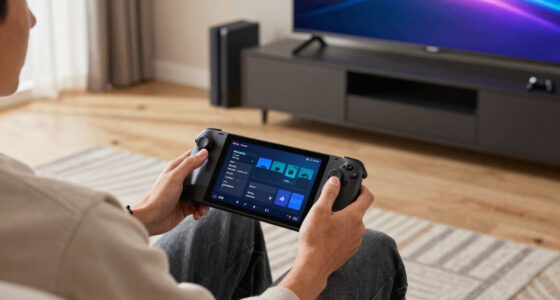
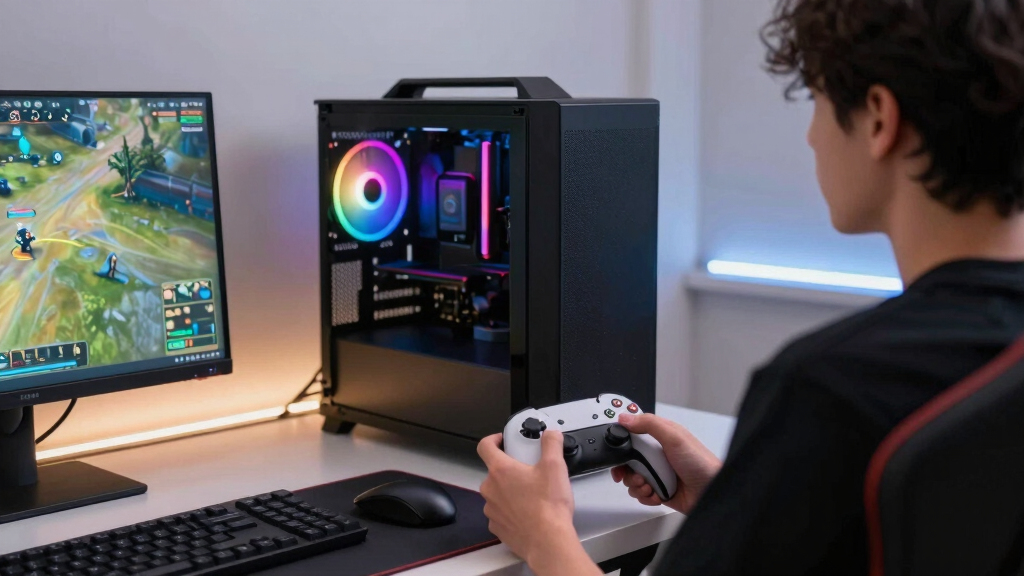
A controller-first gaming PC is not just a tower with a gamepad nearby. It is a PC where the whole play flow starts from the couch: wake, browse, launch, tweak, play, quit, and jump into the next game without reaching for a mouse.
Every menu, launcher, prompt, and subtitle should work from typical TV distance.
4K asks the PC to push four times the pixel count of 1080p.
The question changes from “Can this PC run games?” to “Can I comfortably play from here?”
Xbox, PlayStation, or Steam-compatible controller as home base.
Large tiles, readable menus, and controller navigation.
Can shrink fast when major games reach 80-150 GB.
Racing, fighting, platformers, sports, and third-person games.
Keep one nearby for updates, old launchers, and desktop prompts.
The gamepad becomes the operating model.
A controller-first PC puts the controller, launcher, sleep behavior, TV output, and audio path in the foreground. The GPU still matters, but comfort and reliability decide whether the setup feels like a console or a desk PC stranded in the living room.
Readable from the couch
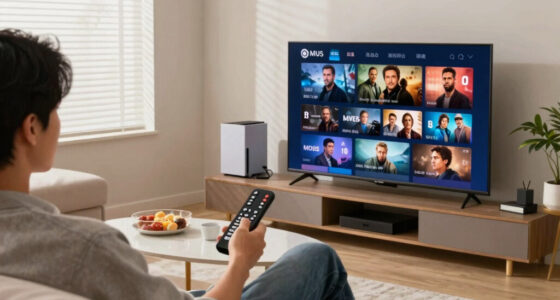
Big-screen library views turn tiny desktop shortcuts into large tiles you can browse with a thumbstick.
Profiles before polish
Steam Input, Xbox Accessories, and controller layouts matter more than RGB when older games expect mouse clicks.
Distance is a feature
Wireless strength, HDMI behavior, quiet cooling, and enough SSD space shape every couch session.
Same PC species, different priorities.
The real test is simple: if a launcher popup forces you to grab a mouse every session, the system is controller-supported, not controller-first.
| Setup choice | Desk-first PC | Controller-first PC | Verdict |
|---|---|---|---|
| Main input | Keyboard and mouse | Xbox, PlayStation, or Steam-compatible controller | ✓ couch-ready |
| Best screen | Monitor at arm’s length | TV or large display across the room | ✓ readable |
| Launcher style | Windows, shortcuts, small text | Big tiles and controller navigation | ✓ low friction |
| Best genres | Shooters, strategy, MOBAs, sim management | Racing, platformers, fighting, action, sports | ~ genre dependent |
| Main pain point | Desk clutter | Bad menus, weak Bluetooth, tiny text | ✗ fix before launch |
Build the play loop before decorating the rig.
Start with the controller path, then tune the rest. A glowing tower still feels awkward if pairing, audio, HDR, or a launcher dialog breaks the couch flow.
Pair cleanly
Test Bluetooth, adapter, and wired modes before the PC moves under the TV.
Open big UI
Make Steam or another controller-friendly launcher the default landing place.
Map profiles
Use community layouts, right-stick mouse mode, trigger tuning, and shortcuts.
Check the TV
Confirm refresh rate, HDR, audio output, subtitles, and readable menus.
Quit and relaunch
Move between games without touching a keyboard. That is the finish line.
Comfort parts matter as much as frame-rate parts.
CPU and GPU power still count, especially at 4K, but the living-room feel comes from stability: controller signal, quiet cooling, HDMI behavior, and enough storage to avoid mid-session housekeeping.
Controller-first importance index
Relative setup impact for couch play, where reliability beats raw spectacle.
Resolution load shock
Moving from 1080p to 4K is a couch-friendly upgrade only if the PC can keep frame pacing steady.
That fourfold pixel jump can make a smooth game feel uneven unless graphics settings, upscaling, or hardware headroom are tuned for the TV.
The quiet translation engine.
Steam Input can turn buttons, sticks, triggers, gyros, and trackpads into commands older PC games actually understand. For Steam Deck fans, that habit carries over naturally.
When software saves the couch
An older RPG may expect a mouse for inventory. Map the right stick to mouse movement, a trigger to left click, and a shoulder button to a keyboard shortcut. The old menu suddenly becomes playable from ten feet away.
Profile checklist
Can you navigate the launcher and store overlays with the controller?
Can you start, pause, resume, and quit without desktop control?
Can you change volume, graphics, subtitles, and controller prompts from the couch?
Do you have a tiny keyboard or trackpad nearby for launchers that still resist?
From button press to play session.
A controller-first PC works when each link supports the next one. One weak link can turn a clean living-room setup back into desktop troubleshooting.
Controller
Stable pairing and familiar button prompts.
Launcher
Big tiles, readable text, controller navigation.
Profile
Per-game layouts for menus, triggers, and shortcuts.
Display
TV mode, HDR, refresh rate, and couch text size.
Library
Enough SSD space for big installs and quick swaps.
Session
Launch, play, quit, and relaunch without friction.
Key Takeaways
- A controller-first gaming PC means the whole play flow starts with the gamepad, not just the games themselves.
- Steam Input and big-screen launcher support can turn awkward PC controls into couch-friendly layouts.
- Hardware choices such as wireless stability, HDMI behavior, quiet cooling, and SSD size matter as much as raw frame rates.
- Racing, fighting, platformers, sports, and third-person action games usually benefit most from a controller-first setup.
- Keep a small keyboard and trackpad nearby because PC launchers, updates, and older games can still ask for desktop control.
As an affiliate, we earn on qualifying purchases.
What You Really Get From a Controller-First Gaming PC
What a Controller-First Gaming PC Really Means is simple: you build the experience around a gamepad from the start. The PC still runs Windows, Steam, Game Pass, emulators, mods, and launchers, but the controller becomes the main steering wheel for the whole ride.
Think of it like setting up a kitchen for the way you actually cook. If you make coffee every morning, the grinder sits on the counter, not buried behind soup cans. A controller-first PC puts the gamepad, launcher, sleep behavior, and TV display within easy reach.
That changes small moments. You press the Xbox button, Steam opens in a big, readable interface, and your thumb moves across game tiles from the couch. No leaning forward. No hunting for a tiny mouse pointer on a 55-inch screen.
A controller-first PC is not a weaker PC. It is a PC whose first question is, “Can you play comfortably from ten feet away?”
As an affiliate, we earn on qualifying purchases.
Why It Feels Different From a Normal Gaming PC
What a Controller-First Gaming PC Really Means is a change in priority, not a different species of machine. A normal desktop setup treats keyboard and mouse as home base, while a controller-first setup treats the couch, TV, and gamepad as the natural starting point.
| Setup Choice | Desk-First PC | Controller-First PC |
|---|---|---|
| Main input | Keyboard and mouse | Xbox, PlayStation, or Steam-compatible controller |
| Best screen | Monitor at arm’s length | TV or large display across the room |
| Launcher style | Small text, windows, desktop shortcuts | Big tiles, readable menus, controller navigation |
| Best genres | Shooters, strategy, MOBAs, sim management | Racing, platformers, fighting, action, sports |
| Main pain point | Desk clutter | Bad menus, weak Bluetooth, tiny text |
Here is the real test. If you need to grab a mouse every time a launcher pops up, the setup is not controller-first yet. It is just a regular PC with a controller plugged in.
Steam has spent years improving controller support through Steam Input and its large-screen interface [1]. That matters because software often decides whether your setup feels smooth or like a tangled drawer of old cables.
As an affiliate, we earn on qualifying purchases.
How to Set One Up Without Making It Fussy
To set up a controller-first gaming PC, make the controller work before you worry about decoration. Pair it cleanly, choose a launcher that supports gamepad navigation, test your favorite games, and fix sleep, display, and audio behavior before the PC settles into your living room.
Pick a controller with strong PC support. Xbox controllers work well on Windows because support is built in, while PlayStation DualSense and DualShock controllers often shine through Steam Input or tools such as DS4Windows [2].
Use a big-screen launcher. Steam’s controller-friendly interface makes your library feel more like a console shelf than a spreadsheet of shortcuts.
Test wired and wireless play. A 10-foot USB-C cable feels boring, but it can save you from Bluetooth hiccups during a boss fight.
Create controller profiles. Racing games may need trigger tuning, while older PC games may need right-stick mouse mapping.
Check text size from the couch. If you squint to read subtitles, settings, or button prompts, your setup still needs work.
A good evening test is simple. Sit where you normally play, turn the PC on, launch a game, adjust volume, quit, and start another game without touching a keyboard. If that works, you have crossed the line from “controller supported” to controller-first.
console-style gaming PC accessories
As an affiliate, we earn on qualifying purchases.
As an affiliate, we earn on qualifying purchases.
What Hardware Actually Matters for Couch Play
What a Controller-First Gaming PC Really Means for hardware is less about exotic parts and more about comfort, distance, and reliability. You still need a capable CPU and GPU, but your controller connection, display settings, quiet cooling, and storage speed shape the feel of every session.
For a 1080p TV, a modest modern GPU can feel sharp and quick. For a 4K screen, the PC has to push about 8.3 million pixels per frame, which is four times the pixel count of 1080p. That extra load can turn a buttery game into a stuttery one.
Storage matters too. A 1 TB SSD can disappear fast when single games often land between 80 GB and 150 GB. Nobody wants to delete three games while friends wait on the couch with snacks going cold.
Bluetooth can be convenient, but a dedicated wireless adapter or wired connection may feel steadier in busy apartments.
Quiet fans matter when the PC sits near the TV. A loud case can buzz under quiet dialogue like a fridge in a silent kitchen.
HDMI behavior matters because TVs can change input modes, refresh rates, and HDR settings behind your back.
Which Games Benefit Most From the Gamepad Life
Controller-first gaming works best when the game already expects analog sticks, triggers, and face buttons. Racing, fighting, sports, platformers, third-person action, twin-stick shooters, and many indie games feel natural because their controls were shaped around thumbs and triggers.
Take a racing game. A keyboard gives you on-off steering, like snapping a light switch. A controller’s analog stick lets you feather the turn, and the trigger lets you squeeze the throttle like a real pedal under your finger.
Third-person action games also fit well. When you roll, lock on, dodge, and swing with your thumbs, the controller melts into the rhythm of the fight. You stop thinking about inputs and start reading the enemy’s shoulder, the spark before the hit, the little scrape of steel.
Some genres still prefer the desk. Competitive shooters, real-time strategy games, city builders, and spreadsheet-heavy RPGs often feel faster with a mouse. A controller-first PC does not ban those games; it just admits they may ask you to keep a keyboard nearby.
Where Steam Input Quietly Saves the Day
Steam Input is the software layer that lets many controllers act like flexible, remappable tools instead of fixed plastic layouts. It can translate controller buttons, sticks, gyros, trackpads, and triggers into commands a PC game understands, even when the game was not designed cleanly for your controller.
That is why Steam Deck players often feel at home on a controller-first PC. The habit carries over: open the controller layout, choose a community profile, adjust sensitivity, and keep moving. It feels like changing shoes, not rebuilding the sidewalk.
A practical example: an older RPG may expect a mouse for inventory. You can map the right stick to mouse movement, a trigger to left click, and a shoulder button to a keyboard shortcut. Suddenly a stiff old menu becomes usable from the couch.
According to Steam’s own controller documentation, Steam Input supports configuration across many controller types and game layouts [1]. The tradeoff is that profiles can get messy, so name your changes clearly before every game turns into a mystery box.
What Can Go Wrong If You Treat It Like a Console
A controller-first PC can feel console-like, but it still behaves like a PC when drivers, launchers, overlays, and updates want attention. If you expect every game to wake, launch, and quit perfectly with one button, you will hit rough edges sooner or later.
The most common snag is the surprise desktop moment. A game opens a separate launcher, a permissions box appears, or Windows decides your TV is now the second display. From the couch, that tiny dialog looks like a postage stamp taped to the wall.
Third-party launchers can break the flow by asking for logins, updates, or mouse clicks.
Older games may show keyboard prompts even when the controller works.
Bluetooth interference can add missed inputs if the PC sits behind a cabinet or near crowded wireless gear.
Text-heavy games may be readable on a monitor and painful on a couch.
The fix is not to give up. Keep a small wireless keyboard with a trackpad nearby, the way you keep a spare battery in a drawer. You may only need it once a week, but when you do, it saves the night.
How to Decide If This Setup Fits You
A controller-first gaming PC fits you if you value comfort, big-screen play, and fast access to controller-friendly games more than desk-level precision. It is a strong choice for Steam Deck owners, console players moving to PC, and anyone whose favorite games already feel better with a gamepad.
Ask yourself where you actually play after work. If you collapse onto the couch, dim the lights, and want a game to bloom across the TV in ten seconds, controller-first makes sense. If you lean into ranked shooters with a high-DPI mouse, keep the desk as home base.
This choice also helps when you are planning your first gaming pc. You can skip some desk extras at the start and spend more care on the display, controller, wireless stability, and a launcher flow that does not nag you every five minutes.
The best controller-first setup disappears. You remember the match, the lap, the boss fight, or the quiet late-night level, not the menu you had to fight before it.
The Practical Checklist Before You Call It Done
A controller-first gaming PC is ready when you can play your main library from your normal seat with minimal friction. Before you call the setup finished, test real play, not just pairing screens and menu promises.
Launch five favorite games using only the controller, including one older title and one non-Steam title if you have them.
Check every button prompt so Xbox, PlayStation, or generic labels match what sits in your hands.
Sit at your real distance and read menus, subtitles, inventory text, and settings without leaning forward.
Sleep and wake the PC three times, then confirm audio returns to the TV or headset.
Keep a backup input nearby, preferably a compact wireless keyboard with a trackpad.
Run this on a normal Tuesday night, not during a perfect test session. The real proof comes when you are tired, the room is dark, and you still get from the home screen to gameplay without muttering at the desktop.
Frequently Asked Questions
Is a controller-first gaming PC the same as a console?
No. It can feel console-like from the couch, but it still gives you PC features such as Steam sales, mods, graphics settings, multiple launchers, and hardware upgrades. The tradeoff is that you may still face driver updates, pop-up windows, or games that need a mouse now and then.
Do I need an Xbox controller for a controller-first PC?
No, but Xbox controllers are often the easiest starting point on Windows because support is built in [2]. PlayStation DualSense and DualShock controllers also work well, especially through Steam Input, though some games may show Xbox-style button prompts.
Can I still use keyboard and mouse?
Yes. A controller-first PC does not lock you out of keyboard and mouse play. It simply means your default setup favors the controller, while the keyboard and mouse stay ready for shooters, strategy games, typing, troubleshooting, and stubborn launchers.
Is Steam Deck a good model for this kind of setup?
Yes. Steam Deck shows how powerful a controller-first interface can feel when the library, settings, sleep behavior, and controller profiles all live close together. A living-room PC can borrow that same idea, especially if you use Steam’s big-screen interface and controller layouts.
What is the biggest mistake people make with controller-first PCs?
The biggest mistake is testing only whether the controller connects. You need to test the full path: wake the PC, open the launcher, start a game, read the menus, quit, and switch games from your actual seat. That is where the rough spots show up.
Conclusion
Remember this: a controller-first gaming PC is not about pretending your PC is a console. It is about removing the little bits of friction that pull you out of the game before you even start.
Build around the seat you actually use, the controller you actually like, and the games you actually play. When it works, the PC fades into the room, and all that is left is the glow of the screen and your thumb resting on the next move.
Fall Picks
fall essentials
As an affiliate, we earn on qualifying purchases.