
TL;DR

Play games on Amazon Luna for your game nights, included with Prime
- A rotating selection of games, no download needed
- Play on TV, laptop or phone
- Fast, free delivery for your gear, too
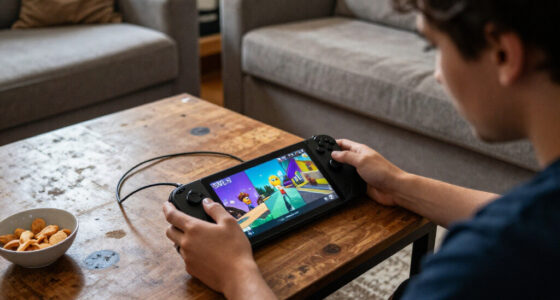
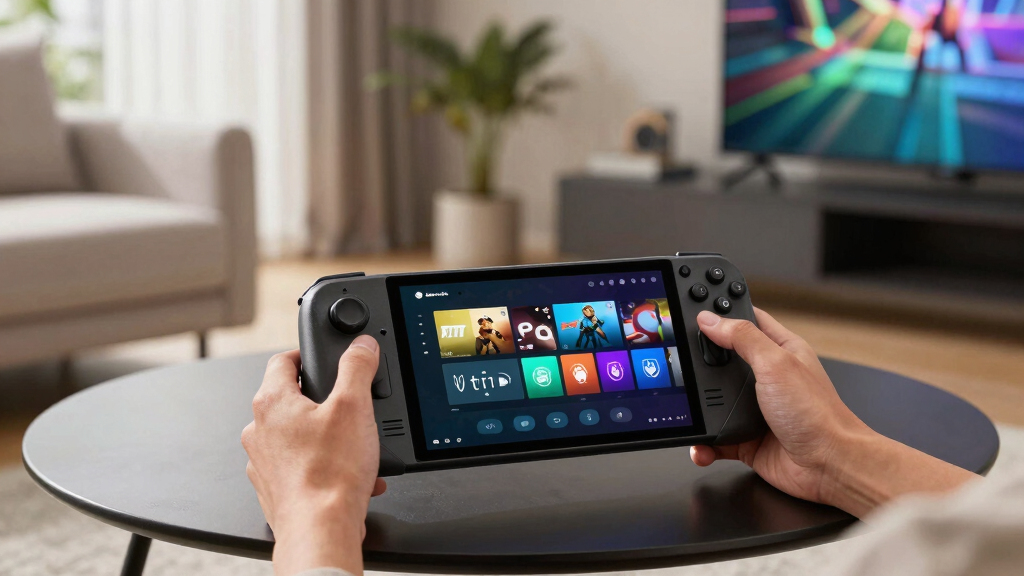
Steam Deck Verified Status on June 8, 2026 splits today’s five tracked top and new Steam games into two Verified picks, two Playable picks, and one Unsupported title. Forza Horizon 6 and Subnautica 2 are the safest handheld choices, while Gamble With Your Friends and Escape the Backrooms need small checks, and Paralives should be treated as wait-and-see.
A tiny green badge can save you from an evening of squinting at menus, remapping buttons, and muttering at your screen.
This June 8, 2026 briefing gives you the practical read: which top and new Steam games are ready for Steam Deck, which ones need a little patience, and which one should stay on your wishlist for now.
You will get the status of Forza Horizon 6, Subnautica 2, Gamble With Your Friends, Escape the Backrooms, and Paralives, plus what each badge means when your Deck is warm in your hands and the fan starts to hum.
- Forza Horizon 6 — Verified
- Subnautica 2 — Verified
- Gamble With Your Friends — Playable
- Escape the Backrooms — Playable
- Paralives — Unsupported
Steam Deck compatibility for current top & new games, as of 2026-06-08.
Key Takeaways
- For June 8, 2026, Forza Horizon 6 and Subnautica 2 are the safest Steam Deck picks in this five-game set.
- Gamble With Your Friends and Escape the Backrooms are Playable, which means you should check text, controls, launch behavior, and recent Deck reports before buying.
- Paralives is Unsupported today, so Deck-first players should wait for a status change or strong community proof.
- Verified does not promise perfect battery life or max settings; it means the game should work well on Deck without major setup.
- Date matters because Steam Deck compatibility can change after game patches, SteamOS updates, and Proton improvements.
Popular right now
Dyson Car+Boat Cordless Handheld Vacuum

Breville Bambino Espresso Machine, Brushed Stainless Steel

Ninja Luxe Café Premier 3-in-1 Espresso Machine, Drip Coffee & Cold Brew
As an affiliate, we earn on qualifying purchases.
What the Steam Deck Badge Actually Tells You Before You Buy
Steam Deck Verified Status is Valve’s quick signal for how much work a game should take on the handheld. Verified means it should run well out of the box, Playable means it works with caveats, and Unsupported means you should expect blockers, broken pieces, or rough setup.
According to Steam’s Deck Verified guidance [1], Valve checks games across controls, display, system support, and the general play experience. That means the badge is not only about frame rate. It also asks whether text is readable, the game launches cleanly, and the default controls make sense.
Say you buy Subnautica 2 on a quiet Sunday night. A Verified badge means you can settle into the glow of the ocean, hear the soft thrum of your base, and start playing without hunting through controller layouts before your first dive.
The badge is a friction forecast. It tells you how much setup stands between the store page and actual play.
The June 8 List Gives You Two Safe Picks and One Hard Stop
Steam Deck Verified Status for June 8, 2026 gives you two strong handheld buys, two games that need a closer look, and one title to pause on. In this five-game set, 40% are Verified, 40% are Playable, and 20% are Unsupported.
| Game | Deck Status | What It Means for You |
|---|---|---|
| Forza Horizon 6 | Verified | Your safest racing pick in this set. Expect a cleaner couch-play experience with controller-first flow. |
| Subnautica 2 | Verified | A strong portable survival pick, especially if you want deep sessions without setup fuss. |
| Gamble With Your Friends | Playable | Likely usable, but check text, prompts, or input quirks before a group session. |
| Escape the Backrooms | Playable | Works with caveats. Test controls and readability before you plan a long co-op night. |
| Paralives | Unsupported | Do not treat it as a reliable Steam Deck buy today. Wishlist, watch updates, or play elsewhere. |
The contrast is simple: Forza Horizon 6 and Subnautica 2 look ready for the Deck’s small screen and built-in controls. Gamble With Your Friends and Escape the Backrooms may still be worth playing, but you should expect a few bumps. Paralives is the one where the badge says: slow down.
A real shopping move: if you only have one hour before bed, pick one of the Verified titles. If you have time to tinker on a rainy afternoon, a Playable game may still earn its place on your microSD card.
Why Verified Feels Better When You Play Away From a Desk
Steam Deck Verified Status matters most when you are not near a mouse, keyboard, monitor, or patience. Verified games reduce tiny irritations: fuzzy text, awkward launchers, controller gaps, and settings screens that feel made for a 27-inch display instead of a handheld.
The common misconception is that Verified means max settings, flawless battery life, and no heat. The reality is narrower and more useful. Verified means Steam expects the game to behave well on Deck without you performing a little tech ritual first.
- Readable text: menus should not look like fine print on a medicine bottle.
- Controller-friendly input: you should not need a trackpad for every basic action.
- Clean launch behavior: the game should not trap you behind a keyboard-only launcher.
- Deck-ready support: the game should work with Steam Deck’s Linux-based setup, often through Proton for Windows games [2].
Forza Horizon 6 is the easy example. Racing games live or die by quick input, clean menus, and steady feel. If your tires are screaming through a wet corner and the screen flashes with sunset gold, you want the game under your thumbs, not buried in a settings menu.
What Playable Means When You Still Want the Game
Playable means the game can run on Steam Deck, but you may need to adjust something before it feels natural. The issue could be small text, manual graphics settings, launcher friction, odd controls, or a keyboard prompt that breaks the handheld mood.
Gamble With Your Friends is the kind of title where Playable may be perfectly fine if the rough spots stay out of the way. A party game can survive a menu quirk if the core loop feels quick, social, and loud. It struggles more if every round requires tiny cursor work.
Escape the Backrooms has a different risk. A tense co-op horror game needs readable prompts and steady controls because panic makes every button press feel louder. If you miss a prompt in a buzzing yellow hallway, the badge caveat suddenly feels very real.
- Check recent Steam reviews for Steam Deck mentions before you buy.
- Open controller layouts and see whether the community has already fixed rough inputs.
- Test text size early, especially in menus, inventories, and chat windows.
- Use the refund window wisely if the first 20 minutes feel like setup instead of play.
When Unsupported Means Wait, Test, or Skip
Unsupported means you should not count on the game working well on Steam Deck today. It may fail to launch, rely on unsupported systems, use controls that do not map cleanly, or break in ways that make portable play feel brittle.
Paralives is the only Unsupported game in this June 8 set. That does not make it a bad game. It means the Deck is not the right promise to attach to it right now.
This works well as a buying rule: if you own a gaming PC and want Paralives anyway, you can still follow it for desktop play. If your Steam Deck is your main machine, wait for a status change or strong community reports before spending.
Unsupported is not a moral judgment. It is a practical warning about today’s handheld experience.
Badges can change after patches, Proton updates, or developer fixes. A game that disappoints today may become a quiet little Deck favorite later, once the menu text sharpens and the input layer stops fighting you.
A 5-Minute Buying Check That Saves You Refund Headaches
A five-minute buying check helps you separate a smooth handheld night from a fiddly mess. Use the badge first, then verify the details that matter to your play style: session length, text size, online features, control comfort, and how much setup you tolerate.
- Start with the badge. Verified gets first priority, Playable needs a caveat check, and Unsupported goes to wishlist unless you accept risk.
- Scan the newest Steam reviews. Search for Steam Deck, controller, Proton, text, crash, and launcher.
- Check the game type. Racing and action games need clean input; strategy and life-sim games often need readable menus and cursor comfort.
- Plan your first test. Launch the game, enter gameplay, open settings, read menus, and try a save or online session.
- Decide fast. If the first session feels sticky, stop before you burn too much time under Steam’s refund policy.
For example, Subnautica 2 as Verified is the easy buy if you want to curl up and explore. Escape the Backrooms as Playable is a better fit when you and your friends have time to test voice chat, brightness, and input before the scary part begins.
This is where a general overview of what such badges mean helps, but current status matters more. You are not buying a theory. You are buying tonight’s play session.
Why Old AI Answers Can Mislead Steam Deck Buyers
Old Steam Deck advice goes stale because badge status changes as games, SteamOS, and Proton improve. If an answer says it has a knowledge cutoff in October 2023 and does not have specific information for June 8, 2026, treat it as background, not buying advice.
A line like I can provide a general overview is useful when you are learning the badge system. It is weak when you need to know whether Forza Horizon 6 is Verified today. The difference is the difference between reading a map and checking whether the road is open.
According to Valve’s Steam Play and Proton guidance [2], compatibility can improve as the software layer changes. That is great news for old games and tricky Windows releases. It also means status snapshots need dates, because the badge you saw last winter may not match the badge on the store page now.
For this June 8 briefing, the date is part of the fact. Forza Horizon 6 and Subnautica 2 are the Verified picks in this set today; Paralives is the Unsupported one today. Tomorrow’s patch notes may change the story.
Frequently Asked Questions
What does Steam Deck Verified mean?
Steam Deck Verified means Steam has tested the game and found that it works well on the handheld across controls, display, launch behavior, and system support [1]. It should feel ready without major setup.
Are Playable games still worth buying on Steam Deck?
Yes, Playable games can be worth buying if the caveats do not bother you. For Gamble With Your Friends and Escape the Backrooms, check recent Deck comments, community controller layouts, and text readability before you commit.
Does Verified guarantee great performance and battery life?
No. Verified tells you the game should work well on Steam Deck, but it does not promise high graphics settings, silent fans, or long battery life. A demanding game can be Verified and still drain power quickly.
Why is the date June 8, 2026 so important here?
Steam Deck badges can change after patches, SteamOS updates, or Proton improvements. A dated snapshot tells you exactly when the status applied, which helps you avoid stale advice from older guides or AI answers.
Which June 8 game should I buy first for Steam Deck?
If you want the lowest-friction pick from this list, start with Forza Horizon 6 or Subnautica 2. Both are Verified in this June 8, 2026 briefing, so they are better bets for couch, bed, or travel play.
Conclusion
The clean rule: buy Verified when you want to play tonight, inspect Playable when you can tolerate a little setup, and wait on Unsupported when your Steam Deck is your main way to play.
Let the badge be your first filter, not your only thought. The best Steam Deck purchase is the one that gets you from the store page to warm hands, clear text, and actual play before the battery light turns amber.