
TL;DR

Play games on Amazon Luna for your game nights, included with Prime
- A rotating selection of games, no download needed
- Play on TV, laptop or phone
- Fast, free delivery for your gear, too
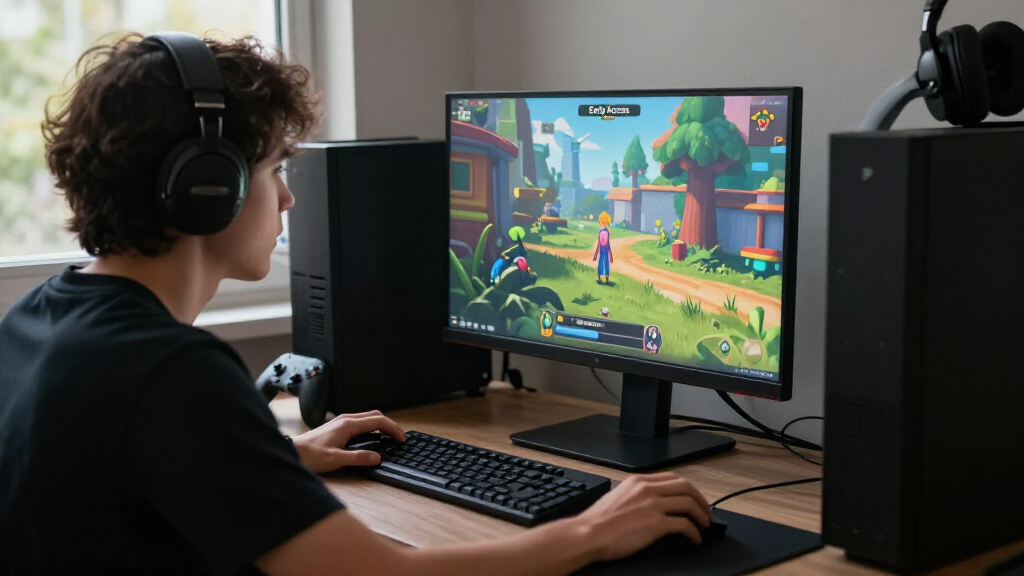
The October 19, 2026 roundup lists 11 games as new to Steam Early Access, spanning titles such as The Harbour Between Us, CHAMBER: ATOM BREAKER INC., and Solar Escape. Early Access means you are buying into a game still in development, so check its current features, update plans, system requirements, and recent player feedback on Steam before you spend.
A new game on Steam can look finished in a trailer and still be a work in progress when you buy it. That gap matters: Early Access gives you a chance to play during development, but the version available today may lack features you expect from a full release.
This October 19, 2026 roundup lists 11 games as new to Early Access, from the atmospheric-sounding The Harbour Between Us to Poker Heroes and Solar Escape. The titles give you a broad discovery list, though names alone cannot tell you what each game contains or how well it runs.
Here’s how to use the list without mistaking a promising idea for a finished product. You’ll learn what Early Access means for your purchase, how to check the games before buying, and what to look for if you play on a Steam Deck. Treat the date as a snapshot: store pages can change, and performance details may shift with updates.
The October 19, 2026 list names 11 games; use each game’s Steam page to confirm its current Early Access status and details.
Judge a game by its playable content today, not by features that appear only in future plans.
Check recent reviews and update notes to see how the build and developer communication have changed.
Verify Steam Deck compatibility, readable text, controls, and offline needs for the version you plan to play.
Buy early when the current build already sounds worthwhile; wait when your interest depends on unshipped features.
- The Harbour Between Us
- CHAMBER: ATOM BREAKER INC
- Supernatural Archives:The Frontrooms
- Poker Heroes
- Recycled
- Obey the Beat
- Universal Tidy Up
- Apoc Wilds
- Lingyun Cards: Between the Clear and the Turbid
- Solar Escape
- a Flower for you
Via Steam store search (US), newest first, as of 2026-10-19.
What Early Access means before you pay
Steam Early Access means you can buy and play a game while its developers are still building it; the exact state of the game varies by title. You may get a substantial campaign, a small playable prototype, or a loop designed to grow over time. The label tells you development is ongoing, but it does not promise a particular amount of content or a release date.
Think of it like buying a ticket to a rehearsal rather than a ticket to opening night. You can enjoy seeing the work take shape, and your feedback may help, but scenes can change and rough edges are part of the experience. For example, if you pick up Universal Tidy Up because its name suggests a relaxing organizing game, check the store page to see whether it currently offers a full set of levels or only an early selection.
Before purchase, read the developer’s description of the current build and the planned changes. Look for clear answers about what works now, what remains unfinished, and how long development is expected to continue. If the page gives only broad promises, assume the schedule and feature set remain uncertain.
Early Access is a bet on the game as it exists today, with the possibility of more later. Buy only if the current build sounds worth your time and money.
Steam Deck compatible gaming accessories
As an affiliate, we earn on qualifying purchases.
As an affiliate, we earn on qualifying purchases.
How to check the 11 new listings before you buy
Start with the individual Steam page for each game: the roundup names 11 listings, but the page is where you can check current features, price, requirements, and developer notes. Use a few minutes of focused reading to decide whether the present build matches what you want to play.
- Confirm the listing and date. Open the store link and check the title and Early Access status yourself.
- Read the “About This Game” section. Identify playable modes and content available now, rather than relying on future plans.
- Check the Early Access explanation. Look for why development is using Early Access, what the team plans to add, and its estimated timeline.
- Scan recent reviews and update notes. Recent comments can reveal whether crashes, balance problems, or missing features have changed.
- Check price, hardware, and play style. Verify system requirements, controller support, online needs, and whether the game suits your setup.
Say Obey the Beat catches your eye. Its title hints at rhythm action, but that alone does not tell you whether it supports a controller, includes a useful song list, or works offline. Those are questions for its current listing and recent player reports, not assumptions to make from a name.
Save the page or revisit it before buying if key details are missing. An Early Access listing is a changing product page: a patch can add a mode, revise requirements, or alter how the game performs. A quick recheck can prevent you from paying for a version that no longer matches what you first read.
gaming laptop with high performance specs
As an affiliate, we earn on qualifying purchases.
As an affiliate, we earn on qualifying purchases.
What the 11 names suggest—and what they don’t
The list spans 11 distinct titles, but their names are not reliable descriptions of their current gameplay. They can help you spot a game you want to investigate, yet only the store page can confirm its genre, features, and state. Avoid treating a title or a short blurb as proof of what you’ll actually play.
The roundup includes The Harbour Between Us, CHAMBER: ATOM BREAKER INC., Supernatural Archives:The Frontrooms, Poker Heroes, and Recycled. It also lists Obey the Beat, Universal Tidy Up, Apoc Wilds, Lingyun Cards: Between the Clear and the Turbid, Solar Escape, and a Flower for you. The mix of names could lead you to explore several types of games, but it does not verify their specific mechanics.
For instance, Poker Heroes sounds like it could combine poker with character progression. Before you put it on your wishlist or buy it, check whether the page describes a single-player campaign, competitive matches, roguelike runs, or something else entirely. If playing with friends is the point, confirm multiplayer support and whether those features are available in the current build.
A sensible discovery routine is to select two or three titles that catch your attention, then compare their current descriptions, recent updates, and player reviews. That turns a long list into a useful shortlist. It also gives you room to notice whether a game has enough content now or asks you to rely mostly on its roadmap.
game development and early access guides
As an affiliate, we earn on qualifying purchases.
As an affiliate, we earn on qualifying purchases.
How to judge roadmaps, updates, and unfinished features
A useful Early Access roadmap explains what is playable today and what the developer intends to build next. It is a planning signal, not a guarantee: development can run late, priorities can shift, and features may change as players test the game. Read the plan alongside the update history to see whether the team communicates progress.
Imagine a survival game listed as Apoc Wilds. The name might tempt you to expect a wide open world, crafting, and co-op, but those expectations are not evidence. A detailed page could clarify that the current build has one region and solo play, with more areas planned later. That is a much clearer offer than a vague promise of “many exciting features to come.”
Look for concrete milestones: new maps, story chapters, modes, enemy types, accessibility options, or performance work. Then check whether previous updates arrived and whether notes describe specific fixes. A regular cadence can help you judge the team’s activity, though frequent patches alone do not prove that the game is improving in the ways you care about.
Also ask whether progress will carry into the full release. Some games keep saves; others may reset them to support major changes or rebalance progression. If you would be upset to lose a long run, a saved world, or a ranked record, confirm the policy before you invest dozens of hours.
As an affiliate, we earn on qualifying purchases.
What Steam Deck players should verify for this version
Check the Steam Deck status and recent reports for each game, because compatibility can change with updates. A game that starts successfully may still be awkward on a handheld if text is tiny, controls need a keyboard, or menus are hard to navigate. Do not infer performance from a genre or from how a different Early Access title runs.
For example, a card game such as Lingyun Cards: Between the Clear and the Turbid might appear well suited to a small screen, but card text and interface scaling still matter. A fast action game could run smoothly yet feel frustrating if its default controller layout lacks a quick way to reach important abilities. Check the listed compatibility information, then read recent Deck-focused player feedback for details on controls, frame rate, and readability.
Performance claims need a platform and version. A report about an older build on one Steam Deck software version may not describe the current experience. If a review says a game “runs great,” check when it was posted and whether it names the device or settings. Updates to the game, Proton, or SteamOS can change the result.
If you have a particular device, compare its hardware with the listed system requirements and look for reports from people using similar settings. For a purchase you plan to play on a long trip, also confirm whether the game supports offline play and whether its first launch or login requires an internet connection.
When buying now makes sense—and when waiting helps
Buy an Early Access game now when its current build already offers the experience you want at a price you accept. Wait when the main appeal depends on unbuilt features, a future story, or multiplayer that is not ready. The decision comes down to the game in your library today, not the imagined final version.
Suppose Solar Escape has a playable loop that already sounds fun to you, and its store page clearly describes the present content. You might decide that playing early and sharing feedback is part of the appeal. If you are interested only because the developer plans to add a campaign later, waiting gives you a chance to see whether that campaign arrives and whether players like it.
Check the refund terms and your own tolerance for unfinished work before you decide. A rough tutorial or occasional bug may be acceptable if you enjoy helping test a game. The same issue can sour the experience if you want a polished evening of play after work. Reviews can help, but weigh recent reports more heavily than praise or complaints from a much older build.
For the October 19 roundup, a practical approach is to wishlist the titles that interest you, compare their current pages, and choose one based on what it offers now. That keeps discovery fun while limiting the risk of buying several early builds on the strength of their names alone.
Frequently Asked Questions
Which games are listed as new to Early Access on October 19, 2026?
The roundup lists The Harbour Between Us, CHAMBER: ATOM BREAKER INC., Supernatural Archives:The Frontrooms, Poker Heroes, Recycled, Obey the Beat, Universal Tidy Up, Apoc Wilds, Lingyun Cards: Between the Clear and the Turbid, Solar Escape, and a Flower for you. Check each Steam page to confirm its current listing and details.
Does Early Access mean a game is nearly finished?
No. Early Access means the game is available while development continues, and the amount of finished content differs by title. Read the developer’s description of the current build and compare it with the planned features before buying.
Will my save carry over when an Early Access game fully releases?
It depends on the game. Developers may keep saves, or they may reset progress after major changes. Check the game’s Early Access notes or ask in its Steam community before investing a lot of time in a long campaign or run.
How can I check whether one of these games runs on Steam Deck?
Review its Steam Deck compatibility details and recent player reports, paying attention to controls, text size, performance, and any setup steps. Compatibility can change as the game and Steam software update, so treat old reports as evidence for an earlier version rather than a guarantee about the current one.
Should I buy an Early Access game or wait for full release?
Buy now if the current version already offers the kind of play you want and you are comfortable with unfinished parts. Wait if the main appeal depends on planned content, a future roadmap milestone, or features you cannot use yet.
Conclusion
Choose an Early Access game for the version you can play today. The 11 October 19 listings offer a starting point, but each title needs its own check for content, performance, price, and development plans. A few minutes on the store page can save you from buying a promise when you wanted a finished evening of play.
Pick the game whose current build makes you curious, keep your expectations honest, and let the next update earn your trust one patch at a time.
Halloween Picks
halloween
As an affiliate, we earn on qualifying purchases.