
TL;DR

Play games on Amazon Luna for your game nights, included with Prime
- A rotating selection of games, no download needed
- Play on TV, laptop or phone
- Fast, free delivery for your gear, too
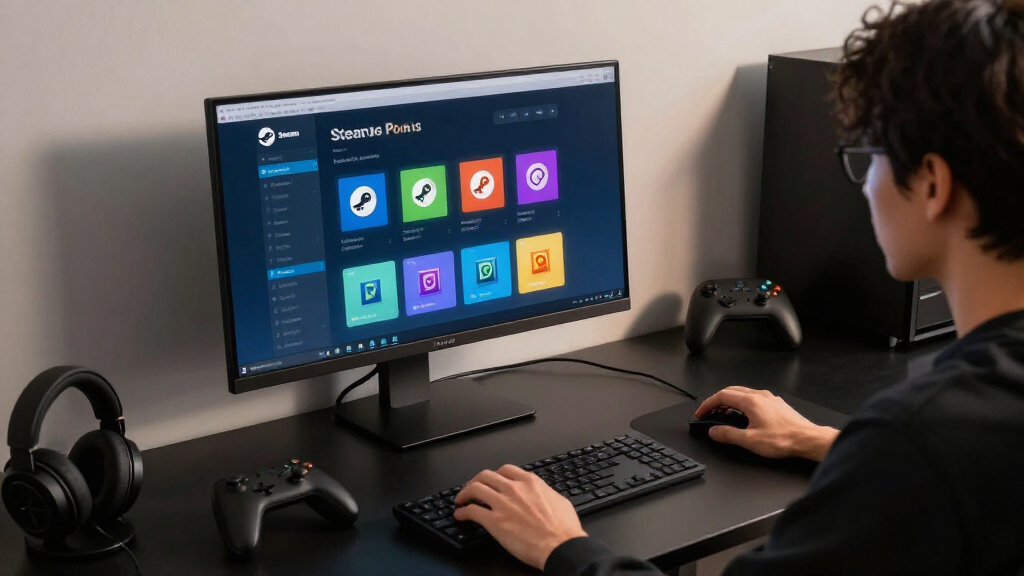
The Steam Points Shop lets you spend points earned mainly from eligible Steam purchases on profile cosmetics, chat items, badges, and seasonal decorations. Points do not buy games, improve gameplay, or convert back into money, so spend them on profile elements you will actually display rather than chasing every animated trinket.
You can spend $60 on a new game, open Steam a moment later, and find roughly 6,000 points waiting beside a shop full of glowing frames, animated backgrounds, and tiny chat stickers. It feels like a reward counter at an arcade. The catch: there is no shelf of free games behind it.
The Steam Points Shop sells cosmetic extras for your Steam identity. Your points can dress up a profile, add movement to an avatar, or buy an emoticon shaped like something only another fan will recognize. They cannot lower the price of your next game, and they carry no cash value.
This guide shows you how points are earned, what the shop actually sells, and what happens when you request a refund. You will also get a simple way to choose items without turning your profile into a flashing carnival sign. Steam can change individual categories, prices, and event stock, but the shop’s basic purpose remains the same: personal expression, not gameplay power.
Treat Steam Points as account-bound cosmetic credit: they cannot buy games, become cash, or provide gameplay advantages.
Check the localized point amount shown by Steam because the familiar 100-points-per-dollar reference can vary with currency, taxes, and purchase details.
Buy one high-visibility anchor item—usually a background, avatar, or frame—before spending points on stickers and chat effects.
Keep spare points without pressure because Steam states that points do not expire.
Expect points to be deducted after a refund, with recent rewards potentially reversed if the deduction creates a negative balance.
Steam Points Shop Explained Without the Confetti
Steam Points are account-bound cosmetic credit. Spend them on the profile elements you will actually display—not on every glowing frame, animated background, or tiny sticker that passes through the shop.
Purchases become points
Eligible Steam spending generates a localized point amount, commonly referenced as about 100 points per US dollar.
Zero gameplay advantage
Points cannot buy games, strengthen characters, lower store prices, or provide a competitive edge.
No rush to spend
Steam states that points do not expire, so an undecided balance can simply remain untouched.
01 · What you receive
A wardrobe for your Steam identity
The Points Shop exchanges account-bound points for visual customization, social extras, and digital collectibles. It changes how your account looks and communicates—not what your games cost or how they play.
Profile backgrounds
Full-profile artwork, often animated, that establishes the overall mood when someone visits your page.
Avatars and frames
Portrait treatments that may appear across friends lists, chats, community posts, and your profile header.
Showcases
Additional presentation space for achievements, games, workshop work, reviews, or other account highlights.
Stickers and emoticons
Small themed reactions whose value depends on how often you use Steam chat and community discussions.
Chat effects
Animated flourishes that create a moment in conversation but contribute little to a lasting profile design.
Seasonal items
Badges, profiles, and decorations that may rotate with sales or events; availability can be time-limited.
02 · How points arrive
Spending is the meter—not playtime
Points come mainly from eligible Steam purchases. Currency, taxes, regional pricing, and purchase details can affect the calculation, so the point amount shown in your own Steam client is the figure that matters.
The familiar reference
A simple estimate helps with planning, but it is not a substitute for Steam’s localized checkout display.
Illustrative purchase output
Approximate examples using the familiar 100-points-per-dollar reference.
Achievements, time played, difficult bosses, and hours spent in free games do not generate points by themselves.
03 · A deliberate first spend
Use 10,000 points without regret
Start with visible, reusable pieces. Preview the whole combination, then add smaller effects only when they reinforce the same visual direction or serve a place you regularly use.
Check the shop
Open the Points Shop from Steam’s Store menu or in a browser, then confirm your balance.
Choose one hero item
Begin with a background, animated avatar, frame, or seasonal profile that sets a clear direction.
Match color and motion
Check whether supporting pieces complement the anchor instead of creating visual noise.
Buy only with a job
Spend when you can name where the item will appear and how often you expect to see it.
A sensible planning model
This is a decision framework, not official pricing. Reserve most of the budget for a persistent anchor, then use the remainder for coordination and occasional social extras.
04 · Compare before buying
Visibility beats novelty
The best item depends on where you spend time. A frame can be seen repeatedly across Steam, while a sticker provides value only when you remember to send it.
| Reward type | Persistent display | Broad visibility | Trade or sell | Gameplay effect | Best for |
|---|---|---|---|---|---|
| Profile background | ✓ Yes | ~ Profile visits | ✗ No | ✗ None | Establishing a full-profile theme |
| Avatar frame | ✓ Yes | ✓ Often high | ✗ No | ✗ None | Frequent recognition across social surfaces |
| Profile showcase | ✓ Yes | ~ Profile visits | ✗ No | ✗ None | Highlighting games and community work |
| Sticker or emoticon | ~ On demand | ~ Chat only | ✗ No | ✗ None | Frequent chat users and fan references |
| Chat effect | ✗ Momentary | ~ Conversation | ✗ No | ✗ None | Short bursts of social spectacle |
| Seasonal decoration | ~ Varies | ~ Varies | ✗ No | ✗ None | Event themes and limited catalogs |
Catalog categories, stock, availability, and point prices can change. Confirm current details inside Steam.
The clean conclusion
Personal expression, not purchasing power
Steam Points are useful when they make an account feel more like yours. They are poor motivation for buying something you did not already want, because the resulting points cannot become games, cash, tradable inventory, or stronger gameplay.
Five rules worth keeping
What the Steam Points Shop Actually Gives You
The Steam Points Shop is a cosmetic marketplace built into Steam, where you exchange account-bound points for profile decorations, chat items, and digital collectibles. It gives you visual customization, not store credit, tradable inventory, stronger characters, or access to paid games. According to Steam’s official Points Shop FAQ [1], these rewards do not affect gameplay.
Think of the shop as a wardrobe for your Steam account. A dark animated background can make your profile look like a rainy cyberpunk alley, while an avatar frame may wrap your portrait in sparks, vines, or pulsing neon. The shop is the tailor; your profile is the jacket.
Typical categories include animated avatars, avatar frames, profile backgrounds, mini-profile backgrounds, chat effects, emoticons, stickers, profile showcases, and seasonal badges. Valve has expanded and rearranged the catalog over time, so the exact menu you see may differ from an older guide or screenshot. The official catalog remains the best place to confirm current availability and point prices [2].
Imagine that you have just finished a moody space adventure and want your profile to carry the same cold-blue glow. You might buy its background, add a matching frame, and stop there. That small combination usually looks cleaner than piling on six unrelated effects that blink like machines in a noisy arcade.
The shop changes how your Steam account looks and sounds; it does not change what your games cost or how they play.
As an affiliate, we earn on qualifying purchases.
How Your Purchases Turn Into Steam Points
The Steam Points Shop uses points earned mainly when you complete eligible purchases on Steam, with the amount calculated from the purchase value and your local currency. The familiar reference rate is about 100 points per US dollar, but Steam displays a localized conversion before checkout. Adding money to your Steam Wallet alone does not necessarily award points; spending it on eligible content does.
A $20 game would commonly produce about 2,000 points, while a $5 piece of DLC would add about 500. Currency conversion, taxes, regional pricing, and purchase eligibility can affect what appears on your account. Trust the number Steam shows in your own client rather than copying a calculation from a different region.
You do not earn points simply by leaving a game running, collecting achievements, or surviving a difficult boss fight. Ten hours in a free game may leave your balance unchanged, while buying a soundtrack can move it immediately. Time played and skill are not the meter; eligible spending is.
Community participation adds one wrinkle. When another user gives an eligible Steam Community award to your review, guide, screenshot, or workshop contribution, you may receive part of the associated points after Steam’s holding period. That is still recognition from another user, not a gameplay reward, and Steam controls the current award values and timing.
- Games, DLC, and eligible content: commonly generate points when purchased.
- Steam Wallet funding: points generally arrive when eligible funds are spent, not merely loaded.
- Gameplay and achievements: do not generate points by themselves.
- Community awards: can provide points after Steam applies its delay and rules.
animated Steam profile backgrounds
As an affiliate, we earn on qualifying purchases.
As an affiliate, we earn on qualifying purchases.
Spend Your First 10,000 Points Without Regret
The Steam Points Shop is easiest to use when you buy visible, reusable profile pieces before disposable chat flourishes. Start with a background, frame, or showcase that fits your existing profile, then preview the combination before spending more. A planned 10,000-point budget produces a cleaner result than ten impulse purchases scattered across unrelated game themes.
- Open the Points Shop: use the Store menu in the Steam desktop client or the Points Shop page in a browser.
- Check your balance: compare it with the price of the complete profile style you want.
- Choose one anchor item: begin with a background, animated avatar, or seasonal profile.
- Preview matching pieces: inspect colors and motion before adding a frame or mini-profile background.
- Confirm the purchase: remember that the item stays tied to your account and cannot be sold.
For example, suppose your profile uses a charcoal avatar with a narrow red accent. A smoky black background and a thin crimson frame will reinforce that look. A bubbling lime-green chat effect may be amusing, but it will not help the profile feel like one deliberate design.
Visibility matters too. A profile background appears whenever someone opens your full profile, while a chat sticker matters only when you remember to send it. If your friends mostly see you through the friends list, an avatar frame may deliver more value than an elaborate background hidden several clicks away.
Before confirming, ask one blunt question: Where will I see this next week? If you can name the place—your profile header, chat window, or community posts—the item has a job. If you cannot, let it sit in the shop; your points do not expire while you decide [1].
As an affiliate, we earn on qualifying purchases.
See Which Rewards Last and Which Ones Simply Flash
The Steam Points Shop contains permanent account cosmetics, consumable-looking social effects, and event items whose availability may be limited. The best choice depends on where you spend time on Steam: profile visitors notice backgrounds and showcases, while active chat users get more mileage from stickers and emoticons. None of these rewards can be traded or sold on the Community Market.
| Reward type | Where you notice it | Best fit | Main limitation |
|---|---|---|---|
| Profile background | Full profile page | A lasting visual theme | Hidden unless someone opens your profile |
| Avatar frame | Profile and social surfaces | Frequent visibility | Can clash with a detailed avatar |
| Emoticon or sticker | Steam Chat | Regular conversations | Easy to forget after the novelty fades |
| Chat effect | Conversation window | Occasional dramatic messages | Brief and situation-specific |
| Seasonal profile | Several profile elements at once | A coordinated event look | May be time-limited or temporary |
| Points badge | Profile badge area | Displaying point spending | Mostly symbolic |
Suppose you have 5,000 points and use Steam Chat every night with the same group. A sticker from your shared favorite game may appear hundreds of times, making it a better personal purchase than a background nobody visits. If you publish guides and reviews, a distinctive avatar frame may work harder because readers repeatedly see it beside your name.
Seasonal stock needs a second glance. An item can be available only during an event, while another may remain owned permanently after the sale window closes; temporary seasonal profiles can also have a defined duration. Read the listing itself before buying because the bright event banner may leave faster than the confetti suggests.
Steam profile frames and decorations
As an affiliate, we earn on qualifying purchases.
As an affiliate, we earn on qualifying purchases.
What Refunds, Trading Rules, and Expiry Mean for You
The Steam Points Shop keeps points and rewards inside your own Steam account: points do not expire, cannot be transferred, and cannot be exchanged for cash. Points Shop cosmetics are also non-tradable and non-marketable. Refunding the purchase that produced points normally removes those points from your balance, according to Steam’s official FAQ [1].
Imagine you buy a $70 game, receive roughly 7,000 points, and immediately spend all of them on a background and several stickers. You then refund the game within Steam’s applicable refund rules. Steam does not let the point balance become a free souvenir machine; it deducts the earned points and may reverse recent Points Shop purchases or community awards to address a negative balance.
This also explains why you should not treat points as a second currency. You cannot send 2,000 points to a friend, list an animated frame on the Community Market, or convert an unused balance into wallet credit. The points are more like paint locked inside one room: you can decorate that room, but you cannot carry the tin outside.
Account security deserves ordinary care. The Points Shop is an official part of Steam and is managed by Valve, but fake websites may promise point generators, transfers, or cash exchanges. There is no legitimate external point generator, so never type your Steam credentials into a page offering one.
Warning: a promise to sell, multiply, or transfer Steam Points conflicts with the platform’s account-bound system. Use the official Steam client or Steam website.
Build a Profile That Looks Intentional, Not Overloaded
You get more from the Steam Points Shop by choosing one visual theme, one motion effect, and one social extra instead of buying every item connected to games you like. Treat your profile as a small stage: the background sets the scenery, the avatar takes the spotlight, and everything else should support those two focal points.
Start with color. If your avatar burns orange like a campfire, pair it with deep brown, black, or muted red rather than an icy blue frame covered in spinning stars. The shop preview lets you catch these collisions before your profile starts shouting in five directions.
Motion needs restraint as well. An animated avatar, moving frame, and busy background can compete like three drummers playing different songs. Pick one strong animation, then surround it with calmer pieces so visitors know where to look.
- Choose a two- or three-color palette drawn from your avatar.
- Use one main animated element rather than stacking constant movement.
- Match the mood, such as quiet fantasy, bright arcade, industrial sci-fi, or clean minimalism.
- Preview the full profile on desktop and check how the smaller avatar treatment appears in social areas.
A practical example: you love both a grim horror game and a cheerful farming game. Buying every related item creates a profile where blood-red fog sits behind a smiling strawberry frame. You could instead keep the horror theme on your main profile and use the farming emoticons in chat, giving each purchase a place where it makes sense.
Platform details matter only for how you browse and view these account cosmetics; they do not affect game performance, age ratings, or Steam Deck compatibility. A Points Shop background does not change whether a title is Steam Deck Verified, and Valve may update compatibility labels separately. Any rumored unreleased item or event profile should be treated as unconfirmed until it appears in Steam’s official catalog.
Frequently Asked Questions
Can you buy Steam Points directly with real money?
No. You receive Steam Points through eligible spending on Steam rather than buying a standalone bundle of points. The practical difference is that your money buys the game or content; the points arrive as an account reward.
Do Steam Points expire if you leave them unused?
Steam’s official FAQ states that Steam Points do not expire [1]. You can leave a balance untouched while you wait for a background, frame, or event item that fits your profile, so there is no need for panic spending.
Can you trade or sell items from the Steam Points Shop?
No. Points Shop rewards are generally bound to your account and cannot be traded or listed on the Steam Community Market. Buy them for personal use and display, not because you expect their resale price to rise.
What happens to Steam Points when you refund a game?
Steam normally deducts the points earned from the refunded purchase. If you already spent them and the deduction pushes your balance below zero, Steam may reverse recent Points Shop items or awards until the balance is corrected [1].
Can Steam Points buy games, DLC, or Steam Wallet credit?
No. Steam Points buy cosmetic and community items, not games, DLC, hardware, gift cards, or wallet funds. Even a very large point balance has no direct cash value outside the Points Shop.
Are seasonal Steam Points Shop items permanent?
It depends on the listing. Some event items remain in your inventory after their purchase window closes, while seasonal profiles may have a set duration and some stock may disappear from sale. Read the item’s description for availability and duration before confirming.
Conclusion
Your best move is simple: treat Steam Points as decoration, not money waiting to be recovered. Pick one item you will see often, preview it beside your avatar, and leave the rest of your balance untouched until something genuinely fits. Unused points do not spoil, but a cluttered profile can become tiring by tomorrow.
A good Steam profile feels like a favorite game menu: clear mood, strong color, and just enough movement to catch your eye. Let one background hum, one frame glow, and the louder digital confetti stay on the shop shelf. Spend for a look you will keep, not for the tiny rush of watching a counter fall.
Fall Picks
fall essentials
As an affiliate, we earn on qualifying purchases.