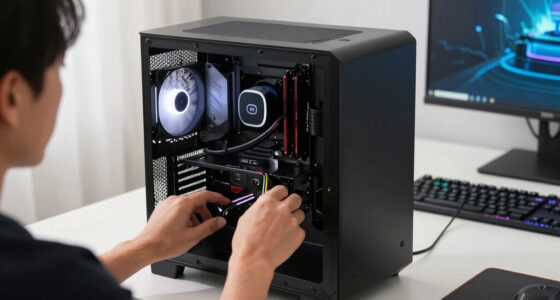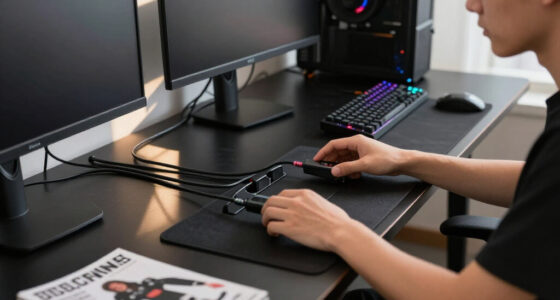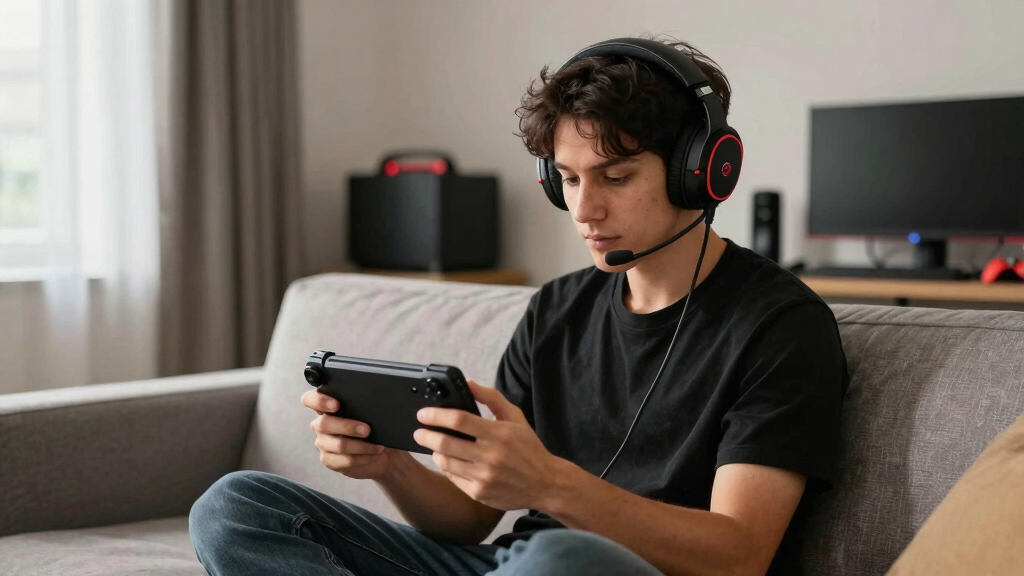

The RIG 600 PRO HS is my best overall gaming headset for Steam Deck OLED because its dual-wireless design balances portable play, low-latency gaming, and everyday flexibility. The SteelSeries Arctis Nova 7P Wireless Gen 2 is my premium choice for buyers willing to pay more for a polished wireless package, while the Logitech G432 is the value pick for players comfortable with a wired connection. The main choice is between dependable 3.5 mm or USB-C audio and the freedom of a 2.4 GHz wireless dongle. Buyers also need to weigh travel-friendly construction against larger controls, RGB lighting, and software-based sound features that may offer limited benefits on SteamOS. Continue reading for the full breakdown of which headset fits each type of Steam Deck OLED player.

Play games on Amazon Luna for your game nights, included with Prime
- A rotating selection of games, no download needed
- Play on TV, laptop or phone
- Fast, free delivery for your gear, too
Complete the kit


Key Takeaways
- RIG 600 PRO HS takes the top spot because dual wireless is a better match for handheld play than PC-focused software features or decorative extras.
- SteelSeries Arctis Nova 7P Wireless Gen 2 is the premium alternative, but its higher price makes more sense for buyers who will also use it with other systems.
- Logitech G432 offers the clearest value, although its 3.5 mm connection is more useful on Steam Deck OLED than its PC-oriented surround features.
- The RIG R5 Spear MAX HD and Razer Kraken V4 X suit buyers who favor low-latency wired audio without depending on Bluetooth.
- Connection compatibility separated the lineup: edition-specific dongles, USB-A accessories, and Windows sound software matter more here than oversized drivers or RGB lighting.
| RIG 600 PRO HS |  | Best Overall | Platform compatibility: PlayStation, PC, Nintendo Switch, Steam Deck, Android, iPhone | Wireless technology: Bluetooth 5.3 and 2.4GHz | Wireless interface: USB-C | VIEW LATEST PRICE | See Our Full Breakdown |
| Razer BlackShark V3 X HyperSpeed |  | Best for Long Wireless Sessions | Drivers: 50mm | Microphone: Detachable HyperClear cardioid | Microphone size: 9.9mm | VIEW LATEST PRICE | See Our Full Breakdown |
| Logitech G Pro X Wired Gaming Headset |  | Best for Voice Chat | Microphone: Detachable pro-grade microphone with Blue VO!CE | Sound: DTS 7.1 surround sound | Drivers: 50mm | VIEW LATEST PRICE | See Our Full Breakdown |
| Logitech G432 |  | Best Value Wired Pick | Sound technology: DTS Headphone:X 2.0 | Drivers: 50mm | Connectivity: USB and 3.5mm jack | VIEW LATEST PRICE | See Our Full Breakdown |
| Razer Kraken Kitty V3 X |  | Best Statement Design | Microphone: HyperClear cardioid microphone | Drivers: TriForce 40mm | Sound: 7.1 surround sound | VIEW LATEST PRICE | See Our Full Breakdown |
| Logitech G522 Lightspeed Wireless Gaming Headset |  | Best for Voice Chat | Connectivity: Lightspeed wireless, Bluetooth, USB A to C | Lighting: LIGHTSYNC RGB with 8 customizable zones | Microphone: Full-band, 48 kHz/16-bit with Blue VO!CE | VIEW LATEST PRICE | See Our Full Breakdown |
| Razer Kraken V4 X Wired Gaming Headset | 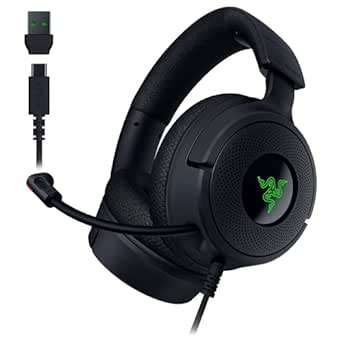 | Best Plug-and-Play Wired Pick | Drivers: 40 mm | Microphone: Retractable HyperClear cardioid | Surround Sound: 7.1 surround sound | VIEW LATEST PRICE | See Our Full Breakdown |
| RIG R5 Spear MAX HD Wired PC Gaming Headset |  | Best for High-Resolution Wired Audio | Drivers: 40 mm GrapheneQ | Frequency Response: 20 Hz–40 kHz | Microphone: 6 mm unidirectional, 50 Hz–15 kHz | VIEW LATEST PRICE | See Our Full Breakdown |
| Turtle Beach Stealth 600 Wireless Gaming Headset |  | Best Battery Life | Connectivity: 2.4 GHz wireless, Bluetooth 5.4 | Drivers: 50 mm Nanoclear | Battery Life: Up to 80 hours | VIEW LATEST PRICE | See Our Full Breakdown |
| SteelSeries Arctis Nova 7P Wireless Gen 2 Gaming Headset |  | Best Premium Dual-Wireless Pick | Battery Life: More than 50 hours | Connectivity: 2.4 GHz wireless and Bluetooth | Drivers: Neodymium magnetic drivers | VIEW LATEST PRICE | See Our Full Breakdown |
| gaming headsets for Steam Deck OLED | Microphone | Drivers | Connectivity |
|---|---|---|---|
| RIG 600 PRO HS | Foldable flip-to-mute microphone | — | — |
| Razer BlackShark V3 X HyperSpe | Detachable HyperClear cardioid | 50mm | — |
| Logitech G Pro X Wired Gaming | Detachable pro-grade microphone with Blue VO!CE | 50mm | USB and 3.5mm auxiliary |
| Logitech G432 | Flip-to-mute boom microphone | 50mm | USB and 3.5mm jack |
| Razer Kraken Kitty V3 X | HyperClear cardioid microphone | TriForce 40mm | 3.5mm wired |
| Logitech G522 Lightspeed Wirel | Full-band, 48 kHz/16-bit with Blue VO!CE | PRO-G audio drivers | Lightspeed wireless, Bluetooth, USB A to C |
| Razer Kraken V4 X Wired Gaming | Retractable HyperClear cardioid | 40 mm | — |
| RIG R5 Spear MAX HD Wired PC G | 6 mm unidirectional, 50 Hz–15 kHz | 40 mm GrapheneQ | USB-C and 3.5 mm |
| Turtle Beach Stealth 600 Wirel | Flip-to-mute with noise reduction | 50 mm Nanoclear | 2.4 GHz wireless, Bluetooth 5.4 |
| SteelSeries Arctis Nova 7P Wir | Noise-rejecting with claimed 25 dB reduction | Neodymium magnetic drivers | 2.4 GHz wireless and Bluetooth |
More Details on Our Top Picks
RIG 600 PRO HS
I rank the RIG 600 PRO HS first because its 2.4GHz USB-C link and Bluetooth 5.3 give Steam Deck OLED owners the most useful connection mix in this group. The low-latency dongle suits games where timing matters, while Bluetooth is convenient when portability matters more than delay. Compared with the Razer BlackShark V3 X HyperSpeed, the RIG names Steam Deck support directly and has a foldable flip-to-mute microphone that disappears neatly when playing solo. Its 40mm drivers are smaller than the BlackShark’s 50mm units, and buyers moving between USB-A and USB-C hardware may need adapters. It also excludes Xbox. Even with those limits, its portable multiplatform design and Deck-ready wireless connection give it the clearest all-around case.
Pros:- Low-latency 2.4GHz USB-C connection suits responsive Steam Deck gaming
- Bluetooth 5.3 adds a convenient option for phones and other portable devices
- Foldable flip-to-mute microphone stays out of the way during solo play
- Broad compatibility covers Steam Deck, PlayStation, PC, Switch, Android, and iPhone
Cons:- Does not support Xbox consoles
- Switching among USB-C and USB-A devices may require different adapters
- 40mm drivers are smaller than the 50mm drivers used by some rivals
Best for: Steam Deck OLED owners who regularly switch between handheld, PlayStation, PC, and phone gaming
Not ideal for: Xbox players or buyers who want one wireless adapter format for every device
- Platform compatibility:PlayStation, PC, Nintendo Switch, Steam Deck, Android, iPhone
- Wireless technology:Bluetooth 5.3 and 2.4GHz
- Wireless interface:USB-C
- Speaker drivers:40mm
- Microphone:Foldable flip-to-mute microphone
- Included adapter:USB-A wireless adapter
Our verdict“I would choose the RIG 600 PRO HS for the strongest balance of low-latency wireless, portability, and confirmed Steam Deck support.”
Razer BlackShark V3 X HyperSpeed
The Razer BlackShark V3 X HyperSpeed takes my second spot for players who value battery endurance and low-latency wireless freedom. Its 70-hour rated battery reduces charging interruptions, while the 270g frame is easier to carry than the bulkier Logitech G Pro X. The 50mm drivers also offer a larger driver format than the RIG 600 PRO HS, although driver size alone does not guarantee better sound. Unlike the RIG, this model’s supplied data does not explicitly name Steam Deck compatibility, so connection support deserves checking against the included USB hardware. Bluetooth provides a fallback, but it can add delay during fast games. The detachable microphone is tidy for handheld play, yet its noise rejection may struggle in busy rooms. I place it behind the RIG because Deck connectivity is less explicit, despite its stronger battery proposition.
Pros:- Rated 70-hour battery supports long stretches between charges
- 2.4GHz HyperSpeed wireless is better suited to gaming latency than Bluetooth alone
- 270g construction limits the burden during longer handheld sessions
- Detachable microphone makes the headset less cumbersome for solo play
Cons:- Steam Deck compatibility is not explicitly listed in the supplied product data
- Microphone performance may weaken around background noise
- Bluetooth can introduce more latency than the 2.4GHz connection
Best for: Steam Deck OLED players who prioritize long battery life, a light fit, and wireless flexibility across gaming and mobile devices
Not ideal for: Buyers who want explicitly documented Steam Deck support or dependable voice pickup in noisy shared spaces
- Drivers:50mm
- Microphone:Detachable HyperClear cardioid
- Microphone size:9.9mm
- Wireless modes:2.4GHz HyperSpeed and Bluetooth
- Battery life:Up to 70 hours
- Weight:270g
- Sound:7.1 surround sound
Our verdict“I favor the BlackShark V3 X HyperSpeed for battery-focused wireless play, provided the buyer confirms the included USB connection suits the Steam Deck OLED.”
Logitech G Pro X Wired Gaming Headset
I give the Logitech G Pro X the voice-chat role because its detachable microphone, Blue VO!CE processing, and included USB sound card offer more control than the simpler flip-to-mute mic on the Logitech G432. Its steel and aluminum construction also feels aimed at buyers who favor durability, while the two memory-foam pad styles provide more fit choice than most entries here. The catch is that Blue VO!CE and DTS customization rely on Logitech G HUB, so SteamOS users should not buy it for the full software feature set. A 3.5mm connection remains practical for the Deck, but the headset is bulkier than the 270g Razer BlackShark V3 X HyperSpeed and less convenient for travel. I rank it third because excellent communication hardware comes with extra weight and PC-centered setup.
Pros:- Detachable pro-grade microphone offers a stronger voice-chat foundation than basic fixed boom mics
- USB sound card and Blue VO!CE provide extensive microphone control on supported PCs
- Steel and aluminum components support long-term durability
- Leatherette and velour memory-foam pads let buyers choose isolation or breathability
Cons:- Blue VO!CE and DTS features depend on Logitech G HUB software
- Bulkier construction is less travel-friendly than lighter wireless alternatives
- Full feature use requires the USB sound card and added setup
Best for: Steam Deck OLED owners who also play on a PC and want a durable wired headset with stronger microphone controls
Not ideal for: Handheld-only players who want lightweight travel gear or expect every Blue VO!CE feature to work through SteamOS
- Microphone:Detachable pro-grade microphone with Blue VO!CE
- Sound:DTS 7.1 surround sound
- Drivers:50mm
- Connectivity:USB and 3.5mm auxiliary
- Ear pads:Memory foam with leatherette or velour options
- Impedance:35 ohms
- Included accessories:USB sound card, mobile cable, and carrying bag
- Warranty:2 years
Our verdict“I recommend the Logitech G Pro X to PC-and-Deck players who put microphone quality and build strength ahead of compactness.”
Logitech G432
The Logitech G432 is my value-minded wired choice for buyers who want 50mm drivers and simple 3.5mm access without paying for the sturdier construction and microphone processing of the Logitech G Pro X. Its rotating ear cups pack more easily, and the flip-to-mute boom makes mic control immediate during handheld sessions. Yet its headline DTS Headphone:X 2.0 feature depends on Logitech G HUB, which makes it far more relevant on a compatible computer than on SteamOS. On the Deck, I would treat this mainly as a conventional wired stereo headset rather than buy it for 7.1 claims. Leatherette surfaces may also feel warm during long sessions, and the cable reduces freedom compared with the RIG 600 PRO HS. It ranks fourth because accessible hardware outweighs its software-dependent extras, but only for budget-conscious wired buyers.
Pros:- 3.5mm connection offers a straightforward path to handheld audio
- 50mm drivers provide a larger driver format than the 40mm Razer Kraken Kitty V3 X
- Flip-to-mute microphone allows fast, visible mic control
- Rotating ear cups make storage easier
Cons:- DTS Headphone:X 2.0 depends on Logitech G HUB software
- Wired operation restricts movement around a docked Steam Deck
- Leatherette ear cups may become warm during extended play
Best for: Budget-conscious Steam Deck OLED owners who want a straightforward 3.5mm headset and also have a PC for DTS features
Not ideal for: SteamOS-only buyers seeking native surround processing or players who dislike cables and heat-retaining leatherette
- Sound technology:DTS Headphone:X 2.0
- Drivers:50mm
- Connectivity:USB and 3.5mm jack
- Microphone:Flip-to-mute boom microphone
- Compatibility:PC, Mac, PlayStation 4, PlayStation 5, Nintendo Switch
- Materials:Leatherette ear cups and headband
- Ear-cup rotation:Up to 90 degrees
Our verdict“I would pick the Logitech G432 for affordable wired Deck audio, not for its PC-dependent surround features.”
Razer Kraken Kitty V3 X
I include the Razer Kraken Kitty V3 X for buyers who want their Steam Deck setup to look playful rather than anonymous. At 270g, it matches the Razer BlackShark V3 X HyperSpeed on listed weight, while its 3.5mm cable removes battery management and connects directly to the handheld. The kitty-ear design is the reason to choose it over the understated Logitech G432, but it is also the main reason some buyers should pass. Its 40mm drivers are smaller than the G432’s 50mm units, and the cable is less convenient when the Deck is docked across a room. The supplied 7.1 feature should not overshadow the dependable analog connection, since platform-specific surround processing may not carry over to SteamOS. I rank it fifth because comfort and visual identity are persuasive, but style takes priority over versatility.
Pros:- 270g weight supports comfortable portable use
- 3.5mm connection plugs directly into the Steam Deck OLED without charging
- HyperClear cardioid microphone focuses pickup toward the speaker
- Distinctive pink kitty-ear design gives the headset a clear visual identity
Cons:- Fixed wired operation is awkward for room-scale docked play
- Bold styling will not suit buyers seeking a subdued headset
- 40mm drivers are smaller than the 50mm units in several alternatives
Best for: Steam Deck OLED owners who want a lightweight pink headset with a playful visual identity and direct analog connectivity
Not ideal for: Buyers seeking a discreet design, wireless freedom, or surround features that do not depend on platform support
- Microphone:HyperClear cardioid microphone
- Drivers:TriForce 40mm
- Sound:7.1 surround sound
- Compatibility:PC, PS5, Xbox, Switch, Steam Deck
- Weight:270g
- Cushions:Hybrid fabric and leatherette
- Connectivity:3.5mm wired
- Design:Kitty ears
- Color:Pink
Our verdict“I recommend the Kraken Kitty V3 X to style-led handheld players who accept a cable and care more about personality than wireless flexibility.”
Logitech G522 Lightspeed Wireless Gaming Headset
I rank the Logitech G522 Lightspeed as the voice-chat specialist because its 48 kHz full-band microphone and Blue VO!CE processing offer more control than the simpler mic on the Razer Kraken V4 X. Its 280 g frame and washable suspension band also suit long Steam Deck OLED sessions, while Bluetooth provides an easy fallback when the Lightspeed receiver is inconvenient. Up to 60 hours of battery life beats the SteelSeries Arctis Nova 7P Gen 2 on paper, although RGB use cuts that advantage. The main concern is Deck integration: Logitech lists PC and Switch compatibility rather than Steam Deck support, so buyers may need an adapter or dock for the USB connection. I place it below more Deck-focused choices because its software-heavy customization is less useful away from a PC.
Pros:- Full-band microphone with Blue VO!CE processing supports clearer team communication
- Lightspeed, Bluetooth, and wired connectivity cover several gaming setups
- Up to 60 hours of battery life with lighting disabled
- Light 280 g build and washable suspension band suit extended sessions
Cons:- Steam Deck compatibility is not explicitly listed by Logitech
- USB receiver or cable use may require an adapter or dock
- RGB lighting reduces battery life and adds configuration complexity
Best for: I recommend it to Steam Deck OLED owners who also play on PC and place clear team communication above effortless portable setup.
Not ideal for: I would skip it for buyers who want a receiver designed explicitly around the Steam Deck’s USB-C port or who rarely use a PC for configuration.
- Connectivity:Lightspeed wireless, Bluetooth, USB A to C
- Lighting:LIGHTSYNC RGB with 8 customizable zones
- Microphone:Full-band, 48 kHz/16-bit with Blue VO!CE
- Drivers:PRO-G audio drivers
- Battery Life:Up to 60 hours with lighting off
- Weight:280 g
- Listed Compatibility:PC, Nintendo Switch, Switch 2
Our verdict“I would choose the G522 for voice-heavy PC and Steam Deck play, provided an adapter-dependent setup is acceptable.”
Razer Kraken V4 X Wired Gaming Headset
The Razer Kraken V4 X is my straightforward wired choice for Steam Deck OLED because its convertible USB-C and USB-A cable removes the need to manage charging or a wireless receiver. It is a more portable match for the Deck than the Logitech G522 when reliable direct connectivity matters more than freedom of movement. Memory-foam cushions soften longer sessions, and the retractable cardioid microphone disappears neatly when playing solo. The tradeoff is that its headline 7.1 surround feature depends on supported platforms and software, so Deck users should expect ordinary stereo behavior in many games. The cable can also tug during handheld play, while RGB consumes power from the connected device without improving gameplay. I favor this model for simplicity, but the RIG R5 Spear MAX HD offers more ambitious wired audio hardware.
Pros:- Convertible USB-C and USB-A cable supports direct connection to the Steam Deck
- No battery charging or wireless pairing required
- Retractable cardioid microphone stays out of the way during solo play
- Memory-foam cushions balance softness with material durability
Cons:- Attached wired operation restricts movement during handheld and docked play
- 7.1 surround support may not carry across to SteamOS games
- RGB draws power without adding a practical Deck benefit
Best for: I recommend it to Steam Deck OLED players who want direct USB-C operation and never want to charge their headset.
Not ideal for: I would skip it for couch players who need wireless freedom or buyers expecting universal 7.1 surround support on SteamOS.
- Drivers:40 mm
- Microphone:Retractable HyperClear cardioid
- Surround Sound:7.1 surround sound
- Cushions:Memory foam with hybrid fabric and leatherette
- Cable:Convertible USB-C and USB-A
- Listed Compatibility:PC, Mac, PS5, Nintendo Switch 2, Steam Deck, smartphone
Our verdict“I would pick the Kraken V4 X for dependable USB-C simplicity, not for wireless comfort or guaranteed surround sound.”
RIG R5 Spear MAX HD Wired PC Gaming Headset
I reserve the high-resolution wired role for the RIG R5 Spear MAX HD. Its 40 mm GrapheneQ drivers, broad 20 Hz–40 kHz response, and included USB-C DAC put more emphasis on audio hardware than the Razer Kraken V4 X. The DAC also adds an auxiliary input and power passthrough, useful when the Steam Deck OLED has only one exposed USB-C port. Still, the advertised 32-bit/384 kHz ceiling does not mean games will supply audio at that quality, and Dolby Atmos support is specified for Windows 10/11 rather than SteamOS. A metal headband and swappable cushions make this the more substantial wired option, but also a less minimal travel companion. I recommend it for buyers who value detail and connection flexibility; those seeking simple portability are paying for capabilities the Deck may not fully exploit.
Pros:- GrapheneQ drivers and wide frequency response prioritize detail
- USB-C DAC includes auxiliary input and power passthrough
- USB-C and 3.5 mm connections provide wired flexibility
- Swappable cushions and adjustable microphone placement support fit customization
Cons:- Dolby Atmos support is specified for Windows rather than SteamOS
- Games may not use the DAC’s maximum 32-bit/384 kHz resolution
- Mod-Plates require a separate purchase
Best for: I recommend it to audio-focused Steam Deck OLED owners who also use a Windows PC and want a DAC with power passthrough.
Not ideal for: I would skip it for lightweight travelers or SteamOS-only players who would receive little value from Windows-based Dolby Atmos support.
- Drivers:40 mm GrapheneQ
- Frequency Response:20 Hz–40 kHz
- Microphone:6 mm unidirectional, 50 Hz–15 kHz
- Connectivity:USB-C and 3.5 mm
- Audio Resolution:Up to 32-bit/384 kHz
- Dolby Atmos:Supported on Windows 10/11
- Additional Ports:USB-C auxiliary input and power passthrough
- Materials:Memory foam, metal headband, dual-material ear cushions
Our verdict“I would buy the R5 Spear MAX HD for a shared Deck-and-PC audio setup, not solely for its oversized resolution figures.”
Turtle Beach Stealth 600 Wireless Gaming Headset
The Turtle Beach Stealth 600 earns my battery-life role with an 80-hour rating, comfortably ahead of the Logitech G522 and SteelSeries Arctis Nova 7P Gen 2. That endurance suits trips where charging the Steam Deck is already enough work, and Bluetooth 5.4 makes mobile pairing convenient. Its 50 mm Nanoclear drivers and built-in EQ modes also give buyers more sound-shaping choices than the wired Razer Kraken V4 X. Yet this is not my first choice for a compact handheld kit: the headset can feel bulky, and its strongest low-latency connection depends on receiver compatibility and available ports. The supplied platform list does not explicitly name Steam Deck, making Bluetooth the safer assumption but potentially the slower gaming path. I rank it for long sessions between charges, while the Nova 7P is the cleaner premium choice for simultaneous wireless use.
Pros:- 80-hour battery rating leads this five-product group
- 2.4 GHz wireless and Bluetooth 5.4 support different listening scenarios
- 50 mm Nanoclear drivers pair with built-in EQ modes
- Glasses-friendly memory-foam cushions reduce pressure around frames
Cons:- Steam Deck is not explicitly included in the listed compatibility
- Bulky construction is less convenient for portable handheld use
- Bluetooth may add latency, while 2.4 GHz operation depends on receiver support
Best for: I recommend it to multi-platform players who prioritize several days of battery life and are comfortable verifying receiver support for their Steam Deck.
Not ideal for: I would skip it for latency-sensitive Steam Deck players who need explicit USB-C receiver compatibility or a compact headset for crowded bags.
- Connectivity:2.4 GHz wireless, Bluetooth 5.4
- Drivers:50 mm Nanoclear
- Battery Life:Up to 80 hours
- Microphone:Flip-to-mute with noise reduction
- Listed Compatibility:Xbox Series X|S, Xbox One, PlayStation, PC, mobile
- EQ:Built-in EQ modes
- Gaming Audio Feature:Superhuman Hearing
- Wireless Switching:QuickSwitch button
Our verdict“I would choose the Stealth 600 when battery endurance outweighs size and the need to verify Steam Deck receiver behavior.”
SteelSeries Arctis Nova 7P Wireless Gen 2 Gaming Headset
I place the SteelSeries Arctis Nova 7P Wireless Gen 2 at the premium end because its 2.4 GHz and Bluetooth pairing is better suited to a mixed-device routine than the single-cable Razer Kraken V4 X. A Steam Deck OLED player can keep low-latency game audio available while staying connected to another device, and the 50-plus-hour battery covers long stretches away from a charger. Its steel frame also feels aimed at durability, while memory foam helps offset the added structure. The Turtle Beach Stealth 600 lasts longer and will appeal more to battery-first buyers, but the Nova 7P offers the more polished balance of spatial audio, presets, and cross-platform support. Its price is the largest obstacle, and the USB-C receiver occupies the Deck’s charging port unless a compatible hub handles both jobs. I favor it for premium multi-device convenience.
Pros:- Dual 2.4 GHz and Bluetooth connectivity fits multi-device play
- More than 50 hours of battery life supports extended travel
- Steel frame and memory-foam cushions combine durability with comfort
- Noise-rejecting microphone reduces background sound by a claimed 25 dB
Cons:- Premium pricing is harder to justify for single-device use
- USB-C receiver can compete with the Steam Deck’s charging connection
- Spatial presets and customization may require setup outside a simple Deck workflow
Best for: I recommend it to Steam Deck OLED owners who regularly switch between handheld, PlayStation, PC, and phone audio and will pay for dual-wireless convenience.
Not ideal for: I would skip it for budget shoppers or players who need to charge the Deck while the USB-C wireless receiver is connected without adding a hub.
- Battery Life:More than 50 hours
- Connectivity:2.4 GHz wireless and Bluetooth
- Drivers:Neodymium magnetic drivers
- Spatial Audio:360° spatial sound
- Listed Compatibility:PS5, PS4, PC, Switch, mobile
- Microphone:Noise-rejecting with claimed 25 dB reduction
- Construction:Steel frame with memory-foam cushions
- Color:White
Our verdict“I would choose the Nova 7P Gen 2 for a premium Deck-centered multi-device setup, provided its price and USB-C port use fit the budget.”
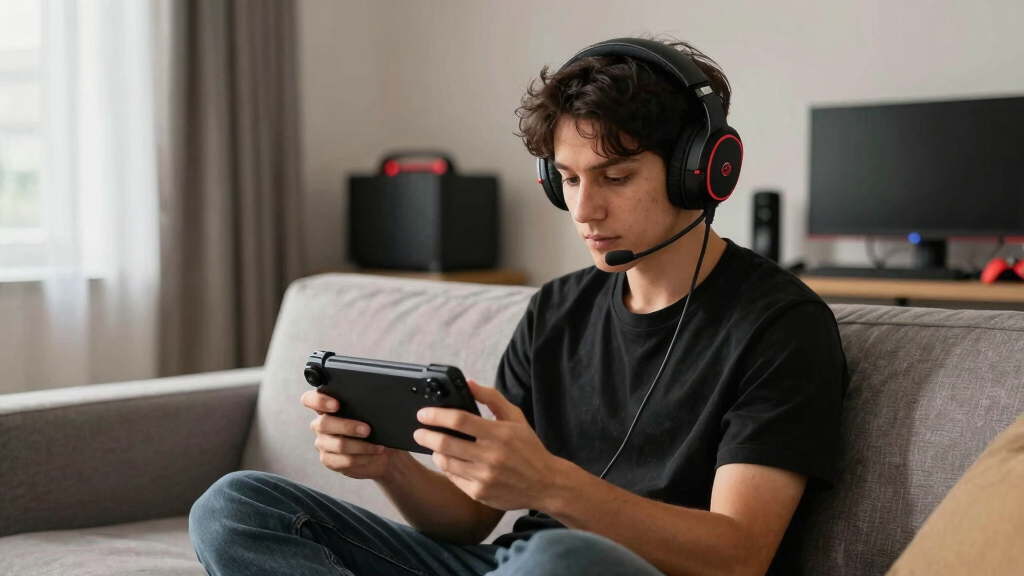
How We Picked
I ranked these headsets around the realities of playing on a handheld rather than the size of their feature lists. My highest priorities were Steam Deck-friendly connectivity, low latency, portable comfort, microphone usability, and controls that remain accessible away from a desk. I gave extra credit to 2.4 GHz wireless models with a practical fallback connection and to wired models that avoid unnecessary adapters. I marked down headsets whose headline surround processing, microphone filters, or lighting controls depend heavily on Windows-only software.
Build quality, battery demands, cable clutter, and value shaped the remaining order. The RIG 600 PRO HS rises to best overall because it covers handheld and multi-device use without making either feel secondary, while the Arctis Nova 7P Wireless Gen 2 earns the premium role through its broader upscale package. The Logitech G432 ranks as the value choice because its core analog audio path is simple and affordable, even if several advertised extras are less relevant on Steam Deck. I treated RGB, virtual surround, and bundled PC software as bonuses only when they did not weaken portability or raise the price beyond the benefit delivered on the Deck itself.
Factors to Consider When Choosing Best Gaming Headsets For Steam Deck OLED
The best match depends less on brand loyalty and more on where the Steam Deck is played, how much wireless delay is acceptable, and whether the headset must serve other systems. I would settle the connection type first, then compare comfort, microphone design, portability, and price within that group.
Choose the Connection Before the Sound Profile
A Steam Deck OLED buyer can use its 3.5 mm jack, USB-C ports, Bluetooth, or a compatible wireless receiver, but these routes do not behave identically. 3.5 mm is the simplest option because it needs no pairing and places little demand on the battery. USB-C can carry digital audio and power, yet a wide plug or receiver may block charging unless a dock or compact hub is added. A 2.4 GHz dongle usually suits action games better than ordinary Bluetooth because audio delay is typically lower. Bluetooth remains handy for casual games and media, especially when avoiding an accessory hanging from the Deck. I would pick the connection around the games played most often rather than paying for every connection mode available.
Do Not Pay for PC Software the Deck Cannot Fully Use
Many gaming headsets advertise virtual surround, equalizer presets, RGB control, and advanced microphone processing through a Windows application. On SteamOS, basic audio may work while companion features do not, which changes the real value of the package. This is especially relevant to models such as the Logitech G432 and G Pro X, whose PC software helps justify part of their feature set. The Deck can provide positional stereo without a branded 7.1 mode, and many games already include their own spatial-audio options. I would treat hardware controls and native game audio as more dependable than a software badge. Buyers who also own a Windows gaming PC can place more value on those extras because the headset will have a second setting where they remain useful.
Match Wireless Freedom to Power and Port Access
Wireless audio removes a cable from a device that is constantly moved, tilted, docked, and carried between rooms. The tradeoff is another battery to charge and, with 2.4 GHz models, a receiver occupying one of the Deck’s USB-C connections. Pass-through charging or a dock becomes useful during long sessions, but either adds expense and bulk. Battery claims also become less representative when lighting, simultaneous Bluetooth, or higher-volume playback is active. A headset with dual wireless modes offers a practical split: the receiver for games and Bluetooth for phones or slower-paced play. I would choose wired audio for predictable grab-and-play use and wireless for movement, shared living spaces, or frequent docked sessions.
Prioritize Weight, Clamp, and Travel Shape
Desktop headsets can lean on thick padding and large earcups because they rarely leave the room, while a Steam Deck headset often shares space in a travel bag. Low weight matters during handheld sessions because the player is already supporting the Deck with both hands. Strong clamping can keep a headset stable, but excessive pressure becomes tiring when combined with glasses or warm ear cushions. Folding earcups and detachable microphones make packing easier, while fixed decorative parts such as kitty ears demand more room. Replaceable pads can extend service life, although proprietary shapes may be harder to source. I would favor a compact, flexible frame over RGB or oversized drivers when travel is a regular part of the purchase.
Decide How Much Microphone Quality You Actually Need
A headset microphone used for occasional co-op chat has a different job from one used for streaming, team competition, or work calls. Clear speech and easy muting matter more on the Deck than elaborate filters that require desktop software. Flip-to-mute booms are quick to understand, while detachable or retractable microphones make a headset less awkward for travel and music. Wireless microphones can sound more compressed than good wired alternatives, especially when bandwidth is shared with game audio. Background rejection is valuable in public spaces, but aggressive processing can make a voice sound thin. I would pay extra for better hardware microphone performance only when voice chat is a frequent part of play.
Know When a Higher Price Pays Off
Paying more makes sense when one headset will move among the Steam Deck, a console, a PC, and a phone. In that situation, multi-system compatibility and connection switching can replace several cheaper headsets and reduce setup friction. A premium price is harder to defend when the model’s main advantages are lighting, desktop software, or virtual surround unavailable in the buyer’s usual SteamOS setup. Budget wired models can deliver dependable game audio because they avoid batteries, radio hardware, and companion applications. Midrange wireless options often provide the strongest balance if their receiver fits without interfering with charging. I would spend more for comfort, durable construction, and useful connectivity, not for specifications that only appear impressive on the box.
Frequently Asked Questions
Is Bluetooth good enough for gaming on Steam Deck OLED?
Bluetooth is suitable for turn-based games, slower adventures, and media, but delay can be noticeable in shooters, rhythm games, and games with precise audio cues. A 2.4 GHz wireless receiver is usually the safer wireless route for timing-sensitive play. Bluetooth also remains useful as a fallback when the Deck’s USB-C port is needed for charging. Codec support can vary between the headset and SteamOS, so a low-latency codec listed by the manufacturer does not automatically mean the full chain will use it. I would choose Bluetooth for convenience and a receiver or cable for competitive play.
Will a USB wireless headset work with the Steam Deck OLED?
Many class-compliant USB audio headsets and receivers can work, but the connector and platform edition still need checking. A USB-A receiver requires an adapter, dock, or hub, while a USB-C receiver can connect directly if its shape does not obstruct nearby accessories. Console-branded editions may use different receiver modes, so a product family name alone does not confirm Deck compatibility. Firmware updates may also require a Windows or macOS computer even when normal audio works on SteamOS. I would verify the exact model and receiver version before ordering.
Do 7.1 surround headsets provide a real advantage on Steam Deck OLED?
Many headset surround modes are virtual processing features activated through PC software rather than extra physical speakers. If that software is unavailable on SteamOS, the headset may operate as a conventional stereo device. That is not automatically a major loss because game-engine spatial audio can deliver strong directional cues through ordinary stereo headphones. Some players also find virtual surround less precise or more artificial than a clean stereo mix. I would prioritize driver tuning, imaging, and comfort ahead of a 7.1 label for Deck use.
Should I buy a wired or wireless headset for mostly handheld play?
Wired models are cheaper, require no charging, and offer consistent low-latency audio through the Deck’s headphone jack or USB-C port. Their cable can catch on clothing or pull against the controls, which is more distracting on a handheld than at a desk. Wireless models create a cleaner handheld setup, but receivers consume a port and batteries add another charging routine. Players who use the Deck mainly on a sofa or while travelling may value that freedom more than desk-based users. I would pick wired for simplicity and value and 2.4 GHz wireless for movement and cable-free comfort.
Can one headset cover Steam Deck OLED, consoles, PC, and a phone?
Yes, but the connection mix matters more than a broad multi-platform claim. A model with 2.4 GHz wireless, Bluetooth, and a wired fallback offers the best chance of moving easily among devices. Console compatibility can depend on the exact receiver edition, with Xbox support often handled differently from PlayStation, PC, or standard USB audio. Simultaneous wireless connections are useful for taking phone calls while playing, though they may raise the price and shorten battery life. I would map every device to a specific supported connection before choosing a multi-system headset.
Conclusion
For most Steam Deck OLED players, I recommend the RIG 600 PRO HS as the best overall because its dual-wireless approach fits portable gaming better than software-heavy PC extras. The Logitech G432 is the best value for buyers who accept a cable, while the Razer Kraken V4 X is my beginner-friendly choice for a straightforward multi-platform setup. The SteelSeries Arctis Nova 7P Wireless Gen 2 is the premium pick for buyers who want one polished wireless headset across the Deck and other systems. For specific needs, I would choose the Razer BlackShark V3 X HyperSpeed for competitive wireless play, the RIG R5 Spear MAX HD for USB-C wired audio, the Logitech G Pro X for a PC-and-Deck wired setup, the Logitech G522 for a feature-rich desk arrangement, the Razer Kraken Kitty V3 X for expressive styling, and the Turtle Beach Stealth 600 for buyers whose selected console edition matches their other hardware. The right final choice comes from matching connection, portability, and cross-platform use to the way the Deck is actually played.
Halloween Picks
halloween
As an affiliate, we earn on qualifying purchases.