
For the best HDR gaming monitors for PC gaming, I would put the Alienware AW3425DW first because its QD-OLED panel, 240Hz speed, and ultrawide format give it the strongest mix of contrast, motion clarity, and immersion in this lineup. The Samsung Odyssey OLED G6 is the sharper choice for players who want OLED HDR in a smaller 27-inch QHD format, while the Acer Nitro 27-inch 4K 160Hz is the better value route into high-resolution HDR gaming without paying OLED money. The main tradeoff is simple: OLED models deliver the richest HDR contrast, while IPS and VA picks cost less and can be safer fits for mixed desktop use. Resolution, refresh rate, panel type, and HDR tier matter more here than branding. Keep reading for the full breakdown of which monitor fits which PC setup and gaming style.

Play games on Amazon Luna for your game nights, included with Prime
- A rotating selection of games, no download needed
- Play on TV, laptop or phone
- Fast, free delivery for your gear, too
Key Takeaways
- OLED separates the top tier: the Alienware AW3425DW, Samsung Odyssey OLED G6, and ASUS XG27AQDMGR offer far stronger HDR contrast than the HDR400 and HDR10-only LCD options.
- Alienware AW3425DW earns Best Overall because it pairs QD-OLED HDR with 240Hz and an ultrawide canvas, giving it a wider use case than the 27-inch OLED picks.
- Acer Nitro 27-inch 4K 160Hz is the value standout: it trades OLED-level blacks for sharper 4K detail, HDMI 2.1, and a lower expected price class.
- DisplayHDR 400 and HDR10 support are entry-level HDR signals, so models like the ASUS XG27ACS, LG 34G630A-B, and Samsung G55C make more sense when speed or screen size matters more than cinematic contrast.
- Ultrawide choices split by budget: the Alienware is the premium HDR play, the LG leans speed, and the ASUS TUF VG34VQ3B is the more budget-minded immersion pick.


| HDR gaming monitors for PC gaming | Resolution | Refresh rate | Response time | HDR |
|---|---|---|---|---|
| ASUS ROG Strix 27” QHD HDR400 | 2560 x 1440 QHD | 180Hz | 1ms | HDR400 |
| Acer Nitro 27” 4K UHD Gaming I | 3840 x 2160 UHD | 160Hz at 4K, 320Hz at FHD with DFR | Up to 0.5ms | HDR10 |
| Samsung 32" Odyssey G55C Serie | 2560 x 1440 QHD | 165Hz | 1ms MPRT | HDR10 |
| Alienware 34 240Hz QD-OLED Cur | 3440 x 1440 WQHD | 240Hz | 0.03ms | DisplayHDR TrueBlack 400 |
| LG 34G630A-B 34-Inch Ultragear | 3440 x 1440 WQHD | 240Hz | 1ms GtG | DisplayHDR 400 |
| ASUS ROG Strix 27” OLED Gaming | 2560 x 1440 | 240Hz | 0.03ms | — |
| ASUS TUF Gaming 34” Ultra-Wide | 3440 x 1440 | 180Hz | 1ms | DisplayHDR 400 |
| ASUS TUF Gaming 27” 4K HDR Mon | 3840 x 2160 | 160Hz | 1ms | — |
| Acer Nitro 27 Inch QHD IPS Gam | 2560 x 1440 | 180Hz | 0.5ms GTG | — |
| Samsung 27" Odyssey OLED G6 | QHD 1440p | 240Hz | 0.03ms | HDR10 |
More Details on Our Top Picks
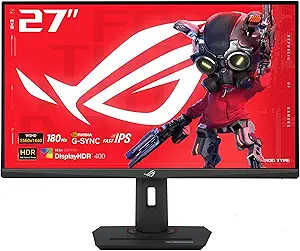
ASUS ROG Strix 27” QHD HDR400 Gaming Monitor (XG27ACS), 180Hz, 1ms, Fast IPS, G-Sync Compatible
I would rank the ASUS ROG Strix XG27ACS as the safest middle-ground pick because it blends QHD sharpness, a 180Hz refresh rate, and USB-C without asking buyers to jump into OLED pricing. Compared with the Acer Nitro VG270K, it gives up 4K detail, but QHD is easier to drive at high frame rates on more gaming PCs. Compared with the Alienware AW3425DW, its HDR400 support is far less dramatic, so HDR games will not have the same contrast punch. The draw here is balance: fast IPS motion, low blur tech, and broad usability for gaming and desktop work. The weak spots are the modest HDR ceiling, no listed speakers, and the need for the right GPU to benefit from G-Sync compatibility.
Pros:- 180Hz refresh rate is fast enough for competitive shooters while staying realistic for many QHD gaming PCs
- Fast IPS panel and 1ms response time help reduce blur without the OLED price jump
- USB-C adds flexibility for laptops and cleaner desk setups
- ELMB SYNC gives it a motion-clarity advantage over basic IPS gaming monitors
Cons:- HDR400 is entry-level HDR and cannot match the contrast of QD-OLED models
- QHD resolution is less detailed than the Acer Nitro VG270K’s 4K panel
- No built-in speakers are listed
Best for: PC gamers who want a fast 27-inch 1440p monitor with USB-C and do not want the cost or burn-in concerns of OLED.
Not ideal for: HDR-first buyers who want strong contrast and bright highlights; the HDR400 rating trails OLED and higher-brightness ultrawide options.
- Display size:27 inches
- Resolution:2560 x 1440 QHD
- Refresh rate:180Hz
- Response time:1ms
- Panel type:Fast IPS LED
- HDR:HDR400
- Brightness:400 nits
- Connectivity:Includes USB-C
Our verdict“I would choose this as the practical 1440p HDR gaming monitor when speed, price discipline, and USB-C matter more than showcase HDR.”
Acer Nitro 27” 4K UHD Gaming IPS Monitor with AMD FreeSync Premium, 160Hz Refresh Rate, 0.5ms Response Time, HDMI 2.1 & DisplayPort 1.4
The Acer Nitro VG270K earns its place for buyers who want 4K detail without dropping to a slow refresh panel. Its 160Hz at 4K makes single-player games, racing titles, and sharp desktop use feel more upscale than the ASUS ROG Strix XG27ACS, which is faster to drive but lower in resolution. Against the LG 34G630A-B, the Acer is less immersive because it lacks ultrawide width, yet its pixel density is much higher on a 27-inch screen. HDR10 support helps with color range, but this is not the same class of HDR as the Alienware AW3425DW with TrueBlack 400 and 1000-nit peak brightness. I see this as the detail-first pick with credible speed, not the best monitor for dramatic HDR contrast.
Pros:- 4K UHD resolution delivers sharper image detail than the QHD and WQHD picks in this batch
- 160Hz refresh rate keeps it suitable for fast PC gaming rather than just visual showcase use
- 0.5ms response time and FreeSync Premium help smooth motion
- HDMI 2.1 and DisplayPort 1.4 support modern gaming PCs
Cons:- HDR10 support is basic compared with TrueBlack OLED HDR
- 27 inches may feel small for buyers who want a more cinematic 4K screen
- No built-in speakers are included
Best for: PC gamers with a strong GPU who want crisp 4K visuals for story games, racing, and mixed gaming-work use on a 27-inch desk setup.
Not ideal for: Players who value cinematic ultrawide immersion or OLED-level HDR more than sharp 4K pixel density.
- Screen size:27 inches
- Resolution:3840 x 2160 UHD
- Panel type:IPS
- Refresh rate:160Hz at 4K, 320Hz at FHD with DFR
- Response time:Up to 0.5ms
- HDR:HDR10
- Color gamut:90% DCI-P3
- Ports:1 DisplayPort 1.4, 2 HDMI 2.1
Our verdict“I would pick this for sharp 4K gaming on a desk where resolution matters more than ultrawide immersion or OLED contrast.”
Samsung 32″ Odyssey G55C Series QHD Curved Gaming Monitor, 165Hz, 1ms, HDR10, AMD FreeSync
The Samsung Odyssey G55C is the pick I would steer toward buyers who want a bigger, curved HDR gaming feel without paying for a 34-inch ultrawide. Its 32-inch 1000R curve gives games more wraparound presence than the flat 27-inch ASUS ROG Strix XG27ACS and Acer Nitro VG270K, though QHD is less crisp at this size than it is on a 27-inch panel. Compared with the LG 34G630A-B, it is less suited to multitasking because it keeps a standard 16:9 layout instead of 21:9. The 165Hz refresh rate, 1ms MPRT, and FreeSync support fit mainstream gaming well, but its HDR10 support is more about added color range than high-end HDR impact. I would not buy it for professional color work or OLED-like contrast.
Pros:- 32-inch curved panel feels more immersive than smaller flat 27-inch displays
- 165Hz refresh rate and 1ms MPRT suit fast mainstream gaming
- AMD FreeSync helps reduce tearing with compatible GPUs
- Eye care features are useful for long sessions
Cons:- QHD resolution is less sharp at 32 inches than on 27-inch monitors
- HDR10 is limited compared with OLED or brighter HDR displays
- Standard 16:9 layout is less useful for multitasking than a 34-inch ultrawide
Best for: Budget-minded PC gamers who want a larger curved screen for shooters, RPGs, and racing games while staying with QHD performance demands.
Not ideal for: Creators or pixel-density purists who need sharper text, wider workspace, or stronger HDR than a 32-inch QHD HDR10 panel can provide.
- Screen size:32 inches
- Resolution:2560 x 1440 QHD
- Refresh rate:165Hz
- Response time:1ms MPRT
- HDR:HDR10
- Curve:1000R
- Adaptive sync:AMD Radeon FreeSync
- Eye care:Blue light reduction and flicker reduction
Our verdict“I would buy this for affordable curved immersion, not for the cleanest HDR highlights or the sharpest desktop image.”
Alienware 34 240Hz QD-OLED Curved Gaming Monitor – AW3425DW
The Alienware AW3425DW sits at the top of this group for buyers who care most about real HDR impact. Its QD-OLED panel, DisplayHDR TrueBlack 400, 99.3% DCI-P3 coverage, and 1000-nit peak HDR brightness give it contrast and highlight control that the ASUS ROG Strix XG27ACS, Acer Nitro VG270K, and Samsung Odyssey G55C cannot match. It also beats the LG 34G630A-B on response time, with a near-instant 0.03ms rating instead of 1ms. The tradeoff is simple: this is the premium choice, so it asks for more money, more desk space, and more care around OLED burn-in. I would rank it highest for HDR gaming quality, but not as the most practical pick for every PC setup.
Pros:- QD-OLED contrast gives HDR games stronger black levels and brighter highlight impact
- 240Hz refresh rate and 0.03ms response time are excellent for high-speed play
- 34.2-inch ultrawide format adds immersion beyond standard 16:9 monitors
- Broad adaptive sync support covers FreeSync Premium Pro, VESA AdaptiveSync, and G-Sync compatibility
Cons:- Higher price than IPS and VA alternatives
- OLED panels carry burn-in risk with static HUDs and desktop elements
- Large curved ultrawide size needs more desk space
Best for: Enthusiast PC gamers who want ultrawide immersion, OLED contrast, and high-refresh HDR for cinematic and competitive games.
Not ideal for: Buyers on tighter budgets, static desktop-heavy users, or anyone without enough desk depth for a 34-inch curved ultrawide.
- Screen size:34.2 inches
- Resolution:3440 x 1440 WQHD
- Refresh rate:240Hz
- Response time:0.03ms
- Curve:1800R
- HDR:DisplayHDR TrueBlack 400
- Peak HDR brightness:1000 nits
- Color coverage:99.3% DCI-P3
- Adaptive sync:AMD FreeSync Premium Pro, VESA AdaptiveSync, G-Sync Compatible
Our verdict“I would choose this when HDR image quality is the priority and the budget can handle a premium QD-OLED ultrawide.”
LG 34G630A-B 34-Inch Ultragear WQHD Curved Gaming Monitor, 240Hz, 1ms, FreeSync Premium, DisplayHDR 400, HDMI, DisplayPort, USB Type-C, Adjustable Stand
The LG 34G630A-B makes the list as the more practical ultrawide alternative to the Alienware AW3425DW. It keeps the same broad 3440 x 1440 workspace and a fast 240Hz refresh rate, but trades OLED contrast for a more conventional DisplayHDR 400 setup. That means HDR will not have the same black-level depth or highlight precision as the Alienware, yet the LG counters with USB-C, USB-A ports, built-in speakers, and a more adjustable stand than many speed-focused gaming monitors. Compared with the Samsung Odyssey G55C, it is better for multitasking and wider game views, though it will demand more GPU power than a 16:9 QHD screen. I would treat it as a feature-rich speed monitor first and an HDR monitor second.
Pros:- 34-inch 21:9 WQHD panel gives wider game views and more workspace than 16:9 monitors
- 240Hz refresh rate and 1ms GtG response support high-speed play
- USB-C, dual HDMI, DisplayPort, and USB-A ports make it more flexible than simpler gaming displays
- Height, tilt, and swivel adjustments help fit different desks
Cons:- DisplayHDR 400 cannot match the Alienware AW3425DW’s QD-OLED HDR performance
- Full 240Hz performance requires a compatible GPU and modern display connection
- Built-in speakers are convenient but unlikely to replace dedicated audio
Best for: PC gamers who want a fast 34-inch ultrawide for gaming, streaming tools, and desktop multitasking from one setup.
Not ideal for: HDR purists who want OLED contrast or buyers whose GPU cannot push 3440 x 1440 at high refresh rates.
- Screen size:34 inches
- Resolution:3440 x 1440 WQHD
- Aspect ratio:21:9
- Refresh rate:240Hz
- Response time:1ms GtG
- HDR:DisplayHDR 400
- Color gamut:95% DCI-P3
- Connectivity:2 HDMI, DisplayPort, USB Type-C, 2 USB-A
- Stand:Height, tilt, and swivel adjustment
Our verdict“I would pick this over the Alienware when ultrawide speed and connectivity matter more than the best possible HDR contrast.”
ASUS ROG Strix 27” OLED Gaming Monitor (XG27AQDMGR)
I rank the ASUS ROG Strix XG27AQDMGR highest for players who want OLED-level HDR contrast without giving up speed. Its 240Hz refresh rate and 0.03ms response time make it sharper for twitch play than the ASUS TUF VG27UQ1A, while the glossy OLED panel gives HDR scenes more depth than the Acer Nitro KG271U’s IPS HDR10 approach. The tradeoff is that this is a 1440p monitor, not a 4K detail-first pick, and OLED still asks for smarter desktop habits because static HUDs can add burn-in risk over time. Compared with the Samsung Odyssey OLED G6, this ASUS leans into a glossy, high-impact image, while Samsung’s glare-free finish is easier in bright rooms. This pick makes the most sense when contrast and motion clarity matter more than resolution.
Pros:- OLED panel delivers deep blacks and strong HDR separation
- 240Hz refresh rate and 0.03ms response time suit fast PC shooters
- 99% DCI-P3 coverage supports rich color for games and media
- OLED Care Pro and Neo Proximity Sensor help reduce panel-wear risk
Cons:- Higher price than IPS and LCD alternatives in this lineup
- 1440p resolution is less detailed than the ASUS TUF VG27UQ1A’s 4K panel
- OLED burn-in risk remains a real factor with static content
Best for: Competitive PC players who want OLED HDR contrast, 240Hz speed, and a standard 27-inch 1440p layout.
Not ideal for: Players who leave static desktop windows or game HUDs on screen for long sessions and do not want to manage OLED care habits.
- Display size:27 inches
- Resolution:2560 x 1440
- Panel type:OLED
- Refresh rate:240Hz
- Response time:0.03ms
- Color gamut:99% DCI-P3
- Brightness:1300 cd/m2
- Contrast ratio:1,500,000:1
Our verdict“Choose this if you want a fast 27-inch HDR gaming monitor where OLED contrast matters more than 4K sharpness.”
ASUS TUF Gaming 34” Ultra-Wide Curved Monitor (VG34VQ3B)
The ASUS TUF VG34VQ3B earns its place as the practical ultrawide because it gives PC games a wider 21:9 canvas without jumping to OLED pricing. Compared with the Alienware AW3425DW and LG 34G630A-B in the wider roundup, this ASUS is less about elite 240Hz performance and more about immersive width at 180Hz. That wider field can make racing games, RPGs, and flight games feel more natural than the 27-inch Acer Nitro KG271U, and FreeSync Premium helps smooth frame-rate swings. Its HDR is still DisplayHDR 400, so it will not match the black depth of the ASUS ROG Strix XG27AQDMGR or Samsung Odyssey OLED G6. I would treat the speakers as backup audio, and the 16.8-pound weight means the mount or desk needs to be solid.
Pros:- 34-inch 21:9 panel creates a wider, more immersive game view
- 180Hz refresh rate and 1ms response time are strong for the price class
- FreeSync Premium helps reduce tearing during frame-rate swings
- Three-year warranty adds confidence for a large-format monitor
Cons:- DisplayHDR 400 cannot match OLED HDR contrast
- 3440 x 1440 is wider than QHD but not as sharp as 4K
- Built-in speakers are unlikely to replace dedicated gaming audio
Best for: PC gamers who want a curved ultrawide view for racing, sims, RPGs, and multitasking without paying for ultrawide OLED.
Not ideal for: Esports-focused players who prefer a smaller 27-inch screen with faster pixel response and less eye travel.
- Screen size:34 inches
- Resolution:3440 x 1440
- Aspect ratio:21:9
- Refresh rate:180Hz
- Response time:1ms
- HDR:DisplayHDR 400
- Color gamut:90% DCI-P3
- Adaptive sync:FreeSync Premium
- Warranty:3 years
Our verdict“Pick this if you want ultrawide immersion and solid HDR support at a more grounded price than OLED alternatives.”
ASUS TUF Gaming 27” 4K HDR Monitor (VG27UQ1A)
The ASUS TUF VG27UQ1A is the pick I would place ahead of 1440p models when image detail is the priority. Its 4K UHD resolution gives PC games cleaner texture work and sharper UI elements than the ASUS ROG Strix XG27AQDMGR or Samsung Odyssey OLED G6, both of which stay at QHD. The refresh rate drops to 160Hz, so it is not the fastest monitor here, but that is still quick enough for high-end single-player gaming and many competitive players. G-SYNC compatibility and FreeSync Premium help keep motion smooth, while 95% DCI-P3 color coverage gives HDR games more saturation than basic IPS panels. The main drawback is contrast: with a 1000:1 LCD ratio, it cannot produce OLED-style black levels, so dark HDR scenes will look less dramatic than on the OLED picks.
Pros:- 4K UHD resolution gives games and desktop text extra sharpness
- 160Hz refresh rate keeps high-frame-rate PC gaming viable
- G-SYNC compatibility and FreeSync Premium support smoother motion
- 95% DCI-P3 coverage gives HDR games richer color
Cons:- LCD contrast is far weaker than the OLED models in this batch
- 160Hz trails the 240Hz ASUS ROG Strix XG27AQDMGR and Samsung Odyssey OLED G6
- Limited port details make setup planning less clear
Best for: PC gamers with a strong GPU who want sharper 4K visuals for cinematic games, strategy titles, and mixed gaming-media use.
Not ideal for: Players chasing the fastest OLED motion or deepest HDR blacks, since this LCD panel favors resolution over contrast.
- Display size:27 inches
- Resolution:3840 x 2160
- Display technology:LCD, LED
- Refresh rate:160Hz
- Response time:1ms
- Color gamut:95% DCI-P3
- Contrast ratio:1000:1
- Display finish:Matte
Our verdict“Choose this when 4K clarity matters more than OLED contrast or the absolute highest refresh rate.”
Acer Nitro 27 Inch QHD IPS Gaming Monitor KG271U
The Acer Nitro KG271U is the sensible QHD choice for buyers who want speed and HDR10 support without paying OLED money. It lacks the black-level drama of the ASUS ROG Strix XG27AQDMGR and Samsung Odyssey OLED G6, but its 180Hz IPS panel, 0.5ms GTG response time, and 95% DCI-P3 coverage give it a strong balance for mainstream PC builds. Compared with the ASUS TUF VG27UQ1A, it trades 4K sharpness for easier-to-drive 1440p performance, which can lead to higher frame rates on midrange GPUs. I would not buy it for professional HDR grading, and the port set is fairly plain with one DisplayPort and two HDMI inputs. Still, for PC gamers who want smooth QHD gaming plus better color than basic budget monitors, it lands in a useful middle spot.
Pros:- 180Hz refresh rate is fast for a value-focused QHD monitor
- 0.5ms GTG response time helps reduce motion smear
- 95% DCI-P3 coverage is strong for gaming and light creative work
- 1440p resolution is easier to drive than 4K on midrange GPUs
Cons:- HDR10 support does not equal OLED-level HDR impact
- Connectivity is limited to one DisplayPort and two HDMI ports
- No built-in speakers for simple audio setups
Best for: Midrange PC gamers who want 1440p, high refresh, IPS color, and HDR10 support without stepping up to OLED pricing.
Not ideal for: Creators who need reference-grade HDR color work or gamers who need many inputs for several PCs and consoles.
- Screen size:27 inches
- Resolution:2560 x 1440
- Panel type:IPS
- Refresh rate:180Hz
- Response time:0.5ms GTG
- Color coverage:95% DCI-P3
- HDR support:HDR10
- Connectivity:DisplayPort 1.2, 2 HDMI 2.0
Our verdict“Pick this if you want fast, colorful 1440p HDR gaming at a lower cost than the OLED and 4K options.”
Samsung 27″ Odyssey OLED G6 (G61SH) Gaming Monitor
The Samsung Odyssey OLED G6 is the OLED pick I would steer toward brighter rooms and shared spaces. Like the ASUS ROG Strix XG27AQDMGR, it pairs QHD resolution with 240Hz and a 0.03ms response time, so fast PC games get the same core speed advantage over the ASUS TUF VG27UQ1A and Acer Nitro KG271U. Samsung’s QD-OLED panel adds vivid color, while Pantone validation gives buyers a clearer signal that color accuracy was part of the design target. The Glare-Free coating is the key split from the glossy ASUS OLED: it cuts reflections, but some players may prefer the punchier perceived contrast of a glossy screen in a dim setup. Burn-in safeguards and a three-year warranty help, yet OLED still calls for care with static desktop content.
Pros:- QD-OLED panel delivers rich color and strong HDR contrast
- 240Hz refresh rate and 0.03ms response time suit fast PC games
- Glare-Free coating helps visibility in brighter rooms
- Height, tilt, and swivel adjustments make desk setup easier
Cons:- 1440p resolution is less detailed than the ASUS TUF VG27UQ1A’s 4K panel
- OLED burn-in risk remains despite safeguards
- Premium pricing makes IPS alternatives better for tighter budgets
Best for: PC gamers who want 240Hz OLED HDR performance in a room with lamps, windows, or shared lighting.
Not ideal for: Players who want 4K resolution or prefer a glossy OLED image with maximum perceived contrast in a dark room.
- Display size:27 inches
- Resolution:QHD 1440p
- Technology:QD-OLED
- Refresh rate:240Hz
- Response time:0.03ms
- HDR:HDR10
- Color validation:Pantone Validated
- Stand adjustments:Height, tilt, swivel
- Warranty:3 years
Our verdict“Choose this if you want OLED speed and HDR color but need better reflection control than a glossy OLED can offer.”
How We Picked
I ranked these monitors around HDR gaming impact first, then motion performance, resolution fit, panel type, connectivity, ergonomics, and value. OLED and QD-OLED models placed higher because per-pixel dimming gives HDR scenes stronger black levels and cleaner highlight separation than basic HDR400 or HDR10 LCD implementations. After that, I gave extra weight to refresh rate and response time, since HDR loses its appeal quickly if fast PC games feel smeared or laggy. I also looked at whether each monitor makes sense for common GPU targets: QHD at high refresh, 4K at 160Hz, and 21:9 ultrawide play.
The order favors models that solve more of the HDR gaming problem at once. The Alienware AW3425DW sits first because it blends premium panel tech, 240Hz, and immersive size, while the Samsung Odyssey OLED G6 and ASUS XG27AQDMGR rank close behind for players who want smaller QHD OLED speed. LCD picks move down when their HDR claims rely on entry-level standards, but they can still win on price, resolution, or broad everyday usability. That is why the 4K Acer and ASUS models rank as practical alternatives rather than direct HDR rivals to the OLEDs.
| HDR gaming monitors for PC gaming | HDR |
|---|---|
| ASUS ROG Strix 27” QHD HDR400 | HDR400 |
| Acer Nitro 27” 4K UHD Gaming I | HDR10 |
| Samsung 32" Odyssey G55C Serie | HDR10 |
| Alienware 34 240Hz QD-OLED Cur | DisplayHDR TrueBlack 400 |
| LG 34G630A-B 34-Inch Ultragear | DisplayHDR 400 |
| ASUS ROG Strix 27” OLED Gaming | — |
| ASUS TUF Gaming 34” Ultra-Wide | DisplayHDR 400 |
| ASUS TUF Gaming 27” 4K HDR Mon | — |
| Acer Nitro 27 Inch QHD IPS Gam | — |
| Samsung 27" Odyssey OLED G6 | HDR10 |
Factors to Consider When Choosing Best HDR Gaming Monitors For PC Gaming
When I narrow this category, I start by separating true HDR impact from basic HDR support. Then I match the monitor to the buyer’s GPU, desk size, game library, and tolerance for OLED care. A great HDR gaming monitor should make bright effects and dark scenes more readable, but it also has to feel fast and practical for daily PC use. The sections below explain the tradeoffs that matter after the product names fade into spec sheets.
Panel Type Matters More Than The HDR Logo
The HDR label alone does not tell me how good a game will look. OLED and QD-OLED panels can shut off individual pixels, so dark scenes stay black while bright effects stand apart. That is the main reason I put the Alienware AW3425DW, Samsung Odyssey OLED G6, and ASUS XG27AQDMGR ahead of the HDR400 LCD group for HDR impact. IPS models such as the Acer Nitro QHD and ASUS XG27ACS can still feel fast and colorful, but their blacks will not have the same depth in dim games. VA picks like the Samsung G55C and ASUS TUF ultrawide bring better native contrast than many IPS screens, yet motion clarity and viewing angles can be weaker. If HDR is the main reason for upgrading, I would pay more for OLED; if the monitor will spend long days on static desktop apps, an LCD can be the calmer choice.
Match Resolution To Your GPU
For PC gaming, resolution is a performance choice as much as a visual one. 4K at 160Hz, as seen on the Acer Nitro 4K and ASUS TUF VG27UQ1A, asks far more of a GPU than QHD at 180Hz. QHD OLED models such as the Samsung Odyssey OLED G6 and ASUS XG27AQDMGR are easier to feed at high frame rates, which can make HDR gaming feel smoother in real play. Ultrawide 3440×1440 sits between those paths: it is more demanding than standard QHD, but less severe than full 4K. I would only choose a 4K HDR monitor if my PC can keep frame rates high in the games I actually play, or if I am happy using DLSS, FSR, or lower settings. For many buyers, QHD high refresh is the cleaner balance of image quality, speed, and GPU cost.
Refresh Rate Still Changes The HDR Experience
HDR does not replace speed; it has to work alongside it. 240Hz monitors like the Alienware AW3425DW, LG 34G630A-B, Samsung Odyssey OLED G6, and ASUS XG27AQDMGR give fast shooters and racing games more headroom than the 160Hz and 180Hz models. The difference is most visible when the panel can keep up, which is why OLED response times matter beyond the headline number. A 180Hz IPS option can still be excellent for mixed genres, but it will not feel quite as clean as a 240Hz OLED in rapid camera pans. I would not overpay for refresh rate alone if the HDR implementation is basic, since that turns the monitor into a speed pick rather than a true HDR pick. The best balance in this list comes from models that combine high refresh with strong contrast control, not one spec in isolation.
Screen Shape Changes Immersion And Desk Fit
A 27-inch QHD screen is the easiest fit for most desks, while 32-inch and 34-inch models change how close I would sit and how much peripheral view I get. 34-inch ultrawides like the Alienware AW3425DW, LG 34G630A-B, and ASUS TUF VG34VQ3B are more immersive for racing, RPGs, and flight-style games, but they need more horizontal space and stronger GPU support. The Samsung Odyssey G55C gives a larger curved QHD experience at 32 inches, though text and fine game detail will look less dense than on a 27-inch QHD monitor. A flat 27-inch OLED or IPS screen is better for competitive players who want the whole UI in their central view. I would choose ultrawide for atmosphere and multitasking, and 27-inch QHD for cleaner focus and easier placement. This is one reason the Alienware can be the best overall HDR pick without being the best fit for every desk.
Do Not Pay OLED Money For Light HDR Use
Premium HDR money makes the most sense when HDR games, dark scenes, and cinematic presentation are a big part of the purchase. If most of my play is esports, strategy, browser use, or SDR titles, an HDR400 IPS monitor such as the ASUS XG27ACS or Acer Nitro QHD can be the smarter spend. The Acer Nitro 4K 160Hz is also appealing when sharpness and console-friendly HDMI 2.1 matter more than OLED black levels. OLED models bring the richer HDR image, but they also carry burn-in management, higher prices, and sometimes lower full-screen brightness than bright LCDs. Warranty terms, pixel-refresh tools, and static UI habits matter more with OLED than they do with LCD. My value pick is the monitor that matches real habits, not the one with the flashiest spec sheet.
Frequently Asked Questions
Is OLED Worth It For HDR PC Gaming?
OLED is worth paying for when HDR contrast is the main reason for upgrading. In this lineup, Alienware AW3425DW, Samsung Odyssey OLED G6, and ASUS XG27AQDMGR have the clearest advantage because per-pixel control makes dark scenes and bright effects feel more convincing. An LCD can still be the better buy if the monitor will handle long work sessions, static HUDs, or mostly SDR games. OLED also asks for more care around static elements and usually costs more. I would choose OLED for cinematic single-player games and mixed premium play, then choose LCD for lower cost or long desktop use.
Should I Choose 4K Or QHD For HDR Gaming?
4K is best when the PC has enough GPU power to keep frame rates high without crushing settings. The Acer Nitro 27-inch 4K 160Hz and ASUS TUF VG27UQ1A offer sharper image detail than QHD screens, which helps large worlds and text-heavy interfaces. QHD options are easier to drive at 180Hz or 240Hz, so they make more sense for competitive games and midrange GPUs. Ultrawide 3440×1440 is the middle path, adding width without the full load of 4K. My default choice for most PC players would be QHD high refresh unless they already own a high-end graphics card.
Is DisplayHDR 400 Good Enough For Gaming?
DisplayHDR 400 can add basic HDR compatibility, but it should not be treated like a premium HDR promise. Monitors such as the ASUS XG27ACS and LG 34G630A-B can still be strong gaming displays because of speed, size, or panel tuning, yet their HDR effect will be milder than OLED. The same caution applies to HDR10-only LCD models such as the Samsung G55C. I would buy those screens for their main gaming strengths and treat HDR as a bonus. If rich HDR is the main goal, I would move toward QD-OLED or OLED instead.
Which Monitor In This Lineup Makes The Most Sense For Competitive Games?
For competitive play, I would focus on refresh rate, response behavior, and screen size before cinematic HDR. The Samsung Odyssey OLED G6 and ASUS XG27AQDMGR stand out because 27-inch QHD keeps targets easy to track while 240Hz OLED motion stays very clean. The Alienware AW3425DW is also fast, but its ultrawide shape is more about immersion than pure tournament-style focus. Budget-minded players could look at the ASUS XG27ACS or Acer Nitro QHD for 180Hz performance without OLED pricing. My competitive pick would be the Samsung Odyssey OLED G6 if HDR quality and speed both matter.
Are Ultrawide HDR Monitors Better Than 27-Inch Models?
Ultrawide HDR monitors are better when I want a wider field of view and a more cinematic layout, especially in supported racing, RPG, simulation, and open-world games. The Alienware AW3425DW is the strongest ultrawide here because QD-OLED gives it the HDR contrast that cheaper ultrawides cannot match. The LG 34G630A-B and ASUS TUF VG34VQ3B still make sense for buyers who want width at a lower price, but their HDR ceiling is lower. A 27-inch monitor is easier to place, easier to drive, and often better for competitive games. I would pick ultrawide for immersion and a 27-inch OLED for speed-focused HDR gaming.
Conclusion
My Best Overall pick is the Alienware AW3425DW because it delivers the strongest blend of HDR contrast, 240Hz speed, and ultrawide immersion. For Best Premium Compact, I would choose the Samsung Odyssey OLED G6, while the ASUS XG27AQDMGR is the better alternative for buyers who want glossy OLED punch in a similar 27-inch QHD class. The Acer Nitro 27-inch 4K 160Hz is my value pick for players who want 4K sharpness without jumping to OLED pricing.
For beginners, I would steer toward the ASUS ROG Strix XG27ACS or Acer Nitro QHD IPS because they are fast, practical, and less demanding than 4K or ultrawide choices. For budget ultrawide immersion, the ASUS TUF VG34VQ3B makes sense, while the LG 34G630A-B is better for buyers who want a faster 34-inch screen and can accept entry-level HDR. The Samsung Odyssey G55C is the specific-need pick for someone who wants a large curved QHD monitor at a lower class, not the strongest HDR performer. If HDR quality is the real priority, I would start with OLED; if price, productivity, or 4K detail matters more, the best LCD alternatives become easier to justify.
Fall Picks
fall essentials
As an affiliate, we earn on qualifying purchases.