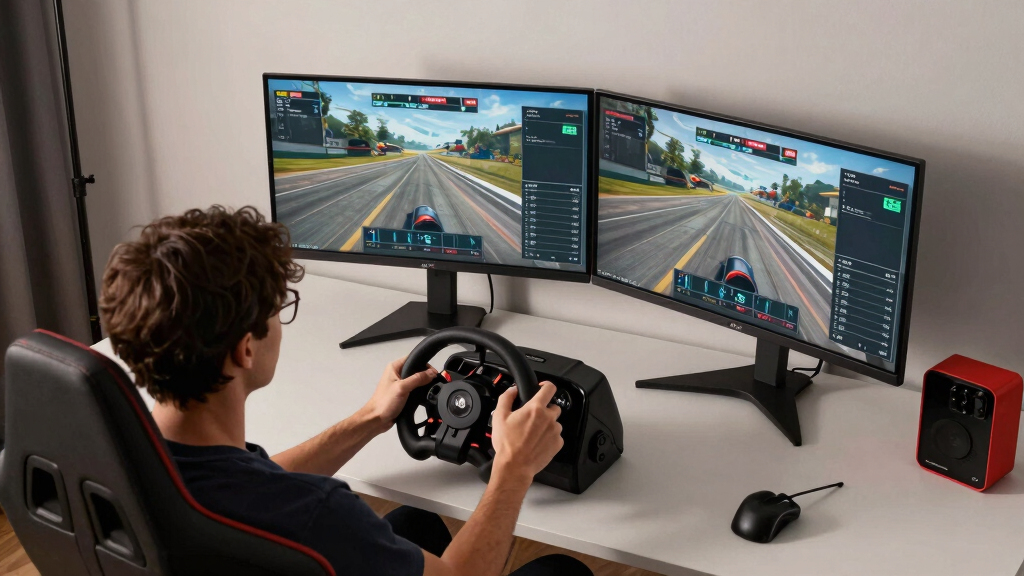

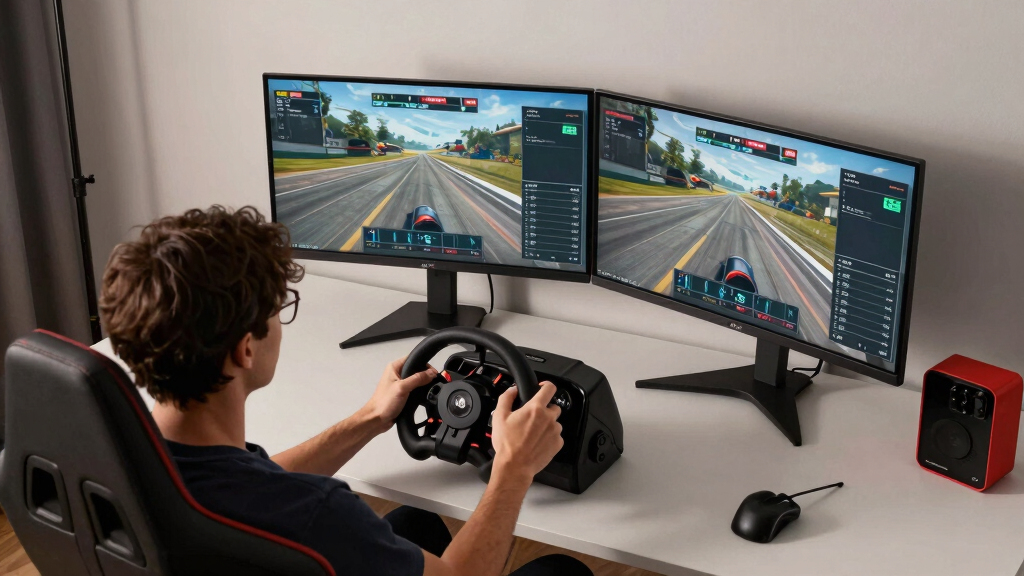
For the best ultrawide monitor for sim racing, I rank the Samsung 57-inch Odyssey Neo G9 G95NC first because its vast Dual 4K screen offers the strongest mix of cockpit immersion, image detail, and speed. The Samsung Odyssey G93SC is my OLED alternative for richer contrast and exceptionally fast motion, while the LG 34G630A-B delivers 240Hz performance in a more practical 34-inch format. The main tradeoffs are screen coverage versus GPU demand, OLED image quality versus burn-in risk, and racing-focused speed versus everyday versatility. Buyers also need to match the monitor’s dimensions and curvature to their cockpit rather than choosing by diagonal size alone. Continue reading for the full breakdown of which model best fits each type of sim racer.

Play games on Amazon Luna for your game nights, included with Prime
- A rotating selection of games, no download needed
- Play on TV, laptop or phone
- Fast, free delivery for your gear, too
Complete the kit



Key Takeaways
- The Samsung 57-inch Odyssey Neo G9 G95NC ranks first because no other model here combines its horizontal coverage, Dual 4K detail, 240Hz ceiling, and Mini-LED HDR without OLED burn-in concerns.
- The Samsung Odyssey G93SC is the stronger OLED choice for panoramic racing, but its lower vertical resolution than the 57-inch Neo G9 and greater care around static interface elements keep it out of first place.
- The LG 34G630A-B offers the best performance value: its 240Hz refresh rate makes it more racing-focused than the 100Hz LG 34WR55QK-B and ViewFinity S50GC without requiring space for a 49-inch display.
- The LG 34WR55QK-B is the easiest beginner recommendation because its adjustable stand and moderate 34-inch footprint simplify cockpit setup, though serious competitive racers may soon want more than 100Hz.
- The lineup splits into three clear tiers: 57-inch and 49-inch screens for maximum cockpit coverage, high-refresh 34-inch gaming models for speed and practicality, and 100Hz productivity models for lower-cost or mixed-use setups.
| Samsung 57-inch Odyssey Neo G9 G95NC |  | Best Triple-Screen Alternative | Screen Size: 57 inches | Resolution: Dual 4K UHD | Refresh Rate: 240Hz | VIEW LATEST PRICE | See Our Full Breakdown |
| Samsung 40-inch Odyssey G7 G75F |  | Best 21:9 Upgrade | Screen Size: 40 inches | Resolution: 3840 x 1600 WUHD | Aspect Ratio: 21:9 | VIEW LATEST PRICE | See Our Full Breakdown |
| Alienware 34 Curved Gaming Monitor AW3425DWM |  | Best for Smaller Racing Rigs | Screen Size: 34 inches | Resolution: WQHD | Refresh Rate: 180Hz | VIEW LATEST PRICE | See Our Full Breakdown |
| Samsung 49-inch Odyssey G93SC |  | Best Overall | Screen Size: 49 inches | Resolution: DQHD | Display Technology: QD-OLED | VIEW LATEST PRICE | See Our Full Breakdown |
| LG 34WR55QK-B |  | Best Work-and-Race Hybrid | Screen Size: 34 inches | Resolution: 3440 x 1440 | Refresh Rate: 100Hz | VIEW LATEST PRICE | See Our Full Breakdown |
| Samsung 34-inch ViewFinity S50GC |  | Best Flat-Screen Pick | Screen size: 34 inches | Resolution: 3440 x 1440 Ultra WQHD | Refresh rate: 100Hz | VIEW LATEST PRICE | See Our Full Breakdown |
| Samsung 49-inch Business Curved Ultrawide LS49C954UANXZA |  | Best for Work-and-Race Setups | Screen size: 49 inches | Aspect ratio: 32:9 | Resolution: Dual QHD | VIEW LATEST PRICE | See Our Full Breakdown |
| LG 34SR60QC-W 34-inch Curved Smart Monitor |  | Best Smart Entertainment Hybrid | Screen size: 34 inches | Resolution: 3440 x 1440 QHD | Aspect ratio: 21:9 | VIEW LATEST PRICE | See Our Full Breakdown |
| LG 34G630A-B UltraGear 34-inch Curved Gaming Monitor |  | Best for Competitive Sim Racing | Screen size: 34 inches | Resolution: 3440 x 1440 WQHD | Refresh rate: 240Hz | VIEW LATEST PRICE | See Our Full Breakdown |
| Alienware AW3425DW 34-inch QD-OLED Curved Gaming Monitor |  | Best Premium 34-Inch Display | Screen size: 34.2 inches | Resolution: 3440 x 1440 WQHD | Refresh rate: 240Hz | VIEW LATEST PRICE | See Our Full Breakdown |
| ultrawide monitors for sim racing | Screen Size | Resolution | Refresh Rate | HDR |
|---|---|---|---|---|
| Samsung 57-inch Odyssey Neo G9 | 57 inches | Dual 4K UHD | 240Hz | DisplayHDR 1000 |
| Samsung 40-inch Odyssey G7 G75 | 40 inches | 3840 x 1600 WUHD | 180Hz | VESA DisplayHDR 600 |
| Alienware 34 Curved Gaming Mon | 34 inches | WQHD | 180Hz | VESA DisplayHDR 400 |
| Samsung 49-inch Odyssey G93SC | 49 inches | DQHD | 240Hz | DisplayHDR True Black 400 |
| LG 34WR55QK-B | 34 inches | 3440 x 1440 | 100Hz | HDR10 |
| Samsung 34-inch ViewFinity S50 | 34 inches | 3440 x 1440 Ultra WQHD | 100Hz | HDR10 |
| Samsung 49-inch Business Curve | 49 inches | Dual QHD | 120Hz | VESA DisplayHDR 400 |
| LG 34SR60QC-W 34-inch Curved S | 34 inches | 3440 x 1440 QHD | 100Hz | HDR10 |
| LG 34G630A-B UltraGear 34-inch | 34 inches | 3440 x 1440 WQHD | 240Hz | VESA DisplayHDR 400 |
| Alienware AW3425DW 34-inch QD- | 34.2 inches | 3440 x 1440 WQHD | 240Hz | — |
More Details on Our Top Picks
Samsung 57-inch Odyssey Neo G9 G95NC
I rank the Samsung 57-inch Odyssey Neo G9 as the strongest substitute for a multi-monitor cockpit because its Dual 4K UHD canvas provides far more peripheral track visibility than the 49-inch Odyssey G93SC. The 1000R curve also wraps more tightly around the driver, while 2,392 Mini-LED zones produce bright highlights without the OLED burn-in concern. Its 240Hz ceiling and 1ms response suit serious racing, but driving the full resolution at high frame rates demands an exceptionally powerful GPU and suitable DisplayPort 2.1 hardware. Compared with the G93SC, it offers more pixels and brighter HDR, yet the OLED model delivers faster pixel response and richer blacks. I place this below the best overall pick because its enormous footprint, hardware demands, and premium price narrow its audience.
Pros:- Dual 4K resolution provides exceptional cockpit detail and peripheral visibility
- 1000R curve creates stronger wraparound immersion than flatter 49-inch displays
- Quantum Mini-LED backlighting delivers bright HDR with 2,392 local-dimming zones
- 240Hz refresh rate supports very fluid steering and track motion
Cons:- Full-resolution high-refresh gaming requires exceptionally powerful graphics hardware
- The 57-inch body is difficult to fit on many desks and racing rigs
- High purchase price makes it excessive for casual sim racers
Best for: Dedicated cockpit owners who want triple-screen-like peripheral vision from one display and have a flagship gaming PC
Not ideal for: Racers with midrange GPUs or compact rigs, since Dual 4K gaming is demanding and the 57-inch chassis needs substantial mounting space
- Screen Size:57 inches
- Resolution:Dual 4K UHD
- Refresh Rate:240Hz
- Response Time:1ms GtG
- Display Technology:Quantum Mini-LED
- HDR:DisplayHDR 1000
- Local Dimming Zones:2,392
- Connectivity:DisplayPort 2.1, HDMI 2.1, USB hub
Our verdict“I recommend this to well-equipped cockpit builders who want maximum single-screen coverage and can afford the hardware needed to drive it.”
Samsung 40-inch Odyssey G7 G75F
The Samsung 40-inch Odyssey G7 occupies a useful middle ground for racers who find a 34-inch screen restrictive but cannot accommodate a 49-inch super-ultrawide. Its 3840 x 1600 resolution gives the dashboard and distant braking markers more definition than standard 3440 x 1440 models, while the 1000R curve brings the outer edges closer to the driver. At 180Hz, it is far better suited to fast racing than the 100Hz LG 34WR55QK-B, yet it places a lighter rendering burden on the GPU than the 57-inch Neo G9. I would choose the G93SC for wider peripheral vision and OLED contrast, but this model avoids the same panel-retention concern. The compromises are a smaller horizontal field of view than 32:9 displays, substantial desk depth, and performance that still calls for a capable graphics card.
Pros:- 40-inch 21:9 panel offers a spacious view without the width of a 49-inch model
- 3840 x 1600 resolution adds useful vertical detail for cockpit instruments
- 180Hz refresh rate and 1ms response support responsive racing
- 1000R curvature creates a pronounced wraparound view
Cons:- Provides less peripheral track visibility than 49- and 57-inch 32:9 displays
- The tight curve and large panel require considerable desk depth
- 3840 x 1600 at 180Hz still places a heavy load on midrange GPUs
Best for: PC sim racers seeking more cockpit space than a 34-inch ultrawide without moving to a huge 49- or 57-inch display
Not ideal for: Drivers seeking maximum side-window visibility, since its 21:9 format cannot match the peripheral coverage of a 32:9 monitor
- Screen Size:40 inches
- Resolution:3840 x 1600 WUHD
- Aspect Ratio:21:9
- Refresh Rate:180Hz
- Response Time:1ms GtG
- Curvature:1000R
- HDR:VESA DisplayHDR 600
- Adaptive Sync:AMD FreeSync Premium Pro
Our verdict“I see this as the balanced step-up for racers who want a larger 21:9 cockpit view without committing to super-ultrawide dimensions.”
Alienware 34 Curved Gaming Monitor AW3425DWM
I chose the Alienware AW3425DWM for racing setups where space matters but gaming performance cannot feel secondary. Its 34-inch WQHD panel is easier to position behind a wheelbase than the 40-inch Odyssey G7 or 49-inch G93SC, and 180Hz with a 1ms response keeps rapid cornering motion clean. The 1500R curve is gentler than Samsung’s 1000R designs, making it friendlier for mixed desktop use but less enveloping in a close cockpit. AMD FreeSync Premium and VESA Adaptive Sync help prevent tearing when demanding tracks cause frame-rate swings. The main loss is peripheral vision: a 34-inch 21:9 panel cannot reveal as much beside the car as either Samsung super-ultrawide. Its DisplayHDR 400 capability is modest, too, so buyers prioritizing deep contrast should examine the QD-OLED Odyssey G93SC instead.
Pros:- Compact 34-inch dimensions fit smaller wheel stands and desks
- 180Hz refresh rate delivers smoother racing than 100Hz productivity ultrawides
- FreeSync Premium and VESA Adaptive Sync reduce tearing during frame-rate changes
- 95% DCI-P3 coverage supports richer color than basic office-focused panels
Cons:- Narrower field of view than 40-, 49-, and 57-inch alternatives
- DisplayHDR 400 offers limited HDR impact compared with Mini-LED or QD-OLED
- 1500R curve produces less wraparound immersion than tighter 1000R screens
Best for: Apartment racers and desk-based wheel users who need high-refresh performance in a manageable 34-inch format
Not ideal for: Cockpit owners chasing a broad side-window view or dramatic HDR, because the 21:9 panel and DisplayHDR 400 limit both
- Screen Size:34 inches
- Resolution:WQHD
- Refresh Rate:180Hz
- Response Time:1ms
- Curvature:1500R
- Color Coverage:95% DCI-P3
- HDR:VESA DisplayHDR 400
- Adaptive Sync:AMD FreeSync Premium and VESA Adaptive Sync
Our verdict“I recommend the AW3425DWM when rig space is limited but 180Hz responsiveness remains a priority.”
Samsung 49-inch Odyssey G93SC
The Samsung 49-inch Odyssey G93SC earns my top position by combining a cockpit-filling 32:9 view with 240Hz QD-OLED performance. Its near-instant 0.03ms response gives fast-moving barriers and apexes cleaner definition than the 1ms Odyssey G7, while deep OLED blacks improve night races and shadow detail. DQHD resolution is easier to drive than the 57-inch Neo G9’s Dual 4K canvas, making high frame rates more attainable without surrendering the broad view that gives sim racing its sense of speed. The 1800R curve is less aggressive than Samsung’s 1000R alternatives, though, and some dedicated rigs may benefit from a tighter wrap. I also factor in OLED retention risk when static dashboards remain onscreen for long sessions. Despite that caveat, its blend of width, motion clarity, contrast, and adaptive-sync support is the most balanced here.
Pros:- 49-inch 32:9 format provides broad peripheral visibility without display bezels
- QD-OLED panel produces deep blacks and vivid color for day and night racing
- 240Hz refresh rate and 0.03ms response deliver exceptional motion clarity
- G-Sync compatibility and FreeSync Premium Pro support varied GPU setups
Cons:- Static HUD and dashboard elements introduce a long-term OLED retention concern
- Large 49-inch footprint requires a wide, stable desk or cockpit mount
- 1800R curve is less enveloping at close range than a 1000R panel
Best for: Enthusiast PC racers who want a wide single-screen cockpit, exceptional motion clarity, and strong night-race contrast
Not ideal for: Endurance racers worried about displaying static HUD elements for very long sessions, due to the possibility of OLED image retention
- Screen Size:49 inches
- Resolution:DQHD
- Display Technology:QD-OLED
- Refresh Rate:240Hz
- Response Time:0.03ms
- Curvature:1800R
- HDR:DisplayHDR True Black 400
- Adaptive Sync:G-Sync Compatible and FreeSync Premium Pro
- Connectivity:HDMI 2.1, DisplayPort, USB hub
Our verdict“I rank the G93SC first for racers who want the best balance of peripheral vision, attainable resolution, contrast, and speed.”
LG 34WR55QK-B
The LG 34WR55QK-B makes my list for buyers whose sim-racing display must also serve as a practical work hub. Its 3440 x 1440 canvas gives useful cockpit width, while USB-C with 65W power delivery lets a compatible laptop connect and charge through one cable. That flexibility separates it from the gaming-focused Alienware AW3425DWM, but the Alienware is plainly better for competitive driving: LG’s 100Hz refresh rate and 5ms response produce less fluid motion than 180Hz and 1ms. HDR10 support also lacks the brightness and local contrast needed for a striking HDR presentation. Height and tilt adjustment help align the screen with a wheel, and the 34-inch body fits ordinary desks more easily than either Odyssey super-ultrawide. I view this as a versatile everyday monitor that handles casual racing, not a dedicated high-speed cockpit centerpiece.
Pros:- USB-C connection supplies up to 65W for a cleaner laptop workstation
- 3440 x 1440 resolution balances workspace and manageable GPU load
- Height and tilt adjustments help position the display above a wheelbase
- 34-inch footprint is easier to accommodate than a 49-inch super-ultrawide
Cons:- 100Hz refresh rate is less fluid than the 180Hz and 240Hz alternatives
- 5ms response time is comparatively slow for competitive racing
- HDR10 support does not provide the impact of certified high-brightness or OLED HDR
Best for: Home-office users who race casually and want one 34-inch monitor for a USB-C laptop, productivity, and gaming
Not ideal for: Competitive sim racers seeking the clearest high-speed motion, since 100Hz and 5ms trail the gaming-led options
- Screen Size:34 inches
- Resolution:3440 x 1440
- Refresh Rate:100Hz
- Response Time:5ms
- HDR:HDR10
- Color Gamut:Up to 99% sRGB
- Connectivity:2 HDMI, DisplayPort, USB-C, USB ports, headphone jack
- USB-C Power Delivery:Up to 65W
- Stand Adjustments:Height and tilt
Our verdict“I would buy this for a shared work-and-racing desk, while dedicated competitors should pay more for a faster gaming monitor.”
Samsung 34-inch ViewFinity S50GC
I rank the Samsung ViewFinity S50GC as the flat-screen choice for drivers who dislike curved panels or also need a practical work display. Its 3440-by-1440 canvas provides a wider cockpit view than 16:9 monitors, while 100Hz FreeSync playback makes steering and camera movement smoother than standard 60Hz output. Compared with the LG 34G630A-B, however, its 5ms response time and lower refresh ceiling are less suited to highly competitive racing. The flat panel also creates less visual wraparound than the curved LG 34SR60QC-W. I still see strong value in its 3000:1 contrast and PIP/PBP tools for mixed work-and-racing setups. Buyers must accept modest HDR brightness, no listed speakers, and performance that favors casual simulation over esports-level speed.
Pros:- Flat 21:9 panel suits buyers who experience discomfort with curved screens
- 100Hz refresh rate and AMD FreeSync improve motion over conventional 60Hz monitors
- 3000:1 contrast supports stronger dark-scene separation
- PIP and PBP make the screen useful with multiple sources
Cons:- 5ms response time is slow beside the 1ms and 0.03ms gaming models
- HDR10 support is constrained by the modest 300 cd/m² brightness
- No built-in speakers are listed
Best for: Casual sim racers who prefer a flat 34-inch screen and need PIP or PBP features for a shared work-and-racing desk
Not ideal for: Competitive drivers seeking 180Hz or 240Hz motion clarity, or cockpit builders who want a strongly curved panoramic view
- Screen size:34 inches
- Resolution:3440 x 1440 Ultra WQHD
- Refresh rate:100Hz
- Response time:5ms
- HDR:HDR10
- Contrast ratio:3000:1
- Brightness:300 cd/m²
- Inputs:2 HDMI 2.2, 1 DisplayPort 1.2
Our verdict“I recommend this model for casual racers wanting a flat, versatile ultrawide, but speed-focused drivers should move up to the LG 34G630A-B.”
Samsung 49-inch Business Curved Ultrawide LS49C954UANXZA
I choose the Samsung LS49C954UANXZA for a cockpit that doubles as a serious workstation. Its 49-inch, 32:9 Dual QHD panel supplies far more peripheral coverage than the Samsung ViewFinity S50GC, helping a driver see mirrors and nearby cars without using a triple-monitor array. The 120Hz refresh rate is fluid enough for recreational racing, while USB-C with 90W charging, built-in speakers, and an adjustable stand reduce clutter between sessions. It is less gaming-focused than the 240Hz Samsung Odyssey G93SC, so competitive drivers sacrifice response speed and OLED-level contrast for connectivity and everyday flexibility. I also place it below the 57-inch Odyssey Neo G9 for sheer resolution. Its large footprint and moderate refresh ceiling make it a deliberate dual-purpose choice rather than the fastest cockpit display.
Pros:- 32:9 Dual QHD display offers broad peripheral visibility without three bezels
- 120Hz output is smoother than the 100Hz productivity-oriented models
- USB-C supplies up to 90W charging for compatible laptops
- Built-in speakers and an adjustable stand simplify a shared desk
Cons:- 120Hz is well below the 240Hz alternatives in the roundup
- The 49-inch chassis demands substantial horizontal space
- Business-oriented feature set may represent poor value for a racing-only cockpit
Best for: Home-office users building one 49-inch setup for weekday laptop work and recreational sim racing
Not ideal for: Dedicated esports racers who prioritize 240Hz response, or drivers whose cockpit cannot accommodate a very wide 49-inch panel
- Screen size:49 inches
- Aspect ratio:32:9
- Resolution:Dual QHD
- Refresh rate:120Hz
- HDR:VESA DisplayHDR 400
- Connectivity:DisplayPort, HDMI, USB-C, USB
- USB-C charging:Up to 90W
- Audio:Built-in speakers
- Stand:Height adjustable
Our verdict“I favor this Samsung for buyers combining laptop productivity with immersive racing, not for those chasing the fastest possible 49-inch display.”
LG 34SR60QC-W 34-inch Curved Smart Monitor
The LG 34SR60QC-W earns my smart-hybrid role because it can run streaming apps through webOS when the racing PC is off. Its 1800R curve wraps the 3440-by-1440 image around the driver more naturally than the flat Samsung ViewFinity S50GC, and 100Hz motion with built-in audio suits relaxed racing without extra speakers. Yet the LG 34G630A-B is the far stronger competition choice: it doubles the refresh rate, drops response time to 1ms, and includes FreeSync Premium. No adaptive-sync support is listed for this smart model, which may leave tearing more visible when frame rates fluctuate. I would buy it for a bedroom or multipurpose desk, not a dedicated rig. webOS, AirPlay 2, and screen sharing add convenience, but they do not compensate for its limited gaming specification when lap-time performance is the priority.
Pros:- 1800R curve improves cockpit immersion within a compact 34-inch format
- webOS provides streaming access without leaving a computer running
- Built-in speakers reduce the need for separate desktop audio
- AirPlay 2 and screen sharing support easy wireless playback
Cons:- 100Hz refresh rate falls far short of the 240Hz gaming picks
- Adaptive-sync support is not listed in the supplied product data
- Some functions require internet service, subscriptions, or a separately available Magic Remote
Best for: Apartment dwellers and bedroom racers who want one curved screen for casual simulation, streaming, and wireless media sharing
Not ideal for: PC racers with powerful graphics hardware who want adaptive sync, very low latency, or refresh rates above 100Hz
- Screen size:34 inches
- Resolution:3440 x 1440 QHD
- Aspect ratio:21:9
- Curvature:1800R
- Refresh rate:100Hz
- HDR:HDR10
- Color gamut:99% sRGB
- Smart platform:webOS23
- Connectivity:2 HDMI, 3 USB
Our verdict“I recommend this LG when entertainment features matter as much as racing, while dedicated sim drivers should choose a gaming-first model.”
LG 34G630A-B UltraGear 34-inch Curved Gaming Monitor
I place the LG 34G630A-B UltraGear ahead of the 100Hz models for drivers focused on reaction speed and clean motion. Its 240Hz refresh rate can show steering corrections and fast corner exits with much greater temporal detail, while 1ms response and FreeSync Premium help control blur and tearing. The Alienware AW3425DW matches that refresh rate and responds faster, but this LG uses a broader gaming feature mix without making QD-OLED its defining attraction. It also provides height, tilt, and swivel adjustment, unlike less flexible displays that may need a monitor arm near a wheelbase. The compromise is hardware demand: sustaining high frame rates at 3440 by 1440 requires a capable GPU. Its 15W USB-C power delivery cannot replace a typical laptop charger, and DisplayHDR 400 will not deliver the Alienware’s OLED black depth.
Pros:- 240Hz refresh rate provides highly fluid motion for fast racing
- 1ms GtG response helps reduce visible smearing
- FreeSync Premium supports smoother variable-frame-rate play
- Height, tilt, and swivel adjustments aid cockpit positioning
Cons:- A powerful GPU is needed to exploit 240Hz at 3440 x 1440
- DisplayHDR 400 cannot match QD-OLED black levels and HDR impact
- USB-C power delivery is limited to 15W
Best for: Competitive PC sim racers with a strong graphics card who want 240Hz performance in a manageable 34-inch cockpit
Not ideal for: Console-focused racers capped below the monitor’s full refresh rate, or buyers prioritizing OLED contrast over motion-focused value
- Screen size:34 inches
- Resolution:3440 x 1440 WQHD
- Refresh rate:240Hz
- Response time:1ms GtG
- HDR:VESA DisplayHDR 400
- Color gamut:95% DCI-P3
- Adaptive sync:AMD FreeSync Premium
- Connectivity:HDMI, DisplayPort, USB Type-C with 15W power delivery
- Stand adjustments:Height, tilt, swivel
Our verdict“I would choose this LG for competitive 34-inch racing when 240Hz speed matters more than the richer blacks of QD-OLED.”
Alienware AW3425DW 34-inch QD-OLED Curved Gaming Monitor
I reserve the premium 34-inch position for the Alienware AW3425DW, whose QD-OLED panel combines 240Hz speed with the deep blacks and vivid color that make night races, weather effects, and shaded cockpits more convincing. Its 0.03ms response time and three adaptive-sync standards give it a technical advantage over the 1ms LG 34G630A-B, while 99.3% DCI-P3 coverage favors richer presentation. It cannot match the Samsung Odyssey G93SC’s 49-inch peripheral span, so buyers trade panoramic width for a cockpit-friendly footprint and denser focus. I rank it as the visual-quality choice rather than the universal winner: QD-OLED commands a higher price and carries burn-in concerns with persistent HUD elements. The 1000-nit HDR peak can create striking highlights, but drivers seeking the largest field of view should choose a 32:9 model instead.
Pros:- QD-OLED panel delivers deep blacks and strong contrast for night and wet-weather racing
- 240Hz refresh rate and 0.03ms response provide exceptional motion clarity
- 99.3% DCI-P3 coverage supports rich, accurate color
- G-SYNC Compatible, FreeSync Premium Pro, and VESA AdaptiveSync support broad GPU compatibility
Cons:- Premium pricing makes it harder to justify for casual racers
- QD-OLED panels carry burn-in risk from persistent game HUDs and desktop elements
- 21:9 format provides less peripheral coverage than 49-inch 32:9 displays
Best for: Enthusiast PC racers who want 240Hz responsiveness and QD-OLED image quality without fitting a 49-inch or 57-inch display
Not ideal for: Budget-sensitive buyers, heavy desktop users worried about static-image wear, or drivers wanting the broadest possible 32:9 view
- Screen size:34.2 inches
- Resolution:3440 x 1440 WQHD
- Refresh rate:240Hz
- Response time:0.03ms
- Curvature:1800R
- Color coverage:99.3% DCI-P3
- HDR certification:VESA DisplayHDR True Black 400
- Peak HDR brightness:1000 nits
- Adaptive sync:G-SYNC Compatible, FreeSync Premium Pro, VESA AdaptiveSync
Our verdict“I recommend the AW3425DW to buyers seeking the strongest blend of OLED image quality and 240Hz speed in a compact ultrawide cockpit.”
How We Picked
I ranked these monitors around the needs of a seated sim racer rather than their appeal as general desktop displays. The largest weight went to usable field of view, followed by motion clarity and refresh rate, resolution, adaptive-sync support, and the GPU load required to drive each screen. I also examined curvature, response time, HDR hardware, panel behavior in dark scenes, and whether the stand or mounting layout works around a wheelbase. This puts the Samsung 57-inch Neo G9 ahead of smaller models because it delivers the broadest and most detailed single-screen view, while the G93SC scores higher than productivity-led 49-inch options through its faster OLED panel.
Value was judged by how much racing benefit a buyer receives, not by the lowest purchase price. I gave extra credit to monitors that offer a meaningful performance advantage without forcing an expensive cockpit or graphics-card upgrade. Build adjustment, connection flexibility, mixed-use practicality, OLED care, and long-term ownership demands also affected the order. That logic lifts the LG 34G630A-B as the performance-value pick, places the LG 34WR55QK-B in the beginner role, and reserves the Alienware AW3425DW for buyers willing to pay for premium 34-inch OLED quality.
| ultrawide monitors for sim racing | HDR | Adaptive Sync |
|---|---|---|
| Samsung 57-inch Odyssey Neo G9 | DisplayHDR 1000 | — |
| Samsung 40-inch Odyssey G7 G75 | VESA DisplayHDR 600 | AMD FreeSync Premium Pro |
| Alienware 34 Curved Gaming Mon | VESA DisplayHDR 400 | AMD FreeSync Premium and VESA Adaptive Sync |
| Samsung 49-inch Odyssey G93SC | DisplayHDR True Black 400 | G-Sync Compatible and FreeSync Premium Pro |
| LG 34WR55QK-B | HDR10 | — |
| Samsung 34-inch ViewFinity S50 | HDR10 | — |
| Samsung 49-inch Business Curve | VESA DisplayHDR 400 | — |
| LG 34SR60QC-W 34-inch Curved S | HDR10 | — |
| LG 34G630A-B UltraGear 34-inch | VESA DisplayHDR 400 | AMD FreeSync Premium |
| Alienware AW3425DW 34-inch QD- | — | G-SYNC Compatible, FreeSync Premium Pro, VESA AdaptiveSync |
Factors to Consider When Choosing Best Ultrawide Monitors For Sim Racing
I would start by matching the screen to the cockpit, graphics card, and type of racing rather than chasing the largest diagonal. A monitor that fits those three constraints will usually feel better behind the wheel than a more expensive display running at reduced settings or mounted too far away.
Match Resolution and Width to the Graphics Card
Screen width and pixel count create separate demands, and buyers often focus on only the first. A 57-inch Dual 4K monitor asks the graphics card to render far more pixels than a 34-inch 3440-by-1440 display, which can reduce frame rates even when both support 240Hz. A 49-inch Dual QHD screen sits between those formats, offering broad peripheral coverage with a lighter load than Dual 4K. A 34-inch model leaves more performance available for higher graphics settings, dense grids, weather effects, or demanding simulators. The common mistake is paying for a fast panel and then running well below its refresh range because the computer cannot feed it enough frames. I would check expected performance in the buyer’s main simulator at the monitor’s native resolution before choosing maximum span over sustainable speed.
Fit Curvature and Viewing Distance to the Cockpit
A monitor’s curvature shapes how naturally its outer edges wrap around the driver’s vision. Tighter curves suit close cockpit mounting, where they keep the sides of a super-ultrawide screen at a more even distance from the eyes. A gentler 34-inch curve is easier to share with desk work but creates less wraparound coverage. Mounting the display directly behind the wheelbase can make a smaller panel appear larger and place virtual mirrors closer to the driver’s peripheral vision. Buyers should measure cockpit width, eye-to-screen distance, and clearance above the wheel before ordering a 49-inch or 57-inch model. I would favor correct placement over raw diagonal size, since a badly positioned giant screen can feel less cohesive than a properly mounted 34-inch display.
Choose Refresh Rate Around Actual Frame Rates
A 240Hz rating has value only when paired with high frame output, but it can still improve responsiveness below the maximum through a wide adaptive-sync range. Competitive racers using reduced visual settings are more likely to benefit from 180Hz or 240Hz than players targeting cinematic detail. For slower driving, rally stages with heavy scenery, or simulators capped by processor performance, 100Hz or 120Hz may already provide a fluid result. Response-time claims also deserve context because different panel technologies can show overshoot, dark smearing, or inconsistent behavior across refresh rates. Adaptive sync helps smooth variable performance, though buyers should verify compatibility with their graphics-card brand and preferred connection. I would spend more on refresh rate after securing stable native-resolution performance, not before.
Understand OLED, Mini-LED, and Conventional LCD Tradeoffs
OLED produces the cleanest dark-scene contrast and fastest pixel response, which benefits night races and rapid steering corrections. Its weakness is the possibility of uneven wear from static timing towers, dashboards, taskbars, and telemetry overlays. Mini-LED avoids that specific ownership concern and can deliver powerful HDR highlights, though halos may appear around bright objects on dark backgrounds. Conventional LCD models cost less and suit long mixed-use sessions, but their black levels and HDR impact usually trail the premium technologies. Room lighting matters too: OLED is especially persuasive in a controlled environment, while a bright Mini-LED screen can hold up better in daylight. I would choose the panel around usage pattern and tolerance for maintenance, rather than treating one technology as the automatic winner.
Plan the Mount, Ports, and Everyday Layout
Large ultrawides can overwhelm standard stands and shallow desks, making VESA mounting capacity part of the purchase rather than an afterthought. A monitor arm must support the display’s weight, width, and forward leverage, while a cockpit mount needs enough adjustment to center the screen above the wheel shaft. DisplayPort or the correct HDMI generation may be required to reach the advertised resolution and refresh rate, so the computer’s output matters as much as the monitor’s input list. USB-C is helpful for a work laptop, but it adds little racing value unless the display also serves as a daily workstation. Built-in speakers are convenient for casual use, though headphones or separate audio usually provide clearer positional cues. I would budget for the right cable and mounting hardware alongside the screen itself.
Know When a Larger Budget Changes the Experience
Paying more is most defensible when it buys greater peripheral coverage, clearer motion, or better contrast that the rest of the setup can exploit. Moving from a 100Hz office-oriented ultrawide to a 240Hz gaming model can change steering response and motion presentation more directly than adding smart-TV features. Moving from 34 inches to 49 or 57 inches changes cockpit coverage, but it may also trigger costs for a stronger GPU, wider mount, and deeper installation area. Premium HDR matters most to racers who play in varied lighting and want headlights, sunlight, and night scenes to carry more visual range. Casual players using a midrange computer may get a more balanced result from a less expensive 34-inch screen and a future graphics upgrade. My preferred budget split gives priority to stable frame rate and secure mounting before luxury panel features.
Frequently Asked Questions
Is a 49-inch or 57-inch ultrawide better than triple monitors for sim racing?
A 49-inch or 57-inch ultrawide offers simpler setup and no bezel gaps, making it attractive for racers who want a clean single-screen cockpit. Triple monitors can provide a wider physical field of view and more flexible side angles, but they require extra outputs, more rendering power, and careful alignment. A 57-inch Dual 4K screen carries a heavy GPU load of its own, so choosing one does not automatically make performance demands modest. Game support is often easier with one ultrawide resolution, though some simulators still need field-of-view adjustment to avoid stretching at the edges. I would choose one ultrawide for convenience and triples when maximum side visibility outweighs setup complexity.
Can a graphics card realistically drive a 57-inch Dual 4K monitor at 240Hz?
Reaching 240 frames per second at the Samsung G95NC’s native resolution is difficult in demanding simulators, even with a powerful graphics card. The 240Hz ceiling still provides flexibility, since lighter titles, reduced settings, and adaptive sync can make use of frame rates well above 60Hz. Upscaling can help, but interface sharpness and image quality may vary by simulator. Buyers with midrange hardware may receive a smoother and cleaner result from a 3440-by-1440 monitor running closer to its refresh ceiling. I would treat Dual 4K at 240Hz as headroom, not a guaranteed operating point.
Is OLED burn-in a serious concern for sim racing?
Sim racing includes repeated static elements such as lap counters, timing columns, dashboards, and track maps, so OLED wear deserves more attention here than in constantly changing video. The risk depends on total hours, brightness, interface variation, and whether the monitor’s protection routines remain active. Hiding unnecessary overlays, using varied content, and allowing panel-care cycles can reduce exposure. Racers who also leave desktop windows visible for long workdays may prefer Mini-LED or conventional LCD for easier ownership. I would choose OLED for contrast and motion quality only if its care routine fits the buyer’s habits.
Is 100Hz enough for a beginner sim racing setup?
100Hz is a sensible starting point for casual racing, especially when the graphics card cannot sustain much more than 100 frames per second at ultrawide resolution. It feels smoother than a typical 60Hz display and keeps the cost of entry lower. The limitation becomes clearer in competitive racing, where faster steering inputs and rapid scenery movement can benefit from 180Hz or 240Hz. A beginner expecting to upgrade the computer soon may save money over time by buying a faster monitor now. I would pick 100Hz for budget-led or mixed-use rigs and a higher refresh rate for a racing-first setup.
Should I choose a 34-inch, 40-inch, 49-inch, or 57-inch monitor?
A 34-inch ultrawide is the easiest fit for compact cockpits, moderate graphics cards, and buyers who also need a normal desktop. A 40-inch model adds vertical and horizontal presence without demanding the width of a super-ultrawide. A 49-inch display is the sweet spot for broad single-screen coverage, while 57 inches delivers the most expansive view and the highest hardware and mounting demands. Seating distance changes the result, since a close-mounted 34-inch screen can fill more vision than a distant 49-inch panel. I would base the choice on measured cockpit space and sustainable resolution, then select the largest format that fits both.
Conclusion
For most high-end sim racing rigs, my best overall pick is the Samsung 57-inch Odyssey Neo G9 G95NC because it combines unmatched single-screen coverage with Dual 4K detail, 240Hz capability, and Mini-LED HDR. The LG 34G630A-B is the best value for racers who want 240Hz speed without the price, space, and GPU burden of a super-ultrawide. Beginners should start with the LG 34WR55QK-B, while strict budgets point toward the Samsung ViewFinity S50GC. My premium 34-inch choice is the Alienware AW3425DW, and the Alienware AW3425DWM fills the more accessible midrange role. The Samsung G93SC makes the most sense for panoramic OLED immersion, while the 40-inch Odyssey G7 suits buyers seeking a middle ground between 34-inch and 49-inch formats. For a work-and-racing station, I would choose the Samsung 49-inch Business model; for streaming and casual entertainment without a PC, the LG 34SR60QC-W has the clearest specialist role. The final choice should follow the cockpit and computer: G95NC for maximum scope, G93SC for OLED width, LG 34G630A-B for balanced speed, and LG 34WR55QK-B for an approachable first setup.
Columbus Day / Indigenous Peoples' Day Picks
long weekend sales
As an affiliate, we earn on qualifying purchases.