
The MSI RTX 5070 12G Gaming Trio OC is my best overall pick because it lands in the sweet spot for buyers who want modern NVIDIA features, strong 1440p headroom, and a cooler that makes sense for a main gaming PC. If the budget stretches higher, the PNY GeForce RTX 5080 Epic-X ARGB OC is the cleaner premium step before the oversized RTX 5090 tier. For value-focused builds, the ASUS Prime GeForce RTX 5060 Ti 16GB stands out because its 16GB frame buffer gives it more staying power than the 8GB RTX 5060 options. The main tradeoffs are simple: pay for raw speed, pay for VRAM, pay for a quieter cooler, or save money and accept tighter settings later. Keep reading for the full breakdown of which card fits each kind of buyer.

Play games on Amazon Luna for your game nights, included with Prime
- A rotating selection of games, no download needed
- Play on TV, laptop or phone
- Fast, free delivery for your gear, too
Key Takeaways
- My comparison puts the MSI Gaming Trio OC ahead of the other RTX 5070 cards because it has the broadest mix of performance class, cooling, and everyday build fit.
- I would treat the ASUS ROG Astral RTX 5090 as the speed-first pick, but its 3.8-slot body, power demand, and likely price keep it from being the best overall choice.
- The 16GB midrange cards, especially the ASUS RTX 5060 Ti 16GB and GIGABYTE RX 9060 XT 16G, make more sense than 8GB RTX 5060 cards for buyers who keep GPUs longer.
- I see the AMD RX 9070 XT and RX 9060 XT as stronger VRAM-and-raster value plays, while NVIDIA cards make the better case for DLSS 4, ray tracing, and creator apps.
- For small builds, the GIGABYTE RTX 5070 WINDFORCE OC SFF and ASUS SFF-Ready Prime RTX 5070 are the focused picks, but airflow matters more with those shorter coolers.
| ASUS ROG Astral NVIDIA GeForce RTX 5090 32GB GDDR7 OC Edition Gaming Graphics Card |  | Best Premium Graphics Card | Graphics Processor: NVIDIA GeForce RTX 5090 | Memory: 32GB GDDR7 | GPU Clock Speed: 2512 MHz | VIEW LATEST PRICE | See Our Full Breakdown |
| msi RTX 5070 12G Gaming Trio OC Graphics Card |  | Best Overall for Most Enthusiasts | Graphics Processor: NVIDIA GeForce RTX 5070 | Memory: 12GB GDDR7 | GPU Clock Speed: 2625 MHz | VIEW LATEST PRICE | See Our Full Breakdown |
| GIGABYTE GeForce RTX 5070 AERO OC 12G Graphics Card |  | Best RTX 5070 for Clean Builds | Graphics Processor: NVIDIA GeForce RTX 5070 | Memory: 12GB GDDR7 | Memory Bus Width: 192-bit | VIEW LATEST PRICE | See Our Full Breakdown |
| ASUS Prime GeForce RTX 5060 Ti 16GB GDDR7 OC Edition Graphics Card |  | Best Midrange VRAM Pick | GPU Model: NVIDIA GeForce RTX 5060 Ti | Memory: 16GB GDDR7 | OC Clock Speed: 2647 MHz | VIEW LATEST PRICE | See Our Full Breakdown |
| GIGABYTE GeForce RTX 5060 WINDFORCE OC 8G Graphics Card |  | Best Entry-Level RTX 50-Series Pick | Graphics Processor: NVIDIA GeForce RTX 5060 | Memory: 8GB GDDR7 | Memory Bus Width: 128-bit | VIEW LATEST PRICE | See Our Full Breakdown |
| GIGABYTE Radeon RX 9070 XT Gaming OC 16G Graphics Card |  | Best High-End AMD Pick | GPU Model: Radeon RX 9070 XT | Memory: 16GB GDDR6 | Interface: PCIe 5.0 | VIEW LATEST PRICE | See Our Full Breakdown |
| PNY NVIDIA GeForce RTX 5080 Epic-X ARGB OC Triple Fan Graphics Card |  | Best Overall | GPU Model: GeForce RTX 5080 | Architecture: NVIDIA Blackwell | Memory: 16GB GDDR7 | VIEW LATEST PRICE | See Our Full Breakdown |
| GIGABYTE Radeon RX 9060 XT Gaming OC 16G Graphics Card |  | Best 16GB Midrange AMD Pick | GPU Model: Radeon RX 9060 XT | Model Number: GV-R9060XTGAMING OC-16GD | Memory: 16GB GDDR6 | VIEW LATEST PRICE | See Our Full Breakdown |
| GIGABYTE GeForce RTX 5070 WINDFORCE OC SFF 12G Graphics Card |  | Best Compact NVIDIA Pick | GPU Model: GeForce RTX 5070 | Architecture: NVIDIA Blackwell | Memory: 12GB GDDR7 | VIEW LATEST PRICE | See Our Full Breakdown |
| ASUS SFF-Ready Prime NVIDIA GeForce RTX 5070 Graphics Card |  | Best SFF Feature Set | GPU Model: GeForce RTX 5070 | Architecture: NVIDIA Blackwell | Memory: 12GB GDDR7 | VIEW LATEST PRICE | See Our Full Breakdown |
| ASUS Dual NVIDIA GeForce RTX 5060 8GB GDDR7 OC Edition |  | Best Compact 1080p Pick | GPU: NVIDIA GeForce RTX 5060 | Memory: 8GB | Memory Type: GDDR7 | VIEW LATEST PRICE | See Our Full Breakdown |
More Details on Our Top Picks
ASUS ROG Astral NVIDIA GeForce RTX 5090 32GB GDDR7 OC Edition Gaming Graphics Card
I would rank the ASUS ROG Astral RTX 5090 at the top for buyers who want the most powerful card in this group and have the build to support it. Its 32GB GDDR7 memory, RTX 5090 GPU, PCIe 5.0 interface, and 8K output support make it better suited to heavy 4K gaming, creator workloads, AI tasks, and multi-display setups than the MSI RTX 5070 Gaming Trio OC or GIGABYTE RTX 5070 AERO OC. The cooling hardware is also more ambitious, with a quad-fan design, vapor chamber, and large heatsink. The tradeoff is size and practicality: the 3.8-slot body and 14.1-inch length demand a roomy case, strong airflow, and a serious power plan. This is overkill for most 1440p builds.
Pros:- 32GB GDDR7 memory gives it the most headroom in this batch
- RTX 5090 performance class suits demanding gaming and creator workloads
- Vapor chamber and large cooling system are built for sustained loads
- Multiple HDMI and DisplayPort outputs support serious display setups
Cons:- Very large 3.8-slot card will not fit many cases
- Likely needs a high-capacity power supply and careful airflow planning
- Far more expensive than RTX 5070 and RTX 5060-class picks
Best for: High-end PC builders running 4K gaming, creative rendering, AI workloads, or demanding multi-monitor setups.
Not ideal for: Compact-case builders or value-focused gamers, since the large 3.8-slot design and premium class make it excessive for simpler rigs.
- Graphics Processor:NVIDIA GeForce RTX 5090
- Memory:32GB GDDR7
- GPU Clock Speed:2512 MHz
- Memory Clock Speed:2610 MHz
- Interface:PCI-Express x16
- Display Outputs:2x HDMI 2.1b, 3x DisplayPort 2.1a
- Max Resolution:7680 x 4320
- Dimensions:14.1 x 5.9 inches
- Slot Size:3.8-slot
Bottom line: Choose this if performance matters more than price, size, or power draw.
msi RTX 5070 12G Gaming Trio OC Graphics Card
The MSI RTX 5070 12G Gaming Trio OC earns my overall pick because it sits in the sweet spot between extreme hardware and sensible performance. Compared with the ASUS ROG Astral RTX 5090, it gives up the giant 32GB memory pool and flagship-class muscle, but its RTX 5070 GPU, 12GB GDDR7 memory, 192-bit bus, and DLSS 4 support still make it a strong match for high-refresh 1440p gaming and capable 4K play. I also prefer its TRI FROZR 4 approach over simpler dual-fan designs when heat and noise matter. Against the GIGABYTE RTX 5070 AERO OC, this MSI card leans more toward cooling confidence than a cleaner visual build. The drawback is that it is still a large, premium card, so budget buyers should step down.
Pros:- RTX 5070 GPU and 12GB GDDR7 memory suit demanding 1440p gaming
- TRI FROZR 4 cooling system is built for sustained performance
- DisplayPort 2.1a and HDMI 2.1b support modern high-resolution displays
- DLSS 4 support adds useful performance scaling in supported games
Cons:- Costs more than RTX 5060-class cards
- 12GB VRAM is less future-facing than the 16GB ASUS Prime RTX 5060 Ti for some memory-heavy tasks
- Requires a roomy case and a capable power supply
Best for: Gamers and creators who want strong RTX 5070 performance without moving all the way into RTX 5090 pricing and size.
Not ideal for: Entry-level upgraders with smaller cases or modest power supplies, since this card still needs space and supporting hardware.
- Graphics Processor:NVIDIA GeForce RTX 5070
- Memory:12GB GDDR7
- GPU Clock Speed:2625 MHz
- Memory Bus Width:192-bit
- Architecture:NVIDIA Blackwell
- Cooling System:TRI FROZR 4 with STORMFORCE fans
- Display Outputs:3x DisplayPort 2.1a, 1x HDMI 2.1b
- Max Resolution:8K, 7680 x 4320
Bottom line: This is my balanced pick for buyers who want high-end speed without the full RTX 5090 commitment.
GIGABYTE GeForce RTX 5070 AERO OC 12G Graphics Card
The GIGABYTE RTX 5070 AERO OC 12G makes the most sense for builders who want RTX 5070 performance with a more build-friendly identity. Compared with the MSI RTX 5070 Gaming Trio OC, this card has the same broad class of 12GB GDDR7, 192-bit memory, PCIe 5.0 support, and 8K output capability, but the AERO line is better suited to polished white or creator-style desktops. It is also a smarter middle choice than the ASUS ROG Astral RTX 5090 when the goal is strong gaming rather than no-compromise hardware. Its WINDFORCE cooling and triple-fan layout help under load, but the 12.75-inch length still needs planning. The biggest compromise is value: buyers who do not care about aesthetics may find the GIGABYTE RTX 5060 WINDFORCE OC easier to justify.
Pros:- RTX 5070 GPU gives it stronger performance headroom than RTX 5060 models
- 12GB GDDR7 and 192-bit bus are well matched for 1440p gaming
- WINDFORCE triple-fan cooling supports heavier gaming sessions
- AERO styling fits cleaner showcase builds better than many gaming cards
Cons:- 12GB VRAM trails 16GB alternatives for some memory-heavy workloads
- Large 12.75-inch length may be tight in smaller cases
- Style-focused buyers get more from it than purely budget-focused buyers
Best for: PC builders who want strong RTX 5070 performance in a cleaner-looking desktop build.
Not ideal for: Shoppers focused only on the lowest cost per frame, since the visual design and RTX 5070 class may raise the price.
- Graphics Processor:NVIDIA GeForce RTX 5070
- Memory:12GB GDDR7
- Memory Bus Width:192-bit
- GPU Clock Speed:2600 MHz
- Memory Clock Speed:2600 MHz
- Interface:PCIe 5.0
- Cooling System:WINDFORCE cooling system
- Max Resolution:7680 x 4320
- Dimensions:12.75 x 5.11 inches
Bottom line: Pick this when RTX 5070 speed and a cleaner build aesthetic both matter.
ASUS Prime GeForce RTX 5060 Ti 16GB GDDR7 OC Edition Graphics Card
I would choose the ASUS Prime RTX 5060 Ti 16GB OC for buyers who care more about memory headroom than jumping to an RTX 5070. Its 16GB GDDR7 gives it an advantage over the MSI RTX 5070 Gaming Trio OC and GIGABYTE RTX 5070 AERO OC in raw VRAM capacity, even though those cards have the stronger RTX 5070 GPU and wider 192-bit bus. That makes this ASUS card a good fit for texture-heavy games, AI tinkering, and creator apps that benefit from more memory at a lower class of card. The 2.5-slot SFF-ready design is also more flexible than the ASUS ROG Astral RTX 5090. The tradeoff is speed: OC mode and triple fans help, but buyers chasing higher frame rates should still favor the RTX 5070 options.
Pros:- 16GB GDDR7 memory is generous for its performance tier
- OC clock up to 2647 MHz gives it added performance headroom
- 2.5-slot SFF-ready design fits more builds than larger premium cards
- Triple axial-tech fans improve cooling over simpler compact cards
Cons:- RTX 5060 Ti GPU is slower than the RTX 5070 options in this list
- 2.5-slot thickness may still be too wide for some small-form-factor cases
- OC mode may require more power and airflow than basic midrange cards
Best for: Midrange builders who want 16GB of modern VRAM for gaming, AI experiments, or creator apps without buying a flagship card.
Not ideal for: High-refresh 4K gamers, since the RTX 5060 Ti GPU class will lag behind the RTX 5070 and RTX 5090 picks.
- GPU Model:NVIDIA GeForce RTX 5060 Ti
- Memory:16GB GDDR7
- OC Clock Speed:2647 MHz
- Default Clock Speed:2617 MHz
- Architecture:NVIDIA Blackwell
- Cooling System:3x Axial-tech fans
- Interface:PCIe 5.0 x16
- Display Outputs:HDMI, DisplayPort 2.1
- Warranty:3 years
Bottom line: This is the card I would shortlist when VRAM capacity matters more than maximum GPU speed.
GIGABYTE GeForce RTX 5060 WINDFORCE OC 8G Graphics Card
The GIGABYTE RTX 5060 WINDFORCE OC 8G is the practical entry point in this batch. I would not rank it above the ASUS Prime RTX 5060 Ti 16GB for memory-heavy work, and it cannot match the MSI RTX 5070 Gaming Trio OC or GIGABYTE RTX 5070 AERO OC for higher-end gaming. Its appeal is different: the RTX 5060 GPU, DLSS 4 support, PCIe 5.0 interface, and 8GB GDDR7 memory give budget-focused builders a modern NVIDIA card without the size and cost of the premium models. The WINDFORCE cooler is a plus for daily gaming, but the 128-bit memory interface and 8GB capacity are real limits for demanding 1440p or 4K settings. This is best for sensible 1080p upgrades, not long-term max-settings ambition.
Pros:- Modern RTX 5060 GPU with NVIDIA Blackwell architecture
- 8GB GDDR7 memory is suitable for many 1080p gaming builds
- PCIe 5.0 support keeps it current with newer platforms
- WINDFORCE cooling is a stronger setup than many basic entry cards
Cons:- 8GB VRAM is limiting compared with the 16GB ASUS Prime RTX 5060 Ti
- 128-bit memory bus is less capable than the RTX 5070 cards’ 192-bit bus
- Not a strong choice for demanding 1440p or 4K gaming
Best for: Budget-conscious 1080p gamers upgrading to a current NVIDIA card with DLSS 4 support.
Not ideal for: Buyers planning 1440p ultra settings, 4K gaming, or memory-heavy creator workloads, since 8GB VRAM can become a limit.
- Graphics Processor:NVIDIA GeForce RTX 5060
- Memory:8GB GDDR7
- Memory Bus Width:128-bit
- Architecture:NVIDIA Blackwell
- AI Upscaling:DLSS 4
- Interface:PCIe 5.0
- Cooling System:WINDFORCE cooling system
- Display Outputs:DisplayPort and HDMI
Bottom line: Choose this for a cost-conscious 1080p build that still wants current RTX features.
GIGABYTE Radeon RX 9070 XT Gaming OC 16G Graphics Card
GIGABYTE Radeon RX 9070 XT Gaming OC 16G earns its spot as my AMD-first performance choice because it pairs a strong Radeon RX 9070 XT GPU with 16GB of memory and a more ambitious cooling setup than the GIGABYTE Radeon RX 9060 XT Gaming OC 16G. Compared with the PNY NVIDIA GeForce RTX 5080 Epic-X ARGB OC, it is less tied to NVIDIA-only features such as DLSS 4 and Reflex 2, so it makes less sense for buyers who prize AI frame generation above all else. The appeal here is raw AMD gaming value, thermal headroom, and a card that feels better matched to high-resolution play than the smaller RTX 5070 options. The tradeoff is clear: higher power draw and likely fan noise under load.
Pros:- Strong Radeon RX 9070 XT performance for demanding games
- 16GB GDDR6 memory gives more room for high-resolution textures
- WINDFORCE cooling with Hawk Fan and thermal gel helps manage sustained loads
- RGB lighting suits builds with a visible side panel
Cons:- Higher power consumption than midrange cards such as the RX 9060 XT
- Likely louder under heavy gaming loads than smaller, efficiency-focused cards
- Lacks NVIDIA-specific DLSS 4 and Reflex 2 features
Best for: AMD-focused gamers building a high-refresh 1440p or entry-level 4K desktop who want 16GB of VRAM and stronger cooling.
Not ideal for: Small-form-factor builders or quiet-PC buyers, since the high-end GPU and multi-fan cooling can add heat, power draw, and noise.
- GPU Model:Radeon RX 9070 XT
- Memory:16GB GDDR6
- Interface:PCIe 5.0
- Cooling System:WINDFORCE
- Fan Technology:Hawk Fan
- Thermal Material:Server-grade thermal conductive gel
- Lighting:RGB
Bottom line: Buy this if you want a powerful AMD card with 16GB of VRAM and can accept the power and noise costs.
PNY NVIDIA GeForce RTX 5080 Epic-X ARGB OC Triple Fan Graphics Card
PNY NVIDIA GeForce RTX 5080 Epic-X ARGB OC sits at the top of my ranking because it offers the strongest mix of modern gaming, creation, and AI features in this batch. Compared with the GIGABYTE Radeon RX 9070 XT Gaming OC 16G, it brings DLSS 4, NVIDIA Reflex 2 support, GDDR7 memory, and a faster 256-bit memory setup, which matters for buyers who want higher frame rates with ray tracing or AI-assisted workflows. It also has broader creator appeal than the GIGABYTE GeForce RTX 5070 WINDFORCE OC SFF 12G, thanks to the higher-tier RTX 5080 class and Studio ecosystem. The catch is size and demand: the 2.99-slot triple-fan design needs case space, and this is likely overkill for basic 1080p gaming.
Pros:- RTX 5080 performance tier is the strongest in this five-card batch
- DLSS 4 and fifth-generation Tensor Cores support advanced AI frame generation
- 16GB GDDR7 on a 256-bit bus gives strong bandwidth for demanding workloads
- Triple-fan ARGB cooler is built for sustained performance
Cons:- Large 2.99-slot card may block smaller builds or tight motherboards
- Likely costs much more than RTX 5070 and RX 9060 XT options
- Premium feature set is excessive for casual 1080p gaming
Best for: Gamers and creators who want one premium card for ray tracing, AI features, high-refresh play, and accelerated creative apps.
Not ideal for: Budget 1080p gamers or compact-case builders, since its size, price class, and power needs are aimed much higher.
- GPU Model:GeForce RTX 5080
- Architecture:NVIDIA Blackwell
- Memory:16GB GDDR7
- Memory Bus:256-bit
- Boost Speed:2775 MHz
- Interface:PCIe 5.0
- Outputs:HDMI and DisplayPort 2.1
- Slot Size:2.99-slot
- Features:DLSS 4, Reflex 2, ARGB
Bottom line: This is my pick for buyers who want the best balance of speed, NVIDIA features, and creative headroom in this group.
GIGABYTE Radeon RX 9060 XT Gaming OC 16G Graphics Card
GIGABYTE Radeon RX 9060 XT Gaming OC 16G is the card I would place below the RX 9070 XT but above entry-level 8GB options for buyers who care about memory capacity without jumping to a flagship price tier. Its 16GB GDDR6 gives it a stronger long-game argument than the GIGABYTE GeForce RTX 5070 WINDFORCE OC SFF 12G’s 12GB, especially for texture-heavy games, though the RTX 5070 counters with DLSS 4 and GDDR7. Compared with the GIGABYTE Radeon RX 9070 XT Gaming OC 16G, this is the more sensible AMD choice for midrange builds rather than maximum frame rates. The drawbacks are familiar: multi-fan noise can rise during long sessions, and the advanced cooler may come with higher power needs than leaner cards.
Pros:- 16GB GDDR6 memory is generous for its likely performance class
- WINDFORCE cooler with Hawk Fan technology supports longer gaming sessions
- PCIe 5.0 interface keeps it aligned with current platforms
- RGB lighting gives builders some visual customization
Cons:- Less powerful than the RX 9070 XT and RTX 5080 picks
- May draw more power than simpler midrange cards
- Fan noise can become more noticeable under sustained load
Best for: Midrange AMD gamers who want 16GB of VRAM for modern games without paying for an RX 9070 XT-class card.
Not ideal for: Buyers who rely on NVIDIA DLSS 4, Reflex, or CUDA-based creative tools, since this card is built around AMD’s ecosystem.
- GPU Model:Radeon RX 9060 XT
- Model Number:GV-R9060XTGAMING OC-16GD
- Memory:16GB GDDR6
- Interface:PCIe 5.0
- Cooling System:WINDFORCE
- Fan Technology:Hawk Fan
- Thermal Material:Server-grade thermal conductive gel
- Lighting:RGB
Bottom line: Pick this if you want an AMD midrange card with roomy VRAM and can live without NVIDIA’s feature stack.
GIGABYTE GeForce RTX 5070 WINDFORCE OC SFF 12G Graphics Card
GIGABYTE GeForce RTX 5070 WINDFORCE OC SFF 12G is my compact NVIDIA choice because it brings the Blackwell generation, DLSS 4, PCIe 5.0, and 12GB of GDDR7 into an SFF-ready design. Against the PNY NVIDIA GeForce RTX 5080 Epic-X ARGB OC, it gives up a higher performance tier, 16GB of VRAM, and a wider memory bus, but it is far easier to justify in a smaller case or a more restrained build. Compared with the ASUS SFF-Ready Prime NVIDIA GeForce RTX 5070, the GIGABYTE card leans on a WINDFORCE cooling system and a straightforward small-build profile rather than ASUS extras like Dual BIOS. The tradeoff is that 12GB memory may age sooner for heavy 4K textures.
Pros:- SFF-ready design fits compact desktop builds more easily
- Blackwell architecture brings current RTX features
- 12GB GDDR7 memory is faster and newer than GDDR6 alternatives
- DLSS 4 can help raise frame rates in supported games
Cons:- 12GB VRAM is less roomy than the 16GB RX 9060 XT and RX 9070 XT cards
- Lower performance ceiling than the RTX 5080
- Compact cooling can face tougher thermal limits in cramped cases
Best for: Small-form-factor PC builders who want current NVIDIA features without moving up to a large RTX 5080-class card.
Not ideal for: 4K texture-pack users and heavy creators who need more VRAM or a higher GPU tier for demanding workloads.
- GPU Model:GeForce RTX 5070
- Architecture:NVIDIA Blackwell
- Memory:12GB GDDR7
- Memory Bus:192-bit
- Interface:PCIe 5.0
- Cooling System:WINDFORCE
- Form Factor:NVIDIA SFF-ready
- Model Number:GV-N5070WF3OC-12GD
- Features:DLSS 4
Bottom line: This is the sensible NVIDIA pick for compact gaming PCs where size matters as much as speed.
ASUS SFF-Ready Prime NVIDIA GeForce RTX 5070 Graphics Card
ASUS SFF-Ready Prime NVIDIA GeForce RTX 5070 is the RTX 5070 I would pick when compact compatibility needs a little more polish. Like the GIGABYTE GeForce RTX 5070 WINDFORCE OC SFF 12G, it uses Blackwell, 12GB GDDR7, PCIe 5.0, and DLSS 4, but ASUS adds practical builder-friendly details: a 2.5-slot design, Axial-tech fans, a phase-change GPU thermal pad, and Dual BIOS. That makes it more flexible than the GIGABYTE SFF RTX 5070 for users who care about tuning behavior or fitting the card into tight but performance-minded cases. It still cannot match the PNY RTX 5080 for raw speed, and the 12GB VRAM limit makes it less appealing than 16GB cards for memory-heavy games.
Pros:- SFF-ready 2.5-slot design improves case compatibility
- Axial-tech fans and phase-change thermal pad support steadier temperatures
- Dual BIOS gives more control over card behavior
- DLSS 4 and Blackwell architecture suit modern NVIDIA gaming features
Cons:- 12GB VRAM trails the 16GB Radeon and RTX 5080 options
- RTX 5070 performance is below the PNY RTX 5080
- Feature-rich SFF design may cost more than simpler RTX 5070 cards
Best for: Enthusiast small-case builders who want RTX 5070 features plus cooling and BIOS flexibility in a 2.5-slot card.
Not ideal for: Buyers chasing premium 4K performance or workstation-heavy VRAM needs, since 12GB and RTX 5070-class power set the ceiling.
- GPU Model:GeForce RTX 5070
- Architecture:NVIDIA Blackwell
- Memory:12GB GDDR7
- Interface:PCIe 5.0
- Outputs:HDMI and DisplayPort 2.1
- Slot Size:2.5-slot
- Cooling:Axial-tech fans
- Thermal Design:Phase-change GPU thermal pad
- Warranty:3 years
Bottom line: Choose this RTX 5070 if compact fit, cooling design, and BIOS flexibility matter more than maximum frame rates.
ASUS Dual NVIDIA GeForce RTX 5060 8GB GDDR7 OC Edition
I’d place the ASUS Dual NVIDIA GeForce RTX 5060 8GB GDDR7 OC Edition as the compact choice in this lineup because it balances Blackwell features with a shorter 9-inch card body. Compared with the GIGABYTE GeForce RTX 5060 WINDFORCE OC 8G, the appeal is the ASUS cooling package: two Axial-tech fans, 0dB idle behavior, and a 2.5-slot cooler that should fit many smaller gaming PCs without feeling bare-bones. Against the ASUS Prime GeForce RTX 5060 Ti 16GB, though, the limit is clear: this card has only 8GB of VRAM, so it is better aimed at 1080p gaming, esports, and DLSS 4 assisted play than heavy 1440p texture packs. I’d skip it if the budget reaches an RTX 5070, but for compact Nvidia builds, it makes a tidy, modern pick.
Pros:- Compact 9-inch card length suits many smaller desktop builds
- DLSS 4 and Blackwell architecture give it modern Nvidia feature support
- GDDR7 memory and PCIe 5.0 keep the platform current
- Axial-tech dual-fan cooler and 0dB technology favor quieter everyday use
Cons:- 8GB VRAM can hold it back in demanding 1440p games
- Far below RTX 5070, RTX 5080, and RTX 5090 cards for high-end performance
- 2.5-slot thickness may still crowd very tight cases
Best for: Small-form-factor Nvidia buyers building a quiet 1080p gaming PC with DLSS support and modern display outputs.
Not ideal for: 1440p or 4K players using high-resolution texture packs, or creators who need 12GB to 16GB or more VRAM.
- GPU:NVIDIA GeForce RTX 5060
- Memory:8GB
- Memory Type:GDDR7
- Clock Speed:2535 MHz default, 2565 MHz OC mode
- Interface:PCI-Express x16, PCIe 5.0
- Video Outputs:3 x DisplayPort 2.1b, 1 x HDMI 2.1b
- Cooling:Dual Axial-tech fans with 0dB technology
- Size:9 x 4.8 inches, 2.5-slot design
- Warranty:3 years
Bottom line: Buy this if you want a compact, current Nvidia card for 1080p gaming without paying for midrange RTX 5070-class power.
How We Picked
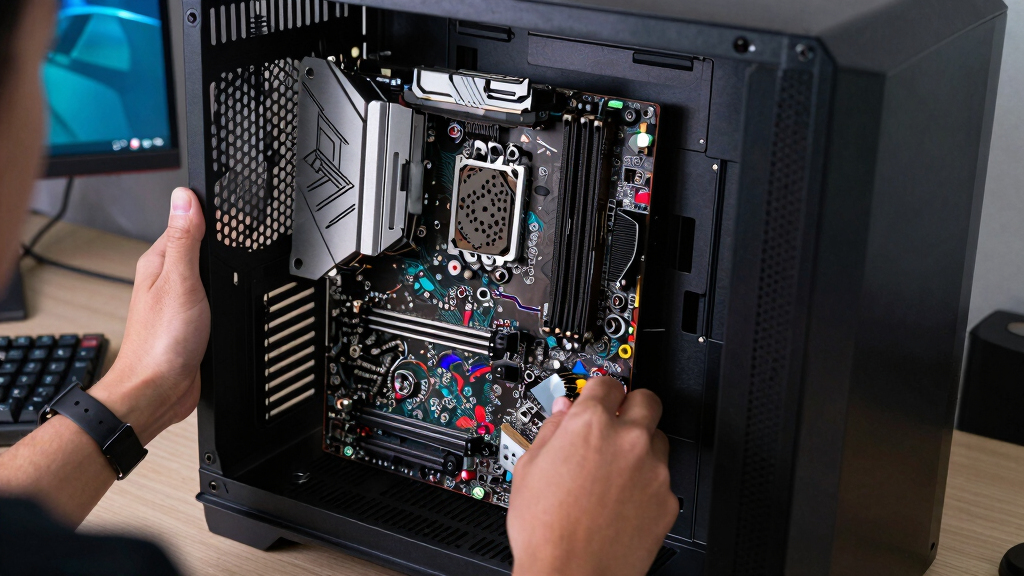
I ranked these graphics cards around the way most buyers actually choose: target resolution, VRAM headroom, cooler design, case fit, feature support, and price sanity inside each performance class. A card moved up when it offered a balanced mix rather than winning only one spec column. That is why the MSI RTX 5070 Gaming Trio OC sits ahead of the ASUS ROG Astral RTX 5090: the RTX 5090 is faster, but the MSI is easier to justify for a wider set of gaming and creator builds. The PNY RTX 5080 earns a premium slot because it offers a major step up without going all the way into the flagship size and cost bracket.
I also separated cards that look similar on paper. The ASUS RTX 5060 Ti 16GB ranks above the RTX 5060 8GB models because memory capacity can decide texture settings and longevity at 1080p and light 1440p. The GIGABYTE RX 9070 XT scores well for buyers who value raster performance and 16GB of memory, but NVIDIA cards keep an advantage for DLSS 4, ray tracing, and software support. Compact RTX 5070 options get credit for fitting smaller systems, but they sit behind larger coolers when quiet operation and sustained boost clocks matter more.
Factors to Consider When Choosing Best Graphics Cards
Before picking from this list, I would match the card to the monitor, case, power supply, and upgrade cycle. The best graphics card is rarely the fastest card by default; it is the one that gives enough performance without forcing expensive changes around it. The gap between an RTX 5070, an RTX 5080, and an 8GB RTX 5060 only makes sense once the rest of the PC is part of the decision.
Match the GPU to Your Monitor
The monitor should set the ceiling for the purchase. A 1080p 144Hz display can make an RTX 5060-class card feel fast, while a 1440p high-refresh panel asks much more from the GPU. For most buyers in this roundup, the RTX 5070 tier is the cleanest match for 1440p because it leaves room for higher settings without jumping into large, costly hardware. The RTX 5080 and RTX 5090 make more sense when the screen is 4K, ultrawide, or very high refresh. Buying too much card for a modest monitor puts money into frames the display cannot show, while buying too little creates pressure to lower textures and effects sooner.
VRAM Can Age Faster Than the GPU Core
VRAM is the spec that often decides how graceful a card feels after a few years. The 16GB cards in this list have a clear long-term angle because modern games can punish 8GB cards when high-resolution textures, ray tracing, and large open worlds are combined. That does not make every 8GB option a poor buy; an ASUS Dual RTX 5060 8GB can still fit a compact, budget 1080p system. The mistake is paying near 16GB-card money for an 8GB card because the memory limit may arrive before the GPU core feels slow. For buyers who keep a card through multiple game cycles, I would lean toward 12GB as a floor and 16GB when the price gap is reasonable.
Cooling and Case Fit Change the Real Upgrade Cost
Cooler size affects noise, boost behavior, and whether the card fits at all. Large cards like the ASUS ROG Astral RTX 5090 and triple-fan RTX 5080 models have more thermal headroom, but they can crowd cables, block slots, and demand stronger case airflow. Smaller options such as the GIGABYTE RTX 5070 WINDFORCE OC SFF solve a different problem: fitting modern performance into tighter builds. The tradeoff is that smaller coolers may run louder under long gaming or rendering loads if the case is warm. Before paying for a GPU, I would check slot thickness, card length, power connector clearance, and whether the front intake fans can feed it clean air.
NVIDIA Versus AMD Is a Workflow Choice
The brand choice is not only about average frame rates. NVIDIA cards in this lineup have the stronger pitch for DLSS 4, ray tracing, streaming features, and many creator apps that are tuned around CUDA support. AMD options such as the GIGABYTE RX 9070 XT and RX 9060 XT can be the smarter buy when VRAM, raster gaming, and price-per-frame are the main priorities. If the games are mostly competitive shooters or traditional raster-heavy titles, AMD can make a lot of sense. If the PC also handles Blender, AI tools, video effects, or ray-traced single-player games, I would give NVIDIA more weight even at a higher price.
When Paying More Actually Makes Sense
Paying more is smart only when the extra money solves a specific bottleneck. A PNY RTX 5080 makes sense over an RTX 5070 if the buyer has a 4K display, wants heavier ray tracing, or needs more headroom for creator workloads. The ASUS ROG Astral RTX 5090 is different: it is for buyers who want the fastest option and are willing to design the system around it. It is easy to waste budget by chasing the largest GPU while keeping an older CPU, weak power supply, or cramped case. For most builds, I would fund the monitor, SSD, and power supply before stretching from a strong upper-midrange card to a flagship.
Frequently Asked Questions
Which graphics card should most people buy from this list?
For most buyers, I would start with the MSI RTX 5070 12G Gaming Trio OC. It sits high enough in the stack for strong 1440p gaming while avoiding the size, price, and power burden of the RTX 5080 and RTX 5090 cards. Compared with the ASUS Prime RTX 5060 Ti 16GB, it gives more performance headroom; compared with the PNY RTX 5080, it is the more balanced buy. The main reason to skip it is if the build needs a smaller card, a lower price, or true 4K flagship speed.
Is the RTX 5090 worth buying over the RTX 5080 or RTX 5070?
The ASUS ROG Astral RTX 5090 is worth it only for buyers who will use the extra speed enough to justify a huge card and a much higher platform demand. It is the pick for high-refresh 4K, heavy creator workloads, and no-compromise builds, not for value hunting. The PNY RTX 5080 is the more sensible premium step for many people because it still targets demanding play without the same extreme size class. If the monitor is 1440p, an RTX 5070 card will usually be the cleaner match.
Is 8GB of VRAM enough for a new graphics card in 2026?
8GB VRAM can still work for budget 1080p gaming, especially with adjusted texture settings and upscaling. The issue is longevity: newer games can push memory use quickly, and an 8GB card may need compromises before its core performance feels exhausted. That is why the ASUS RTX 5060 Ti 16GB and GIGABYTE RX 9060 XT 16G are stronger long-cycle buys than the RTX 5060 8GB cards. I would only choose 8GB here if price, power draw, or case fit matters more than keeping high settings for years.
Should I choose NVIDIA or AMD from this lineup?
I would choose NVIDIA if the PC will lean on ray tracing, DLSS 4, streaming features, or creator apps with CUDA support. That points buyers toward the RTX 5070, RTX 5080, and RTX 5090 options in this roundup. I would choose AMD if the priority is VRAM capacity and strong traditional gaming value, especially with the RX 9070 XT or RX 9060 XT. The split is less about brand loyalty and more about the workloads that will run on the card every week.
Which card makes the most sense for a small-form-factor PC?
For a compact build, I would look first at the GIGABYTE RTX 5070 WINDFORCE OC SFF and the ASUS SFF-Ready Prime RTX 5070. They keep the RTX 5070 performance class in play without forcing a giant 3.8-slot card into a small case. The tradeoff is thermal margin, so the case layout matters more than it would with a larger tower and a full-size triple-fan cooler. If the case has weak intake airflow, a slightly larger GPU in a better-ventilated chassis may run quieter than a technically smaller card.
Conclusion
My final split is straightforward: the MSI RTX 5070 12G Gaming Trio OC is the best overall pick, the ASUS Prime RTX 5060 Ti 16GB is the best value-minded choice, and the ASUS ROG Astral RTX 5090 is the premium pick for buyers chasing the fastest card in this group. Beginners building around 1080p should look at the ASUS Dual RTX 5060 8GB only if the price is clearly lower than the 16GB options. For compact systems, the GIGABYTE RTX 5070 WINDFORCE OC SFF and ASUS SFF-Ready Prime RTX 5070 are the right shortlist, while the PNY RTX 5080 is my pick for buyers who want a serious 4K step without going straight to the RTX 5090. If value and VRAM matter more than NVIDIA features, the GIGABYTE RX 9070 XT and RX 9060 XT are the AMD cards I would keep on the final comparison sheet.
Fall Picks
fall essentials
As an affiliate, we earn on qualifying purchases.