
The AMD Ryzen 7 9800X3D is my best overall gaming CPU because its gaming-focused cache design delivers elite frame rates without the extra cores and cost aimed at heavy production work. The Ryzen 5 9600X is my value pick for a balanced new build, while the Ryzen 9 9950X3D is the premium choice for buyers who game, stream, and handle demanding creative workloads on the same PC. The main tradeoffs are gaming speed versus multicore power, current price versus platform longevity, and raw performance versus cooling requirements. Older AM4 and LGA1700 processors can still make sense when they reuse an existing motherboard, but they are less compelling as the foundation of an entirely new system. Keep reading for my full breakdown of the best gaming CPUs and the buyer each one suits.

Play games on Amazon Luna for your game nights, included with Prime
- A rotating selection of games, no download needed
- Play on TV, laptop or phone
- Fast, free delivery for your gear, too
Complete the kit



Key Takeaways
- The Ryzen 7 9800X3D takes first place because it focuses spending on gaming performance rather than adding cores that most games cannot fully use.
- The Ryzen 9 9950X3D earns the premium position for mixed gaming and production workloads, but gaming-only buyers can save money with the 9800X3D.
- The Ryzen 5 9600X offers the strongest new-build value in this lineup, pairing capable gaming speed with the more upgrade-friendly AM5 platform.
- The Ryzen 5 5500 is the beginner budget pick, though its older platform, PCIe limitations, and lower performance ceiling make it better for modest graphics cards.
- Older high-core-count chips are highly price-dependent: the Ryzen 9 5900X and Intel Core i7-12700K can be smart drop-in upgrades, while the 3900X, 12900KF, and 12900KS need steep discounts to outrank newer choices.
| AMD Ryzen 9 5900X 12-Core Desktop Processor |  | Best AM4 Upgrade | Processor series: AMD Ryzen 9 | Core count: 12 cores | Thread count: 24 threads | VIEW LATEST PRICE | See Our Full Breakdown |
| Intel Core i7-14700K Desktop Processor with 20 Cores and Integrated Graphics | 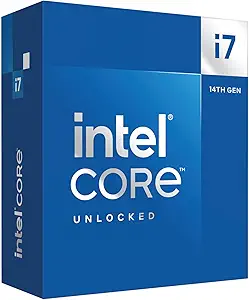 | Best Intel All-Rounder | Processor series: Intel Core i7 | Core configuration: 20 cores (8 P-cores and 12 E-cores) | Thread count: 28 threads | VIEW LATEST PRICE | See Our Full Breakdown |
| AMD Ryzen 9 9950X3D 16-Core Processor |  | Best Premium Gaming and Creation CPU | Core count: 16 cores | Base clock: 4.3 GHz | Maximum boost clock: Up to 5.7 GHz | VIEW LATEST PRICE | See Our Full Breakdown |
| Intel Core i9-12900KF Gaming Desktop Processor |  | Best for Existing 600-Series Builds | Processor series: Intel Core i9 | Core configuration: 16 cores (8 P-cores and 8 E-cores) | Maximum clock speed: Up to 5.2 GHz | VIEW LATEST PRICE | See Our Full Breakdown |
| AMD Ryzen 9 3900X 12-Core, 24-Thread Desktop Processor with Wraith Prism LED Cooler |  | Best Cooler-Included AM4 Package | Core count: 12 cores | Thread count: 24 threads | Base clock: 3.8 GHz | VIEW LATEST PRICE | See Our Full Breakdown |
| Intel Core Ultra 9 285K |  | Best for Gaming and Creation | Cores: 24 (8 P-cores + 16 E-cores) | Threads: 24 | Maximum Clock: Up to 5.7 GHz | VIEW LATEST PRICE | See Our Full Breakdown |
| Intel Core i9-12900KS |  | Best for 12th-Gen Flagship Upgrades | Processor Series: Intel Core i9 | Cores: 16 | Threads: 24 | VIEW LATEST PRICE | See Our Full Breakdown |
| Intel Core i7-12700K |  | Best LGA1700 Value | Cores: 12 (8 P-cores + 4 E-cores) | Base Clock: 3.6 GHz | Maximum Turbo: Up to 5.0 GHz | VIEW LATEST PRICE | See Our Full Breakdown |
| AMD Ryzen 7 7800X3D |  | Best Cache-First Gaming Pick | Cores: 8 | Threads: 16 | Base Clock: 4.2 GHz | VIEW LATEST PRICE | See Our Full Breakdown |
| AMD Ryzen 5 9600X |  | Best Midrange AM5 Pick | Cores: 6 | Threads: 12 | Maximum Boost Frequency: 5.4 GHz | VIEW LATEST PRICE | See Our Full Breakdown |
| AMD Ryzen 5 5500 6-Core Unlocked Desktop Processor with Wraith Stealth Cooler |  | Best Budget AM4 Upgrade | Processor Series: AMD Ryzen 5 | Core Count: 6 | Thread Count: 12 | VIEW LATEST PRICE | See Our Full Breakdown |
| AMD Ryzen 7 9800X3D 8-Core, 16-Thread Desktop Processor |  | Best Gaming-First Performance | Architecture: AMD Zen 5 | Core Count: 8 | Thread Count: 16 | VIEW LATEST PRICE | See Our Full Breakdown |
| AMD Ryzen 9 9900X 12-Core, 24-Thread Unlocked Desktop Processor |  | Best for Gaming and Content Creation | Processor Series: AMD Ryzen 9 | Core Count: 12 | Thread Count: 24 | VIEW LATEST PRICE | See Our Full Breakdown |
| gaming CPU | Socket | Cache |
|---|---|---|
| AMD Ryzen 9 5900X 12-Core Desk | AM4 | 64 MB |
| Intel Core i7-14700K Desktop P | LGA1700 | 33 MB |
| AMD Ryzen 9 9950X3D 16-Core Pr | AM5 | — |
| Intel Core i9-12900KF Gaming D | LGA1700 | — |
| AMD Ryzen 9 3900X 12-Core | AM4 | 70 MB |
| Intel Core Ultra 9 285K | — | 40 MB |
| Intel Core i9-12900KS | LGA1700 | 30 MB L3, 14 MB L2 |
| Intel Core i7-12700K | LGA1700 | 25 MB L3 |
| AMD Ryzen 7 7800X3D | — | — |
| AMD Ryzen 5 9600X | AM5 | 38 MB |
| AMD Ryzen 5 5500 6-Core Unlock | AM4 | — |
| AMD Ryzen 7 9800X3D 8-Core | AM5 | — |
| AMD Ryzen 9 9900X 12-Core | AM5 | 76 MB |
More Details on Our Top Picks
AMD Ryzen 9 5900X 12-Core Desktop Processor
I rank the AMD Ryzen 9 5900X as the Best AM4 Upgrade because its 12 cores, 24 threads, and 4.8 GHz boost provide ample gaming speed while leaving room for streaming and background workloads. Compared with the Ryzen 9 3900X, it raises the maximum boost from 4.6 GHz to 4.8 GHz, making it the stronger choice when frame rates matter more than getting a bundled cooler. It also draws less rated power than the 125W Core i7-14700K, though Intel’s chip offers more cores and newer memory choices. The tradeoff is platform age: AM4 and DDR4 limit the future upgrade path. A separate cooling purchase also reduces its value for a fresh build, but for an existing AM4 system, its balanced gaming and multitasking capacity remains compelling.
Pros:- 12 cores and 24 threads provide ample capacity for gaming, streaming, and demanding background tasks
- 4.8 GHz maximum boost is higher than the Ryzen 9 3900X
- Unlocked multiplier supports performance tuning
- Fits established AM4 systems with DDR4-3200 memory support
Cons:- AM4 and DDR4 offer less room for future upgrades than newer platforms
- No cooling solution is included
- 105W rating calls for capable cooling and motherboard power delivery
Best for: AM4 desktop owners who want stronger gaming and streaming performance without replacing their DDR4 memory and motherboard
Not ideal for: New-system builders seeking a long platform upgrade path, DDR5 support, or an included cooling solution
- Processor series:AMD Ryzen 9
- Core count:12 cores
- Thread count:24 threads
- Base clock:3.7 GHz
- Maximum boost clock:4.8 GHz
- Socket:AM4
- Cache:64 MB
- Rated power:105W
- Memory support:DDR4-3200
Our verdict“This is my preferred upgrade for an established AM4 gaming PC when replacing the whole platform would add too much cost.”
Intel Core i7-14700K Desktop Processor with 20 Cores and Integrated Graphics
The Intel Core i7-14700K earns my Best Intel All-Rounder role by combining eight performance cores, 12 efficiency cores, and a 5.6 GHz ceiling. That layout gives a gaming PC substantial capacity for streaming, recording, and productivity without stepping up to a costlier flagship class. Against the Core i9-12900KF, it supplies four additional cores, eight additional threads, a higher peak clock, and integrated UHD Graphics 770 for setup or graphics-card troubleshooting. Its support for either DDR4 or DDR5 also lets buyers prioritize reuse or newer memory. The drawbacks center on power and compatibility: the 125W rating calls for serious cooling, and some 600-series boards may need a BIOS update. Compared with the Ryzen 9 9950X3D, it lacks 3D V-Cache, but its flexible platform choices make it easier to tailor around a budget.
Pros:- 20-core hybrid design handles gaming and demanding parallel workloads
- Up to 5.6 GHz clock speed supports high-frame-rate gaming
- Works with DDR4 or DDR5 memory
- Integrated UHD Graphics 770 aids initial setup and troubleshooting
Cons:- 125W rating demands capable cooling, with higher draw possible under heavy workloads
- Requires an LGA1700 motherboard with a compatible 600- or 700-series chipset
- Some older compatible boards may require a BIOS update
Best for: Intel-focused gamers who also stream, edit, or run heavily threaded applications and want a choice between DDR4 and DDR5
Not ideal for: Small-form-factor builders or quiet-PC buyers who cannot accommodate strong cooling and substantial power delivery
- Processor series:Intel Core i7
- Core configuration:20 cores (8 P-cores and 12 E-cores)
- Thread count:28 threads
- Maximum clock speed:Up to 5.6 GHz
- Socket:LGA1700
- Cache:33 MB
- Rated power:125W
- Memory support:DDR4 and DDR5
- Integrated graphics:Intel UHD Graphics 770
Our verdict“I recommend this to Intel gamers who want one processor for high-refresh play, streaming, and serious productivity without moving to the highest-priced tier.”
AMD Ryzen 9 9950X3D 16-Core Processor
I place the AMD Ryzen 9 9950X3D in the Best Premium Gaming and Creation slot because it pairs 16 cores with 3D V-Cache and a boost clock reaching 5.7 GHz. The enlarged 144 MB installed cache is aimed at keeping game data close to the processor, while the core count gives creators far more parallel capacity than the eight-core Ryzen 7 7800X3D. It also offers a more gaming-focused cache design than the Core i7-14700K, though Intel’s DDR4 support can make a platform change less expensive. The 9950X3D carries heavy supporting requirements: its 170W rating demands robust cooling, and moving to AM5 may mean buying a motherboard and compatible memory. Buyers focused only on gaming may find 16 cores excessive. I reserve this dual-purpose flagship for people who want elite gaming credentials without giving up workstation-class capacity.
Pros:- 3D V-Cache is designed to improve gaming performance in cache-sensitive titles
- 16 cores provide substantial capacity for creation and production workloads
- Maximum boost clock reaches 5.7 GHz
- 144 MB of installed cache supports data-heavy gaming workloads
Cons:- 170W rating requires a strong cooling solution and capable power delivery
- AM5 adoption may add motherboard and memory costs
- Sixteen cores can be excessive for a system used only for gaming
Best for: Enthusiast gamers who also render, encode, compile, or create content and want one premium processor for both workloads
Not ideal for: Gaming-only buyers who would leave much of the 16-core capacity unused or builders without room for a robust cooler
- Core count:16 cores
- Base clock:4.3 GHz
- Maximum boost clock:Up to 5.7 GHz
- Socket:AM5
- Cache technology:AMD 3D V-Cache
- Installed cache:144 MB
- Secondary cache:16 MB
- Rated power:170W
Our verdict“This is my premium pick for buyers who refuse to choose between a high-end gaming processor and a serious creation CPU.”
Intel Core i9-12900KF Gaming Desktop Processor
The Intel Core i9-12900KF is my Best for Existing 600-Series Builds pick, especially for buyers who already own an LGA1700 board and discrete graphics card. Its eight performance cores and eight efficiency cores divide foreground gaming from parallel background work, while the unlocked design leaves room for tuning. Yet its position depends on platform reuse. The Core i7-14700K is the stronger fresh-build option, with 20 cores, 28 threads, a 5.6 GHz ceiling, and integrated graphics; the 12900KF stops at 16 cores and 5.2 GHz. The KF suffix also means there is no integrated graphics fallback, so the PC cannot display an image without a graphics card. Add the 125W rating and cooler requirement, and this is no low-heat option. I favor it when reusing compatible Intel hardware matters more than obtaining the newest core configuration.
Pros:- Sixteen-core hybrid layout supports gaming alongside background workloads
- Maximum clock speed reaches 5.2 GHz
- Unlocked multiplier permits overclocking
- Compatible with selected Intel 600- and 700-series motherboards
Cons:- No integrated graphics, so a discrete GPU is mandatory
- Falls behind the Core i7-14700K in core count and maximum clock speed
- 125W rating requires strong cooling and suitable motherboard power delivery
Best for: Owners of compatible Intel 600- or 700-series motherboards who already have a discrete GPU and want a high-core-count gaming upgrade
Not ideal for: First-time builders who need integrated graphics or buyers who can obtain the newer Core i7-14700K within a similar system budget
- Processor series:Intel Core i9
- Core configuration:16 cores (8 P-cores and 8 E-cores)
- Maximum clock speed:Up to 5.2 GHz
- Socket:LGA1700
- L3 cache:30 MB
- Rated power:125W
- Architecture:Intel 7
- Overclocking support:Unlocked
- Integrated graphics:None
Our verdict“I would choose this for an existing LGA1700 system with discrete graphics, but the Core i7-14700K makes more sense for many new builds.”
AMD Ryzen 9 3900X 12-Core, 24-Thread Desktop Processor with Wraith Prism LED Cooler
I give the AMD Ryzen 9 3900X the Best Cooler-Included AM4 Package role because it combines 12 cores and 24 threads with a Wraith Prism LED cooler. That bundled cooler lowers the number of parts needed to finish an AM4 build, a practical advantage over the cooler-free Ryzen 9 5900X. Gaming performance is the compromise: the 3900X peaks at 4.6 GHz, while the 5900X reaches 4.8 GHz and is the more attractive AM4 choice for buyers chasing higher frame rates. The older chip still has enough parallel capacity for gaming, streaming, and production work, but casual players may never use all 24 threads. AM4 and DDR4-3200 also offer limited forward expansion compared with the AM5-based Ryzen 9 9950X3D. I see its value in a complete, self-contained upgrade, not in building the fastest gaming system available.
Pros:- 12 cores and 24 threads support streaming and demanding parallel workloads
- Wraith Prism LED cooler is included
- Unlocked design permits overclocking
- 70 MB cache and DDR4-3200 support suit established AM4 systems
Cons:- Lower 4.6 GHz boost clock than the Ryzen 9 5900X
- Older AM4 platform provides limited future expansion
- Twelve cores may be unnecessary for buyers focused on casual gaming
Best for: AM4 builders who want 12-core multitasking capacity and a usable RGB cooler included in the package
Not ideal for: High-refresh competitive gamers who prioritize maximum gaming speed over the included cooler and extra threaded capacity
- Core count:12 cores
- Thread count:24 threads
- Base clock:3.8 GHz
- Maximum boost clock:4.6 GHz
- Socket:AM4
- Cache:70 MB
- Memory support:DDR4-3200
- Included cooler:Wraith Prism LED Cooler
- Overclocking support:Unlocked
Our verdict“I recommend this as a convenient AM4 package when an included cooler and heavy multitasking matter more than getting the platform’s strongest gaming speed.”
Intel Core Ultra 9 285K
I rank the Intel Core Ultra 9 285K as the strongest gaming-and-creation hybrid in this group. Its 24-core hybrid design gives streamers, video editors, and heavy multitaskers more processing headroom than the AMD Ryzen 7 7800X3D or Ryzen 5 9600X. Support for PCIe 5.0 and a clock ceiling of 5.7 GHz also suits a high-end build with fast storage and a powerful graphics card. Pure gamers should pause, though: the 7800X3D’s 96 MB L3 cache is tailored more directly to gaming, while the 285K’s extra cores earn their keep in work beyond play. I place it here for its broad workload strength, not value. An 800-series motherboard, substantial cooling, and potentially high power use raise the full-system cost.
Pros:- Twenty-four cores provide ample capacity for gaming alongside demanding creative workloads
- Up to 5.7 GHz supports strong performance in lightly threaded games
- PCIe 5.0 and PCIe 4.0 support suit modern graphics cards and storage
- Integrated graphics provide a useful display and troubleshooting fallback
Cons:- Requires an Intel 800-series motherboard, adding platform cost
- No thermal solution is included
- Cooling and power demands can make the full build expensive
Best for: PC gamers who also stream, edit video, render, or run heavily threaded applications
Not ideal for: Buyers building solely for gaming, since an X3D processor can offer a more focused performance-to-cost balance
- Cores:24 (8 P-cores + 16 E-cores)
- Threads:24
- Maximum Clock:Up to 5.7 GHz
- Cache:40 MB
- Architecture:Performance Hybrid Architecture
- Chipset Compatibility:Intel 800 series
- Graphics:Integrated Intel Graphics
- Expansion Support:PCIe 5.0 and PCIe 4.0
Our verdict“I recommend the Core Ultra 9 285K to gamers who need workstation-class multitasking more than a narrowly gaming-focused CPU.”
Intel Core i9-12900KS
I reserve the Intel Core i9-12900KS for buyers who already own a suitable LGA1700 board and want a high-clocked 12th-generation flagship. Its 16 cores and 24 threads give gaming, streaming, and background tasks more room than the Core i7-12700K, while its 5.5 GHz overclocking ceiling is higher. That advantage comes at a steep price in heat and power: the 150 W rating calls for serious cooling, and newer processors provide a better foundation for a fresh build. The Core i9-12900KF can also be a smarter gaming purchase when integrated graphics are unnecessary. I rank the KS below newer flagships because its aging platform limits long-term appeal, but its Intel UHD 770 graphics and peak frequency still make sense for a targeted drop-in upgrade.
Pros:- Sixteen cores and 24 threads handle gaming and simultaneous background workloads well
- Up to 5.5 GHz overclocking ceiling favors high-frame-rate gaming
- Intel UHD 770 graphics can run displays or help diagnose graphics-card problems
- LGA1700 compatibility supports upgrades to existing 600- or 700-series systems
Cons:- The 150 W rating demands capable cooling and a strong power supply
- Older platform offers less future upgrade flexibility than AM5 or Intel 800-series systems
- Flagship pricing can be difficult to justify over the Core i7-12700K or Core i9-12900KF
Best for: LGA1700 system owners seeking the fastest listed 12th-generation Core i9 with integrated graphics
Not ideal for: Fresh-system builders who can choose a newer platform with a longer upgrade path and lower cooling burden
- Processor Series:Intel Core i9
- Cores:16
- Threads:24
- Base Clock:2.5 GHz
- Maximum Overclock:Up to 5.5 GHz
- Cache:30 MB L3, 14 MB L2
- Socket:LGA1700
- Graphics:Intel UHD 770
- Processor Base Power:150 W
Our verdict“I would choose the Core i9-12900KS as a specialized LGA1700 upgrade, not as the foundation of a new gaming PC.”
Intel Core i7-12700K
The Intel Core i7-12700K takes my LGA1700 value role because its 8 performance cores and 4 efficiency cores remain a practical match for gaming, streaming, and everyday multitasking. Compared with the Core i9-12900KS, it gives up four cores and some peak clock speed, but its lower platform entry cost can leave more money for the graphics card—the component that often changes gaming performance most. A 5.0 GHz turbo ceiling and 25 MB L3 cache keep it relevant for high-refresh play, while Intel UHD 770 adds a helpful backup display option. I would not choose it over the Ryzen 5 9600X for a completely new, upgrade-minded system; LGA1700 has a more limited future. Its 125 W power rating and cooling needs also weaken the bargain, yet broad 600- and 700-series compatibility makes upgrades flexible.
Pros:- Eight performance cores and four efficiency cores balance gaming with multitasking
- Up to 5.0 GHz turbo speed remains suitable for high-refresh gaming
- Works with a broad selection of Intel 600- and 700-series motherboards
- Intel UHD 770 graphics add display output without a discrete graphics card
Cons:- LGA1700 offers a shorter future upgrade path than AM5
- A 125 W power rating calls for a capable aftermarket cooler
- Slower in heavily threaded work than the Core i9-12900KS and newer high-core-count chips
Best for: Value-focused gamers who already own an LGA1700 motherboard or can buy a discounted 600- or 700-series platform
Not ideal for: New-build buyers who want several future CPU upgrade generations on the same motherboard
- Cores:12 (8 P-cores + 4 E-cores)
- Base Clock:3.6 GHz
- Maximum Turbo:Up to 5.0 GHz
- Cache:25 MB L3
- Socket:LGA1700
- Chipset Compatibility:Intel 600 and 700 series
- Integrated Graphics:Intel UHD 770
- Processor Base Power:125 W
- Process:Intel 7
Our verdict“I recommend the Core i7-12700K when discounted LGA1700 pricing matters more than having the newest platform.”
AMD Ryzen 7 7800X3D
I give the AMD Ryzen 7 7800X3D the cache-first gaming role because its 96 MB L3 cache is built to keep game data close to the cores, helping frame rates without relying on a huge core count. It is a more focused gaming choice than the Core Ultra 9 285K: eight cores and 16 threads are plenty for play and streaming, but the Intel chip is better suited to rendering and other heavily threaded work. The newer Ryzen 7 9800X3D is the stronger target for buyers chasing the latest X3D design, leaving this model most appealing when discounted. I rank it above conventional midrange CPUs for gaming specialization, though its 89°C thermal ceiling, separate cooler requirement, and AM5 platform expense affect build planning. Its basic Radeon graphics are useful for setup, not a substitute for a gaming GPU.
Pros:- Ninety-six megabytes of L3 cache directly supports cache-sensitive game performance
- Eight cores and 16 threads provide a balanced gaming and streaming configuration
- Five-nanometer construction supports strong performance from a compact core design
- Integrated Radeon graphics help with initial setup and troubleshooting
Cons:- Eight cores trail higher-core-count processors in demanding production workloads
- A cooler is not included, increasing the completed-build price
- AM5 motherboard and DDR5 costs may outweigh its appeal when it is not discounted
Best for: Frame-rate-focused gamers buying a discounted AM5 X3D processor for use with a discrete graphics card
Not ideal for: Creators whose rendering or production software benefits more from 12, 16, or 24 CPU cores
- Cores:8
- Threads:16
- Base Clock:4.2 GHz
- L2 Cache:8 MB
- L3 Cache:96 MB
- Graphics Frequency:2200 MHz
- Maximum Operating Temperature:89°C
- Process Technology:5 nm
Our verdict“I would buy the Ryzen 7 7800X3D for a gaming-first AM5 build when it costs meaningfully less than the Ryzen 7 9800X3D.”
AMD Ryzen 5 9600X
I rank the AMD Ryzen 5 9600X as the midrange AM5 pick for gamers who would rather direct their budget toward a faster graphics card. Its six cores and 12 threads cannot match the Ryzen 7 7800X3D’s cache-heavy design in CPU-limited games, yet a 5.4 GHz boost clock and DDR5-5600 support give it a strong base for mainstream high-frame-rate play. Unlike the Core i7-12700K, it also places the buyer on AMD’s newer AM5 socket, which is more attractive for a later processor swap. The tradeoff is reduced capacity for streaming, rendering, and heavy background work compared with eight-core or higher models. I also factor in the missing boxed cooler and the cost of a compatible motherboard. For a balanced gaming budget, though, its unlocked multiplier adds tuning flexibility without flagship CPU pricing.
Pros:- Up to 5.4 GHz boost frequency supports high-frame-rate gaming
- AM5 socket provides a more attractive upgrade base than LGA1700
- DDR5-5600 support supplies modern memory bandwidth
- Unlocked design allows manual performance tuning
Cons:- Six cores provide less multitasking headroom than the Ryzen 7 7800X3D or Core i7-12700K
- No cooler is included, adding to the build cost
- A compatible AM5 motherboard and DDR5 memory are required
Best for: Midrange gaming-PC builders pairing an AM5 processor with a strong discrete graphics card and planning a later CPU upgrade
Not ideal for: Heavy streamers and content creators who regularly need more than six cores for simultaneous workloads
- Cores:6
- Threads:12
- Maximum Boost Frequency:5.4 GHz
- Cache:38 MB
- Memory Support:DDR5-5600
- Socket:AM5
- Overclocking:Unlocked
- Included Cooler:None
Our verdict“I recommend the Ryzen 5 9600X for a sensible AM5 gaming build where graphics-card spending takes priority over extra CPU cores.”
AMD Ryzen 5 5500 6-Core Unlocked Desktop Processor with Wraith Stealth Cooler
I rank the AMD Ryzen 5 5500 as my Best Budget AM4 Upgrade because it preserves an existing motherboard-and-memory investment while supplying six cores and 12 threads for mainstream gaming. Compared with the AMD Ryzen 5 9600X, the 5500 uses the older AM4 platform and DDR4 memory, so it offers less room for future upgrades. The 9600X makes more sense for a new system, while this chip suits a PC that already has compatible parts. Its included Wraith Stealth cooler also reduces the number of components needed for a working build. The compromises are a modest 4.2GHz boost ceiling and no integrated graphics, which makes a discrete GPU mandatory. I would choose it for an economical AM4 refresh, but not as the foundation of a premium long-term build.
Pros:- Six cores and 12 threads provide solid capacity for mainstream gaming and background applications
- Unlocked multiplier permits CPU tuning on a suitable motherboard
- Included Wraith Stealth cooler lowers the initial build cost
- 65W rating makes cooling and power requirements relatively manageable
Cons:- No integrated graphics, so the system cannot produce a display output without a discrete GPU
- AM4 and DDR4 support offer less upgrade headroom than newer AM5 systems
- The 4.2GHz maximum boost trails newer gaming-focused processors
Best for: I recommend it to budget gamers upgrading an existing AM4 desktop with DDR4 memory and a discrete graphics card.
Not ideal for: I would skip it for buyers starting a new high-end build because AM4 offers a shorter future upgrade path than AM5.
- Processor Series:AMD Ryzen 5
- Core Count:6
- Thread Count:12
- Maximum Boost Clock:4.2 GHz
- Socket:AM4
- Memory Support:DDR4-3200
- Total Cache:19 MB
- Power Rating:65W
- Included Cooler:Wraith Stealth
Our verdict“This is my pick for giving a compatible AM4 gaming PC a capable six-core upgrade without rebuilding the entire platform.”
AMD Ryzen 7 9800X3D 8-Core, 16-Thread Desktop Processor
I rank the AMD Ryzen 7 9800X3D as my Best Gaming-First Performance pick because its eight-core, 16-thread design and 96MB L3 cache prioritize fast, latency-sensitive play over extra workstation cores. Compared with the AMD Ryzen 9 9900X, this is the more focused choice for buyers who value gaming frame rates above heavily threaded rendering or encoding. Its Zen 5 architecture and up-to-5.2GHz speed also position it as the newer alternative to the Ryzen 7 7800X3D while retaining the cache-heavy X3D approach. The main drawback is platform and cooling cost: it needs an AM5 motherboard, carries a 140W rating, and includes no cooler. I would skip it for a mixed-use workstation, where the 9900X offers four additional cores, but rank it higher for a premium gaming-led system.
Pros:- Large 96MB L3 cache is tailored to gaming workloads that benefit from reduced memory latency
- Eight cores and 16 threads balance game performance with everyday multitasking
- Up to 5.2GHz clock speed provides strong per-core throughput
- Zen 5 architecture and AM5 compatibility support a current-generation build
Cons:- No cooler is included despite the processor’s demanding thermal requirements
- A 140W rating calls for capable cooling and a well-ventilated case
- Eight cores provide less heavily threaded capacity than the 12-core Ryzen 9 9900X
Best for: I recommend it to enthusiast gamers building an AM5 system primarily for high-refresh-rate play with a powerful discrete GPU.
Not ideal for: I would skip it for creators whose gaming PC also spends substantial time on heavily threaded rendering, encoding, or compilation.
- Architecture:AMD Zen 5
- Core Count:8
- Thread Count:16
- Maximum Clock Speed:Up to 5.2 GHz
- L3 Cache:96 MB
- Installed Cache:104 MB
- Socket:AM5
- Power Rating:140W
- Cooling:External cooler required
Our verdict“This is my choice for a premium AM5 build where gaming performance takes priority over maximum workstation throughput.”
AMD Ryzen 9 9900X 12-Core, 24-Thread Unlocked Desktop Processor
I place the AMD Ryzen 9 9900X in the Gaming and Content Creation role because its 12 cores and 24 threads give a mixed-use PC more processing headroom than an eight-core gaming specialist. Compared with the AMD Ryzen 7 9800X3D, it trades that model’s cache-focused gaming design for four extra cores, making it better suited to streaming, rendering, compiling, and encoding alongside play. Its 5.6GHz maximum boost, DDR5-5600 support, and PCIe 5.0 compatibility keep it well matched with a modern graphics card and fast storage. Pure gamers should still favor the 9800X3D, since additional cores do not automatically improve frame rates. The 9900X also needs an AM5 motherboard and a separately purchased cooler. I rank it below the X3D model for gaming alone, but above it when demanding production work shares the same machine.
Pros:- Twelve cores and 24 threads provide ample capacity for gaming, streaming, and demanding creation workloads
- Up to 5.6GHz boost speed supports responsive gaming and strong single-core work
- DDR5-5600 and PCIe 5.0 support suit modern memory, graphics, and storage components
- Unlocked multiplier allows tuning with compatible hardware and adequate cooling
Cons:- Its extra cores offer less value to buyers who only play games
- No cooler is included, adding expense to the build
- AM5 motherboard and DDR5 requirements can raise the cost of upgrading from an older platform
Best for: I recommend it to gamers who also stream, edit video, render projects, compile code, or run other heavily threaded applications.
Not ideal for: I would skip it for buyers focused only on maximum gaming performance because they may gain more from the Ryzen 7 9800X3D’s larger gaming-oriented cache.
- Processor Series:AMD Ryzen 9
- Core Count:12
- Thread Count:24
- Maximum Boost Clock:5.6 GHz
- Cache:76 MB
- Memory Support:DDR5-5600
- Socket:AM5
- PCIe Support:PCIe 5.0
- Cooling:Cooler not included
Our verdict“This is my balanced pick for buyers who need one powerful AM5 processor for both high-end gaming and serious multithreaded work.”
How We Picked
I ranked these processors by gaming performance first, with special attention to frame-rate consistency, high-refresh-rate potential, and how well each CPU supports current upper-tier graphics cards. I then weighed street price, platform cost, power draw, cooling needs, and the likelihood that extra cores would produce a useful benefit outside games. A processor lost ground when its headline specifications added cost without delivering a comparable gaming gain.
Platform context shaped the order as much as raw speed. I gave newer AM5 options extra credit for future upgrade flexibility, while older AM4 and LGA1700 models scored best when they served as economical upgrades to PCs that already use those sockets. Integrated graphics, included coolers, and multicore output also affected specialist roles, but they did not outweigh gaming value. This logic places the Ryzen 7 9800X3D at the top, the Ryzen 9 9950X3D in the premium mixed-workload role, and lower-cost six-core processors ahead of aging flagships for many mainstream builds.
Factors to Consider When Choosing Best Gaming CPUs
I would choose a gaming CPU by matching it to the graphics card, display target, existing platform, and non-gaming workload. Core count alone is a poor ranking tool because cache design, architecture, memory behavior, and power limits can have a larger effect on real game performance.
Match the CPU to Your Resolution and Refresh Rate
Aiming for 1080p at 240Hz or higher puts more pressure on the processor than playing at 4K with the same graphics card. At 4K, the GPU usually becomes the main limit, which narrows the visible gap between an expensive X3D chip and a capable midrange CPU. I would spend more on the processor for competitive games, simulation titles, or a high-end GPU that frequently renders hundreds of frames per second. For a 60Hz or 120Hz 4K setup, moving money from the CPU budget to the graphics card often produces a larger visual gain. Average frame rate is only part of the story, since stronger gaming CPUs can also reduce stutter and improve low-frame-rate behavior. Buyers should define a resolution and refresh-rate target before comparing core counts or boost clocks.
Treat the Motherboard Platform as Part of the Price
The processor price can hide the real cost of a build. A low-priced older chip may need a different motherboard, faster memory, or a stronger cooler, turning an apparent bargain into an expensive platform with little room to grow. I see AM5 as the stronger foundation for most new builds in this group because it supports current Ryzen processors and leaves a clearer upgrade path. AM4 still has merit when a buyer already owns compatible memory and a motherboard with the required firmware. LGA1700 options become more attractive when they are discounted as a bundle, but their upgrade ceiling reduces their appeal at full price. The Core Ultra 9 285K uses a newer Intel platform, yet a newer socket does not automatically mean better gaming value. I would compare the combined CPU, board, memory, and cooler cost before choosing a winner.
Do Not Buy Core Count That Your Games Cannot Use
Modern games benefit from several fast cores, but they rarely scale in direct proportion to a processor’s total thread count. A six-core Ryzen 5 can be a sensible gaming choice, while an eight-core X3D processor offers extra headroom for demanding games and background applications. Twelve- and sixteen-core chips make more sense when the same PC also handles video encoding, software compilation, rendering, or other sustained work. I would not pay for a Ryzen 9 or Core i9 badge solely because it sounds more future-ready. By the time games regularly require all those cores, newer architectures may offer much faster per-core performance. Buy extra cores for work you already do, not for a vague possibility years away.
Account for Cooling, Power, and Noise
Two processors with similar gaming results can create very different cooling demands. Several unlocked Intel chips in this lineup can draw substantial power under heavy multicore loads, requiring a stronger cooler and better case airflow than their retail price suggests. AMD’s X3D models can be easier to build around, though they still need a competent cooler for stable boost behavior and low noise. I would include the cooler in the budget rather than treating it as an afterthought. Lower power use can mean a quieter PC, a less expensive motherboard, and fewer airflow compromises. Compact systems gain even more from an efficient processor because heat has less room to escape. Performance per watt matters when a computer runs for long sessions or shares a room with other people.
Know When an Older CPU Is the Smarter Purchase
An older processor is most persuasive as a drop-in upgrade, not as the center of a full-price new build. The Ryzen 9 5900X can extend the life of a compatible AM4 workstation that also plays games, while the Ryzen 5 5500 can revive a basic system at very low cost. Intel’s Core i7-12700K and Core i9-12900-series chips follow similar logic for buyers who already own an LGA1700 board. Starting from scratch changes the calculation because older memory standards and discounted motherboards can save money but restrict later upgrades. I would also check firmware support before buying, especially when pairing a later CPU with an early motherboard. A steep discount can offset an aging platform; a small discount usually cannot.
Check the Features Hidden Behind the Model Name
Suffixes and product families can change what a processor includes. Intel’s K models are unlocked, while a KF model removes integrated graphics, which can make troubleshooting harder if the dedicated graphics card fails. Most Ryzen desktop chips in this roundup do not include a cooler, although the Ryzen 5 5500 and Ryzen 9 3900X packages listed here include AMD coolers. Integrated graphics are useful for initial setup, video output during repairs, and systems that may temporarily run without a graphics card. Memory support and PCIe generation also affect storage and graphics-card flexibility, particularly on older budget chips. I would verify the exact boxed model rather than relying on the broad Ryzen 7, Ryzen 9, Core i7, or Core i9 label. Small feature differences can change the total build cost even when gaming benchmarks look similar.
Frequently Asked Questions
Is the Ryzen 7 9800X3D worth buying over the Ryzen 7 7800X3D?
I would choose the Ryzen 7 9800X3D when building a high-end gaming PC and the price gap is manageable. Its newer architecture and gaming-focused design give it more performance headroom, making it a better match for premium graphics cards and very high refresh rates. The 7800X3D remains attractive at a large discount, especially for 4K gaming where the graphics card often limits performance. Existing 7800X3D owners have little reason to upgrade unless they are chasing unusually high frame rates. New buyers should compare current prices rather than assuming the older chip always offers better value.
Should I buy the Ryzen 9 9950X3D for gaming alone?
For gaming alone, I would usually buy the Ryzen 7 9800X3D instead. The Ryzen 9 9950X3D costs more because its sixteen cores provide major capacity for rendering, encoding, compilation, and other parallel workloads. Those extra cores do not create a matching increase in most games. The 9950X3D makes sense for a dual-purpose PC where gaming speed and professional output both carry real weight. A gaming-only buyer can put the savings toward a faster graphics card, more storage, or a better display.
Is six cores enough for a gaming PC in 2026?
Six modern cores remain enough for many gaming builds, especially when paired with a mainstream graphics card and a sensible frame-rate target. The Ryzen 5 9600X is far more suitable for a new performance-focused system than the older Ryzen 5 5500, despite both having six cores. An eight-core processor offers more breathing room for CPU-heavy games, streaming, voice chat, and background software. I would move beyond six cores when using a premium GPU for high-refresh-rate play or when the PC also handles frequent creative work. Architecture and cache matter alongside core count, so six fast cores can beat a much older processor with twelve.
Does it make sense to upgrade an AM4 PC instead of moving to AM5?
An AM4 upgrade can be the better deal when the existing motherboard, memory, and cooler remain usable. The Ryzen 9 5900X suits mixed gaming and productivity, while a gaming-focused AM4 owner may also want to compare other compatible X3D options outside this lineup. Moving to AM5 requires more parts but offers faster current processors and a stronger path for later upgrades. I would stay with AM4 when the upgrade is inexpensive and the current graphics card does not demand flagship CPU speed. Choose AM5 for a major rebuild or when high-refresh gaming is the main goal for several years.
How much should I spend on a CPU compared with the graphics card?
I would normally give the graphics card the larger share of a gaming build budget, particularly for 1440p and 4K play. Spending heavily on a premium CPU while pairing it with a modest GPU often produces weaker results than choosing a balanced midrange processor and a faster graphics card. The balance shifts for competitive 1080p gaming, where very high frame rates expose CPU limits more often. Simulation games, strategy titles, and heavily modified games can also justify greater CPU spending. A good target is a processor that lets the chosen GPU run freely without consuming money that would deliver more visible gains elsewhere. Build around the performance target, not a fixed percentage or product badge.
Conclusion
For most high-end gaming builds, I recommend the AMD Ryzen 7 9800X3D as the best overall choice because it pairs elite gaming speed with a more focused price and core configuration than the flagship Ryzen 9 options. The Ryzen 5 9600X is my best value pick for a new AM5 system, while the Ryzen 5 5500 is the best beginner option for a tightly limited budget and a modest graphics card. Buyers who split their time between gaming and demanding production work should choose the Ryzen 9 9950X3D as the premium option; the Ryzen 9 9900X is a lower-cost mixed-workload alternative when maximum gaming speed is not the sole priority. The Ryzen 7 7800X3D makes sense for bargain hunters if it falls far below the 9800X3D, and the Ryzen 9 5900X is the specialist choice for extending an existing AM4 workstation. Intel’s Core i7-14700K is the strongest fit here for buyers who find a well-priced LGA1700 bundle and want high multicore capacity, while the older 12th-generation chips should be reserved for deep discounts or compatible systems already in hand.