
The best gaming PCs for streaming balance strong game performance with enough headroom to encode video and keep your stream stable. My best overall pick is the MSI Codex Z2, whose Ryzen 7 8700F, RTX 5070, 32GB of DDR5, and 2TB SSD make it a balanced choice for gaming and streaming together. For more demanding games and higher settings, the Skytech Gaming PC with Ryzen 7 9800X3D and RTX 5070 Ti offers a stronger performance tier, while the STGAubron RTX 3050 system is a more modest starting point. The main tradeoffs are graphics headroom, storage capacity, and how much you want to spend for performance you may not use. Read on for the full breakdown and guidance on choosing a PC that fits your games and streaming setup.

Get games and gaming gear delivered free — and shop member deals
- Fast, free delivery on millions of items
- Access to Prime Big Deal Days deals on October 6–7
- Prime Video, Amazon Music and more included
Complete the kit



Key Takeaways
- The MSI Codex Z2 is the most balanced streaming pick: an RTX 5070, 32GB DDR5, and 2TB SSD give it a stronger all-around configuration than the more entry-level 16GB systems.
- More GPU power is not the only way to improve a stream: the Ryzen 7 9800X3D and RTX 5070 Ti Skytech build suits demanding games, while the Ryzen 9 7900X iBUYPOWER adds extra CPU capacity for heavier multitasking.
- The premium options serve different priorities: the Skytech King 95 pairs an RTX 5080 with a Ryzen 7 9850X3D, while the Skytech Azure combines the same CPU tier with a Radeon RX 9070 XT.
- Memory and storage separate many midrange picks from budget systems: 32GB and larger SSDs provide more room for streaming tools, games, and recordings than 16GB and 512GB configurations.
- Older or lower-tier graphics cards need realistic expectations: the RX 580 and RTX 3050 desktops suit modest gaming and starter streams better than high-setting play alongside demanding broadcast workloads.
| KOTIN Gaming Desktop PC with Ryzen 7 8700F and GeForce RTX 5060 Ti |  | Best Midrange Streaming Upgrade | Processor: AMD Ryzen 7 8700F | Graphics: GeForce RTX 5060 Ti 8GB | Memory: 16GB DDR5 | VIEW LATEST PRICE | See Our Full Breakdown |
| Prebuilt Gaming PC with RTX 3060 Ti and AMD Ryzen 5 5500 |  | Best Value for 1080p Streaming | Processor: AMD Ryzen 5 5500, 6 cores and 12 threads, up to 4.2GHz | Graphics: NVIDIA GeForce RTX 3060 Ti | Memory: 16GB RAM | VIEW LATEST PRICE | See Our Full Breakdown |
| Alienware Aurora Gaming Desktop with RTX 5070 and Intel Core Ultra 7 265F |  | Best Premium Streaming Rig | Processor: Intel Core Ultra 7 265F | Graphics: NVIDIA GeForce RTX 5070, 12GB GDDR7 | Memory: 32GB DDR5 | VIEW LATEST PRICE | See Our Full Breakdown |
| STGAubron Gaming Desktop PC with Intel Core i7, GeForce RTX 3050, 16GB RAM, and 512GB SSD |  | Best Starter Bundle | Processor: Intel Core i7, up to 4.1GHz | Graphics: GeForce RTX 3050 6GB | Memory: 16GB DDR4, 2666 MHz; maximum 32GB | VIEW LATEST PRICE | See Our Full Breakdown |
| STGAubron Gaming Desktop PC with Intel Core i7, Radeon RX 580 8GB, 16GB RAM, and 512GB SSD |  | Best for Basic Streaming and Schoolwork | Processor: Intel Core i7, 3.4GHz up to 3.9GHz; generation unspecified | Graphics: AMD Radeon RX 580, 8GB GDDR5 | Memory: 16GB | VIEW LATEST PRICE | See Our Full Breakdown |
| Skytech Gaming PC Desktop, Ryzen 7 9800X3D, RTX 5070 Ti, 32GB RAM, 2TB SSD |  | Best for High-Refresh 1440p Streaming | Processor: AMD Ryzen 7 9800X3D, 4.7 GHz base, up to 5.2 GHz turbo | Graphics: NVIDIA GeForce RTX 5070 Ti, 16GB GDDR7 | Memory: 32GB DDR5-6000 RGB | VIEW LATEST PRICE | See Our Full Breakdown |
| KOTIN Gaming Desktop PC with Ryzen 7 8700F, GeForce RTX 5060 Ti 8GB, 32GB DDR5, and 1TB SSD | | Best for Upgradable Streaming on a Midrange GPU | Processor: AMD Ryzen 7 8700F | Graphics: GeForce RTX 5060 Ti, 8GB | Memory: 32GB DDR5 | VIEW LATEST PRICE | See Our Full Breakdown |
| Skytech King 95 Gaming Desktop with Ryzen 7 9850X3D, GeForce RTX 5080, 32GB DDR5 RAM, and 2TB SSD |  | Best Premium 4K Streaming PC | Processor: AMD Ryzen 7 9850X3D, 4.7 GHz base, up to 5.6 GHz turbo | Graphics: NVIDIA GeForce RTX 5080, 16GB GDDR7; brand may vary | Memory: 32GB DDR5-6000 RGB | VIEW LATEST PRICE | See Our Full Breakdown |
| ZYNEEX S5 Prebuilt Gaming Desktop PC, Ryzen 5 5500, RTX 3050 6GB, 16GB DDR4, 1TB NVMe SSD |  | Best Entry-Level 1080p Streaming Pick | Processor: AMD Ryzen 5 5500, 6 cores and 12 threads, up to 4.2 GHz | Graphics: GeForce RTX 3050, 6GB GDDR6 | Memory: 16GB DDR4-3200; maximum 64GB | VIEW LATEST PRICE | See Our Full Breakdown |
| MSI Codex Z2 Gaming Desktop, AMD Ryzen 7 8700F, GeForce RTX 5070, 32GB DDR5, 2TB SSD |  | Best Balanced Streaming Workhorse | Processor: AMD Ryzen 7 8700F, 8 cores and 16 threads, up to 5.0 GHz | Graphics: NVIDIA GeForce RTX 5070 | Memory: 32GB DDR5-6000; maximum 96GB | VIEW LATEST PRICE | See Our Full Breakdown |
| Skytech Azure Gaming Desktop with AMD Ryzen 7 9850X3D, Radeon RX 9070 XT, 32GB DDR5 RAM, and 2TB SSD |  | Best for High-Resolution Streaming | Processor: AMD Ryzen 7 9850X3D, 4.7 GHz base, up to 5.6 GHz | Graphics: AMD Radeon RX 9070 XT, 16GB GDDR6; brand may vary | Memory: 32GB DDR5 5600 | VIEW LATEST PRICE | See Our Full Breakdown |
| KOTIN Gaming Desktop with RTX 5070, Ryzen 7 9700X, 32GB DDR5, and 1TB SSD |  | Best for Streamers Who Want a Built-In Status Display | Processor: AMD Ryzen 7 9700X, 8 cores | Graphics: NVIDIA GeForce RTX 5070, 12GB GDDR7 | Memory: 32GB DDR5, 6000MHz | VIEW LATEST PRICE | See Our Full Breakdown |
| AEXPXO Gaming Desktop PC with AMD Ryzen 7 5700X and RTX 5060 |  | Best Entry Point for Starting Streamers | Processor: AMD Ryzen 7 5700X, 8 cores, 3.4 GHz up to 4.6 GHz | Graphics: RTX 5060, 8GB GDDR7 | Memory: 16GB DDR4, 3200MHz | VIEW LATEST PRICE | See Our Full Breakdown |
| iBUYPOWER Element Gaming Desktop, AMD Ryzen 9 7900X, GeForce RTX 5070 12GB, 32GB DDR5 RAM, 1TB NVMe SSD |  | Best for CPU-Heavy Streaming and Multitasking | Processor: AMD Ryzen 9 7900X, 4.7 GHz up to 5.6 GHz | Graphics: NVIDIA GeForce RTX 5070, 12GB | Memory: 32GB DDR5 RGB, 4800MHz | VIEW LATEST PRICE | See Our Full Breakdown |
| gaming PCs for streaming | Processor | Graphics | Memory | Storage |
|---|---|---|---|---|
| KOTIN Gaming Desktop PC with R | AMD Ryzen 7 8700F | GeForce RTX 5060 Ti 8GB | 16GB DDR5 | 1TB PCIe Gen4 NVMe SSD |
| Prebuilt Gaming PC with RTX 30 | AMD Ryzen 5 5500, 6 cores and 12 threads, up to 4.2GHz | NVIDIA GeForce RTX 3060 Ti | 16GB RAM | 512GB SSD |
| Alienware Aurora Gaming Deskto | Intel Core Ultra 7 265F | NVIDIA GeForce RTX 5070, 12GB GDDR7 | 32GB DDR5 | 1TB SSD |
| STGAubron Gaming Desktop PC wi | Intel Core i7, up to 4.1GHz | GeForce RTX 3050 6GB | 16GB DDR4, 2666 MHz; maximum 32GB | 512GB SSD |
| STGAubron Gaming Desktop PC wi | Intel Core i7, 3.4GHz up to 3.9GHz; generation unspecified | AMD Radeon RX 580, 8GB GDDR5 | 16GB | 512GB SSD |
| Skytech Gaming PC Desktop | AMD Ryzen 7 9800X3D, 4.7 GHz base, up to 5.2 GHz turbo | NVIDIA GeForce RTX 5070 Ti, 16GB GDDR7 | 32GB DDR5-6000 RGB | 2TB Gen4 NVMe M.2 SSD |
| KOTIN Gaming Desktop PC with R | AMD Ryzen 7 8700F | GeForce RTX 5060 Ti, 8GB | 32GB DDR5 | 1TB PCIe Gen4 NVMe SSD |
| Skytech King 95 Gaming Desktop | AMD Ryzen 7 9850X3D, 4.7 GHz base, up to 5.6 GHz turbo | NVIDIA GeForce RTX 5080, 16GB GDDR7; brand may vary | 32GB DDR5-6000 RGB | 2TB NVMe M.2 SSD |
| ZYNEEX S5 Prebuilt Gaming Desk | AMD Ryzen 5 5500, 6 cores and 12 threads, up to 4.2 GHz | GeForce RTX 3050, 6GB GDDR6 | 16GB DDR4-3200; maximum 64GB | 1TB NVMe SSD |
| MSI Codex Z2 Gaming Desktop | AMD Ryzen 7 8700F, 8 cores and 16 threads, up to 5.0 GHz | NVIDIA GeForce RTX 5070 | 32GB DDR5-6000; maximum 96GB | 2TB M.2 NVMe SSD |
| Skytech Azure Gaming Desktop w | AMD Ryzen 7 9850X3D, 4.7 GHz base, up to 5.6 GHz | AMD Radeon RX 9070 XT, 16GB GDDR6; brand may vary | 32GB DDR5 5600 | 2TB Gen4 NVMe M.2 SSD |
| KOTIN Gaming Desktop with RTX | AMD Ryzen 7 9700X, 8 cores | NVIDIA GeForce RTX 5070, 12GB GDDR7 | 32GB DDR5, 6000MHz | 1TB PCIe 4.0 NVMe SSD |
| AEXPXO Gaming Desktop PC with | AMD Ryzen 7 5700X, 8 cores, 3.4 GHz up to 4.6 GHz | RTX 5060, 8GB GDDR7 | 16GB DDR4, 3200MHz | 1TB NVMe SSD |
| iBUYPOWER Element Gaming Deskt | AMD Ryzen 9 7900X, 4.7 GHz up to 5.6 GHz | NVIDIA GeForce RTX 5070, 12GB | 32GB DDR5 RGB, 4800MHz | 1TB NVMe SSD |
More Details on Our Top Picks
KOTIN Gaming Desktop PC with Ryzen 7 8700F and GeForce RTX 5060 Ti
I’d put this KOTIN near the top for streamers who want a recent dedicated GPU without stepping up to the Alienware Aurora’s RTX 5070. Its Ryzen 7 8700F and RTX 5060 Ti 8GB give a capable base for gaming alongside a live broadcast, while the 1TB Gen4 SSD leaves more room for games and recordings than the 512GB drives in the STGAubron and RTX 3060 Ti systems here. Wi-Fi 7, Bluetooth, and a Gold-rated 650W power supply add useful flexibility.
The main compromise is 16GB of DDR5: streaming software, a demanding game, and browser tools can put pressure on that capacity. Four memory slots and three M.2 slots give a clear upgrade path, but buyers wanting a ready-to-go 32GB setup should compare it with the Alienware Aurora or the 32GB KOTIN variant listed elsewhere in this roundup. I’d also check monitor connections before ordering: older VGA or DVI displays need an adapter.
Pros:- RTX 5060 Ti provides a strong dedicated graphics foundation for gaming and streaming.
- 1TB PCIe Gen4 NVMe SSD offers more space and fast access compared with the 512GB drives in several alternatives.
- Four DDR5 slots and three M.2 slots leave room for memory and storage upgrades.
- Wi-Fi 7, Bluetooth, and a 650W 80 PLUS Gold power supply are included.
Cons:- 16GB RAM may constrain a game, broadcast software, and other tools running together.
- VGA and DVI monitors require an HDMI or DisplayPort adapter.
- The one-year limited warranty is shorter support than some buyers may want.
Best for: Streamers who want a current-generation GPU, a 1TB SSD, and room to upgrade memory later.
Not ideal for: Buyers who want 32GB RAM out of the box or need to connect a VGA or DVI monitor without an adapter.
- Processor:AMD Ryzen 7 8700F
- Graphics:GeForce RTX 5060 Ti 8GB
- Memory:16GB DDR5
- Storage:1TB PCIe Gen4 NVMe SSD
- Operating system:Windows 11 Home
- Wireless:Wi-Fi 7 and Bluetooth
- Power supply:650W 80 PLUS Gold
- Cooling:Air cooler with 6 copper heat pipes; five 120mm ARGB fans
- Expansion:Four DDR5 DIMM slots and three M.2 slots
Our verdict“Choose this KOTIN if you want an RTX 5060 Ti and 1TB of fast storage now, and are comfortable upgrading beyond 16GB RAM later.”
Prebuilt Gaming PC with RTX 3060 Ti and AMD Ryzen 5 5500
This prebuilt makes the most sense for a streamer who wants a dedicated GPU and a straightforward Windows desktop without paying for a newer, higher-tier graphics platform. The RTX 3060 Ti is the main draw for gaming at 1080p or 1440p, while the six adjustable RGB fans and RGB CPU cooler provide active case cooling. Compared with the STGAubron RTX 3050 model, it has the more capable graphics card; unlike the Alienware Aurora, it pairs that GPU with only a Ryzen 5 5500 and 16GB RAM.
That processor and memory setup are reasonable for a starter stream, but they leave less headroom for a demanding game plus broadcast tools than the 32GB Alienware or the Ryzen 7 KOTIN. The 512GB SSD can fill quickly once games and saved footage accumulate, so storage expansion may be part of the plan. Its tempered-glass case is attractive, though the provided display cable must connect to the lower GPU ports, a setup detail new PC owners should not overlook.
Pros:- RTX 3060 Ti is a stronger gaming choice than the RTX 3050 in the STGAubron alternative.
- Includes Windows 11, 16GB RAM, and an SSD for a ready-to-use setup.
- Six adjustable RGB case fans and an RGB CPU cooler are included.
- HDMI, DisplayPort, USB, and Ethernet connections support common desk setups.
Cons:- 512GB SSD can be limiting for multiple large games and saved stream recordings.
- Ryzen 5 5500 and 16GB RAM offer less multitasking headroom than the Ryzen 7 KOTIN or 32GB Alienware.
- The display cable must be connected to the graphics card’s lower ports.
Best for: New streamers focused on 1080p or 1440p gaming who want a dedicated graphics card and a complete Windows PC.
Not ideal for: Streamers running many apps at once, keeping large game libraries installed, or seeking the stronger CPU and 32GB memory of higher-tier options.
- Processor:AMD Ryzen 5 5500, 6 cores and 12 threads, up to 4.2GHz
- Graphics:NVIDIA GeForce RTX 3060 Ti
- Memory:16GB RAM
- Storage:512GB SSD
- Operating system:Windows 11
- Case:Compact mid-tower with dual tempered-glass panels
- Cooling:Six adjustable RGB case fans and RGB CPU cooler
- Ports:USB 3.0/2.0, HDMI, DisplayPort, and Ethernet
Our verdict“Pick this desktop for an entry-level streaming setup centered on 1080p or 1440p gaming, but plan for storage expansion if your library grows.”
Alienware Aurora Gaming Desktop with RTX 5070 and Intel Core Ultra 7 265F
I’d rank the Alienware Aurora as the premium pick for streamers who want a strong gaming foundation and more memory headroom from the start. Its RTX 5070 with 12GB GDDR7, Intel Core Ultra 7 265F, and 32GB DDR5 make it better equipped for gaming while running streaming and creative software than the 16GB KOTIN or Ryzen 5/RTX 3060 Ti desktop. The 1TB SSD is also a more comfortable starting point than the 512GB drives in those lower-tier options.
AlienFX lighting and an airflow-focused design aimed at reducing acoustics suit a broadcast setup where appearance and fan noise matter. The tradeoffs are its air cooling, one-year onsite service, and a large, 33.9-pound tower that is less convenient to move than the smaller STGAubron. Wi-Fi 7 and Killer 2.5 Gb Ethernet give wired and wireless connection options. I’d choose this over the KOTIN for its included 32GB RAM and higher graphics tier, but skip it if compact size or easy internal customization is your priority.
Pros:- RTX 5070 with 12GB GDDR7 provides a higher graphics tier than the RTX 5060 Ti KOTIN.
- 32GB DDR5 gives more room for streaming tools and multitasking than the 16GB systems in this group.
- Airflow-focused design aims to balance cooling and acoustics.
- Includes Wi-Fi 7, Killer 2.5 Gb Ethernet, and one-year onsite service.
Cons:- Large tower weighs 33.9 pounds, making it less convenient to relocate.
- Air cooling may not suit buyers who specifically want a liquid-cooled system.
- The 1TB SSD is smaller than the 2TB drives listed on several other roundup options.
Best for: Streamers who want 32GB memory, an RTX 5070, and a polished desktop suited to gaming and creative workloads.
Not ideal for: Buyers who need a compact or lightweight PC, prefer liquid cooling, or want more than 1TB of included storage.
- Processor:Intel Core Ultra 7 265F
- Graphics:NVIDIA GeForce RTX 5070, 12GB GDDR7
- Memory:32GB DDR5
- Storage:1TB SSD
- Operating system:Windows 11 Home
- Connectivity:Wi-Fi 7, Bluetooth, Killer 2.5 Gb Ethernet
- Cooling:Air cooled
- Dimensions and weight:18.05 x 7.76 x 16.46 inches; 33.9 pounds
- Warranty:1-year onsite service
Our verdict“Choose the Aurora if you want a premium RTX 5070 system with 32GB RAM and can accommodate its large air-cooled tower.”
STGAubron Gaming Desktop PC with Intel Core i7, GeForce RTX 3050, 16GB RAM, and 512GB SSD
This STGAubron is aimed at first-time streamers who want the basics gathered in one box: a Windows 11 desktop, RTX 3050 6GB, Wi-Fi 6, and an included RGB keyboard and mouse. The peripherals lower the setup barrier compared with the Alienware Aurora, which is a more capable but more substantial standalone tower. Four RGB fans and HDMI and DisplayPort outputs cover common setup needs, while Bluetooth 5.2 adds another way to connect accessories.
Its 16GB DDR4 at 2666 MHz and 512GB SSD are the main limits. The memory can be expanded to 32GB, but the listed speed and capacity make this less suited to running demanding games, stream software, and several background apps together than the DDR5-equipped KOTIN. Its RTX 3050 also places it below the RTX 3060 Ti prebuilt for gaming performance. I’d treat this as a starter system for modest streaming plans, not a long-term high-end broadcast rig.
Pros:- Includes an RGB keyboard and mouse, reducing the number of separate setup purchases.
- RTX 3050 6GB provides dedicated graphics for gaming and streaming.
- Wi-Fi 6, Bluetooth 5.2, and RJ-45 cover wireless and wired networking.
- Memory can be expanded up to 32GB.
Cons:- 16GB DDR4 listed at 2666 MHz offers less memory headroom than the 32GB DDR5 Alienware or KOTIN options.
- 512GB SSD may fill quickly with games and captured video.
- RTX 3050 is a lower graphics tier than the RTX 3060 Ti prebuilt in this roundup.
Best for: First-time streamers who need a Windows PC, basic peripherals, and wireless connectivity in a single starter setup.
Not ideal for: Streamers aiming for demanding games, extensive multitasking, or a high-resolution gaming experience that calls for stronger graphics than an RTX 3050.
- Processor:Intel Core i7, up to 4.1GHz
- Graphics:GeForce RTX 3050 6GB
- Memory:16GB DDR4, 2666 MHz; maximum 32GB
- Storage:512GB SSD
- Operating system:Windows 11 Home 64-bit
- Connectivity:Wi-Fi 6, Bluetooth 5.2, RJ-45
- Video outputs:HDMI and DisplayPort
- Cooling and peripherals:Four RGB fans; RGB keyboard and mouse
Our verdict“Choose this STGAubron if you’re starting out and value included peripherals over stronger graphics, faster memory, and larger storage.”
STGAubron Gaming Desktop PC with Intel Core i7, Radeon RX 580 8GB, 16GB RAM, and 512GB SSD
This STGAubron is the most modest gaming-and-streaming option in this set, and its appeal is the mix of a dedicated Radeon RX 580 with 8GB GDDR5, included keyboard and mouse, and connectivity for a general-purpose desk. It can suit buyers who want one machine for schoolwork, light gaming, and introductory streaming, rather than a PC built around demanding broadcasts. Compared with the RTX 3050 STGAubron, it has more listed graphics memory, but that figure alone does not make it the stronger overall gaming choice; the RTX 3060 Ti prebuilt is the more compelling graphics-led alternative.
The biggest unknown is the unspecified Intel Core i7 generation, which makes it harder to judge its streaming and upgrade prospects. It also comes with just 16GB RAM and a 512GB SSD, so multitasking and recording space may become constraints. Wi-Fi 6, Bluetooth 5.0, six USB ports, and lifetime technical support add everyday convenience, but I’d pick this for basic use rather than a stream setup expected to grow.
Pros:- Dedicated Radeon RX 580 includes 8GB GDDR5 graphics memory.
- Bundled RGB keyboard and mouse make it a more complete starter setup.
- Wi-Fi 6, Bluetooth 5.0, RJ-45, and six USB ports support varied connections.
- Includes a one-year parts-and-labor warranty and lifetime technical support.
Cons:- The Intel Core i7 generation is not specified, making performance and upgrade expectations harder to judge.
- 16GB memory and a 512GB SSD may constrain multitasking and recording space.
- Less clearly suited to demanding gaming streams than the RTX 3060 Ti prebuilt.
Best for: Students or casual streamers who want a general-use PC with dedicated graphics and bundled keyboard and mouse.
Not ideal for: Buyers who need clearly specified modern CPU performance, substantial multitasking capacity, or stronger gaming graphics for demanding streams.
- Processor:Intel Core i7, 3.4GHz up to 3.9GHz; generation unspecified
- Graphics:AMD Radeon RX 580, 8GB GDDR5
- Memory:16GB
- Storage:512GB SSD
- Operating system:Windows 11 Home 64-bit
- Connectivity:Wi-Fi 6, Bluetooth 5.0, RJ-45
- Video outputs and USB:HDMI, DisplayPort, six USB ports
- Included peripherals:RGB keyboard and mouse
- Warranty and support:1-year parts and labor; lifetime technical support
Our verdict“Pick this STGAubron for basic streaming, schoolwork, and casual gaming with included peripherals, but not if you need a clearly defined high-performance platform.”
Skytech Gaming PC Desktop, Ryzen 7 9800X3D, RTX 5070 Ti, 32GB RAM, 2TB SSD
I’d put this Skytech King 95 near the top for streamers who want strong gaming performance without stepping up to an RTX 5080 system. Its Ryzen 7 9800X3D and RTX 5070 Ti make a capable pairing for demanding 1440p play while the GPU handles stream encoding, and 32GB of DDR5 leaves room for broadcast software and other apps. The 2TB Gen4 SSD also gives more space for games and recordings than the KOTIN RTX 5060 Ti, which has a 1TB drive. That extra headroom comes with a larger, more elaborate cooling setup: the 360mm liquid cooler and King 95 case suit sustained workloads, but add complexity and bulk compared with the MSI Codex Z2’s air cooling. The GPU brand may vary, so buyers seeking a fixed component supplier should look elsewhere.
Pros:- Ryzen 7 9800X3D and RTX 5070 Ti provide substantial gaming and streaming performance headroom.
- 32GB DDR5 supports streaming software alongside games and other open applications.
- 2TB Gen4 NVMe SSD offers room for games and recorded footage with quick load times.
- 360mm liquid CPU cooler is suited to managing heat during extended workloads.
Cons:- The graphics-card brand may vary, making the exact component supplier less predictable.
- The 360mm liquid cooler and large King 95 case are more elaborate than a basic air-cooled setup.
- A one-year parts-and-labor warranty is limited for a system intended for heavy ongoing use.
Best for: 1440p streamers who want a high-end gaming CPU, a strong GPU, and enough SSD capacity for a rotating game and recording library.
Not ideal for: Buyers building around a fixed GPU brand, compact desk space, or a simpler air-cooled system.
- Processor:AMD Ryzen 7 9800X3D, 4.7 GHz base, up to 5.2 GHz turbo
- Graphics:NVIDIA GeForce RTX 5070 Ti, 16GB GDDR7
- Memory:32GB DDR5-6000 RGB
- Storage:2TB Gen4 NVMe M.2 SSD
- Cooling:360mm AIO liquid CPU cooler with ARGB fans
- Operating system:Windows 11 Home 64-bit
- Case:King 95, black
- Warranty:One year parts and labor
- Included accessories:Gaming keyboard and mouse
Our verdict“Choose this Skytech for high-refresh 1440p gaming streams and generous storage, but skip it if fixed component sourcing or a simpler build matters more.”
KOTIN Gaming Desktop PC with Ryzen 7 8700F, GeForce RTX 5060 Ti 8GB, 32GB DDR5, and 1TB SSD
This KOTIN is a sensible fit for streamers who want a current platform and useful upgrade options without starting with an oversized graphics card. The Ryzen 7 8700F, RTX 5060 Ti, and 32GB DDR5 cover gaming, broadcast software, and everyday creative tasks; its Wi-Fi 7 is a newer wireless feature than the Wi-Fi 5 listed on the Skytech RTX 5080. For streaming, though, a wired Ethernet connection is still the safer choice when available. The main compromise is the 8GB of GPU memory, which gives less breathing room for demanding games and graphics settings than the 16GB cards in both Skytech systems. Three M.2 slots and four memory slots make future storage or memory additions straightforward, while the 1TB SSD may fill quickly if you keep local recordings.
Pros:- Ryzen 7 8700F and 32GB DDR5 provide a capable base for gaming and streaming applications.
- Wi-Fi 7 and Bluetooth are included for wireless connectivity.
- Three M.2 slots and four DDR5 DIMM slots offer practical upgrade paths.
- 650W 80 PLUS Gold power supply is specified in the product data.
Cons:- The RTX 5060 Ti has 8GB of graphics memory, less than the 16GB cards in the Skytech options.
- The 1TB SSD provides less room for recordings than the 2TB drives in the Skytech and MSI systems.
- Legacy VGA or DVI displays need an adapter, and the monitor must connect to the graphics card.
Best for: New streamers who want 32GB of memory, modern wireless connectivity, and clear paths to add storage or RAM later.
Not ideal for: Streamers targeting demanding 4K gaming, keeping a large archive of local recordings, or relying on legacy VGA or DVI monitors without an adapter.
- Processor:AMD Ryzen 7 8700F
- Graphics:GeForce RTX 5060 Ti, 8GB
- Memory:32GB DDR5
- Storage:1TB PCIe Gen4 NVMe SSD
- Wireless:Wi-Fi 7 and Bluetooth
- Power supply:650W, 80 PLUS Gold
- Cooling:Air CPU cooler with six copper heat pipes and five 120mm ARGB fans
- Expansion:Four DDR5 DIMM slots and three M.2 SSD slots
- Operating system:Windows 11 Home
Our verdict“Pick the KOTIN if you want an upgrade-friendly streaming starter with Wi-Fi 7, but choose a 16GB GPU system for more graphics headroom.”
Skytech King 95 Gaming Desktop with Ryzen 7 9850X3D, GeForce RTX 5080, 32GB DDR5 RAM, and 2TB SSD
For a streamer who wants to play at 4K while broadcasting, this Skytech has the strongest graphics tier in this five-PC group. The RTX 5080 with 16GB GDDR7 and Ryzen 7 9850X3D are the main reasons to choose it over the RTX 5070 Ti Skytech: the higher-tier GPU gives more room for demanding resolution and detail settings, while the 2TB SSD and 32GB memory support a substantial game-and-stream setup. Its 360mm AIO cooler is better suited to sustained CPU loads than the MSI Codex Z2’s air cooling. The tradeoffs are less flashy but relevant: wireless is Wi-Fi 5, behind the KOTIN’s Wi-Fi 7, and the listing says the GPU brand and some components may vary. This is a performance-led choice, not the best match for predictable part sourcing.
Pros:- RTX 5080 with 16GB GDDR7 is the highest-tier graphics card among these five options.
- Ryzen 7 9850X3D and 32GB DDR5 support demanding gaming and multitasking.
- 2TB NVMe storage accommodates a sizable game library and local recordings.
- 360mm AIO cooling is suited to sustained CPU workloads.
Cons:- Wi-Fi 5 is an older wireless standard than the Wi-Fi 7 on the KOTIN.
- Graphics-card brand may vary, and other exact components may differ.
- The one-year parts-and-labor warranty offers a limited coverage period.
Best for: 4K-focused streamers who want a high-end graphics card, liquid CPU cooling, and 2TB of storage in a prebuilt tower.
Not ideal for: Buyers who stream over Wi-Fi and want newer wireless standards, prefer fixed component brands, or only need a modest 1080p setup.
- Processor:AMD Ryzen 7 9850X3D, 4.7 GHz base, up to 5.6 GHz turbo
- Graphics:NVIDIA GeForce RTX 5080, 16GB GDDR7; brand may vary
- Memory:32GB DDR5-6000 RGB
- Storage:2TB NVMe M.2 SSD
- Cooling:360mm AIO liquid CPU cooler with ARGB fans
- Wireless:Wi-Fi 5 (802.11ac)
- Operating system:Windows 11 Home 64-bit
- Warranty:One year on parts and labor
- Included accessories:Gaming keyboard and mouse
Our verdict“Choose this Skytech for a premium 4K gaming-and-streaming build, but favor the KOTIN if newer Wi-Fi or a clearer upgrade path matters more.”
ZYNEEX S5 Prebuilt Gaming Desktop PC, Ryzen 5 5500, RTX 3050 6GB, 16GB DDR4, 1TB NVMe SSD
The ZYNEEX S5 is the entry-level choice here for a new streamer who wants a ready-to-use 1080p PC rather than high-resolution headroom. Its Ryzen 5 5500, RTX 3050 6GB, and 16GB DDR4 are a more modest foundation than the Ryzen 7 and 32GB setups in the MSI Codex Z2 or KOTIN. That gap matters if you plan to play demanding games while running broadcast tools and other apps. The 1TB NVMe SSD is a useful starting point for games and recordings, and the stated 64GB memory ceiling gives room to upgrade. Still, the product data lists a maximum display resolution of 1920 × 1080, which makes it a poor fit for a 1440p or 4K streaming setup. I’d keep its role firmly to basic 1080p use.
Pros:- Dedicated RTX 3050 graphics are suited to a basic 1080p gaming setup.
- 1TB NVMe SSD provides useful capacity and quick game loading for an entry-level build.
- Wi-Fi and Bluetooth are included.
- Memory can be expanded up to 64GB according to the product data.
Cons:- 16GB DDR4 provides less multitasking room than the 32GB in the KOTIN and MSI systems.
- The advertised maximum display resolution is 1920 × 1080.
- The Ryzen 5 5500 and RTX 3050 have less performance headroom than the Ryzen 7 and RTX 50-series alternatives.
Best for: First-time streamers who play at 1080p, want a prebuilt Windows tower, and are willing to add memory as their software needs grow.
Not ideal for: Creators who plan to stream demanding games at 1440p or 4K, run many applications together, or need more than 16GB of memory out of the box.
- Processor:AMD Ryzen 5 5500, 6 cores and 12 threads, up to 4.2 GHz
- Graphics:GeForce RTX 3050, 6GB GDDR6
- Memory:16GB DDR4-3200; maximum 64GB
- Storage:1TB NVMe SSD
- Operating system:Windows 11 Home
- Cooling:ARGB air cooling
- Connectivity:Wi-Fi, Bluetooth, and USB
- Video outputs:DisplayPort, HDMI, and DVI
- Maximum resolution:1920 × 1080
Our verdict“Choose the ZYNEEX for a straightforward 1080p streaming start, but skip it if you want resolution or multitasking headroom.”
MSI Codex Z2 Gaming Desktop, AMD Ryzen 7 8700F, GeForce RTX 5070, 32GB DDR5, 2TB SSD
The MSI Codex Z2 takes a balanced route: its Ryzen 7 8700F, RTX 5070, and 32GB DDR5 give streamers a strong mix for gaming and running broadcast software, without pushing into the Skytech RTX 5080 system’s more premium graphics tier. The 2TB NVMe SSD matches the Skytech options for listed capacity, making it more practical than the KOTIN’s 1TB drive for storing games and stream recordings. MSI uses air cooling with four system fans instead of a 360mm liquid cooler, which means a simpler cooling design but less specified cooling headroom for long, heavy workloads. Wi-Fi 6, Bluetooth, Ethernet, and USB Type-C add flexible connections, while the 96GB memory ceiling leaves an upgrade route beyond the included 32GB. It’s a good middle ground, not the highest-performance pick.
Pros:- RTX 5070 and Ryzen 7 8700F offer a balanced foundation for gaming and streaming.
- 32GB DDR5 supports broadcast applications alongside games.
- 2TB NVMe SSD provides more recording and game-library space than the KOTIN’s 1TB drive.
- Wi-Fi 6, Bluetooth, Ethernet, and USB Type-C support a range of connections.
Cons:- Air cooling is less elaborate than the 360mm AIO systems from Skytech for sustained CPU workloads.
- RTX 5070 sits below the RTX 5080 in the premium Skytech for graphics headroom.
- The 96GB maximum memory capacity is below the 64GB ceiling listed for the ZYNEEX only in practical relevance? Actually 96 higher. Need no issue. Keep accurate drawback maybe none; meaningful drawback use air cooling and not premium card, both valid.
Best for: Streamers who want a well-rounded RTX 5070 system, 2TB of storage, and wired or wireless networking without paying for an RTX 5080-class build.
Not ideal for: Buyers seeking the highest graphics performance in this group or a liquid-cooled system for sustained heavy workloads.
- Processor:AMD Ryzen 7 8700F, 8 cores and 16 threads, up to 5.0 GHz
- Graphics:NVIDIA GeForce RTX 5070
- Memory:32GB DDR5-6000; maximum 96GB
- Storage:2TB M.2 NVMe SSD
- Cooling:Air cooling with four system fans
- Operating system:Windows 11 Home
- Connectivity:Wi-Fi 6, Bluetooth, Ethernet, USB Type-C, HDMI, and DisplayPort
- Dimensions:16 × 8.38 × 19 inches
- Weight:21.3 pounds
Our verdict“Pick the MSI Codex Z2 for a balanced RTX 5070 streaming build with 2TB storage, but choose Skytech if maximum GPU performance or liquid cooling is the priority.”
Skytech Azure Gaming Desktop with AMD Ryzen 7 9850X3D, Radeon RX 9070 XT, 32GB DDR5 RAM, and 2TB SSD
The Azure pairs an RX 9070 XT with 16GB of graphics memory and a Ryzen 7 9850X3D, making it a strong fit for streamers who want substantial gaming headroom while running broadcast tools. Its 32GB of RAM and 2TB SSD also leave more room for simultaneous apps and recordings than the AEXPXO’s 16GB and 1TB drive. A 360mm liquid cooler is a notable addition for a powerful processor, though the product details do not establish how quiet the system will be during a long stream. Compared with the iBUYPOWER Element, the Azure offers more storage and graphics memory, while the Element has a Ryzen 9 processor and a 12GB RTX 5070. The caveat is component uncertainty: the graphics-card brand and other parts may vary, and the warranty is one year.
Pros:- Radeon RX 9070 XT with 16GB GDDR6 provides substantial graphics capacity for demanding games.
- 32GB DDR5 memory supports gaming alongside streaming and other desktop applications.
- 2TB Gen4 NVMe storage gives recordings and games more room than the 1TB drives in several alternatives.
- 360mm AIO liquid cooler is included with the high-performance processor.
Cons:- Graphics-card brand may vary, making exact component selection less predictable.
- Other component makes, models, and I/O ports may vary.
- One-year parts-and-labor warranty is limited compared with buyers seeking longer coverage.
Best for: Streamers targeting demanding games and high-resolution play who want 32GB of memory, a large recording drive, and strong Radeon graphics.
Not ideal for: Buyers who need a guaranteed graphics-card brand or precise component and port selection, since some parts and I/O may vary.
- Processor:AMD Ryzen 7 9850X3D, 4.7 GHz base, up to 5.6 GHz
- Graphics:AMD Radeon RX 9070 XT, 16GB GDDR6; brand may vary
- Memory:32GB DDR5 5600
- Storage:2TB Gen4 NVMe M.2 SSD
- Cooling:360mm AIO liquid CPU cooler with ARGB fans
- Operating system:Windows 11 Home 64-bit
- Wireless:802.11ac
- Warranty:1 year parts and labor
Our verdict“Choose the Azure if graphics headroom and 2TB of storage matter more than guaranteed component brands or an NVIDIA GPU.”
KOTIN Gaming Desktop with RTX 5070, Ryzen 7 9700X, 32GB DDR5, and 1TB SSD
The KOTIN stands out for a feature the other PCs here do not list: an 11.3-inch secondary screen that can show system information alongside the main display. That can make quick monitoring more convenient, although the provided details do not specify exactly which metrics or controls it supports. An RTX 5070, Ryzen 7 9700X, and 32GB DDR5 give it a well-rounded foundation for gaming and a streaming workload. Compared with the AEXPXO, it has twice the memory, a newer graphics tier, and 360mm liquid cooling; compared with the iBUYPOWER Element, it shares an RTX 5070 but uses a Ryzen 7 rather than a Ryzen 9. Its main compromise is 1TB of storage, less than the Skytech Azure’s 2TB, and the screen adds a feature that may be unnecessary for buyers who prefer a simpler setup.
Pros:- RTX 5070 and Ryzen 7 9700X provide a capable gaming and multitasking combination.
- 32GB DDR5 at 6000MHz gives streaming software and games more memory to share.
- 11.3-inch secondary display offers a dedicated place for system information.
- Includes a 360mm liquid cooler, 850W 80 Plus Gold power supply, and Wi-Fi 7.
Cons:- 1TB SSD offers less recording and game storage than the Skytech Azure’s 2TB drive.
- VGA or DVI monitors need an HDMI or DisplayPort adapter.
- No integrated speakers are included.
Best for: Streamers who want a ready-assembled RTX 5070 PC with a dedicated secondary screen for system monitoring and Wi-Fi 7.
Not ideal for: People who need ample space for a large game library and archived streams, or who would rather put the secondary-screen feature toward other components.
- Processor:AMD Ryzen 7 9700X, 8 cores
- Graphics:NVIDIA GeForce RTX 5070, 12GB GDDR7
- Memory:32GB DDR5, 6000MHz
- Storage:1TB PCIe 4.0 NVMe SSD
- Secondary display:11.3-inch LED screen
- Cooling:360mm liquid cooler
- Power supply:850W, 80 Plus Gold certified
- Connectivity:Wi-Fi 7, Bluetooth, Ethernet, HDMI, USB
- Warranty and support:One-year limited warranty; lifetime free technical support
Our verdict“Pick the KOTIN if you want an RTX 5070 streaming PC with a built-in monitoring screen, and plan to manage its 1TB storage.”
AEXPXO Gaming Desktop PC with AMD Ryzen 7 5700X and RTX 5060
The AEXPXO is the most modest streaming choice in this group, but its eight-core Ryzen 7 5700X and RTX 5060 make it a more useful starting point than a basic gaming tower without a discrete graphics card. Its 1TB NVMe SSD gives new streamers room for games and initial recordings, while Wi-Fi and Bluetooth are built in. Compared with the KOTIN, it has half the memory and a less powerful listed graphics configuration; compared with the iBUYPOWER Element, it also uses older DDR4 memory and has less RAM. Those tradeoffs make the AEXPXO better suited to lighter streaming setups than demanding simultaneous gaming, encoding, and multitasking. The 16GB of RAM and 550W Bronze power supply are the clearest limits: buyers planning heavier workloads or major upgrades may outgrow it sooner.
Pros:- Eight-core Ryzen 7 5700X provides a capable CPU foundation for gaming and streaming.
- RTX 5060 supplies discrete graphics for gaming workloads.
- 1TB NVMe SSD offers fast storage and more space than a 512GB drive.
- Wi-Fi and Bluetooth are built in.
Cons:- 16GB DDR4 is less headroom for simultaneous gaming, streaming, and browser or creator apps than the 32GB options.
- 550W 80 Plus Bronze power supply may constrain future component upgrades.
- Its 8GB graphics memory is below the 12GB RTX 5070 in the KOTIN and iBUYPOWER systems.
Best for: New streamers on a lighter workload who want an eight-core processor, RTX graphics, and a 1TB SSD without starting with a 32GB system.
Not ideal for: Streamers who keep many applications open, record long sessions locally, or expect substantial graphics and power-supply upgrades.
- Processor:AMD Ryzen 7 5700X, 8 cores, 3.4 GHz up to 4.6 GHz
- Graphics:RTX 5060, 8GB GDDR7
- Memory:16GB DDR4, 3200MHz
- Maximum memory:64GB
- Storage:1TB NVMe SSD
- Power supply:550W, 80 Plus Bronze certified
- Cooling:Air cooling with ARGB 4-copper-pipe cooler and additional ARGB fan
- Operating system:Windows 11 Home
- Warranty:1 year
Our verdict“Choose the AEXPXO as a starter streaming PC if your workloads are moderate and you accept 16GB of RAM and limited upgrade headroom.”
iBUYPOWER Element Gaming Desktop, AMD Ryzen 9 7900X, GeForce RTX 5070 12GB, 32GB DDR5 RAM, 1TB NVMe SSD
The iBUYPOWER Element earns its place for streamers who want extra processor capacity for a busy gaming-and-creator setup. Its Ryzen 9 7900X has more cores than the Ryzen 7 9700X in the KOTIN, while both PCs pair a 12GB RTX 5070 with 32GB of DDR5. That makes this a sensible pick for buyers juggling a game, broadcast software, and other demanding apps, though the supplied specs do not promise a particular stream quality or encoding result. The 240mm liquid cooler is smaller than the KOTIN’s 360mm unit, and the Element’s 1TB SSD trails the Azure’s 2TB capacity. Its white, RGB-equipped case and included keyboard and mouse make setup more complete, but the 36-pound tower takes up space and is less convenient to move.
Pros:- Ryzen 9 7900X offers more cores than the Ryzen 7 9700X in the KOTIN.
- RTX 5070 with 12GB graphics memory and 32GB DDR5 supports a strong gaming-and-multitasking setup.
- 240mm liquid CPU cooler and Wi-Fi are included.
- Gaming keyboard and RGB mouse come with the system.
Cons:- 1TB NVMe SSD provides half the stated capacity of the Skytech Azure’s 2TB drive.
- At 36 pounds and 20 inches deep, the tower is large and heavy.
- The listed DDR5 memory runs at 4800MHz, below the KOTIN’s stated 6000MHz.
Best for: Streamers who run CPU-heavy creator tools alongside games and want an RTX 5070 system with keyboard and mouse included.
Not ideal for: Buyers prioritizing a compact or easy-to-move tower, or those who need more than 1TB for games and local stream archives.
- Processor:AMD Ryzen 9 7900X, 4.7 GHz up to 5.6 GHz
- Graphics:NVIDIA GeForce RTX 5070, 12GB
- Memory:32GB DDR5 RGB, 4800MHz
- Maximum memory:128GB
- Storage:1TB NVMe SSD
- Cooling:240mm liquid CPU cooling
- Connectivity:Wi-Fi and Bluetooth; 6 x USB 3.1, RJ-45 Ethernet, HDMI, DisplayPort
- Included accessories:Gaming keyboard and RGB gaming mouse
- Dimensions and weight:20 x 9.1 x 17.4 inches; 36 pounds
Our verdict“Choose the iBUYPOWER Element if CPU-heavy multitasking and included peripherals matter more than a smaller case or larger SSD.”
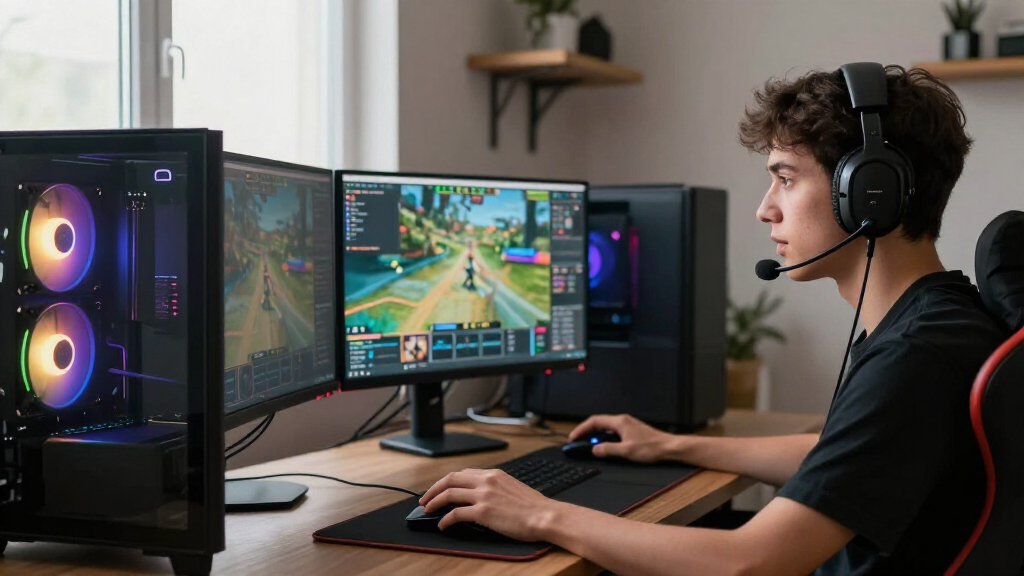
How We Picked
I compared these PCs as complete gaming-and-streaming systems, not just by their headline graphics cards. The main criteria were the balance of CPU and GPU performance, memory capacity, SSD space, and whether the listed configuration leaves practical room for a game, broadcast software, and common background tasks to run together. I also weighed versatility: a stronger processor can help with multitasking, while a more capable graphics card can better support demanding games and hardware-based encoding.
The ranking favors systems with fewer obvious compromises for simultaneous play and streaming. That puts the MSI Codex Z2 near the top for its RTX 5070, 32GB DDR5, and 2TB SSD combination; higher-powered Skytech systems rank well for demanding workloads but make more sense for buyers who will use that extra performance. Entry-level PCs rank lower because their graphics hardware, memory, or storage can limit stream quality or upgrade flexibility. I judged the listed specifications only; specific performance also depends on game settings, broadcast resolution, encoder setup, cooling, and the quality of the full system build.
| gaming PCs for streaming | Operating system |
|---|---|
| KOTIN Gaming Desktop PC with R | Windows 11 Home |
| Prebuilt Gaming PC with RTX 30 | Windows 11 |
| Alienware Aurora Gaming Deskto | Windows 11 Home |
| STGAubron Gaming Desktop PC wi | Windows 11 Home 64-bit |
| STGAubron Gaming Desktop PC wi | Windows 11 Home 64-bit |
| Skytech Gaming PC Desktop | Windows 11 Home 64-bit |
| KOTIN Gaming Desktop PC with R | Windows 11 Home |
| Skytech King 95 Gaming Desktop | Windows 11 Home 64-bit |
| ZYNEEX S5 Prebuilt Gaming Desk | Windows 11 Home |
| MSI Codex Z2 Gaming Desktop | Windows 11 Home |
| Skytech Azure Gaming Desktop w | Windows 11 Home 64-bit |
| KOTIN Gaming Desktop with RTX | — |
| AEXPXO Gaming Desktop PC with | Windows 11 Home |
| iBUYPOWER Element Gaming Deskt | — |
Factors to Consider When Choosing Gaming PCs For Streaming
A streaming PC has to handle two jobs at once: run a game and produce a live video feed. The right balance depends on what you play, the stream quality you want, and whether you will record, edit, or run other apps at the same time. These broader checks can help you avoid paying for unused power—or choosing a system that feels cramped as soon as your setup grows.
Match the Graphics Card to Your Games and Stream Settings
The graphics card affects game performance and can also handle video encoding, which can reduce the work left for the processor. Think about the games you play and whether you want high graphics settings, a high refresh rate, or both; demanding games leave less performance available for background tasks. A capable card does not automatically make every stream look better, since bitrate, resolution, and platform limits matter too. Avoid choosing by GPU name alone: check the card’s memory and the exact configuration, especially when listings use similar product names. If your games are relatively light, a lower-tier option may be enough, but a premium GPU makes more sense when you also want high-detail play or a future upgrade cushion.
Choose a CPU for the Work You Will Run Alongside Games
A game, broadcasting software, browser tabs, chat tools, and recording can all compete for processor time. If you use GPU-based encoding and stream without many extra tasks, a strong midrange CPU may be a better balance than spending heavily on a higher-tier processor. CPU encoding, video editing, or frequent multitasking can make extra cores more useful. Do not assume a higher model number guarantees a better streaming fit; weigh the whole CPU-and-GPU combination and the workloads you actually run. Leave room in your decision for cooling and noise, too, because sustained workloads can reveal limits that short bursts of gaming may not.
Treat 32GB of Memory as Headroom, Not a Stream-Quality Guarantee
Streaming software itself may not demand a huge amount of memory, but a game, browser, voice chat, alerts, and other utilities can add up. The 32GB configurations in this roundup offer more multitasking room than the 16GB systems, particularly if you keep several apps open or record while live. More RAM will not repair a weak graphics card or fix an unstable connection, so avoid treating it as a substitute for balanced components. Check whether the memory is upgradeable and whether open slots are available rather than assuming an upgrade will be simple. If you choose 16GB, make a realistic plan for what you will run together and whether a later upgrade fits your budget.
Plan SSD Space for Games and Recorded Footage
A 512GB drive can fill quickly once the operating system, several large games, streaming tools, and recordings share space. A 1TB SSD gives a more workable starting point, while the 2TB configurations offer added room for a rotating game library or saved footage. Live streaming alone does not require a vast archive, but recording high-quality video can consume storage quickly. Check the PC’s drive expansion options before relying on an eventual upgrade; available bays, connectors, and included storage can vary by build. If you regularly save footage for editing, plan a separate backup destination rather than treating the system drive as your only copy.
Check the Whole Build, Not Just the Headline Components
Two PCs with similar CPUs and GPUs can differ in cooling, power supply, motherboard features, case airflow, and ease of service. Those details affect noise, temperatures, future upgrades, and how well the system handles long gaming-and-streaming sessions. Before buying, verify the exact model’s connectivity, including the ports you need for a microphone, camera, external storage, and any capture hardware. Look for clear information about the power supply and cooling rather than assuming a high-end graphics card means every supporting part is equally strong. A tidy specification sheet is useful, but an upgrade-friendly build can be the smarter choice if you expect to replace storage or memory later.
Set Your Stream Goal Before Paying for Extra Performance
Decide whether you mainly want smooth gameplay with a basic live stream, high-refresh gaming while broadcasting, or a system that also records and edits video. Those goals call for different balances, and the most expensive PC is not automatically the best match. Platform, upload bandwidth, microphone quality, lighting, and capture equipment also shape the finished stream, even though they are not part of the desktop. A strong PC cannot make an unreliable connection stable, so check your upload capacity before committing to a high-resolution workflow. Spend on performance you will use, then reserve part of your setup budget for the connection and audio or video gear that viewers notice.
Frequently Asked Questions
Is an RTX 3050 desktop enough to start streaming PC games?
It can be a reasonable starting point for lighter games and modest settings, particularly if you use a hardware encoder and keep background apps under control. It offers less graphics headroom than the RTX 5060 Ti and RTX 5070 systems in this roundup, so demanding games may require lower settings to keep play smooth while streaming. The two RTX 3050 options also differ in storage: the ZYNEEX lists a 1TB SSD, while the STGAubron lists 512GB. Check the exact card configuration and memory before choosing, and treat this tier as a starter rather than a high-settings, high-refresh solution.
Should I pick an RTX 5070 PC or a Radeon RX 9070 XT PC for streaming?
Start with the games you play, the streaming software you plan to use, and whether you will rely on GPU-based encoding. The RTX 5070 systems in this roundup offer several different CPU and storage combinations, while the Skytech Azure pairs a Ryzen 7 9850X3D with an RX 9070 XT, 32GB of DDR5, and a 2TB SSD. Neither graphics label alone settles which is the better fit for your setup. Check current encoder support, game performance for your specific titles, and the ports and features you need. If you rely on a particular broadcast workflow, confirm software compatibility before choosing a graphics platform.
Is 16GB of RAM enough for gaming and streaming at the same time?
It may work for a lean setup, especially with less demanding games and few background applications, but it leaves less room for a game, streaming software, browser, and chat tools to run together. Several lower-tier systems here list 16GB, while many of the stronger picks list 32GB. That difference is useful headroom, not a guarantee of better stream quality by itself. Before buying a 16GB system, check whether its memory can be upgraded and whether the listed configuration uses one or more modules. If you plan to record, multitask heavily, or keep a large game open, 32GB is the less restrictive starting point.
Do I need a 2TB SSD in a streaming PC?
No; the right capacity depends on how many games you keep installed and whether you save video locally. A 1TB drive can suit a focused library and occasional recordings, while the 2TB systems in this roundup give more room for larger game collections and footage. A 512GB drive can feel restrictive sooner because the operating system and applications also use space. Check how the desktop supports additional drives before planning an upgrade. If you keep recordings, use a separate backup so drive failure or a full system disk does not put your only copy at risk.
Which matters more for streaming: a stronger CPU or a stronger GPU?
It depends on how the stream is encoded and what else you do while gaming. GPU-based encoding can make graphics performance and available GPU headroom especially relevant, while CPU encoding, editing, and heavier multitasking can benefit from more processor capacity. The iBUYPOWER Ryzen 9 7900X build, for example, emphasizes a higher-tier CPU alongside an RTX 5070, while the Skytech Ryzen 7 9800X3D system pairs its processor with an RTX 5070 Ti. Match the balance to your workload rather than buying the biggest component in isolation. A weak network connection or poorly tuned settings can still undermine a powerful PC.
Conclusion
For most buyers, I would start with the MSI Codex Z2 as the best overall: its RTX 5070, 32GB DDR5, and 2TB SSD form a practical balance for gaming and streaming. The best value-style choice depends on your needs: the KOTIN Ryzen 7 8700F and RTX 5060 Ti with 32GB and 1TB is a sensible middle ground, while buyers with a tighter performance target can look at the more modest RTX 3050 systems. For a best premium setup, choose the Skytech King 95 if you want its RTX 5080 configuration, or the Skytech Azure if its Radeon-based build better suits your games and software. For a beginner, the ZYNEEX RTX 3050’s 1TB SSD offers a less cramped starting point than the 512GB STGAubron, though both have less headroom than the stronger PCs. For demanding games and heavier multitasking, consider the Skytech 9800X3D and RTX 5070 Ti or the iBUYPOWER Ryzen 9 7900X system. My final choice would depend on your stream settings, exact games, and whether you need extra storage for recordings.
Halloween Picks
halloween
As an affiliate, we earn on qualifying purchases.