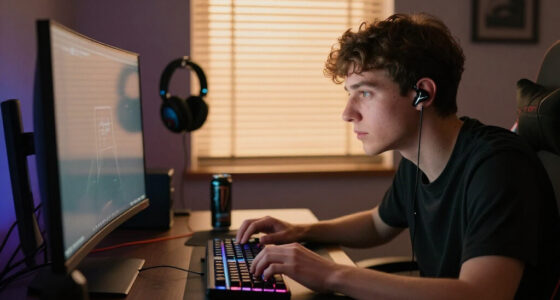
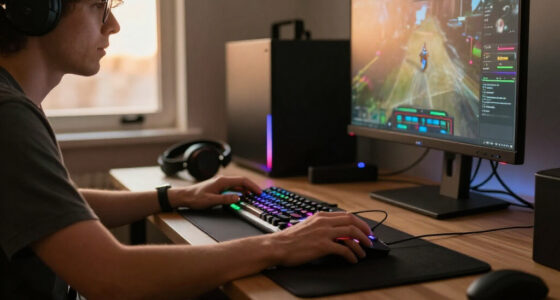
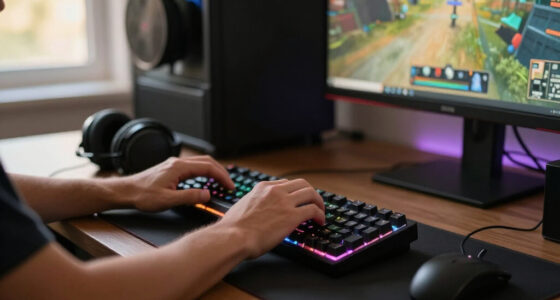
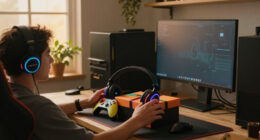
The SteelSeries QcK XXL is my best overall pick for buyers who want a familiar cloth surface and broad coverage without built-in electronics. The CORSAIR MM350 PRO stands out for spill resistance, while the KTRIO XL offers a straightforward extended mat for a simpler setup. The main tradeoffs are desk coverage versus available space, practical surface features versus RGB and charging extras, and understated designs versus decorative prints. A larger mat can make keyboard and mouse movement feel more unified, but it can crowd a compact desk or interfere with monitor stands and accessories. Read on for the full breakdown of all 15 gaming desk mats and how I’d match each one to a different setup.

Play games on Amazon Luna for your game nights, included with Prime
- A rotating selection of games, no download needed
- Play on TV, laptop or phone
- Fast, free delivery for your gear, too
Complete the kit



Key Takeaways
- The SteelSeries QcK XXL leads on straightforward coverage: its appeal is a large cloth mat without RGB, charging hardware, or a decorative print competing for attention.
- The CORSAIR MM350 PRO is the protection-focused choice: its spill-proof design addresses desk-mat maintenance more directly than the basic cloth options.
- Charging and lighting add setup features, not automatically better mouse control: the Gimars, Miroddi, GIM, and RGB LED models make most sense when their extras match your desk habits.
- Dimensions change the buying decision more than the word “extended” does: the Cmhoo’s 35.4-by-15.7-inch footprint offers more depth than many 31.5-by-11.8-inch mats, but requires more desk room.
- Printed designs are a real point of differentiation: the Octopus Neon Cthulhu, Japanese-themed mats, Dazzling Galaxy, and Geometric Neon let appearance lead, while buyers should still check the size and construction details that affect daily use.


| gaming desk mat | Brand | Dimensions | Base | Surface |
|---|---|---|---|---|
| KTRIO XL Gaming Mouse Pad | KTRIO | 31.5 x 11.8 inches | Non-slip rubber | Water-resistant |
| Gimars RGB Gaming Mouse Pad wi | Gimars | 800 x 300 x 4 mm (31.5 x 11.8 x 0.16 in) | Non-slip natural rubber | Water-resistant, micro-textured fabric |
| AREYLO Large Waterproof Gaming | AREYLO | — | Non-slip rubber | Smooth cloth with spill-resistant coating |
| SteelSeries QcK XXL Gaming Mou | SteelSeries | 35 x 16 x 0.08 inches | Non-slip rubber | — |
| Octopus Neon Cthulhu Extended | HZWFZB | — | — | — |
| Cmhoo XXL Map-Themed Gaming Mo | Cmhoo | 35.4 x 15.7 inches | Rubber, non-slip | Smooth |
| Gaming Mouse Pad | SANWUMIAN | 31.5 x 11.8 inches | High-density textured rubber | Lycra cloth |
| Miroddi XXL RGB Gaming Mouse P | Miroddi | 31.49 x 15.75 inches | — | — |
| Extended Gaming Mouse Pad with | Hsmienk | 31.5 x 15.7 x 0.12 inches | Natural rubber | Smooth, waterproof-coated |
| DR CATCH RGB LED Gaming Mouse | DR CATCH | 31.5 x 11.8 x 0.3 inches | — | — |
| Brecoy Large Japanese Desk Mat | Brecoy | — | Rubber | Lycra cloth |
| CORSAIR MM350 PRO Spill-Proof | Corsair | 930 × 400 mm (36.6 × 15.7 in) | Rubber | Micro-weave cloth |
| Jekwin&Glow Extended Gaming Mo | Jekwin&Glow | 31.5 × 11.8 in | — | Lycra fabric |
| Yuhijoy Kanagawa Japanese Sea | Yuhijoy | 31.5 × 11.8 in (80 × 30 cm) | Rubber | Fabric |
| GIM RGB Wireless Charging Gami | GIM | 800 × 350 × 4 mm | — | — |
More Details on Our Top Picks
KTRIO XL Gaming Mouse Pad, 31.5 x 11.8 Inches, Black
The KTRIO is my balanced pick for a standard keyboard-and-mouse setup: its 31.5 x 11.8-inch surface creates a shared work area without taking as much desk depth as the AREYLO. The micro-weave cloth is described as balancing glide with controlled stopping, a useful middle ground for players who want both quick movement and deliberate aim. A non-slip rubber base helps keep the mat steady, while stitched edges and a water-resistant coating address everyday wear and minor spills. Compared with the SteelSeries QcK XXL, this model is shorter and more desk-friendly, though the SteelSeries offers a larger tracking area. The tradeoff is that KTRIO still needs substantial width, and its coating should not be treated as waterproof.
Pros:- Extended surface fits a keyboard, mouse, and some desk accessories.
- Micro-weave cloth is designed to balance smooth movement and controlled stopping.
- Non-slip rubber base helps limit shifting during play.
- Stitched edges and a water-resistant coating support everyday use.
Cons:- The 31.5-inch width and 11.8-inch depth still require a sizable desk area.
- Water resistance does not establish that the mat is waterproof.
Best for: PC gamers who want one understated mat for a full-size keyboard and mouse, with a balanced cloth feel and spill resistance.
Not ideal for: Players with narrow desks or anyone who needs a waterproof surface or the extra depth of a larger mat such as the AREYLO.
- Brand:KTRIO
- Dimensions:31.5 x 11.8 inches
- Color:Black
- Material:Micro-weave cloth and natural rubber
- Base:Non-slip rubber
- Surface:Water-resistant
- Edge design:Anti-fray stitched edges
- Warranty:18 months
Our verdict“Choose the KTRIO for a practical, balanced cloth mat if you have room for its extended footprint but do not need the AREYLO’s extra depth.”
Gimars RGB Gaming Mouse Pad with 15W Qi Wireless Charging, 10 Light Modes, 31.5 × 11.8 in
The Gimars stands apart from the simpler KTRIO by adding 10 RGB lighting modes and a Qi charging platform to the same 31.5 x 11.8-inch extended footprint. That combination suits a gaming station where lighting and charging a compatible device are part of the setup, rather than extras handled elsewhere. Its water-resistant micro-textured fabric and natural-rubber base retain the familiar desk-mat format, while the USB-C connection powers the added features. The raised charging area is a practical distinction, but it may interrupt the otherwise flat surface for some layouts. A power adapter is not included, and fast charging depends on using a suitable adapter. Compared with the KTRIO, Gimars offers more functionality but adds setup requirements and electronics to manage.
Pros:- Qi charging platform supports compatible devices at up to 15W.
- Ten RGB modes include static and dynamic lighting options.
- Large surface fits a keyboard and mouse.
- Water-resistant fabric and a non-slip natural-rubber base support regular desk use.
Cons:- USB-C power is needed for lighting and charging, adding a cable to the setup.
- Power adapter is not included, and fast charging requires a compatible one.
- The raised charging platform may not suit users who want an uninterrupted flat mat.
Best for: Gamers building an RGB-lit desk who want to charge a compatible Qi device without giving up room for a keyboard and mouse.
Not ideal for: Buyers seeking a simple, cable-free cloth mat, or those without a suitable power adapter or a compatible Qi device.
- Brand:Gimars
- Model:G-RGB-W03
- Dimensions:800 x 300 x 4 mm (31.5 x 11.8 x 0.16 in)
- Wireless charging:Qi, up to 15W
- Lighting:10 RGB modes: 7 static and 3 dynamic
- Surface:Water-resistant, micro-textured fabric
- Base:Non-slip natural rubber
- Interface and included accessory:USB-C; USB-C cable included
- Warranty:1 year
Our verdict“Pick Gimars over the simpler KTRIO if RGB effects and Qi charging are worth the extra cable and adapter requirements.”
AREYLO Large Waterproof Gaming Mouse Pad with Stitched Edges
At 31.5 x 15.7 inches, the AREYLO adds noticeably more front-to-back coverage than the KTRIO and Gimars, giving players extra room to position a keyboard and mouse or use the surface for writing. Its smooth cloth surface and non-slip rubber base keep the design straightforward, while a spill-resistant coating can be wiped clean. Reinforced stitching helps protect the edges, and the 2.5 mm pad can be rolled for transport. The larger footprint is the point here, not a smaller, feature-rich setup like the RGB-lit Gimars. The tradeoff is desk fit: that added depth may crowd a compact workspace. Although the product description calls it waterproof, the stated surface treatment is spill-resistant, so I would not assume it can withstand prolonged soaking.
Pros:- Extra 15.7-inch depth provides more coverage than the KTRIO and Gimars.
- Smooth cloth surface accommodates mouse movement and everyday writing.
- Non-slip rubber base helps keep the mat in place.
- Spill-resistant coating and reinforced stitching support easier care and edge durability.
Cons:- The larger footprint may crowd desks with limited depth.
- The fabric can require washing after extended use.
- Spill resistance does not establish protection from prolonged exposure to water.
Best for: Gamers with a deep desk who want extra space behind and in front of the keyboard, plus a mat that can double as a writing surface.
Not ideal for: Compact-desk users or buyers who want RGB lighting, wireless charging, or a smaller footprint like the KTRIO.
- Brand:AREYLO
- Size:31.5 x 15.7 in (80 x 40 cm)
- Thickness:2.5 mm
- Surface:Smooth cloth with spill-resistant coating
- Base:Non-slip rubber
- Edges:Reinforced stitching
- Care:Wipe clean or wash with water
- Manufacturer part number:ZB-PD155
Our verdict“Choose the AREYLO if you want more desk coverage than the KTRIO and have the depth to accommodate it.”
SteelSeries QcK XXL Gaming Mouse Pad, Black
The SteelSeries QcK XXL is the pick for players who value broad cloth coverage and a surface designed for accurate optical and laser sensor tracking. Its 35 x 16-inch area is larger than the KTRIO, giving a keyboard and mouse more room to sit together, while the non-slip rubber base helps prevent unwanted movement. The micro-woven cloth keeps the design focused on tracking rather than extras: unlike the Gimars, it has no lighting or wireless charging hardware to power. That simplicity may appeal to players who want a plain black mat, but it also means no stated water-resistant coating or stitched-edge protection. At just 0.08 inches thick, it offers limited cushioning, and the generous footprint calls for a roomy desk.
Pros:- 35 x 16-inch surface gives a keyboard and mouse broad shared coverage.
- High-thread-count cloth is designed for optical and laser sensor tracking.
- Non-slip rubber base helps stabilize the mat.
- Plain black design keeps the setup free of lighting and charging components.
Cons:- Large dimensions require substantial desk space.
- The 0.08-inch profile provides limited cushioning.
- The product details do not specify water resistance or stitched edges.
Best for: Competitive players with a spacious desk who want a large cloth tracking surface and do not need added lighting or charging features.
Not ideal for: Gamers with shallow desks or anyone seeking more cushioning, water resistance, or stitched edges like the KTRIO lists.
- Brand:SteelSeries
- Color:Black
- Dimensions:35 x 16 x 0.08 inches
- Material:Micro-woven cloth
- Base:Non-slip rubber
- Sensor compatibility:Designed for optical and laser sensors
- Quantity:1
Our verdict“Choose the QcK XXL over the KTRIO if you want more tracking area and have a desk large enough for its wider, deeper footprint.”
Octopus Neon Cthulhu Extended Desk Mat, 31.5 x 11.8 Inches
The Octopus Neon Cthulhu is the style-led choice in this group: its neon octopus design gives a gaming desk a stronger visual focal point than the plain black KTRIO or SteelSeries QcK XXL. The 31.5 x 11.8-inch shape still covers a keyboard-and-mouse setup without moving into the deeper footprint of the AREYLO. Its smooth surface supports mouse tracking, and the waterproof finish is described as easy to wipe clean; the rubber construction and non-slip base help keep it planted. The tradeoff is limited detail about its surface construction: the listing does not specify stitched edges or wrist support. Compared with Gimars, it also skips RGB modes and charging hardware, favoring a printed look and a simpler setup instead.
Pros:- Neon octopus artwork gives the desk a distinctive gaming aesthetic.
- 31.5 x 11.8-inch footprint fits a keyboard-and-mouse layout.
- Waterproof surface is described as easy to wipe clean.
- Rubber construction and a non-slip base help the mat stay in place.
Cons:- Large rectangular footprint may not suit a compact desk.
- The product details do not specify stitched edges or wrist support.
- No RGB lighting or wireless charging features are listed.
Best for: Gamers who want an illustrated, neon-themed desk mat with a wipe-clean surface and enough room for a keyboard and mouse.
Not ideal for: Buyers who prefer understated designs, need specified stitched-edge durability, or want RGB lighting and Qi charging like the Gimars.
- Brand:HZWFZB
- Model:MOUSEPAD-38
- Size:31.5 x 11.8 inches
- Item weight:16 ounces
- Thickness:0.3 centimeters
- Material:Rubber
- Shape:Rectangular
- Color/style:Octopus_016
- Quantity:1
Our verdict“Choose this mat over the plain KTRIO if its neon artwork is a priority and you are comfortable with unspecified edge construction.”
Cmhoo XXL Map-Themed Gaming Mouse Pad, 35.4 x 15.7 Inches
The Cmhoo earns its place for buyers who want more horizontal and front-to-back coverage than the narrower extended mats in this group. At 35.4 by 15.7 inches, it can hold a keyboard and mouse while leaving room for broad mouse movement; the DR CATCH, by comparison, is only 11.8 inches deep. Its smooth surface supports optical and laser mice, while a rubber base helps keep the mat steady during play. Stitched edges and washability add practical value for a surface that spans a large part of the desk. The tradeoff is equally clear: this is one of the bigger footprints here, and the map print makes a stronger visual statement than the plain black Hsmienk. Choose it for coverage and theme, not for a discreet look or a compact desk.
Pros:- 35.4 x 15.7-inch surface fits a keyboard and mouse with generous movement room.
- Smooth surface is suited to optical and laser mouse tracking.
- Non-slip rubber base helps limit movement during play.
- Washable construction and stitched edges support easier upkeep and reduced fraying.
Cons:- Its wide, deep footprint can crowd smaller desks.
- Map artwork may clash with minimalist or coordinated setups.
Best for: PC gamers with a wide desk who want a map-themed surface and enough depth for a keyboard and low-sensitivity mouse movement.
Not ideal for: Gamers with limited desk space or a minimalist setup who would rather have a smaller, plain mat like the Hsmienk.
- Brand:Cmhoo
- Dimensions:35.4 x 15.7 inches
- Thickness:2 mm
- Shape:Rectangular
- Theme:Map
- Surface:Smooth
- Base:Rubber, non-slip
- Care and edge:Washable; anti-fray stitched edges
Our verdict“Choose the Cmhoo if desk coverage and map artwork matter more than saving space or keeping a subdued look.”
Gaming Mouse Pad, Large Non-Slip Rubber Base, Keyboard Mouse Mat, Desk Pad with Stitched Edges, 31.5 x 11.8 in, Dazzling Galaxy
The SANWUMIAN pairs a galaxy design with a familiar extended-mat footprint, making it a straightforward choice for a themed gaming desk. Its 31.5 by 11.8-inch size fits a full-size keyboard and mouse, though it offers less front-to-back room than the deeper Cmhoo or Hsmienk. The 3 mm Lycra cloth surface is described as smooth for controlled mouse movement, and textured rubber underneath helps prevent sliding. Stitched edges and a water-resistant coating add protection for everyday use, but water resistance is not a promise of spill-proof performance. Unlike the DR CATCH, this model has no RGB lighting, so it suits buyers who want the mat’s pattern to provide the visual accent without adding another USB-powered feature. Skip it if you need extra depth or a wrist rest.
Pros:- 31.5 x 11.8-inch area accommodates a full-size keyboard and mouse.
- Lycra cloth surface is designed for smooth, precise movement.
- Textured rubber base helps hold the mat in place.
- Stitched edges and water-resistant coating support everyday durability and cleanup.
Cons:- The 11.8-inch depth gives less room than the Cmhoo and Hsmienk mats.
- Water-resistant coating may not handle heavy spills.
- No wrist rest is included.
Best for: Gamers building a galaxy-themed desk who want a keyboard-and-mouse mat with a stable base and a coated surface for routine cleanup.
Not ideal for: Players who need deep mouse space, built-in wrist support, or stronger spill protection than a water-resistant coating.
- Brand:SANWUMIAN
- Model:CL221214015
- Dimensions:31.5 x 11.8 inches
- Thickness:3 mm
- Surface:Lycra cloth
- Base:High-density textured rubber
- Edge:Stitched
- Design and coating:Dazzling Galaxy; water-resistant coating
Our verdict“Pick the SANWUMIAN for a galaxy-themed desk and a stable, coated mat, but choose a deeper option if mouse space is your priority.”
Miroddi XXL RGB Gaming Mouse Pad with Wireless Charging and Phone Holder
The Miroddi is the most feature-focused option in this set: it combines a Qi charging area, phone holder, and 11 RGB modes on a 31.49 by 15.75-inch mat. That extra depth gives it more keyboard-and-mouse room than the DR CATCH, while the Cmhoo offers a slightly wider footprint without charging or lighting features. Its waterproof fabric surface, stitched edges, and non-slip rubber base address everyday desk use, and lighting can operate separately from charging. The main catch is setup: the 15 W charging rate requires a 9 V, 3 A adapter that is not included, and charging is limited to Qi-compatible devices. USB power for the lighting also adds a cable to the desk. This makes more sense for buyers who will use its accessories than for anyone seeking a simple tracking surface.
Pros:- 31.49 x 15.75-inch surface leaves room for a keyboard, mouse, and desk accessories.
- Qi wireless charging supports compatible devices at up to 15 W with the required adapter.
- Eleven RGB modes are controlled with a single button and need no driver.
- Waterproof fabric, stitched edges, and a non-slip rubber base suit everyday desk use.
Cons:- The 9 V, 3 A adapter needed for 15 W charging is not included.
- Wireless charging works only with Qi-enabled devices.
- USB-powered lighting adds another cable to the desk.
Best for: Gamers who keep a Qi-enabled phone at their desk and want charging, a phone holder, RGB lighting, and a roomy mat in one setup.
Not ideal for: Buyers who want a cable-free, uncomplicated mat, lack Qi-compatible devices, or do not want to supply a separate charging adapter.
- Brand:Miroddi
- Dimensions:31.49 x 15.75 inches
- Thickness:4 mm
- Wireless charging:Up to 15 W; requires a 9 V, 3 A adapter, not included
- Compatibility:Qi-enabled devices
- Lighting:11 RGB modes; single-button control
- Surface and base:Nano-textured waterproof fabric; non-slip rubber
- Connectivity:USB-powered
Our verdict“Choose the Miroddi if you will use its Qi charging and RGB features; for a simpler mat, the Hsmienk avoids the added power needs.”
Extended Gaming Mouse Pad with Stitched Edges, 31.5 x 15.7 Inches
Hsmienk is the understated, practical pick for buyers who want a deeper mat without adding lighting, charging, or a patterned finish. Its 31.5 by 15.7-inch surface has more front-to-back room than the 11.8-inch-deep SANWUMIAN and DR CATCH, which helps when a keyboard and mouse need to share the same surface. The smooth, waterproof-coated top is compatible with optical and laser mice, while the natural rubber base grips the desk. Stitched edges are intended to resist wear. Compared with the feature-packed Miroddi, Hsmienk keeps the setup simpler, but it provides no RGB or charging extras. The 3 mm thickness may offer only modest cushioning, and its extended size still needs substantial desk space. Its black finish is a better fit for restrained setups than the Cmhoo’s map theme.
Pros:- 31.5 x 15.7-inch size gives more depth than the 11.8-inch mats in this group.
- Smooth surface is compatible with optical and laser mice.
- Waterproof coating helps with routine spill cleanup.
- Natural rubber base and stitched edges support grip and edge durability.
Cons:- Extended dimensions can crowd a compact desk.
- At 3 mm thick, it may provide limited cushioning.
- Plain black styling lacks the visual features of the SANWUMIAN or RGB-equipped options.
Best for: Gamers who want a plain black mat with extra front-to-back room for a keyboard and mouse, without powered features.
Not ideal for: Desk owners short on surface area or buyers looking for thicker cushioning, RGB lighting, or wireless charging.
- Brand:Hsmienk
- Model:AB-018
- Dimensions:31.5 x 15.7 x 0.12 inches
- Thickness:3 mm
- Surface:Smooth, waterproof-coated
- Base:Natural rubber
- Edge:Nylon-stitched
- Mouse compatibility:Optical and laser mice
Our verdict“Choose Hsmienk for a deeper, plain black mat with practical spill protection, and skip it if you need powered features or a smaller footprint.”
DR CATCH RGB LED Gaming Mouse Pad, Large Extended Desk Mat
DR CATCH is the lighting-led choice for buyers who want a broad keyboard-and-mouse mat with more visual control than the SANWUMIAN’s galaxy print. It offers 14 RGB modes, adjustable brightness, and power-off memory, so the previous lighting setup can be retained after power is switched off. The 31.5-inch width fits a keyboard and mouse, but its 11.8-inch depth is much shallower than the Hsmienk and Cmhoo, leaving less front-to-back space for sweeping mouse movement. A smooth microfiber surface supports tracking, and the waterproof finish makes routine cleaning easier. The cost of the lighting is a USB connection and controls that may take time to learn. Compared with the Miroddi, DR CATCH offers more lighting modes but no wireless charging or phone holder.
Pros:- Fourteen lighting modes include adjustable brightness and power-off memory.
- 31.5-inch width accommodates a keyboard and mouse.
- Waterproof microfiber surface is designed for easy cleanup.
- Non-slip rubber base helps keep the mat stable.
Cons:- The 11.8-inch depth is less generous than the Hsmienk or Cmhoo.
- USB power occupies a port.
- Lighting controls use button sequences that may take time to learn.
Best for: Gamers who want adjustable RGB effects and power-off memory on a keyboard-and-mouse mat, and have a spare USB port.
Not ideal for: Players who need a deep mouse area, want to avoid USB-powered accessories, or prefer simple controls without button sequences.
- Brand:DR CATCH
- Model:GE2-08B
- Dimensions:31.5 x 11.8 x 0.3 inches
- Weight:0.69 kg
- Material:Microfiber and rubber
- Lighting:14 modes; adjustable brightness
- Power:USB
- Features:Waterproof; non-slip; power-off memory
Our verdict“Pick DR CATCH for customizable RGB and memory, but choose the deeper Hsmienk if mouse movement space matters more than lighting.”
Brecoy Large Japanese Desk Mat, 31.5 x 11.8 Inches
The Brecoy pairs a smooth Lycra surface with a wipe-clean coating, making it a practical pick for players who move between desks or want a mat that is easy to maintain. Its rubber base helps keep the pad and desk items from shifting, while the flexible construction rolls up for transport. Compared with the larger CORSAIR MM350 PRO, it uses less desk depth and is easier to pack, but it offers less room for broad mouse sweeps and keyboard placement. There is also a measurement discrepancy: the title says 31.5 inches long, while the specifications list 30.5 inches. I’d verify the actual size before buying if your desk fit is tight. The cherry blossom print adds personality, though the mat’s strongest case is portability and easy cleanup rather than maximum coverage.
Pros:- Lycra surface is designed for smooth mouse movement.
- Waterproof coating can be wiped clean with a damp cloth.
- Rubber base helps limit slipping during play.
- Flexible design rolls up for transport.
Cons:- Length is listed as both 31.5 and 30.5 inches, making fit uncertain.
- At 11.8 inches deep, it offers less room than larger desk mats.
- The 0.12-inch thickness provides limited cushioning.
Best for: Players who carry their setup between locations and want a compact extended mat with a wipe-clean surface.
Not ideal for: Gamers who need a precisely sized, extra-wide area for a full keyboard and large mouse movements, since the listed length is inconsistent and the mat is narrower than the CORSAIR option.
- Brand:Brecoy
- Model:1129003
- Listed size:Title: 31.5 × 11.8 in; specifications: 30.5 × 11.8 in
- Thickness:0.12 in
- Surface:Lycra cloth
- Base:Rubber
- Color:Cherry Blossom
- Weight:14.4 oz
- Features:Waterproof coating, non-slip base, rollable
Our verdict“Choose the Brecoy if easy transport and wipe-clean care matter more than a broad, precisely specified gaming surface.”
CORSAIR MM350 PRO Spill-Proof Extended XL Cloth Gaming Mouse Pad, Black
The CORSAIR MM350 PRO is the strongest fit here for a keyboard-and-mouse setup that needs more room and added protection from everyday spills. Its 930 × 400 mm surface is substantially larger than the Brecoy and the 31.5 × 11.8-inch Yuhijoy, giving low-sensitivity players more space for wide mouse movements. The micro-weave cloth is designed for smooth tracking, while a spill- and stain-resistant coating makes cleanup less fussy than on the Yuhijoy, whose description does not specify spill resistance. Stitched edges help limit fraying, and the 4 mm rubber base adds a more substantial layer under the hands. The tradeoffs are desk footprint and conflicting thickness information: the description says 4 mm, while another listing says 6 mm. I’d pick it for coverage and upkeep, not for a small workstation.
Pros:- Large surface fits a keyboard and leaves room for mouse movement.
- Spill- and stain-resistant coating supports easier cleanup.
- Micro-weave cloth is designed for smooth mouse movement.
- Stitched edges help resist fraying.
Cons:- The 930 × 400 mm footprint needs substantial desk space.
- Thickness is inconsistent across the product information: 4 mm versus 6 mm.
- Its larger size is less convenient to pack or reposition than the Brecoy.
Best for: PC gamers with a roomy desk who want keyboard-and-mouse coverage, spill resistance, and stitched edges.
Not ideal for: Players with shallow or crowded desks, or buyers who need an unambiguous thickness specification before choosing.
- Brand:Corsair
- Model:CH-9413770-WW
- Dimensions:930 × 400 mm (36.6 × 15.7 in)
- Thickness:Listed as 4 mm and 6 mm
- Surface:Micro-weave cloth
- Base:Rubber
- Edge design:Stitched anti-fray edges
- Weight:650 g
- Warranty:2 years
Our verdict“Choose the CORSAIR if your desk can accommodate its footprint and you want broad coverage with a spill-resistant surface.”
Jekwin&Glow Extended Gaming Mouse Pad, 31.5 × 11.8 in, Geometric Neon
The Jekwin&Glow makes the most sense for a player who wants a coordinated geometric neon look without giving up basic extended-mat function. At 31.5 × 11.8 inches, it provides space for a keyboard, laptop, and mouse, while the Lycra surface is described as compatible with mechanical, wireless, and optical mice. Its natural-rubber backing and double-stitched edges address two common desk-mat annoyances: shifting during play and fraying with use. Compared with the CORSAIR MM350 PRO, it takes up less depth and has a clear 3 mm thickness specification, but it lacks the CORSAIR’s stated spill- and stain-resistant coating and larger movement area. The 3 mm build also means less cushioning than a thicker pad may provide. This is a style-led, space-conscious choice, not the pick for maximum coverage or spill protection.
Pros:- Geometric neon design gives a setup a distinct visual theme.
- 31.5 × 11.8-inch surface accommodates a keyboard, laptop, and mouse.
- Natural-rubber backing is designed to grip the desk.
- Double-stitched edges help resist fraying.
Cons:- The 11.8-inch depth offers less mouse room than the CORSAIR MM350 PRO.
- At 3 mm thick, it provides relatively little cushioning.
- The description does not specify a waterproof or spill-resistant coating.
Best for: Gamers building a neon-accented setup who need a standard extended mat for a keyboard and mouse.
Not ideal for: Low-sensitivity players who need extra-wide mouse space, or buyers seeking a stated spill-resistant finish and thicker cushioning.
- Brand:Jekwin&Glow
- Dimensions:31.5 × 11.8 in
- Thickness:3 mm
- Surface:Lycra fabric
- Backing:Natural rubber
- Shape:Rectangular
- Color/style:Geometric neon
- Features:Non-slip, washable, stitched edges
Our verdict“Pick the Jekwin&Glow for a neon-themed setup and standard extended coverage, but choose the CORSAIR for more space and stated spill protection.”
Yuhijoy Kanagawa Japanese Sea Wave Gaming Mouse Pad, 31.5 x 11.8 Inches
The Yuhijoy Kanagawa is the design-forward option for players who want a Japanese wave print across their keyboard-and-mouse area. Its 31.5 × 11.8-inch footprint matches the Jekwin&Glow’s dimensions, but the look is more traditional, with a black sea-wave pattern rather than neon geometry. A smooth fabric surface, rubber base, and precision-stitched edges cover the core needs for everyday gaming: controlled mouse movement, a pad that stays put, and edges built to resist wear. The mat can be wiped clean and is described as washable, though its product details do not state a waterproof or spill-resistant coating. That makes it less reassuring around drinks than the CORSAIR MM350 PRO or Brecoy. Its 0.12-inch thickness is also modest, so I’d choose it for its artwork and standard coverage rather than extra cushioning.
Pros:- Japanese sea-wave print adds a distinctive visual theme.
- 31.5 × 11.8-inch surface provides room for a keyboard and mouse.
- Rubber base helps keep the mat in place.
- Precision-stitched edges are designed to resist wear.
Cons:- No waterproof or spill-resistant coating is specified, unlike the CORSAIR MM350 PRO.
- The 11.8-inch depth gives less mouse room than larger extended mats.
- Its 0.12-inch thickness offers limited cushioning.
Best for: Gamers who want a Japanese sea-wave design and a standard extended surface for keyboard and mouse.
Not ideal for: Players who often eat or drink at their desk and want a specifically stated spill-resistant finish, or those needing a deep surface for broad mouse sweeps.
- Brand:Yuhijoy
- Model:ytanksbd-002
- Dimensions:31.5 × 11.8 in (80 × 30 cm)
- Thickness:0.12 in (0.3 cm)
- Surface:Fabric
- Base:Rubber
- Theme:Black Japanese sea wave
- Pack quantity:1
- Care:Wipe clean; described as washable
Our verdict“Choose the Yuhijoy for Japanese wave artwork and everyday keyboard-and-mouse coverage, not for spill protection or extra depth.”
GIM RGB Wireless Charging Gaming Mouse Pad with Magnetic Phone Stand
The GIM RGB is the clear choice in this group for players who want their desk mat to do more than cover the desk. Its 15 RGB lighting modes, magnetic phone stand, and simultaneous Qi wireless charging add setup features that the Brecoy, Yuhijoy, and Jekwin&Glow do not offer. The 800 × 350 mm surface still gives room for a keyboard and mouse, while a water-resistant coating, anti-slip rubber base, and reinforced stitching cover practical durability needs. Compared with the CORSAIR MM350 PRO, it trades a larger 930 × 400 mm play area for lighting and charging functions. Those extras bring constraints: optimal fast charging calls for the included 20W PD adapter, and the magnetic stand is intended for compatible phones. Choose it for an accessory-rich RGB setup, not for the most straightforward or spacious mat.
Pros:- 15 lighting modes add static and dynamic RGB effects.
- Supports simultaneous wireless charging for compatible phones and accessories.
- Magnetic stand provides hands-free phone viewing for compatible devices.
- Water-resistant coating, anti-slip base, and reinforced stitching address everyday wear.
Cons:- Optimal fast charging requires the included 20W PD adapter.
- Magnetic stand compatibility is limited to supported devices.
- Its 800 × 350 mm surface is smaller than the CORSAIR MM350 PRO.
Best for: Gamers who want RGB lighting, Qi charging, and hands-free phone viewing built into a keyboard-and-mouse mat.
Not ideal for: Players who prioritize maximum mouse space, prefer a simple mat without charging hardware, or use a phone incompatible with the magnetic stand.
- Brand:GIM
- Dimensions:800 × 350 × 4 mm
- Lighting modes:15 (11 static, 4 dynamic)
- Charging:20W PD; simultaneous wireless charging
- Materials:Rubber base with water-resistant coating
- Compatibility:iPhone 12+, Galaxy S8+, Qi-enabled devices
- Included accessories:20W PD power adapter, USB-C to USB-C cable
- Warranty:1 year
Our verdict“Choose the GIM if charging, phone viewing, and RGB matter more to your setup than the broadest possible mouse surface.”
How We Picked
I ranked these gaming desk mats by how clearly their features address everyday desk needs: usable width and depth, surface and edge construction, base grip, spill protection, and the usefulness of extras such as RGB lighting, wireless charging, or a phone holder. I also weighed how much of the product’s appeal depends on a specific visual style, since a printed mat can be an excellent fit for one setup and a poor match for another.
The ranking favors balanced, broadly useful choices first, followed by mats with a strong advantage for a defined need. A reliable extended cloth surface is a more widely applicable starting point than built-in electronics; spill resistance earns the CORSAIR a distinct role, while charging and RGB models rank for buyers who will use those features. Decorative options remain worthwhile picks, but they sit lower when their chief distinction is appearance rather than broader desk utility. I treat listed dimensions and stated features as decision evidence, not as proof of unlisted performance.
| gaming desk mat | Base |
|---|---|
| KTRIO XL Gaming Mouse Pad | Non-slip rubber |
| Gimars RGB Gaming Mouse Pad wi | Non-slip natural rubber |
| AREYLO Large Waterproof Gaming | Non-slip rubber |
| SteelSeries QcK XXL Gaming Mou | Non-slip rubber |
| Octopus Neon Cthulhu Extended | — |
| Cmhoo XXL Map-Themed Gaming Mo | Rubber, non-slip |
| Gaming Mouse Pad | High-density textured rubber |
| Miroddi XXL RGB Gaming Mouse P | — |
| Extended Gaming Mouse Pad with | Natural rubber |
| DR CATCH RGB LED Gaming Mouse | — |
| Brecoy Large Japanese Desk Mat | Rubber |
| CORSAIR MM350 PRO Spill-Proof | Rubber |
| Jekwin&Glow Extended Gaming Mo | — |
| Yuhijoy Kanagawa Japanese Sea | Rubber |
| GIM RGB Wireless Charging Gami | — |
Factors to Consider When Choosing Gaming Desk Mats
Before choosing among these mats, I’d measure the desk and decide which job the mat needs to do: provide a mouse surface, anchor both keyboard and mouse, protect the desktop, or add lighting and charging. Those priorities can conflict, so a little planning can prevent buying a mat that looks right but does not fit or suit your daily setup.
Measure usable desk space, not just the tabletop
Check the area left after accounting for monitor stands, speakers, desk edges, and any clamp-mounted accessories. A mat measuring 31.5 by 11.8 inches can fit many keyboard-and-mouse layouts, while a 35.4-by-15.7-inch option such as the Cmhoo needs noticeably more depth. A wider mat may still be a poor fit if it pushes the keyboard toward the desk edge or sits under a stand that cannot rest securely on cloth. Measure the usable surface with your usual gear in place, then compare both dimensions rather than relying on the word “XXL.” If you switch between compact and full-size keyboards, measure the widest arrangement you expect to use. I’d choose the largest mat that leaves room for comfortable hand placement and desk accessories, not the largest one that technically fits.
Match the surface to your mouse habits
Cloth mats are common in this lineup, but buyers can still vary in how much room they want for broad mouse movements and how much of the desk they want covered. If you play with low mouse sensitivity, extra width can reduce the chance of reaching the mat’s edge during a sweep. If your mouse stays close to the keyboard, a smaller extended footprint may be easier to fit and maintain. Avoid assuming that a larger mat automatically improves tracking; the mouse sensor, surface condition, and your preferred movement all matter. Think about whether you want the keyboard to sit on the same surface, since that can reduce shifting between separate pads but changes the keyboard’s height and feel. When product details do not specify a surface speed or texture, don’t infer it from a graphic or brand name.
Treat spill resistance and cleaning as separate needs
A water-resistant or spill-proof claim can make a mat easier to live with around drinks, but it does not mean the whole setup is protected from a spill. The CORSAIR MM350 PRO is the clearest protection-oriented pick here; basic cloth and printed options may require more careful handling, especially around seams and the desk edge. RGB and charging mats add electronic components, so cleaning methods and liquid exposure deserve extra attention. Check the manufacturer’s care instructions before using cleaners or soaking any mat. A common mistake is choosing a protective surface without checking whether it covers the area where spills are most likely to land. If maintenance is a priority, favor clearly stated protection and care guidance over a vague “waterproof” label.
Pay for electronics only when they fit your routine
RGB lighting can make a desk more visually cohesive, while wireless charging or a phone holder can free up space beside the keyboard. Those additions also create more hardware to position, power, and work around. The Gimars, Miroddi, and GIM options combine charging with other features, while the DR CATCH emphasizes RGB lighting; compare what each actually includes rather than treating all illuminated mats as interchangeable. Check device compatibility and charging placement before buying, since a charging area only helps if your phone or other device can sit there without blocking mouse movement. If you already use a dedicated charger or prefer a clean, unlit desk, a plain mat can deliver the main gaming function with fewer setup constraints. Prioritize a useful surface first, then treat electronics as a bonus.
Choose design for the desk you want to see every day
Artwork is a practical buying factor because an extended mat occupies a large, prominent part of the desk. The Japanese wave designs from Brecoy and Yuhijoy, the Octopus Neon Cthulhu print, the Dazzling Galaxy mat, and the Jekwin&Glow Geometric Neon option each create a different visual mood. A strong print can tie a themed setup together, but it may compete with bright lighting, patterned keycaps, or other desk décor. Check product images for the actual color balance and layout, and remember that screens can display colors differently. If the mat will sit beneath a keyboard, consider how much of the artwork will remain visible. Pick a design you expect to keep enjoying, rather than letting appearance distract from fit, base grip, or care requirements.
Compare construction details before relying on durability claims
Stitched edges can help define the mat’s perimeter, but stitching alone does not establish how long a product will last or how comfortable the edge will feel against your wrist. Several options in this roundup list stitched construction, including the AREYLO and extended mats, while other products emphasize different features. Look for clear information about the base, surface, edge treatment, and care instructions; missing details make side-by-side judgments harder. A non-slip rubber base matters most on a smooth desk or during frequent mouse movement, but it cannot compensate for a mat that is too small or poorly positioned. Read feature claims narrowly and avoid assuming that “gaming” means a particular surface speed or build standard. When two mats meet your needs, favor the one with clearer construction details and the least unnecessary complexity.
Frequently Asked Questions
How much desk space do I need for an extended gaming mat?
Use a tape measure to check the clear area in front of your monitor and around any stands or desk-mounted accessories. Many mats here are 31.5 by 11.8 inches, while the Cmhoo is 35.4 by 15.7 inches, so the larger option takes more depth as well as width. Leave enough room for your keyboard and mouse to sit naturally without forcing your wrists toward the desk edge. If a monitor stand overlaps the intended area, check whether it can safely sit on the mat before ordering. Measuring with your actual peripherals in place is more reliable than measuring the tabletop alone.
Is a spill-resistant mat worth choosing over a regular cloth mat?
It can be worthwhile if drinks regularly sit near your keyboard or you want an easier-to-manage surface. The CORSAIR MM350 PRO is the lineup’s clearest spill-protection pick, while many other options focus on coverage, design, or electronics. Spill resistance does not protect the keyboard, desk, or mat edges from every accident, so it is not a reason to leave drinks beside equipment. Check care guidance and avoid assuming that a protective claim makes the mat machine-washable. If spills are rare and low maintenance is not a priority, a simpler cloth mat may suit you just as well.
Do RGB or wireless-charging gaming mats work with every phone?
No. Charging depends on the phone’s wireless-charging support and the mat’s stated compatibility, and cases or placement can also affect whether charging works. The Gimars, Miroddi, and GIM models include charging-related features, but compare their specific instructions rather than assuming they share the same charging layout or capabilities. RGB lighting also needs a suitable power connection, which may add cable clutter to a setup that is otherwise simple. Check the product’s compatibility details and where the charging area sits before choosing one. If you already have a charger you like, built-in charging may add little practical value.
Will a desk mat make my mouse more accurate?
A mat gives the mouse a consistent surface, but it does not automatically improve accuracy or change the sensor’s performance. Surface texture, mouse settings, sensor compatibility, and your own movement habits all play a part. The products listed here mostly emphasize extended coverage and additional features rather than detailed surface-speed specifications, so avoid choosing based on an assumed fast or controlled glide. If you have a particular mouse or play style, check whether the manufacturer describes the surface characteristics. For many buyers, choosing a mat that stays flat and provides enough room matters more than a promise of better aim.
Should I pick a printed mat or a plain black one?
Choose based on how much visual character you want across the desk and whether the print works with the rest of your setup. The Octopus Neon Cthulhu, Japanese-themed designs, Dazzling Galaxy, and Geometric Neon mat offer more distinctive looks than the black SteelSeries QcK XXL or CORSAIR MM350 PRO. A bold pattern can become a focal point, but it may clash with other colors or make a minimalist setup feel busy. Check how the keyboard covers the artwork and whether the mat’s dimensions suit your layout before letting the design decide. If you are unsure, a plain color is easier to pair with changing accessories.
Conclusion
For the broadest mix of simplicity and coverage, I’d choose the SteelSeries QcK XXL as best overall. The KTRIO XL is my best value-style pick for shoppers who want an uncomplicated extended mat, while the CORSAIR MM350 PRO is the best premium-leaning choice for spill protection. For beginners, I’d start with a plain cloth option such as the SteelSeries or KTRIO rather than paying for lighting or charging features before knowing they are needed. Buyers who want desk lighting can focus on the DR CATCH RGB LED; those who want charging and a phone holder can compare the Miroddi and GIM models. For a larger surface, the Cmhoo Map-Themed mat offers the biggest listed dimensions in this group, while the Japanese, neon, and galaxy prints suit buyers putting visual style first. Choose by desk fit and daily use, then let appearance and extras break a close tie.