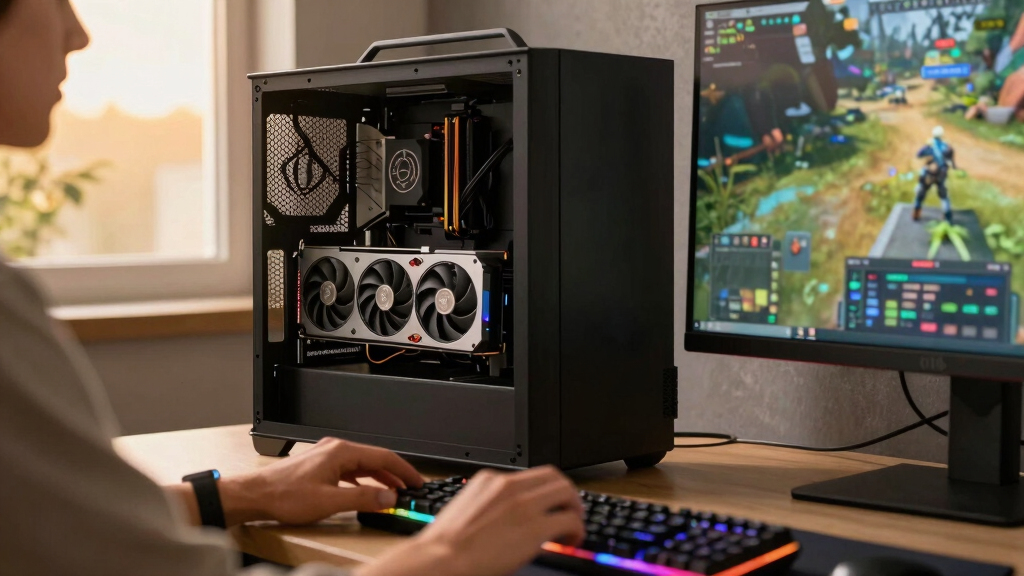

The GIGABYTE GeForce RTX 5090 Gaming OC 32G is my best overall pick among the best NVIDIA RTX 5090 graphics cards because it balances cooling, factory tuning, and mainstream desktop compatibility. The Gigabyte WINDFORCE OC 32G is the stronger value choice for buyers who want RTX 5090 performance without paying heavily for elaborate styling, while the MSI SUPRIM SOC is my premium choice for a showcase build. The biggest tradeoffs are cooler size, noise, power delivery, warranty support, and the price attached to modest factory overclocks. Liquid-cooled and external models create more specialized choices because they require radiator space, Thunderbolt 5, or compatibility with a particular mobile platform. Read on for the full breakdown and the buyer profile that fits each card.
Listen free for 30 days with Audible
Thousands of audiobooks and originals — cancel anytime.
Start your free trialAs an affiliate, we earn on qualifying purchases.
Complete the kit



Key Takeaways
- The GIGABYTE Gaming OC ranks first because its mix of cooling, factory tuning, brand support, and conventional desktop installation is more broadly useful than the specialized strengths of the other models.
- Gigabyte‘s WINDFORCE variants offer the clearest value path, since every RTX 5090 starts with the same 32GB GPU class and premium coolers rarely produce performance gains equal to their price premiums.
- The MSI SUPRIM SOC and ASUS ROG Astral models make the most sense in high-budget showcase systems, where acoustics, materials, appearance, and power headroom matter alongside frame rates.
- The ASUS ROG Astral LC provides the strongest dedicated cooling setup in this lineup, but its 360mm radiator makes case planning harder than with any standard triple-fan card.
- The AORUS RTX 5090 AI Box and ASUS ROG XG Mobile serve narrow external-GPU use cases rather than ordinary desktop upgrades, and connection bandwidth or platform compatibility can limit their appeal.
| CyberGeek GeForce RTX 5090 Overclocked Triple Fan |  | Best for Local AI | VRAM: 32GB GDDR7 | Memory speed: 28Gbps | Memory interface: 512-bit | VIEW LATEST PRICE | See Our Full Breakdown |
| GeForce RTX 5090 OC 32GB |  | Best for 8K Multi-Monitor Setups | CUDA cores: 21,760 | VRAM: 32GB GDDR7 | Memory speed: 28Gbps | VIEW LATEST PRICE | See Our Full Breakdown |
| ASUS ROG Astral LC GeForce RTX 5090 |  | Best Liquid-Cooled | GPU: NVIDIA GeForce RTX 5090 | VRAM: 32GB GDDR7 | GPU clock: 2,437MHz | VIEW LATEST PRICE | See Our Full Breakdown |
| ASUS ROG Astral GeForce RTX 5090 White OC Edition |  | Best for White Builds | GPU: NVIDIA GeForce RTX 5090 | VRAM: 32GB GDDR7 | Edition: White OC Edition | VIEW LATEST PRICE | See Our Full Breakdown |
| Gigabyte GeForce RTX 5090 WINDFORCE OC 32G |  | Best Overall Air-Cooled | GPU: NVIDIA GeForce RTX 5090 | VRAM: 32GB GDDR7 | Memory interface: 512-bit | VIEW LATEST PRICE | See Our Full Breakdown |
| CyberGeek GeForce RTX 5090 Triple Fan Graphics Card |  | Best for Local AI | VRAM: 32GB GDDR7 | Memory Speed: 28 Gbps | Memory Interface: 512-bit | VIEW LATEST PRICE | See Our Full Breakdown |
| GIGABYTE Windforce GeForce RTX 5090 OC 32GB GDDR7 Graphics Card |  | Best Air-Cooling Flexibility | GPU Architecture: NVIDIA Blackwell | GPU Series: NVIDIA GeForce RTX 50 Series | VRAM: 32GB | VIEW LATEST PRICE | See Our Full Breakdown |
| ASUS ROG XG Mobile (2025) External Graphics Card with NVIDIA GeForce RTX 5090 |  | Best Portable External GPU | GPU: NVIDIA GeForce RTX 5090 | VRAM: 24GB GDDR7 | Connectivity: Thunderbolt 5 | VIEW LATEST PRICE | See Our Full Breakdown |
| MSI NVIDIA GeForce RTX 5090 32G Ventus 3X OC Gaming Graphics Card |  | Best No-Frills Internal Card | VRAM: 32GB GDDR7 | Boost Frequency: Up to 2,452 MHz | Memory Interface: 512-bit | VIEW LATEST PRICE | See Our Full Breakdown |
| GIGABYTE AORUS RTX 5090 AI Box Graphics Card |  | Best External AI Workstation | GPU: NVIDIA GeForce RTX 5090 | VRAM: 32GB GDDR7 | GPU Clock Speed: 2,407 MHz | VIEW LATEST PRICE | See Our Full Breakdown |
| GIGABYTE GeForce RTX 5090 Gaming OC 32G |  | Best Overall | Graphics processor: NVIDIA GeForce RTX 5090 | Video memory: 32GB GDDR7 | GPU clock speed: 2GHz | VIEW LATEST PRICE | See Our Full Breakdown |
| Gigabyte AORUS GeForce RTX 5090 Stealth ICE 32G |  | Best for White Builds | Architecture: NVIDIA Blackwell | Video memory: 32GB GDDR7 | Memory interface: 512-bit | VIEW LATEST PRICE | See Our Full Breakdown |
| MSI Gaming RTX 5090 32G Ventus 3X OC | 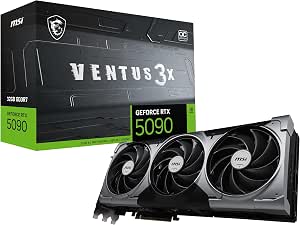 | Best No-Frills Pick | Chipset: NVIDIA GeForce RTX 5090 | Video memory: 32GB GDDR7 | Memory interface: 512-bit | VIEW LATEST PRICE | See Our Full Breakdown |
| PNY GeForce RTX 5090 Epic-X ARGB OC Triple Fan |  | Best for ARGB Customization | Architecture: NVIDIA Blackwell | Video memory: 32GB GDDR7 | Memory interface: 512-bit | VIEW LATEST PRICE | See Our Full Breakdown |
| MSI Gaming RTX 5090 32GB SUPRIM SOC |  | Best Premium Pick | Chipset: NVIDIA GeForce RTX 5090 | Architecture: NVIDIA Blackwell | Video memory: 32GB GDDR7 | VIEW LATEST PRICE | See Our Full Breakdown |
| NVIDIA RTX 5090 graphics card | VRAM | Cooling | Memory interface |
|---|---|---|---|
| CyberGeek GeForce RTX 5090 Ove | 32GB GDDR7 | — | 512-bit |
| GeForce RTX 5090 OC 32GB | 32GB GDDR7 | Three 100mm fans, vapor chamber, and heat pipes | — |
| ASUS ROG Astral LC GeForce RTX | 32GB GDDR7 | Cooling plate with 360mm radiator | — |
| ASUS ROG Astral GeForce RTX 50 | 32GB GDDR7 | Quad fan and vapor chamber | — |
| Gigabyte GeForce RTX 5090 WIND | 32GB GDDR7 | WINDFORCE | 512-bit |
| CyberGeek GeForce RTX 5090 Tri | 32GB GDDR7 | — | 512-bit |
| GIGABYTE Windforce GeForce RTX | 32GB | WINDFORCE triple-fan system | — |
| ASUS ROG XG Mobile | 24GB GDDR7 | Vapor chamber with increased surface area | — |
| MSI NVIDIA GeForce RTX 5090 32 | 32GB GDDR7 | Triple-fan Ventus 3X | 512-bit |
| GIGABYTE AORUS RTX 5090 AI Box | 32GB GDDR7 | 240mm radiator with silent fans | — |
| GIGABYTE GeForce RTX 5090 Gami | — | — | — |
| Gigabyte AORUS GeForce RTX 509 | — | — | 512-bit |
| MSI Gaming RTX 5090 32G Ventus | — | — | 512-bit |
| PNY GeForce RTX 5090 Epic-X AR | — | Triple fan | 512-bit |
| MSI Gaming RTX 5090 32GB SUPRI | — | — | 512-bit |
More Details on Our Top Picks
CyberGeek GeForce RTX 5090 Overclocked Triple Fan
I assign the CyberGeek RTX 5090 Overclocked the local-AI role because its listing clearly frames the 32GB memory pool and 3,352 AI TOPS around model inference and content creation. That capacity gives larger models, complex timelines, and high-resolution assets more breathing room than lower-tier GPUs. Compared with the Gigabyte WINDFORCE OC, CyberGeek supplies more AI-specific performance detail and includes a GPU holder, but Gigabyte offers a better-defined cooler and dual-BIOS controls. The 1,792GB/s bandwidth also suits memory-heavy production work, while four modern display outputs support an expansive workspace. I would place it below established cooling-focused cards for gaming-only builds: power demands will be steep, and the supplied data says little about warranty coverage or the triple-fan cooler’s noise behavior.
Pros:- 3,352 AI TOPS provide substantial acceleration for AI creation and local inference
- 32GB GDDR7 memory accommodates large models and demanding creative projects
- 1,792GB/s bandwidth supports memory-intensive workloads
- Included GPU holder helps support the heavy triple-fan card
Cons:- Cooling noise and thermal behavior are not detailed
- Warranty information is not provided
- Power and system requirements place it beyond typical mainstream builds
Best for: AI developers and content creators running local language models, rendering workloads, or large GPU-accelerated projects
Not ideal for: Gaming-only buyers who want detailed acoustic data, documented warranty coverage, and a well-established cooling design
- VRAM:32GB GDDR7
- Memory speed:28Gbps
- Memory interface:512-bit
- Memory bandwidth:1,792GB/s
- AI performance:3,352 AI TOPS
- Tensor cores:5th generation
- Ray-tracing cores:4th generation
- Display outputs:3x DisplayPort 2.1b, 1x HDMI 2.1b
- Included accessory:GPU holder
Our verdict“I recommend this CyberGeek model to local-AI users who value stated compute figures and memory capacity more than extensive cooler and warranty documentation.”
GeForce RTX 5090 OC 32GB
I chose this GeForce RTX 5090 OC for ambitious 8K and multi-monitor installations because it combines 21,760 CUDA cores, four current-generation outputs, and a 2,467MHz clock. Its vapor chamber, heat pipes, and three 100mm fans provide more cooling detail than the CyberGeek Overclocked card, which makes thermal planning less speculative. It cannot match the ASUS ROG Astral LC’s 360mm radiator for moving heat away from the card, yet it avoids finding a mounting location for that radiator. The catch is purchasing confidence: this is described as a brand-new pull rather than standard boxed stock, and its one-year warranty is short for such an expensive component. At 335mm long and 74mm thick, it also demands careful case, slot, and neighboring-card clearance checks.
Pros:- 21,760 CUDA cores suit high-resolution gaming and GPU rendering
- Vapor chamber and three 100mm fans provide a clearly specified cooling system
- Four modern display outputs support 8K and multi-monitor arrangements
- 2,467MHz clock offers factory-overclocked performance
Cons:- Brand-new-pull condition is less straightforward than normal retail stock
- One-year warranty is limited for a costly flagship GPU
- 335mm length and 74mm thickness restrict case compatibility
Best for: Enthusiasts building spacious 8K gaming or four-display workstations who are comfortable buying a card pulled from a new system
Not ideal for: Buyers seeking retail-box provenance, long warranty protection, or compatibility with compact cases
- CUDA cores:21,760
- VRAM:32GB GDDR7
- Memory speed:28Gbps
- Memory bandwidth:1.79TB/s
- Clock speed:2,467MHz
- Interface:PCIe 5.0
- Cooling:Three 100mm fans, vapor chamber, and heat pipes
- Dimensions:335 x 138 x 74mm
- Warranty:1 year
Our verdict“I would choose this card for a roomy 8K workstation only when its new-pull status and one-year warranty are acceptable.”
ASUS ROG Astral LC GeForce RTX 5090
I give the ASUS ROG Astral LC the liquid-cooling crown because its full-coverage cooling plate and 360mm radiator are built for sustained flagship loads. Moving much of the heat to a case-mounted radiator can reduce thermal buildup around the expansion slots, a useful advantage during long rendering sessions or extended gaming. Compared with the air-cooled ASUS ROG Astral White OC, this model places fewer cooling demands directly around the card, though it requires three adjacent fan mounts and more installation work. Its chain-connectable magnetic fans simplify cabling, but they do not erase the added pump, tubing, and radiator-placement concerns. I would reserve this model for buyers who can exploit its thermal headroom; the Gigabyte WINDFORCE OC is a simpler choice for conventional builds, while the Astral LC’s higher cost and complexity are hard to justify for casual play.
Pros:- 360mm radiator provides substantial cooling capacity for sustained workloads
- Full-coverage cooling plate manages heat across key card components
- Chain-connectable magnetic fans reduce fan-cable clutter
- 32GB GDDR7 supports demanding games and professional applications
Cons:- Requires a compatible 360mm radiator mounting location
- Installation is more involved than with air-cooled RTX 5090 cards
- Liquid-cooling hardware adds cost and more potential failure points
Best for: Performance enthusiasts and creators with 360mm radiator space who run lengthy gaming, rendering, or AI workloads
Not ideal for: First-time builders, compact-case owners, and casual gamers who want a simple air-cooled installation
- GPU:NVIDIA GeForce RTX 5090
- VRAM:32GB GDDR7
- GPU clock:2,437MHz
- Interface:PCIe 5.0
- Cooling:Cooling plate with 360mm radiator
- Radiator fans:Chain-connectable magnetic fans
- Display connectivity:HDMI and DisplayPort 2.1
- Card dimensions:11.36 x 6.05 inches
Our verdict“I recommend the ROG Astral LC to radiator-ready builders who prioritize sustained cooling and accept extra cost and installation complexity.”
ASUS ROG Astral GeForce RTX 5090 White OC Edition
I selected the ASUS ROG Astral White OC Edition for showcase PCs because it pairs a cohesive white finish with unusually substantial air cooling. Its four-fan layout, vapor chamber, and phase-change thermal pad target sustained performance without the radiator and tubing required by the ROG Astral LC. That makes it easier to integrate into many full towers, but the 3.8-slot body remains a serious fit constraint and may obstruct other expansion hardware. It also offers two HDMI 2.1b ports, giving it more connection flexibility than the Gigabyte WINDFORCE OC and its single HDMI output. I rank it as an appearance-led specialist rather than the default RTX 5090: buyers pay for the white design and elaborate cooler, while less visible builds gain little from that premium. The five display outputs add practical value for VR, televisions, and monitor-heavy desks.
Pros:- White finish suits coordinated showcase builds
- Quad-fan design and vapor chamber provide heavy-duty air cooling
- Two HDMI 2.1b ports offer more connection flexibility than most alternatives
- Phase-change thermal pad supports efficient heat transfer under load
Cons:- 3.8-slot footprint can block expansion slots and limit case compatibility
- Appearance-focused premium offers little value inside a closed case
- Heavy cooling assembly may require additional card support
Best for: Showcase-PC builders creating a white full-tower system with multiple HDMI displays or a VR headset
Not ideal for: Compact-system owners or budget-focused buyers who do not benefit from the white finish and oversized four-fan cooler
- GPU:NVIDIA GeForce RTX 5090
- VRAM:32GB GDDR7
- Edition:White OC Edition
- Cooling:Quad fan and vapor chamber
- Thermal interface:Phase-change thermal pad
- Slot width:3.8 slots
- Display outputs:3x DisplayPort 2.1b, 2x HDMI 2.1b
- Platform technology:PCIe 5.0 and NVIDIA DLSS 4
Our verdict“I would buy the Astral White OC for a roomy white showcase build where its cooling hardware and dual-HDMI layout earn their keep.”
Gigabyte GeForce RTX 5090 WINDFORCE OC 32G
I rank the Gigabyte RTX 5090 WINDFORCE OC as the strongest all-around air-cooled choice here because it balances a 2,467MHz core, reinforced construction, and dual-BIOS control. Switching between Performance and Quiet modes gives buyers a useful way to favor frame rates or lower noise without replacing the cooler. The generic RTX 5090 OC matches its stated clock and provides more detailed fan specifications, but its new-pull condition and one-year warranty weaken its ownership case. Gigabyte also avoids the radiator-placement demands of the ASUS ROG Astral LC and the 3.8-slot white-build focus of the Astral White OC. It is still a large, power-hungry flagship rather than an easy drop-in upgrade, and the supplied data omits exact dimensions. For buyers wanting conventional installation with meaningful tuning flexibility, the WINDFORCE cooling system makes the fewest specialized demands.
Pros:- Dual BIOS offers separate Performance and Quiet operating profiles
- 2,467MHz core frequency provides factory-overclocked performance
- Reinforced structure helps support the flagship-class card
- WINDFORCE cooling avoids external radiator installation
Cons:- Exact card dimensions are not supplied, complicating fit checks
- Flagship power draw demands a capable power supply and strong case airflow
- Single HDMI output is less flexible than the ASUS Astral White OC
Best for: Full-tower gaming and creator-PC builders who want a conventional air-cooled RTX 5090 with selectable noise and performance profiles
Not ideal for: Small-form-factor builders or users whose power supply, case airflow, and card clearance were designed for mainstream GPUs
- GPU:NVIDIA GeForce RTX 5090
- VRAM:32GB GDDR7
- Memory interface:512-bit
- Core frequency:2,467MHz
- Interface:PCIe 5.0
- Cooling:WINDFORCE
- Display outputs:3x DisplayPort 2.1a, 1x HDMI 2.1b
- BIOS modes:Performance and Quiet
- Construction:Reinforced structure
Our verdict“I consider the WINDFORCE OC the most balanced air-cooled pick for buyers who want straightforward installation and useful BIOS-level flexibility.”
CyberGeek GeForce RTX 5090 Triple Fan Graphics Card
I rank the CyberGeek GeForce RTX 5090 as the local-AI specialist because its 32GB of GDDR7 memory, 1,792 GB/s bandwidth, and stated 3,352 AI TOPS directly address large-model inference and GPU-heavy content creation. The MSI Ventus 3X OC offers the same memory capacity with a more familiar gaming-card identity, but CyberGeek supplies clearer AI performance figures and includes a GPU holder for its substantial triple-fan body. Gaming remains a major strength through DLSS 4 and fourth-generation ray-tracing cores, so this is not an AI-only purchase. My reservations are the large-case requirement, likely demanding thermal and power needs, and pricing that may erase its appeal beside better-known brands. It earns this role through workload-focused specifications, not portability or simplicity.
Pros:- 32GB GDDR7 capacity accommodates large AI models and complex creative projects
- 1,792 GB/s memory bandwidth supports data-heavy GPU workloads
- DLSS 4 and fourth-generation ray-tracing cores provide flagship gaming features
- Included GPU holder helps support the heavy triple-fan card
Cons:- Large triple-fan construction requires a spacious compatible case
- Heavy power use and heat output demand a capable PSU and strong airflow
- High pricing may weaken its case against more established board partners
Best for: AI developers and creators running local language models or memory-heavy generation workloads on a full-size desktop
Not ideal for: Small-form-factor builders or buyers with limited cooling and power capacity, since the triple-fan RTX 5090 design is large and demanding
- VRAM:32GB GDDR7
- Memory Speed:28 Gbps
- Memory Interface:512-bit
- Memory Bandwidth:1,792 GB/s
- AI Performance:3,352 AI TOPS
- Tensor Cores:5th generation
- Ray-Tracing Cores:4th generation
- Display Outputs:DisplayPort 2.1b and HDMI 2.1b
- Included Accessory:GPU holder
Our verdict“My local-AI pick suits buyers who value 32GB capacity and published AI figures more than compact dimensions or brand familiarity.”
GIGABYTE Windforce GeForce RTX 5090 OC 32GB GDDR7 Graphics Card
The GIGABYTE Windforce RTX 5090 OC takes my air-cooling flexibility spot because its three-fan system and dual BIOS modes let buyers favor either stronger cooling behavior or quieter operation. That makes it more adaptable than the MSI Ventus 3X OC, whose supplied details do not list an equivalent BIOS choice. Gigabyte also reinforces the card structurally, a useful addition for a heavy flagship GPU, while 32GB of GDDR7 serves demanding games and creative workloads. It cannot match the sustained thermal ambition of the liquid-cooled ASUS ROG Astral LC, but it avoids that model’s radiator installation. The compromise is still considerable: large physical dimensions, heavy power demand, and flagship pricing. I rank it for buyers wanting practical cooling control without moving to a liquid loop.
Pros:- Dual BIOS modes provide a choice between performance and quieter operation
- WINDFORCE triple-fan cooling suits sustained gaming and creative loads
- 32GB GDDR7 supports high-resolution assets and memory-heavy applications
- Reinforced construction helps manage the weight of the card
Cons:- Triple-fan body may not fit compact or crowded cases
- High power and heat output require strong supporting hardware
- Costs more than buyers focused on efficiency or mainstream gaming need to spend
Best for: Full-tower gaming PC owners who want selectable quiet and performance behavior from a conventional air-cooled card
Not ideal for: Compact-system builders or buyers specifically seeking liquid-cooled thermals, since the triple-fan cooler occupies substantial case space
- GPU Architecture:NVIDIA Blackwell
- GPU Series:NVIDIA GeForce RTX 50 Series
- VRAM:32GB
- Memory Type:GDDR7
- Memory Clock Speed:1,750 MHz
- Cooling:WINDFORCE triple-fan system
- BIOS:Dual BIOS modes
- Listed Maximum Resolution:3840 x 2160
Our verdict“My air-cooled flexibility pick is best for large-case builders who want dual-BIOS control without installing a radiator.”
ASUS ROG XG Mobile (2025) External Graphics Card with NVIDIA GeForce RTX 5090
I give the ASUS ROG XG Mobile (2025) the portability role: at 2.09 pounds, it brings RTX 5090-class graphics, display expansion, and a 330W power profile to compatible mobile systems. Compared with the GIGABYTE AORUS RTX 5090 AI Box, it is lighter and easier to carry, but its 24GB GDDR7 allocation trails the AORUS model’s 32GB for large AI projects. Thunderbolt 5 makes connection cleaner than installing an internal MSI Ventus 3X OC, though an external link and constrained power profile mean buyers should not expect identical behavior to a full desktop card. The vapor chamber helps manage heat within the small enclosure, while 8K and multi-4K support add docking value. I reserve this for compatible laptop users; the port requirement and premium cost sharply narrow its audience.
Pros:- 2.09-pound design is far easier to transport than full-size external GPU boxes
- Thunderbolt 5 supports a simple high-bandwidth laptop connection
- 24GB GDDR7 provides ample capacity for gaming and mobile creative work
- Supports 8K video and multiple 4K displays
Cons:- 24GB VRAM is less than the 32GB fitted to desktop RTX 5090 cards and the AORUS AI Box
- Requires a compatible Thunderbolt 5 system
- External connectivity and a 330W profile can limit performance relative to internal desktop cards
Best for: Thunderbolt 5 laptop owners who need transportable GPU acceleration and a high-resolution display dock between locations
Not ideal for: Desktop builders seeking maximum performance per dollar or anyone without Thunderbolt 5 compatibility
- GPU:NVIDIA GeForce RTX 5090
- VRAM:24GB GDDR7
- Connectivity:Thunderbolt 5
- Weight:2.09 lbs
- Cooling:Vapor chamber with increased surface area
- Power Profile:330W
- Display Support:8K video and multiple 4K displays
- Lighting:Customizable RGB
Our verdict“My portable eGPU choice makes sense for Thunderbolt 5 laptop users who accept lower headroom than a 32GB desktop RTX 5090.”
MSI NVIDIA GeForce RTX 5090 32G Ventus 3X OC Gaming Graphics Card
For a direct internal build, my no-frills choice is the MSI RTX 5090 Ventus 3X OC. Its priorities are clear: 32GB GDDR7, a 512-bit interface, PCIe Gen 5, and four modern display outputs, without the external enclosure of the AORUS AI Box or the radiator of the ASUS ROG Astral LC. The listed 2,452 MHz boost is restrained beside the PNY Epic-X ARGB OC’s 2,625 MHz figure, so factory-overclock hunters have a faster option elsewhere. MSI’s simpler positioning may appeal to builders who care more about the RTX 5090 GPU than elaborate lighting or liquid cooling. That simplicity does not make installation easy: this remains a large, hot, power-hungry flagship. I rank it below more feature-rich models but favor it for buyers seeking a straightforward 32GB desktop card.
Pros:- 32GB GDDR7 and a 512-bit interface support demanding games and rendering projects
- PCIe Gen 5 provides a current-generation host interface
- Three DisplayPort outputs and one HDMI output support flexible monitor layouts
- Straightforward internal design avoids external GPU cabling and enclosures
Cons:- Listed 2,452 MHz boost trails faster factory-overclocked options such as the PNY Epic-X
- High heat and power demands require substantial supporting hardware
- Fewer stated tuning and cooling extras than dual-BIOS or liquid-cooled rivals
Best for: Experienced desktop builders who want core RTX 5090 capability without paying specifically for an external enclosure or liquid-cooling hardware
Not ideal for: Overclocking enthusiasts chasing the highest listed boost clocks or compact-PC owners with limited space and airflow
- VRAM:32GB GDDR7
- Boost Frequency:Up to 2,452 MHz
- Memory Interface:512-bit
- PCIe Version:PCIe Gen 5
- Cooling:Triple-fan Ventus 3X
- DisplayPort Outputs:3 x DisplayPort 2.1
- HDMI Outputs:1 x HDMI 2.1
- Upscaling Technology:NVIDIA DLSS 4
Our verdict“My no-frills pick fits builders who want a conventional 32GB RTX 5090 and can accept fewer specialist extras.”
GIGABYTE AORUS RTX 5090 AI Box Graphics Card
The GIGABYTE AORUS RTX 5090 AI Box is my external-workstation pick because it combines the desktop-class attraction of 32GB GDDR7 with Thunderbolt 5 and a dedicated 240mm radiator. Compared with the ASUS ROG XG Mobile, it offers 8GB more graphics memory for larger local models and demanding creative data sets, while water cooling is better suited to long compute sessions. The price paid is mobility: although external, its radiator, enclosure, and power setup make it less travel-friendly than the 2.09-pound ASUS unit. It also adds another connection layer versus an internal GIGABYTE Windforce card, so desktop-only buyers may prefer direct PCIe installation. Silent fans, 8K output support, and broad laptop or desktop compatibility build a strong docked setup. I rank it for sustained AI workloads, with cost and setup complexity as the main penalties.
Pros:- 32GB GDDR7 provides more AI and creative workload headroom than the 24GB ASUS XG Mobile
- 240mm radiator and silent fans target sustained performance with lower noise
- Thunderbolt 5 supports external use with compatible laptops and desktops
- HDMI and DisplayPort 2.1b connections support displays up to 8K
Cons:- Radiator, enclosure, and external power hardware reduce portability
- More complex and costly than installing an internal RTX 5090
- Thunderbolt connectivity may not match a direct internal PCIe link
Best for: Laptop-based AI developers and creators who need 32GB of VRAM and quieter sustained cooling at a fixed desk
Not ideal for: Frequent travelers or desktop-only builders who would benefit more from a simpler internal PCIe card
- GPU:NVIDIA GeForce RTX 5090
- VRAM:32GB GDDR7
- GPU Clock Speed:2,407 MHz
- Memory Clock Speed:28,000 MHz
- Host Connectivity:Thunderbolt 5
- Cooling:240mm radiator with silent fans
- Display Outputs:HDMI and DisplayPort 2.1b
- Maximum Resolution:7680 x 4320
- Dimensions:11.89 x 6.77 inches
Our verdict“My external AI workstation pick is for desk-based laptop users who need 32GB VRAM and liquid cooling more than easy travel.”
GIGABYTE GeForce RTX 5090 Gaming OC 32G
I rank the GIGABYTE RTX 5090 Gaming OC 32G first because it balances performance-focused cooling, broad display support, and a less specialized design than the other cards here. Its WINDFORCE cooling system is suited to long gaming or rendering sessions, while 32GB of GDDR7 gives demanding creative projects and high-resolution textures ample memory. The AORUS Stealth ICE offers a faster stated core frequency and stronger visual identity, but this Gaming OC model fits a wider range of builds without making white styling or RGB the main attraction. The tradeoff is substantial physical bulk: at 13.46 inches long and 5.98 inches wide, it needs careful case planning. I would also expect the RTX 5090 platform and factory-overclocked positioning to carry steep power and price demands.
Pros:- WINDFORCE cooling is designed for sustained high-load performance
- 32GB of GDDR7 supports demanding games, rendering, and AI workloads
- Supports displays up to 7680 x 4320
- Less style-specific than the white AORUS Stealth ICE
Cons:- 13.46-inch length requires a spacious, well-planned case
- RTX 5090-class power demand may require a major PSU upgrade
- Premium positioning limits its appeal for performance-per-dollar shoppers
Best for: Enthusiast gamers and creators who want a balanced air-cooled RTX 5090 for 4K, 8K, and GPU-heavy production workloads
Not ideal for: Small-form-factor builders or buyers with modest power supplies, since the card is physically large and likely power-hungry
- Graphics processor:NVIDIA GeForce RTX 5090
- Video memory:32GB GDDR7
- GPU clock speed:2GHz
- Memory clock speed:28,000MHz
- Cooling system:WINDFORCE
- Interface:PCI Express x16
- Video outputs:DisplayPort and HDMI
- Maximum resolution:7680 x 4320
- Dimensions:13.46 x 5.98 inches
Our verdict“This is my all-around pick for buyers who want a capable factory-overclocked RTX 5090 without committing to a highly specialized build theme.”
Gigabyte AORUS GeForce RTX 5090 Stealth ICE 32G
The AORUS RTX 5090 Stealth ICE earns my white-build slot because its finish, RGB lighting, and reinforced construction make it a visual centerpiece rather than merely a fast component. Its stated 2655MHz core frequency is higher than the 2580MHz figure supplied for the MSI SUPRIM SOC, while the WINDFORCE system supports sustained workloads without resorting to an external radiator. A four-year warranty also gives this model a practical advantage over alternatives whose supplied data lists no comparable coverage. That aesthetic focus narrows its audience, though: a white card can clash with darker systems, and buyers who keep their case hidden gain little from the styling premium. I would also plan around a large chassis and tight availability, both common obstacles for an elaborate flagship model.
Pros:- White finish and RGB lighting suit coordinated showcase builds
- 2655MHz stated core frequency is the highest listed in this batch
- WINDFORCE cooling supports demanding sustained workloads
- Four-year warranty adds longer-term ownership reassurance
Cons:- Specialized white styling may command a higher price without improving fit for every system
- Large construction may conflict with compact cases or nearby components
- Limited availability can make price and replacement planning difficult
Best for: Enthusiasts assembling a showcase white desktop who want high stated clock speed, coordinated RGB, and longer warranty coverage
Not ideal for: Budget-focused buyers or owners of closed, dark-colored cases who would receive little value from its appearance-led design
- Architecture:NVIDIA Blackwell
- Video memory:32GB GDDR7
- Memory interface:512-bit
- Core frequency:2655MHz
- Cooling system:WINDFORCE
- DisplayPort outputs:3 x DisplayPort 2.1a
- HDMI output:1 x HDMI 2.1b
- Warranty:4 years
Our verdict“I would choose the Stealth ICE for a high-end white showcase PC where appearance, clock speed, and warranty coverage all justify the likely surcharge.”
MSI Gaming RTX 5090 32G Ventus 3X OC
I place the MSI RTX 5090 Ventus 3X OC in the no-frills role because its supplied specifications concentrate on the essentials: 32GB of GDDR7, a 512-bit memory interface, and current high-bandwidth display connections. Compared with the AORUS Stealth ICE, it does not make white styling, RGB, or an extended warranty part of the pitch. That makes the Ventus easier to justify for a workstation or closed case where decorative extras add little buyer value. Its three DisplayPort 2.1a connections also suit multi-monitor desks, while HDMI 2.1b covers a television or gaming display. The missing details create the main caution: no stated clock speed, dimensions, or warranty appear in the provided data. I would verify clearance, power requirements, and exact seller coverage before choosing it over the better-documented Gigabyte models.
Pros:- 32GB of GDDR7 suits large creative projects and demanding games
- 512-bit memory interface supports the flagship GPU’s high bandwidth needs
- Three DisplayPort 2.1a outputs suit multi-display workstations
- Feature set focuses on practical graphics capability rather than themed styling
Cons:- Provided data omits clock speed and physical dimensions
- No warranty term is stated in the supplied information
- High power demand and case-clearance needs remain likely for this class of card
Best for: Workstation users and performance-focused gamers who want core RTX 5090 capabilities without paying specifically for white styling or elaborate lighting
Not ideal for: Buyers who need published dimensions, stated clock figures, or clearly listed warranty coverage before ordering
- Chipset:NVIDIA GeForce RTX 5090
- Video memory:32GB GDDR7
- Memory interface:512-bit
- DisplayPort outputs:3 x DisplayPort 2.1a
- HDMI output:HDMI 2.1b
- Maximum resolution:7680 x 4320
Our verdict“The Ventus is my practical choice for buyers who value RTX 5090 fundamentals over showcase styling and are willing to verify fit and warranty details.”
PNY GeForce RTX 5090 Epic-X ARGB OC Triple Fan
The PNY RTX 5090 Epic-X ARGB OC is my choice for builders who want lighting customization without adopting the white theme of the AORUS Stealth ICE. Its triple-fan cooler and 2625MHz boost speed place it between the supplied clock figures for the MSI SUPRIM SOC and AORUS model, giving performance-minded buyers a clear reference point. The 32GB GDDR7 pool and 512-bit interface suit heavy rendering, AI work, and high-resolution gaming, while PCIe 5.0 and DisplayPort 2.1 connectivity match a modern flagship platform. Its defining compromise is size: the 3.5-slot body can block expansion slots and complicate airflow in tightly packed systems. PNY’s supplied data also gives less output detail than MSI’s three-DisplayPort listing, so I would confirm the exact port count before planning a multi-screen setup.
Pros:- Epic-X ARGB lighting supports customizable showcase builds
- 2625MHz stated boost speed exceeds the listed MSI SUPRIM SOC clock
- Triple-fan cooling is suited to sustained gaming and creative loads
- PCIe 5.0 and DisplayPort 2.1 support a current high-end platform
Cons:- 3.5-slot design can obstruct neighboring expansion slots
- Supplied specifications do not state the exact number of display outputs
- High-end OC positioning is likely to carry steep power and price demands
Best for: Custom-PC enthusiasts who want an illuminated RTX 5090 centerpiece with a stated factory-overclocked boost speed
Not ideal for: Users with compact cases or several PCIe expansion cards, because the 3.5-slot cooler consumes substantial internal space
- Architecture:NVIDIA Blackwell
- Video memory:32GB GDDR7
- Memory interface:512-bit
- Boost speed:2625MHz
- PCIe standard:PCIe 5.0
- Cooling:Triple fan
- Video outputs:HDMI and DisplayPort 2.1
- Form factor:3.5-slot
Our verdict“I recommend this PNY model to lighting-focused builders who can accommodate its 3.5-slot footprint and want a clearly stated boost clock.”
MSI Gaming RTX 5090 32GB SUPRIM SOC
I reserve the premium slot for the MSI RTX 5090 SUPRIM SOC, a model aimed at buyers who care about build quality, cooling design, and restrained high-end presentation alongside raw speed. Its 2580MHz stated clock trails the 2655MHz AORUS Stealth ICE and 2625MHz PNY Epic-X, so this is not the strongest choice for shoppers ranking cards by published frequency alone. The appeal instead lies in its enthusiast-grade construction, 32GB GDDR7 memory, and flexible output array for an 8K display or multi-monitor workspace. That positioning comes with familiar flagship penalties: a likely price premium, substantial case-clearance needs, and heavy power demand. I would pick it over the Ventus when finish and cooler design matter, but the Ventus makes more sense when those refinements provide no practical benefit.
Pros:- Premium construction and cooling suit a flagship desktop
- 32GB of GDDR7 handles memory-heavy creative and gaming workloads
- Three DisplayPort 2.1a connections support sophisticated monitor layouts
- Maximum 7680 x 4320 output supports 8K display use
Cons:- 2580MHz stated clock is lower than the listed AORUS and PNY figures
- Premium design is likely to cost more than simpler RTX 5090 variants
- Large size and high power demand may require broader system upgrades
Best for: Enthusiasts building a high-end gaming or creative workstation who value refined construction and cooling more than the highest listed clock
Not ideal for: Value-driven buyers or compact-PC owners who cannot justify or accommodate a large premium-tier graphics card
- Chipset:NVIDIA GeForce RTX 5090
- Architecture:NVIDIA Blackwell
- Video memory:32GB GDDR7
- Memory interface:512-bit
- GPU clock speed:2580MHz
- DisplayPort outputs:3 x DisplayPort 2.1a
- HDMI output:HDMI 2.1b
- Maximum resolution:7680 x 4320
- Interface:PCI Express x16
Our verdict“The SUPRIM SOC is my premium recommendation for buyers who prioritize finish, cooling, and display flexibility over chasing the highest published clock.”
How We Picked
I ranked these cards by cooling capability, sustained clock behavior, acoustic potential, physical compatibility, power requirements, display connectivity, and expected ownership support. Because the underlying RTX 5090 GPU and 32GB of GDDR7 are shared across the lineup, I gave less weight to small advertised clock differences than to cooler design and installation demands. Models with familiar warranty channels and clear desktop compatibility ranked above less-established alternatives when their specifications were otherwise similar. I also treated duplicate or closely related listings cautiously, since a different seller title does not always indicate a meaningfully different card.
My ranking favors the product that serves the widest group of buyers, followed by options with a clear advantage in value, premium construction, liquid cooling, or external use. Conventional add-in cards score better for a desktop roundup because they avoid the bandwidth and compatibility questions attached to an external enclosure. Price can vary sharply during limited supply, so the value positions reflect how much extra hardware and support a buyer receives rather than a temporary listing price. Every pick also carries a tradeoff, whether that is a larger footprint, radiator placement, restrained styling, uncertain support, or a premium that produces only a small gaming gain.
Factors to Consider When Choosing Best NVIDIA RTX 5090 Graphics Cards
Choosing among RTX 5090 cards is less about finding a different GPU and more about matching cooling, size, power, support, and connection type to the rest of the system. I would start with physical and electrical compatibility, then decide how much quieter operation or premium construction is worth paying for.
Match the Cooler to Your Case
RTX 5090 coolers can occupy three or more expansion slots, so a case advertised for full-size graphics cards may still be too tight. I would check card length, thickness, front-radiator clearance, and the space below the PCIe slot before buying. A thick air cooler needs room to draw air, while the ROG Astral LC needs a suitable location for its 360mm radiator and tubing. Small gaps against a side panel can raise temperatures and fan noise even when the card technically fits. Buyers using capture cards or other PCIe devices also need to map which slots the GPU will cover. Paying for a larger cooler makes sense only when the chassis can feed it enough fresh air.
Plan the Power Path, Not Just the Wattage
A high-wattage power supply is only part of the preparation for an RTX 5090. I would favor a modern unit with a native high-power GPU cable, enough capacity for the processor, and headroom for short power spikes. The cable should reach the card without a hard bend near its connector, which can be difficult in narrow cases. Extension cables and multiple adapters add connection points that may complicate troubleshooting. Factory-overclocked models can carry higher power limits, yet their real gaming advantage may be small beside the added heat. Buyers building from scratch should budget for the power supply and case alongside the card rather than treating them as unrelated purchases.
Do Not Overpay for a Small Factory Overclock
Clock-speed labels make easy comparison points, but they do not tell the whole performance story. Two cards with different advertised boosts may run close together once temperature, power limits, and workload behavior enter the equation. I would pay more when the premium also buys a better cooler, lower noise, stronger support, or useful accessories. A high-end model such as the MSI SUPRIM SOC appeals through its complete design package, not merely its 2580MHz specification. By contrast, a WINDFORCE model can deliver much of the same core gaming capability with fewer cosmetic extras. The price gap is better spent elsewhere when it could fund a stronger CPU, larger power supply, or higher-quality display.
Choose Air or Liquid Cooling Around the Build
Air-cooled cards are simpler to install and keep all GPU cooling hardware in one replaceable component. A liquid-cooled model can move heat directly toward a case exhaust and may sustain lower temperatures or gentler fan speeds. That benefit comes with radiator placement, pump noise, tubing clearance, and more installation work. I would choose liquid cooling for a large case, a heavily loaded workstation, or a build where controlled exhaust matters. Air cooling remains the easier choice for most buyers, especially when long-term serviceability matters more than the lowest possible temperature. The cooler format changes the ownership experience more than a small clock increase does.
Treat External RTX 5090 Options as a Separate Category
The AORUS AI Box and ROG XG Mobile are not direct substitutes for ordinary PCIe cards. External graphics performance depends on the host connection, system support, and workload, while a desktop card communicates through a full PCIe slot. Thunderbolt 5 makes the AORUS box useful for compatible laptops and compact computers, but connection overhead may reduce performance compared with an internal RTX 5090. The ROG XG Mobile is smaller and easier to move, yet its appeal rests on compatibility with supported ASUS hardware. I would verify the exact laptop model, firmware requirements, display routing, and charging behavior before ordering either device. Desktop owners usually gain better value and fewer restrictions from an internal card.
Factor Support and Resale Into the Price
A graphics card at this price can make warranty quality as meaningful as cooler design. I would compare warranty length, regional service access, return terms, and seller authorization, particularly for less-familiar brands or marketplace listings. A lower purchase price loses its appeal if replacement service is unclear or international shipping is required. Established product families may also have more published measurements, replacement accessories, and community troubleshooting information. Resale buyers often recognize mainstream models more readily, which can improve demand when the next upgrade arrives. The CyberGeek cards may attract specification-focused shoppers, but their value depends heavily on seller credibility and after-sales coverage.
Frequently Asked Questions
Will Every RTX 5090 Card Deliver the Same Gaming Performance?
Most internal RTX 5090 cards should perform within a relatively narrow range because they share the same GPU class and 32GB of GDDR7 memory. Cooling, power limits, firmware, and factory clocks can create differences, especially during long workloads. Those gaps are often smaller than product pricing suggests, so I would prioritize noise, case fit, and warranty support over a minor boost-clock advantage. External models are the exception because their connection to the host system can create a larger performance penalty.
Is a Liquid-Cooled RTX 5090 Worth the Extra Cost?
A liquid-cooled card is worth paying for when the system has ample radiator space and the buyer values controlled heat exhaust or lower GPU temperatures. The ASUS ROG Astral LC is particularly suited to sustained rendering, AI work, or a large enthusiast build. It is harder to install than an air-cooled model and introduces pump noise plus another radiator to maintain. I would choose a strong air-cooled card instead when simplicity, case flexibility, and easier replacement carry more weight.
Should I Buy the Cheapest RTX 5090 Available?
The cheapest legitimate card can be a sensible purchase when it has a suitable cooler and dependable warranty coverage. I would still verify the seller, return policy, card dimensions, and power connector arrangement before comparing prices. Very low pricing from an unfamiliar listing may come with weaker support or unclear product identity. Among mainstream desktop choices, a WINDFORCE model offers a more convincing value case because it pares back luxury features without changing the underlying GPU tier.
Can an External RTX 5090 Replace a Desktop Gaming PC?
An external RTX 5090 can add major graphics capability to a compatible laptop or compact computer, but it does not reproduce every advantage of a desktop installation. The host connection can restrict bandwidth, and some games or professional workloads respond more strongly to that restriction than others. The AORUS RTX 5090 AI Box is the broader external choice through Thunderbolt 5, while the ROG XG Mobile targets supported ASUS systems. I would select either for mobility or host-device reuse, not as the default route to maximum RTX 5090 performance.
Which RTX 5090 Features Matter Most for AI and Content Creation?
For local AI and content creation, the shared 32GB memory capacity is often more valuable than small differences in factory clock speed. Long rendering or inference sessions place greater emphasis on sustained cooling, acoustic behavior, and a stable power supply. DisplayPort 2.1 and HDMI 2.1 connectivity matter when the workstation drives high-resolution or high-refresh displays. I would favor the Gaming OC for a balanced workstation, the Astral LC for heavy sustained loads, or the AORUS AI Box when an external connection is required.
Conclusion
For most desktop buyers, I recommend the GIGABYTE GeForce RTX 5090 Gaming OC 32G as the best overall choice because it combines broad compatibility, capable cooling, and a useful factory tune. The Gigabyte WINDFORCE OC 32G is my best-value pick, while the MSI Ventus 3X OC is better for beginners who want a straightforward mainstream design without paying for an elaborate aesthetic. Buyers building a premium showcase system should choose the MSI SUPRIM SOC, and those prioritizing dedicated liquid cooling should choose the ASUS ROG Astral LC. For a white build, the ASUS ROG Astral White OC or Gigabyte AORUS Stealth ICE offers a clearer visual match than the darker cards. Laptop and compact-system owners should treat the AORUS AI Box as the more flexible external option, while the ROG XG Mobile makes sense for compatible ASUS hardware.
Labor Day sales Picks
labor day deals
As an affiliate, we earn on qualifying purchases.