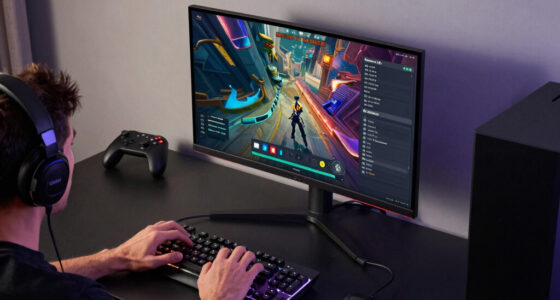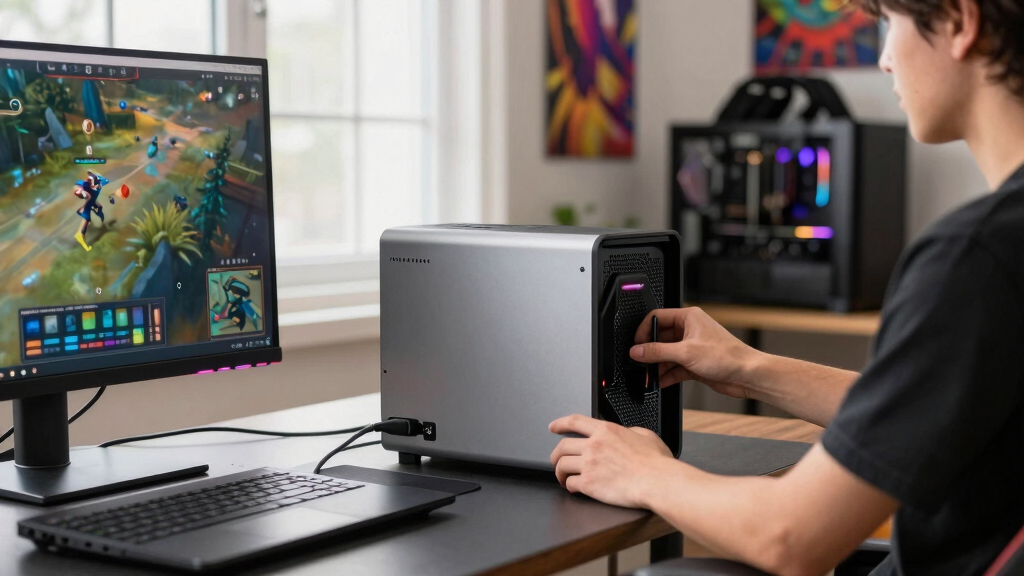

For gaming laptops, the best external GPU choice depends less on raw graphics power and more on the match between your laptop port, your upgrade plans, and how much setup work you want. My top pick is the GIGABYTE AORUS RTX 5090 AI Box because it combines the GPU, cooling, power, Thunderbolt 5, and Ethernet in one finished unit. For buyers who want flexibility, the Razer Core X V2 is the better long-term enclosure because it supports wider GPUs and replaceable parts. If price matters more than peak performance, the older Razer Core X still makes sense for Thunderbolt 3 laptops.

Play games on Amazon Luna for your game nights, included with Prime
- A rotating selection of games, no download needed
- Play on TV, laptop or phone
- Fast, free delivery for your gear, too
The main tradeoff is simple: all-in-one eGPU boxes are easier and cleaner, while empty enclosures let you choose the graphics card but add cost and setup. I ranked these picks by how well they serve gaming laptops specifically, not by desktop GPU power alone.
Key Takeaways
- The GIGABYTE AORUS RTX 5090 AI Box ranks first because it is a complete, high-end Thunderbolt 5 eGPU rather than an enclosure that still needs a card.
- The Razer Core X V2 is the best choice for buyers who want to reuse or upgrade desktop GPUs over time, but it needs a separate GPU and power supply.
- The older Razer Core X is the value pick for Thunderbolt 3 laptops, especially if the laptop cannot benefit from Thunderbolt 5 bandwidth.
- The GIGABYTE AORUS RTX 5060 Ti AI Box is the cleaner midrange all-in-one choice, but it is less compelling for 4K gaming than the RTX 5090 AI Box.
- The Radeon RX 9070 XT card is powerful, but it only belongs in this roundup as a DIY enclosure pairing, not a complete external GPU solution.
| GIGABYTE AORUS RTX 5090 AI Box Graphics Card – External GPU |  | Best Overall External GPU For High-End Gaming Laptops | GPU: NVIDIA GeForce RTX 5090 | Memory: 32GB GDDR7 | Memory Bus: 512-bit | VIEW LATEST PRICE | See Our Full Breakdown |
| Razer Core X V2 External Graphics Enclosure for Thunderbolt 5/4 and USB 4 Devices |  | Best Modular Enclosure For Future GPU Upgrades | Type: External GPU enclosure | Compatibility: Windows 11 Thunderbolt 4/5 and USB4 laptops or handhelds | Bandwidth: Up to 80Gbps via Thunderbolt 5 | VIEW LATEST PRICE | See Our Full Breakdown |
| GIGABYTE AORUS RTX 5060 Ti AI Box Graphics Card (16GB GDDR7, Thunderbolt 5) |  | Best All-In-One Midrange eGPU | GPU: NVIDIA GeForce RTX 5060 Ti | Memory: 16GB GDDR7 | Interface: Thunderbolt 5, USB4, PCIe 5.0 | VIEW LATEST PRICE | See Our Full Breakdown |
| Razer Core X Aluminum External GPU Enclosure (eGPU) – Classic Black |  | Best Value For Thunderbolt 3 Gaming Laptops | Type: External GPU enclosure | Connection: Thunderbolt 3 | Power Supply: 650W ATX | VIEW LATEST PRICE | See Our Full Breakdown |
| GIGABYTE Radeon RX 9070 XT Gaming OC 16G Graphics Card |  | Best DIY GPU Card For A Separate eGPU Enclosure | GPU: AMD Radeon RX 9070 XT | Memory: 16GB GDDR6 | Interface: PCIe 5.0 | VIEW LATEST PRICE | See Our Full Breakdown |
More Details on Our Top Picks
GIGABYTE AORUS RTX 5090 AI Box Graphics Card – External GPU
The GIGABYTE AORUS RTX 5090 AI Box takes the top spot because it solves more of the gaming-laptop problem in one purchase than anything else here. It pairs a GeForce RTX 5090 with 32GB of GDDR7, Thunderbolt 5, USB4 support, a 240mm liquid cooler, display outputs, laptop charging, and Ethernet. Compared with the Razer Core X V2, it is less flexible because the GPU is already chosen, but it is far cleaner for someone who wants a finished desk setup without shopping for a card, power supply, and cooling path.
This pick makes the most sense for owners of new premium gaming laptops with Thunderbolt 5 who want to push high-refresh 1440p, ultrawide, or 4K monitors from a laptop. The cooling system is a major reason it ranks above the RTX 5060 Ti AI Box: the 240mm radiator is built for a much hotter, faster GPU. The tradeoff is price, size, and possible waste if your laptop is limited to Thunderbolt 3 or 4. A weaker port can narrow the performance gap so much that the cheaper Razer Core X or RTX 5060 Ti AI Box becomes the smarter buy.
Pros:- Complete external GPU with RTX 5090 already installed
- Thunderbolt 5 and USB4 support with up to 80Gbps bandwidth
- 240mm liquid cooling system built for sustained high-end loads
- Integrated Ethernet and up to 100W laptop charging
Cons:- Very expensive compared with enclosure-based setups
- GPU is not a modular buyer-selected card
- Performance depends heavily on laptop port and external display setup
Best for: Owners of newer premium gaming laptops who want a powerful all-in-one Thunderbolt 5 eGPU for high-refresh external monitors.
Not ideal for: Buyers with older Thunderbolt 3 laptops, tight budgets, or anyone who wants to swap GPUs later.
- GPU:NVIDIA GeForce RTX 5090
- Memory:32GB GDDR7
- Memory Bus:512-bit
- Interface:Thunderbolt 5, USB4, PCIe 5.0
- Cooling:WATERFORCE all-in-one liquid cooling with 240mm radiator
- Video Outputs:HDMI 2.1b and DisplayPort 2.1
- Laptop Charging:Up to 100W Power Delivery 3.0
- Networking:Integrated Ethernet
- Dimensions:11.89 x 6.77 inches
Bottom line: This is my top pick for buyers who want the strongest finished eGPU box and have a laptop that can take real advantage of Thunderbolt 5.
Razer Core X V2 External Graphics Enclosure for Thunderbolt 5/4 and USB 4 Devices
The Razer Core X V2 ranks second because it is the most flexible route for gaming-laptop owners who want control over the GPU inside the box. Unlike the GIGABYTE RTX 5090 AI Box, this is an enclosure, so the graphics card and power supply are separate purchases. That adds cost and effort, but it also means the setup can grow with you. The 4-slot GPU support, Thunderbolt 5 bandwidth, USB4 compatibility, and 140W Power Delivery make it better suited to future cards than the older Razer Core X.
I would choose this over the GIGABYTE all-in-one models if I already owned a strong desktop GPU or wanted to upgrade one piece at a time. It is also the better pick for buyers who dislike sealed ecosystems. The downside is that it is not a ready-to-game box. You still need a compatible Windows laptop, a desktop GPU, and a power supply that fits the build. Compared with the older Razer Core X, it brings newer bandwidth and better laptop charging, but the setup is less bargain-friendly because more parts are on your shopping list.
Pros:- Thunderbolt 5, Thunderbolt 4, and USB4 support
- Fits large desktop GPUs up to 4 slots wide
- Modular GPU and power supply installation
- Up to 140W USB-C Power Delivery
Cons:- GPU and power supply are sold separately
- Windows-focused compatibility limits mixed-device buyers
- Bulkier and more complex than an all-in-one eGPU
Best for: PC gamers who want a long-life eGPU enclosure and plan to choose or replace the graphics card themselves.
Not ideal for: Anyone who wants a complete one-box purchase or needs macOS support.
- Type:External GPU enclosure
- Compatibility:Windows 11 Thunderbolt 4/5 and USB4 laptops or handhelds
- Bandwidth:Up to 80Gbps via Thunderbolt 5
- GPU Support:NVIDIA or AMD desktop GPUs
- Max GPU Width:Up to 4 slots
- Power Delivery:Up to 140W via USB-C
- Cooling:Built-in 120mm fan with adjustable profiles
- Software:Razer Synapse fan profile support
- Included GPU:None
Bottom line: The Core X V2 is my pick for upgrade-minded laptop gamers who value flexibility more than a simple all-in-one purchase.
GIGABYTE AORUS RTX 5060 Ti AI Box Graphics Card (16GB GDDR7, Thunderbolt 5)
The GIGABYTE AORUS RTX 5060 Ti AI Box is the more sensible all-in-one choice for buyers who like the RTX 5090 AI Box idea but do not need the flagship GPU. It still brings Thunderbolt 5, 16GB of GDDR7, Power Delivery, Ethernet, modern display outputs, and a compact design with flexible positioning. Compared with the Razer Core X V2, it gives up GPU-swapping freedom, yet it wins on simplicity because the card, cooling, and enclosure are already matched.
This model is better suited to 1080p and 1440p laptop gamers who want cleaner cable management and better external-monitor performance without turning the purchase into a desktop-build project. Against the RTX 5090 AI Box, the obvious drawback is headroom: the RTX 5060 Ti will not chase the same 4K settings or heavy ray tracing targets. Still, it may be the smarter buy for a slim gaming laptop whose CPU, thermals, or port bandwidth would hold back a flagship eGPU anyway. The risk is paying a premium for Thunderbolt 5 features before your current laptop can fully use them.
Pros:- Complete eGPU with RTX 5060 Ti included
- Thunderbolt 5 support with up to 80Gbps bandwidth
- Compact design with horizontal or vertical placement
- Ethernet and up to 100W charging support
Cons:- Less powerful than the RTX 5090 AI Box
- Premium features may be wasted on older laptops
- No buyer choice over the installed GPU
Best for: Laptop gamers who want a compact, complete Thunderbolt 5 eGPU for strong 1080p or 1440p play.
Not ideal for: 4K ultra-settings buyers, GPU tinkerers, or owners of laptops without modern USB4 or Thunderbolt support.
- GPU:NVIDIA GeForce RTX 5060 Ti
- Memory:16GB GDDR7
- Interface:Thunderbolt 5, USB4, PCIe 5.0
- Bandwidth:Up to 80Gbps
- Cooling:WINDFORCE with server-grade thermal gel and Hawk fans
- Video Outputs:HDMI and DisplayPort 2.1b
- Networking:Integrated Ethernet
- Power Delivery:Up to 100W
- Lighting:Customizable RGB through GIGABYTE Control Center
Bottom line: This is the cleaner midrange pick when convenience matters more than maximum frame rates.
Razer Core X Aluminum External GPU Enclosure (eGPU) – Classic Black
The Razer Core X is the practical value pick for older gaming laptops because it focuses on the basics: a sturdy enclosure, 650W ATX power supply, room for full-size cards, and 100W laptop charging. It lacks the Thunderbolt 5 bandwidth and wider card support of the Razer Core X V2, but that may not matter if your laptop only has Thunderbolt 3. In that case, paying more for a newer enclosure can feel like buying runway your laptop cannot use.
This model also compares well against the GIGABYTE AI Box options for buyers who already own a desktop GPU or want a lower entry price. The catch is that it is still an enclosure, not a complete eGPU. A graphics card is required, and macOS users are limited to AMD cards. It is also less appealing for shoppers planning around future Thunderbolt 5 laptops. I would treat it as a smart match for a current Thunderbolt 3 machine, not the best foundation for a no-compromise 2026 upgrade path.
Pros:- Built-in 650W ATX power supply
- Supports full-size desktop GPUs up to 3 slots wide
- Provides up to 100W laptop charging
- Works with Windows and some macOS AMD eGPU setups
Cons:- Graphics card is not included
- Older Thunderbolt 3 design limits future headroom
- macOS support is AMD-only
Best for: Owners of Thunderbolt 3 laptops who want a proven eGPU enclosure and already have or plan to buy a compatible GPU.
Not ideal for: Buyers who want Thunderbolt 5 bandwidth, very large 4-slot cards, or a GPU included in the box.
- Type:External GPU enclosure
- Connection:Thunderbolt 3
- Power Supply:650W ATX
- Laptop Charging:Up to 100W
- GPU Support:Full-size PCIe desktop GPUs
- Max GPU Width:Up to 3 slots
- Windows Support:Windows RS45+ with NVIDIA or AMD
- macOS Support:macOS High Sierra 10.13.4+ with AMD GPUs only
- Included GPU:None
Bottom line: The Core X remains the sensible budget enclosure for Thunderbolt 3 laptops, especially when a newer Thunderbolt 5 box would be overkill.
GIGABYTE Radeon RX 9070 XT Gaming OC 16G Graphics Card
The GIGABYTE Radeon RX 9070 XT Gaming OC 16G is different from every other product here because it is not an external GPU by itself. It is a desktop graphics card that only fits this guide if you pair it with an enclosure such as the Razer Core X V2 or, space permitting, the older Razer Core X. I rank it fifth for that reason: the GPU may be strong, but the buying path is less direct for a gaming laptop.
Where this card does make sense is for a DIY buyer who wants 16GB of GDDR6, Radeon performance, and a cooler built for sustained loads. Compared with the RTX 5060 Ti AI Box, it may appeal to AMD-focused buyers who prefer choosing their own enclosure and card pairing. The tradeoff is compatibility homework. You need to check physical clearance, power-supply needs, driver support, and laptop eGPU behavior before buying. For most laptop gamers, a ready eGPU box is easier. For builders who like control, this card can be a strong ingredient, just not the whole recipe.
Pros:- Strong Radeon RX 9070 XT graphics performance
- 16GB of GDDR6 memory for modern games
- WINDFORCE cooling with Hawk Fan design
- Good fit for buyers who want to choose their own enclosure
Cons:- Not an external GPU without a separate enclosure
- Physical size and power needs can complicate compatibility
- Less convenient than the complete GIGABYTE AI Box models
Best for: DIY buyers building an AMD-based eGPU setup with a separate enclosure.
Not ideal for: Anyone expecting a plug-in external GPU product out of the box.
- GPU:AMD Radeon RX 9070 XT
- Memory:16GB GDDR6
- Interface:PCIe 5.0
- Cooling:WINDFORCE with Hawk Fan
- Thermal Material:Server-grade thermal conductive gel
- Lighting:Customizable RGB
- Model Number:GV-R9070XTGAMING OC-16GD
- eGPU Requirement:Separate compatible enclosure required
- Best Pairing:Large Thunderbolt or USB4 eGPU enclosure
Bottom line: This is the card I would shortlist for a DIY AMD eGPU build, but it is not the easy answer for most gaming-laptop owners.
How We Picked
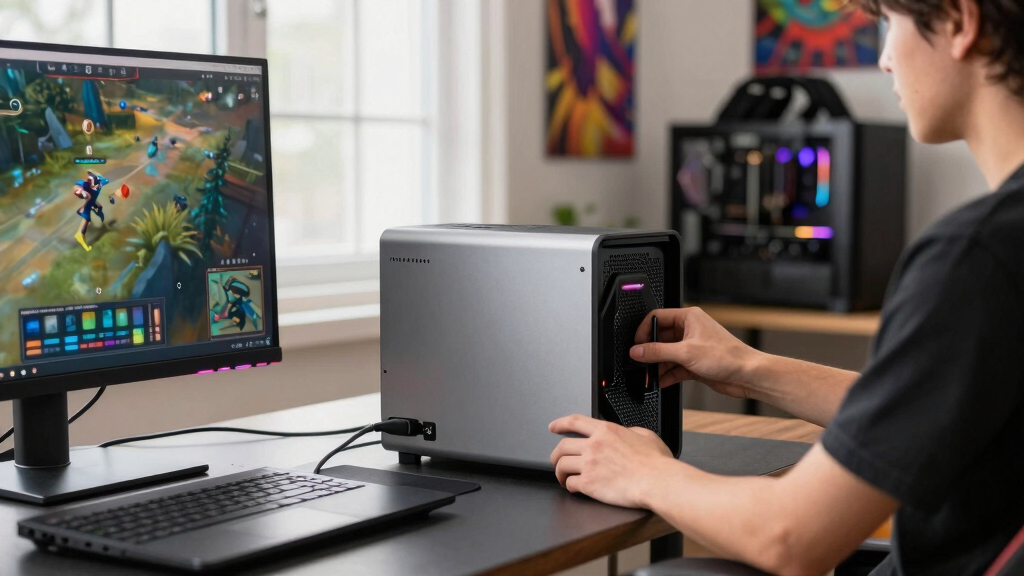
I ranked these options around the real buying question: which external GPU setup makes a gaming laptop better without creating more friction than it solves? I gave the most weight to complete eGPU usability, Thunderbolt or USB4 bandwidth, cooling under gaming loads, and how much extra hardware a buyer has to add. A fast graphics card alone did not outrank a slower but ready-to-use eGPU box, because laptop gamers need the whole chain to work.
I also separated buyers by upgrade style. Some want a single cable desk setup with charging, display output, and Ethernet. Others want a modular enclosure that can take a new GPU later. That is why the all-in-one GIGABYTE AI Boxes sit high for simplicity, while Razer enclosures score well for lifespan and flexibility. The Radeon RX 9070 XT ranks lower because it needs an enclosure before it can help a laptop at all.
Factors to Consider When Choosing Best External GPUs For Gaming Laptops
My buying advice starts with the laptop, not the graphics card. A high-end eGPU can only help if the port, enclosure, cooling, drivers, and monitor setup all line up.Match The Port First
I would check the laptop port before comparing GPUs. Thunderbolt 5 gives the newest boxes more bandwidth, but many gaming laptops still use Thunderbolt 3, Thunderbolt 4, or USB4. If your laptop has Thunderbolt 3, the older Razer Core X may be a better value than paying extra for Thunderbolt 5 hardware. If you already own a Thunderbolt 5 laptop, the RTX 5090 AI Box and Razer Core X V2 move higher on my list.
All-In-One Vs Enclosure
An all-in-one eGPU like the GIGABYTE AI Box line is the cleaner buy because the GPU, cooling, power, and I/O are already matched. An empty enclosure like the Razer Core X V2 is better when you want to pick the card yourself or upgrade later. I would choose all-in-one for simplicity and an enclosure for long-term tinkering. The hidden cost of an enclosure is the extra GPU, and in the Core X V2’s case, the power supply as well.
Use An External Monitor
For gaming laptops, an eGPU often performs best when it drives an external display directly from the eGPU outputs. Sending frames back to the laptop screen can add overhead. That makes display ports, HDMI versions, and desk setup matter. The GIGABYTE RTX 5090 AI Box is attractive here because it bundles strong display outputs and Ethernet, while the Razer enclosures depend on the GPU you install.
Think About Heat And Noise
External GPUs move heat away from the laptop chassis, which can help a slim gaming laptop feel less strained. Still, the eGPU box has its own cooling profile. The RTX 5090 AI Box uses a 240mm radiator because that GPU needs serious cooling. The Razer Core X V2 uses an active fan, but the final noise level also depends on the card and power supply you choose.
Do Not Overbuy The GPU
I would avoid buying the fastest possible eGPU just because it looks good on paper. Laptop CPU limits, Thunderbolt overhead, game engine behavior, and monitor resolution all shape the result. The RTX 5060 Ti AI Box may be the right match for 1080p or 1440p gaming, while the RTX 5090 AI Box makes more sense for high-end external monitors and newer laptops. The best pick is the one your whole setup can use.
Frequently Asked Questions
Are external GPUs worth it for gaming laptops?
An external GPU can be worth it if your laptop has a compatible high-speed port and you mostly game at a desk with an external monitor. I see the best fit for slim gaming laptops that have strong CPUs but limited internal graphics headroom. It is less appealing for buyers who need maximum portable performance, because the eGPU adds a box, cables, and setup limits.
Should I choose Thunderbolt 5 over Thunderbolt 3 for an eGPU?
I would choose Thunderbolt 5 for a new high-end laptop setup because it gives newer enclosures and all-in-one boxes more room to breathe. That said, a Thunderbolt 3 laptop cannot magically gain that bandwidth, so the Razer Core X can still be the more sensible match for older machines. The port on the laptop should guide the budget.
Is an eGPU enclosure better than an all-in-one external GPU?
An enclosure is better if you want upgrade freedom, already own a desktop GPU, or like choosing every part. An all-in-one external GPU is better if you want fewer compatibility checks and a cleaner setup. In this lineup, the Razer Core X V2 is the flexible path, while the GIGABYTE AI Box models are the simpler finished products.
Can I use these eGPUs with a laptop’s built-in screen?
Many eGPU setups can work with a laptop screen, but I would plan around an external monitor for the best gaming result. Driving a monitor from the eGPU’s own HDMI or DisplayPort output can reduce the extra performance cost of sending frames back to the laptop display. That is one reason I value strong video outputs on the GIGABYTE AI Boxes.
Do I need to buy a graphics card separately?
It depends on the product. The GIGABYTE AORUS RTX 5090 AI Box and RTX 5060 Ti AI Box include the GPU, so they are closer to single-purchase upgrades. The Razer Core X and Razer Core X V2 are enclosures, so they need a separate graphics card, and the Core X V2 also requires a separate power supply.
Conclusion
For the strongest finished setup, I would buy the GIGABYTE AORUS RTX 5090 AI Box, especially with a new Thunderbolt 5 gaming laptop and a high-refresh external monitor. For long-term upgrade flexibility, I would choose the Razer Core X V2. For a cheaper Thunderbolt 3 desk setup, the Razer Core X is still the value play.
For midrange buyers who want one box and less fuss, the GIGABYTE AORUS RTX 5060 Ti AI Box is the cleaner choice. For DIY AMD builders, the GIGABYTE Radeon RX 9070 XT is worth pairing with the right enclosure, but I would skip it if I wanted a complete external GPU from day one.
Fall Picks
fall essentials
As an affiliate, we earn on qualifying purchases.