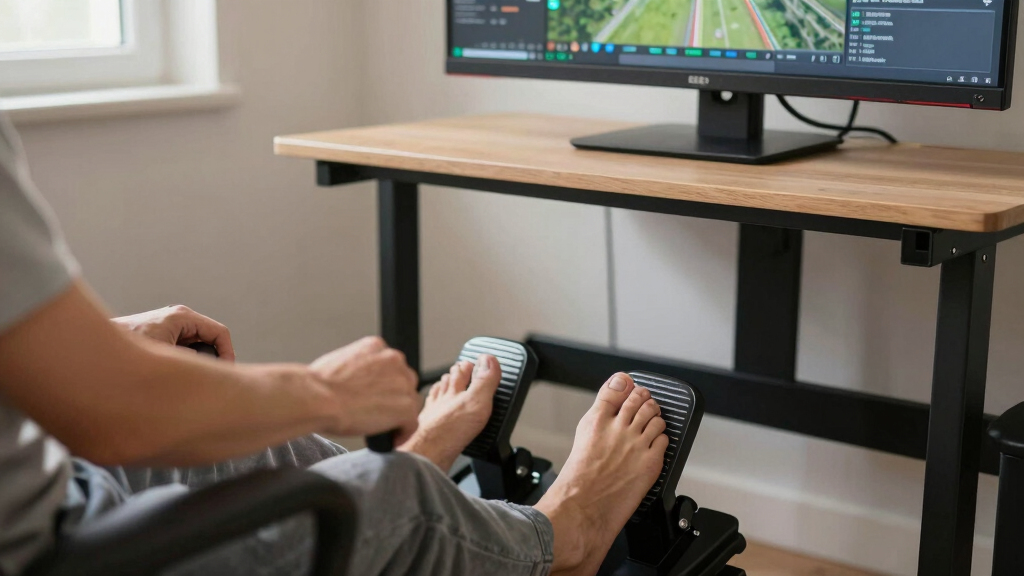

The best rudder pedals for flight simulators depend on how serious the setup is, but my best overall pick is the Thrustmaster TPR Rudder Pedals because their pendular design, metal build, and precise control make the biggest difference for dedicated PC sim pilots. The Thrustmaster TFRP stands out as the better value choice for buyers who want standalone pedals without premium pricing, while the Logitech G Pro Flight Yoke System + Rudder Pedals Bundle makes more sense for anyone building a full civil aviation cockpit from scratch. The main tradeoff is between realism, desk space, platform support, and total setup cost. Some options here are pedals first, while others are bundled flight-control systems where the pedals are part of a larger starter package. Keep reading for my full breakdown of which model fits each kind of flight sim setup.
Complete the kit



Key Takeaways
- Thrustmaster TPR ranks first because it is the most purpose-built rudder pedal option here for precision, realism, and long-term PC use.
- Thrustmaster TFRP is the strongest value pick because it gives buyers true rudder and toe-brake control without forcing them into a full cockpit bundle.
- Logitech’s standalone pedals make the most sense for PC users already invested in Logitech flight gear, while the yoke bundle is better for new cockpit builders.
- The two Thrustmaster full kits are better beginner packages than pedal upgrades because their value comes from the complete stick, throttle, and pedal setup.
- Platform compatibility splits the field: PC users get the most freedom, while Xbox buyers should favor Thrustmaster bundles designed around console support.
| Thrustmaster TPR Rudder Pedals, Flight Simulator Rudder Control – PC |  | Best Overall | Mechanism: Pendular suspended | Sensors: H.E.A.R.T HallEffect magnetic sensors | Adjustable resistance: Yes | VIEW LATEST PRICE | See Our Full Breakdown |
| Logitech G Pro Flight Yoke System + Pro Flight Rudder Pedals Bundle |  | Best Yoke-and-Pedals Bundle | Included controls: Yoke system and rudder pedals | Self-centering rudder pedals: Yes | Programmable controls: 54 | VIEW LATEST PRICE | See Our Full Breakdown |
| Thrustmaster TFRP Precision Flight Sim Rudder Pedals – PS5, Xbox & PC | 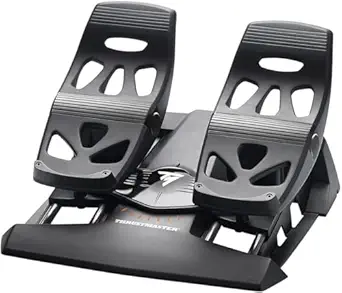 | Best Cross-Platform Pedals | Compatibility: PS5, Xbox Series X|S, PC | Pedal system: S.M.A.R.T. sliding system | Rails: Four aluminum rails | VIEW LATEST PRICE | See Our Full Breakdown |
| Logitech G Pro Flight Rudder Pedals |  | Best PC Pedal Upgrade | Compatibility: Windows 7, 8, 8.1, 10 | Connectivity: USB 2.0 | Rudder axis: 9-bit | VIEW LATEST PRICE | See Our Full Breakdown |
| Thrustmaster T.Flight Full Kit X – Joystick, Throttle, and Rudder Pedals for Xbox Series X|S, Xbox One, and PC |  | Best Xbox Starter Kit | Compatibility: Xbox Series X|S, Xbox One, PC | Included components: Joystick, detachable throttle, rudder pedals | Action buttons: 14 | VIEW LATEST PRICE | See Our Full Breakdown |
| Thrustmaster T-Flight Full Kit HOTAS with Rudder Pedals – Xbox & PC |  | Best Xbox All-in-One Kit | Platform Compatibility: Xbox Series X|S, PC | Joystick Axes: 5 | Programmable Buttons: 14 | VIEW LATEST PRICE | See Our Full Breakdown |
| rudder pedals for flight simulator | Compatibility |
|---|---|
| Thrustmaster TPR Rudder Pedals | PC |
| Logitech G Pro Flight Yoke Sys | — |
| Thrustmaster TFRP Precision Fl | PS5, Xbox Series X|S, PC |
| Logitech G Pro Flight Rudder P | Windows 7, 8, 8.1, 10 |
| Thrustmaster T.Flight Full Kit | Xbox Series X|S, Xbox One, PC |
| Thrustmaster T-Flight Full Kit | — |
More Details on Our Top Picks
Thrustmaster TPR Rudder Pedals, Flight Simulator Rudder Control – PC
I would place the Thrustmaster TPR at the top because it changes the feel of rudder input more than any other pedal set here. The pendular suspended mechanism gives it a smoother, more aircraft-like motion than the sliding Thrustmaster TFRP, while the H.E.A.R.T magnetic sensors make small corrections easier to control over long sessions. Compared with the Logitech G Pro Flight Rudder Pedals, this is the more serious simulation pick, especially for users who fly airliners, warbirds, or helicopters and care about pedal feel. The tradeoff is clear: it costs more, takes more room, and may feel excessive for casual Microsoft Flight Simulator or console players. This is the pedal set I would rank highest for realism, not convenience.
Pros:- Pendular motion feels more realistic than basic sliding pedal designs
- H.E.A.R.T magnetic sensors support precise, frictionless input
- Adjustable spring resistance lets users tune pedal force
- Durable build suits dedicated simulator rigs
Cons:- High price makes it a poor fit for casual buyers
- Needs more floor space than compact pedal sets
- Setup and adjustment can be more involved than plug-and-play kits
Best for: PC flight sim users building a serious cockpit who want smooth, realistic rudder movement and adjustable resistance.
Not ideal for: Casual flyers, console users, or desk setups with limited floor space, since it is PC-only, expensive, and physically demanding.
- Mechanism:Pendular suspended
- Sensors:H.E.A.R.T HallEffect magnetic sensors
- Adjustable resistance:Yes
- Resistance hardware:Two springs with multiple positions
- Compatibility:PC
- Control style:Rudder pedal control for flight simulation
- Target setup:Dedicated flight simulator cockpit or desk rig
Our verdict“Choose the Thrustmaster TPR if rudder realism matters more than price, portability, or console support.”
Logitech G Pro Flight Yoke System + Pro Flight Rudder Pedals Bundle
The Logitech G Pro Flight Yoke System + Rudder Pedals Bundle makes the most sense when the buyer wants a fuller cockpit control setup in one purchase. Unlike the standalone Logitech G Pro Flight Rudder Pedals, this bundle adds a yoke and a large bank of programmable controls, which matters for sim pilots who fly GA aircraft or airliners and want trim, throttle, flaps, and view controls close at hand. It is less specialized than the Thrustmaster TPR, so I would not rank it as high for pedal realism alone. Its value comes from breadth rather than pedal feel. The main drawbacks are space, cable management, and a steeper learning curve for buyers who are new to yoke-based flying.
Pros:- Includes both yoke and rudder pedals in one bundle
- 54 programmable controls support detailed cockpit mapping
- Self-centering pedals help new users maintain neutral rudder input
- Adjustable footrests improve comfort across longer sessions
Cons:- Takes more desk and floor space than pedal-only options
- Can feel complex for beginners who are new to flight controls
- Pedal mechanism is less advanced than the Thrustmaster TPR
Best for: Flight sim users who want a yoke, pedals, and many assignable controls for GA aircraft or airliner-style flying.
Not ideal for: Buyers who only need a pedal upgrade or who fly mainly stick-controlled aircraft, since the yoke bundle adds bulk and complexity.
- Included controls:Yoke system and rudder pedals
- Self-centering rudder pedals:Yes
- Programmable controls:54
- Footrest adjustability:Yes
- Toe brakes:Differential
- Control focus:Yoke-based flight simulation
- Best aircraft match:General aviation and airliner-style flying
Our verdict“Pick this Logitech bundle if a complete yoke-based cockpit matters more than getting the most advanced rudder pedals.”
Thrustmaster TFRP Precision Flight Sim Rudder Pedals – PS5, Xbox & PC
The Thrustmaster TFRP earns its place because it covers more platforms than the higher-ranked Thrustmaster TPR. For buyers moving between PS5, Xbox Series X|S, and PC, that flexibility is the main reason to choose it. Its S.M.A.R.T. sliding system and aluminum rails give smoother travel than many entry pedal sets, and differential braking adds control during taxi and landing. Compared with the Logitech G Pro Flight Rudder Pedals, the TFRP is the better fit for console users; compared with the TPR, it is less refined and less cockpit-like. I would treat it as the practical middle pick: more accessible than premium pedals, but still more specialized than a basic controller. Setup may still require extra hardware or software depending on the rig.
Pros:- Works across PS5, Xbox Series X|S, and PC
- S.M.A.R.T. sliding system provides controlled pedal travel
- Differential braking helps with ground handling
- Removable heel rests allow different foot positions
Cons:- Sliding motion feels less realistic than pendular pedals
- May need added hardware for some full flight sim setups
- Software customization can add friction for new users
Best for: Sim pilots who switch between console and PC and want one pedal set with rudder and differential braking.
Not ideal for: PC-only cockpit builders chasing the most realistic pedal motion, since the TPR offers a more advanced mechanism.
- Compatibility:PS5, Xbox Series X|S, PC
- Pedal system:S.M.A.R.T. sliding system
- Rails:Four aluminum rails
- Rudder axis:Self-centering with long travel
- Braking:Differential braking
- Resistance:Adjustable
- Heel rests:Removable
- Connectivity:USB, RJ12
- Programming:Programmable axes via T.A.R.G.E.T software
Our verdict“Choose the Thrustmaster TFRP if platform flexibility matters more than premium pedal realism.”
Logitech G Pro Flight Rudder Pedals
The Logitech G Pro Flight Rudder Pedals are the sensible upgrade for PC users who already have a yoke or joystick and only need better feet-on control. Compared with the Logitech yoke bundle, this standalone version avoids buying duplicate hardware, while still adding adjustable tension, differential toe brakes, and movable foot rests. Against the Thrustmaster TFRP, it is less flexible because it targets Windows PCs rather than consoles, but it has a straightforward USB setup and a familiar pedal layout for desktop sims. I would rank it below the TPR for realism and below the TFRP for platform reach, yet it remains a strong fit for Windows users who want a focused pedal upgrade. The main limits are PC dependence, wired use, and lower sensor resolution than premium designs.
Pros:- Standalone design avoids paying for extra yoke or joystick hardware
- Adjustable tension lets users change pedal resistance
- Differential toe brakes improve taxi and landing control
- Non-slip materials help keep the pedals planted
Cons:- Limited to PC and Windows platforms
- No wireless option for cleaner cockpit layouts
- Less advanced sensor and mechanism design than premium pedals
Best for: Windows flight sim users who already own a yoke or joystick and want dedicated rudder pedals with toe brakes.
Not ideal for: Console players or buyers who want wireless controls, since it depends on USB and Windows-compatible software.
- Compatibility:Windows 7, 8, 8.1, 10
- Connectivity:USB 2.0
- Rudder axis:9-bit
- Toe brake axis:7-bit
- Braking:Differential toe brakes
- Tension adjustment:Yes
- Foot rests:Adjustable
- Dimensions:31 x 41 x 17 cm
- Weight:2.3 kg
Our verdict“Buy the Logitech G Pro Flight Rudder Pedals if you need a practical Windows pedal upgrade without replacing the rest of your controls.”
Thrustmaster T.Flight Full Kit X – Joystick, Throttle, and Rudder Pedals for Xbox Series X|S, Xbox One, and PC
The Thrustmaster T.Flight Full Kit X is the pick I would steer toward Xbox players who want everything needed for stick-and-rudder flying in one box. It includes a joystick, detachable throttle, and pedals, so it competes more directly with the Logitech yoke bundle than with standalone pedals like the Logitech G Pro Flight Rudder Pedals. The difference is aircraft style: this Thrustmaster kit suits stick-based flying, space sims, and console-friendly setups, while the Logitech bundle better fits yoke-centered GA flying. Compared with the Thrustmaster TFRP by itself, the Full Kit X gives new buyers more control hardware immediately, but the pedals are part of a broader starter package rather than the star feature. It can feel bulky, and dedicated sim builders may outgrow the included controls faster than the pedals alone.
Pros:- Includes joystick, detachable throttle, and rudder pedals
- Works with Xbox Series X|S, Xbox One, and PC
- Plug-and-play setup is easier than many mixed-control rigs
- Adjustable resistance helps tailor control feel
Cons:- Bulkier than buying pedals alone
- Bundled pedals are less specialized than premium standalone models
- Mainly useful for flight simulation and related games
Best for: Xbox Series X|S, Xbox One, or PC players starting from scratch who want a joystick, throttle, and pedals together.
Not ideal for: Dedicated cockpit builders who already own premium controls, since the bundled hardware may feel limiting over time.
- Compatibility:Xbox Series X|S, Xbox One, PC
- Included components:Joystick, detachable throttle, rudder pedals
- Action buttons:14
- Joystick axes:5
- Pedal axes:3
- Adjustable resistance:Yes
- Pedal design:Slide rails
- Installation:Plug-and-play
Our verdict“Choose the T.Flight Full Kit X if you want an Xbox-friendly starter cockpit rather than a high-end pedal-only upgrade.”
Thrustmaster T-Flight Full Kit HOTAS with Rudder Pedals – Xbox & PC
I’d give the Thrustmaster T-Flight Full Kit HOTAS with Rudder Pedals the role of Best Xbox All-in-One Kit because it solves the whole control layout in one box: stick, detachable throttle, and pedals. Compared with the standalone Thrustmaster TFRP Precision Flight Sim Rudder Pedals, this bundle makes more sense for Xbox players starting from scratch, since throttle, yaw, pitch, and button mapping are handled by one matched setup. Against the Logitech G Pro Flight Yoke System + Pro Flight Rudder Pedals Bundle, it is more fighter-jet and space-sim friendly, but less convincing for civil aviation fans who want a yoke. The tradeoff is desk and floor space: 14 buttons, 5 axes, and a large throttle add control depth, but they also make the kit busier than pedal-only choices.
Pros:- Complete stick, throttle, and rudder pedal bundle reduces compatibility guesswork
- Detachable throttle gives more flexible desk placement than fixed HOTAS units
- S.M.A.R.T slide rail pedals add smoother yaw control than twist-stick-only setups
- Xbox Series X|S and PC support suits players who use more than one platform
Cons:- Bulkier than buying only rudder pedals, especially for small desks or shared rooms
- Control layout can feel busy for new flight sim players
- Less natural for airliner and general aviation simming than a yoke-and-pedal bundle
Best for: Xbox Series X|S or PC players who want a complete HOTAS-and-pedal setup for combat flight, space sims, or mixed casual sim use.
Not ideal for: Dedicated civil aviation sim pilots who prefer a yoke-based cockpit or buyers who already own a separate stick and throttle.
- Platform Compatibility:Xbox Series X|S, PC
- Joystick Axes:5
- Programmable Buttons:14
- Throttle:Detachable
- Rudder Pedals:Included
- Pedal Rail System:S.M.A.R.T slide rail system
- Hat Switch:Multidirectional
- Foot Support:Removable heel rests
Our verdict“This is the most sensible pick for Xbox-focused buyers who want a full cockpit-style control set without building a setup piece by piece.”
How We Picked
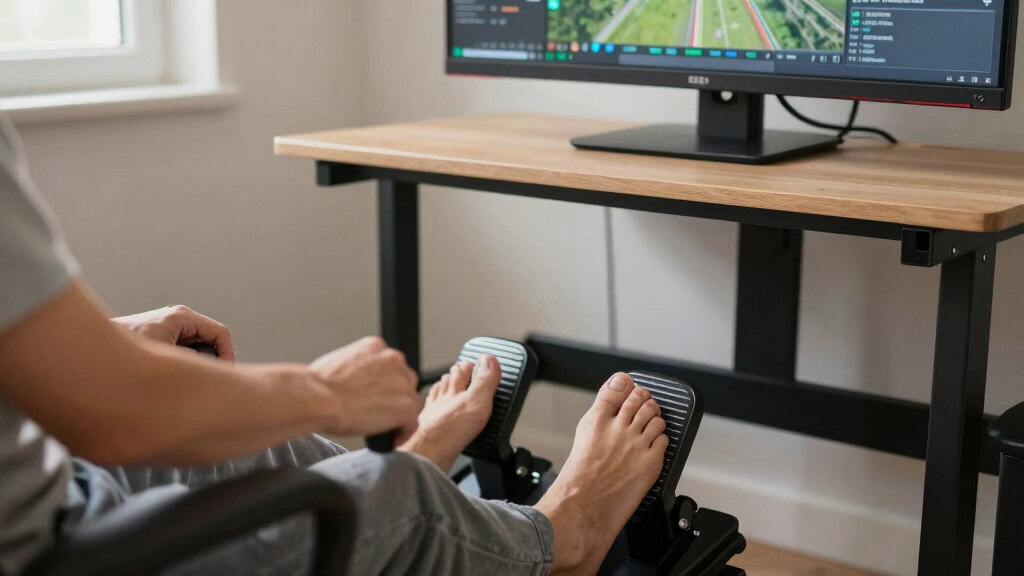
I ranked these pedals by asking one buyer-focused question: which option most improves flight simulator control for the right type of user? Precision, pedal travel, stability, toe-brake usefulness, platform support, adjustability, and bundle value carried the most weight. I placed the Thrustmaster TPR first because its design is aimed at serious rudder control rather than merely adding another accessory to a desk setup. Lower-priced pedals and bundles moved up only when they solved a clear buyer problem, such as getting started on Xbox or adding standalone pedals to an existing PC cockpit.
I also separated pedal quality from package value. A full kit can be a smart buy for a beginner, but that does not automatically make its pedals better than a dedicated standalone model. That is why the Logitech yoke bundle and Thrustmaster full kits are judged mainly as system-building purchases, while the TPR, TFRP, and Logitech G Pro Flight Rudder Pedals are judged more directly as pedal upgrades. The final order favors clear control gains first, then price, compatibility, and ease of setup.
| rudder pedals for flight simulator | Compatibility |
|---|---|
| Thrustmaster TPR Rudder Pedals | PC |
| Logitech G Pro Flight Yoke Sys | — |
| Thrustmaster TFRP Precision Fl | PS5, Xbox Series X|S, PC |
| Logitech G Pro Flight Rudder P | Windows 7, 8, 8.1, 10 |
| Thrustmaster T.Flight Full Kit | Xbox Series X|S, Xbox One, PC |
| Thrustmaster T-Flight Full Kit | — |
Factors to Consider When Choosing Best Rudder Pedals For Flight Simulators
Choosing rudder pedals is less about chasing the most expensive hardware and more about matching the pedals to the aircraft, sim platform, desk space, and upgrade path. I would start by deciding whether the pedals are the centerpiece of a serious cockpit or simply the missing control that makes takeoffs, taxiing, crosswind landings, and helicopter work feel more believable.
Match the Pedals to Your Simulator Platform
Platform support should be the first filter because it can remove half the list before price even matters. PC users have the widest choice, which is why the Thrustmaster TPR, Thrustmaster TFRP, and Logitech G Pro Flight Rudder Pedals are easier to recommend for modular setups. Xbox buyers need to pay closer attention to complete ecosystems, which makes the Thrustmaster T.Flight Full Kit X and T-Flight Full Kit HOTAS more practical than standalone PC-focused pedals. PlayStation support is narrower in this lineup, so the TFRP only makes sense there when paired with compatible Thrustmaster gear and supported games. A common mistake is buying pedals that look compatible because they use USB, then finding that the console or simulator will not read them as a separate controller. I would verify the exact platform path before paying extra for features that may only work on PC.
Decide Between Standalone Pedals and Full Kits
Standalone pedals are the better path when the rest of the cockpit is already chosen. The Thrustmaster TPR, TFRP, and Logitech G Pro Flight Rudder Pedals let buyers upgrade yaw and braking control without replacing a yoke, stick, or throttle. Full kits are different: they solve the blank-slate problem by giving a beginner a matched stick, throttle, and pedals in one purchase. That makes the Thrustmaster T.Flight Full Kit X appealing for Xbox and PC starters, but less appealing for someone who already owns a better HOTAS. I would avoid paying for a bundle just to get the pedals unless the included stick and throttle will also be used. The better value depends on how much of the box will actually stay on the desk.
Think About Pedal Feel, Not Just Features
Pedal movement changes how precise the aircraft feels during small corrections. The Thrustmaster TPR sits above the rest because its pendular motion is aimed at smoother, more aircraft-like input, which matters during crosswind landings, coordinated turns, and helicopter anti-torque control. Sliding-rail pedals such as the Thrustmaster TFRP can still be very useful, but they feel more compact and entry-level by design. Logitech’s pedals land in the middle, with a broader, traditional pedal stance that can suit civil aviation cockpits better than smaller bundled units. Toe brakes also matter if the simulator supports differential braking, especially for taxiing taildraggers or managing larger aircraft on the ground. If the goal is casual flying, basic yaw control may be enough; if the goal is realism, pedal feel becomes a bigger part of the purchase.
Measure Desk Space and Seating Position
Rudder pedals need floor space, and the best-feeling model can become frustrating if it does not fit the seating position. Premium pedals such as the Thrustmaster TPR are heavier and more serious, which helps stability but asks for a more permanent setup. Smaller options such as the Thrustmaster TFRP or bundled T.Flight pedals are easier to tuck under a desk, though they may move more if the floor surface is slick. The Logitech pedals need enough room for a wider foot position, which can be more comfortable but less friendly to cramped desks. Buyers often focus on width and forget pedal angle, chair height, and whether the chair rolls backward under braking pressure. I would plan the whole seating triangle: chair, pedals, and yoke or stick position.
Know When Paying More Actually Helps
Higher-priced pedals are worth it when small rudder inputs affect the flying you care about. The Thrustmaster TPR earns its premium for serious PC sim pilots because the design is built around fine control and durability rather than convenience alone. That extra spend is harder to justify for casual airliner routes flown mostly on autopilot, where the pedals may be used mainly for taxiing and takeoff rolls. The Thrustmaster TFRP gives much of the functional benefit at a lower cost, though with a simpler feel and lighter build. Bundles can be the smarter spend for beginners because they add several missing controls at once. My rule is simple: pay more for pedals when rudder work is part of the flying, not just an accessory on the floor.
Frequently Asked Questions
Are premium rudder pedals worth it for Microsoft Flight Simulator?
Premium rudder pedals are worth it if Microsoft Flight Simulator is part of a serious, repeat-use setup rather than an occasional game. The Thrustmaster TPR makes the most sense for buyers who care about smoother yaw input, better ground handling, and a more stable physical feel. For casual airliner flying, the gain may feel smaller because many flight phases rely heavily on autopilot after takeoff. In that case, the Thrustmaster TFRP or Logitech G Pro Flight Rudder Pedals can be the more sensible buy. I would spend premium money only when the pedals will shape the flying, not sit unused between takeoff and landing.
Should I buy rudder pedals before a yoke or HOTAS?
Rudder pedals are rarely the first purchase unless the buyer already has a yoke, joystick, or HOTAS. A flight stick or yoke changes the whole control scheme, while pedals mainly improve yaw, taxiing, braking, and aircraft coordination. That is why the Logitech yoke bundle and Thrustmaster full kits are better starting points for people building from zero. If the main controls are already sorted, then standalone pedals become a very logical next upgrade. I would prioritize pedals earlier for helicopters, taildraggers, warbirds, and crosswind landing practice, where rudder input matters far more often.
Which option is best for Xbox flight simulator players?
Xbox players should be more cautious than PC players because standalone USB pedals are not always plug-and-play on console. In this lineup, the Thrustmaster T.Flight Full Kit X is the cleanest beginner route because it packages the stick, throttle, and pedals around Xbox and PC use. The T-Flight Full Kit HOTAS with Rudder Pedals is another sensible console-friendly route, especially for buyers who want a matched setup without mixing brands. The tradeoff is that these kits are not as refined as the Thrustmaster TPR for pure pedal feel. I would choose the Xbox-compatible full kit for simplicity, then think about upgrades later if the cockpit becomes a long-term hobby.
Are Logitech rudder pedals better than Thrustmaster TFRP pedals?
Logitech G Pro Flight Rudder Pedals are usually the better fit for buyers who want a wider, traditional pedal layout and already use Logitech flight hardware. They pair naturally with the Logitech G Pro Flight Yoke System, which matters if the goal is a cohesive PC civil aviation cockpit. The Thrustmaster TFRP is stronger for value and platform flexibility, especially for buyers who want compact standalone pedals without moving into a premium price tier. Neither one replaces the Thrustmaster TPR for serious realism, but both are far more affordable. I would pick Logitech for ecosystem fit and TFRP for lower-cost versatility.
Do I need toe brakes on rudder pedals?
Toe brakes are very useful if the simulator and aircraft support differential braking. They make taxiing, tight ground turns, taildragger handling, and larger aircraft ground control feel more natural than using keyboard commands or buttons. Most buyers shopping this category should prefer pedals with toe-brake axes because they add control without taking up extra desk space. That said, the benefit depends on the aircraft: a casual jet route may use them briefly, while a tailwheel aircraft may rely on them constantly. I would not overpay for pedals only because they have toe brakes, but I would treat them as a strong reason to avoid overly basic alternatives.
Conclusion
My best overall recommendation is the Thrustmaster TPR Rudder Pedals because they offer the clearest upgrade in precision, stability, and realism for serious PC flight simulator setups. The Thrustmaster TFRP is my best value pick for buyers who want standalone rudder control without paying premium money, while the Logitech G Pro Flight Rudder Pedals are the better choice for PC users already building around Logitech gear. For beginners starting from nothing, I would choose the Logitech G Pro Flight Yoke System + Rudder Pedals Bundle for a civil aviation cockpit or the Thrustmaster T.Flight Full Kit X for an Xbox-friendly starter setup. The T-Flight Full Kit HOTAS with Rudder Pedals fits buyers who want a simple stick-and-throttle package with pedals included, but it is less compelling as a pedal upgrade alone. Pick the TPR for fidelity, the TFRP for budget control, Logitech for a yoke-based PC cockpit, and the Thrustmaster full kits when the whole setup matters more than the pedals by themselves.