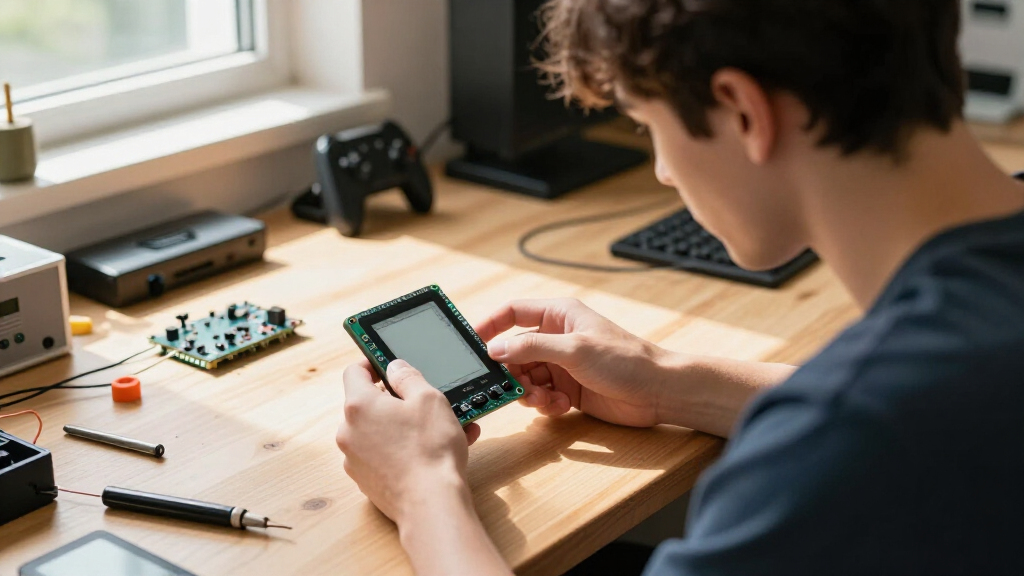
For the best ESP32 e-paper gaming kits, my best overall pick is the Waveshare ESP32-S3 3.97-Inch E-Paper Development Board, which pairs a roomy screen with an ESP32-S3 platform for custom game projects. The LILYGO T5 4.7-Inch board stands out when screen area matters more than compactness, while the 2.13-Inch CrowPanel is a more portable starting point. The main tradeoffs are screen size versus handheld feel, e-paper’s slow refresh versus battery-friendly static visuals, and ready-made features versus room for custom controls. These are development boards, not complete game consoles, so expect to add code and possibly buttons or a case. Read on for the full breakdown and guidance on choosing a board that fits the kind of game you want to build.

Play games on Amazon Luna for your game nights, included with Prime
- A rotating selection of games, no download needed
- Play on TV, laptop or phone
- Fast, free delivery for your gear, too
Complete the kit



Key Takeaways
- The Waveshare 3.97-inch board is my best overall choice because its screen size and ESP32-S3 platform offer a balanced base for game interfaces without committing to the largest panel.
- The LILYGO T5’s 4.7-inch display favors readable maps, puzzles, and menu-heavy games, but its larger format is less suited to a small handheld build.
- The 2.13-inch CrowPanel is the compact pick; its small display can suit simple, mostly static games, but leaves less room for detailed graphics and controls.
- Two 1.54-inch AIoT boards emphasize speech and connectivity rather than gaming ergonomics, so their onboard interaction features matter most only for voice-led or networked experiments.
- Screen resolution and refresh behavior matter more than the word “gaming” in a listing: e-paper works best for turn-based play, dashboards, and puzzles, not fast animation.
| Waveshare ESP32-S3 3.97-Inch E-Paper Development Board |  | Best for Feature-Rich Game Prototypes | Display: 3.97-inch e-paper | Resolution: 800 × 480 | Processor: ESP32-S3R8 dual-core, up to 240 MHz | VIEW LATEST PRICE | See Our Full Breakdown |
| ESP32-S3 1.54″ e-Paper AIoT Development Board with Wi-Fi, Bluetooth and AI Speech Interaction |  | Best for Compact, Low-Power Game Experiments | Display: 1.54-inch black-and-white e-paper | Resolution: 200 × 200 | Processor: ESP32-S3 single-core | VIEW LATEST PRICE | See Our Full Breakdown |
| LILYGO T5 e-Paper Basic ESP32-S3 Development Board with 4.7-Inch Display |  | Best for Large, Grayscale Game Screens | Display: 4.7-inch e-paper, ED047TC1 driver | Resolution: 540 × 960 | Grayscale: 16 gray levels | VIEW LATEST PRICE | See Our Full Breakdown |
| ELECROW ESP32 4.2″ E-Ink Display (Black/White) |  | Best for Arduino-Based Game Interfaces | Display: 4.2-inch black-and-white e-paper | Resolution: 400 × 300 | Processor: ESP32-S3, up to 240 MHz | VIEW LATEST PRICE | See Our Full Breakdown |
| ESP32-S3 1.54-Inch E-Paper AIoT Development Board |  | Best for Dual-Core Game-Input Prototypes | Display: 1.54-inch e-paper | Resolution: 200 × 200 | Processor: ESP32-S3 dual-core LX7, up to 240 MHz | VIEW LATEST PRICE | See Our Full Breakdown |
| ESP32 2.13″ E-Ink Display CrowPanel E-Paper HMI |  | Best Compact Gaming Display | Processor: Espressif ESP32-S3 | Processor speed: 240 MHz | RAM: 8 MB | VIEW LATEST PRICE | See Our Full Breakdown |
| KLAYERS ESP32-S3 E-Ink 3.97″ Development Board with 800×480 Screen, AI Voice Interaction and Onboard Microphone, Wi-Fi/BT Support |  | Best for Feature-Rich Game Prototypes | Processor: ESP32-S3R8 dual-core Xtensa LX7, up to 240 MHz | RAM: 8 MB PSRAM | Flash: 16 MB | VIEW LATEST PRICE | See Our Full Breakdown |
| ESP32 e-paper gaming kit | Display | Resolution | Processor | Connectivity |
|---|---|---|---|---|
| Waveshare ESP32-S3 3.97-Inch E | 3.97-inch e-paper | 800 × 480 | ESP32-S3R8 dual-core, up to 240 MHz | 2.4 GHz Wi-Fi and Bluetooth 5 LE |
| ESP32-S3 1.54" e-Paper AIoT De | 1.54-inch black-and-white e-paper | 200 × 200 | ESP32-S3 single-core | 2.4 GHz Wi-Fi, Bluetooth 5 LE, USB, UART, I2C, GPIO |
| LILYGO T5 e-Paper Basic ESP32- | 4.7-inch e-paper, ED047TC1 driver | 540 × 960 | — | — |
| ELECROW ESP32 4.2" E-Ink Displ | 4.2-inch black-and-white e-paper | 400 × 300 | ESP32-S3, up to 240 MHz | — |
| ESP32-S3 1.54-Inch E-Paper AIo | 1.54-inch e-paper | 200 × 200 | ESP32-S3 dual-core LX7, up to 240 MHz | 2.4 GHz Wi-Fi and Bluetooth 5 LE |
| ESP32 2.13" E-Ink Display Crow | — | 122 × 250 | Espressif ESP32-S3 | SPI |
| KLAYERS ESP32-S3 E-Ink 3.97" D | 3.97-inch e-paper, 800 × 480 | — | ESP32-S3R8 dual-core Xtensa LX7, up to 240 MHz | Wi-Fi 802.11 b/g/n, Bluetooth 5 LE |
More Details on Our Top Picks
Waveshare ESP32-S3 3.97-Inch E-Paper Development Board
The Waveshare is the strongest fit here for developers building games that react to more than button presses. Its 800 × 480 display gives menus and text more room than the 200 × 200 panels on the ESP32-S3 1.54-Inch E-Paper AIoT Development Board, while the IMU, microphone, and audio codec open paths to motion controls and sound experiments. Wi-Fi and Bluetooth add options for networked features or wireless input, and 8 MB PSRAM plus 16 MB flash provide a more generous base for assets and code than the smaller AIoT boards. The tradeoff is physical scale: the 3.97-inch screen is still compact for extended play, and the listed details do not specify battery or power options. I’d pick it for ambitious prototypes, not a ready-to-play handheld.
Pros:- 800 × 480 resolution offers more room for legible text and detailed game screens than the 200 × 200 boards
- Six-axis IMU supports motion-responsive control experiments
- Microphone and audio codec add voice and sound-project options
- 8 MB PSRAM and 16 MB flash give projects more memory and storage headroom
Cons:- The 3.97-inch display remains small for games with dense interfaces
- Battery and power options are not specified in the supplied product details
Best for: ESP32 makers prototyping games with motion input, audio, wireless features, or detailed menus
Not ideal for: Buyers seeking a self-contained portable gaming kit with a stated battery setup, or anyone who wants a large screen for comfortable play
- Display:3.97-inch e-paper
- Resolution:800 × 480
- Processor:ESP32-S3R8 dual-core, up to 240 MHz
- Connectivity:2.4 GHz Wi-Fi and Bluetooth 5 LE
- PSRAM:8 MB
- Flash:16 MB
- Additional components:Audio codec, microphone, six-axis IMU, temperature and humidity sensors, RTC
- Warranty:1 year
Our verdict“Choose the Waveshare when your game prototype needs a high-resolution screen and onboard sensing more than a defined portable power setup.”
ESP32-S3 1.54″ e-Paper AIoT Development Board with Wi-Fi, Bluetooth and AI Speech Interaction
This board suits tiny, menu-driven games and handheld experiments where low power and a small footprint matter more than visual detail. The 1.54-inch, 200 × 200 monochrome panel is far less spacious than the LILYGO T5’s 4.7-inch display, so it favors simple puzzles, status screens, and turn-based play over intricate maps. Its useful advantage is integration: programmable buttons, a recharge circuit for a lithium battery, an RTC, sensor, TF slot, and audio codec give a builder several ways to make a compact device without adding every peripheral separately. The listed processor is single-core, and the 8 MB flash and small display set limits on larger game projects. I’d choose it over the Waveshare for a minimal portable concept, but not for detailed graphics or expansive game interfaces.
Pros:- Small 1.54-inch panel supports compact device concepts
- Lithium battery recharge circuit is specified, unlike the Waveshare board’s supplied details
- Programmable buttons provide a direct starting point for basic game controls
- RTC, sensor, audio codec, and TF card slot add useful project flexibility
Cons:- 200 × 200 monochrome resolution restricts graphic detail and interface space
- Single-core processor and 8 MB flash offer less headroom than some larger ESP32-S3 boards
- Small screen is a poor fit for games that rely on large text or complex playfields
Best for: Makers creating simple, battery-oriented handheld games, electronic toys, or small interactive game menus
Not ideal for: Developers who need room for detailed artwork, larger game interfaces, or more capable graphics than a 200 × 200 monochrome screen can show
- Display:1.54-inch black-and-white e-paper
- Resolution:200 × 200
- Processor:ESP32-S3 single-core
- Memory:10 MB SRAM and 8 MB PSRAM
- Flash:8 MB
- Connectivity:2.4 GHz Wi-Fi, Bluetooth 5 LE, USB, UART, I2C, GPIO
- Onboard components:PCF85063 RTC, SHTC3 temperature/humidity sensor, audio codec
- Expansion and controls:TF card slot, programmable PWR and BOOT buttons, 2 × 6 pin header
- Power feature:Lithium battery recharge circuit
Our verdict“Pick this board for compact, low-power game experiments with simple controls, and skip it if screen space is your priority.”
LILYGO T5 e-Paper Basic ESP32-S3 Development Board with 4.7-Inch Display
The LILYGO T5 is the most screen-focused choice in this group: its 4.7-inch, 540 × 960 display gives game boards, maps, and text substantially more space than the Waveshare’s 3.97-inch panel. Its 16 gray levels also allow more tonal separation than the black-and-white ELECROW CrowPanel, useful for layered interfaces and shaded illustrations even though this remains e-paper rather than a fast-refresh gaming display. ESP32-S3, 8 MB PSRAM, and 16 MB flash make it a capable base for prototypes, while the battery gauge, I/O expander, and TF slot help with system integration. The tradeoff is size: this is better suited to tabletop or oversized handheld concepts than pocket play. I’d favor it for screen-led games, but not for compact builds or rapid animation.
Pros:- 4.7-inch display provides the largest screen in this five-product group
- 540 × 960 resolution offers ample room for maps, text, and game boards
- 16 gray levels add visual separation beyond the black-and-white ELECROW panel
- Battery gauge, I/O expander, TF slot, 8 MB PSRAM, and 16 MB flash support flexible prototypes
Cons:- Large screen makes the board less suited to compact handheld builds
- E-paper refresh behavior is a poor match for fast animation-heavy games
- Supplied details do not specify a battery or complete portable power setup
Best for: Developers building large-interface puzzles, board-game companions, maps, or grayscale game prototypes
Not ideal for: Buyers making pocket-sized handhelds or games that depend on fast, frequent screen updates
- Display:4.7-inch e-paper, ED047TC1 driver
- Resolution:540 × 960
- Grayscale:16 gray levels
- Microcontroller:ESP32-S3
- Memory:8 MB PSRAM
- Flash:16 MB
- Wireless connectivity:2.4 GHz Wi-Fi and Bluetooth Low Energy
- Onboard components:AXP2602 battery gauge, XL9555 I/O expander, TF card slot
Our verdict“Choose the LILYGO T5 when a roomy grayscale playfield matters more than compact size or fast screen motion.”
ELECROW ESP32 4.2″ E-Ink Display (Black/White)
The ELECROW CrowPanel is a practical pick for makers who want a straightforward black-and-white game interface and a familiar Arduino IDE workflow. Its 4.2-inch, 400 × 300 reflective screen is easier to read at a glance than the 1.54-inch AIoT boards, while the rotary switch and buttons offer more direct control options than relying on a touchless display alone. The panel retains its image when power is off, which suits scoreboards, puzzle states, and turn-based games that do not need constant redraws. Compared with the LILYGO T5, it gives up both screen size and grayscale depth; compared with the Waveshare, the supplied description offers fewer onboard sensors and audio features. I’d choose it for accessible interface prototyping, but the monochrome screen and programming requirement rule it out as a ready-made game device.
Pros:- 4.2-inch screen is more practical for reading game information than the 1.54-inch boards
- Reflective display is sunlight-readable and needs no backlight
- Content retention when powered off suits score and puzzle-state displays
- GPIO, USB, UART, buttons, and rotary switch support hands-on interface prototypes
Cons:- Black-and-white output lacks the tonal range of the LILYGO T5’s 16 gray levels
- Programming knowledge is needed; the product is a development display rather than a finished gaming device
- Supplied product data does not specify Wi-Fi or Bluetooth connectivity
Best for: Arduino IDE users building button- or rotary-controlled puzzles, scoreboards, and static game interfaces
Not ideal for: Buyers who want a ready-to-play kit, grayscale graphics, wireless features explicitly listed, or fast-moving animation
- Display:4.2-inch black-and-white e-paper
- Resolution:400 × 300
- Processor:ESP32-S3, up to 240 MHz
- RAM:8 MB PSRAM
- Storage:8 MB
- Interfaces:GPIO, USB, UART, buttons, rotary switch
- Development compatibility:Arduino IDE
- Operating system:FreeRTOS
Our verdict“Pick the ELECROW for an Arduino-friendly, readable interface prototype, not for detailed grayscale graphics or a finished handheld game.”
ESP32-S3 1.54-Inch E-Paper AIoT Development Board
This 1.54-inch board is a better fit for builders who want a small screen but value processor capacity and expansion options. Its dual-core ESP32-S3 running up to 240 MHz separates it from the single-core 1.54-inch AIoT board, making this the more appealing of the two for experimenting with background tasks alongside a simple game interface. Both share a 200 × 200 display, Wi-Fi, Bluetooth LE, audio, an RTC, a sensor, and a TF card slot, so neither is the choice for detailed graphics. The Waveshare is a stronger alternative when screen resolution and onboard motion sensing matter; this board makes more sense when its dual-core setup and expansion header are the draw. Treat it as a development base, not a finished gaming kit.
Pros:- Dual-core ESP32-S3 offers more processing flexibility than the single-core 1.54-inch AIoT alternative
- Wi-Fi and Bluetooth LE support connected game experiments
- Audio codec, RTC, temperature/humidity sensor, and TF card slot are onboard
- USB, UART, I2C, GPIO, and a 2 × 6 expansion header support external controls and peripherals
Cons:- 200 × 200 display limits game artwork, text, and interface complexity
- Development board format calls for setup and programming rather than offering ready-to-play games
- 512 KB SRAM and 8 MB flash constrain some larger software and asset plans
Best for: ESP32 developers prototyping simple handheld game logic, wireless interactions, or audio-enabled interfaces on a compact board
Not ideal for: Players or builders who need a large, detailed display, ready-to-run games, or a screen suited to fast animation
- Display:1.54-inch e-paper
- Resolution:200 × 200
- Processor:ESP32-S3 dual-core LX7, up to 240 MHz
- Memory:512 KB SRAM and 8 MB PSRAM
- Flash:8 MB
- Connectivity:2.4 GHz Wi-Fi and Bluetooth 5 LE
- Audio and sensors:Audio codec and SHTC3 temperature/humidity sensor
- RTC and storage:PCF85063 RTC and TF card slot
- Interfaces:USB, UART, I2C, GPIO, 2 × 6 expansion header
Our verdict“Choose this board over the single-core 1.54-inch alternative when dual-core processing and expansion options matter more than screen size.”
ESP32 2.13″ E-Ink Display CrowPanel E-Paper HMI
The CrowPanel is the smallest, simplest fit here for compact, mostly text-based games and status screens. Its built-in ESP32-S3 controller means there’s no separate driver board to add, while the 2.13-inch reflective screen stays readable in bright surroundings and holds its image without power between refreshes. That low-power behavior suits a portable game that updates a board or score occasionally, rather than one built around rapid animation. Compared with the larger KLAYERS 3.97-inch board, this module gives up screen area, resolution, sensors, and onboard audio, but takes less space and keeps the hardware setup focused. The tradeoffs are substantial for graphics: 122 × 250 monochrome pixels restrict detail, and there’s no protective acrylic case. I’d choose it for a small DIY game interface, not a visually elaborate handheld.
Pros:- Integrated ESP32-S3 controller avoids a separate display-driver board.
- Retains the displayed image without power, supporting low-power projects with infrequent screen updates.
- Reflective, anti-glare screen is readable in direct sunlight.
- Arduino IDE compatibility and rich I/O support flexible prototyping.
Cons:- 122 × 250 resolution limits detailed game art and small interface elements.
- Black-and-white display cannot show color-coded game elements.
- No protective acrylic case is included.
Best for: Makers building a compact, battery-conscious turn-based game, puzzle display, or e-paper game interface who prefer Arduino IDE support and a built-in controller.
Not ideal for: Buyers who want detailed graphics, color, a protected ready-to-carry screen, or onboard sensors and audio for more complex game projects.
- Processor:Espressif ESP32-S3
- Processor speed:240 MHz
- RAM:8 MB
- Storage:8 MB
- Display size:2.13 inches
- Resolution:122 × 250
- Connectivity:SPI
- USB ports:1
- Dimensions:2.49 × 1.23 × 0.2 inches
Our verdict“Choose the CrowPanel for a small, sunlight-readable game interface with occasional updates, but pick a larger board such as the KLAYERS if screen detail matters more than compactness.”
KLAYERS ESP32-S3 E-Ink 3.97″ Development Board with 800×480 Screen, AI Voice Interaction and Onboard Microphone, Wi-Fi/BT Support
The KLAYERS is the more capable choice for game prototypes that use a larger interface, wireless features, sensors, or voice input. Its 3.97-inch, 800 × 480 e-paper screen offers far more room for menus, maps, and readable game states than the compact CrowPanel’s 2.13-inch, 122 × 250 display. The ESP32-S3, 8 MB PSRAM, and 16 MB flash also give projects more room for assets and code, while the IMU, temperature and humidity sensor, RTC, and microphone-equipped audio codec open up interactive experiments. E-paper still favors deliberate updates over fluid animation, so the added capability does not make this a conventional fast-refresh gaming screen. It also needs an external battery to use its battery-powered features, and its single USB-C port can constrain connected peripherals. I’d choose it over the CrowPanel for breadth, not simplicity.
Pros:- 800 × 480 screen provides much more space and detail than the CrowPanel’s compact display.
- ESP32-S3 with 8 MB PSRAM and 16 MB flash supports more ambitious prototypes.
- Onboard IMU, temperature/humidity sensor, RTC, and audio codec enable varied interaction ideas.
- Wi-Fi, Bluetooth 5, USB-C, and a TF card slot support connected and storage-heavy projects.
Cons:- E-paper refresh behavior is not suited to fluid, fast-moving game animation.
- An external 3.7 V Li-ion battery is required for full power-management features.
- A single USB-C port limits simultaneous wired peripheral connections.
Best for: Makers developing larger e-paper games with maps, sensor-driven controls, wireless connectivity, or voice experiments who can supply a 3.7 V Li-ion battery.
Not ideal for: Beginners seeking a minimal, ready-to-carry game board, or developers who need rapid animation, multiple USB connections, or battery hardware included.
- Processor:ESP32-S3R8 dual-core Xtensa LX7, up to 240 MHz
- RAM:8 MB PSRAM
- Flash:16 MB
- Connectivity:Wi-Fi 802.11 b/g/n, Bluetooth 5 LE
- Display:3.97-inch e-paper, 800 × 480
- IMU:QMI8658 6-axis accelerometer and gyroscope
- Temperature/humidity sensor:SHTC3
- Storage expansion:TF card slot
- USB:1 Type-C port
Our verdict“Pick the KLAYERS for a larger, sensor-rich e-paper game prototype with wireless or voice features, provided you can supply a battery and accept e-paper’s slow-refresh limits.”

How We Picked
I ranked these boards for their usefulness as foundations for ESP32 e-paper game projects, not as ready-to-play consoles. The main criteria were display area and stated resolution, the ESP32 platform, likely suitability for game layouts, connectivity, and how much a buyer may need to add before a board feels playable. I also weighed whether each model’s distinguishing feature—large screen, compact size, or voice interaction—actually helps a gaming project.
The Waveshare 3.97-inch board leads as the most balanced option in this group. The LILYGO 4.7-inch model ranks higher for large, static game scenes but below it for portability; the CrowPanel earns a distinct compact role despite its smaller canvas. The AIoT models and ELECROW 4.2-inch display remain useful for specialized layouts, but their listed features do not establish that they include game-ready controls or solve e-paper’s slow refresh. Buyers should confirm exact board revisions, pin access, supported libraries, and included accessories before ordering.
| ESP32 e-paper gaming kit | Processor |
|---|---|
| Waveshare ESP32-S3 3.97-Inch E | ESP32-S3R8 dual-core, up to 240 MHz |
| ESP32-S3 1.54" e-Paper AIoT De | ESP32-S3 single-core |
| LILYGO T5 e-Paper Basic ESP32- | — |
| ELECROW ESP32 4.2" E-Ink Displ | ESP32-S3, up to 240 MHz |
| ESP32-S3 1.54-Inch E-Paper AIo | ESP32-S3 dual-core LX7, up to 240 MHz |
| ESP32 2.13" E-Ink Display Crow | Espressif ESP32-S3 |
| KLAYERS ESP32-S3 E-Ink 3.97" D | ESP32-S3R8 dual-core Xtensa LX7, up to 240 MHz |
Factors to Consider When Choosing Best ESP32 E-paper Gaming Kits
Choosing an ESP32 e-paper board for gaming starts with the type of game you plan to make, not the biggest screen or longest feature list. I would weigh the refresh limits, input hardware, coding support, and physical layout together: a readable display is of little help if the controls are awkward or the game needs constant animation.
Match the Game to E-Paper’s Refresh Style
E-paper suits games that update in deliberate steps: word games, turn-based adventures, board layouts, and puzzles with stable screens. It is a poor fit for scrolling action, rapid animation, or frequent full-screen changes, where refresh delay can disrupt play. Before choosing a board, sketch how often the screen needs to change and whether partial updates are supported by its display and software libraries. A large panel does not make a fast game feel faster. If your concept depends on continuous motion, an LCD-based ESP32 board is usually a better starting point.
Choose Screen Area for Information, Not Just Size
A bigger display makes text, maps, and multiple status areas easier to read, but it also creates a larger device and can demand more space in a case. Small panels can suit a pocketable score tracker or a focused puzzle, though dense layouts may require tiny type or extra page changes. Compare the screen’s resolution as well as its diagonal measurement; two panels of similar size can offer different room for crisp text and icons. Plan the interface at the intended viewing distance before buying. For game boards with fixed, readable elements, extra area can be more useful than animation-friendly specifications.
Check Controls Before Treating a Board as a Console
Development boards often provide a display and processor without a complete set of comfortable game controls. Check whether buttons, a joystick, a touch layer, or accessible GPIO pins are actually included, rather than assuming the product image shows bundled hardware. Adding buttons can improve play, but it also means wiring, debouncing code, enclosure design, and possibly soldering. Touch input may simplify a menu-driven project yet feel less satisfying for directional games. Account for those additions when comparing a compact board with a larger one.
Verify Software Support for the Exact Display
ESP32 compatibility alone does not guarantee a smooth setup: display drivers and examples can vary by panel controller and board revision. Look for current libraries, sample code, pin maps, and clear instructions for the exact model before planning a project around it. A familiar ESP32-S3 can help with development flexibility, but it cannot compensate for missing driver support. Check whether the examples cover partial refresh, image conversion, and the display orientation you need. Beginners may benefit more from dependable documentation than from extra AI or connectivity features.
Treat Voice and Wireless Features as Project-Specific Extras
Wi-Fi and Bluetooth can support score sharing, online puzzles, or remote updates, while a microphone and speech interaction may suit voice-driven experiments. Those features do not automatically improve a game that runs entirely on the device, and they can add code, power demands, and setup work. Confirm whether the listing describes working onboard hardware or simply a compatible development platform. Also decide whether your project needs network access during play or only during configuration. Paying attention to the use case helps avoid choosing an AIoT board for features your game will never use.
Plan for Power, Enclosure, and E-Paper Care
A development board may need a separate battery, charging hardware, buttons, and a case before it becomes a comfortable handheld. Check what is included and how the battery connects; do not assume that an e-paper screen makes the whole device low-maintenance or ready to carry. A rigid enclosure also protects the display and keeps added controls aligned. Consider how often the screen will refresh, since frequent updates can change battery expectations. For a first build, a simple stand or desk enclosure can be easier than squeezing every component into a pocket-sized shell.
Frequently Asked Questions
Can these ESP32 e-paper boards run fast action games?
They are better suited to games with static screens and occasional updates than to fast action. E-paper refresh takes longer than typical LCD refresh, so movement can appear delayed or leave visible update effects. A turn-based game, puzzle, or interactive story can make that limitation part of a comfortable pace. If your design needs constant scrolling or smooth sprite animation, choose an ESP32 board with an LCD instead. You can still prototype game logic on an e-paper model, but the display will shape the experience.
Do any of these boards arrive as complete handheld gaming kits?
The listed products are development boards, so buyers should not assume they include a finished enclosure, battery, or game controls. Check each product’s package contents and board photos for buttons, cables, and other accessories. If input parts are absent, you may need to wire buttons or a joystick and create a case that protects the display. That work is part of the appeal for a custom hardware project, but it can surprise someone expecting a ready-to-play device. A beginner should list those extra components before settling on a board.
Which screen size makes the most sense for a first game project?
A mid-size panel can offer a useful balance: enough room for readable text and simple game layouts without the bulk of the largest screen. The 3.97-inch Waveshare is the most balanced fit among these picks, while the 4.7-inch LILYGO suits projects where a broad display matters more than compactness. A 2.13-inch panel can work for a focused, minimal interface, but it leaves less space for instructions and status information. Start by drawing your game screen at actual dimensions. That quick check can reveal whether the display feels cramped before you commit.
Should I choose an AIoT board if I want to add voice controls?
The two 1.54-inch AIoT boards and the KLAYERS 3.97-inch model list voice-related hardware or interaction features, making them candidates for speech-led experiments. That does not guarantee a finished voice-control workflow: buyers should check microphone details, example code, language support, and whether required services depend on an internet connection. Voice input may be useful for menu selection or accessibility, but it does not replace physical controls for every game. If speech is only a passing idea, a board with a more suitable screen or simpler software support may be a better fit. Choose around the interaction your game genuinely needs.
What should I check before ordering a board for a custom enclosure?
Confirm the board’s exact dimensions, mounting holes, connector locations, display orientation, and access to GPIO pins. Also check whether the listed dimensions include the screen, headers, or any protruding connectors, since those can affect the enclosure fit. Decide where the battery and controls will sit before drawing the case, and leave room to open it for programming or repairs. A larger display can simplify visibility but make the finished device less portable. If product documentation lacks mechanical drawings, ask for them or plan a flexible prototype enclosure first.
Conclusion
For most custom builds, I recommend the Waveshare ESP32-S3 3.97-Inch board as best overall: it balances screen area and project flexibility better than the smallest and largest options here. The 2.13-inch CrowPanel is my best value-style choice for compact, simple games, provided its limited display area suits your design. For a large-screen or premium-style project, the LILYGO T5’s 4.7-inch panel gives maps and text more room, though it is less portable. Beginners should pick the board with the clearest documentation and confirmed library support, rather than paying extra for AI features they may not use. For voice-led experiments, compare the AIoT boards and KLAYERS model by their verified microphone support; for fast games, I would choose an LCD instead of any e-paper option in this lineup.
Halloween Picks
halloween
As an affiliate, we earn on qualifying purchases.