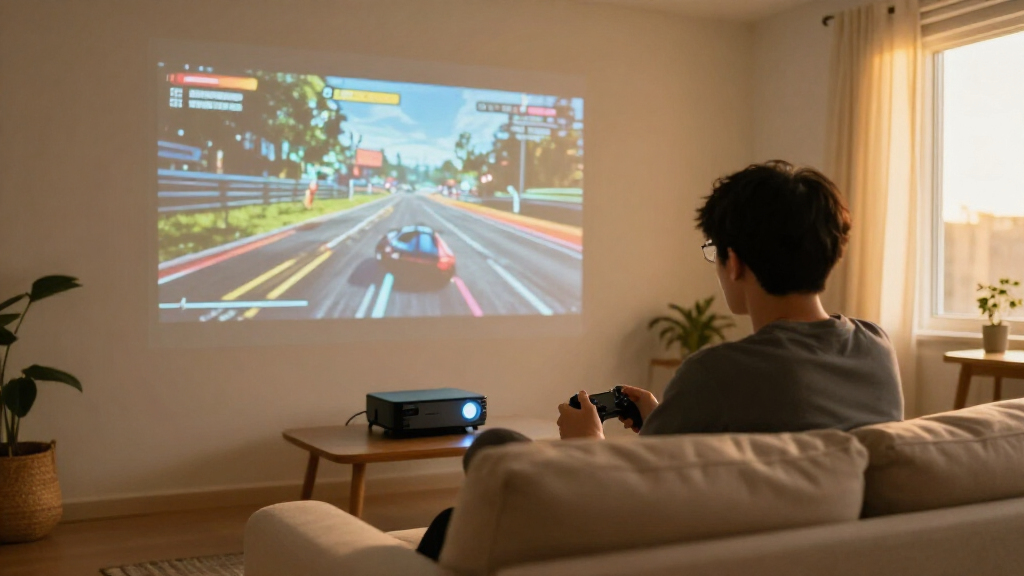
For most players, I’d start with the BenQ TK710STi: its 4K HDR picture and short-throw design make a strong match for gaming in rooms where projector placement is limited. The ViewSonic PX701-4K stands out for its 240Hz support, while the Optoma GT2400HDR is a bright laser option for a short-throw setup. The main tradeoffs are resolution and refresh rate versus brightness, throw distance, and the cost of stepping up to a laser model. I’ve ranked these picks by how well their stated features serve real gaming setups, not by resolution alone. Read on for the full breakdown and a guide to choosing the right fit.

Play games on Amazon Luna for your game nights, included with Prime
- A rotating selection of games, no download needed
- Play on TV, laptop or phone
- Fast, free delivery for your gear, too
Complete the kit



Key Takeaways
- Short throw is the clearest room-fit advantage. The BenQ TK710STi, BenQ TH671ST, and Optoma GT2400HDR are suited to projecting a large image from closer to the screen, which can help in compact rooms.
- 4K does not automatically mean the best gaming fit. The ViewSonic PX701-4K combines 4K UHD with stated 240Hz support, while 1080p short-throw models may suit players who value placement flexibility more.
- Laser and lamp models serve different priorities. The Optoma GT2400HDR and BenQ TK710 use laser light sources; the other listed models make different tradeoffs around resolution, features, and setup.
- The smart projector is the least defined gaming choice. Its listed WiFi, Bluetooth, apps, and automatic adjustments may simplify casual setup, but the product name does not specify resolution, brightness, or gaming refresh performance.
- The lineup’s best fit depends on the room as much as the console. Throw distance, ambient light, and screen size can matter more than a headline resolution when choosing among these seven.




| gaming projector | Native resolution | Brightness | Connectivity | Light source life |
|---|---|---|---|---|
| Optoma GT2400HDR Full HD 1080p | 1920 x 1080 | 4,200 lumens | HDMI, USB, VGA, Ethernet | Up to 30,000 hours |
| Smart 4K Projector with WiFi | 1920 x 1080 | 550 lumens | — | — |
| Optoma HD146X 1080P Full HD Ho | 1920 x 1080 | 3,600 lumens | HDMI, USB | — |
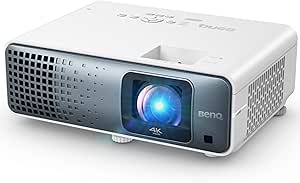
| BenQ TK710STi 3200 Lumens 4K H | 3840 x 2160 | 3,200 lumens | HDMI, Wi-Fi ready | Up to 20,000 hours |
| BenQ TH671ST 3000 Lumens 1080p | 1920 x 1080 | 3,000 lumens | 2 HDMI, USB Type-A, USB mini-B, PC D-Sub, monitor out, audio in/out, RS232 | — |
| BenQ TK710 4K HDR Laser Projec | 3840 x 2160 | 3200 lm | — | 20,000 hours |
| ViewSonic PX701-4K UHD Project | 3840 x 2160 | 3200 lumens | HDMI, USB | 6000 hours |
More Details on Our Top Picks
Optoma GT2400HDR Full HD 1080p Short Throw Laser Projector with 4200 Lumens
The Optoma GT2400HDR is the strongest fit here for gaming where room lights stay on. Its 4,200 lumens give it a brightness advantage over the BenQ TH671ST and BenQ TK710STi, while its short-throw range can create a large image from just 2.6 to 3.7 feet away. That makes it useful in a shared room where seating or furniture limits projector placement. Native 1080p suits players who prioritize a clear Full HD picture over native 4K; 4K HDR input compatibility is not the same as native 4K resolution. The laser light source also avoids routine lamp replacement. The tradeoff is its 9.4-pound weight and lack of supplied input-lag figures, so I would favor the HD146X if gaming response data matters more than brightness.
Pros:- 4,200 lumens are well suited to rooms with ambient light.
- Short-throw range supports a large image from a close position.
- Laser light source is rated for up to 30,000 hours.
- Accepts 4K HDR input while retaining native 1080p resolution.
Cons:- Native resolution is 1080p, not 4K.
- At 9.4 pounds, it is less convenient to move than a compact setup.
- The supplied details do not give a specific gaming input-lag figure.
Best for: Console players using a bright living room who need short-throw placement and want a low-maintenance light source.
Not ideal for: Buyers seeking native 4K or a lightweight projector to move between rooms; this model is native 1080p and weighs 9.4 pounds.
- Native resolution:1920 x 1080
- Maximum resolution:3840 x 2160 input
- Brightness:4,200 lumens
- Light source:Laser
- Light source life:Up to 30,000 hours
- Projection distance:2.6–3.7 feet
- Connectivity:HDMI, USB, VGA, Ethernet
- Weight:9.4 pounds
Our verdict“Choose the GT2400HDR for bright-room gaming and close placement, but pick a native 4K model if resolution takes priority.”
Smart 4K Projector with WiFi, Bluetooth, AI Auto Focus, Keystone, and Built-in Apps
This smart projector is the most convenient pick for players who also want streaming apps without adding a separate device. AI autofocus, 6D keystone correction, and automatic screen alignment reduce the setup work when moving it between rooms, a flexibility the Optoma GT2400HDR does not emphasize. It accepts 4K input and includes apps such as Netflix and YouTube, but its native resolution is 1080p, so it does not deliver the native 4K detail of the BenQ TK710STi. Its listed 550-lumen brightness is also far below the Optoma models in this lineup, making a dark room the better setting for games and video. Wireless features and built-in audio add convenience, though the data does not specify gaming latency or a battery; I would not choose it for competitive play or assume it can run untethered outdoors.
Pros:- Built-in streaming apps reduce the need for a separate media device.
- Autofocus and automatic correction features simplify repositioning.
- Wi-Fi 6 and Bluetooth 5.4 support wireless connections.
- Accepts 4K input and supports HDR10.
Cons:- Native resolution is 1080p rather than 4K.
- Listed brightness of 550 lumens is modest for ambient-light gaming.
- No gaming latency or battery-powered operation is specified.
Best for: Casual console players who want a flexible projector with automatic setup and built-in streaming apps for a dark room.
Not ideal for: Competitive players or anyone gaming in a bright room; brightness is listed at 550 lumens and no input-lag figure is provided.
- Native resolution:1920 x 1080
- Maximum resolution:3840 x 2160
- Brightness:550 lumens
- Maximum image size:300 inches
- Throw distance:4.5–16.4 feet
- Wireless connectivity:Wi-Fi 6, Bluetooth 5.4
- Built-in apps:Netflix, Disney+, Prime Video, Hulu, YouTube, and more
- Setup features:AI autofocus, 6D keystone, obstacle avoidance, screen alignment
Our verdict“Pick this for casual gaming and streaming with fuss-free setup in a dark room, not for bright spaces or latency-sensitive play.”
Optoma HD146X 1080P Full HD Home Theater Projector
The Optoma HD146X earns its place through a gaming-focused mode and a straightforward Full HD picture, making it a better fit for players who value responsiveness over newer display features. Its 3,600 lumens offer more headroom for some ambient light than the BenQ TH671ST, although the GT2400HDR is brighter and easier to position close to a wall. The HD146X uses a traditional lamp rather than that model’s laser source, so it trades the GT2400HDR’s longer stated light-source life for a simpler 1080p home-theater approach. Its 25,000:1 contrast ratio and support for images up to 301 inches suit movie nights as well as games. The main limitation is that it tops out at 1080p and needs a suitable throw distance; the supplied specs do not quantify input lag.
Pros:- Enhanced gaming mode is aimed at faster-response play.
- 3,600 lumens provide useful brightness for a home theater projector.
- 25,000:1 contrast ratio supports differentiation between dark and bright scenes.
- Lamp life is rated up to 15,000 hours.
Cons:- Resolution is limited to 1080p.
- Traditional lamp life is shorter than the GT2400HDR’s stated laser life.
- Requires more placement distance than a short-throw projector for a large image.
Best for: Players who want a bright 1080p projector for console gaming and movies, with a dedicated gaming mode and room for a larger setup.
Not ideal for: Buyers seeking native 4K, short-throw placement, or a laser light source; the HD146X is lamp-based and has no stated input-lag measurement.
- Native resolution:1920 x 1080
- Brightness:3,600 lumens
- Contrast ratio:25,000:1
- Maximum image size:301 inches
- Throw distance:3.2–35.37 feet
- Lamp life:Up to 15,000 hours
- Connectivity:HDMI, USB
- Weight:8.2 pounds
Our verdict“Choose the HD146X for bright, Full HD gaming with a gaming mode, but look elsewhere for native 4K or short-throw convenience.”
BenQ TK710STi 3200 Lumens 4K HDR Short Throw Home Entertainment Projector
The BenQ TK710STi is the resolution-first choice for gamers who want native 4K HDR rather than the 1080p output of the Optoma GT2400HDR or HD146X. Its laser light source and 3,200-lumen brightness make it a more capable all-round gaming and movie option than a dim, streaming-focused model, while built-in Android TV keeps everyday viewing simple. BenQ lists a 4 ms response time at 1080p, a useful target for fast play, though that figure is specific to that resolution and should not be treated as a 4K latency claim. The short-throw positioning is less flexible than the GT2400HDR’s 2.6-to-3.7-foot range: the listed minimum distance here is 8.4 feet. This is a strong fit for a dedicated room, but its 275-watt draw and larger-space requirements are real tradeoffs.
Pros:- Native 3840 x 2160 resolution gives it a detail advantage over the 1080p Optoma models.
- Laser light source is rated for up to 20,000 hours.
- Listed 4 ms response time at 1080p supports fast-paced gaming.
- Built-in Android TV provides streaming without an external device.
Cons:- Minimum listed throw distance of 8.4 feet limits placement in smaller rooms.
- 275-watt power draw is higher than the supplied wattage for the smart 4K projector.
- The listed response-time figure applies to 1080p, not 4K gaming.
Best for: Gamers setting up a dedicated room who want native 4K HDR, laser illumination, and built-in Android TV.
Not ideal for: Players with a very small room or those prioritizing low power draw; the listed minimum throw distance is 8.4 feet and wattage is 275 watts.
- Native resolution:3840 x 2160
- Brightness:3,200 lumens
- Light source:Laser
- Light source life:Up to 20,000 hours
- Contrast ratio:600,000:1
- HDR support:HDR10
- Throw distance:8.4–16.3 feet
- Gaming response time:4 ms at 1080p
- Connectivity:HDMI, Wi-Fi ready
Our verdict“Choose the TK710STi for native 4K HDR and responsive 1080p gaming in a room with enough throw distance.”
BenQ TH671ST 3000 Lumens 1080p Short Throw Home Entertainment Projector
The BenQ TH671ST is the practical choice when a gaming setup needs a short throw but does not need native 4K. Its 0.69–0.83 throw ratio and 60-to-120-inch image range suit a bedroom or small gaming room better than the Optoma HD146X, which can project much farther but does not have the same short-throw emphasis. Native 1080p and 3,000 lumens provide a useful balance for Full HD console play, and the listed low input lag is aimed at smoother gaming. It is less bright than the GT2400HDR, however, and its lamp has a shorter stated life—4,000 hours in normal mode or 10,000 in Eco. There is also no built-in Wi-Fi, so streaming requires a connected device. I’d choose it for close-range gaming, not for a maintenance-free or wireless setup.
Pros:- Short-throw design suits smaller rooms and close projector placement.
- Native 1080p resolution fits Full HD gaming.
- 3,000 lumens provide more brightness than the smart projector’s listed 550 lumens.
- Low input lag is specified as a gaming-focused feature.
Cons:- Lamp life is rated at 4,000 hours in normal mode and 10,000 in Eco.
- No built-in Wi-Fi or wireless connectivity is listed.
- Native resolution is 1080p, below the BenQ TK710STi’s 4K.
Best for: 1080p console players in bedrooms or compact rooms who need a short-throw image and can connect a console or streaming device by cable.
Not ideal for: Buyers wanting native 4K, wireless streaming, or a long-life laser source; the TH671ST is lamp-based and has no Wi-Fi.
- Native resolution:1920 x 1080
- Brightness:3,000 lumens
- Native contrast ratio:10,000:1
- Projection size:60–120 inches
- Throw ratio:0.69–0.83
- Lamp life:4,000 hours normal; 10,000 hours Eco
- Connectivity:2 HDMI, USB Type-A, USB mini-B, PC D-Sub, monitor out, audio in/out, RS232
- Weight:2.7 kg
Our verdict“Pick the TH671ST for short-throw Full HD gaming in a compact room, provided you are comfortable with a lamp and wired sources.”
BenQ TK710 4K HDR Laser Projector with 3200 Lumens for Home Entertainment and Gaming
The BenQ TK710 is a strong fit for players who want detailed 4K images without giving up a responsive feel. Its listed gaming figures are 16ms at 4K/60Hz and 4ms at 1080p, so fast play is better served by lowering resolution than by expecting the same latency at every setting. The 3,200-lumen laser light source is a practical advantage in rooms that are not fully dark, while a 20,000-hour operating life avoids the shorter lamp life listed for the ViewSonic PX701-4K. That convenience comes with an 8-pound chassis and some setup complexity. Unlike the BenQ TK710STi, this model is not described as short throw, so buyers should check their room distance before choosing it.
Pros:- Native 3840 x 2160 resolution delivers detailed large-screen play
- 3,200 lumens helps maintain a visible image in some ambient light
- Laser light source is listed for 20,000 hours of operation
- Listed 4ms response time at 1080p suits players prioritizing speed at that resolution
Cons:- Listed input lag rises to 16ms at 4K/60Hz
- At 8 pounds, it is less convenient to move than a compact tabletop projector
- Setup may require more adjustment than a simple plug-and-play option
Best for: Console and PC players who want 4K HDR, a long-life light source, and enough brightness for a room that cannot be fully darkened
Not ideal for: Gamers with a shallow room who need short-throw placement, or competitive players who require the lowest listed latency at 4K/60Hz
- Native resolution:3840 x 2160
- Brightness:3200 lm
- Contrast ratio:600,000:1
- Input lag:16ms at 4K/60Hz
- Refresh rate:240Hz
- HDR support:HDR10
- Light source life:20,000 hours
- Maximum image size:144 inches
- Weight:8 pounds
Our verdict“Choose the TK710 if you want bright 4K gaming and long laser life, but check your throw distance and preferred resolution before buying.”
ViewSonic PX701-4K UHD Projector, 3200 Lumens, 240Hz HDR, Auto Keystone DLP
The ViewSonic PX701-4K is the more gaming-focused choice for players who value a very low listed input lag and flexible image adjustment. Its 4.2ms input lag and 240Hz refresh rate make it a compelling alternative to the BenQ TK710, whose listed lag is 16ms at 4K/60Hz, though the supplied specs do not say that ViewSonic’s figure applies to every resolution or mode. Auto keystone, four-corner adjustment, and optical zoom can help fit the image to a fixed room, and its stated maximum image size exceeds the BenQ’s. The tradeoff is a lamp life of 6,000 hours, far shorter than the TK710’s laser rating, plus higher listed power use. It makes more sense as a planned installation than a projector to move between gaming spaces.
Pros:- Listed 4.2ms input lag and 240Hz refresh rate target responsive gaming
- Auto keystone, four-corner adjustment, and optical zoom add setup flexibility
- 3,200 lumens supports viewing in rooms with some ambient light
- Maximum image size is listed at 300 inches
Cons:- Lamp life is listed at 6,000 hours, substantially shorter than the BenQ TK710’s laser rating
- Listed power consumption is 265 watts
- Stationary, ceiling-mount-oriented design is less convenient for portable setups
Best for: Competitive console or PC players planning a fixed setup who want low listed input lag, high refresh, and image-position adjustments
Not ideal for: Buyers seeking a long-life laser light source, low power use, or a projector they can easily relocate
- Native resolution:3840 x 2160
- Display type:DLP
- Brightness:3200 lumens
- Input lag:4.2ms
- Refresh rate:240Hz
- Contrast ratio:12000:1
- Maximum image size:300 inches
- Light source life:6000 hours
- Connectivity:HDMI, USB
Our verdict“Pick the PX701-4K for a fixed gaming room where low listed lag and placement adjustments matter more than laser longevity and portability.”
How We Picked
I ranked these gaming projectors by the features that shape play in a home setup: stated resolution, refresh-rate support, brightness, throw distance, light-source type, and setup aids. I gave particular weight to how each model balances a large image with practical placement, since a high-resolution projector is a poor fit if the room cannot accommodate its throw distance. I also separated clearly specified gaming and display features from broad claims such as “smart” or “AI” functionality.
The BenQ TK710STi leads for its mix of 4K HDR, short throw, and laser illumination. The ViewSonic ranks highly for its stated 240Hz support and 4K UHD, while the Optoma GT2400HDR earns its place for bright short-throw laser use. The BenQ TK710 offers a non-short-throw 4K laser alternative; the HD146X and TH671ST make more focused 1080p cases. The smart projector ranks last because key gaming specifications are not provided in its name, making it harder to recommend confidently for responsive play.
Factors to Consider When Choosing Gaming Projectors
Choosing a gaming projector involves more than matching a console’s output resolution. I’d start with the room and the kinds of games you play, then check which specifications are clearly stated for the projector itself.
Match Throw Distance to Your Room
Throw distance determines how far the projector must sit from the screen to create a given image size. Before shopping, measure the available distance from a realistic projector position to the wall or screen, including space for ventilation and cables. Short-throw models can make a large image possible in a smaller room, but they do not automatically solve every placement issue: image size still depends on the model and setup. A common mistake is to buy by screen size alone and discover the projector must sit where people walk or where a ceiling mount is impractical. Use the manufacturer’s throw-distance calculator or placement chart for your intended image size, rather than relying on a general short-throw label.
Read Resolution and Refresh Claims Separately
Resolution describes image detail, while refresh rate describes how often the displayed image can update. For story-driven games, a sharper image may matter more than chasing the highest refresh figure; for fast competitive play, supported refresh modes can carry more weight. A listed maximum refresh rate does not tell you that every resolution, input, or game will run at that rate, so check the supported combinations and the projector’s input specifications. Also verify whether the projector accepts the output formats your console or PC uses. Avoid treating “4K” or a high-hertz headline as a complete measure of gaming performance.
Plan Around Ambient Light
Room brightness changes how much projector output reaches the screen as visible contrast and color. A dedicated dark room gives you more flexibility, while daylight or bright overhead lighting can flatten the image even when a projector lists a high lumen figure. If you play with lights on, prioritize a model with a brightness specification suited to that environment and think about screen material and size as part of the same decision. A larger image spreads the available light over more area, so maximum screen size may not produce the most satisfying picture. Don’t assume a projector can replace a television in every bright room without compromises.
Check Input Lag and Gaming Modes
Input lag is the delay between a controller action and the resulting image, and it can matter more than resolution in timing-sensitive games. The product names in this roundup do not provide input-lag figures, so I’d verify the manufacturer’s specifications and independent measurements before choosing any of these models for competitive play. Look for the lag figure at the resolution and refresh rate you actually plan to use; one mode may behave differently from another. A dedicated gaming mode can reduce processing, but it may change picture settings or disable some image enhancements. If responsiveness is your priority, do not infer performance from “gaming” branding alone.
Factor in Light-Source Life and Upkeep
Laser and lamp-based projectors can differ in upkeep, light-source longevity, and how their brightness changes over time. A laser model may appeal to buyers who want a solid-state light source, while a lamp model can still make sense if its display features and placement fit the room. Check the specified light-source life, replacement arrangements, filter-cleaning needs, and warranty terms rather than treating the source type as a full ownership-cost answer. Projectors also need clear airflow; placing one in a tight cabinet can cause heat and noise problems. Think about access for cleaning and servicing before you settle on a permanent mount.
Spend on the Limitation You Actually Have
Paying more makes sense when it addresses a real constraint, such as needing 4K detail, short-throw placement, or a laser light source. If your room is already dark and your play is casual, those upgrades may matter less than finding a model that fits your screen distance and budget. Smart apps can reduce the need for an external streaming device, but they are not a substitute for verified gaming latency or console compatibility. Check the full connection list for the systems you own, along with audio output options and any receiver or soundbar in your setup. The best upgrade is the one that fixes the weakest link in your room, not the one with the longest feature list.
Frequently Asked Questions
Is 4K worth choosing over 1080p for gaming on a projector?
It depends on your screen size, viewing distance, and the games you play. A large image viewed from nearby can make 4K detail more noticeable, while players seated farther back may get more value from a projector that better suits their room or refresh needs. Your console or PC must also output the resolution and frame rate you want. Compare the ViewSonic PX701-4K and BenQ TK710 models with the 1080p Optoma and BenQ options by checking their supported gaming modes, not resolution labels alone. If responsive play matters most, confirm input lag at your chosen resolution before deciding.
Can a short-throw projector work in a small gaming room?
Often, yes: short-throw designs can create a large image with less distance between the projector and screen. The BenQ TK710STi, BenQ TH671ST, and Optoma GT2400HDR are the short-throw choices in this lineup. Still, check the placement chart for the exact image size you want, because “short throw” does not mean the projector can sit anywhere. Keep in mind that people or objects close to the beam may cast shadows, and a nearby projector can make fan noise more noticeable. Measure before mounting or buying a screen.
What should I check before using one of these projectors for competitive gaming?
Look for a verified input-lag measurement at the resolution and refresh rate you plan to use, plus confirmation that the projector accepts your system’s output format. The listed product details identify features such as 240Hz support on the ViewSonic PX701-4K, but a refresh-rate claim alone does not establish controller-to-screen delay. Check whether a gaming mode is available and what image processing it disables. Also confirm that your console or PC can deliver the selected mode in the games you play. If those details are missing, ask the manufacturer or consult reliable measurements before committing.
Is a laser projector a better choice than a lamp projector for gaming?
Not automatically; the better choice depends on your priorities and the model’s full specifications. The Optoma GT2400HDR and BenQ TK710 are laser options in this roundup, while the other named models list different feature combinations. A laser light source may appeal if you value its stated service life and ownership pattern, but it does not by itself guarantee lower input lag, higher image quality, or easier placement. Check brightness, throw distance, supported gaming modes, and maintenance requirements alongside light-source type. A lamp model can still be the more practical match if it fits your room and gaming needs.
Should I choose a smart projector with built-in apps for console gaming?
Built-in apps can simplify video streaming, but they do not tell you whether a projector is a strong gaming display. For the smart projector listed here, the product name mentions WiFi, Bluetooth, AI autofocus, keystone correction, and apps without specifying resolution, brightness, or refresh performance. I’d verify those details, along with input lag and available connections, before using it as the main screen for a console. Automatic focus and keystone can help with setup, though digital correction may affect the image. Choose it for gaming only if the missing performance details meet your requirements.
Conclusion
For the best overall fit, I’d choose the BenQ TK710STi if you want 4K HDR, laser illumination, and short-throw placement in one gaming-focused setup. The best value in capability depends on your priority: the BenQ TH671ST is a straightforward 1080p short-throw pick, while the Optoma HD146X suits buyers who do not need short throw or 4K. For a premium 4K alternative, the BenQ TK710 offers laser illumination without the TK710STi’s short-throw role; for a high-refresh feature set, consider the ViewSonic PX701-4K after checking supported modes and input lag. The best for beginners is the smart projector only if its unspecified gaming performance checks out and its automatic setup aids are the main draw. For a bright, close-placement setup, the Optoma GT2400HDR is the specific short-throw laser option. Match the projector to your room measurements and gaming priorities before choosing.
Halloween Picks
halloween
As an affiliate, we earn on qualifying purchases.