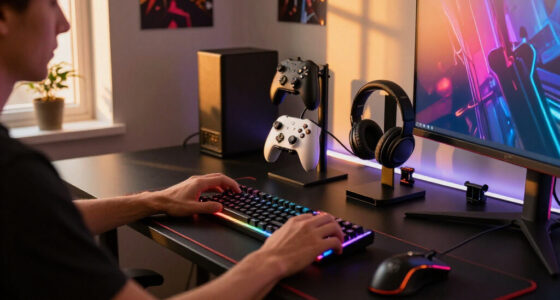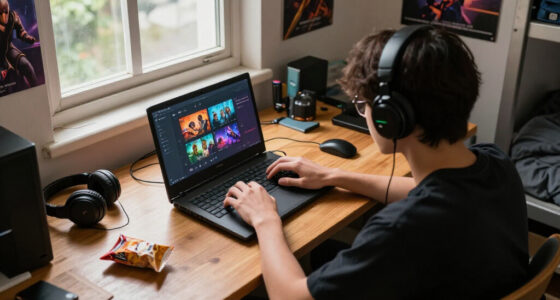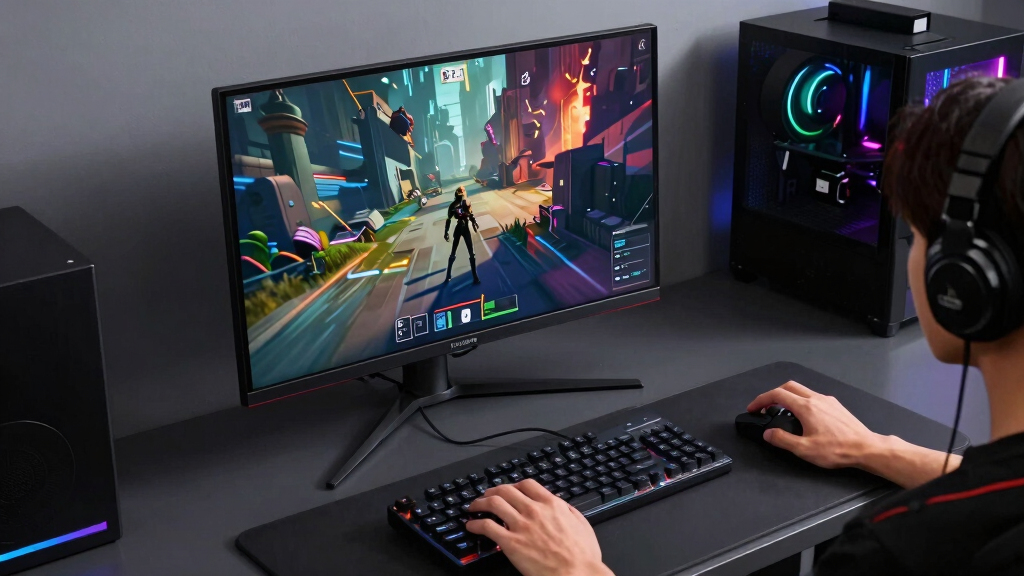

For the best DisplayPort 2.1 monitors for PC gaming, I would start with the ASUS ROG Swift PG27UCDM because it pairs 4K 240Hz, QD-OLED contrast, and a bandwidth-forward feature set in a size that suits more desks than the giant alternatives. The Samsung 57-inch Odyssey Neo G9 G95NC is the standout premium pick if you want Dual UHD width and have the GPU power to feed it, while the LG 27GR83Q-B makes more sense for players who want fast QHD performance without OLED pricing. The tradeoffs are sharp in this category: OLED gives cleaner motion and deeper blacks, Mini-LED gives scale and HDR punch, and IPS models usually win on price and desktop comfort. DisplayPort 2.1 matters most when the panel resolution and refresh rate can push older connections, so I weighed port capability against real gaming practicality. Continue reading for the full breakdown of which monitor fits each kind of PC gaming setup.

Get games and gaming gear delivered free — and shop member deals
- Fast, free delivery on millions of items
- Access to Prime Big Deal Days deals on October 6–7
- Prime Video, Amazon Music and more included
Key Takeaways
- ASUS ROG Swift PG27UCDM is the best overall pick because it gives 4K, 240Hz, OLED-level response, and a realistic 27-inch footprint.
- Samsung Odyssey Neo G9 G95NC is the most demanding recommendation; its 57-inch Dual UHD panel rewards high-end GPUs but can overwhelm smaller desks and weaker systems.
- LG 27GR83Q-B and Acer Nitro WQHD are the practical value lane, trading OLED blacks for lower cost, easier ownership, and strong 240Hz QHD gaming.
- OLED choices split by use case: ASUS is the premium 4K play, LG UltraGear OLED targets smoother QHD gaming, and AOC Q27GAZDV aims at a lower-cost QD-OLED route.
- DisplayPort 2.1 is not the whole story; bandwidth tier, DSC behavior, HDMI 2.1 backup, panel type, and GPU output support can matter as much as the label.


| DisplayPort 2.1 monitors for PC gaming | Resolution | Refresh Rate | Response Time | Color Gamut |
|---|---|---|---|---|
| INNOCN 24.5 Inch Gaming Monito | 2560 x 1440 QHD | 240Hz | 1ms | 99% sRGB |
| Acer Nitro 27” 4K UHD IPS Gami | 3840 x 2160 UHD | 160Hz at 4K, 320Hz at FHD | Up to 0.5ms | 90% DCI-P3 |
| ASUS ROG Swift 27” 4K QD-OLED | 3840 x 2160 4K UHD | 240Hz | 0.03ms | 99% DCI-P3 |
| LG 27GR83Q-B 27-inch Ultragear | 2560 x 1440 QHD | 240Hz | 1ms GtG | 95% DCI-P3 |
| Samsung 57" Odyssey Neo G9 | Dual 4K UHD | 240Hz | 1ms GTG | — |
| LG 27-inch UltraGear OLED Gami | QHD 1440p | 240Hz | 0.03ms | — |
| AOC 27-Inch QD-OLED Gaming Mon | 2560 x 1440 QHD | 240Hz | 0.03ms | 147% sRGB, 110% DCI-P3 |
| Acer Nitro 27" WQHD IPS Gaming | 2560 x 1440 WQHD | 240Hz | 0.5ms to 1ms | — |
More Details on Our Top Picks
INNOCN 24.5 Inch Gaming Monitor 1440P 240Hz QHD IPS Display with HDMI 2.1 and Built-in Speakers
I rank the INNOCN 24.5-inch QHD 240Hz as the compact speed pick because it gives PC players a sharper-than-1080p image without demanding the desk space of the Samsung 57-inch Odyssey Neo G9. Its 240Hz refresh rate and 1ms response time suit shooters and esports games where motion clarity matters more than cinematic scale. The main catch is relevance to this DisplayPort 2.1 roundup: it uses DisplayPort 1.4, so it is better seen as a budget-friendly alternative for players who do not need the bandwidth of the ASUS ROG Swift PG27UCDM. Compared with the LG 27GR83Q-B, it is smaller and less ergonomic, but also easier to fit into tight setups.
Pros:- 240Hz refresh rate and 1ms response time are well matched to fast PC games
- QHD resolution is sharper than 1080p at this screen size
- 99% sRGB coverage gives it solid color for everyday gaming and media
- HDMI 2.1 support adds flexibility for consoles and newer GPUs
Cons:- DisplayPort is limited to 1.4 rather than 2.1
- 24.5-inch size may feel cramped for immersive single-player games
- Tilt-only stand and no USB hub make the setup less flexible
Best for: Competitive PC gamers with small desks who want QHD sharpness and 240Hz speed in a compact screen.
Not ideal for: Buyers specifically shopping for true DisplayPort 2.1 bandwidth or a larger, more adjustable 27-inch display.
- Screen Size:24.5 inches
- Resolution:2560 x 1440 QHD
- Refresh Rate:240Hz
- Response Time:1ms
- Panel Type:IPS
- Color Gamut:99% sRGB
- Connectivity:HDMI 2.1, DisplayPort 1.4
- Stand:Tilt adjustable
Our verdict“This is the one I would shortlist for compact QHD esports setups, not for buyers who came here needing true DisplayPort 2.1.”
Acer Nitro 27” 4K UHD IPS Gaming Monitor with AMD FreeSync Premium
The Acer Nitro VG270K earns its spot as the value-minded 4K pick because it gives buyers 4K at 160Hz without stepping into the premium OLED tier of the ASUS ROG Swift PG27UCDM. That makes it better for players who want sharper RPGs, racing games, and desktop detail, while still keeping motion smoother than a basic 60Hz 4K screen. Its dual-mode refresh support, with up to 320Hz at FHD, adds flexibility for competitive sessions, though dropping resolution is a visible tradeoff. Against the LG 27GR83Q-B, Acer wins on pixel density but trails in pure QHD high-refresh simplicity. The weak point for this specific roundup is clear: DisplayPort 1.4 means it is not a true DisplayPort 2.1 monitor.
Pros:- 4K UHD resolution gives games and desktop work much sharper detail than QHD
- 160Hz at 4K is a strong balance for high-end but budget-aware gaming PCs
- Dual-mode refresh support allows up to 320Hz at FHD
- FreeSync Premium helps reduce tearing with compatible AMD systems
Cons:- DisplayPort 1.4 limits its fit in a DisplayPort 2.1-focused buying guide
- HDR10 support is basic compared with OLED and Mini-LED options
- Running modern games at 4K and high refresh rates still needs a powerful GPU
Best for: PC gamers who want affordable 27-inch 4K sharpness and can accept DisplayPort 1.4 instead of full DP 2.1.
Not ideal for: Esports-first players who would rather have 240Hz at native QHD or buyers who want stronger HDR hardware.
- Screen Size:27 inches
- Resolution:3840 x 2160 UHD
- Panel Type:IPS
- Refresh Rate:160Hz at 4K, 320Hz at FHD
- Response Time:Up to 0.5ms
- HDR:HDR10
- Color Gamut:90% DCI-P3
- Ports:1 x DisplayPort 1.4, 2 x HDMI 2.1
Our verdict“This is the 4K value play I would pick for sharpness per dollar, as long as DisplayPort 2.1 is not a hard requirement.”
ASUS ROG Swift 27” 4K QD-OLED Gaming Monitor (PG27UCDM) – 240Hz, 0.03ms, G-SYNC Compatible
The ASUS ROG Swift PG27UCDM is my top pick because it best matches the promise of a DisplayPort 2.1 gaming monitor: 4K, 240Hz, QD-OLED, and DisplayPort 2.1a UHBR20 in one 27-inch screen. Compared with the Acer Nitro VG270K, it offers a much faster native 4K refresh rate and far stronger contrast; compared with the Samsung Odyssey Neo G9, it is easier to place on a normal desk. The 0.03ms response time and QD-OLED panel are especially valuable for fast games with dark scenes, where motion clarity and black levels shape the feel of play. The tradeoff is price and setup ambition. This monitor makes less sense unless the PC behind it can actually feed 4K 240Hz.
Pros:- DisplayPort 2.1a UHBR20 is the strongest fit for this roundup
- 4K 240Hz combines sharp detail with elite motion smoothness
- QD-OLED panel delivers very high contrast and rich color coverage
- USB-C with 90W power adds useful single-cable flexibility
Cons:- Premium pricing limits its appeal for value shoppers
- 4K 240Hz gaming needs a very powerful PC
- OLED buyers still need to be mindful of static desktop elements over long periods
Best for: High-end PC gamers with modern GPUs who want a 27-inch 4K OLED monitor built around real DisplayPort 2.1 bandwidth.
Not ideal for: Budget-focused players or anyone using a midrange GPU that will rarely reach high frame rates at 4K.
- Display Size:26.5 inches
- Resolution:3840 x 2160 4K UHD
- Refresh Rate:240Hz
- Response Time:0.03ms
- Panel Technology:QD-OLED
- Color Gamut:99% DCI-P3
- Color Depth:True 10-bit
- Connectivity:DisplayPort 2.1a UHBR20, USB-C 90W, HDMI 2.1
- Contrast Ratio:1,500,000:1
Our verdict“This is the monitor I would put first for buyers who want the cleanest 27-inch answer to DisplayPort 2.1 PC gaming.”
LG 27GR83Q-B 27-inch Ultragear QHD Gaming Monitor, 240Hz, 1ms, DisplayHDR 400, G-Sync, FreeSync Premium, HDMI 2.1, DisplayPort, Adjustable Stand
The LG 27GR83Q-B is the safest mainstream choice in this batch because 27-inch QHD at 240Hz hits a practical sweet spot for many gaming PCs. It is less demanding than the ASUS ROG Swift PG27UCDM at 4K 240Hz, but larger and more comfortable than the compact INNOCN 24.5-inch model. That balance matters: more players can drive high frame rates at 1440p, and the screen size still feels roomy for multiplayer and single-player games. The adjustable stand also gives it a usability win over INNOCN’s tilt-only design. Its drawback is that it does not fully satisfy the DisplayPort 2.1 brief, since it relies on DisplayPort 1.4. HDR400 is useful for basic HDR support, but it cannot match Samsung’s Mini-LED brightness or ASUS’s OLED contrast.
Pros:- QHD 240Hz is a realistic high-refresh target for a wider range of gaming PCs
- G-SYNC Compatible and FreeSync Premium support cover both major GPU camps
- Height, tilt, and pivot adjustments make it easier to fit into daily setups
- 95% DCI-P3 color coverage gives games a richer look than basic sRGB displays
Cons:- DisplayPort 1.4 keeps it behind true DP 2.1 options
- DisplayHDR 400 is modest beside Mini-LED and OLED alternatives
- 27-inch QHD may feel less sharp than 4K options for desktop-heavy use
Best for: PC gamers who want a dependable 27-inch QHD 240Hz monitor that is easier to drive than 4K 240Hz.
Not ideal for: Buyers who want native DisplayPort 2.1, stronger HDR, or the deeper black levels of OLED.
- Display Size:27 inches
- Resolution:2560 x 1440 QHD
- Refresh Rate:240Hz
- Response Time:1ms GtG
- HDR:DisplayHDR 400
- Color Gamut:95% DCI-P3
- Connectivity:HDMI 2.1, DisplayPort 1.4
- Stand Adjustments:Tilt, height, pivot
- Adaptive Sync:G-SYNC Compatible, FreeSync Premium
Our verdict“This is the practical 1440p choice I would choose for high-refresh PC gaming without the GPU burden of 4K.”
Samsung 57″ Odyssey Neo G9 (G95NC) Dual UHD Curved Gaming Monitor, 240Hz, 1ms, Quantum Mini-LED, HDR 1000, DisplayPort 2.1
The Samsung 57-inch Odyssey Neo G9 is the most extreme pick here, and I would treat it as a specialist choice rather than a default upgrade. Its Dual UHD resolution, 1000R curve, and DisplayPort 2.1 input make it far more expansive than the ASUS ROG Swift PG27UCDM, with the appeal of replacing a dual-monitor setup for racing, flight sims, and productivity-heavy gaming desks. Compared with the LG 27GR83Q-B, it is in a different class for scale and HDR punch, helped by Quantum Mini-LED and 2,392 local dimming zones. The cost is equally large: it needs serious desk depth, a powerful GPU, and patience with game support for such a wide format. It is spectacular on paper, but not the easiest monitor to own.
Pros:- 57-inch Dual UHD panel can replace a dual-monitor gaming setup
- DisplayPort 2.1 is well matched to its high-resolution, high-refresh design
- Quantum Mini-LED with 2,392 dimming zones gives stronger HDR impact than basic HDR monitors
- 1000R curve increases immersion for sims and cockpit-style games
Cons:- Very expensive compared with standard 27-inch gaming monitors
- Massive size demands a deep desk and careful placement
- Super-ultrawide support varies by game and can require tweaking
Best for: Simulation, racing, and multitasking-heavy PC gamers who want one huge curved screen with DisplayPort 2.1 bandwidth.
Not ideal for: Small-desk setups, budget builds, or players whose favorite games handle super-ultrawide resolutions poorly.
- Size:57 inches
- Resolution:Dual 4K UHD
- Refresh Rate:240Hz
- Response Time:1ms GTG
- Display Technology:Quantum Mini-LED
- HDR:DisplayHDR 1000
- Inputs:DisplayPort 2.1, HDMI 2.1, USB hub
- Curvature:1000R
- Local Dimming Zones:2,392
Our verdict“This is the big-screen pick I would reserve for buyers who want maximum width and have the PC, desk, and game library to justify it.”
LG 27-inch UltraGear OLED Gaming Monitor QHD 1440p 240Hz
LG 27-inch UltraGear OLED earns its place as my balanced OLED pick because it pairs 240Hz QHD speed with the black-level punch and pixel response PC players want from OLED. Compared with the AOC Q27GAZDV, it has slightly narrower listed DCI-P3 coverage, but the LG counters with a strong gaming feature set, including G-SYNC and FreeSync Premium Pro support. It is also easier to justify than the ASUS ROG Swift PG27UCDM if 1440p high-frame play matters more than 4K sharpness. The main catch is bandwidth: its listed port is DisplayPort 1.4, not DisplayPort 2.1, so buyers chasing native DP 2.1 should skip it. OLED burn-in risk and premium pricing also make it less relaxed for static desktop use.
Pros:- 240Hz refresh rate and 0.03ms response time suit fast competitive games
- OLED contrast with DisplayHDR True Black 400 gives dark scenes real depth
- Supports both NVIDIA G-SYNC and AMD FreeSync Premium Pro
- Adjustable stand helps with desk fit and viewing comfort
Cons:- Lists DisplayPort 1.4 rather than native DisplayPort 2.1
- OLED panel can develop burn-in with static UI elements over time
- Premium price is harder to justify for buyers who only need IPS speed
Best for: PC gamers who want OLED contrast, 240Hz motion, and 1440p performance without paying for a 4K QD-OLED flagship.
Not ideal for: DisplayPort 2.1 purists or productivity-heavy users with static windows on screen all day, since it lists DisplayPort 1.4 and uses OLED.
- Display Size:27 inches
- Resolution:QHD 1440p
- Refresh Rate:240Hz
- Response Time:0.03ms
- HDR:DisplayHDR True Black 400
- Contrast Ratio:1.5M:1
- Color Coverage:98.5% DCI-P3
- Connectivity:HDMI 2.1, DisplayPort 1.4
Our verdict“This is the 1440p OLED pick I would choose for fast PC gaming if native DisplayPort 2.1 is not a must-have.”
AOC 27-Inch QD-OLED Gaming Monitor (Q27GAZDV)
I would place the AOC Q27GAZDV above many midrange 1440p choices for players who care about color volume as much as speed. Its QD-OLED panel lists 147% sRGB and 110% DCI-P3 coverage, giving it a wider color claim than the LG 27-inch UltraGear OLED, while keeping the same 240Hz and 0.03ms motion profile. Against the Acer Nitro 27-inch WQHD IPS, the AOC should deliver stronger blacks and more dramatic HDR-style gaming visuals, but it asks more from the budget and may draw more power. Like the LG, it also lists DisplayPort 1.4 rather than DisplayPort 2.1, which limits its fit for buyers who came here mainly for next-gen cable bandwidth. The USB hub and full stand adjustments make it more desk-friendly than a barebones speed panel.
Pros:- QD-OLED panel offers true blacks and very wide listed color coverage
- 240Hz refresh rate and 0.03ms response time are well matched for fast shooters
- Height, tilt, swivel, and pivot adjustments make setup easier
- USB hub adds practical desktop convenience
Cons:- Not a 4K monitor, so it lacks the sharpness of premium 4K OLED picks
- Lists DisplayPort 1.4 instead of DisplayPort 2.1
- OLED technology can mean higher power use and burn-in care
Best for: Players who want a vivid 27-inch QD-OLED screen for 1440p high-refresh gaming and also value USB hub convenience.
Not ideal for: 4K-focused PC builders or buyers specifically requiring native DisplayPort 2.1, since this is a 1440p monitor with DisplayPort 1.4.
- Display Size:27 inches
- Display Technology:QD-OLED
- Resolution:2560 x 1440 QHD
- Refresh Rate:240Hz
- Response Time:0.03ms
- Connectivity:HDMI 2.1, DisplayPort 1.4
- Color Gamut:147% sRGB, 110% DCI-P3
- Gaming Support:G-SYNC Compatible, HDR True Black
Our verdict“This is the pick I would aim at color-focused 1440p gamers who want QD-OLED punch more than 4K resolution or native DP 2.1.”
Acer Nitro 27″ WQHD IPS Gaming Monitor with FreeSync Premium, 240Hz Refresh Rate, 0.5ms Response Time
The Acer Nitro 27-inch WQHD IPS is my value-minded counterpoint to the OLED picks. It keeps the practical gaming targets buyers want, including 1440p resolution, 240Hz refresh, FreeSync Premium, and a fast IPS panel, while avoiding OLED burn-in anxiety. Compared with the LG 27-inch UltraGear OLED and AOC Q27GAZDV, it will not match their black levels or per-pixel contrast, and DisplayHDR 400 is modest beside OLED True Black hardware. Still, this model makes sense for players who run long desktop sessions, strategy games, HUD-heavy MMOs, or mixed work and gaming. For a DisplayPort 2.1 roundup, the drawback is clear: it lists DisplayPort 1.4, and the maximum refresh rate may depend on using that port. The built-in speakers are convenient, but not a substitute for a headset or real speakers.
Pros:- 240Hz WQHD panel gives sharp, smooth gameplay without 4K GPU demands
- IPS panel avoids OLED burn-in concerns for static desktop use
- FreeSync Premium helps reduce tearing with compatible AMD systems
- Strong ergonomic range with height, swivel, pivot, and tilt
Cons:- DisplayHDR 400 and IPS contrast trail the OLED options in dark scenes
- Lists DisplayPort 1.4 rather than DisplayPort 2.1
- Built-in 2W speakers are basic and not suited to immersive gaming audio
Best for: Budget-aware PC gamers who want 27-inch 1440p 240Hz performance for mixed work, esports, and long gaming sessions.
Not ideal for: HDR-first buyers, OLED contrast seekers, or anyone requiring native DisplayPort 2.1 bandwidth for their PC setup.
- Display Size:27 inches
- Resolution:2560 x 1440 WQHD
- Panel Type:IPS
- Refresh Rate:240Hz
- Response Time:0.5ms to 1ms
- Color Coverage:sRGB 99%
- HDR:DisplayHDR 400
- Ports:1 x DisplayPort 1.4, 2 x HDMI 2.1, 1 x Audio Out
- Ergonomics:Tilt, height adjustment, 360° swivel, ±90° pivot
Our verdict“This is the practical pick I would choose for 1440p 240Hz gaming when OLED risks and premium prices feel like the wrong tradeoff.”
How We Picked
I ranked these monitors by how well they serve PC gaming through a DisplayPort 2.1 lens, not by spec-sheet flash alone. The biggest factors were resolution at refresh rate, panel response, HDR potential, adaptive-sync support, port flexibility, stand ergonomics, desk fit, and the GPU cost needed to drive each screen. I gave more weight to displays that use their bandwidth for something meaningful, such as 4K at 240Hz, ultrawide Dual UHD at high refresh, or low-latency QHD esports play. I also separated panel strengths: OLED and QD-OLED scored higher for motion clarity and contrast, Mini-LED scored well for brightness and scale, and IPS models gained ground where they delivered speed at a lower price.
The ranking favors the ASUS ROG Swift PG27UCDM because it offers the strongest balance of image quality, speed, and everyday fit for a high-end gaming PC. The Samsung Odyssey Neo G9 G95NC sits behind it because its ceiling is higher for immersion, but it asks far more from the desk, wallet, and graphics card. Value picks such as the LG 27GR83Q-B and Acer Nitro WQHD rank well when a buyer wants 240Hz responsiveness without paying for OLED. The lower-ranked models are not filler; they serve narrower roles, such as compact QHD gaming, entry-level 4K, or OLED shopping on a tighter budget.
| DisplayPort 2.1 monitors for PC gaming | Connectivity | HDR |
|---|---|---|
| INNOCN 24.5 Inch Gaming Monito | HDMI 2.1, DisplayPort 1.4 | — |
| Acer Nitro 27” 4K UHD IPS Gami | — | HDR10 |
| ASUS ROG Swift 27” 4K QD-OLED | DisplayPort 2.1a UHBR20, USB-C 90W, HDMI 2.1 | — |
| LG 27GR83Q-B 27-inch Ultragear | HDMI 2.1, DisplayPort 1.4 | DisplayHDR 400 |
| Samsung 57" Odyssey Neo G9 | — | DisplayHDR 1000 |
| LG 27-inch UltraGear OLED Gami | HDMI 2.1, DisplayPort 1.4 | DisplayHDR True Black 400 |
| AOC 27-Inch QD-OLED Gaming Mon | HDMI 2.1, DisplayPort 1.4 | — |
| Acer Nitro 27" WQHD IPS Gaming | — | DisplayHDR 400 |
Factors to Consider When Choosing Best DisplayPort 2.1 Monitors For PC Gaming
The right DisplayPort 2.1 gaming monitor depends on what your GPU can feed, what your desk can hold, and which compromises you can live with. I would not treat the port label as an automatic green light; the panel, bandwidth tier, compression behavior, HDR hardware, and refresh target all shape the final experience.
Match DisplayPort 2.1 to the Panel’s Actual Demands
DisplayPort 2.1 matters most when a monitor is pushing enough pixels and frames to stress older connections. A 4K 240Hz OLED like the ASUS ROG Swift PG27UCDM is a cleaner match for the feature than a basic QHD monitor that already runs comfortably over older DisplayPort standards. The Samsung G95NC raises the ceiling again because Dual UHD at high refresh is a much heavier signal than normal 4K. The catch is that DisplayPort 2.1 has different bandwidth tiers, so two monitors with the same label may not behave the same way with every GPU. I would check the monitor’s UHBR rating, DSC support, and whether the graphics card can output the mode you plan to use. Buying only by the port name can lead to paying for a connection you rarely use.
Choose OLED, Mini-LED, or IPS by Your Games
OLED and QD-OLED are strongest for fast camera movement, dark scenes, and players who notice blur, which is why the ASUS, LG UltraGear OLED, and AOC Q27GAZDV have a clear motion advantage over the IPS picks. Mini-LED, represented here by the Samsung Odyssey Neo G9, is better for huge scale and bright HDR impact, but it cannot match OLED pixel-level black control. IPS models such as the LG 27GR83Q-B and Acer Nitro options make sense for static desktop use, lower burn-in worry, and friendlier prices. The mistake I would avoid is buying OLED only because it is premium; mixed work and long static HUDs may make IPS less stressful. On the other hand, competitive and cinematic players may feel the IPS savings are less appealing once motion clarity and contrast are compared side by side. The panel type should match your games before it matches your wish list.
Be Honest About GPU Headroom
4K 240Hz and Dual UHD 240Hz sound simple on a box, but a monitor cannot create frames your PC cannot render. The Samsung 57-inch G95NC is the clearest example: it can be spectacular with a flagship GPU, yet it is easy to underfeed if your system is built for normal 1440p. The ASUS PG27UCDM also rewards a high-end graphics card, though its 27-inch 4K target is more manageable than the Samsung’s extreme canvas. For midrange builds, the LG 27GR83Q-B or Acer Nitro WQHD 240Hz may feel faster in real matches because the PC can reach high frame rates more often. I would rather pair a monitor with repeatable frame delivery than chase a mode that only appears in lighter games. GPU headroom also leaves room for ray tracing, texture packs, and future game updates.
Think About Desk Fit and Daily Use
Screen size changes the whole purchase, not just the amount of image in front of you. A 57-inch super ultrawide can replace multiple displays, but it also demands deep desk space, careful seating distance, and stronger monitor-arm planning. By comparison, the 27-inch OLED and IPS picks are easier to place, easier to share a desk with speakers or capture gear, and less likely to dominate non-gaming work. The 24.5-inch INNOCN has a different advantage: it suits players who sit close and prefer a compact, focused field of view. Bigger is not automatically better for PC gaming if UI scaling, neck movement, or game support becomes annoying. I would measure the desk and seating position before getting pulled toward the largest panel.
Price the Whole Setup, Not Just the Monitor
The monitor price is only one part of a DisplayPort 2.1 upgrade. A premium screen may also push you toward a newer GPU, a certified cable, a stronger arm, more desk depth, or different speakers if the screen takes over the workspace. That is why the LG 27GR83Q-B and Acer Nitro WQHD can be smarter than flashier OLED choices for buyers with a fixed budget. OLED models may add ownership questions around warranty length, burn-in coverage, and how often you use static productivity apps. The Samsung G95NC may require the most planning because its scale affects ergonomics and system performance at the same time. I would put money into the monitor only after the rest of the setup can support its best modes.
Frequently Asked Questions
Do I Need DisplayPort 2.1 for 4K 240Hz PC Gaming?
You do not always need DisplayPort 2.1 for 4K 240Hz, but it becomes more attractive when you want high refresh, high resolution, and fewer bandwidth compromises on a PC. Some monitors can use compression or HDMI 2.1 to reach similar modes, so the label alone is not a guarantee of a better experience. I would prioritize DisplayPort 2.1 most on screens like the ASUS ROG Swift PG27UCDM or Samsung Odyssey Neo G9 G95NC, where the panel can actually stress older connections. For QHD 240Hz models, the port is less decisive because the signal demand is lower. The smarter question is whether your GPU, cable, and monitor all support the exact refresh and resolution mode you want.
Is the Samsung 57-Inch Odyssey Neo G9 Better Than a 4K OLED Monitor?
The Samsung G95NC is better for immersion, sim racing, flight games, and multitasking, but it is not the simplest best pick for most PC gamers. A 27-inch 4K OLED such as the ASUS PG27UCDM gives sharper pixel density in a normal desktop footprint and cleaner per-pixel contrast. The Samsung wins when screen width is the point, while the ASUS wins when balance, speed, and easier setup matter more. Game support also matters because some titles handle super ultrawide layouts better than others. I would choose the Samsung only if the desk, GPU, and preferred games all match its scale.
Should I Buy OLED or IPS for Competitive Gaming?
OLED is the better performance choice if motion clarity and response time are the main goals. The ASUS, LG UltraGear OLED, and AOC Q27GAZDV have a panel-speed advantage over IPS models, which can make fast movement look cleaner at the same refresh rate. IPS still has a strong case for value, brightness stability, and low-maintenance desktop use, especially in picks like the LG 27GR83Q-B and Acer Nitro WQHD. If you play mostly esports and keep static apps open all day, IPS may be the calmer buy. If you play a mix of competitive shooters and cinematic games, OLED is more rewarding if the price and care habits fit.
Which Pick Makes the Most Sense for a Midrange Gaming PC?
For a midrange PC, I would lean toward the LG 27GR83Q-B or the Acer Nitro 27-inch WQHD IPS 240Hz. QHD 240Hz is easier to drive than 4K 240Hz, so the monitor is more likely to spend time near its refresh ceiling in real games. That can feel smoother than buying a higher-resolution display that your GPU rarely feeds well. The INNOCN 24.5-inch QHD model also fits players who want a smaller, focused screen for fast play. A 4K OLED or the Samsung 57-inch model makes more sense after the GPU budget has already been handled.
Is a DisplayPort 2.1 Monitor Worth Buying if My Current GPU Has DisplayPort 1.4?
It can still be worth buying if the monitor itself is the right long-term panel, but you may not get every mode through your current GPU. Many buyers will use fallback modes, DSC, or HDMI 2.1 until the graphics card catches up. I would treat DisplayPort 2.1 as a future-facing bonus on OLED and Dual UHD displays, not a reason to ignore panel quality, warranty, or ergonomics. For value QHD monitors, the upgrade case is weaker because older connections are already capable enough for many 240Hz setups. The best move is to confirm the exact resolution, refresh rate, color depth, and sync support your GPU can deliver today.
Conclusion
My final recommendation is straightforward: choose the ASUS ROG Swift PG27UCDM if you want the best overall DisplayPort 2.1 gaming monitor for a high-end PC, since it balances 4K sharpness, 240Hz speed, OLED contrast, and a manageable size. Pick the LG 27GR83Q-B as the best value if QHD 240Hz matters more than OLED blacks, or the Acer Nitro WQHD 240Hz if you want a cheaper fast IPS route. The Samsung Odyssey Neo G9 G95NC is my best premium pick for sim rigs, ultrawide fans, and buyers who can support its Dual UHD demands. For beginners, the Acer Nitro 27-inch 4K IPS is the easier entry into sharp PC gaming, while the INNOCN 24.5-inch QHD 240Hz works best for compact setups. If OLED is the specific need, choose the ASUS for 4K, the LG UltraGear OLED QHD 240Hz for speed-first QHD play, or the AOC Q27GAZDV when QD-OLED appeal matters more than brand prestige.
Evergreen bestsellers Picks
bestsellers
As an affiliate, we earn on qualifying purchases.