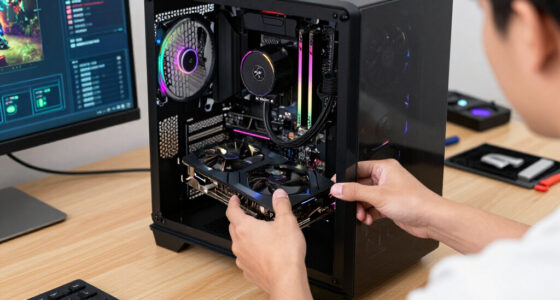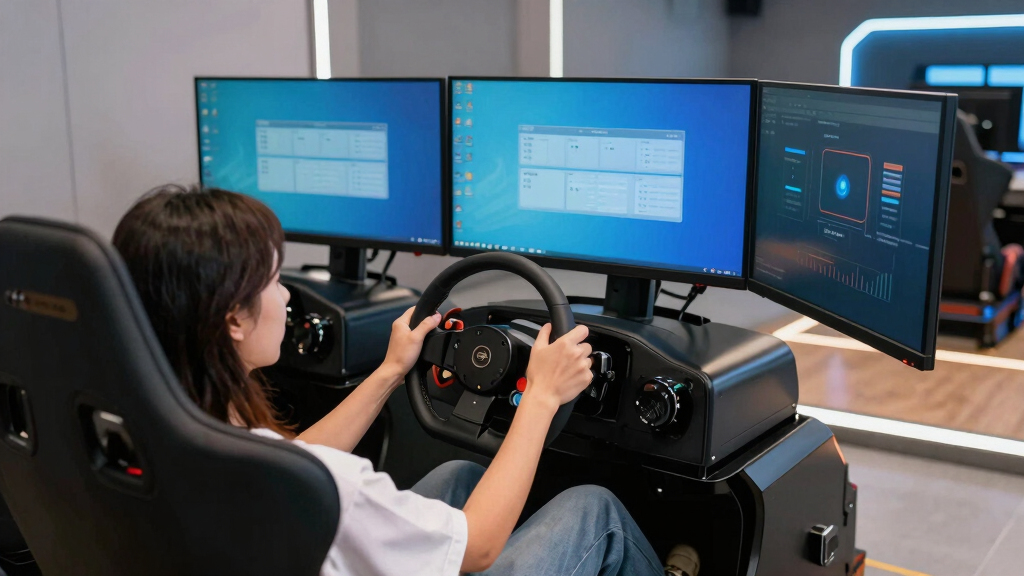

The GEN2 Model LD Triple Monitor Floor Stand is my best overall pick among the best triple monitor stands for sim racing because its stated 24- to 39-inch display range gives more buyers room to change monitors later. The Dardoo Adjustable Triple Monitor Stand is the value choice for a conventional 24- to 32-inch setup, while the Next Level Racing Elite is the premium option for buyers who favor a rigid, expandable platform. The main tradeoffs are frame stiffness, adjustment range, floor space, wheel mobility, and the work required to align three panels. Buyers also need to distinguish genuinely different frames from listings that may describe the same stand in another finish or package. Continue reading for the full breakdown and buyer-specific recommendations.
Open a free Amazon Business account
Business pricing, bulk buying and tax-exempt orders.
Create a free accountAs an affiliate, we earn on qualifying purchases.
Complete the kit



Key Takeaways
- The GEN2 Model LD takes the top position because its stated 24- to 39-inch monitor range is broader than the 24- to 32-inch or 27- to 32-inch ranges advertised by several rivals.
- The Dardoo stand offers the clearest value proposition for a standard 24- to 32-inch triple-screen rig, but buyers planning larger displays should favor the GEN2 or a more expandable profile frame.
- The two Next Level Racing Round Tube entries appear closely related, so seller support, included hardware, price, and return terms may matter more than the color wording in the listing.
- Mobility separates the Anman and Marada A-frame models from fixed-footprint stands, although casters introduce another place where movement can develop under adjustment or accidental contact.
- The Next Level Racing Elite is the premium choice, while the Marada Aluminum Profile is the more customization-focused alternative for buyers willing to spend extra time on assembly and alignment.
| Triple Monitor Floor Stand GEN2 Model LD |  | Best Overall | Configuration: Triple-monitor freestanding floor stand | Tested Screen Sizes: 3×24, 3×27, 3×32, 3×34, or 3×38-inch monitors | Screen Types: Flat or curved | VIEW LATEST PRICE | See Our Full Breakdown |
| Dardoo Sim Racing Triple Monitor Stand |  | Best for Round-Tube Cockpits | Triple Screen Range: 24–32 inches per display | Single Screen Capacity: Up to 65 inches | VESA Compatibility: 75x75mm to 400x200mm | VIEW LATEST PRICE | See Our Full Breakdown |
| Next Level Racing Round Tube Freestanding Triple Monitor Stand |  | Best for Large Monitors | Monitor Capacity: Up to 3×43-inch monitors | Frame Material: Carbon steel | Tube Diameter: 50mm | VIEW LATEST PRICE | See Our Full Breakdown |
| Next Level Racing Round Tube Freestanding Triple Monitor Stand, Black |  | Best Cockpit-Independent Pick | Configuration: Freestanding triple-monitor stand | Monitor Capacity: Up to 3 monitors | Maximum Screen Size: 43 inches per monitor | VIEW LATEST PRICE | See Our Full Breakdown |
| Anman Ultra-stable Triple Monitor Stand |  | Best Mobile Compact-Screen Pick | Monitor Size Compatibility: 27–32 inches | Minimum VESA Pattern: 75x75mm | Maximum VESA Pattern: 200x200mm | VIEW LATEST PRICE | See Our Full Breakdown |
| Marada Aluminum Profile Cockpit Triple Monitor Stand for Racing Simulator |  | Best Cockpit-Integrated Pick | Cockpit Compatibility: Marada 8040 aluminum-profile racing cockpit | Supported Configurations: Single or triple monitor | Single-Monitor Size: 24–65 inches | VIEW LATEST PRICE | See Our Full Breakdown |
| Marada Sim Racing Triple Monitor Stand with Wheels, Adjustable Height and Tilt, A-Frame Base for 27/32-inch Displays |  | Best Mobile Stand | Display Configuration: Three monitors | Compatible Display Sizes: 27 or 32 inches | VESA Range: 75x75mm to 400x400mm | VIEW LATEST PRICE | See Our Full Breakdown |
| Next Level Racing Elite Free Standing Triple Monitor Stand – Black Edition |  | Best Premium Pick | Supported Configurations: Up to three monitors or one TV | Triple-Monitor Size Range: 21–43 inches | Maximum TV Size: 65 inches | VIEW LATEST PRICE | See Our Full Breakdown |
| triple monitor stands for sim racing | Material | Height Adjustment |
|---|---|---|
| Triple Monitor Floor Stand GEN | — | — |
| Dardoo Sim Racing Triple Monit | Metal | Adjustable |
| Next Level Racing Round Tube F | — | Adjustable |
| Next Level Racing Round Tube F | Steel | — |
| Anman Ultra-stable Triple Moni | Steel | Adjustable |
| Marada Aluminum Profile Cockpi | — | Adjustable |
| Marada Sim Racing Triple Monit | High-strength steel | — |
| Next Level Racing Elite Free S | Anodized aluminum | — |
More Details on Our Top Picks
Triple Monitor Floor Stand GEN2 Model LD
I rank the GEN2 Model LD as Best Overall because its unusually broad positioning range addresses the hardest part of a triple-screen rig: creating a continuous sightline across three bezels. Height, spread, tilt, roll, angle, and monitor spacing can all be adjusted, while fine-tuning at the side joints helps correct small alignment errors. It also accommodates tested configurations from 24-inch displays through 38-inch triples, giving it more screen-size flexibility than the 27–32-inch Anman stand. Compared with the Next Level Racing Round Tube model, however, its 100x100mm maximum VESA pattern is restrictive. Large displays may require the maker’s separate HD brackets, and the many adjustment points can make setup slower. I see this as the strongest choice for buyers who value precise field-of-view control over quick assembly.
Pros:- Fine adjustment for bezel alignment between center and side screens
- Height, spread, tilt, roll, angle, and screen spacing are adjustable
- Tested with flat and curved triple-monitor configurations from 24 to 38 inches
- Freestanding floor design keeps display weight separate from the cockpit
Cons:- Standard LD brackets only support VESA patterns up to 100x100mm
- Larger TVs require separately specified heavy-duty HD brackets
- Numerous adjustment points can make initial alignment time-consuming
Best for: Detail-focused sim racers building a permanent triple-screen rig with 24- to 38-inch monitors and demanding precise bezel alignment
Not ideal for: Owners of monitors requiring VESA patterns larger than 100x100mm, especially heavy TVs that need separate HD brackets
- Configuration:Triple-monitor freestanding floor stand
- Tested Screen Sizes:3×24, 3×27, 3×32, 3×34, or 3×38-inch monitors
- Screen Types:Flat or curved
- Maximum Standard VESA Pattern:100x100mm
- Mounting Hardware:M4 or M5
- Frame Adjustments:Height, leg spread, tilt, roll, angle, and monitor spacing
- Alignment Feature:Fine adjustment between center and side monitor bezels
- Heavy-Display Requirement:Model HD brackets required for larger TVs
Our verdict“I recommend the GEN2 Model LD to racers who want the widest alignment control and use monitors within its relatively narrow VESA limit.”
Dardoo Sim Racing Triple Monitor Stand
I would choose the Dardoo stand for a compatible round-tube cockpit, where its adjustable width, height, and screen angles can bring three 24–32-inch displays into a convincing wraparound layout. Its ability to hold one screen up to 65 inches also gives buyers a useful single-display path before committing to triples. The 75×75–400x200mm VESA range is broader than the GEN2 Model LD’s standard mounting range, which helps with less common monitor backs. Yet this is a more specialized purchase: stated cockpit compatibility is limited to round tubing, and some displays may need a particular mounting arrangement. Compared with the freestanding Next Level Racing Round Tube stand, it offers less freedom to place the screens independently of the rig. I rank it for cockpit-specific integration, not for buyers who regularly change rigs or room layouts.
Pros:- Supports triple 24–32-inch displays or one screen up to 65 inches
- Wide 75x75mm to 400x200mm VESA range
- Adjustable height, width, and viewing angle
- Metal construction and non-slip pads support a stable setup
Cons:- Stated compatibility is limited to round-tube racing cockpits
- Certain monitor backs may require a specific mounting setup
- Less independent placement flexibility than a fully freestanding stand
Best for: Owners of compatible round-tube racing cockpits who want either three 24–32-inch monitors or one large display
Not ideal for: Racers with aluminum-profile, square-tube, or frequently replaced cockpits because the stated fit is limited to round-tube rigs
- Triple Screen Range:24–32 inches per display
- Single Screen Capacity:Up to 65 inches
- VESA Compatibility:75x75mm to 400x200mm
- Height Adjustment:Adjustable
- Width Adjustment:Adjustable
- Angle Adjustment:Adjustable
- Material:Metal
- Base:Non-slip pads
- Cockpit Compatibility:Round-tube racing cockpits
Our verdict“I recommend the Dardoo to round-tube cockpit owners who want flexible screen configurations without buying a separate floor-standing frame.”
Next Level Racing Round Tube Freestanding Triple Monitor Stand
The Next Level Racing Round Tube stand earns my large-monitor pick because it supports three displays up to 43 inches on a 50mm carbon-steel frame. That extra capacity matters when a racer wants a wider image without placing the screens uncomfortably close. Its 40×40–400x800mm VESA support is far broader than the GEN2 Model LD’s, while height, tilt, and leveling controls help manage the added size. Laser-etched markings also make repeated positioning easier, and lockable casters allow the assembled display wall to move. Those advantages come with a substantial footprint and more setup work than the narrower Anman stand. It also lacks the GEN2’s listed roll and inter-monitor fine-alignment controls, so large-screen capacity takes priority over micro-adjustment. I rank it highest for buyers who need scale, stability, and mobility together.
Pros:- Supports three monitors up to 43 inches
- Extensive VESA coverage accommodates many large display mounting patterns
- 50mm carbon-steel tubing provides a substantial supporting structure
- Lockable casters combine mobility with fixed positioning
Cons:- Large-monitor capacity brings a bulky footprint
- Assembly and three-screen alignment require time and floor space
- Fewer listed fine-alignment controls than the GEN2 Model LD
Best for: Dedicated sim racers using three large monitors up to 43 inches who need a movable freestanding display structure
Not ideal for: Apartment racers and compact-cockpit owners who cannot accommodate a wide steel frame and its assembly space
- Monitor Capacity:Up to 3×43-inch monitors
- Frame Material:Carbon steel
- Tube Diameter:50mm
- VESA Compatibility:40x40mm to 400x800mm
- Height Adjustment:Adjustable
- Display Adjustment:Tilt and leveling
- Setup Markings:Laser-etched
- Feet:Adjustable
- Mobility:Lockable castor wheels
Our verdict“I recommend this Next Level Racing model when three displays larger than 32 inches outweigh concerns about footprint and setup time.”
Next Level Racing Round Tube Freestanding Triple Monitor Stand, Black
I give this black Next Level Racing freestanding stand the cockpit-independent role because it carries up to three 43-inch monitors without placing their weight on a racing or flight rig. That separation suits buyers who may replace a cockpit while retaining the same display wall. Its steel construction and 75×75–800x400mm VESA coverage also provide more mounting latitude than the Dardoo, which is limited to round-tube cockpits. The tradeoff is physical scale: despite its space-conscious freestanding layout, three large displays and a steel base still demand more room than a cockpit-mounted system. Assembly is another commitment, and monitors outside the stated VESA range will need a different solution. Compared with the similar Next Level Racing model B0GGXVM49R, the supplied data does not list casters, leveling feet, or etched setup marks. I would pick this version for stable, fixed placement rather than routine movement.
Pros:- Supports as many as three monitors up to 43 inches
- Freestanding design avoids loading the simulator cockpit
- Broad 75x75mm to 800x400mm VESA compatibility
- Steel construction is suited to a fixed multi-monitor installation
Cons:- Still bulky when configured with three large monitors
- Requires assembly and careful installation
- Listed features do not include the casters or setup markings supplied with model B0GGXVM49R
Best for: Racing or flight simulator owners who want a fixed triple-display structure that remains independent of the cockpit
Not ideal for: Buyers who need built-in casters or clearly specified leveling hardware for frequent repositioning
- Configuration:Freestanding triple-monitor stand
- Monitor Capacity:Up to 3 monitors
- Maximum Screen Size:43 inches per monitor
- Minimum VESA Pattern:75x75mm
- Maximum VESA Pattern:800x400mm
- Material:Steel
- Color:Black
- Simulator Use:Racing and flight simulators
Our verdict“I recommend this black Next Level Racing stand for a permanent display wall that should remain separate from the simulator chassis.”
Anman Ultra-stable Triple Monitor Stand
I rank the Anman stand as the mobile 27–32-inch pick because its four-caster arrangement makes a complete triple-screen setup easier to reposition, then hold in place with two braking wheels. The steel, human-shaped frame focuses on the monitor sizes most commonly paired with home racing cockpits, while adjustable height and angles help create a wrapped view. Compared with the Next Level Racing Round Tube stand, it supports smaller screens and a narrower 75×75–200x200mm VESA range, but its tool-free assembly is friendlier for a first build. Cable management also helps keep moving wires away from the wheels. The compromises are a bulky base relative to the supported screen range, instructions that may leave some setup questions, and punk styling that will not blend into every room. I favor it for buyers prioritizing easy movement and bold design.
Pros:- Four casters make the assembled triple-screen setup easier to move
- Two braking casters secure the stand after positioning
- Adjustable height and screen angles support a wrapped racing view
- Tool-free assembly and cable management simplify installation
Cons:- Limited to 27–32-inch monitors and VESA patterns up to 200x200mm
- Base may consume too much room in compact setups
- Industrial punk styling and unclear instructions may deter some buyers
Best for: Home sim racers with three 27–32-inch monitors who need to roll the display frame away when the cockpit is not in use
Not ideal for: Racers using monitors above 32 inches or seeking understated furniture-like styling for a shared living space
- Monitor Size Compatibility:27–32 inches
- Minimum VESA Pattern:75x75mm
- Maximum VESA Pattern:200x200mm
- Material:Steel
- Height Adjustment:Adjustable
- Angle Adjustment:Adjustable
- Mobility:2 swivel casters and 2 braking casters
- Assembly:Tool-free
- Design:Human-shaped industrial punk frame with cable management
Our verdict“I recommend the Anman to racers who want a movable 27–32-inch triple-monitor setup and are comfortable with its industrial appearance.”
Marada Aluminum Profile Cockpit Triple Monitor Stand for Racing Simulator
I rank the Marada Aluminum Profile Cockpit Triple Monitor Stand as the best integrated choice for owners of a Marada 8040 cockpit. Its direct-fit hardware and quick standardized installation remove much of the alignment work associated with a freestanding structure. Angle, height, and width adjustments help place three screens around the driver for better sight-line continuity. Compared with the Marada Triple Monitor Stand with Wheels, this model creates a more unified cockpit but cannot roll away or serve another rig. It also supports only 24- to 32-inch displays in triple-screen mode, while the Next Level Racing Elite accommodates panels up to 43 inches. I would choose it for a permanent Marada build, but its brand-specific compatibility makes it a poor upgrade for mixed-brand hardware.
Pros:- Direct compatibility with the Marada 8040 aluminum-profile cockpit
- Angle, height, and width adjustments support precise screen alignment
- Standardized kit reduces installation complexity
- Can support either a triple-monitor layout or one display up to 65 inches
Cons:- Designed only for the Marada 8040 cockpit
- Triple-screen compatibility stops at 32 inches
- Fixed cockpit mounting lacks the repositioning freedom of a wheeled stand
Best for: Marada 8040 cockpit owners who want a fixed, neatly integrated triple-screen installation with adjustable monitor positioning
Not ideal for: Owners of other cockpit brands or racers planning triple displays larger than 32 inches, since fit and screen compatibility are restricted
- Cockpit Compatibility:Marada 8040 aluminum-profile racing cockpit
- Supported Configurations:Single or triple monitor
- Single-Monitor Size:24–65 inches
- Triple-Monitor Size:24–32 inches
- Angle Adjustment:Adjustable
- Height Adjustment:Adjustable
- Width Adjustment:Adjustable
- Installation:Quick setup with standardized kit
Our verdict“I recommend this stand to Marada 8040 owners who value clean integration more than cross-rig compatibility or mobility.”
Marada Sim Racing Triple Monitor Stand with Wheels, Adjustable Height and Tilt, A-Frame Base for 27/32-inch Displays
I give the Marada Triple Monitor Stand with Wheels the mobility role because its locking 360-degree casters let a shared racing or flight-sim area change layouts without dismantling three displays. The steel A-frame base is designed to limit wobble, while adjustable height and tilt help align 27- or 32-inch panels with the driving position. Compared with the Marada Aluminum Profile Cockpit stand, it works independently of a specific cockpit and is easier to reposition. The Next Level Racing Elite offers a broader 21- to 43-inch monitor range, however, making it more accommodating for unusual screen sizes. I see two compromises: the heavy steel assembly may still be awkward to move despite its wheels, and assembling and aligning three mounts can demand patience. Its fixed size categories also leave little room for future display upgrades.
Pros:- Locking 360-degree casters make a complete triple-screen setup easier to reposition
- A-frame steel base provides a stable foundation for three displays
- Adjustable height and tilt support better screen-to-seat alignment
- Wide VESA range accommodates varied mounting patterns
Cons:- Heavy steel construction can remain cumbersome even with casters
- Three-screen assembly and alignment may require substantial effort
- Display support is restricted to 27- and 32-inch models
Best for: Racers or flight-sim users with three matching 27- or 32-inch displays who regularly reposition a shared simulator station
Not ideal for: Buyers using monitors outside the listed 27- and 32-inch sizes or anyone wanting a lightweight stand for frequent transport between rooms
- Display Configuration:Three monitors
- Compatible Display Sizes:27 or 32 inches
- VESA Range:75x75mm to 400x400mm
- Material:High-strength steel
- Caster Type:360-degree swivel
- Caster Brakes:Locking
- Base Design:A-frame
- Adjustments:Height and tilt
Our verdict“I would pick this model for a shared sim space where controlled mobility matters and all three monitors are 27 or 32 inches.”
Next Level Racing Elite Free Standing Triple Monitor Stand – Black Edition
I place the Next Level Racing Elite Free Standing Triple Monitor Stand in the premium position because its anodized-aluminum construction, cable management, custom end caps, and electroplated hardware suit a polished permanent rig. Its greatest advantage is configuration flexibility: it supports three monitors from 21 to 43 inches or one television up to 65 inches. That range gives it more upgrade headroom than either Marada model, especially the Marada stand limited to 27- or 32-inch displays. Compared with the Next Level Racing Round Tube Freestanding Triple Monitor Stand, the Elite model is aimed at buyers who prefer an aluminum-profile structure and cleaner finishing details. I would not choose it for a tight room, though. The large freestanding footprint needs dedicated floor space, and its bulky structure is less convenient to relocate than the wheeled Marada.
Pros:- Supports triple monitors from 21 to 43 inches
- Can be reconfigured for a single television up to 65 inches
- Anodized-aluminum construction suits a permanent premium rig
- Integrated cable management helps keep three-display wiring orderly
Cons:- Large freestanding structure requires substantial floor space
- Bulky construction is inconvenient to reposition
- Premium build may be excessive for racers committed to smaller, lightweight displays
Best for: Dedicated sim-rig owners who want premium aluminum construction, broad monitor compatibility, and room to change display configurations later
Not ideal for: Apartment racers or multipurpose-room users who need a compact stand that can be rolled aside after each session
- Supported Configurations:Up to three monitors or one TV
- Triple-Monitor Size Range:21–43 inches
- Maximum TV Size:65 inches
- VESA Compatibility:75x75mm, 100x100mm, 150x150mm, 200x100mm, 200x200mm
- Material:Anodized aluminum
- Finish:Black anodized
- Cable Management:Included
- Hardware Details:Custom end caps and electroplated hardware
Our verdict“I recommend the Elite for a dedicated sim room where broad display support and polished construction outweigh footprint and portability.”
How We Picked
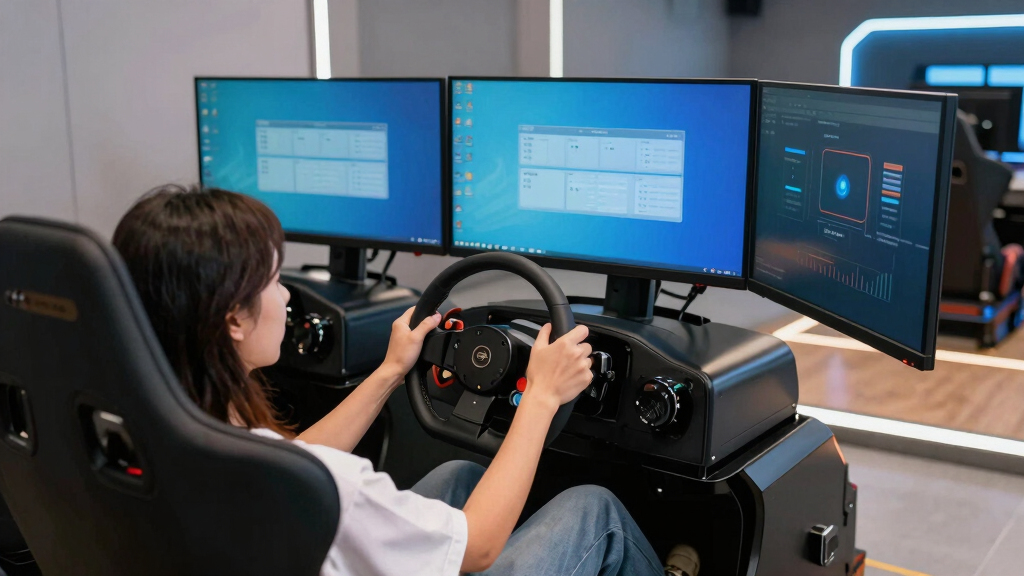
I ranked these stands around the demands of triple-screen sim racing, not general desk use. My main criteria were frame rigidity, monitor-size and VESA compatibility, adjustment range, side-arm support, footprint, and the ability to maintain close bezel alignment. A stand moved higher when its design appeared suitable for repeated angle and height changes without sacrificing a stable freestanding base. I also weighed mobility, assembly complexity, and whether the advertised screen range leaves space for a later monitor upgrade.
Value was judged by what each design adds over the next less expensive type, rather than by price alone. Broad compatibility helped the GEN2 Model LD lead the ranking, while profile construction and expandability supported the premium placements. Wheeled models earned distinct roles because they solve a real room-layout problem, though I treated caster movement as a tradeoff. Closely related round-tube listings ranked below more clearly differentiated choices because a buyer may receive little functional benefit from paying extra for a separate color or package listing.
| triple monitor stands for sim racing | Material |
|---|---|
| Triple Monitor Floor Stand GEN | — |
| Dardoo Sim Racing Triple Monit | Metal |
| Next Level Racing Round Tube F | — |
| Next Level Racing Round Tube F | Steel |
| Anman Ultra-stable Triple Moni | Steel |
| Marada Aluminum Profile Cockpi | — |
| Marada Sim Racing Triple Monit | High-strength steel |
| Next Level Racing Elite Free S | Anodized aluminum |
Factors to Consider When Choosing Best Triple Monitor Stands For Sim Racing
Choosing a triple-monitor stand starts with the complete display geometry, not just the advertised diagonal size. I would match the frame to the monitors, seating position, room, and likely upgrade path before comparing cosmetic details. The factors below explain where buyers commonly overspend, undersize the frame, or create avoidable alignment problems.
Match the Full Monitor Geometry
A label such as supports 32-inch monitors does not prove that three specific 32-inch panels will fit at the desired angle. Bezel width, rear housing depth, curvature, and connector placement all change how closely the screens can meet. I would measure the physical panel width and compare it with the center beam and side-arm adjustment range. Deep curved monitors may need more clearance behind each mount than flat displays of the same diagonal size. The wheelbase and cockpit position also affect whether the side screens can wrap around the driver without touching the seat or controls. Buying from diagonal size alone is one of the easiest ways to end up with gaps between bezels or restricted viewing angles.
Verify VESA Patterns and Mounting Hardware
The stand and every monitor must share a compatible VESA mounting pattern, or the setup will require safe, load-rated adapters. Recessed mounting points can cause trouble even when the hole spacing matches, since short bolts or a flat plate may not reach the monitor correctly. I would check bolt diameter, thread depth, plate dimensions, and spacer requirements before assembly day. An adapter also pushes the screen forward, which can make one panel harder to align with the other two. Buyers using unusually shaped monitor backs should favor mounts with generous clearance around the plate. Correct hardware protects the display while giving the adjustment mechanism a solid mounting surface.
Prioritize Rigidity Where the Side Arms Meet
The hardest job is not supporting the center screen; it is keeping two extended side monitors at matching heights and angles. Long side arms amplify flex, especially with heavier displays positioned near their outer limits. Round-tube frames can be practical and approachable, while aluminum-profile systems usually appeal to buyers who want more bracing and adjustment options. I would pay more for stiffness when using large monitors, aggressive wraparound angles, or a motion platform. A lighter frame can still make sense for smaller panels in a fixed room where the stand will rarely be moved. Extra adjustment points are useful only when their joints can hold repeatable bezel alignment.
Decide Whether Wheels Solve a Real Problem
Caster-equipped stands are useful when the simulator shares a room, blocks storage, or must move away from a desk. They also make rear cable access easier, which matters when three display cables and three power leads run along the frame. The compromise is that every wheel adds a potential source of movement, floor vibration, and uneven leveling. I would choose large locking casters and confirm that all contact points can sit firmly on the floor. Fixed feet remain the better fit for a permanent installation where alignment matters more than mobility. If a wheeled stand will rarely move, leveling feet may deliver a steadier result with less complexity.
Plan for Alignment and Future Upgrades
Triple monitors rarely align perfectly through basic height and tilt controls alone. Small differences in panel weight, VESA placement, and arm flex can leave one screen a few millimeters higher than another. Fine-adjustment mounting plates can save considerable setup time, even when they raise the purchase price. I would also leave unused width and load capacity if a move from 27-inch to 32-inch or ultrawide displays is likely. Aluminum-profile construction may justify its cost for buyers who expect to add bracing, accessories, or different mounts later. A fixed-size frame costs less today, but upgrade headroom can prevent replacing the entire stand after the next monitor purchase.
Frequently Asked Questions
Is a freestanding triple-monitor stand better than a cockpit-mounted stand?
A freestanding stand isolates the monitors from much of the vibration produced by force-feedback wheels, pedals, and motion hardware. It also lets me position the screens independently of the cockpit frame. A cockpit-mounted design may use less floor space and move as one unit, but vibration and frame flex can reach the displays. Freestanding models are usually the safer choice for heavy triples or a cockpit that shakes under load. Cockpit mounting makes more sense when space is tight and the rig itself is exceptionally rigid.
Will any stand rated for 32-inch monitors fit three curved 32-inch screens?
No, an advertised 32-inch rating is only a starting point. Curved panels can have deeper housings, different VESA locations, and greater rear clearance needs than flat screens. The desired side-screen angle also changes the width required across the stand. I would compare actual monitor dimensions, weight, VESA spacing, and arm travel with the stand specifications. When the published measurements are incomplete, confirmation from the manufacturer or seller is safer than assuming the diagonal rating is enough.
Are wheels worth having on a sim-racing monitor stand?
Wheels are worthwhile when the rig must share space or move regularly for cleaning and cable access. The Anman and Marada A-frame options address that need more directly than fixed-base models. For a permanent racing area, casters offer less benefit and may make precise leveling harder. Locking mechanisms also need periodic checks because a small shift can disturb bezel alignment. I would choose mobility only when it solves a recurring layout problem rather than treating it as a free upgrade.
When is an aluminum-profile stand worth the extra money?
An aluminum-profile stand makes sense for heavy displays, frequent hardware changes, motion systems, or buyers who want to add brackets and bracing later. Its modular channels provide more mounting possibilities than a fixed round-tube frame. The drawbacks are higher cost, more hardware, and a longer alignment process during the initial build. Smaller 24- or 27-inch screens on a stationary rig may not gain enough from that flexibility. I would reserve the premium for setups where rigidity and expansion will be used rather than merely admired.
How should I choose between the two Next Level Racing Round Tube listings?
The two names suggest closely related round-tube stands, with one listing calling out a black finish. I would compare model numbers, packaged hardware, supported monitor sizes, warranty coverage, seller identity, and return terms before treating them as separate designs. If those details match, the lower delivered price is likely the better buy. A different product photo or color wording does not establish a structural upgrade. Buyers seeking a clear step above either listing should compare them with the Next Level Racing Elite rather than paying more for an uncertain package difference.
Conclusion
For the widest mix of display sizes and upgrade plans, my best overall recommendation is the GEN2 Model LD. The Dardoo Adjustable Triple Monitor Stand is the best value for a conventional 24- to 32-inch setup, while the Next Level Racing Round Tube model is my beginner pick for buyers who want a more straightforward frame from a sim-racing-focused brand. Buyers building a high-end, expandable rig should choose the Next Level Racing Elite as the premium option; the Marada Aluminum Profile is the stronger alternative for customization-minded builders. For a stand that must move regularly, I would narrow the choice to the Anman wheeled stand or the Marada A-frame, with Anman favoring a heavier visual design and Marada favoring a more conventional mobile layout. The second Round Tube listing makes sense only when its price, included hardware, or seller coverage beats the near-duplicate option.
Back to school Picks
back to school
As an affiliate, we earn on qualifying purchases.