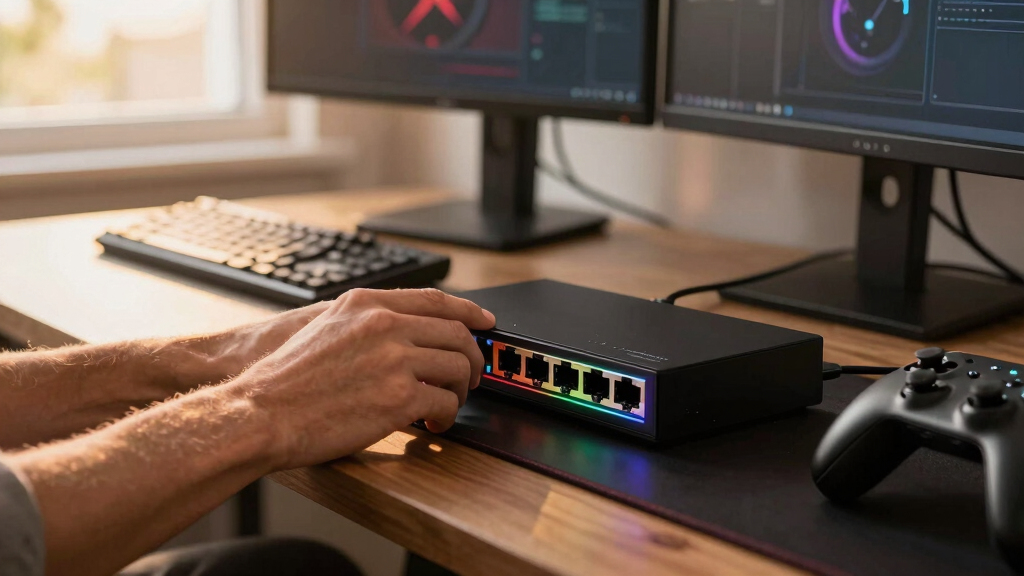

The best 2.5Gb Ethernet switch for gaming is the D-Link DMS-108, my top overall pick for its eight multi-gig ports and gaming-oriented traffic prioritization. The UGREEN 5-Port Plug & Play switch offers better value for a smaller setup, while the UGREEN 6-Port switch with 10Gb SFP+ is the stronger choice for gamers who also move large files to a NAS. The main tradeoffs are port count, uplink speed, traffic management, brand support, and how much unused capacity you want for future devices. A 2.5Gb switch can remove local network bottlenecks, but it will not compensate for a slow router, internet plan, or game server. Continue reading for my full breakdown of which model fits each type of gaming network.

Play games on Amazon Luna for your game nights, included with Prime
- A rotating selection of games, no download needed
- Play on TV, laptop or phone
- Fast, free delivery for your gear, too
Complete the kit



Key Takeaways
- The D-Link DMS-108 earns the top position because its eight 2.5Gb ports and gaming-focused prioritization provide the most balanced package for a multi-device gaming room.
- Five-port models offer the strongest value when the network contains one gaming PC, a router, and one or two storage or streaming devices; paying for eight ports adds little in that setting.
- The UGREEN 6-Port model is the lineup’s clearest specialist: its 10Gb SFP+ connection is useful for a fast NAS or network backbone, but unnecessary for an internet-only gaming setup.
- NETGEAR and TRENDnet command attention through brand confidence and sturdy designs, while UGREEN and BrosTrend compete more aggressively on port-per-dollar value.
- None of these switches can lower game-server latency by itself; their gaming benefit comes from removing 1Gb local bottlenecks and handling simultaneous PC, NAS, download, and streaming traffic.


| 2.5Gb Ethernet switches for gaming | Port speed | Number of ports | Cooling | Case material |
|---|---|---|---|---|
| D-Link 8-Port 2.5Gb Unmanaged | 2.5Gbps | 8 | Fanless | — |
| UGREEN 2.5Gb Ethernet Switch | 2.5Gbps | 5 | — | Plastic |
| NETGEAR 8-Port 2.5G Multi-Giga | 2.5Gbps | 8 | Fanless | Metal |
| UGREEN 2.5Gb Ethernet Switch | 2.5Gbps | 5 | Fanless | Metal |
| TP-Link TL-SG105S-M2 5-Port Mu | 2.5Gbps | 5 | — | Metal |
| UGREEN 2.5Gb Switch with 10Gb | — | — | — | Metal |
| BrosTrend 5-Port 2.5Gbps Unman | 2.5Gbps per port | — | Fanless | — |
| BrosTrend 8-Port 2.5Gb Etherne | 2.5Gbps per port | — | Fanless | — |
| TRENDnet TEG-S380 8-Port 2.5Gb | 2.5Gbps | — | — | — |
More Details on Our Top Picks
D-Link 8-Port 2.5Gb Unmanaged Gaming Switch (DMS-108)
I rank the D-Link DMS-108 first because its eight 2.5Gb ports, 40Gbps switching capacity, QoS, and IGMP snooping form the most gaming-focused package here. QoS helps protect latency-sensitive traffic when downloads or streams compete for bandwidth, while IGMP snooping suits homes carrying multicast media alongside games. Compared with the NETGEAR MS308, D-Link documents more traffic-handling features without adding setup complexity. It also offers three more ports than either UGREEN five-port model, leaving seven device connections after one port links to the router. The tradeoff is limited administrative control: I would skip it for VLANs, traffic monitoring, or manually tuned priorities. It also lacks a faster 10Gb uplink, so several busy 2.5Gb devices can still compete for the router-facing connection.
Pros:- Eight 2.5Gb ports accommodate a larger gaming and media setup
- QoS can help prioritize latency-sensitive network traffic
- IGMP snooping improves handling of multicast traffic
- Fanless metal construction supports quiet desktop or wall-mounted use
Cons:- Unmanaged operation provides no VLANs or detailed traffic controls
- No 10Gb uplink for consolidating traffic from multiple fast devices
- Connecting the router consumes one of the eight device ports
Best for: Gamers connecting several PCs, consoles, NAS devices, and Wi-Fi access points who want basic traffic optimization without configuring a managed switch
Not ideal for: Network enthusiasts who need VLANs, detailed monitoring, manual QoS rules, or a 10Gb uplink
- Number of ports:8
- Port speed:2.5Gbps
- Switching capacity:40Gbps
- Operation mode:Unmanaged
- Traffic features:QoS and IGMP snooping
- Housing material:Metal
- Cooling:Fanless
- Mounting options:Desktop or wall mount
- Energy efficiency:IEEE 802.3az EEE
Our verdict“This is my leading choice for a multi-device gaming room that needs eight silent 2.5Gb connections and useful automatic traffic handling.”
UGREEN 2.5Gb Ethernet Switch, 5-Port Unmanaged Network Hub
I place this UGREEN five-port switch in the compact role because its 6.6-by-4.2-inch footprint and plastic case make it easy to position behind a gaming desk or mount on a wall. Its five auto-negotiating 2.5Gb ports provide enough bandwidth for a PC, console, NAS, and router, while the fanless design adds no mechanical noise. Compared with the UGREEN metal-case model, this version favors lower weight over chassis durability and heat dissipation. It is also much less expandable than the D-Link DMS-108: once the router is connected, only four ports remain. I see it as a focused desk-side upgrade rather than the foundation for a growing wired network. The unmanaged, non-PoE design also rules out VLAN controls and powering access points or cameras directly.
Pros:- Compact dimensions suit tight gaming-desk installations
- Five auto-negotiating 2.5Gb ports support fast local transfers
- Fanless construction produces no cooling-fan noise
- Desktop and wall-mount placement options add flexibility
Cons:- Only four ports remain after connecting the switch to a router
- Plastic housing is less robust than the metal UGREEN and TP-Link alternatives
- No PoE or managed-network features
Best for: Gamers with a PC, console, NAS, and router who need a small, silent switch that can sit or mount near a crowded desk
Not ideal for: Buyers building a larger wired network or anyone who needs PoE, VLANs, or a metal enclosure
- Number of ports:5
- Port speed:2.5Gbps
- Switching speed:Up to 25Gbps
- Switch type:Unmanaged Layer 2, store-and-forward
- PoE support:No
- Case material:Plastic
- Dimensions:6.6 x 4.2 x 1.2 inches
- Power input:12V DC
- Mounting options:Desktop or wall mount
Our verdict“I recommend this model for a small gaming station where compact placement matters more than rugged construction or future expansion.”
NETGEAR 8-Port 2.5G Multi-Gigabit Ethernet Unmanaged Network Switch (MS308)
The NETGEAR MS308 is my alternative for buyers who want eight 2.5Gb connections with the fewest setup decisions. Its fanless metal chassis supports quiet placement on a desk or wall, and unmanaged operation means devices connect without a configuration process. Compared with the D-Link DMS-108, it matches the port count and basic physical versatility but does not list the same gaming-oriented QoS and IGMP snooping features in the supplied data. That difference puts NETGEAR behind D-Link for households where gaming traffic regularly competes with streaming or large transfers. Still, it gives a growing setup far more room than either five-port UGREEN switch. The main compromises are no advanced management, no stated faster uplink, and regional compatibility limited to the United States and Canada.
Pros:- Eight 2.5Gb ports leave room for multiple gaming and storage devices
- Fanless operation suits bedrooms and noise-sensitive gaming spaces
- Metal case provides a sturdier enclosure than plastic alternatives
- Desktop and wall-mount support allows flexible placement
Cons:- No documented gaming-focused QoS or IGMP features in the supplied data
- Unmanaged design lacks VLAN and monitoring controls
- Compatibility is listed only for the United States and Canada
Best for: U.S. or Canadian gamers who need silent, plug-and-play 2.5Gb connectivity for up to seven devices plus a router
Not ideal for: Buyers outside the listed regions or gamers who want documented QoS, VLANs, monitoring, or a faster uplink
- Number of ports:8
- Port speed:2.5Gbps
- Operation mode:Unmanaged
- Case material:Metal
- Cooling:Fanless
- Mounting options:Desktop or wall mount
- Energy operation:Energy efficient
- Regional compatibility:U.S. and Canada only
Our verdict“This is my straightforward eight-port pick for North American buyers who value silent expansion more than traffic controls.”
UGREEN 2.5Gb Ethernet Switch, 5-Port Unmanaged Network Hub with Metal Case
I favor the UGREEN metal-case switch when a five-port model will be mounted permanently or placed in a busy entertainment cabinet. Its metal enclosure offers better physical protection and heat dissipation than the plastic UGREEN version, while fanless cooling keeps it silent beside a gaming PC or console. All five ports run at 2.5Gbps, so local transfers between a gaming machine and NAS are not forced through a slower gigabit connection. Compared with the TP-Link TL-SG105S-M2, its core proposition is very similar, but UGREEN explicitly lists both desktop and wall mounting plus LED indicators. Capacity remains the limiting factor: a router link leaves four ports, versus seven on the D-Link DMS-108. I would also avoid it when VLAN control or a 10Gb uplink is part of the plan.
Pros:- Metal housing improves durability and passive heat dissipation
- Five 2.5Gb ports support fast gaming and NAS connections
- Fanless design remains silent near a gaming setup
- Desktop and wall-mount options suit permanent installations
Cons:- Router connectivity leaves only four ports for end devices
- Unmanaged operation offers no VLANs or manual traffic controls
- No faster 10Gb uplink for aggregating several 2.5Gb connections
Best for: Gamers who want a sturdy, wall-mountable five-port switch for a PC, console, NAS, and Wi-Fi 6 or 6E router
Not ideal for: Multi-room networks that will soon exceed four connected devices after the router link, or setups needing VLANs or 10Gb aggregation
- Number of ports:5
- Port speed:2.5Gbps
- Port configuration:5 x 2.5Gb Ethernet
- Operation mode:Unmanaged
- Case material:Metal
- Cooling:Fanless
- Mounting options:Desktop or wall mount
- LED indicators:Yes
Our verdict“I would choose this UGREEN model for a compact permanent installation where metal construction matters more than port count or management features.”
TP-Link TL-SG105S-M2 5-Port Multi-Gigabit 2.5G Ethernet Switch
I assign the TP-Link TL-SG105S-M2 to mixed-speed setups because auto-negotiation lets each port establish the supported link rate without manual configuration. That makes it a sensible bridge between a 2.5Gb gaming PC or NAS and older gigabit devices. Its 25Gbps listed data-transfer capacity, fanless cooling, and metal enclosure also suit a quiet desk or entertainment center. Compared with the UGREEN plastic five-port switch, TP-Link supplies the tougher housing; compared with the UGREEN metal model, the distinction is narrower because both offer five silent 2.5Gb ports. I rank it below the eight-port D-Link because connecting a router leaves only four device ports, limiting expansion. The unmanaged design also provides no VLANs, monitoring, or custom traffic priorities, so simplicity comes at the expense of control.
Pros:- Auto-negotiation accommodates devices with different supported Ethernet speeds
- Five 2.5Gb ports enable fast gaming downloads and local NAS transfers
- Metal casing is more robust than plastic compact switches
- Fanless plug-and-play operation suits noise-sensitive rooms
Cons:- Only four end-device connections remain after adding the router uplink
- Unmanaged operation prevents VLAN and custom QoS configuration
- Offers less expansion room than eight-port D-Link and NETGEAR models
Best for: Gamers combining a 2.5Gb PC or NAS with older Ethernet devices who want automatic link negotiation in a sturdy five-port switch
Not ideal for: Buyers expecting to add many wired devices or configure VLANs, traffic monitoring, and custom priority rules
- Number of ports:5
- Port speed:2.5Gbps
- Interface:RJ45
- Listed data transfer rate:25Gbps
- Switch type:Unmanaged
- Case material:Metal
- Power:9V DC
- Item weight:1 pound
- Color:Black
Our verdict“This is my pick for a small mixed-speed setup that needs sturdy plug-and-play hardware but no advanced network controls.”
UGREEN 2.5Gb Switch with 10Gb SFP+ Port
I rank the UGREEN 6-Port 2.5Gb Switch as the strongest option here for gamers building around a NAS or 10Gb home-network backbone. Its five 2.5Gb RJ45 ports handle PCs, consoles, and access points, while the 10Gb SFP+ uplink offers far more aggregate headroom than the all-copper BrosTrend 5-Port. That matters when several players or streamers access large local files at once, though it will not make an internet connection faster by itself. Preset VLAN and link-aggregation modes add flexibility beyond a basic unmanaged model. I would still choose the BrosTrend for a quieter, simpler desk installation: this UGREEN costs an extra device port for specialized connectivity, lacks PoE, and requires a separately purchased SFP+ module or cable. The metal enclosure makes it better suited to a permanent network cabinet.
Pros:- Five 2.5Gb RJ45 ports support several multi-gigabit gaming and storage devices
- 10Gb SFP+ port provides ample backbone bandwidth for heavy local traffic
- Preset VLAN and link-aggregation modes offer more flexibility than basic plug-and-play rivals
- Metal enclosure supports heat dissipation and permanent installation
Cons:- SFP+ module or compatible cable must be purchased separately
- Unmanaged Layer 2 design lacks granular software-based configuration
- No PoE for powering access points, cameras, or other network devices
Best for: I recommend it to PC gamers and content creators connecting several 2.5Gb devices to a NAS or 10Gb network backbone.
Not ideal for: I would skip it for console-only setups or buyers without 10Gb equipment, since the SFP+ port and extra hardware expense would add little value.
- Total Ports:6
- 2.5Gb RJ45 Ports:5
- SFP+ Ports:1 x 10Gb
- Switch Type:Unmanaged, fixed, non-PoE, Layer 2
- Operating Modes:Standard, link aggregation, VLAN
- Case Material:Metal
- Compatible Devices:Desktop, gaming console, laptop, NAS, router
- Dimensions:6.3 x 4.1 x 1.1 inches
Our verdict“I would buy this for a gaming network that needs a fast 10Gb path to a NAS or core switch, not for a basic console setup.”
BrosTrend 5-Port 2.5Gbps Unmanaged Ethernet Switch
The BrosTrend 5-Port 2.5Gbps Switch makes the most sense when I need to connect a router, gaming PC, console, and NAS without paying for unused capacity. Every port supports 2.5Gbps, and the 25Gbps switching capacity lets multiple devices exchange local data without forcing them through a single slow internal path. Compared with the BrosTrend 8-Port, this model is better suited to a focused desk or entertainment center, but one router connection leaves only four ports for other hardware. Its fanless operation also keeps it from adding noise near a microphone or television. The tradeoff is limited expansion: there is no SFP+ backbone port like the UGREEN 6-Port provides, and no managed controls for traffic policies. I see it as a simple plug-and-play choice, not the foundation for a growing network.
Pros:- Five 2.5Gbps ports cover a focused gaming and NAS setup
- 25Gbps switching capacity supports simultaneous local connections
- Fanless design avoids adding noise near gaming or recording equipment
- Plug-and-play operation requires no software setup
Cons:- Only four device ports remain after connecting the router
- Unmanaged design provides no VLAN or traffic-priority configuration
- No SFP or SFP+ port for an optical or 10Gb backbone
Best for: I recommend it to gamers with one PC or console, a NAS, and only a few other wired devices in the same room.
Not ideal for: I would skip it for multi-room networks or users planning several new wired devices, because five ports can fill quickly.
- Ports:5
- Port Speed:2.5Gbps per port
- Switching Capacity:25Gbps
- Management:Unmanaged, plug and play
- Cooling:Fanless
- Mounting:Desktop or wall mount
- Compatibility:Game consoles, PCs, NAS devices, smart TVs, Wi-Fi access points
Our verdict“I would choose this for a quiet, compact gaming setup with predictable port needs and no demand for advanced controls.”
BrosTrend 8-Port 2.5Gb Ethernet Switch
I place the BrosTrend 8-Port 2.5Gb Switch ahead of its five-port sibling for a gaming room shared by several PCs, consoles, access points, and storage devices. Connecting the router still leaves seven multi-gigabit ports, so the 40Gbps switching capacity provides room for simultaneous gaming, streaming, and NAS transfers without constantly swapping cables. Its fanless desktop or wall-mount design is also friendly to rooms where equipment noise is distracting. Against the TRENDnet TEG-S380, however, this BrosTrend model offers similar headline speed and capacity but lacks the stated metal housing and lifetime manufacturer protection of that rival. It also has no SFP+ uplink or managed traffic controls. I favor it when port count and simple installation take priority, but buyers building a more formal or long-lived network may find TRENDnet easier to justify.
Pros:- Eight 2.5Gbps ports accommodate a device-heavy gaming room
- 40Gbps switching capacity supports multiple concurrent local transfers
- Fanless cooling keeps the switch silent near players and microphones
- Desktop and wall-mount placement supports flexible installation
Cons:- Unmanaged operation offers no configurable VLANs or traffic controls
- No optical or 10Gb SFP+ uplink
- Full 2.5Gb performance may require suitable network adapters and cabling
Best for: I recommend it to households running several gaming systems, PCs, smart TVs, access points, and a 2.5Gb NAS from one room.
Not ideal for: I would skip it for buyers needing a 10Gb uplink, VLAN configuration, or only two or three wired gaming devices.
- Ports:8
- Port Speed:2.5Gbps per port
- Switching Capacity:40Gbps
- Management:Unmanaged, plug and play
- Cooling:Fanless
- Mounting:Desktop or wall mount
Our verdict“I would pick this when eight silent 2.5Gb ports matter more than management features, premium construction, or a faster backbone.”
TRENDnet TEG-S380 8-Port 2.5Gb Multi-Gigabit Gaming Switch
The TRENDnet TEG-S380 is my durability-focused pick for gamers who want eight 2.5Gb ports from an established, plainly specified design. It matches the BrosTrend 8-Port model with 40Gbps switching capacity, silent fanless operation, and seven available device connections after the router is attached. TRENDnet separates itself through a metal wall-mountable housing, lifetime manufacturer protection, and NDAA/TAA compliance, making it a stronger fit for a combined home-gaming and professional workspace. Those extras do not improve frame rates or internet latency, and the compliance credentials may mean little in a purely residential setup. Like BrosTrend, it remains unmanaged, so I cannot configure VLANs or detailed traffic rules. It also lacks the UGREEN 6-Port model’s 10Gb SFP+ path. I rank it for support and sturdy installation, not advanced networking or backbone speed.
Pros:- Eight 2.5Gbps ports provide ample capacity for gaming, storage, and work devices
- 40Gbps switching capacity supports concurrent multi-gigabit traffic
- Fanless metal housing is silent, durable, and wall-mountable
- Lifetime manufacturer protection adds long-term ownership value
Cons:- Unmanaged design lacks VLAN, QoS, and other configurable controls
- No SFP+ port for a 10Gb backbone connection
- NDAA and TAA compliance offers limited benefit to most home gamers
Best for: I recommend it to gamers and remote professionals who want eight silent multi-gigabit ports, metal construction, and long manufacturer protection.
Not ideal for: I would skip it for network enthusiasts needing managed controls or a 10Gb uplink, and for small setups that cannot use eight ports.
- Model:TEG-S380
- Ports:8
- Port Speed:2.5Gbps
- Switching Capacity:40Gbps
- Network Standard:IEEE 802.3bz (2.5G)
- Compatibility:Backward compatible with 1000Mbps devices
- Design:Fanless, metal, wall-mountable
- Protection:Lifetime manufacturer protection
- Compliance:NDAA and TAA compliant
Our verdict“I would choose the TEG-S380 for a permanent eight-port gaming installation where sturdy construction and long-term protection outweigh configurability.”
How We Picked
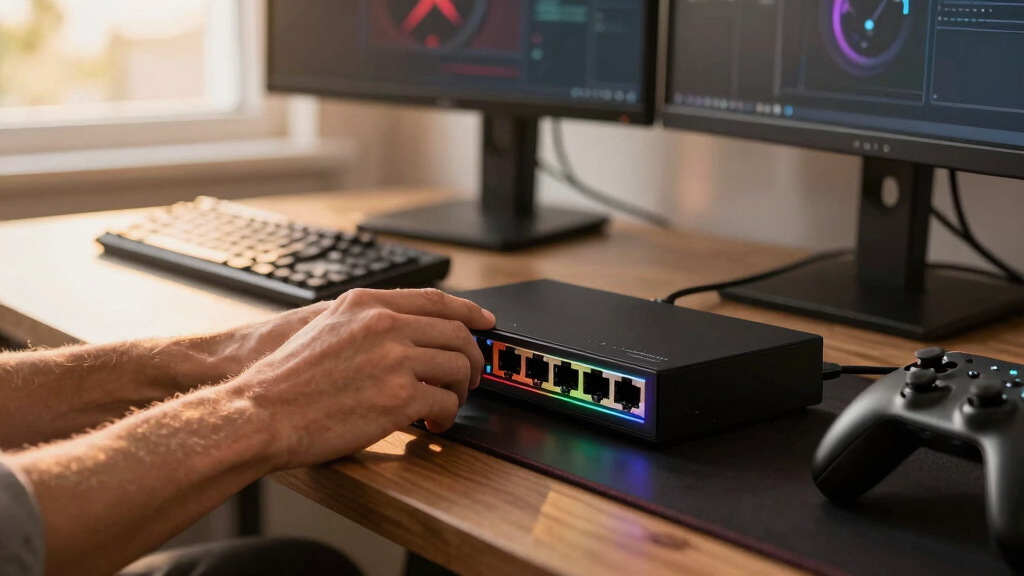
I ranked these switches by how well they serve a real gaming network rather than by raw port count alone. My highest-weighted criteria were 2.5Gb port availability, traffic handling during concurrent activity, and useful expansion capacity. I also examined whether each model offers a meaningful advantage over the others, such as gaming-oriented prioritization, a 10Gb uplink, compact placement, or lower entry cost. A feature received more weight when it could improve file transfers, reduce local congestion, or simplify a desk and entertainment-center setup.
The D-Link leads because it combines eight-port flexibility with a design aimed directly at gaming traffic. The UGREEN five-port option ranks highly for price-to-performance balance, while the NETGEAR MS308 receives the premium role for buyers who place more value on an established networking brand. I placed specialist models according to their intended buyer: the UGREEN 10Gb SFP+ model for NAS-heavy networks, TP-Link for compact mainstream setups, and the BrosTrend models for budget-led expansion. I also penalized paying for capacity without a clear use, since an eight-port or 10Gb-equipped switch is poor value when only three wired devices will ever be connected.
| 2.5Gb Ethernet switches for gaming | Case material |
|---|---|
| D-Link 8-Port 2.5Gb Unmanaged | — |
| UGREEN 2.5Gb Ethernet Switch | Plastic |
| NETGEAR 8-Port 2.5G Multi-Giga | Metal |
| UGREEN 2.5Gb Ethernet Switch | Metal |
| TP-Link TL-SG105S-M2 5-Port Mu | Metal |
| UGREEN 2.5Gb Switch with 10Gb | Metal |
| BrosTrend 5-Port 2.5Gbps Unman | — |
| BrosTrend 8-Port 2.5Gb Etherne | — |
| TRENDnet TEG-S380 8-Port 2.5Gb | — |
Factors to Consider When Choosing Best 2.5Gb Ethernet Switches For Gaming
I would start by mapping the network you have now and the devices you expect to add. The right choice depends less on the word gaming and more on where traffic bottlenecks occur, how many wired endpoints need service, and whether a NAS shares the network. Paying more can buy extra ports, a faster backbone, or stronger brand support, but it does not automatically produce lower online latency. The factors below help separate useful capacity from specifications that may sit idle.
Choose Five or Eight Ports Based on a Connection Map
A five-port switch loses one port to the router or upstream network, leaving four for local devices. That is usually enough for one gaming PC, one console, and a NAS, but it leaves little room for an access point, streaming box, or second computer. An eight-port model suits a game room or office where several wired devices operate together. I recommend drawing a simple port map before buying and reserving at least one spare connection. Daisy-chaining another switch later works, though it adds cables, power supplies, and a shared link between the two units. The common mistake is buying the cheapest five-port model and replacing it as soon as the network grows.
Check the Entire 2.5Gb Data Path
A 2.5Gb switch cannot create a multi-gig connection when the PC, router, cable, or NAS still runs at 1Gb. For internet speeds above 1Gb, both the router’s LAN port and the gaming computer’s network adapter need 2.5Gb-capable interfaces. Local NAS transfers can still exceed 1Gb even when the internet connection is slower, since that traffic may remain entirely inside the switch. Most short, properly terminated Cat5e runs can support 2.5Gb, so replacing every cable with expensive Cat8 wiring is rarely justified. I would verify the negotiated link speed on each device before blaming the switch for slow results. This end-to-end check often saves more money than moving from a value switch to a premium one.
Separate Gaming Labels From Measurable Network Benefits
An unmanaged switch is primarily a fast connection point, and most models require no configuration. Gaming-oriented prioritization can help when multiple devices are competing for bandwidth, but it does not shorten the physical route to a remote server. The practical gain is steadier local traffic under load, especially while another computer is downloading or moving data to storage. Router-based quality-of-service controls may have a larger effect on internet congestion because the router manages the slower WAN link. I favor the D-Link when its gaming-focused traffic handling matches a busy household, but a basic UGREEN or TP-Link model is sufficient for a lightly loaded room. Buyers should not pay a large premium for styling or a gaming label without a useful traffic feature behind it.
Pay for a 10Gb Uplink Only When the Backbone Can Use It
A 10Gb SFP+ port can prevent several 2.5Gb clients from sharing one 2.5Gb connection to a NAS or core switch. This makes the UGREEN six-port model attractive for large game libraries, media editing, and frequent backups. It also requires compatible SFP+ hardware, and a transceiver or direct-attach cable may add to the final cost. A single gaming PC downloading from the internet will rarely benefit from that uplink. I would pay for 10Gb when multiple clients access fast storage concurrently or when the switch must connect to an existing 10Gb backbone. For a router-only uplink, an all-2.5Gb model is simpler and usually cheaper.
Account for Heat, Noise, Placement, and Power
Fanless operation is valuable beside a monitor, console, or microphone because the switch adds no mechanical noise. A metal enclosure can spread heat and tolerate desk use better, though it may become warm when every port is active. Ventilation still matters, so I would not bury a multi-gig switch beneath a console or inside a tightly packed cabinet. Wall mounting can keep cables and status lights away from the desk, while front-facing ports are easier to reach in a small rack. Power-brick size also affects crowded surge protectors and should be checked before purchase. These details do not change packet speed, but they shape daily usability and long-term reliability more than decorative gaming accents do.
Frequently Asked Questions
Will a 2.5Gb Ethernet switch reduce my gaming ping?
A 2.5Gb switch will not directly reduce the distance or routing delay between your home and a game server. It can help maintain more consistent latency during local congestion when other devices are transferring files or consuming heavy bandwidth. The largest internet-side improvement usually comes from a router with effective queue management and an upload link that is not saturated. For an otherwise idle 1Gb home network, moving to 2.5Gb may produce no measurable change in ping. I would buy one for higher local throughput and added wired capacity, with steadier gaming under load as a possible secondary benefit.
Can I connect a 1Gb console to a 2.5Gb switch?
Yes, multi-gig switches normally negotiate down to the fastest speed supported by the connected console or other device. A 1Gb console will operate at 1Gb through the same switch used by a 2.5Gb gaming PC and NAS. It will not gain a 2.5Gb link, but it can still benefit from a stable wired connection and access to the rest of the network. This mixed-speed support makes an eight-port model practical when several generations of hardware share one room. I would not replace a console’s network adapter solely to match the switch, since 1Gb already exceeds most console download demands.
Does my router also need a 2.5Gb port?
A 2.5Gb router port is required if you want one device to receive internet throughput above 1Gb through the switch. It is not required for 2.5Gb transfers between local devices connected to that same switch. For example, a gaming PC can copy files from a 2.5Gb NAS at multi-gig speed even if the router uplink remains at 1Gb. The slower uplink only limits traffic that must pass through it. I would match the router, switch, and PC at 2.5Gb when paying for a multi-gig internet plan.
Is a five-port or eight-port switch better for a gaming setup?
A five-port model is the better-value choice for a focused desktop setup with no more than four local devices after accounting for the uplink. An eight-port switch offers more room for consoles, access points, storage, and streaming hardware. The extra capacity also avoids a second switch if the setup expands, but unused ports provide no immediate speed advantage. I would choose five ports for a single desk and eight for a shared office, game room, or entertainment cabinet. The deciding factor should be expected device growth over the next few years, not the current count alone.
Do I need the UGREEN model with a 10Gb SFP+ port?
The 10Gb SFP+ model makes sense when the switch connects to a fast NAS, server, or 10Gb core network. Its faster uplink allows several 2.5Gb devices to share storage bandwidth without immediately crowding a single 2.5Gb path. It offers little benefit when the uplink goes only to a 1Gb or 2.5Gb router. SFP+ cabling and compatible equipment can also raise the full setup cost. I would select it for NAS-heavy gaming and creator workflows, while choosing an all-copper five-port or eight-port switch for ordinary online play.
Conclusion
For most buyers, I recommend the D-Link DMS-108 as the best overall choice because eight 2.5Gb ports and gaming-oriented traffic handling give it the broadest usefulness. The UGREEN 5-Port Plug & Play switch is my best-value pick for a single desk with only a few wired devices. Buyers willing to pay more for an established networking name should choose the NETGEAR MS308 as the premium option. For a first multi-gig upgrade, the UGREEN 5-Port Metal Case model keeps setup simple and provides enough capacity for a PC, console, router, and NAS.
I would choose the TP-Link TL-SG105S-M2 for a compact mainstream setup, while the BrosTrend five-port model is aimed more directly at a tightly controlled budget. The UGREEN 6-Port switch with 10Gb SFP+ is the specialist recommendation for fast storage or a 10Gb backbone. Between the larger alternatives, the BrosTrend eight-port model favors low-cost expansion, while the TRENDnet TEG-S380 suits buyers who prefer a sturdy, established eight-port alternative. My final choice would follow the network map: five ports for a focused desk, eight for a growing game room, and 10Gb uplink capacity only for storage-heavy networks.
Halloween Picks
halloween
As an affiliate, we earn on qualifying purchases.