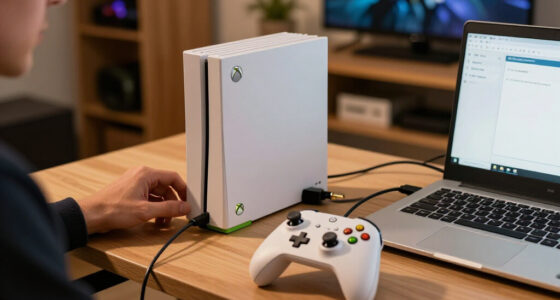

The best PlayStation accessories solve the problems the PS5 creates out of the box: controllers that die mid-session, a console that runs hot in tight cabinets, and a setup that sprawls. Of the nine options I compared, the PowerA Twin Charging Station is the best pick for most people — it’s an officially licensed dock that charges two DualSense controllers at once and costs less than a new game. Shoppers chasing performance over convenience should look at the DualSense Edge wireless controller, the only option here with back paddles and replaceable stick modules, while anyone short on space gets the most from the all-in-one stand with cooling, dual charging, a USB hub, and a headset holder. The real decision is whether to spend a little on comfort and organization or a lot on a single competitive upgrade, and whether your console is the original PS5, the Slim, or the Pro, since not every stand fits all three. Below, I break down all nine picks, who each one is for, and who should skip it.

Play games on Amazon Luna for your game nights, included with Prime
- A rotating selection of games, no download needed
- Play on TV, laptop or phone
- Fast, free delivery for your gear, too
Complete the kit



Key Takeaways
- The PowerA Twin Charging Station took the top spot because a dead DualSense is the one problem every PS5 owner runs into weekly, and this officially licensed dock fixes it for two controllers at once.
- The DualSense Edge is the only true performance upgrade in the lineup — back paddles, swappable stick modules, and sensitivity tuning — but it costs roughly what the other eight accessories combined would.
- Cooling stands made up most of the lineup, and what separated them wasn’t fan power: it was how cleanly they combine charging, storage, and fitment across the PS5, Slim, and Pro.
- Compatibility turned out to be the biggest trap — several stands adjust to fit all three console revisions, but the dedicated PS5 Pro cooling fan and the Sehawei horizontal stand only make sense for specific models and cabinet layouts.
- The KontrolFreek FPS Freek Galaxy is the cheapest competitive edge here, adding stick height and grip for shooter fans, though thumbstick caps wear out in months while a charging dock lasts for years.
| PowerA Twin Charging Station for DualSense Wireless Controllers |  | Best Dedicated Controller Charger | Compatibility: DualSense wireless controllers | Controller Capacity: 2 | Power Source: AC adapter | VIEW LATEST PRICE | See Our Full Breakdown |
| Tokluck PS5 Cooling Station with Auto Turbofan & Controller Charger |  | Best Overall | Compatibility: All PS5 models, Digital and Disc | Fan Modes: Manual and automatic, 3 levels | Lighting: 9 RGB effects, adjustable brightness | VIEW LATEST PRICE | See Our Full Breakdown |
| PS5/Slim/Pro Stand with Cooling, Charging, and RGB Lights for PlayStation 5 |  | Best for DualSense Edge Owners | Compatibility: PS5, PS5 Slim, PS5 Pro | Cooling: High-efficiency fans with multi-protection chips | Standard Controller Charge: About 3.5 hours | VIEW LATEST PRICE | See Our Full Breakdown |
| PS5/Slim/Pro Stand and Cooling Station with LED Controller Charging Station for PlayStation 5 |  | Best All-in-One Organizer | Compatibility: PS5, PS5 Slim, PS5 Pro | Fan Speed: 3100-3500 RPM, 3 settings | Controller Charge Time: About 2.5 hours | VIEW LATEST PRICE | See Our Full Breakdown |
| KontrolFreek FPS Freek Galaxy Black for PlayStation 4 and PlayStation 5 |  | Best Budget Performance Upgrade | Compatibility: PlayStation 4 and PlayStation 5 controllers | Contents: 2 thumbstick grips | High-Rise Stick: 10.0 mm (right) | VIEW LATEST PRICE | See Our Full Breakdown |
| PS5/PS5 Slim/PS5 Pro Stand and Cooling Station with Dual Controller Charging, USB Hub, and Headset Holder |  | Best Universal Cooling Stand | Compatibility: PS5, PS5 Slim, PS5 Pro | Color: White | Fan Speeds: Low, Mid, High | VIEW LATEST PRICE | See Our Full Breakdown |
| Sehawei Horizontal Stand for PS5 Pro & PS5 Slim Console with Cooling Fan, Dual Controller Charging Dock, Headphone Holder |  | Best Horizontal Stand | Compatibility: PS5 Pro & PS5 Slim (2023 Digital & Disc Editions) | Orientation: Horizontal | Controller Charging: DualSense and DualSense Edge | VIEW LATEST PRICE | See Our Full Breakdown |
| Cooling Fan for PS5 Pro with Adjustable Speed and LED Light |  | Best Compact Cooling Add-On | Number of Fans: 4 high-speed fans | Temperature Control: Automatic at 39°C and 43°C | LED Light: Blue LED | VIEW LATEST PRICE | See Our Full Breakdown |
| PlayStation DualSense Edge Wireless Controller – Midnight Black |  | Best Premium Controller | Color: Midnight Black | Connectivity: Wireless | Controls: Ultra-customizable control profiles | VIEW LATEST PRICE | See Our Full Breakdown |
| PlayStation accessorie | Compatibility |
|---|---|
| PowerA Twin Charging Station f | DualSense wireless controllers |
| Tokluck PS5 Cooling Station wi | All PS5 models, Digital and Disc |
| PS5/Slim/Pro Stand with Coolin | PS5, PS5 Slim, PS5 Pro |
| PS5/Slim/Pro Stand and Cooling | PS5, PS5 Slim, PS5 Pro |
| KontrolFreek FPS Freek Galaxy | PlayStation 4 and PlayStation 5 controllers |
| PS5/PS5 Slim/PS5 Pro Stand and | PS5, PS5 Slim, PS5 Pro |
| Sehawei Horizontal Stand for P | PS5 Pro & PS5 Slim (2023 Digital & Disc Editions) |
| Cooling Fan for PS5 Pro with A | PS5 Pro (Disc & Digital) |
| PlayStation DualSense Edge Wir | — |
More Details on Our Top Picks
PowerA Twin Charging Station for DualSense Wireless Controllers
This option stands out for doing one job properly instead of five jobs halfway. Where the Tokluck PS5 Cooling Station bundles charging into a feature-heavy tower, the PowerA Twin Charging Station is a compact, officially Sony-licensed dock that seats two DualSense pads and tops them up — nothing more. That focus pays off in dependability: the licensed fit means controllers click in at the right angle every time, and the two-year warranty runs longer than most generic docks dare offer. The tradeoffs are flexibility and scope. It runs off its own AC adapter rather than the console’s USB port, so it costs you a wall outlet, and it charges DualSense pads only — Edge owners are better served by the PS5/Slim/Pro Stand with Cooling, Charging, and RGB Lights. I’d call it the low-drama pick for a two-controller household.
Pros:- Charges two DualSense controllers at the same time
- Official Sony licensing means a reliable, correct-fit dock
- Two-year limited warranty beats most third-party rivals
- Compact footprint that doubles as a clean display stand
Cons:- Needs its own AC outlet instead of drawing power from the console
- Charges standard DualSense pads only — no DualSense Edge support
- No cooling, USB ports, or storage extras for the price
Best for: Two-controller PS5 households that want a tidy, officially licensed dock without paying for cooling features they don’t need
Not ideal for: DualSense Edge owners and anyone short on wall outlets — it charges standard DualSense pads only and needs its own AC socket
- Compatibility:DualSense wireless controllers
- Controller Capacity:2
- Power Source:AC adapter
- Official Licensing:Licensed by Sony
- Warranty:2-year limited
- Function:Charging and display
Our verdict“The right buy for a two-DualSense household that values licensed reliability over extra features.”
Tokluck PS5 Cooling Station with Auto Turbofan & Controller Charger
Of the charging-and-cooling combos here, this one makes the strongest case for the top spot because it removes the guesswork: a temperature-sensing turbofan shifts through three speeds automatically, so the console gets more airflow mid-session without you touching a button. The PS5/Slim/Pro Stand and Cooling Station with LED Controller Charging asks you to set fan speeds by hand, which is exactly the kind of thing most people forget to do. Controllers refill in about 2.5 hours, matching the PowerA Twin Charging Station’s core job while adding cooling, three USB ports, and nine RGB effects on top. The catch is busy-ness — more features mean more setup, more cables, and lighting some players will switch off within a week. If you want one accessory that replaces three, though, this is the sensible buy.
Pros:- Automatic 3-level fan speed reacts to console temperature
- Charges two controllers in roughly 2.5 hours
- Three USB ports cover headsets and other accessories
- Memory function restores your fan and lighting preferences
Cons:- Multi-feature setup is fussier than a simple charging dock
- RGB effects can distract in a dark room
- Needs careful placement to stay stable
Best for: Players with warm or enclosed setups who want cooling, dual charging, and USB expansion handled by a single accessory
Not ideal for: Minimalists who find RGB lighting distracting and don’t want a multi-feature tower crowding the TV stand
- Compatibility:All PS5 models, Digital and Disc
- Fan Modes:Manual and automatic, 3 levels
- Lighting:9 RGB effects, adjustable brightness
- Controller Charge Time:About 2.5 hours
- USB Ports:3 charging ports
- Memory Function:Saves fan and lighting settings
- Form Factor:Vertical stand with charging dock
Our verdict“The best single accessory for most PS5 owners — cooling, charging, and USB expansion in one self-managing package.”
PS5/Slim/Pro Stand with Cooling, Charging, and RGB Lights for PlayStation 5
This model is better suited to players who already own premium gear. Its dock refills a DualSense Edge in roughly 2.5 hours — an hour faster than the standard pad’s 3.5 — and a dedicated media remote slot keeps a living-room setup tidy, something neither the Tokluck PS5 Cooling Station nor the PowerA Twin Charging Station offers. It also sips power from nearly anything: the console’s USB port, a PC, a hub, or a wall adapter, so placement is easier than with AC-only rivals. The compromises are real, though. Fan speed is adjusted by hand rather than automatically like the Tokluck’s, installation takes more patience, and the fan hum is audible during quiet scenes. I’d frame it this way: compared with the Tokluck, you’re trading convenience for broader compatibility and Edge-friendly charging.
Pros:- Fast 2.5-hour DualSense Edge charging alongside standard pads
- Runs from console USB, PC, hub, or wall power for easy placement
- Media remote slot and concealed cabling keep the setup clean
- Works across PS5, PS5 Slim, and PS5 Pro
Cons:- Fan speed is manual rather than temperature-automatic
- Noticeable fan noise in quiet scenes
- Installation is longer and more involved than rival stands
Best for: DualSense Edge owners and mixed PS5, Slim, and Pro households that also rely on a media remote
Not ideal for: Players sensitive to fan noise, or anyone who wants fully automatic cooling like the Tokluck’s temperature-sensing fan
- Compatibility:PS5, PS5 Slim, PS5 Pro
- Cooling:High-efficiency fans with multi-protection chips
- Standard Controller Charge:About 3.5 hours
- Edge Controller Charge:About 2.5 hours
- USB Ports:3 side ports
- Power Sources:PS5 USB, PC, USB hub, wall socket, AC adapter
- Extras:RGB lighting, media remote slot, data transfer support
Our verdict“Worth it if you own a DualSense Edge or use a media remote; otherwise the Tokluck is the simpler choice.”
PS5/Slim/Pro Stand and Cooling Station with LED Controller Charging Station for PlayStation 5
This pick makes the most sense for collectors. Beyond cooling and dual controller charging, it stores 14 game discs in the same footprint, turning a cluttered shelf into one vertical tower — a trick the Tokluck PS5 Cooling Station and the PS5/Slim/Pro Stand with Cooling, Charging, and RGB Lights can’t match. The three-speed fan spins up to 3500 RPM, and four protection circuits guard against overcharge and short-circuits, which matters on a device that stays plugged in around the clock. The downsides: it’s the bulkiest option in this lineup, it needs an external power source, and — oddly — the dock won’t charge a controller above 70% battery, a battery-preservation quirk that frustrates anyone who likes topping off. I’d buy it for the storage and tolerate the rest.
Pros:- Cooling, dual charging, and 14-disc storage in one tower
- Strong 3100-3500 RPM fan with three speed settings
- Four protection circuits against overcharge, overheat, overvoltage, and shorts
- LED indicators show charging status at a glance
Cons:- Bulkiest footprint in the lineup
- Won’t charge a controller that sits above 70% battery
- Requires an external power source
Best for: Physical-game collectors who want discs, controllers, and cooling consolidated into one vertical tower
Not ideal for: Small entertainment units — it’s the bulkiest stand here, and habitual top-off chargers will hate the 70% charging cutoff
- Compatibility:PS5, PS5 Slim, PS5 Pro
- Fan Speed:3100-3500 RPM, 3 settings
- Controller Charge Time:About 2.5 hours
- USB Ports:3
- Game Storage:14 discs
- Protection:Overcharge, overheat, overvoltage, short-circuit
- Indicators:LED charging status lights
Our verdict“Ideal for disc collectors who want everything stacked in one place and can live with the bulk and charging quirks.”
KontrolFreek FPS Freek Galaxy Black for PlayStation 4 and PlayStation 5
Not every upgrade needs a power cable. These snap-on thumbstick grips cost a fraction of everything else in this roundup, yet the mixed-height design — a 10mm high-rise stick on the right, 6.5mm mid-rise on the left — genuinely changes aim control, because the taller stick gives your thumb more leverage for fine adjustments. The non-slip rubber compound also cuts hand fatigue and shields the stock sticks from wear. The PlayStation DualSense Edge chases similar precision through hardware at many times the price, so this is the budget route to the same end. Just know the taller stick rewires muscle memory for a few sessions, and snap-on grips can pop off during aggressive play. My read: skippable for casual players, close to mandatory for FPS regulars.
Pros:- Mixed heights sharpen aim precision and movement control
- Non-slip rubber reduces thumb fatigue over long sessions
- Protects the controller’s stock thumbsticks from wear
- Costs a fraction of a DualSense Edge
Cons:- Taller stick requires an adjustment period
- Grips can pop off during aggressive play
- Little benefit outside precision-focused genres
Best for: FPS and shooter regulars who want better aim precision without buying a pro controller
Not ideal for: Casual or story-driven gamers — the taller stick changes aim feel and demands a few sessions of adjustment
- Compatibility:PlayStation 4 and PlayStation 5 controllers
- Contents:2 thumbstick grips
- High-Rise Stick:10.0 mm (right)
- Mid-Rise Stick:6.5 mm (left)
- Material:Proprietary non-slip rubber
- Color:Black
- Model Number:BLA-2807-PS5
Our verdict“The cheapest meaningful precision upgrade a shooter fan can make — everyone else can skip it.”
PS5/PS5 Slim/PS5 Pro Stand and Cooling Station with Dual Controller Charging, USB Hub, and Headset Holder
If your household might swap a launch PS5 for a Slim or Pro down the line, this stand is the safe buy. It fits all three PS5 generations, which the Sehawei Horizontal Stand can’t claim — that model skips the original PS5 entirely. Compared with the flashier PS5/Slim/Pro Stand with RGB Lights, this one trades light effects for practical extras like three USB hubs and a headset holder, so a single footprint handles cooling, charging, and storage. The dual dock tops up two controllers in about three hours with overcharge protection, which matters if you dock overnight. The tradeoffs are real: the plastic build feels utilitarian, the fans and hubs need their own power source, and the missing dimension and weight specs make it hard to judge fit for tight media cabinets. I’d call it the sensible default for mixed-model homes.
Pros:- Works with PS5, PS5 Slim, and PS5 Pro, so it survives a console upgrade
- Dual wireless controller charging with overcharge protection in about 3 hours
- Three USB hubs plus headset and remote storage cut cable and accessory clutter
- Three fan speeds let you bias toward quiet or cooling as needed
Cons:- Dimensions and weight aren’t published, so fit in enclosed furniture is uncertain
- Fans and USB hubs require an external power source
- Plain plastic construction looks utilitarian next to RGB-lit rivals
Best for: Households that own — or may upgrade between — different PS5 models and want one dock covering cooling, charging, and storage
Not ideal for: Buyers with tight media cabinets or shelves — unpublished dimensions and weight make fit a gamble, and it needs a spare power outlet nearby
- Compatibility:PS5, PS5 Slim, PS5 Pro
- Color:White
- Fan Speeds:Low, Mid, High
- USB Hubs:3
- Controller Charging:Dual wireless charging
- Charging Time:Up to 3 hours
- Overcharge Protection:Yes
- Material:Plastic
Our verdict“The right pick for anyone who wants one stand to handle every PS5 model, and can live without published dimensions or lighting effects.”
Sehawei Horizontal Stand for PS5 Pro & PS5 Slim Console with Cooling Fan, Dual Controller Charging Dock, Headphone Holder
Most PS5 stands insist on vertical placement; the Sehawei goes the other way, and that’s the whole point. It lays your PS5 Pro or Slim flat, which suits AV shelves and TV benches where a tower simply won’t fit — a niche the universal PS5/PS5 Slim/PS5 Pro Stand and Cooling Station doesn’t serve. Two ultra-quiet fans with three speed modes handle heat, and a real-time display shows the fan speed instead of making you guess. The dock charges both DualSense and DualSense Edge controllers, though a full charge takes four hours, slower than the three-hour dock on that universal stand. The catches: it won’t fit an original launch PS5 at all, and charging only works in Rest Mode, not Energy-Saving Mode, so you’ll need to change a console setting before it behaves. Setup also involves more pieces than a simple vertical dock.
Pros:- Purpose-built horizontal fit for PS5 Pro and PS5 Slim, both Digital and Disc editions
- Two ultra-quiet fans with three speeds and a real-time speed display
- Charges DualSense and DualSense Edge controllers with clear LED indicators
- Anti-slip rubber pads and a headphone holder keep the setup stable and tidy
Cons:- Not compatible with the original launch PS5
- Full controller charge takes about 4 hours, slower than competing docks
- Controller charging requires Rest Mode, so Energy-Saving Mode users must reconfigure
Best for: PS5 Pro or Slim owners whose console has to lie flat on a shelf or TV bench and want cooling and charging in the same footprint
Not ideal for: Original launch-PS5 owners — it physically doesn’t fit — and anyone unwilling to switch their console out of Energy-Saving Mode to charge controllers
- Compatibility:PS5 Pro & PS5 Slim (2023 Digital & Disc Editions)
- Orientation:Horizontal
- Controller Charging:DualSense and DualSense Edge
- Charging Time:About 4 hours for a full charge
- Cooling Fans:2 ultra-quiet fans, 3-speed modes
- Display:Real-time fan speed monitoring
- Stability:Anti-slip rubber pads
- Included:Stand, controller charger, cooling fan, headphone holder, accessories
Our verdict“Buy this if your PS5 Pro or Slim lives horizontal on a shelf; skip it entirely if you own a launch PS5.”
Cooling Fan for PS5 Pro with Adjustable Speed and LED Light
Not everyone needs a full docking station. This clip-on unit does one job — keeping a PS5 Pro cool — and skips the charging docks and headset hooks that bulk up options like the Sehawei Horizontal Stand or the Tokluck PS5 Cooling Station. Four high-speed fans kick in automatically at 39°C and 43°C, so cooling reacts to heat instead of a switch you forgot to flip, and the USB 3.0 passthrough means it doesn’t steal a port from your external drive. The blue LED adds a modest accent without the full light show of RGB-heavy stands. The limits are worth weighing: it’s PS5 Pro only, so Slim and original-PS5 owners are out; it draws power over USB, adding one more cable; and it offers zero storage or charging, so controllers still need a separate solution like the PowerA Twin Charging Station.
Pros:- Four high-speed fans move more air than the dual-fan setups on combo stands
- Automatic temperature control ramps fans up at 39°C and 43°C with no manual input
- USB 3.0 passthrough keeps a port free for storage or charging
- Fits both Disc and Digital editions of the PS5 Pro
Cons:- Compatible with PS5 Pro only — no Slim or launch-PS5 support
- Needs USB power, adding another cable to manage
- No controller charging or storage, unlike full cooling stations
Best for: PS5 Pro players in warm rooms or enclosed setups who want automatic, hands-off cooling without rearranging their whole rig
Not ideal for: PS5 Slim or original-PS5 owners — it only fits the Pro — and anyone who also needs controller charging or accessory storage from the same accessory
- Number of Fans:4 high-speed fans
- Temperature Control:Automatic at 39°C and 43°C
- LED Light:Blue LED
- USB Port:USB 3.0 passthrough
- Compatibility:PS5 Pro (Disc & Digital)
- Power:USB-powered
Our verdict“A focused, low-hassle cooling fix for PS5 Pro owners who already have charging sorted elsewhere.”
PlayStation DualSense Edge Wireless Controller – Midnight Black
The DualSense Edge is Sony’s pro-grade controller, and nothing else in this roundup changes how you actually play. Where the KontrolFreek FPS Freek Galaxy nudges your aim with taller thumbstick caps, the Edge rebuilds the whole input chain: mappable back buttons, swappable stick caps, and replaceable stick modules that let you swap out a drifting stick instead of binning the entire pad — real money saved over years of heavy play. Compared with a standard DualSense, the kind the PowerA Twin Charging Station refuels, it’s heavier on features and lighter on stamina: battery life runs shorter, which is the Edge’s known weak spot. The price is the other hurdle, sitting several times above a regular controller. Casual players won’t feel the difference enough to justify it; competitive shooter and fighting-game players absolutely will.
Pros:- Mappable back buttons keep thumbs on the sticks during fights
- Replaceable stick modules fix stick drift without buying a new controller
- Swappable stick caps let you tune grip and throw to the game
- Wireless design with Sony’s official build and haptics
Cons:- Costs several times more than a standard DualSense
- Battery life runs shorter than the regular DualSense under heavy use
Best for: Competitive shooter and fighting-game players who will genuinely map back buttons, tune stick caps, and burn through stick modules
Not ideal for: Casual or co-op households — the premium over a standard DualSense buys customization most players will never configure
- Color:Midnight Black
- Connectivity:Wireless
- Controls:Ultra-customizable control profiles
- Back Buttons:Mappable
- Stick Modules:Replaceable
- Stick Caps:Replaceable caps included
Our verdict“Worth the premium only if you’ll use the back buttons and replaceable modules — otherwise a standard DualSense is the smarter spend.”

How We Picked
I judged every accessory on five buyer-focused criteria: how many PS5 owners actually benefit from it, compatibility across the PS5, Slim, and Pro revisions, build quality and electrical safety (with officially licensed gear scoring higher), everyday usability, and value relative to what it replaces. Single-purpose items had to do their one job exceptionally well; multi-function stands had to do every job competently, because a stand that cools adequately but charges poorly is a bad purchase at any price.
That logic drives the order. Accessories solving daily, universal problems — charging first, then organization and cooling — rank above niche add-ons, so the PowerA dock leads while the FPS-only KontrolFreek grips sit lower despite their low price. Premium picks were judged on whether the spend buys a measurable advantage, which is why the DualSense Edge places high as a performance splurge. The several near-identical cooling stands were separated by small but decisive details: fan-speed control, headset storage, USB expansion, and whether the listing clearly supports all three console models.
| PlayStation accessorie | Compatibility |
|---|---|
| PowerA Twin Charging Station f | DualSense wireless controllers |
| Tokluck PS5 Cooling Station wi | All PS5 models, Digital and Disc |
| PS5/Slim/Pro Stand with Coolin | PS5, PS5 Slim, PS5 Pro |
| PS5/Slim/Pro Stand and Cooling | PS5, PS5 Slim, PS5 Pro |
| KontrolFreek FPS Freek Galaxy | PlayStation 4 and PlayStation 5 controllers |
| PS5/PS5 Slim/PS5 Pro Stand and | PS5, PS5 Slim, PS5 Pro |
| Sehawei Horizontal Stand for P | PS5 Pro & PS5 Slim (2023 Digital & Disc Editions) |
| Cooling Fan for PS5 Pro with A | PS5 Pro (Disc & Digital) |
| PlayStation DualSense Edge Wir | — |
Factors to Consider When Choosing Best PlayStation Accessories
The nine picks above cover three very different jobs — power, cooling and organization, and control. Before choosing, it helps to know where PS5 owners most often waste money, which specs genuinely matter, and when the expensive option earns its price.
Start With the Problem, Not the Product
The most common mistake PS5 owners make is buying a feature-stacked stand when their real annoyance is something simpler. If your controllers die mid-session, a dedicated charging dock solves that better than a cooling stand with charging bolted on, because purpose-built docks seat controllers more reliably and keep the console’s USB ports free. If your setup is messy, organization features — headset hooks, game slots, a USB hub — matter more than fan specs. If your aim feels inconsistent in shooters, a cheap pair of thumbstick extenders will do more for you than any stand ever could. Cooling-only buyers are the smallest group, and most of them have a specific cause: an enclosed media cabinet or a PS5 Pro pushed hard through summer. Match the accessory to the annoyance and you’ll rarely overspend. Pick the category first, then compare models inside it.
Console Compatibility Is the First Spec to Check
Sony now sells three PS5 shapes — the original, the Slim, and the Pro — and they differ in height, width, vent placement, and side-panel design. A vertical stand molded for the 2020 launch console won’t grip a PS5 Pro correctly, and some cooling fans physically can’t mount against the Pro’s revised vents. The safer buys are stands with adjustable inserts or sliding clamps, which the better all-in-one models in this lineup include. Disc and digital editions also sit differently in some cradles, so check the listing for your exact combination rather than assuming ‘PS5’ covers all of them. Controllers and thumbstick grips are the exception: anything made for a DualSense works on every PS5 model, and most of it fits PS4 controllers too. When a listing stays vague about which revisions it supports, treat that as a warning sign rather than an oversight.
How Much Cooling Does a PS5 Really Need?
The PS5 was engineered to manage its own heat in a ventilated room, which is why cooling hardware ranks below charging and organization in my list. Extra airflow earns its cost in three situations: the console sits in an enclosed cabinet, the room runs hot, or you play demanding games for hours at a stretch — PS5 Pro owners hit that last case most often. Outside those scenarios, a cooling stand’s real value is the charging dock and storage attached to the fan, not the fan itself. Adjustable fan speeds matter more than raw RPM claims, because a fixed-speed fan loud enough to hear over game audio gets switched off and wasted. Also check how the fan draws power: designs that tap the console’s rear USB port can steal current from other devices, while models with proper pass-through power behave better in busy setups. Treat cooling as insurance for specific environments, not a default purchase every household needs.
When the DualSense Edge Is Worth the Splurge
The DualSense Edge costs about three times a standard controller, and for most players the standard DualSense is the right buy. The Edge justifies its price for a specific buyer: someone who plays competitive shooters or action games daily and will actually map the two back paddles to jump, crouch, or reload so their thumbs never leave the sticks. Its replaceable stick modules also change the math for anyone who has already killed a controller with stick drift — a module swap beats buying a whole new pad. Casual players, co-op households, and anyone shopping for a second controller for guests should skip it; two standard DualSense pads plus a charging dock cost less and serve more people. The honest framing is that the Edge is sports equipment, not furniture: it pays off in ranked play and higher skill ceilings, not in comfort or convenience. If you can’t name the inputs you’d map to the paddles, you don’t need it yet.
Cheap Add-Ons Versus One Big Purchase
This lineup splits into two spending philosophies, and both are valid for different budgets. Stacking small upgrades — KontrolFreek grips, a twin charging dock, a stand — builds a more comfortable setup for less than the cost of one premium controller, and each piece can be replaced independently when it wears out. The tradeoff is that budget accessories, especially unbranded all-in-one stands, cut corners you can feel: thinner plastics, wobblier headset hooks, and USB hubs that share limited power across ports. Spending big on a single item like the DualSense Edge buys first-party build quality and warranty support that third-party stands rarely match, but it improves exactly one part of your setup. A sensible order of operations is power first, organization second, performance third — most households get more daily value from charged controllers and a tidy console than from pro-grade paddles. Whichever route you take, favor officially licensed gear where it exists, since licensing at least guarantees the electrical specs were reviewed.
Frequently Asked Questions
Do PS5 cooling stands actually lower console temperatures?
Yes, but by less than the marketing suggests, and only in situations where heat is a real problem. In an open, ventilated room the PS5’s internal fan already keeps the console within its designed range, so an external fan mostly moves already-cool air around. Where these stands earn their place is in enclosed media cabinets and hot rooms, where exhaust heat pools around the console and gets pulled back in. In those setups an auxiliary fan pushing fresh air toward the intake vents can drop surface temperatures a few degrees and, more usefully, keeps the internal fan from ramping to its loudest setting. If your console sits in the open and runs quietly, buy a stand for its charging and storage features and treat the fan as a bonus rather than the reason.
Is the DualSense Edge worth it over a standard DualSense?
For most players, no — a standard DualSense delivers the same haptics, adaptive triggers, and battery life for about a third of the price. The Edge earns its premium in two cases: competitive players who will map the back paddles and tune stick sensitivity curves, and heavy users who have already suffered stick drift, since the Edge’s swappable stick modules cost around $20 each instead of a whole new controller. If neither applies, that money goes further elsewhere — a standard DualSense plus a twin charging dock plus thumbstick grips still costs less than one Edge. The shortest honest summary: the Edge is a skill tool for players who can feel the difference, not an upgrade everyone will notice. Buy it for ranked play, not for casual evenings on the couch.
Will one accessory fit the PS5, Slim, and PS5 Pro?
Controllers, headsets, and thumbstick grips work across every PS5 model, but anything that physically cradles the console needs a closer look. The three revisions differ in height, width, and vent layout, so a stand molded for the launch PS5 can leave a Slim or Pro sitting loose or misaligned with the fan. The better all-in-one stands in this roundup ship with adjustable inserts or sliding clamps that accommodate all three, and their listings say so explicitly. Dedicated cooling fans are the most model-sensitive category — the PS5 Pro fan in this list exists precisely because the Pro’s vents don’t match earlier consoles. Before buying any stand or cooler, confirm your exact model and edition (disc or digital) in the listing’s compatibility line, not just the product title.
Which PlayStation accessory should I buy first?
A charging solution, almost always. The DualSense’s battery life is the console’s most universal complaint, and a twin charging dock ends it permanently for less than the cost of a game — controllers drop onto contacts instead of hunting for cables, and the console’s USB ports stay free. Second priority depends on your space: if the console shares a cramped shelf or cabinet, a stand with cooling and storage fixes clutter and heat together. Performance gear like the DualSense Edge or KontrolFreek grips comes last for most households, because it improves one player’s skill rather than everyone’s daily experience. The exception is competitive shooter fans, who should grab the grips immediately — at their price, they’re the highest impact-per-dollar item in this entire roundup.
Are third-party charging docks safe for DualSense controllers?
Reputable ones are, and the key word is reputable. Officially licensed docks like the PowerA station in this roundup are reviewed against Sony’s electrical requirements, so their charging contacts and current limits match what the DualSense expects. Unbranded docks built into cooling stands vary more: most work fine, but quality control on contact pins and power regulation is inconsistent, which is why some buyers report controllers that charge intermittently unless seated just right. The realistic failure mode isn’t a damaged controller — modern lithium cells carry protection circuits — it’s simply unreliable charging that defeats the point of owning a dock. Stick with licensed gear for anything that passes current to your controller, and read recent reviews for mentions of seating and connection issues before choosing a combo stand.
Conclusion
After weighing all nine, the recommendations sort cleanly by buyer. For most PS5 owners, the PowerA Twin Charging Station is the first accessory to buy — officially licensed, fits every setup, and ends the dead-controller problem for two pads at once. Value seekers should pair that dock with KontrolFreek FPS Freek Galaxy grips and still spend less than a single new release. Premium buyers and competitive players get their money’s worth from the DualSense Edge in Midnight Black, the only pick here that can genuinely raise your ceiling in shooters. Beginners furnishing a first setup should choose the all-in-one stand with dual charging, a USB hub, and a headset holder, since it handles power, storage, and airflow in one footprint. And for specific situations: PS5 Pro owners in warm rooms should grab the dedicated adjustable Pro fan, media-cabinet setups call for the Sehawei horizontal stand, and streamers who want the desk to glow will prefer the RGB stand. Start with power, match the rest to your console model, and every dollar lands where it counts.
Halloween Picks

3 ft. Halloween Groundbreaker Skeleton for Outdoor Decoration

Star Wars Yoda and R2-D2 Inflatable Halloween Decor, 6 ft with LEDs, Indoor/Outdoor

Spirit Halloween 4 Ft. 6 In. Scary Sitting Scarecrow Animatronic
As an affiliate, we earn on qualifying purchases.