
TL;DR

Play games on Amazon Luna for your game nights, included with Prime
- A rotating selection of games, no download needed
- Play on TV, laptop or phone
- Fast, free delivery for your gear, too
Many HTC Vive Pro users are encountering SteamVR Error (-202). This article details confirmed causes, effective fixes, and what remains uncertain, helping users resolve the issue.
HTC Vive Pro users are increasingly reporting persistent issues with SteamVR Error (-202), disrupting their VR experiences. This error, which blocks headset functionality, has become a common complaint across online forums, prompting widespread troubleshooting efforts. The issue matters because it affects the usability of HTC’s flagship VR headset, potentially limiting consumer satisfaction and impacting VR adoption.
Confirmed reports from r/Vive and other community forums indicate that the SteamVR Error (-202) appears during headset startup or when launching VR applications. The error message typically states that the headset is not detected or cannot connect properly, halting VR sessions. Valve and HTC have not issued an official statement addressing this specific error, but users have identified several potential causes and fixes based on community experiences.
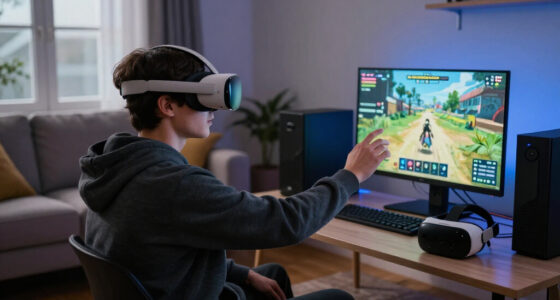
One confirmed cause involves USB connection issues. Many users report that disconnecting and reconnecting the headset’s USB cables, or switching to different USB ports (preferably USB 3.0 or 3.1), can resolve the error. Additionally, driver conflicts or outdated graphics drivers have been linked to the problem. Updating GPU drivers and ensuring the latest Windows updates are installed often improves connectivity.
Another factor involves SteamVR software settings or corrupted files. Verifying the integrity of SteamVR files or reinstalling the software has helped some users. Hardware-specific issues, such as insufficient power supply to the headset or faulty USB hubs, have also been noted as contributing causes. These issues highlight the importance of proper hardware setup and cable management for VR headset stability.
Impacts on HTC Vive Pro Users and VR Experience
This issue’s significance lies in its potential to hinder VR adoption and user satisfaction. For consumers, encountering persistent errors can lead to frustration and discourage continued use of the HTC Vive Pro. For HTC and SteamVR, unresolved connectivity problems may impact brand reputation and sales, especially as VR hardware becomes more competitive. Understanding the confirmed causes and fixes can help users restore functionality more quickly and reduce downtime.
As an affiliate, we earn on qualifying purchases.
Background of HTC Vive Pro and SteamVR Compatibility
The HTC Vive Pro, launched in 2018, is a high-end VR headset that relies heavily on stable USB and HDMI connections to function properly. SteamVR, Valve’s platform for VR content, is the primary software environment for HTC Vive devices. Over the years, users have experienced various connectivity issues, often related to hardware compatibility, driver conflicts, or software bugs. Error (-202) has emerged as a common problem in recent months, prompting community-driven troubleshooting discussions and unofficial fixes.
While HTC and Valve periodically release updates to improve stability, some issues persist due to hardware variability, Windows updates, or third-party software conflicts. The community has played a key role in identifying potential causes and workarounds, but a definitive official fix remains unavailable.
“Many users have found that switching USB ports or updating drivers often resolves Error (-202).”
— an anonymous researcher from r/Vive
SteamVR compatible graphics driver
As an affiliate, we earn on qualifying purchases.
As an affiliate, we earn on qualifying purchases.
Unconfirmed Causes and Lack of Official Support
It remains unclear whether a specific hardware defect, Windows configuration, or SteamVR bug is the root cause for all instances of Error (-202). HTC and Valve have yet to release an official statement, leaving the community to rely on anecdotal evidence and trial-and-error troubleshooting. The effectiveness of certain fixes may vary depending on individual setups, and no comprehensive official solution has been announced.
As an affiliate, we earn on qualifying purchases.
Expected Updates and Community-Driven Solutions
Moving forward, users should monitor official channels from HTC and SteamVR for updates addressing connectivity issues. Meanwhile, community forums continue to share troubleshooting tips, including hardware checks, driver updates, and software reinstallation. Tech experts anticipate that future patches from Valve or HTC could resolve underlying bugs causing Error (-202), but until then, users must rely on proven community workarounds.
As an affiliate, we earn on qualifying purchases.
Key Questions
What causes SteamVR Error (-202) on HTC Vive Pro?
The error is primarily caused by connection issues, driver conflicts, or software corruption. Common factors include USB port problems, outdated graphics drivers, or faulty hardware setups.
How can I fix Error (-202) on my HTC Vive Pro?
Try reconnecting the headset via different USB ports, updating your GPU drivers, verifying SteamVR files, or reinstalling the software. Ensuring your hardware is properly powered and connected can also help.
Does HTC or SteamVR offer an official fix for Error (-202)?
Currently, there is no official statement or fix from HTC or Valve. Most solutions are community-driven, based on user experiences and troubleshooting steps.
Is this error hardware-related or software-related?
It can be both. Hardware issues like faulty cables or USB ports often cause the error, but software conflicts or outdated drivers also play a role.
Will future updates fix Error (-202)?
There is hope that upcoming software patches from HTC or Valve will address the root causes, but this has not been officially confirmed.
Source: r/Vive
Fall Picks
fall essentials
As an affiliate, we earn on qualifying purchases.