
TL;DR

Play games on Amazon Luna for your game nights, included with Prime
- A rotating selection of games, no download needed
- Play on TV, laptop or phone
- Fast, free delivery for your gear, too
Some VR games need boundary awareness because full-body immersion makes you genuinely forget your walls, furniture, and pets exist. Room-scale titles like Beat Saber and Gorilla Tag demand a tracked safe zone, while seated sims barely need one. Modern headsets draw the line for you — and newer systems are starting to scan your room automatically.
A few years ago, a friend of mine put on a headset, loaded a rhythm game, and punched his television clean off its stand forty seconds into the first song. He wasn’t careless. He was immersed — and that’s exactly the problem boundary awareness exists to solve.
Here’s the deal: the better a VR game gets at convincing your brain you’re somewhere else, the less attention you pay to the room you’re actually standing in. Your body keeps moving. Your coffee table does not move out of the way.
In this guide, you’ll learn why some VR games need boundaries while others don’t, how systems like Meta’s Guardian and SteamVR’s Chaperone actually work, and how much clear floor space you realistically need. Whether you’re setting up your first headset or wondering why yours keeps nagging you to redraw your play area, this will make the whole thing click.
Boundary awareness exists because VR presence deletes your real-world awareness within minutes — it’s a design solution to a brain problem, not a discipline pr…
Risk scales with movement: Gorilla Tag, Beat Saber, and VR fitness apps demand strict boundaries, while seated sims and puzzle games barely need one.
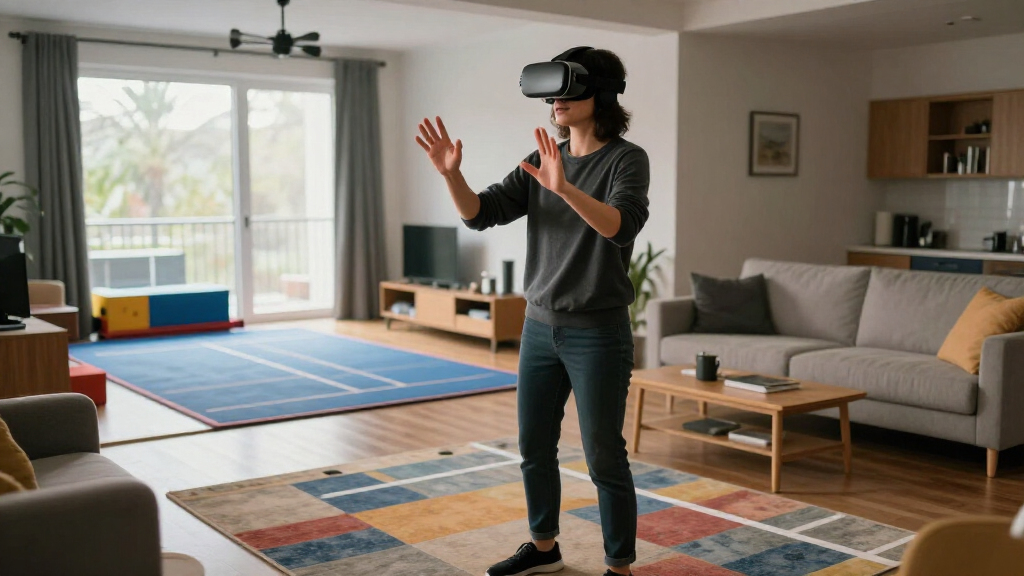
Aim for a clear 2m × 2m space, draw your boundary about 30 cm inside your real walls, and use a rug or mat to mark center.
Boundaries only track static geometry — pets, kids, and spectators require a closed door and a human spotter.
Automatic room scanning on Quest 3/3S and mixed reality features reduce setup friction, but they don’t eliminate dynamic hazards or overconfidence.
Why Some VR Games Need Boundary Awareness
Full-body immersion makes you genuinely forget your walls, furniture, and pets exist. The better a VR game convinces your brain you’re somewhere else, the less attention you pay to the room you’re actually standing in. Your body keeps moving. Your coffee table does not move out of the way. Here’s why some games demand a tracked safe zone — and how modern headsets draw the line for you.
HTC Vive’s Chaperone launched alongside the very first consumer room-scale VR — boundaries are as old as the medium itself.
The realistic target for room-scale play — drawn about 30 cm inside your real walls, with a rug or mat marking center.
How long it took one immersed rhythm-game player to punch a television clean off its stand. He wasn’t careless — he was present.
Two Layers Stand Between You and the TV
Boundary awareness is your headset’s ability to track where your body is relative to a safe play area you defined — and to warn you before you leave it. Think of the boundary as the guardrail on a mountain road: the road is your game, and the guardrail doesn’t drive the car for you, but it’s the thing between a great time and a very bad evening.
The System-Level Boundary
Set during setup and enforced by the platform — Guardian on Meta Quest, Chaperone on SteamVR. You trace a play space on your floor; cross that invisible line mid-game and a glowing grid shimmers into view like a force field. Get closer or cross it, and your real room fades in through the passthrough cameras.
Game-Level Spatial Design
How the developer builds the action around your available space — or fails to. Some games respect a small circle; others assume you can lunge, duck, and windmill freely. Understanding both layers — what the hardware does and what the game expects — separates a smooth setup from a cracked TV screen.
Presence Deletes the Room Within Minutes
Boundary awareness matters because of a quirk of human perception called presence — the feeling of genuinely “being there.” Engaged players stop registering real obstacles within minutes: your brain re-prioritizes, the virtual dragon gets attention, and the real bookshelf gets deleted. That’s why warnings have to be deliberately rude — if a safety cue doesn’t annoy you a little, an engaged player will ignore it completely.
Immersion Locks In
You’re dodging in a boxing game — sweat on your forehead, heart pounding. VR trains your senses to trust the virtual world over the physical one.
Real Awareness Drops
Your brain stops registering walls, doorframes, and furniture. Early experiments proved soft pings and small icons simply get ignored.
Grid Breaks Immersion
Drift toward the edge and a bright translucent grid appears — intentionally impossible to miss. Subtlety fails; the system must interrupt you.
Passthrough Fades In
Cross the line and the headset’s cameras reveal your actual room — so you can see exactly what you were about to hit.
Which Games Actually Put You at Risk
Risk scales with how much your body moves. A seated racing sim keeps you planted; a room-scale brawler has you lunging, ducking, and windmilling your arms. The hidden variable is locomotion style — thumbstick or teleportation keeps your feet still, while 1:1 physical movement is where TVs go to die.
| Game Type | Examples | Movement Demand | Boundary Risk |
|---|---|---|---|
| Room-scale action | Beat Saber, Superhot VR | Arm swings, lunges, dodges | ▲ High |
| Hyper-physical | Gorilla Tag | Full-body arm locomotion | ▲▲ Very High |
| VR fitness | Supernatural, Les Mills Bodycombat | Punches, squats, steps | ▲ High |
| Stationary puzzle | Moss | Leaning, reaching | ~ Low–Moderate |
| Seated sims | Racing and flight sims | Hands on controls only | ✓ Low |
Collision Risk by Play Style
The pattern is simple: the more the game wants from your body, the more you need the grid. Gorilla Tag became the famous case study — played entirely by swinging your arms, it turned a generation of players into accidental furniture-hazard testers in bedrooms well under two meters wide.
Relative collision-risk index based on movement demand and locomotion style — illustrative scale, not a clinical measurement.
How Modern Systems Draw the Line for You
Two technical flavors do the tracking. Inside-out headsets (Meta Quest 2/3/3S, PSVR2) use cameras on the headset itself to map your room. Outside-in systems (Valve Index Lighthouse, original Vive) watch you from fixed base stations, defining a tracked volume you play inside. Both are converging on the same goal: less setup, more automation.
Chaperone & Guardian Are Born
HTC Vive introduces Chaperone alongside the first consumer room-scale VR; Oculus follows with Guardian shortly after. Players hand-trace their play space, and a grid wall appears when they drift toward the edge.
Standalone & Passthrough Blending
Inside-out tracking removes cables and base stations. Systems begin fading the real world in through passthrough cameras as you near or cross the boundary — and cable-free play makes pet and child safety a first-order concern.
Automatic Room Scanning
Quest 3 and 3S add color passthrough and a depth sensor (the older Quest 2 lacks the depth hardware). “Space Setup” suggests boundaries automatically, detects furniture, and can drop you into a stationary circle the moment you put the headset on.
The Room Becomes the Level
Mixed-reality titles like First Encounters use Meta’s Scene API to make your actual walls part of the game — shifting the model from “stay inside the box” to “the room is the level.” Shared co-located play raises a new generation of collision questions.
The Safety Gaps Nobody Warns You About
The grid protects you from static geometry — walls, desks, windows. It knows nothing about things that move. Knowing the blind spots matters more than knowing the features.
Dynamic Hazards
Your cat padding across the play area, a toddler wandering in, the dog asleep behind you — the boundary has no opinion on any of them. Pets, kids, and spectators require a closed door and a human spotter.
Overconfidence Drift
Automatic scanning and mixed-reality features reduce setup friction — but they don’t eliminate dynamic hazards or player overconfidence. Familiarity breeds lunges. Redraw your boundary when furniture moves.
Moving Platform Features
Setup flows change between firmware versions. Verify your headset’s current boundary options against the latest release notes — yesterday’s menu path may not exist today, and defaults can shift.
Set Up Once, Play Safe Forever
Clear 2m × 2m of Floor
The realistic room-scale target. Move the coffee table before the first session, not after the first incident.
Draw 30 cm Inside Real Walls
Your fist travels faster than the grid renders. The buffer absorbs the follow-through on a full-power swing.
Mark Center with a Rug or Mat
A tactile anchor under your feet recenters you without breaking immersion — the cheapest safety accessory in VR.
Close the Door, Post a Spotter
Boundaries track static geometry only. Pets, kids, and spectators need a human watching the real world while you guard the virtual one.
The boundary grid is designed to break immersion on purpose. If a safety cue doesn’t annoy you a little, an engaged player will ignore it completely.— The core design principle of Guardian & Chaperone
What Boundary Awareness Actually Means in VR
Boundary awareness is your headset’s ability to track where your body is relative to a safe play area you defined — and to warn you before you leave it. When you set up a Meta Quest, PlayStation VR2, Valve Index, or HTC Vive, the system asks you to trace a “play space” on your floor. Cross that invisible line mid-game, and a glowing grid shimmers into view like a force field.
There are actually two layers at work here. The first is the system-level boundary the platform enforces — Guardian on Quest, Chaperone on SteamVR. The second is game-level spatial design: how the developer builds the action around your available space, or fails to.
Think of the boundary as the guardrail on a mountain road. The road is your game. The guardrail doesn’t drive the car for you, but it’s the thing between a great time and a very bad evening. Skeldrift.com’s take: understanding both layers — what the hardware does and what the game expects — is what separates a smooth setup from a cracked TV screen.
Popular right now

Dyson Ball Animal 3 Extra Upright Vacuum

KitchenAid Classic Series 4.5 Quart Tilt-Head Stand Mixer K45SS, Onyx Black

Breville Barista Pro Espresso Machine with Grinder, Brushed Stainless Steel
As an affiliate, we earn on qualifying purchases.
Why Your Brain Forgets the Wall Exists
Boundary awareness matters because of a quirk of human perception called presence — the feeling of genuinely “being there” inside a virtual world. Research into VR presence consistently shows that engaged players stop registering real obstacles within minutes of putting on a headset. Your brain re-prioritizes: the virtual dragon gets attention, the real bookshelf gets deleted.
This is why subtle warnings fail. Early VR experiments with gentle audio pings or small icons proved that immersed players simply ignore them. That’s why modern boundary warnings are deliberately rude — a bright translucent grid, plus your real room fading in through the passthrough cameras. The system has to break your immersion to save your knuckles.
Here’s a scenario you’ve probably lived: you’re dodging in a boxing game, sweat on your forehead, heart pounding. Someone calls your name from the doorway. You turn — and your shoulder meets the doorframe at speed. The game didn’t do anything wrong. Your senses did exactly what VR trains them to do: trust the virtual world over the physical one.
The boundary grid is designed to break immersion on purpose. If a safety cue doesn’t annoy you a little, an engaged player will ignore it completely.
Which Games Actually Put You at Risk
Not all VR games need boundary enforcement equally — the risk scales with how much your body moves. A seated racing sim keeps you planted in a chair. A room-scale brawler has you lunging, ducking, and windmilling your arms like you’re fighting off bees. The difference in collision risk is enormous.
Locomotion style is the hidden variable. Games that move you with a thumbstick or teleportation keep your feet still. Games built on 1:1 physical movement — dodging punches, reaching for ledges, swinging virtual bats — are where TVs go to die. Gorilla Tag became the famous case study: it’s played entirely by swinging your arms, and it turned a generation of players into accidental furniture hazard testers in bedrooms well under two meters wide.
| Game type | Examples | Movement demand | Boundary risk |
|---|---|---|---|
| Room-scale action | Beat Saber, Superhot VR | Arm swings, lunges, dodges | High |
| Hyper-physical | Gorilla Tag | Full-body arm locomotion | Very high |
| VR fitness | Supernatural, Les Mills Bodycombat | Punches, squats, steps | High |
| Seated sims | Racing and flight sims | Hands on controls only | Low |
| Stationary puzzle | Moss | Leaning, reaching | Low to moderate |
The pattern is simple: the more the game wants from your body, the more you need the grid.
How Modern VR Systems Draw the Line for You
Modern VR systems handle boundary awareness in two technical flavors: inside-out and outside-in tracking. Inside-out headsets — Meta Quest 2, 3, and 3S, plus PlayStation VR2 — use cameras mounted on the headset itself to map your room and remember your drawn boundary. Outside-in systems like the Valve Index’s Lighthouse base stations watch you from fixed points in the room, defining a tracked volume you play inside.
Boundary awareness is as old as consumer room-scale VR itself. HTC Vive introduced Chaperone in 2016, and Oculus followed with Guardian shortly after. When you drift toward the edge, the grid appears; get closer or cross it, and the real world fades in through the passthrough cameras so you can see what you’re about to hit.
The newest generation automates the whole chore. The Quest 3’s color passthrough and depth sensor (a Quest 3 and 3S feature — the older Quest 2 lacks the depth hardware) enable automatic room scanning: the headset suggests a boundary, detects furniture, and can drop you into a stationary circle the moment you put it on. Mixed reality titles like First Encounters on Quest 3 go further — they make your actual walls part of the game through Meta’s Scene API, shifting the model from “stay inside the box” to “the room is the level.”
One caveat, straight from skeldrift.com’s playbook: platform features move fast. Verify your headset’s current boundary options against the latest firmware notes, because setup flows change between software versions.
The Safety Gaps Nobody Warns You About
Boundary awareness has blind spots, and knowing them matters more than knowing the features. The grid protects you from static geometry — walls, desks, windows. It knows nothing about things that move. Your cat padding across the play area, your toddler wandering in, the dog curled up asleep behind you: the boundary has no opinion on any of them.
Then there’s the classic annoyance that’s also a genuine safety gap: boundary loss. Your headset forgets the play area when lighting shifts, furniture moves, or tracking glitches, and it makes you redraw the thing mid-session. Every redraw is a moment where the guardrail temporarily doesn’t exist.
The injury data backs this up. Emergency-medicine reporting in the early 2020s documented a rise in VR-related injuries — fractures, lacerations, the well-known “VR punch” category of household damage — mostly during active games. Serious injuries stay rare, but they’re also undercounted, because nobody files an insurance claim over a dented drywall. And one more gap: safety groups like the XR Association and the XR Safety Initiative have published guidance on physical harm, but as of the mid-2020s there is no binding government standard for VR boundaries. The guardrails you have are the ones your platform chose to give you.
- Close the door or use a pet gate before active sessions.
- Check the floor for cables, toys, and rugs that bunch up.
- Re-verify your boundary after moving any furniture.
- Treat mixed reality as a helper, not a force field — overconfidence is its own hazard.
How Much Space You Really Need (and What to Do in a Small Room)
The standard guidance for safe room-scale VR is a clear area of roughly 2 meters by 2 meters — about six and a half feet square. Many players have less, which is why platforms offer a stationary mode and why good developers build games that scale down to your available space. Boundary awareness adapts; your job is to give it honest measurements.
Here’s the setup routine that prevents most accidents:
- Measure your real clear space — floor, not hopes. Move the coffee table first, not after the first incident.
- Draw the boundary slightly inside your actual walls — a 30-centimeter buffer absorbs arm overreach.
- Mark the center with a small rug or mat so your feet always know home position without looking.
- Choose the right mode: stationary circle for small rooms, seated mode for sims and puzzle games.
- Clear the airspace too — ceiling fans, light fixtures, and shelves at punching height count.
Can you play room-scale games in a tiny room? Often yes, with real limits. Stationary mode and seated options cover most titles, but hyper-physical games like Gorilla Tag or high-difficulty Beat Saber honestly want the full 2×2. Platform design guidelines from Meta and Valve tell developers to keep gameplay within arm’s reach of your center and never encourage running toward the room edge — but not every game follows the advice. When a game demands more space than you have, believe it.
What This Means for Kids, Pets, and Shared Spaces
Boundary awareness protects the player inside the headset — it does nothing for bystanders. That’s the practical implication most setup guides skip. Most platforms set minimum age recommendations, commonly 10 to 13 and up (Meta accounts start at 10, and Sony advises PSVR2 for ages 12+), and supervision plus a closed room remains the standard advice for younger players.
The social scenario is where things go sideways. Someone at a party tries Beat Saber, the room fills with people watching the TV feed, and a spectator drifts into the swing zone. The player can’t see them. The boundary can’t see them either. One person in the room should always act as a spotter — it’s the cheapest safety accessory in VR.
Shared play is also changing the question. Experimental co-located features put multiple headsets in one physical space, which multiplies both the fun and the collision math. And as standalone headsets removed the cable that once tethered players to a PC, roaming pets and kids became a bigger concern, not a smaller one. The takeaway for your household: treat the play area like a pool. Fence it, clear it, and never assume the technology is watching the things you love.
Frequently Asked Questions
How much space do I actually need to play VR safely?
The standard recommendation for room-scale VR is a clear area of about 2 meters by 2 meters. Many games work in less space or in seated mode, but physically active titles like fitness apps and Gorilla Tag genuinely need the full area. Measure your real clear floor, not the room’s dimensions on paper.
What happens if I walk outside the boundary?
A translucent grid wall appears as you approach the edge, and on most modern headsets the real world fades in through the passthrough cameras once you cross it. Tracking continues, and some games pause automatically. The warning is deliberately intrusive because immersed players ignore subtle cues.
Why does my headset keep making me redraw the boundary?
Boundary loss usually comes from changed lighting, moved furniture, or a tracking reset. Inside-out headsets use their cameras to recognize your room, so a rearranged space looks unfamiliar. Redrawing takes seconds — and it’s worth doing honestly, because that gap is a real safety hole.
Do I still need a boundary for seated or stationary games?
Yes, but a minimal one. Platforms set a small stationary circle even for seated play, and the risk is much lower. Arm-swing collisions are still possible in games with reaching or leaning, so keep the area within arm’s reach clear of lamps, shelves, and monitors.
Does mixed reality replace the need for boundaries?
Not fully. Mixed reality reduces collisions with static objects by showing your real room, but it can’t track moving hazards like pets and kids, and seeing your surroundings can create overconfidence. Platforms also recommend age minimums — commonly 10 to 13+ — and supervision for younger players regardless of mode.
Can I turn the boundary warnings off?
On some headsets, developer or advanced settings allow disabling the boundary — Quest, for example, permits it through developer mode. It’s strongly discouraged for active games, since the warning grid is the only thing standing between an immersed player and a wall. If you disable it for seated media viewing, re-enable it before anything physical.
Conclusion
The paradox at the heart of VR is simple: the better the game, the worse your awareness of your own living room. Boundary awareness is the guardrail that makes immersion safe to enjoy — and it’s been doing that job since Chaperone shipped with the first Vive in 2016.
So before your next session, do the boring thirty seconds: kick the rug flat, shift the coffee table, glance at your drawn boundary. Then swing freely. Your TV — and your knuckles — will thank you for it.