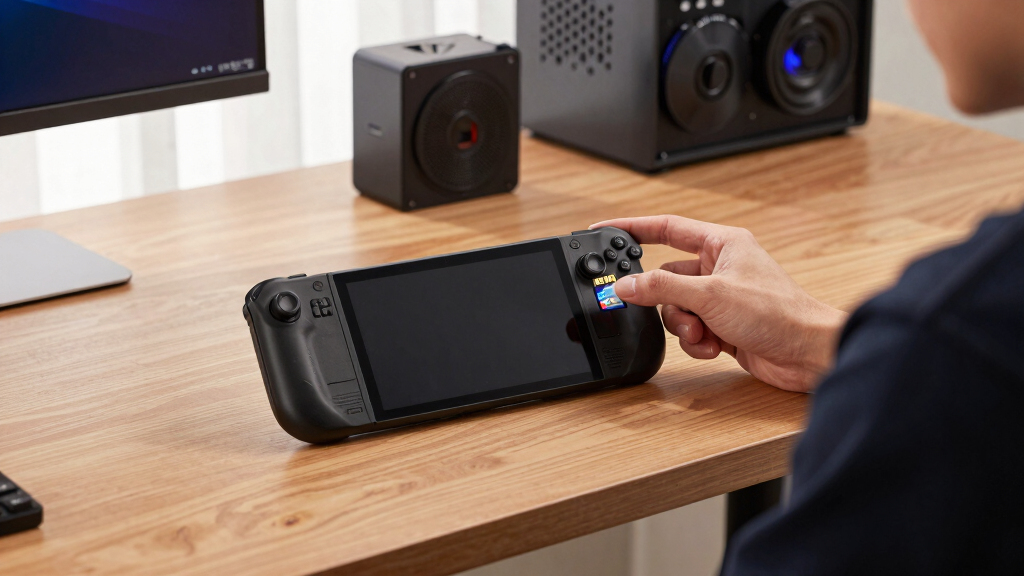

The PNY 1.5TB PRO Elite Prime is my best overall pick for Steam Deck owners because it hits the most relevant mix of 1.5TB capacity, A2 app performance, U3/V30 ratings, and gaming-friendly value. The SanDisk Ultra 1.5TB is the better fit if price matters more than write-speed headroom, while the SanDisk Extreme PRO 2TB makes sense for buyers who want more than 1.5TB and are willing to pay for it. The main tradeoff is that the Steam Deck’s UHS-I slot limits peak speed, so paying for extreme headline numbers often brings less benefit than buying the right capacity, rating, and warranty. Keep reading for my full breakdown of which card fits each Steam Deck buyer type.

Play games on Amazon Luna for your game nights, included with Prime
- A rotating selection of games, no download needed
- Play on TV, laptop or phone
- Fast, free delivery for your gear, too
Key Takeaways
- PNY 1.5TB PRO Elite Prime ranks highest because it is one of the few options here that combines true 1.5TB capacity with A2, U3, and V30 ratings.
- SanDisk Ultra 1.5TB models are better value choices, but they trade away some write-speed confidence compared with the PNY and SanDisk Extreme lines.
- 1TB cards like the SanDisk Extreme, Samsung PRO Plus Sonic, and Lexar gaming cards are stronger on speed or branding, but they miss the storage target that Steam Deck library hoarders came for.
- microSD Express speed claims matter less on Steam Deck because the handheld uses UHS-I, so the Lexar Play PRO is more of a future-facing pick than a pure Steam Deck value.
- 2TB capacity is appealing, but the SanDisk Extreme PRO 2TB only earns a premium role because the cost jump can be hard to justify beside a capable 1.5TB card.


More Details on Our Top Picks
PNY 1.5TB PRO Elite Prime C10 U3 V30 A2 microSDXC Flash Memory Card
I rank PNY 1.5TB PRO Elite Prime as the best fit here because it hits the Steam Deck sweet spot: 1.5TB capacity, A2 app performance, U3/V30 video ratings, and strong advertised write speed. Compared with the SanDisk Ultra 1.5TB, it is the better pick for users who move large game files often or want a card that feels less budget-minded during installs and transfers. It gives up the extra headroom of the SanDisk Extreme PRO 2TB, but that larger card is more of a splurge than a clean 1.5TB recommendation. The main tradeoff is that its 200MB/s read claim depends on compatible gear, so Steam Deck owners should buy it for capacity and balanced performance, not peak lab numbers.
Pros:- True 1.5TB capacity fits the roundup brief cleanly
- A2 rating is useful for game libraries and app-style access patterns
- U3 and V30 ratings give it stronger write credentials than basic cards
- Includes an SD adapter for easier PC file management
Cons:- Advertised peak speed needs compatible readers and devices
- Less total storage than the 2TB SanDisk Extreme PRO
- Switch 2 incompatibility limits cross-device use
Best for: Steam Deck owners who want a true 1.5TB card with strong write speed for a large game library and frequent file transfers
Not ideal for: Buyers who want one card to share with a Nintendo Switch 2, since this listing calls out lack of compatibility there
- Capacity:1.5TB
- Card Type:microSDXC
- Speed Class:Class 10, U3, V30
- App Performance:A2
- Read Speed:Up to 200MB/s
- Write Speed:Up to 150MB/s
- Included Adapter:SD adapter
- Compatibility:Android devices, tablets, drones, cameras, computers
Bottom line: This is my top pick for Steam Deck users who want the cleanest mix of 1.5TB space, speed class, and practical value.
SanDisk Ultra microSDXC UHS-I Memory Card, 1.5TB, Up to 150MB/s
The SanDisk Ultra 1.5TB makes the most sense as the value-minded Steam Deck pick because it keeps the same headline capacity as the PNY card while trimming the performance ambitions. Compared with PNY PRO Elite Prime, the lower U1 and A1 ratings make it less appealing for heavy transfer sessions or users who constantly install and delete huge games. Still, for a mostly download-and-play Steam Deck library, 1.5TB of space is the main win, and the advertised 150MB/s read speed is enough for the kind of everyday loading expectations most users have from microSD storage. I would skip it for a performance-first build, but it has a strong role for players who want the largest library at a less aggressive spec level.
Pros:- Large 1.5TB capacity without stepping up to a 2TB card
- Good fit for storing a broad Steam Deck library
- Up to 150MB/s read speed is fine for everyday game access
- A1 app rating is better than plain storage-only cards
Cons:- U1 rating is weaker than U3 cards in this lineup
- A1 app performance trails the A2-rated PNY and SanDisk Extreme cards
- Write performance is not listed as strongly as premium alternatives
Best for: Steam Deck players who want a big 1.5TB library card and do not plan to move massive files every week
Not ideal for: Power users who prioritize faster writes during game installs, shader cache movement, or frequent desktop transfers
- Capacity:1.5TB
- Card Type:microSDXC
- Bus Interface:UHS-I
- Read Speed:Up to 150MB/s
- Speed Class:Class 10, U1
- App Performance:A1
- Video Use:Full HD
Bottom line: This is the 1.5TB card I would pick for capacity-first Steam Deck buyers who can live with more modest speed ratings.
SanDisk Extreme PRO 2TB microSDXC UHS-I Card with SD Adapter & RescuePRO Deluxe
The SanDisk Extreme PRO 2TB is the card I would frame as the overachiever in a 1.5TB Steam Deck roundup. It gives more room than the PNY 1.5TB PRO Elite Prime and much more than the 1TB Lexar and SanDisk Extreme options, which matters if the buyer keeps giant RPGs, emulators, and indies installed at once. Its 250MB/s read and 150MB/s write ratings also make it the strongest spec sheet here, though the Steam Deck and many readers may not reach those headline numbers. The price is the hard part: buyers pay for extra capacity and premium branding. For a Steam Deck, this is less about bargain hunting and more about reducing library juggling.
Pros:- Largest capacity in this batch at 2TB
- Fast advertised read and write speeds
- A2, U3, and V30 ratings suit demanding storage use
- Includes RescuePRO Deluxe file recovery software
Cons:- Not a true 1.5TB card, so it sits outside the core size target
- Premium pricing weakens its value case for Steam Deck
- Peak speeds may require separate compatible reader hardware
Best for: Steam Deck owners with very large libraries who would rather pay more than keep deleting and redownloading games
Not ideal for: Budget-focused buyers who came specifically for 1.5TB value, since this 2TB card likely costs much more
- Capacity:2TB
- Card Type:microSDXC
- Bus Interface:UHS-I
- Read Speed:Up to 250MB/s
- Write Speed:Up to 150MB/s
- Speed Class:Class 10, U3, V30
- App Performance:A2
- Software:RescuePRO Deluxe included
Bottom line: Choose this when maximum Steam Deck storage matters more than staying near 1.5TB pricing.
Lexar 1TB microSDXC UHS-I Memory Card for Gaming and Mobile Devices
The Lexar 1TB microSDXC earns a place as the speed-leaning step-down pick. It cannot match the room of the PNY 1.5TB PRO Elite Prime or SanDisk Ultra 1.5TB, so it is not the best choice for users who want a huge Steam Deck library on one card. What it offers instead is a strong 1TB spec mix: 205MB/s read, 140MB/s write, A2, U3, and V30. Compared with the SanDisk Extreme 1TB, Lexar has stronger listed speeds, while SanDisk leans harder on rugged durability claims. I would point this toward buyers who prefer a faster 1TB card over a slower, larger one, with the warning that modern AAA libraries can fill 1TB quickly.
Pros:- Strong listed read and write speeds for a 1TB card
- A2 rating suits gaming and app-style access
- U3 and V30 ratings give it better write-class credentials
- Five-year limited warranty adds buyer confidence
Cons:- Only 1TB, which is a clear drop from the 1.5TB cards
- Not compatible with Nintendo Switch 2
- May cost more than basic 1TB cards with lower speed ratings
Best for: Steam Deck users who want a faster 1TB card for a curated library rather than maximum storage space
Not ideal for: Players who install many 100GB-plus games at once, since 1TB can feel tight beside the 1.5TB and 2TB options
- Capacity:1TB
- Card Type:microSDXC
- Bus Interface:UHS-I
- Speed Class:Class 10, U3, V30
- App Performance:A2
- Read Speed:Up to 205MB/s
- Write Speed:Up to 140MB/s
- Warranty:5-year limited
Bottom line: This is the 1TB card I would choose when speed ratings matter more than stretching storage capacity.
SanDisk 1TB Extreme microSDXC UHS-I Memory Card with Adapter
The SanDisk Extreme 1TB is the practical rugged pick for Steam Deck owners who also use the card in cameras, handhelds, or travel gear. Against the Lexar 1TB, its listed 160MB/s read and 90MB/s write speeds look less aggressive, so it is not the 1TB performance winner. Its case is durability: waterproof, temperature proof, shock proof, and X-ray proof claims make it better suited to buyers who remove cards often or carry spares in bags. Compared with the SanDisk Ultra 1.5TB, it gives up half a terabyte, but adds U3, V30, and A2 ratings. I would treat it as a dependable secondary Steam Deck card, not the best main library drive for capacity hunters.
Pros:- Rugged design claims cover water, temperature, shock, and X-ray exposure
- A2 rating supports better app-style performance than A1 cards
- U3 and V30 ratings are stronger than the SanDisk Ultra 1.5TB
- Includes an adapter for full-size SD slots
Cons:- 1TB capacity is smaller than the main 1.5TB picks
- Write speed trails the PNY and Lexar options
- Maximum speed depends on compatible hardware
Best for: Steam Deck users who swap cards between devices and want a tougher 1TB option for travel or mixed use
Not ideal for: Buyers building one large Steam Deck library, because the 1.5TB cards offer far more room
- Capacity:1TB
- Card Type:microSDXC
- Bus Interface:UHS-I
- Read Speed:Up to 160MB/s
- Write Speed:Up to 90MB/s
- Speed Class:Class 10, U3, V30
- App Performance:A2
- Durability:Waterproof, temperature proof, shock proof, X-ray proof
Bottom line: Pick this as a tougher 1TB Steam Deck card for mixed-device use, not as the best capacity play.
SanDisk 1.5TB Ultra microSDXC UHS-I Memory Card with Adapter
SanDisk’s 1.5TB Ultra earns its place because it fits the Steam Deck brief more directly than the 1TB Samsung PRO Plus Sonic or Lexar Play PRO: it gives buyers the larger library space this roundup is built around. The 150MB/s read rating is plenty for storing and launching many Steam Deck games, while the A1 rating suits app-style random access better than a plain storage card. The tradeoff is speed ceiling. Compared with the Lexar Play PRO’s huge microSD Express numbers, this is a practical UHS-I card rather than a showcase pick. It also lacks the stronger write-speed claims of the Samsung PRO Plus, so large transfers may take longer. I would rank it high for capacity-per-dollar, but not for buyers chasing the fastest possible file moves.
Pros:- True 1.5TB capacity gives it a clear library-size advantage over the 1TB Samsung and Lexar options
- Up to 150MB/s read speed is a sensible match for Steam Deck UHS-I storage use
- A1 app performance rating helps with small-file access compared with basic media cards
- SD adapter adds value for laptop transfers and card readers
Cons:- No stated high write-speed rating, so big game transfers may feel slower than on faster cards
- Full HD video positioning is less ambitious than V30 and 4K-focused rivals
- Real-world speed depends on the Steam Deck and reader used
Best for: Steam Deck owners who want true 1.5TB expansion for a large installed game library without paying for speed they may not fully use.
Not ideal for: Players who move huge game folders often and want stronger write-speed claims than this Ultra card provides.
- Capacity:1.5TB
- Card Type:microSDXC
- Interface:UHS-I
- Read Speed:Up to 150MB/s
- App Performance:A1
- Video Support:Full HD
- Adapter:SD adapter included
- Compatibility:Android phones, tablets, Chromebooks, Windows laptops, Nintendo Switch
Bottom line: This is the pick I would point to first for Steam Deck buyers who care more about 1.5TB library space than chasing headline speed.
Samsung PRO Plus Sonic The Hedgehog 1TB microSDXC Card with Adapter
The Samsung PRO Plus Sonic is the easiest card here to explain as a compromise: it gives up the 1.5TB target, but it pushes harder on speed than the SanDisk 1.5TB Ultra. Its 180MB/s read and 130MB/s write ratings make it better suited to frequent installs, captures, and card-to-PC transfers, while the 10-year warranty and water and temperature resistance add reassurance for a card that may move between a Steam Deck, Switch, drone, or camera. Against the Lexar Play PRO, though, Samsung’s advantage is compatibility and conventional UHS-I practicality, not raw future-facing bandwidth. The themed design is fun, but the buyer decision is simple: choose this when 1TB is enough and write speed matters more than maxing out Steam Deck storage capacity.
Pros:- Faster stated read speed than the SanDisk 1.5TB Ultra
- Up to 130MB/s write speed helps with installs, captures, and large transfers
- Water and temperature resistance suit buyers who swap cards across devices
- 10-year warranty is stronger than many basic storage-card packages
Cons:- Only 1TB, so it does not meet the full 1.5TB capacity target
- May cost more than standard microSD cards with similar usable Steam Deck behavior
- The themed edition may not appeal to buyers who only want the lowest price per gigabyte
Best for: Steam Deck players with a tighter game rotation who want faster transfers and stronger durability claims in a 1TB card.
Not ideal for: Large-library buyers who specifically need 1.5TB or more and do not want to uninstall games as often.
- Capacity:1TB
- Card Type:microSDXC
- Read Speed:Up to 180MB/s
- Write Speed:Up to 130MB/s
- Adapter:Full-size SD adapter included
- Compatibility:Nintendo Switch, Steam Deck, GoPro, DJI drones, tablets
- Protection:Water and temperature resistant
- Warranty:10 years
Bottom line: This makes sense when I would rather trade some capacity for faster everyday transfers and stronger protection claims.
Lexar 1TB Play PRO microSD Express Card
Lexar’s 1TB Play PRO is the performance outlier in this batch. Its 900MB/s read and 600MB/s write claims dwarf both the SanDisk 1.5TB Ultra and Samsung PRO Plus Sonic, which makes it more attractive for buyers who also own hardware with a microSD Express slot. For Steam Deck use, though, that headline speed comes with a catch: the card is backwards-compatible with UHS-I, so the Deck may not show the full benefit of the Express hardware. It also trails the SanDisk on capacity, which matters in a 1.5TB-focused roundup. I would treat this as the enthusiast pick, not the default Steam Deck buy. It is strongest for cross-device gamers planning around newer handhelds like Switch 2 or ROG Ally rather than only filling a Deck.
Pros:- Extremely high stated read and write speeds for compatible microSD Express hardware
- Backwards-compatible with UHS-I devices, including Steam Deck
- U3 and V30 ratings make it better suited to 4K video and heavier media work than basic cards
- Lifetime-limited warranty gives it long-term appeal for multi-device buyers
Cons:- Only 1TB, so it falls short of the 1.5TB storage target
- Steam Deck users may not benefit from the full 900MB/s and 600MB/s speed ratings
- Premium pricing is harder to justify if it stays in one UHS-I handheld
Best for: Handheld gaming enthusiasts who use a Steam Deck now but also want a card ready for microSD Express devices.
Not ideal for: Steam Deck-only buyers who want the best capacity value, since much of the speed headroom may go unused.
- Capacity:1TB
- Card Type:microSD Express
- Backward Compatibility:UHS-I
- Read Speed:Up to 900MB/s
- Write Speed:Up to 600MB/s
- Speed Class:C10, U3, V30
- Compatible Devices:Nintendo Switch 2, ASUS ROG Ally, Steam Deck, cameras, gaming consoles
- Protection:Dust proof
- Warranty:Lifetime-limited warranty
Bottom line: This is the card I would choose for future-ready speed across newer handhelds, not as the best pure 1.5TB Steam Deck value.
How We Picked
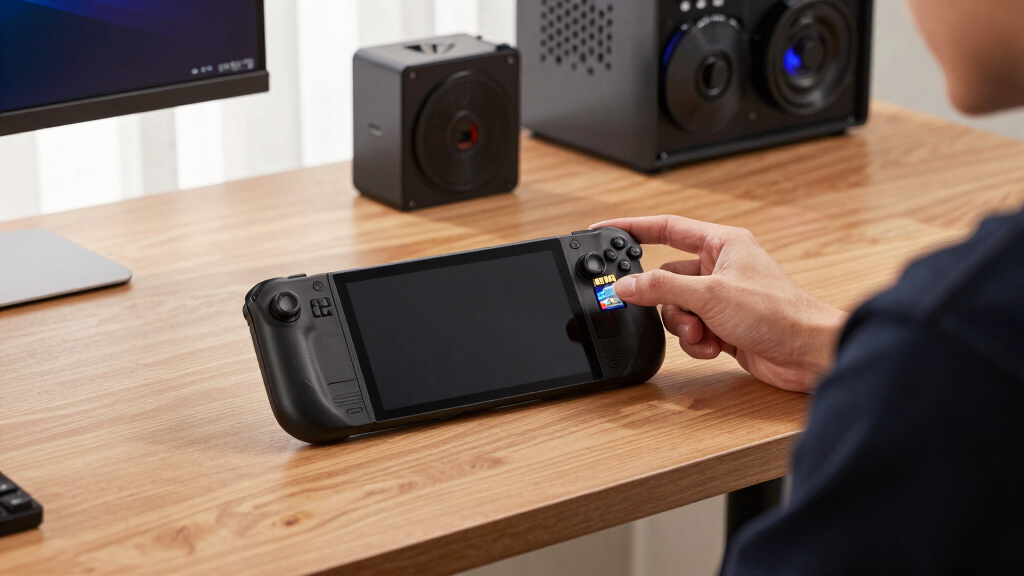
I ranked these cards around what actually changes the Steam Deck experience: usable capacity, UHS-I performance, random-read suitability for game loading, sustained write ratings for downloads and transfers, warranty confidence, and price logic. Since the Steam Deck cannot fully use microSD Express or ultra-high PCIe-style speeds, I weighted A2, U3, and V30 ratings more than oversized marketing numbers.
The order favors cards that match the promised 1.5TB Steam Deck storage use case first, then rewards models that bring a clear reason to spend more or accept less capacity. That is why the PNY 1.5TB PRO Elite Prime sits above the SanDisk Ultra 1.5TB cards, why the 2TB SanDisk earns a premium slot rather than the top spot, and why the 1TB options are treated as specialist alternatives instead of default buys.
Factors to Consider When Choosing Best 1.5TB MicroSD Cards For Steam Deck
Choosing a Steam Deck microSD card is less about chasing the biggest number on the package and more about matching capacity, rating, price, and platform limits. I would start with how large your installed library is, then decide whether faster writes, a bundled adapter, or future handheld support is worth paying extra for.
Capacity Should Match Your Library Habits
A 1.5TB card is the sweet spot here because it gives the Steam Deck far more breathing room than 1TB without the steep cost of 2TB. If you rotate between a few indies and one or two large AAA games, a 1TB card like the SanDisk Extreme 1TB can still feel roomy. If you want dozens of large installs ready at once, the PNY and SanDisk Ultra 1.5TB cards make more sense. The SanDisk Extreme PRO 2TB is tempting for set-it-and-forget-it storage, but it costs more for capacity many buyers may not fill. My rule is simple: pay for 1.5TB if you dislike deleting games, pay for 2TB only if your library already proves you need it.
Speed Ratings Matter, But Not All Speed Claims Matter Equally
For Steam Deck, I care more about A2, U3, and V30 labels than huge peak-read numbers. A2 points to better small-file handling, which is useful for game data and launcher behavior. U3 and V30 help with steadier writes when downloading, moving, or patching large games. The Lexar Play PRO microSD Express advertises much higher peak speeds, but the Steam Deck’s UHS-I slot cannot take full advantage of that ceiling. That makes the PNY 1.5TB PRO Elite Prime more balanced for this specific device than a pricier card built around speed the Deck cannot fully use.
Value Depends On Price Per Usable Gigabyte
The best buy can change quickly because microSD pricing moves often, so I would compare each card by price per gigabyte rather than sticker price alone. A cheaper 1TB card may look attractive, but it can be a poor fit if you run out of room and buy another card soon after. The SanDisk Ultra 1.5TB earns its value role when it costs clearly less than the PNY while still giving the same large capacity. The PNY 1.5TB PRO Elite Prime is worth the premium when the gap is small because its speed ratings are stronger. Once the SanDisk Extreme PRO 2TB climbs far above the 1.5TB cards, it becomes a luxury pick rather than the smart default.
Adapters And Bundles Are Convenience, Not Performance
An included SD adapter is useful if you move files from a laptop, desktop, camera slot, or external reader. It does not make the microSD card faster inside the Steam Deck. That is why the SanDisk 1.5TB Ultra with Adapter is best judged against the other SanDisk Ultra listing by price and package contents. If both cost the same, I would take the adapter version because it adds flexibility. If the adapter bundle costs meaningfully more, the card itself is the same class of buy, so the extra spend is better saved for a faster reader or a protective case.
Premium Cards Need A Deck-Specific Reason
Premium microSD cards can be worth it, but only when the benefit lines up with the Steam Deck. The SanDisk Extreme PRO 2TB earns its place by offering maximum library space and a higher-performance line, not because every listed speed will reshape load times. The Samsung PRO Plus Sonic has strong specs and a fun design, yet the 1TB capacity makes it less practical for buyers who asked for 1.5TB. The Lexar Play PRO is more interesting if you also own newer handhelds that can use microSD Express. For a Steam Deck-only purchase, premium should mean better capacity, warranty confidence, or stronger UHS-I ratings rather than unused headline speed.
Frequently Asked Questions
Is A 1.5TB microSD Card Worth It For Steam Deck?
Yes, a 1.5TB microSD card makes sense if you keep several large games installed and dislike shuffling downloads. It gives a clear jump over 1TB without forcing the higher price of 2TB. For that reason, the PNY 1.5TB PRO Elite Prime and SanDisk Ultra 1.5TB cards are better fits for most Steam Deck storage upgrades than the 1TB options in this lineup. If your library is mostly smaller games, 1TB can still be enough. If you install many 80GB to 150GB titles, 1.5TB feels much less cramped.
Should I Buy A Faster 1TB Card Or A Slower 1.5TB Card?
I would choose the 1.5TB card if your main frustration is running out of room. Steam Deck load times do improve with a decent card, but the device’s UHS-I slot narrows the gap between many good microSD models. A faster 1TB card like the SanDisk Extreme 1TB makes sense if you value transfers and patches more than raw space. The SanDisk Ultra 1.5TB trades some speed confidence for a bigger library. For most Steam Deck buyers, capacity tends to be felt every day, while small speed differences are easier to miss.
Does microSD Express Help On Steam Deck?
Not much for the current Steam Deck hardware. A card like the Lexar Play PRO microSD Express can advertise very high read and write speeds, but the Steam Deck uses a UHS-I microSD interface. That means the card should fall back to speeds the Deck can handle rather than running at its full Express ceiling. It is a better buy if you also use a handheld or device that supports microSD Express. For Steam Deck alone, I would put the money toward 1.5TB capacity or stronger UHS-I value.
Is The SanDisk Extreme PRO 2TB Better Than A 1.5TB Card?
The SanDisk Extreme PRO 2TB is better if your priority is maximum space from a well-known premium line. It gives more room than any 1.5TB card here, which can matter for very large Steam libraries. The drawback is price: the extra 500GB often costs more than the storage gain feels worth for typical buyers. Compared with the PNY 1.5TB PRO Elite Prime, it is the premium pick rather than the best everyday recommendation. I would buy it only if you already know 1.5TB will feel tight.
Which Card Is The Safest Pick For A First Steam Deck Upgrade?
For a first upgrade, I would pick based on budget comfort. The PNY 1.5TB PRO Elite Prime is the safer all-around choice because it pairs high capacity with stronger performance ratings. If you want a simpler value buy, the SanDisk Ultra 1.5TB with Adapter is easier to justify when it is cheaper and includes the adapter. Beginners should avoid paying extra for microSD Express unless they use another compatible device. The safest first purchase is the one that gives enough capacity now without overspending on speed the Deck cannot fully use.
Conclusion
My best overall pick is the PNY 1.5TB PRO Elite Prime because it best matches what Steam Deck buyers came for: large capacity, useful ratings, and sensible performance. The SanDisk Ultra 1.5TB is my best value choice, while the SanDisk 1.5TB Ultra with Adapter is the easiest beginner pick when the bundle price is close. The SanDisk Extreme PRO 2TB is the best premium upgrade for buyers who want more than 1.5TB, and the Lexar Play PRO microSD Express is best for people splitting one card strategy across newer handhelds. If I were buying only for Steam Deck, I would start with the PNY, drop to SanDisk Ultra for savings, or move up to 2TB only for a truly oversized game library.
Fall Picks
fall essentials
As an affiliate, we earn on qualifying purchases.