
TL;DR

Play games on Amazon Luna for your game nights, included with Prime
- A rotating selection of games, no download needed
- Play on TV, laptop or phone
- Fast, free delivery for your gear, too
Steam Deck Verified Status for June 22, 2026 shows MECCHA CHAMELEON, Ramen Simulator, and Idle Startup as Playable, not Verified, in this Skeldrift snapshot. Playable means the games should run on Deck but may ask you to use the touchscreen, adjust controls, open the keyboard manually, or accept small interface friction. Check each Steam store badge before buying because Valve says compatibility reviews are ongoing and can change after patches.
Your Steam Deck can turn a dull train ride into a glowing little arcade, but one tiny badge can decide whether that ride starts with play or setup.
This June 22, 2026 briefing looks at the current Steam Deck compatibility status for three tracked top and new games: MECCHA CHAMELEON, Ramen Simulator, and Idle Startup. You will see what Playable means, why Verified still matters, and what to check before your thumbs hit the sticks.
- MECCHA CHAMELEON — Playable
- Ramen Simulator — Playable
- Idle Startup — Playable
Steam Deck compatibility for current top & new games, as of 2026-06-22.
Key Takeaways
- On June 22, 2026, all three tracked games are Playable on Steam Deck; none are Verified in this snapshot.
- Playable means the game should function on Deck, but you may need touch input, control tweaks, keyboard help, or patience with small text.
- Verified is still the lowest-friction badge because Valve checks input, display, seamlessness, performance, and Proton support.
- Recheck the live Steam badge before buying because compatibility can change after patches, Deck software updates, and developer fixes.
- For younger players or shared accounts, check regional age ratings, chat labels, online interaction, and in-app purchase notices before install.
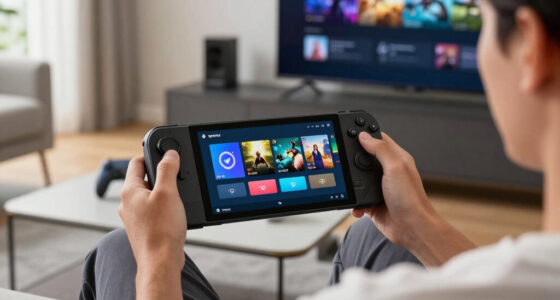
Steam Deck compatible game controller
As an affiliate, we earn on qualifying purchases.
As an affiliate, we earn on qualifying purchases.
What Today’s Deck Snapshot Gives You Before You Buy
Steam Deck Verified Status on June 22, 2026 gives you a quick risk check before you spend money: all three tracked games – MECCHA CHAMELEON, Ramen Simulator, and Idle Startup – are listed as Playable in this Skeldrift briefing, with no Verified title in the batch.
According to Steam, Deck compatibility uses four public badges: Verified, Playable, Unsupported, and Unknown [1]. Steam also says tested titles keep their rating across Steam Deck LCD and OLED, so your screen model does not split the badge.
Think of the badge like the small sticker on a train ticket. It does not tell you whether the trip will be magical; it tells you whether you should expect a smooth boarding or a few awkward taps before the ride starts.
As an affiliate, we earn on qualifying purchases.
Which New Games Need Small Tweaks Today
Steam Deck Verified Status matters here because Playable changes what you pack into a session: maybe a controller layout check, maybe a touchscreen tap, maybe a sharper look at tiny text. Today’s three-game snapshot gives you one clean pattern: every listed title is Playable, while the store details differ sharply.
| Game | June 22 badge | Store signal | Deck-owner read |
|---|---|---|---|
| MECCHA CHAMELEON | Playable | Released June 9, 2026, with English reviews at 86% positive from 9,527 reviews on its Steam page [3]. | Best for players who want online hide-and-seek energy. Check chat, online play, and regional age-rating details before handing it to a younger player. |
| Ramen Simulator | Playable | Listed as to be announced, with no user reviews on its Steam page [3]. | Best as a wishlist watch. Recheck the badge near launch because cooking sims often live or die by small UI prompts. |
| Idle Startup | Playable | Steam lists June 21, 2026, no user reviews, free-to-play tags, in-app purchases, Steam Cloud, and Proton support language [3]. | Best for short check-ins. Watch the in-app purchase label and confirm the live store button in your region. |
If you have 15 minutes before bed, MECCHA CHAMELEON is the boldest gamble: loud, candy-colored hiding spots, quick reads, and online play that may feel great or fussy depending on control details. Ramen Simulator is the slow-simmer wishlist pick, while Idle Startup looks built for quick taps and progress bars.
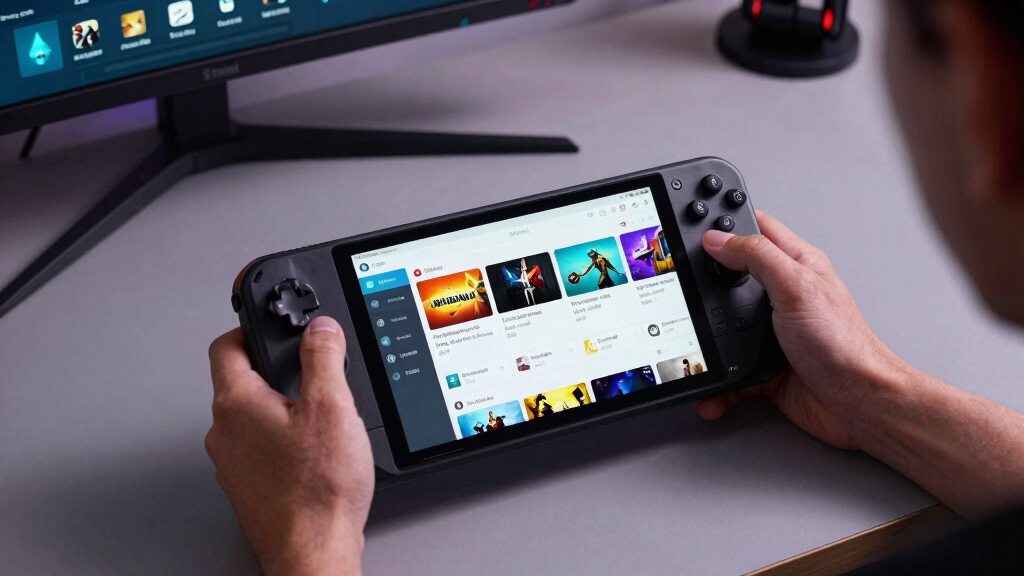
Steam Deck portable gaming accessories
As an affiliate, we earn on qualifying purchases.
As an affiliate, we earn on qualifying purchases.
What Playable Means When the Fan Starts Humming
What do you actually get from a Playable badge? You get a game that functions on Deck, but Valve’s review has found friction that may ask for manual work, such as selecting a community controller layout, opening the on-screen keyboard yourself, or using touch for a launcher [2].
If Playable were a texture, it would feel like a slightly rough grip: not broken, just not silk-smooth. For Ramen Simulator, that could mean reading ingredient labels on a small screen; for MECCHA CHAMELEON, it could mean testing whether every social and match flow feels natural with the Deck’s controls.
Playable is a green light with a footnote. You can start the game, but you should read the badge detail before you pack it for a flight or a couch session.
Steam Deck game compatibility badge
As an affiliate, we earn on qualifying purchases.
As an affiliate, we earn on qualifying purchases.
Verified Still Saves You the Most Fiddling
Steam Deck Verified Status is strictest at the Verified tier: Valve expects every reviewed compatibility check to pass before the badge appears. That means no user setup for core features, Deck-friendly controls, readable text, supported 1280×800 or 1280×720 display output, and Proton support when a Windows build runs through SteamOS [2].
- Input: The Deck’s built-in controls should reach the game’s full feature set without menu digging.
- Display: Text should stay readable on the handheld screen, including at Steam’s 12-inch or 30 cm review distance.
- Performance: Steamworks docs describe the Deck review target as a playable framerate at 30fps at 800p for the default configuration [2].
- System support: Proton, middleware, and anti-cheat need to cooperate when the game does not have a native Linux build.
That is why Verified feels quieter in your hands. You press play, hear the soft fan rise, and the game behaves more like a console title than a tiny PC asking for favors.
Check These 5 Things Before You Install
The fastest pre-install check is a five-minute pass through the store badge, compatibility details, reviews, and settings menu. Treat it like checking tire pressure before a road trip: dull for a moment, very nice when you avoid a flat halfway through the night.
- Open the Steam store page on Deck. The badge and detailed notes show what Valve’s testing found.
- Read the Playable reasons. Look for notes about controller layouts, launchers, keyboard input, or small text.
- Scan recent reviews. Filter for players who used Steam Deck when the review tools allow it, especially after a patch.
- Check content labels and age ratings. Do this for online play, in-game chat, in-app purchases, or household sharing.
- Test the first 20 minutes. If the game fights your thumbs right away, refund rules and your own patience both matter.
For Idle Startup, the in-app purchase label is the one to pause on. For MECCHA CHAMELEON, online interaction is the flag to check before a family account session.
Why a Badge Can Change After a Patch
Steam Deck Verified Status can change because Valve says compatibility review is ongoing, with new games, patches, and Deck software improvements arriving constantly [1]. A game can move upward after better controller support, or slide downward if a launcher, anti-cheat update, or codec problem gets in the way.
No rumors or leaks are included in today’s list. If you see a Discord screenshot claiming a badge change, treat it as unconfirmed until the Steam store page, Steam library badge, or an official developer post says the same thing.
A common Deck-owner scenario is simple: you played fine on Tuesday, then a patch adds a new login screen on Friday. Suddenly that once-invisible launcher feels like a sticky note glued over your screen.
Which Game Should You Try First on Deck
Pick your first download by session shape, not by badge pride: MECCHA CHAMELEON fits social chaos, Ramen Simulator fits a slow wishlist watch, and Idle Startup fits short check-ins. Since all three are Playable in this snapshot, your best choice depends on patience for small Deck friction.
- Choose MECCHA CHAMELEON if you want lively multiplayer rounds and do not mind checking controls before friends join.
- Choose Ramen Simulator if you want the warm, salty fantasy of building bowls of ramen, but wait for launch details and more player feedback.
- Choose Idle Startup if you want a low-pressure game that can fit between meetings, bus stops, or a kettle boiling in the kitchen.
The practical play is simple: install the game that matches your next real session. A 10-minute commute and a two-hour couch night ask for different things.
Frequently Asked Questions
Does Playable mean a game is bad on Steam Deck?
No. Playable means the game functions on Deck, but Valve found some friction that may require manual work [2]. That friction can be tiny, like tapping a launcher, or annoying, like text that feels too small after 30 minutes.
Were any of the June 22, 2026 games Verified?
No. In this Skeldrift snapshot, MECCHA CHAMELEON, Ramen Simulator, and Idle Startup are all listed as Playable, so the count is 3 Playable and 0 Verified.
Can I trust FPS claims for these three games?
Treat this article as badge-level guidance, not an FPS benchmark. Steamworks docs describe a 30fps at 800p target for the Steam Deck Verified review’s default-configuration performance check [2], but these three games are Playable in this briefing, not Verified.
Where should I recheck the current badge?
Use the live Steam store page or your Steam Deck library before buying. References used here: [1] https://www.steamdeck.com/en/verified, [2] https://partner.steamgames.com/doc/steamhardware/compat, [3] Steam store pages for app 4704690, app 3574020, and app 4779560.
Conclusion
Remember this: a Deck badge is not hype; it is a travel label. On June 22, 2026, the smart move is to treat MECCHA CHAMELEON, Ramen Simulator, and Idle Startup as Playable picks that deserve one quick badge-details check before you buy or install.
Do that, and your next Deck session starts with the soft click of the power button – not the dry scrape of surprise setup screens.
Fall Picks
fall essentials
As an affiliate, we earn on qualifying purchases.