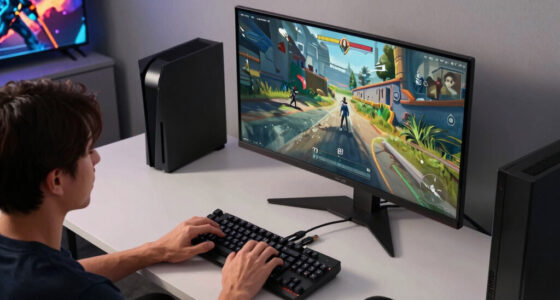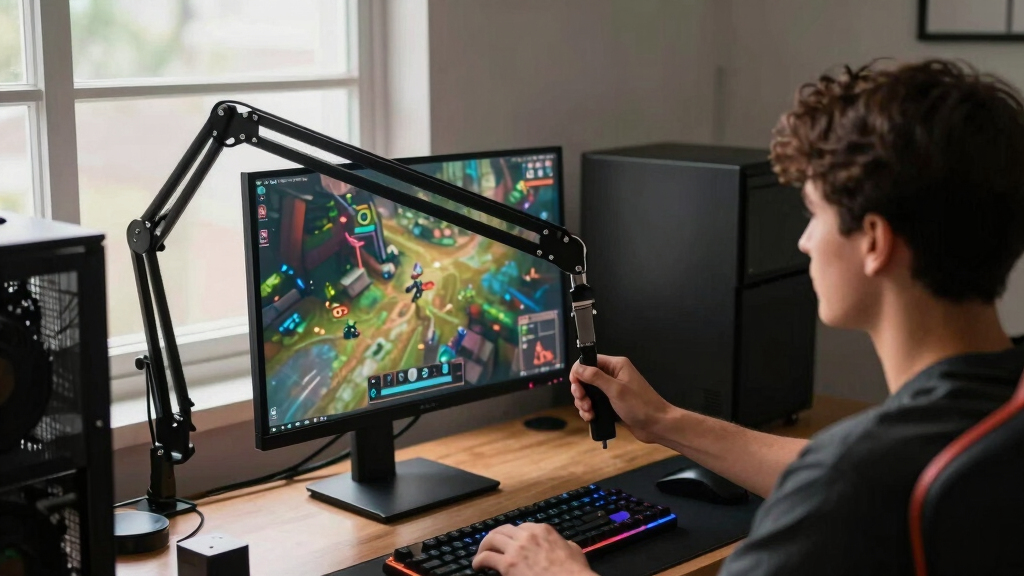

The best monitor arms for gaming setups make a desk cleaner, more adjustable, and better suited to long sessions, but the right pick depends heavily on monitor weight, screen size, and whether the setup is single, dual, or ultrawide. My best overall pick is the Ergotron LX Monitor Arm because it balances smooth adjustment, sturdy construction, and broad compatibility better than most gaming-branded options. The Secretlab Magnus Heavy Duty Monitor Arm is the standout for large ultrawides, while the VIVO Dual Monitor Stand makes more sense for budget dual-screen builds. The main tradeoff is between premium motion and load support versus price, desk space, and setup complexity. Keep reading for the full breakdown of which arm fits each kind of gaming setup.
Key Takeaways
- The Ergotron LX earns the best overall role because it is more balanced than the flashier gaming-branded arms: strong enough for many gaming monitors, smoother than budget models, and less specialized than the Secretlab ultrawide arm.
- Heavy ultrawide owners should not shop like regular 27-inch monitor users; the Secretlab Magnus Heavy Duty Edition is the clearest specialty pick because it targets very large screens that many standard arms cannot handle.
- Dual-monitor buyers split into two groups: the MSI MPG MT161DR suits heavier, premium dual setups, while the VIVO Dual Monitor Stand is better for buyers who want usable adjustability at a lower price.
- Gas spring arms from Acer, MSI, and HUANUO offer easier repositioning than mechanical arms, but they also demand more careful weight matching so screens stay where they are placed.
- RGB and gaming branding add style, yet the strongest ranking factors here are stability, monitor compatibility, cable control, and how easily the arm clears space for mouse movement.
| MSI MPG MT161DR Premium RGB Dual Monitor Stand Arms |  | Best Overall Dual Arm for Big Gaming Displays | Supported Screen Size: 17-38 inches | Weight Capacity: 35.2 lbs per monitor | VESA Compatibility: 75×75 mm, 100×100 mm | VIEW LATEST PRICE | See Our Full Breakdown |
| Acer Single Monitor Mount Fully Adjustable Monitor Arm for 17-34 Inch Screens |  | Best Value Single Arm | Supported Screen Size: 17-34 inches | Weight Capacity: 4.4-19.8 lbs | VESA Compatibility: 75×75 mm, 100×100 mm | VIEW LATEST PRICE | See Our Full Breakdown |
| MSI MAG MT101DG Dual Monitor Stand Arm |  | Best Midrange Dual Arm | Supported Screen Size: 17-32 inches | Weight Capacity: Up to 22 lbs per arm | Movement: Tilt, swivel, rotate | VIEW LATEST PRICE | See Our Full Breakdown |
| Ergotron LX Monitor Arm, Single Monitor Desk Mount |  | Best Premium Single Arm | Supported Screen Size: Up to 34 inches | Weight Capacity: 7-25 lbs | VESA Pattern: 75×75 mm, 100×100 mm | VIEW LATEST PRICE | See Our Full Breakdown |
| HUANUO FlowLift Dual Monitor Stand |  | Best for First Dual-Monitor Setups | Supported Screen Size: 13-32 inches | Weight Capacity: 4.4-19.8 lbs per arm | VESA Compatibility: 75×75 mm, 100×100 mm | VIEW LATEST PRICE | See Our Full Breakdown |
| Acer Dual Monitor Arm with VESA Mounts for 17–32″ Screens |  | Best Midrange Dual-Arm Pick | Screen Size Compatibility: 17–32 inches | Weight Capacity: 4.4–19.8 lbs per monitor | VESA Compatibility: 75×75 mm and 100×100 mm | VIEW LATEST PRICE | See Our Full Breakdown |
| VIVO Dual Monitor Stand, Fully Adjustable Arms for 17 to 32 inch Screens |  | Best Budget Dual-Monitor Arm | Screen Compatibility: 17–32 inches | Weight Capacity: Up to 19.8 lbs per monitor | VESA Pattern: 75×75 mm and 100×100 mm | VIEW LATEST PRICE | See Our Full Breakdown |
| HUANUO FlowLift™ Pro Monitor Arm for 13–32″ Screens |  | Best Single-Arm Setup for Frequent Adjustments | Screen Size Range: 13–32 inches | Maximum Load: 19.8 lbs | VESA Patterns: 75×75 mm and 100×100 mm | VIEW LATEST PRICE | See Our Full Breakdown |
| ASUS ROG Ergo Monitor Arm (AAS01) |  | Best for Large ROG-Style Gaming Displays | Mounting Type: Tabletop mount | Compatible Devices: Monitors 14–39 inches | Maximum Supported Screen Size: 39 inches | VIEW LATEST PRICE | See Our Full Breakdown |
| Secretlab Magnus Monitor Arm (Heavy Duty Edition) |  | Best for Super-Ultrawide Gaming Monitors | Compatibility: Ultrawide monitors up to 57 inches | Weight Range: 18–35 lbs | Mounting Type: C-clamp | VIEW LATEST PRICE | See Our Full Breakdown |
| monitor arms for gaming setup | Weight Capacity | Mounting Options | Supported Screen Size | Rotation |
|---|---|---|---|---|
| MSI MPG MT161DR Premium RGB Du | 35.2 lbs per monitor | — | 17-38 inches | — |
| Acer Single Monitor Mount Full | 4.4-19.8 lbs | C-clamp and grommet | 17-34 inches | 360 degrees |
| MSI MAG MT101DG Dual Monitor S | Up to 22 lbs per arm | Clamp and grommet | 17-32 inches | — |
| Ergotron LX Monitor Arm | 7-25 lbs | Desk clamp and grommet mount | Up to 34 inches | 360 degrees |
| HUANUO FlowLift Dual Monitor S | 4.4-19.8 lbs per arm | Dual C-clamp and grommet | 13-32 inches | 360 degrees |
| Acer Dual Monitor Arm with VES | 4.4–19.8 lbs per monitor | C-clamp and grommet | — | 360° |
| VIVO Dual Monitor Stand | Up to 19.8 lbs per monitor | — | — | 360° |
| HUANUO FlowLift™ Pro Monitor A | — | C-clamp and grommet | — | — |
| ASUS ROG Ergo Monitor Arm | — | — | — | — |
| Secretlab Magnus Monitor Arm | — | — | — | — |
More Details on Our Top Picks
MSI MPG MT161DR Premium RGB Dual Monitor Stand Arms
I rank the MSI MPG MT161DR highest here because it solves the hardest gaming setup problem in this group: holding two large displays up to 38 inches without pushing buyers into a niche ultrawide mount like the Secretlab Magnus Heavy Duty. Compared with the MSI MAG MT101DG and HUANUO FlowLift Dual, this model gives more headroom per screen, so it makes better sense for heavy 32-inch panels or curved 34-inch displays. The RGB lighting also fits a gaming desk better than the cleaner Ergotron LX, though it will feel wasteful if the arm sits behind a wall of gear. The tradeoff is size and setup effort. This is not the neatest pick for a small desk, but it is the most flexible dual-arm choice for ambitious battlestations.
Pros:- Very high 35.2 lb capacity per monitor
- Supports larger screens than most dual-arm options in this batch
- Clamp and grommet mounting work with more desk layouts
- Quick-release VESA plates make screen installation less awkward
Cons:- RGB lighting adds cost and may be hidden behind monitors
- Large dual-arm frame can crowd shallow desks
- Assembly takes more patience than a single-arm mount
Best for: PC gamers running two large or heavy monitors who want strength, adjustability, and setup lighting in one dual-arm mount.
Not ideal for: Minimalist desk users or anyone with non-VESA monitors, since the RGB and dual-arm frame add bulk without helping a simpler setup.
- Supported Screen Size:17-38 inches
- Weight Capacity:35.2 lbs per monitor
- VESA Compatibility:75×75 mm, 100×100 mm
- Mounting Type:Spring assisted
- Base Options:Clamp and grommet
- Clamp Thickness Range:10-80 mm
- Grommet Thickness Range:10-40 mm
- Lighting:RGB
- Color:Black
Our verdict“This is the dual-arm pick I would choose for a high-end gaming desk with two large displays.”
Acer Single Monitor Mount Fully Adjustable Monitor Arm for 17-34 Inch Screens
The Acer Single Monitor Mount is the practical value play for gamers who care more about screen position than desk-showpiece hardware. It lacks the dual-display capacity of the MSI MPG MT161DR and the premium reputation of the Ergotron LX, but its gas spring adjustment, wide tilt range, and 360-degree rotation cover the real needs of a single-monitor gaming station. The 4.4 to 19.8 lb range works for many 27-inch and lighter 32-inch displays, making it a smarter buy than a heavy-duty arm if the monitor is not especially demanding. The catch is desk fit. The clamp system is less forgiving on curved edges, double shelves, or odd desk lips, and the spring tension may need careful dialing before the screen stays exactly where I want it.
Pros:- Good motion range for aiming the screen around different play styles
- Gas spring height adjustment helps clear keyboard and mouse space
- Supports both clamp and grommet installation
- Strong price-to-feature balance for a single-monitor setup
Cons:- Lower weight limit than the Ergotron LX
- Desk compatibility is pickier than the spec sheet first suggests
- Spring tension may need repeated adjustment with some monitors
Best for: Single-monitor gamers using a 24- to 32-inch VESA display who want full motion adjustment without paying for premium hardware.
Not ideal for: Owners of very heavy 34-inch monitors or desks with shelves, curved edges, or unusual undersides that can interfere with clamping.
- Supported Screen Size:17-34 inches
- Weight Capacity:4.4-19.8 lbs
- VESA Compatibility:75×75 mm, 100×100 mm
- Tilt Range:-60 degrees to +90 degrees
- Swivel Range:±90 degrees
- Rotation:360 degrees
- Maximum Height Adjustment:18.1 inches
- Mounting Options:C-clamp and grommet
- Desk Thickness Compatibility:15-80 mm
Our verdict“This is the best fit for a budget-conscious gamer building a clean single-screen desk.”
MSI MAG MT101DG Dual Monitor Stand Arm
The MSI MAG MT101DG sits in the middle of this lineup: stronger and more gaming-branded than the HUANUO FlowLift Dual, but less extreme than the MSI MPG MT161DR. That makes it appealing for a common setup with two 27-inch or 32-inch monitors where 22 lbs per arm is enough and paying for 38-inch support would be overkill. Its tilt, swivel, and rotation help align a main gaming panel with a chat, stream, or Discord screen, which is where dual arms earn their desk space. Compared with the Acer Single Monitor Mount, this is clearly the better multitasking pick, but it also brings more width and visual mass. Smaller desks may feel crowded, and gas spring arms can require periodic tuning as monitor weight and position change.
Pros:- Handles two monitors up to 32 inches
- 22 lb per-arm capacity suits many gaming displays
- Tilt, swivel, and rotation support mixed landscape and portrait layouts
- Clamp and grommet options help adapt to different desks
Cons:- Not as strong as the MSI MPG MT161DR for oversized monitors
- Dual-arm footprint may be too large for narrow desks
- Gas spring tension may need later readjustment
Best for: Gamers with two standard-size monitors who want a balanced dual-arm mount for play, chat, streaming, and productivity.
Not ideal for: Ultrawide users or compact-desk owners, since the arm is built for two separate screens and can feel bulky.
- Supported Screen Size:17-32 inches
- Weight Capacity:Up to 22 lbs per arm
- Movement:Tilt, swivel, rotate
- Maximum Tilt Angle:80 degrees
- Mounting Type:Tabletop mount
- Mounting Options:Clamp and grommet
- VESA Mounting:Quick-release VESA plates
- Material:Metal
- Color:Black
Our verdict“This is the sensible dual-arm upgrade for gamers who want two screens without moving into heavy-duty pricing.”
Ergotron LX Monitor Arm, Single Monitor Desk Mount
The Ergotron LX is the premium single-monitor choice because it favors long-term polish over gamer styling. Compared with the Acer Single Monitor Mount, it supports a heavier 7 to 25 lb range and has a cleaner, more refined look, which matters for setups that double as workstations or streaming desks. It is not as flashy as the MSI MPG MT161DR, and it does not solve dual-monitor layouts, but the 17.3-inch height range, 75-degree tilt, and 360-degree rotation give plenty of control for a main gaming display. The main drawback is cost versus capacity: buyers with a lighter 27-inch screen can spend less and get similar basic motion from Acer. Installation can also feel weighty, especially on desks where access behind the monitor is tight.
Pros:- Premium build quality and restrained matte black design
- Higher weight support than many value single arms
- Strong range of motion for dialing in viewing height and angle
- Integrated cable management keeps the desk cleaner
Cons:- Costs more than value-focused single arms
- Only supports one monitor
- Heavier installation process may be awkward for some desks
Best for: Gamers who use one high-quality monitor and want a clean, durable arm that also looks right in a work-focused setup.
Not ideal for: Dual-monitor battlestation builders or budget buyers with lightweight screens who do not need the higher weight rating.
- Supported Screen Size:Up to 34 inches
- Weight Capacity:7-25 lbs
- VESA Pattern:75×75 mm, 100×100 mm
- Mounting Options:Desk clamp and grommet mount
- Height Adjustment:Up to 17.3 inches
- Tilt:75 degrees
- Rotation:360 degrees
- Cable Management:Included
- Finish:Matte black
Our verdict“This is the single-arm pick for buyers who want sturdiness and a cleaner look more than RGB or dual-screen capacity.”
HUANUO FlowLift Dual Monitor Stand
The HUANUO FlowLift Dual Monitor Stand makes the most sense for a first dual-screen gaming setup because it focuses on stability, desk cleanup, and easy positioning rather than oversized capacity. Compared with the MSI MAG MT101DG, it has a lower 4.4 to 19.8 lb per-arm range, so I would pair it with common 24- to 27-inch monitors instead of heavier 32-inch panels. The upgraded dual C-clamp base is the standout feature for buyers worried about wobble while typing, clicking, or adjusting screens. Its limits are stricter than most: wooden desks are recommended, glass and plastic desks are out, and cross beams under the desktop can block installation. For the right desk, though, it is a clean way to lift two monitors and free room for gaming peripherals.
Pros:- Dual C-clamp base is designed to reduce wobble
- Full-motion adjustment supports portrait and landscape layouts
- Raises both screens to free desk space for gaming gear
- Cable management helps keep wires off the main play area
Cons:- Only recommended for wooden desks
- Lower per-arm capacity than MSI dual-arm options
- Underside cross beams or panels can prevent installation
Best for: New dual-monitor users with a wooden desk and two standard VESA screens who want more space for mouse movement and accessories.
Not ideal for: Glass-desk owners, plastic-desk users, or gamers with heavy 32-inch monitors that push close to the arm’s weight limit.
- Supported Screen Size:13-32 inches
- Weight Capacity:4.4-19.8 lbs per arm
- VESA Compatibility:75×75 mm, 100×100 mm
- Tilt Range:+85 degrees / -50 degrees
- Swivel Range:±90 degrees
- Rotation:360 degrees
- Maximum Height:15.75 inches
- Mounting Options:Dual C-clamp and grommet
- Desk Thickness:0.59-3.54 inches
Our verdict“This is the approachable dual-arm choice for standard monitors, as long as the desk matches its mounting rules.”
Acer Dual Monitor Arm with VESA Mounts for 17–32″ Screens
I’d place the Acer Dual Monitor Arm here because it balances gaming-desk flexibility with a friendlier spec sheet than heavier, flashier mounts. Compared with the VIVO Dual Monitor Stand, Acer gives a gas spring feel and broad angle control, which matters when one screen is for play and the second is for chat, maps, or streaming tools. It is less specialized than the Secretlab Magnus Heavy Duty Edition, but that is the point: this is for standard dual 17–32 inch setups, not giant ultrawides. The tradeoff is clearance. The 21.25-inch extension needs space behind the desk, and the 18.1-inch height range may feel limiting on extra-tall desks.
Pros:- Gas spring movement makes screen changes smoother than basic mechanical dual arms
- Supports common 17–32 inch gaming monitor sizes at up to 19.8 lbs per screen
- C-clamp and grommet mounting give more desk-fit flexibility
- Wide tilt, swivel, and 360-degree rotation support stacked or side-by-side layouts
Cons:- Not suitable for glass or plastic desktops
- Rear extension can create wall-clearance problems on compact desks
- Height range may not satisfy very tall users or tall desk setups
Best for: Gamers running two standard 17–32 inch monitors who want smooth repositioning without paying for an ultrawide-focused arm.
Not ideal for: Glass-desk users or players with shallow desks against a wall, since the mount needs a solid surface and rear clearance.
- Screen Size Compatibility:17–32 inches
- Weight Capacity:4.4–19.8 lbs per monitor
- VESA Compatibility:75×75 mm and 100×100 mm
- Maximum Height Adjustment:18.1 inches
- Maximum Extension:21.25 inches
- Mounting Options:C-clamp and grommet
- Tilt Range:+90° / -60°
- Rotation:360°
Our verdict“I’d choose this for a balanced dual-monitor gaming setup where adjustability matters more than premium branding.”
VIVO Dual Monitor Stand, Fully Adjustable Arms for 17 to 32 inch Screens
The VIVO Dual Monitor Stand makes the most sense when budget and basic dual-screen order matter more than premium movement. Compared with the Acer Dual Monitor Arm, it feels more practical than refined: the adjustment range is strong on paper, with 180-degree swivel and full rotation, but the mechanical arms are less gaming-luxe than gas or spring systems. For a player who wants two 27-inch displays off the desk, that tradeoff can be fair. I’d rank it below Acer for smooth daily repositioning, yet above more specialized arms for affordability. The main catch is desk clearance, since the arms can extend past the rear edge, and VESA-only compatibility rules out some stylish gaming monitors.
Pros:- Strong value for lifting two 17–32 inch monitors off the desk
- Wide tilt, swivel, and rotation support mixed portrait and landscape layouts
- Works with both clamp and grommet mounting setups
- Included hardware and instructions make it approachable for first-time buyers
Cons:- Rear arm position can require more clearance than shallow gaming desks allow
- Mechanical feel is less fluid than gas spring options
- Only works with 75×75 mm or 100×100 mm VESA monitors
Best for: Budget-conscious gamers building a two-screen command center with standard VESA-compatible monitors.
Not ideal for: Wall-hugging desks or non-VESA monitors, because the rear arm travel and mount pattern limits can get in the way.
- Screen Compatibility:17–32 inches
- Weight Capacity:Up to 19.8 lbs per monitor
- VESA Pattern:75×75 mm and 100×100 mm
- Tilt:+90° to -90°
- Swivel:180°
- Rotation:360°
- Clamp Size:Up to 3.1 inches
- Grommet Mount Size:Up to 1.9 inches
Our verdict“I’d pick the VIVO if the goal is a cleaner dual-monitor gaming desk at the lowest sensible spend.”
HUANUO FlowLift™ Pro Monitor Arm for 13–32″ Screens
The HUANUO FlowLift Pro earns its spot as the single-monitor arm I’d favor for players who reposition their display often. Compared with the Acer Single Monitor Mount, the appeal is the more polished setup story: a tool-free VESA plate, quick release, and a visible tension window make fine-tuning less vague. It is not the pick for heavy ultrawides; the ASUS ROG Ergo and Secretlab Magnus Heavy Duty Edition both cover larger screens better. For a 24- to 32-inch gaming monitor, though, the MechaSpring arm is aimed at stable day-to-day movement. The downside is sensitivity: buyers who rarely move their display may not benefit from the tuning system, and desk thickness limits still matter.
Pros:- Tool-free VESA plate and quick-release design simplify installation
- Tension feedback window helps dial in support for different monitor weights
- MechaSpring construction is built for repeated repositioning
- Supports both clamp and grommet mounting
Cons:- Single-arm design will not suit dual-screen gaming setups
- Tension adjustment may feel too sensitive for set-and-forget users
- Limited to VESA-compatible 13–32 inch monitors up to 19.8 lbs
Best for: Single-monitor gamers who adjust screen height and angle often between competitive play, work, and media use.
Not ideal for: Ultrawide owners or users with unusual desk thicknesses, since it is built around 13–32 inch VESA screens and 0.59–3.54 inch desks.
- Screen Size Range:13–32 inches
- Maximum Load:19.8 lbs
- VESA Patterns:75×75 mm and 100×100 mm
- Desk Thickness:0.59–3.54 inches
- Material:90% professional-grade metal
- Mounting Options:C-clamp and grommet
- Adjustment Features:Tilt, swivel, and rotation
- Installation:Tool-free VESA plate and quick-release
Our verdict“I’d choose this for a main gaming monitor that gets moved often and needs precise, repeatable positioning.”
ASUS ROG Ergo Monitor Arm (AAS01)
I’d slot the ASUS ROG Ergo Monitor Arm above standard single arms when the monitor is bigger than the usual 32-inch panel. It supports displays up to 39 inches, giving it more headroom than the HUANUO FlowLift Pro, while staying less extreme than the Secretlab Magnus Heavy Duty Edition. That makes it a smart middle ground for large flat or curved gaming screens that do not reach super-ultrawide size. The mechanical spring system should suit gamers who want smooth height, tilt, swivel, and pivot changes without a bulky dual-arm frame. The limitation is compatibility: it is tied to VESA 100×100 mm, weight support can vary by monitor shape, and cable management is weaker than Secretlab’s built-in approach.
Pros:- Handles larger monitors than most standard single arms
- Mechanical spring movement supports frequent ergonomic changes
- Metal and alloy steel construction suits heavier gaming displays
- Full height, tilt, swivel, and pivot adjustment
Cons:- Limited to VESA 100×100 mm monitor mounts
- Weight support can vary between flat and curved displays
- No included cable management accessories
Best for: Gamers with a large 34–39 inch display who want a branded, sturdy single-arm mount without moving into super-ultrawide hardware.
Not ideal for: Owners of 75×75 mm VESA monitors or buyers who need integrated cable accessories, since this arm is narrower on mounting and cable features.
- Mounting Type:Tabletop mount
- Compatible Devices:Monitors 14–39 inches
- Maximum Supported Screen Size:39 inches
- Minimum Supported Screen Size:14 inches
- Maximum Weight Support:Up to 23.35 lbs
- Maximum Tilt Angle:80 degrees
- Movement Type:Rotate and tilt
- Material:Alloy steel and metal
Our verdict“I’d pick the ASUS ROG Ergo for a large premium gaming monitor that is too much for basic arms but not big enough to need Secretlab’s heavy-duty mount.”
Secretlab Magnus Monitor Arm (Heavy Duty Edition)
The Secretlab Magnus Monitor Arm Heavy Duty Edition is the most specialized pick in this batch, and I’d rank it highest only for the right kind of setup. Compared with the ASUS ROG Ergo, it supports far larger displays: up to 57 inches and 35 lbs, which puts it in super-ultrawide territory. That matters for sim racing, flight setups, and immersive PC desks where a normal arm can sag or feel overmatched. It also beats the VIVO and Acer dual arms for cable neatness thanks to magnetic cable sheaths. The tradeoff is focus. It is overbuilt for smaller monitors, only uses a C-clamp, and demands a sturdy desk within its thickness range.
Pros:- Supports ultrawide monitors up to 57 inches and 35 lbs
- Premium tensile spring mechanism is built for heavy display movement
- Magnetic cable sheaths help keep a high-end gaming desk tidy
- Detachable dual VESA handles simplify mounting large screens
Cons:- Too specialized and likely excessive for smaller gaming monitors
- C-clamp-only mounting limits desk compatibility
- Requires a sturdy desk between 10 mm and 50 mm thick
Best for: Players with heavy ultrawide or super-ultrawide monitors who need strong support and tidy cable routing.
Not ideal for: Standard 24–32 inch monitor users, because the heavy-duty design adds cost and bulk they are unlikely to use.
- Compatibility:Ultrawide monitors up to 57 inches
- Weight Range:18–35 lbs
- Mounting Type:C-clamp
- Desk Thickness:10 mm to 50 mm
- Spring System:Premium tensile spring mechanism
- VESA Features:Detachable dual VESA handles
- Cable Management:Built-in channels and magnetic cable sheaths
- Target Monitor Type:Large ultrawide gaming monitors
Our verdict“I’d choose the Secretlab only when a large ultrawide is the centerpiece of the gaming setup.”
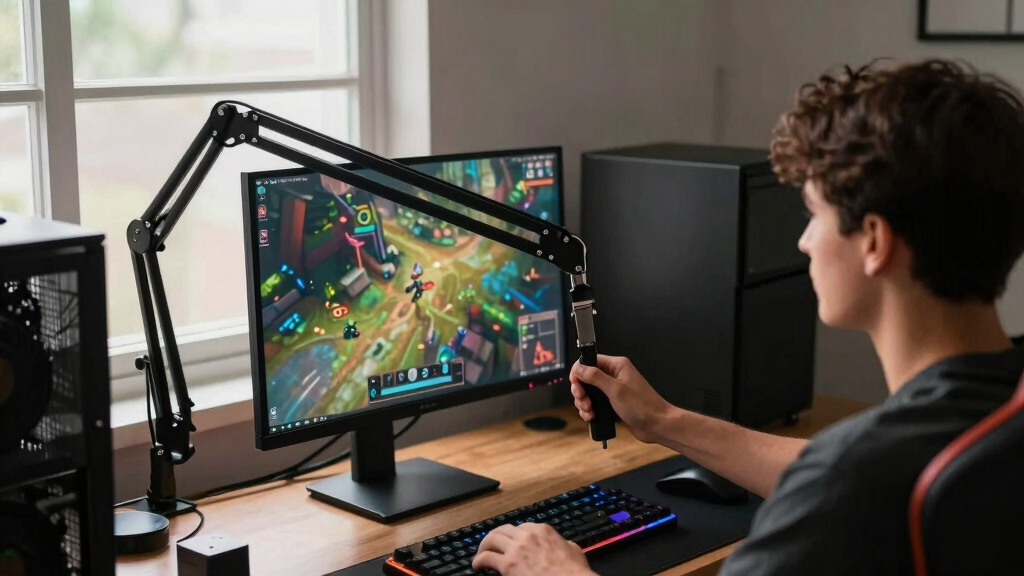
How We Picked
I ranked these monitor arms around the way gaming desks actually get used: screen stability during fast mouse movement, support for heavier panels, easy height and depth adjustment, and whether the mount frees up usable desk space instead of creating new clutter. Single-monitor arms were judged against other single-monitor options, while dual arms were compared for alignment control, per-arm weight limits, and how well they suit side-by-side gaming plus chat, streaming, or productivity screens.
The order favors arms that solve the widest range of gaming setup problems without forcing buyers into a narrow desk or monitor choice. That is why the Ergotron LX sits ahead of more gaming-styled models, why the Secretlab Magnus Heavy Duty Edition ranks as the premium ultrawide specialist, and why the VIVO Dual Monitor Stand remains relevant despite simpler mechanics. I gave extra weight to VESA compatibility, clamp and grommet mounting, cable management, and clear monitor-size limits because those details decide whether an arm works cleanly on day one.
| monitor arms for gaming setup | Mounting Options |
|---|---|
| MSI MPG MT161DR Premium RGB Du | — |
| Acer Single Monitor Mount Full | C-clamp and grommet |
| MSI MAG MT101DG Dual Monitor S | Clamp and grommet |
| Ergotron LX Monitor Arm | Desk clamp and grommet mount |
| HUANUO FlowLift Dual Monitor S | Dual C-clamp and grommet |
| Acer Dual Monitor Arm with VES | C-clamp and grommet |
| VIVO Dual Monitor Stand | — |
| HUANUO FlowLift™ Pro Monitor A | C-clamp and grommet |
| ASUS ROG Ergo Monitor Arm | — |
| Secretlab Magnus Monitor Arm | — |
Factors to Consider When Choosing Best Monitor Arms For Gaming Setups
Choosing among the best monitor arms for gaming setups is less about picking the strongest-looking mount and more about matching the arm to the monitor, desk, and play style. I would start with screen size, weight, and desk depth before thinking about extras like RGB, brand matching, or premium finishes.
Match The Arm To Your Monitor Weight
Weight rating matters more than screen size because two 32-inch gaming monitors can weigh very different amounts depending on panel type, casing, and stand design. A gas spring arm that is rated too low may slowly sag, while an arm rated far above the monitor weight may feel stiff and harder to position. This is why the Secretlab Magnus Heavy Duty Edition makes sense for giant ultrawides, while the HUANUO FlowLift Pro is better aimed at standard 13- to 32-inch screens. I would check the monitor weight without its factory stand, then leave some margin rather than buying at the exact limit. For dual setups, confirm the per-arm rating instead of only reading the total capacity.
Decide Between Single, Dual, And Ultrawide Setups
A single-arm setup is cleaner for players who use one main display and want maximum mouse space. Dual arms are better for streamers, multitaskers, and players who keep Discord, OBS, maps, or walkthroughs on a second screen. The tradeoff is that dual arms take more setup patience, especially when both monitors need to line up evenly. The MSI MAG MT101DG and Acer Dual Monitor Arm suit more flexible dual-screen builds, while the VIVO Dual Monitor Stand is the more cost-conscious route. Ultrawide users should treat their monitor as its own category because width creates leverage that can stress lighter arms.
Think About Desk Depth And Mounting Style
Most monitor arms use either a C-clamp, a grommet mount, or both, and the right choice depends on the desk more than the arm. A clamp is easy to install, but it needs a strong rear edge and enough clearance behind the desk. A grommet mount can feel cleaner and more secure, yet it requires a cable hole or a drilled opening. Thick desks, beveled edges, metal frames, and cable trays can all interfere with mounting, even when the monitor itself fits the arm. I would measure the rear lip of the desk before paying more for an arm with premium motion.
Prioritize Adjustment Range For Your Play Style
Fast adjustment matters if the same desk shifts between competitive gaming, controller play, work, and media viewing. Arms like the Ergotron LX stand out because they make height, reach, tilt, and rotation feel like part of the setup rather than a chore. Budget mechanical arms can still work well, but they often take more manual effort and may be less pleasant for frequent repositioning. If the monitor will stay in one place most of the time, value picks become more appealing. If the screen moves daily, paying more for smoother motion is easier to justify.
Do Not Overpay For Gaming Styling Alone
RGB and branded design can make a setup feel more cohesive, especially with MSI or ASUS ROG gear, but styling should not outrank fit and stability. The MSI MPG MT161DR is more compelling when its RGB, dual-arm format, and higher capacity all match the buyer’s setup. By contrast, a simpler arm can be the smarter purchase when the monitor is lighter and the desk layout is straightforward. Gaming desks benefit most from clear space, cable routing, and a screen position that supports posture during long sessions. Paying for looks makes sense only after the arm passes the practical checks.
Frequently Asked Questions
Is A Single Monitor Arm Or Dual Monitor Arm Better For Gaming?
A single monitor arm is usually better for players who focus on one main display and want the cleanest desk layout. A dual monitor arm makes more sense for streaming, multitasking, or keeping chat and system tools visible beside the game. The downside is that dual arms require more careful monitor matching, especially if the two screens have different sizes or weights. I would choose the Ergotron LX or Acer single arm for a focused setup, and the MSI MAG MT101DG, HUANUO FlowLift Dual, or VIVO Dual Monitor Stand for two-screen desks. If one monitor is much larger, two separate single arms may be easier to align than one shared dual mount.
Can A Monitor Arm Hold A Curved Or Ultrawide Gaming Monitor?
Yes, but curved and ultrawide monitors need extra attention because their width creates more leverage than a standard flat panel. The total weight may fit on paper while the arm still struggles to keep the screen level. That is why the Secretlab Magnus Heavy Duty Edition is the safest specialty pick in this lineup for very large ultrawides. For smaller curved screens, arms like the Ergotron LX or stronger MSI models may work if the weight and VESA pattern match. I would avoid stretching a budget arm to its maximum rating with a wide curved display.
Are Gas Spring Monitor Arms Better Than Mechanical Arms For Gaming?
Gas spring arms are better when the screen position changes often because they usually move more smoothly with less effort. That helps if the desk switches between keyboard and mouse play, controller gaming, video calls, and work. Mechanical arms can still be dependable, and the VIVO Dual Monitor Stand shows why they remain appealing for budget dual setups. The catch is that gas spring arms must be tensioned correctly for the monitor weight, or they can drift upward or sag. I would pay for gas spring motion when adjustability is part of the daily routine.
What Should I Check Before Buying A Monitor Arm For A Gaming Desk?
Start with monitor weight without the stand, VESA pattern, screen size, and whether the desk supports a clamp or grommet mount. Then check desk thickness, rear clearance, and whether a cable tray or wall blocks the arm from moving backward. Gaming setups also need enough room for mouse movement, so the base location matters more than many buyers expect. If the desk is shallow, a compact arm may feel better than a long-reaching premium model. I would measure first, then choose between single, dual, or heavy-duty support.
When Is It Worth Paying More For A Premium Monitor Arm?
A premium arm is worth paying for when the monitor is expensive, heavy, frequently repositioned, or central to a long gaming and work setup. The Ergotron LX earns its higher price by offering smoother adjustment and stronger all-around build quality than most value arms. The Secretlab Magnus Heavy Duty Edition justifies its premium role for very large ultrawides that cheaper arms are not built to handle. If the monitor is light and rarely moves, the extra spend may not change the daily experience much. In that case, the Acer, HUANUO, or VIVO options can deliver better value.
Conclusion
For most gaming desks, I would start with the Ergotron LX Monitor Arm as the best overall pick because it blends stability, smooth motion, and broad compatibility without leaning on gaming styling alone. The VIVO Dual Monitor Stand is the best value choice for budget dual-screen setups, while the Secretlab Magnus Heavy Duty Edition is the best premium pick for ultrawide and super-ultrawide users. Beginners should look at the Acer Single Monitor Mount or HUANUO FlowLift Pro because they keep the setup simpler than heavier dual-arm systems. For RGB-focused dual setups, the MSI MPG MT161DR is the more style-forward choice, and for practical dual gaming plus productivity, the MSI MAG MT101DG and Acer Dual Monitor Arm are easier fits. My final advice is simple: buy for your monitor’s weight, your desk’s mounting limits, and how often the screen needs to move.