
The Thermalright Peerless Assassin 120 SE is my best overall pick among the best CPU coolers for gaming PCs because it balances strong gaming thermals, low cost, and fewer long-term failure points than most liquid coolers. For hotter CPUs or showcase builds, the ARCTIC Liquid Freezer III Pro 360 A-RGB stands out for raw cooling headroom, while the CORSAIR Titan 360 RX LCD makes more sense for buyers who want premium control and a built-in display. The main tradeoffs are air versus liquid cooling, case fit, noise, installation effort, and how much budget should go toward screens or RGB instead of pure thermal performance. I ranked these coolers by how well they serve real gaming PC builds, not by specs alone. Continue reading for the full breakdown of where each cooler wins, where it falls short, and which one fits your build.
Key Takeaways
- Thermalright Peerless Assassin 120 SE earns the top spot because it gives most gaming CPUs enough cooling without the cost, pump noise, or long-term risk of a 360mm AIO.
- ARCTIC Liquid Freezer III Pro 360 A-RGB is the strongest fit for high-power CPUs, especially when sustained boost behavior matters more than a display or brand polish.
- CORSAIR Titan 360 RX LCD and TRYX Panorama SE 360 are premium showcase picks, but their screens make more sense for themed builds than value-focused gaming rigs.
- Cooler Master Hyper 212 Black remains the easiest beginner recommendation, but it is better for midrange CPUs than for power-hungry chips under long gaming sessions.
- PCCOOLER DC360 and Minorsonic 360mm AIO bring liquid-cooling features down in price, yet buyers give up some brand confidence and long-term track record compared with Corsair or ARCTIC.
| Thermalright Peerless Assassin 120 SE CPU Cooler |  | Best Overall Air Cooler | Cooling Method: Air | Heat Pipes: 6 x 6mm pure copper with AGHP technology | Fans: Dual 120mm TL-C12C PWM | VIEW LATEST PRICE | See Our Full Breakdown |
| CORSAIR Nautilus 360 RS ARGB Liquid CPU Cooler |  | Best Mainstream 360mm AIO | Cooling Type: 360mm all-in-one liquid cooling | Fans: 3 x RS120 ARGB | Noise Level: 20 dBA | VIEW LATEST PRICE | See Our Full Breakdown |
| TRYX Panorama SE 360 ARGB 360mm AIO Cooler |  | Best Showcase Cooler | Cooling Method: 360mm water cooling AIO | Display: 6.67-inch rotatable curved AMOLED | Display Specs: 2K, 60Hz, 400 nits, 372 PPI | VIEW LATEST PRICE | See Our Full Breakdown |
| Cooler Master Hyper 212 Black CPU Air Cooler |  | Best Beginner Air Cooler | Cooling Method: Air | Heat Pipes: 4 copper heat pipes | Fan: 120mm SickleFlow 120 Edge PWM | VIEW LATEST PRICE | See Our Full Breakdown |
| Kalemax Dual-Tower CPU Cooler with ARGB Fans |  | Best Value ARGB Air Cooler | Cooling Method: Air | TDP Support: 265W | Heat Pipes: 6 pure copper heat pipes | VIEW LATEST PRICE | See Our Full Breakdown |
| CORSAIR Titan 360 RX LCD Liquid CPU Cooler with RGB Fans and IPS Display | 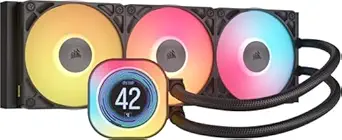 | Best Premium Ecosystem Pick | Cooling Type: All-in-one liquid CPU cooler | Radiator Size: 360mm | Display: 2.1-inch IPS LCD, 480 x 480 resolution | VIEW LATEST PRICE | See Our Full Breakdown |
| Minorsonic AIO CPU Cooler, 360mm AIO with High-Speed Ceramic Bearing Pump | 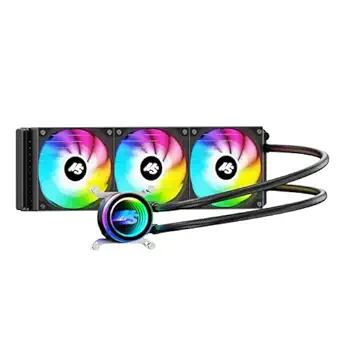 | Best Budget 360mm AIO | Cooling Type: All-in-one liquid CPU cooler | Radiator Size: 360mm | Pump: Ceramic-bearing pump, 3000 RPM | VIEW LATEST PRICE | See Our Full Breakdown |
| PCCOOLER CPU Cooler, 360mm AIO Liquid Cooling with 2.4-inch IPS Display | 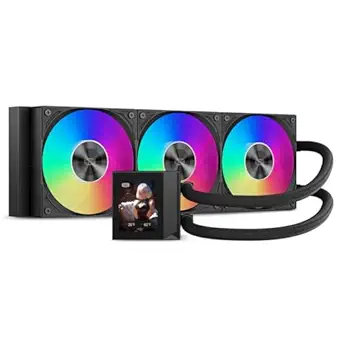 | Best Big-Screen LCD Value | Cooling Type: All-in-one liquid CPU cooler | Radiator Size: 360mm | Display: 2.4-inch IPS | VIEW LATEST PRICE | See Our Full Breakdown |
| ARCTIC Liquid Freezer III Pro 360 A-RGB All-in-One Liquid CPU Cooler |  | Best Thermal-First Pick | Cooling Type: All-in-one liquid cooling | Radiator Size: 360mm | Fan Layout: 3 x 120mm fans | VIEW LATEST PRICE | See Our Full Breakdown |
More Details on Our Top Picks
Thermalright Peerless Assassin 120 SE CPU Cooler
The Thermalright Peerless Assassin 120 SE earns my air-cooling lead because it balances dual-tower thermal headroom, low listed noise, and broad socket support without pushing buyers into liquid cooling. Compared with the Cooler Master Hyper 212 Black, it gives gaming PCs more cooling surface area and two fans, making it a better fit for hotter Ryzen 7 or Core i7 builds. Against the Kalemax Dual-Tower, it trades flashier ARGB styling for a more proven, quieter-leaning spec sheet. The catch is fit: at 155mm tall with a dual-fan layout, it can crowd tall RAM or compact mid-towers. I would rank it above the budget-style air options, but below 360mm AIOs for extreme CPUs or heavy all-core workloads.
Pros:- Six AGHP copper heat pipes give it strong heat transfer for demanding gaming CPUs
- Dual 120mm PWM fans move more air than single-tower options like the Hyper 212 Black
- Listed noise stays modest at 25.6 dB(A) or lower
- Broad AMD AM4/AM5 and Intel LGA 1700/1200/115X support
Cons:- Large dual-tower footprint may block tall memory modules
- AMD installs require the existing motherboard backplate
- Can become more audible when both fans ramp under heavy CPU load
Best for: Gaming PC builders who want strong air cooling for mainstream high-performance CPUs without adding pump noise or radiator mounting.
Not ideal for: Small-form-factor builders or anyone using tall RGB memory, since the dual-tower body can interfere with nearby DIMM slots.
- Cooling Method:Air
- Heat Pipes:6 x 6mm pure copper with AGHP technology
- Fans:Dual 120mm TL-C12C PWM
- Fan Speed:1550 RPM ±10%
- Airflow:66.17 CFM
- Noise Level:≤25.6 dB(A)
- Dimensions:125 x 135 x 155mm
- Compatibility:AMD AM4/AM5; Intel 115X/1200/1700
Bottom line: This is my air-cooler pick for gamers who want serious performance before paying for a 360mm liquid cooler.
CORSAIR Nautilus 360 RS ARGB Liquid CPU Cooler
The CORSAIR Nautilus 360 RS ARGB sits in my lineup as the sensible 360mm liquid option: more radiator capacity than the Peerless Assassin 120 SE, but less display-focused excess than the TRYX Panorama SE 360. For gaming PCs with modern Intel or AMD chips, the convex cold plate and three RS120 ARGB fans should help keep boost clocks steadier during long sessions. The daisy-chained setup also reduces cable clutter, which matters in glass-sided builds. Its tradeoff is control: advanced RGB tuning needs an optional iCUE controller, so the lighting appeal depends on how much Corsair ecosystem gear a buyer already owns. It is also pricier than air cooling, making it a better match for performance builds than value-first systems.
Pros:- 360mm radiator gives more thermal capacity than tower air coolers in this batch
- Three RS120 ARGB fans with AirGuide design support directed airflow
- Daisy-chained fan connections make cable routing cleaner
- Pre-applied thermal paste simplifies installation
Cons:- Advanced RGB customization requires an optional iCUE controller
- Costs more than air coolers such as the Peerless Assassin 120 SE
- Needs a case with proper 360mm radiator support
Best for: Gamers building a full-size case around a hot Intel LGA 1700/1851 or AMD AM5 CPU who want a clean 360mm AIO without a screen.
Not ideal for: Budget-focused builders who would rather put extra money into the GPU, since a strong air cooler costs less.
- Cooling Type:360mm all-in-one liquid cooling
- Fans:3 x RS120 ARGB
- Noise Level:20 dBA
- Cold Plate:Convex cold plate
- Thermal Paste:Pre-applied
- Compatibility:Intel LGA 1851/1700; AMD AM5/AM4
- Connectors:4-pin PWM + 5V ARGB
- Voltage:12V
Bottom line: This is the AIO I would point to for gaming builds that need 360mm cooling without paying mainly for a pump-top display.
TRYX Panorama SE 360 ARGB 360mm AIO Cooler
The TRYX Panorama SE 360 ARGB is the most style-driven pick here, and I would choose it only when the cooler is meant to be a centerpiece. Compared with the CORSAIR Nautilus 360 RS ARGB, it adds a 6.67-inch curved AMOLED screen, rotatable mounting, and custom media playback, so it suits display-heavy gaming PCs far better than quiet understated builds. The Asetek Adela pump, 280W TDP rating, and 360mm radiator keep it relevant as a cooler rather than just a visual add-on. Still, the drawbacks are real: software, screen care, added cost, and more installation planning. It is overbuilt for most midrange gaming rigs, while the Peerless Assassin is much easier to justify on value.
Pros:- Large curved AMOLED screen gives it the strongest visual identity in this group
- Asetek Adela pump and 280W TDP rating suit high-end gaming CPUs
- Rotatable screen helps align the display in different case layouts
- Pre-installed ROTA ARGB fans reduce setup steps
Cons:- Likely far more expensive than performance-first options without screens
- KANALI software adds another layer to manage
- Large radiator and display assembly need careful case clearance checks
Best for: Showcase PC builders with a glass case who want a 360mm AIO that doubles as a customizable visual display.
Not ideal for: Minimalist or value-focused gamers, because much of the appeal comes from the AMOLED screen and software features.
- Cooling Method:360mm water cooling AIO
- Display:6.67-inch rotatable curved AMOLED
- Display Specs:2K, 60Hz, 400 nits, 372 PPI
- Pump:Asetek Adela
- TDP Rating:280W
- Fans:3 x 120mm ROTA ARGB with FDB bearings
- Noise Level:Up to 27.86 dB(A)
- Airflow:66.09 CFM
- Compatibility:Intel LGA 1851/1700/1200/115X; AMD AM5/AM4
Bottom line: This is for builders who want high-end cooling and a dramatic case display, not for shoppers chasing pure price-to-performance.
Cooler Master Hyper 212 Black CPU Air Cooler
The Cooler Master Hyper 212 Black keeps its place because it is easy to understand, easy to fit, and aimed at builders who do not need the mass of a dual-tower cooler. Compared with the Thermalright Peerless Assassin 120 SE, it gives up heat pipe count and dual-fan muscle, so I would not make it my first pick for a hotter unlocked CPU. Its strength is simpler: a 152mm tower height, redesigned brackets, included thermal paste, and broad current-socket support make it friendly for a first gaming PC. The 690-2500 RPM fan range gives it room to respond under load, but higher speeds can be louder. It is the practical starter pick, not the highest-ceiling cooler in this ranking.
Pros:- Straightforward single-tower layout is easier to install than larger dual-tower coolers
- 152mm height improves case compatibility
- Wide 690-2500 RPM fan range can scale between quiet use and heavier load
- Supports current AMD AM5/AM4 and Intel LGA 1851/1700/1200 platforms
Cons:- Four heat pipes limit headroom compared with six-pipe dual-tower models
- Single 120mm fan cannot match 360mm AIO cooling capacity
- Fan can become more noticeable near its 2500 RPM upper range
Best for: First-time gaming PC builders using mainstream Ryzen 5, Ryzen 7, Core i5, or moderate Core i7 processors in a standard mid-tower case.
Not ideal for: Overclockers and high-wattage CPU buyers, since larger dual-tower or 360mm AIO options offer more thermal margin.
- Cooling Method:Air
- Heat Pipes:4 copper heat pipes
- Fan:120mm SickleFlow 120 Edge PWM
- Fan Speed:690-2500 RPM
- Height:152mm
- Materials:Copper base with aluminum top cover
- Compatibility:AMD AM5/AM4; Intel LGA 1851/1700/1200
- Included:Thermal paste and redesigned mounting brackets
Bottom line: This is the cooler I would choose for a clean first build where fit, mounting, and price matter more than peak thermal capacity.
Kalemax Dual-Tower CPU Cooler with ARGB Fans
The Kalemax Dual-Tower CPU Cooler is the value-minded choice for buyers who want a big air cooler with lighting rather than a plain performance tower. Compared with the Cooler Master Hyper 212 Black, it brings a dual-tower layout, six copper heat pipes, and a higher 265W TDP claim, which should suit stronger gaming CPUs better. Compared with the Thermalright Peerless Assassin 120 SE, it leans harder into ARGB presentation and higher listed airflow, but the 2000 RPM ceiling and 27.8 dBA rating suggest more noise potential. I would rank it behind Thermalright for quieter all-around confidence, yet ahead of simpler single-tower models for builders who want cooling capacity and lighting without moving to liquid.
Pros:- Dual-tower design and six copper heat pipes give it more capacity than single-tower coolers
- 265W TDP support targets higher-performance gaming CPUs
- 74.9 CFM maximum airflow is strong for an air cooler
- ARGB lighting with 16 modes suits visible builds
Cons:- 157mm height and wide tower layout may create case or RAM clearance issues
- 2000 RPM fan speed can bring more noise under sustained gaming loads
- Less proven brand presence than Cooler Master or Thermalright
Best for: Gamers with a windowed mid-tower case who want dual-tower air cooling and synchronized ARGB lighting on a tighter budget.
Not ideal for: Noise-sensitive builders or compact-case users, since the larger body and faster fan can be harder to live with.
- Cooling Method:Air
- TDP Support:265W
- Heat Pipes:6 pure copper heat pipes
- Fan Speed:2000 RPM ±10%
- Noise Level:≤27.8 dBA
- Airflow:74.9 CFM max
- Dimensions:125 x 137 x 157mm
- Compatibility:AMD AM4/AM5; Intel LGA 115X/1200/1700/1851
- Connector:4-pin PWM
Bottom line: This makes the most sense for buyers who want a lit dual-tower cooler and can accept a little more noise risk for the money.
CORSAIR Titan 360 RX LCD Liquid CPU Cooler with RGB Fans and IPS Display
I would place the CORSAIR Titan 360 RX LCD above the PCCOOLER DC360 for builders who want a cleaner control stack, not just a screen on the pump. The 2.1-inch IPS LCD is smaller than PCCOOLER’s 2.4-inch display and far less theatrical than the TRYX Panorama SE’s curved AMOLED, but Corsair’s advantage is the iCUE LINK hub: fewer fan and lighting leads can make a crowded gaming case easier to finish neatly. The FlowDrive 3-phase motor also fits high-end CPUs where low noise matters during long sessions. The tradeoff is lock-in. Buyers outside Corsair’s ecosystem, or anyone who prefers a plain black build, may get more cooling per dollar from ARCTIC Liquid Freezer III Pro 360 or Minorsonic’s simpler 360mm AIO.
Pros:- iCUE LINK hub can reduce cable clutter in complex RGB builds
- 2.1-inch IPS LCD supports real-time monitoring and custom visuals
- FlowDrive 3-phase motor is aimed at efficient, low-noise cooling
- Three RX120 RGB fans with AirGuide technology suit showpiece gaming PCs
Cons:- Less appealing outside the Corsair iCUE LINK ecosystem
- RGB and LCD styling can feel excessive in restrained builds
- A 360mm radiator demands a roomy case
Best for: Gamers I would steer toward a polished RGB build with other Corsair iCUE LINK parts and a full-size 360mm radiator mount.
Not ideal for: I would skip it for minimalist builders or mixed-brand systems where the iCUE LINK hub and RGB focus add cost without much payoff.
- Cooling Type:All-in-one liquid CPU cooler
- Radiator Size:360mm
- Display:2.1-inch IPS LCD, 480 x 480 resolution
- Cooling Engine:FlowDrive with 3-phase motor
- Fans Included:3 x RX120 RGB fans
- Fan Technology:AirGuide
- Connectivity:iCUE LINK system hub
- Compatibility:Intel LGA 1851/1700, AMD AM5/AM4
Bottom line: I would choose this when cable cleanliness, LCD customization, and Corsair ecosystem control matter more than raw value.
Minorsonic AIO CPU Cooler, 360mm AIO with High-Speed Ceramic Bearing Pump
I would treat the Minorsonic 360mm AIO as the value play in this liquid-cooling group. Compared with the CORSAIR Titan 360 RX LCD and PCCOOLER DC360, it skips the pump display and branded control suite, which keeps the pitch focused on a 3000 RPM ceramic-bearing pump, a 12-channel radiator, and daisy-chained ARGB fans. That makes sense for gamers who need 360mm cooling headroom for a hot CPU but would rather spend on the GPU. The ceiling is lower for show builds: the 1600 RPM fans are modest beside PCCOOLER’s 2500 RPM F5 fans, and the brand ecosystem is not as mature as Corsair’s. It is a practical cooler, but not the cleanest pick for buyers who want refined software or a premium display.
Pros:- Large 360mm radiator gives gaming CPUs more thermal headroom than smaller coolers
- 3000 RPM ceramic-bearing pump targets strong coolant flow
- Daisy-chained PWM and ARGB fans reduce cable clutter
- 30 dB listed noise level is reasonable for a budget AIO
Cons:- No pump display or advanced monitoring extras
- 1600 RPM fan ceiling trails PCCOOLER’s higher-speed fans
- Less established control ecosystem than Corsair iCUE
Best for: Budget-minded Ryzen 7 or Core i7 gamers I would point toward a 360mm radiator first and RGB polish second.
Not ideal for: I would skip it for showcase PC builders who want an LCD pump face, refined software control, or a known ecosystem like Corsair iCUE.
- Cooling Type:All-in-one liquid CPU cooler
- Radiator Size:360mm
- Pump:Ceramic-bearing pump, 3000 RPM
- Motor:3-phase, 4-pole motor
- Radiator Design:12-channel water-cooled radiator
- Fans:3 x PWM ARGB fans
- Maximum Fan Speed:1600 RPM
- Noise Level:30 dB
- Compatibility:Intel LGA 1851/1700, AMD AM5/AM4
Bottom line: I would buy this for affordable 360mm liquid cooling, not for premium polish or screen-heavy styling.
PCCOOLER CPU Cooler, 360mm AIO Liquid Cooling with 2.4-inch IPS Display
I would slot the PCCOOLER DC360 between the premium Corsair Titan and the simpler Minorsonic AIO. Its 2.4-inch IPS display gives a larger visual centerpiece than Corsair’s 2.1-inch screen, and the 2500 RPM F5 ARGB fans bring far more airflow headroom than Minorsonic’s 1600 RPM setup. That makes it attractive for gaming PCs where the cooler is meant to be seen through glass and still tame a power-hungry CPU. The catch is acoustics. The product data lists 39.8 dB fan noise, so buyers sensitive to fan pitch may need BIOS tuning, while Corsair’s iCUE LINK approach feels neater for cable control. I would not buy it solely for silence; I would buy it for display size and aggressive fan capacity.
Pros:- Larger 2.4-inch IPS display than Corsair’s 2.1-inch screen
- Very high fan ceiling at 2500 RPM
- Strong listed airflow and static pressure for dense radiators
- Motherboard ARGB sync works with major lighting platforms
Cons:- 39.8 dB listed fan noise can be loud without tuning
- 3-pin power connector may feel less flexible than PWM pump setups
- Less refined cable ecosystem than Corsair iCUE LINK
Best for: Glass-sided gaming builds where I would prioritize a larger pump screen, ARGB sync, and high airflow over the quietest stock profile.
Not ideal for: Noise-sensitive desk setups; I would steer those buyers toward CORSAIR Titan or ARCTIC if display size is less central.
- Cooling Type:All-in-one liquid CPU cooler
- Radiator Size:360mm
- Display:2.4-inch IPS
- Pump Speed:2600 RPM
- Pump Noise:15 dBA
- Fans:3 x 120mm F5 ARGB fans
- Maximum Fan Speed:2500 RPM
- Airflow:90.56 CFM
- Compatibility:Intel LGA115X/1200/1700/1851, AMD AM4/AM5
Bottom line: I would choose this for a visible LCD build where screen size and fan muscle outweigh silence and ecosystem polish.
ARCTIC Liquid Freezer III Pro 360 A-RGB All-in-One Liquid CPU Cooler
I would rank the ARCTIC Liquid Freezer III Pro 360 A-RGB highest for gamers who care more about sustained thermals than pump-screen theater. Unlike the CORSAIR Titan or PCCOOLER DC360, it spends its design budget on a PWM pump, native offset mounting, and an integrated VRM fan that helps cool the power delivery area around the socket. That is useful in gaming PCs with high-wattage CPUs, where keeping boost clocks steady can matter more than animated graphics. Compared with Minorsonic, ARCTIC also brings more platform-specific mounting refinement for LGA1700/1851 and AM5. The downside is fit and fuss: the 38mm cold plate thickness and precise cable routing demand more case planning, and the styling is less display-rich than the LCD options.
Pros:- Native offset mounting targets modern CPU hotspot placement
- Integrated VRM fan helps power delivery during long gaming loads
- PWM pump allows smarter speed control
- P12 Pro fans are tuned for pressure and lower-speed performance
Cons:- 38mm cold plate can create clearance issues
- Installation needs careful cable routing
- No LCD display for builders who want real-time visuals on the pump
Best for: Performance-focused gamers I would point at Ryzen 9 or Core i9-class builds where VRM cooling and CPU hotspot coverage matter.
Not ideal for: I would skip it for small or tight motherboard layouts where cold-plate clearance and cable routing are already close.
- Cooling Type:All-in-one liquid cooling
- Radiator Size:360mm
- Fan Layout:3 x 120mm fans
- Fan Model:ARCTIC P12 Pro A-RGB
- Pump Type:PWM-controlled
- VRM Fan:Integrated
- Cold Plate Thickness:38mm
- Mounting:Native offset mounting with optimized contact frame
- Compatibility:AMD AM5/AM4, Intel LGA1851/LGA1700
Bottom line: I would choose this over the LCD-heavy options when cooling behavior matters more than visual customization.
How We Picked
I ranked these CPU coolers around gaming PC priorities: stable boost clocks, manageable noise, case compatibility, mounting ease, and value after the RGB or display premium is stripped away. A cooler did not move up the list just for being larger or flashier; it had to make sense for the CPUs gamers actually pair with modern graphics cards. That is why the Thermalright Peerless Assassin 120 SE beats several 360mm AIOs overall, since many gaming builds benefit more from quiet, affordable air cooling than from a more complex liquid loop. The ARCTIC Liquid Freezer III Pro 360 A-RGB ranks high because its cooling-first design gives it a clearer performance role than screen-heavy models.
I also weighed buyer risk and usability, since a gaming cooler is not just a benchmark part. AIOs were judged on radiator size, pump design, fan control, software demands, warranty confidence, and whether the extra cost translates into a better build. Air coolers were judged on heatpipe layout, RAM clearance, socket support, fan noise, and how forgiving they are for first-time builders. Premium models like the CORSAIR Titan 360 RX LCD and TRYX Panorama SE 360 earned their places for aesthetics and control, but they rank below cooling-first picks when their main advantage is visual impact rather than frame-rate benefit.
Factors to Consider When Choosing Best CPU Coolers For Gaming PCs
Choosing among the best CPU coolers for gaming PCs comes down to matching the cooler to the CPU, case, noise target, and the kind of build you actually want to live with. I would not start with the biggest radiator or the brightest screen; I would start with heat output, clearance, and how much maintenance risk feels acceptable. The right pick should keep boost clocks steady without wasting money that could improve the GPU, storage, or monitor.
Air Cooling Versus Liquid Cooling
Air coolers make the most sense for many gaming PCs because they are simple, reliable, and usually cheaper for the performance they provide. A dual-tower model like the Thermalright Peerless Assassin 120 SE can handle a wide range of gaming CPUs while avoiding pump noise and liquid-loop aging. Liquid coolers pull ahead when the CPU has high sustained power draw, the case has strong radiator support, or the build needs a cleaner view around the socket. A 360mm AIO such as the ARCTIC Liquid Freezer III Pro 360 A-RGB gives more thermal headroom, but it also asks for more space and more installation planning. For pure gaming value, I would only pay for liquid cooling when the CPU and case can make real use of it.
CPU Heat Output And Boost Behavior
A gaming CPU cooler should be chosen around sustained boost behavior, not just the processor name on the box. Some chips stay easy to cool during games, while others spike hard when background tasks, streaming, or shader compilation join the workload. The Cooler Master Hyper 212 Black suits modest and midrange CPUs, but it is not the cooler I would pair with a hot flagship chip in a closed case. Larger dual-tower air coolers and 360mm AIOs give the CPU more room to hold higher clocks without sudden fan ramping. The mistake I would avoid is buying for average gaming load only, since the loudest moments often come from short bursts rather than long steady play.
Case Fit, RAM Clearance, And Radiator Placement
Physical fit can make or break a CPU cooler choice before thermals even enter the conversation. Tall air coolers need enough side-panel clearance, and wide dual-tower designs can crowd tall RGB memory sticks. A 360mm AIO needs a case with proper radiator mounts, enough tube reach, and room that does not fight the GPU or motherboard heatsinks. The TRYX Panorama SE 360 and CORSAIR Titan 360 RX LCD also need screen visibility to justify their cost, so cramped layouts reduce their appeal. I would check cooler height, radiator thickness, RAM height, and motherboard socket area before treating any pick as a sure fit.
Noise, Fan Curves, And Daily Use
Noise quality matters as much as raw decibel numbers in a gaming setup. A cooler that constantly ramps fans up and down can feel more distracting than one that runs slightly louder but steadier. Bigger coolers can move heat with lower fan speeds, which is one reason the ARCTIC Liquid Freezer III Pro 360 A-RGB and larger tower coolers appeal to quiet-build buyers. Budget AIOs such as the Minorsonic 360mm AIO may offer strong specs on paper, but pump tone and fan tuning can separate a pleasant build from an irritating one. I would leave budget for better case airflow too, since even a strong CPU cooler struggles when hot GPU air sits inside the chassis.
Screens, RGB, And Where The Money Goes
LCD and AMOLED coolers can make a build feel more personal, but they rarely improve game performance by themselves. The CORSAIR Titan 360 RX LCD, TRYX Panorama SE 360, and PCCOOLER DC360 are better picks when the PC is a showpiece or desk centerpiece. The tradeoff is simple: money spent on displays, software control, and lighting is money not spent on the GPU, motherboard, or a quieter case. A premium screen cooler also adds cable routing and software setup that a basic tower cooler avoids. I would pay for the screen only when the build theme matters nearly as much as cooling performance.
Frequently Asked Questions
Do I Need A 360mm AIO For A Gaming PC?
No, most gaming PCs do not need a 360mm AIO if the CPU is a mainstream Ryzen 5, Ryzen 7, Core i5, or efficient Core i7 class chip. A strong air cooler like the Thermalright Peerless Assassin 120 SE can keep many gaming systems cool enough while costing less and avoiding pump-related wear. A 360mm AIO starts to make more sense for hotter processors, heavy multitasking, streaming, or builds where lower fan speeds under load are a priority. I would choose liquid cooling when the CPU, case, and budget all support it, not just because it looks more powerful.
Is An Air Cooler Better Than A Liquid Cooler For Long-Term Gaming Use?
An air cooler is often the safer long-term choice because it has fewer parts that can fail. Fans can wear out, but they are easy to replace, while an AIO also depends on a pump and sealed liquid loop. That reliability is one reason the Thermalright Peerless Assassin 120 SE ranks above several more expensive liquid coolers for general gaming builds. Liquid coolers still have a place when heat output is high or the build needs a cleaner socket area. I would lean air for low-maintenance rigs and liquid for high-heat or showcase systems.
Are LCD CPU Coolers Worth Paying More For?
LCD CPU coolers are worth it when the visual design of the PC is part of the reason for the build. The CORSAIR Titan 360 RX LCD and TRYX Panorama SE 360 give more personality than plain AIOs, especially in glass-sided cases. For frame rates alone, though, the display premium is usually hard to justify against a stronger GPU or a cooling-first AIO. Buyers should also account for software, cables, and the need to position the pump block where the screen is visible. I would treat an LCD cooler as a style upgrade, not a gaming-performance shortcut.
Which Cooler Is Best For A First-Time Gaming PC Builder?
The Cooler Master Hyper 212 Black is the friendliest pick for many first-time builders because it is familiar, simple, and easier to mount than a 360mm radiator. It is not the strongest cooler here, so I would pair it with midrange CPUs rather than high-wattage flagship chips. The Thermalright Peerless Assassin 120 SE is better for buyers who can handle a larger dual-tower install and want more cooling room. AIOs add radiator placement, pump headers, fan cabling, and sometimes software, which can slow down a first build. I would pick simplicity first unless the case and CPU clearly call for liquid cooling.
Should I Buy A Budget 360mm AIO Or A Better Air Cooler?
A better air cooler is often the smarter buy when the budget 360mm AIO comes from a less proven brand or saves money through weaker fans, shorter warranty confidence, or rougher software. Models like the Minorsonic 360mm AIO and PCCOOLER DC360 can be appealing when you want liquid-cooling looks at a lower price. The risk is that long-term pump reliability and noise behavior matter more than the radiator size printed in the listing. A dual-tower air cooler may deliver steadier value with less complexity. I would choose the budget AIO for aesthetics and radiator clearance, but choose air when reliability and price-to-performance lead the decision.
Conclusion
For most gaming PCs, my best overall pick is the Thermalright Peerless Assassin 120 SE because it hits the best balance of thermals, price, noise, and long-term simplicity. My best value pick is the Kalemax Dual-Tower CPU Cooler if you want ARGB and dual-tower cooling without paying AIO money, while the Cooler Master Hyper 212 Black is the best beginner-friendly choice for modest CPUs. For high-power processors, I would move to the ARCTIC Liquid Freezer III Pro 360 A-RGB; for a cleaner mainstream liquid build, the CORSAIR Nautilus 360 RS ARGB makes sense. If the PC is meant to be a showpiece, the CORSAIR Titan 360 RX LCD is my premium pick, with the TRYX Panorama SE 360 better suited to buyers who want the boldest screen design. For buyers who want a lower-cost LCD or AIO look, the PCCOOLER DC360 and Minorsonic 360mm AIO are more specific picks, but I would choose them with more attention to warranty, case airflow, and noise expectations.