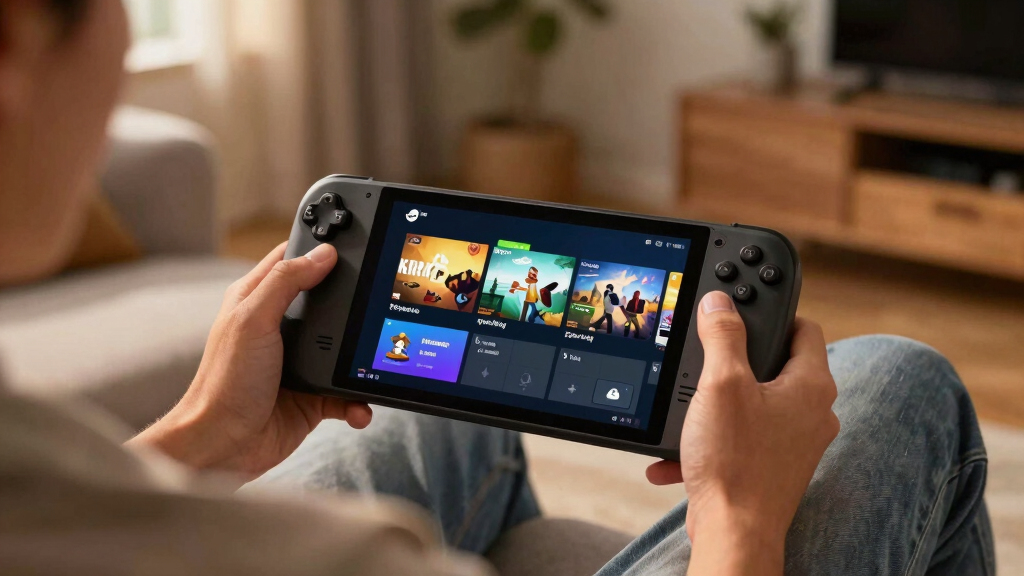

TL;DR
Steam Deck Verified Status for July 2, 2026: Cyberpunk 2077 and Baldur’s Gate 3 are listed as Verified, while MECCHA CHAMELEON is listed as Playable. Verified means Valve expects the game to work well on Steam Deck with controller support, readable text, clean launch behavior, and compatible system settings; Playable means you may need a tweak before the game feels smooth.
A tiny green checkmark can save you from a 45-minute download, a squint-heavy menu, and a battery icon melting like ice in July. On Steam Deck, the badge beside a game often tells you more than a trailer ever will.
This guide breaks down the Steam Deck Verified Status for July 2, 2026, focusing on today’s featured top and new games: Cyberpunk 2077, Baldur’s Gate 3, and MECCHA CHAMELEON. You’ll see what each badge means in plain English, where the tradeoffs live, and how to decide what deserves space on your handheld.
On July 2, 2026, Cyberpunk 2077 and Baldur’s Gate 3 are listed as Steam Deck Verified in this briefing.
MECCHA CHAMELEON is listed as Playable, which means it may run well after a setting, control, or display adjustment.
Verified status checks handheld fit, including controls, readability, launch behavior, and system compatibility, but it does not promise perfect performance in…
Before buying or installing a large game, open the Steam badge details and scan recent Deck-specific reviews.
For family or shared Deck use, pair compatibility checks with age ratings, especially for mature games like Cyberpunk 2077 and Baldur’s Gate 3.
- Cyberpunk 2077 — Verified
- Baldur’s Gate 3 — Verified
- MECCHA CHAMELEON — Playable
Steam Deck compatibility for current top & new games, as of 2026-07-02.
Today’s Steam Deck Status At A Glance
Steam Deck Verified Status for July 2, 2026 is simple in this briefing: Cyberpunk 2077 and Baldur’s Gate 3 are Verified, while MECCHA CHAMELEON is Playable. That means two big games should feel ready for handheld play, while one newer title may need a small adjustment before it settles in.
| Game | Deck Status | What It Means For You |
|---|---|---|
| Cyberpunk 2077 | Verified | Expected to launch cleanly and work well with Steam Deck controls and display. |
| Baldur’s Gate 3 | Verified | Expected to support a full handheld session without major setup friction. |
| MECCHA CHAMELEON | Playable | Expected to run, but you may need to adjust controls, settings, or text visibility. |
Think of the badge like a restaurant window sign. Verified is the bright “open and ready” sign. Playable is more like “come in, but the front door sticks a little.” You can still have a great time, but you should expect one extra minute of fiddling.
For a real-world Deck night, that matters. If you’re on a train with 38% battery and no patience for menus, Cyberpunk 2077 or Baldur’s Gate 3 is the safer pick from this list. If you’re at home near a charger, MECCHA CHAMELEON has more room for testing and tinkering.
Steam Deck verified games case
As an affiliate, we earn on qualifying purchases.
As an affiliate, we earn on qualifying purchases.
What The Verified Badge Actually Gives You
Steam Deck Verified means Valve has checked that a game works well on the handheld across input, display, launch behavior, and system compatibility. According to Steam’s Deck compatibility framework, Verified games should support the Deck’s controls, show readable interface text, avoid awkward launcher friction, and run on the device’s Linux-based setup through native support or Proton [1].
A practical definition helps: Verified does not mean “flawless forever.” It means the game has passed Valve’s handheld-focused checks at that point in time. A patch can still change behavior, and a graphics setting can still chew through battery faster than you expect.
Picture launching Baldur’s Gate 3 from the couch. You want the opening menus to respond to the thumbsticks, dialogue choices to stay readable, and combat buttons to feel mapped on purpose. Verified status tells you Valve expects that basic loop to work without turning your evening into a settings chore.
Key warning: A Verified badge is a strong green light, not a performance promise for every scene, patch, save file, or graphics preset.

Valve Steam Deck OLED 1TB Handheld Gaming Console
1TB NVMe SSD
As an affiliate, we earn on qualifying purchases.
As an affiliate, we earn on qualifying purchases.
Why Cyberpunk 2077 Is The Flashy Verified Pick
Steam Deck Verified Status makes Cyberpunk 2077 the showpiece choice here because it pairs a massive neon city with a handheld badge that says the basics should work. You still need realistic expectations: a dense open world with rain-slick streets, crowds, vehicles, and gunfire asks more from the Deck than a small 2D platformer.
The useful way to read this badge is not “max settings in your hands.” Read it as Night City on the sofa, with controls and launch behavior tested for the Steam Deck. You can wander past glowing vending machines, hear engines growl through small speakers, and still know the game belongs in the Deck conversation.
Here’s the everyday scenario: you have 25 minutes before dinner, and you want one gig, one drive across town, or one messy firefight. Verified status lowers the chance that you spend those minutes fighting a launcher, remapping keys, or guessing why text looks like fine print on a receipt.
- Best fit: short open-world sessions, side jobs, exploration, and story cleanup.
- Watch for: battery drain, heat, fan noise, and patch-level performance changes.
- Smart move: use Deck-friendly presets before chasing sharper shadows or heavier effects.

ARZOPA 16.1'' 144Hz Portable Gaming Monitor, 106% sRGB 1080P FHD Kickstand Portable Monitor with HDR, Ultra Slim, Eye Care, External Second Screen for Laptop, PC, PS5, Mac, Xbox-Z1FC
16.1" 144Hz Display: Arzopa Z1FC 16.1" portable monitor has 144Hz ultra-high refresh rate for higher motion clarity and…
As an affiliate, we earn on qualifying purchases.
As an affiliate, we earn on qualifying purchases.
Why Baldur’s Gate 3 Works So Well As A Handheld RPG
Steam Deck Verified Status puts Baldur’s Gate 3 in the rare group of huge RPGs you can reasonably treat like a portable campaign journal. Verified status matters here because the game leans on menus, dice rolls, inventories, dialogue trees, and careful combat choices. If those pieces feel bad on a small screen, the magic leaks out fast.
The Deck version has a different rhythm than a desktop session. You might play a single conversation in bed, sort loot during a lunch break, or nudge one tactical fight forward while your tea cools beside you. It feels less like “sitting down for a campaign” and more like carrying a thick fantasy novel with buttons.
Verified status is especially useful for text-heavy games. You need names, spell effects, tooltips, and choices to stay readable without pressing your nose to the glass. In a game where one wrong click can turn a polite chat into a fireball disaster, clear controls matter as much as frame rate.
- Best fit: dialogue, turn-based combat, exploration, and save-anywhere play habits.
- Watch for: long sessions where battery and storage space become the real bosses.
- Smart move: keep multiple saves, especially before big fights or branching conversations.

JSAUX 2-Pack Ultra HD Screen Protector for Steam Deck OLED/LCD
Both for Steam Deck LCD & OLED: JSAUX Full-screen coverage 7-inch tempered glass screen protector compatible with Steam…
As an affiliate, we earn on qualifying purchases.
As an affiliate, we earn on qualifying purchases.
What Playable Means Before You Buy MECCHA CHAMELEON
Playable means MECCHA CHAMELEON should run on Steam Deck, but Valve’s badge suggests you may hit a bump: manual settings, text-size quirks, controller prompts, or a launcher-style wrinkle. It is not a rejection. It is a yellow light telling you to slow down before you spend money, storage, or a whole Friday night on it.
A Playable game can still feel excellent after one tweak. Maybe you open the controller layout, pick a community mapping, raise the UI scale, or switch the compatibility tool. That small setup step is the difference between “this is broken” and “oh, there it is.”
For MECCHA CHAMELEON, treat the badge like a quick preflight check. If you love testing new games on Deck, the Playable label may not bother you at all. If you’re buying for a child, a shared family device, or a trip with no Wi-Fi, you may prefer to wait for more player reports.
Rumor and leak rule: treat any claimed fixes, hidden patches, or future status changes as unconfirmed until Steam or the developer updates the public listing.
How To Check A Deck Badge Before You Install
- Open the Steam store page for the game on your Deck, desktop, or mobile browser.
- Find the Steam Deck compatibility badge near the game’s store information.
- Tap or click the badge to see the reason behind the rating, not just the label.
- Check recent reviews for Deck-specific notes after major patches.
- Look for version context, especially if someone mentions frame rate, crashes, controls, or Steam Deck Verified changes.
How to check Steam Deck Verified Status is simple: look at the store badge, open its details, then compare that badge with recent player notes. According to Steam, compatibility categories can change as games, Proton, and SteamOS receive updates [2]. That means a badge is current guidance, not a stone tablet.
This is where older summaries can mislead you. A page that says “as of October 2023” or admits it does not “have access to” real-time data or specific updates beyond that date may still explain the badge system, including details about categories. It cannot replace a live store check for a 2026 buying choice.
Use a two-minute habit. Before you install a 90 GB game, check the badge, scan the latest Deck comments, and glance at storage. That tiny pause can save your evening from the gray crawl of a download bar followed by a menu you cannot comfortably read.
Which Badge Should Matter Most To You
The badge that matters most depends on how you play: Verified is best for low-friction gaming, Playable suits patient tinkerers, and Unsupported is a warning for anyone who wants a clean handheld experience. The right choice changes if you’re commuting, traveling, sharing the Deck, or testing a new release at home.
| Your Situation | Best Badge To Trust | Why It Helps |
|---|---|---|
| Traveling with limited Wi-Fi | Verified | You need the game to work after download, with less room for fixes. |
| Testing new indie games | Playable | You may accept small setup steps for fresh ideas and lower prices. |
| Buying for younger players | Verified plus age rating check | Compatibility and content fit both matter before handing over the device. |
| Chasing maximum graphics | Badge plus recent performance reports | Verified does not promise high settings, stable battery life, or quiet fans. |
Age ratings deserve their own quiet moment. Cyberpunk 2077 and Baldur’s Gate 3 include mature themes, violence, and adult material, so the Deck badge should never be your only filter. Compatibility tells you whether it runs well; age ratings tell you whether it belongs in a given pair of hands.
Think of it like packing shoes. Verified is the comfortable pair you wear through the airport. Playable is the stylish pair that needs thicker socks. Unsupported is the pair you bring only if you already know exactly why you’re taking the risk.
What Can Change After Today’s Badge
A Steam Deck badge can change after game patches, Proton updates, SteamOS changes, or new compatibility testing. A title that feels smooth today can pick up a launcher problem tomorrow, and a Playable game can move closer to Verified after a developer fixes controller prompts, text scaling, or startup behavior.
Proton is the quiet engine in many Deck stories. It helps Windows games run on Steam Deck’s Linux-based system, like a translator whispering instructions between two people who almost speak the same language. When Proton improves, some games suddenly feel less fussy without you buying anything new.
That is why date-stamped coverage matters. This article is tied to July 2, 2026, not a vague “current year” claim. If you read it weeks later, use it as a snapshot, then check Steam for the live badge before buying, refunding, or clearing space.
- Game updates can improve controls, fix launchers, or introduce new bugs.
- SteamOS updates can change battery behavior, compatibility, and stability.
- Proton updates can make Windows games run better on the Deck.
- Store badges can lag behind player chatter, so recent reviews still help.
The Simple Buying Rule For July 2, 2026
For July 2, 2026, buy or install Verified first if you want the least friction: Cyberpunk 2077 for a dense action RPG city, Baldur’s Gate 3 for a slower, text-rich fantasy campaign. Treat MECCHA CHAMELEON as a Playable experiment: promising, but worth a quick settings check before you commit.
The best Steam Deck habit is boring in the best way. Check the badge, read the badge details, scan recent Deck reviews, and match the game to your situation. Five minutes of checking can protect five hours of play.
If you already own the games, the advice shifts. Install Cyberpunk 2077 or Baldur’s Gate 3 when you want confidence. Try MECCHA CHAMELEON when you have time to tweak, test, and see whether the game clicks in your hands.
Frequently Asked Questions
What does Steam Deck Verified mean?
Steam Deck Verified means Valve has tested a game for handheld compatibility on Steam Deck. The game should work well with Deck controls, readable display settings, smooth launch behavior, and the device’s software environment.
Is Playable bad on Steam Deck?
Playable is not bad; it means the game runs but may need help. You might adjust controller settings, use the touchscreen for a launcher, raise text size, or change a graphics option before it feels comfortable.
Are Cyberpunk 2077 and Baldur’s Gate 3 Verified on July 2, 2026?
Yes, in this July 2, 2026 briefing, both Cyberpunk 2077 and Baldur’s Gate 3 are listed as Steam Deck Verified. Always check the live Steam store page before buying, because badges can change after updates.
What is MECCHA CHAMELEON’s Steam Deck status?
MECCHA CHAMELEON is listed as Playable in this briefing. That means you should expect the game to run, but you may need a small tweak before it feels natural on the Deck.
Can Steam Deck Verified status change over time?
Yes. Game patches, SteamOS updates, Proton improvements, and new compatibility testing can change a game’s badge. Treat any rumor or leak about future status changes as unconfirmed until Steam or the developer shows it publicly.
Conclusion
Remember the simple rule: use Verified when you want to play now, and use Playable when you’re willing to adjust a few knobs. For July 2, 2026, that makes Cyberpunk 2077 and Baldur’s Gate 3 the easy picks, while MECCHA CHAMELEON belongs in the curious-player lane.
Your Steam Deck is at its best when the game fades away and the world fills the screen. A good badge check gets you there faster: fewer menus, fewer surprises, more warm handheld glow in your palms.