
TL;DR
Gaming laptops for students combine high performance with portability. They handle gaming, schoolwork, and creative tasks, but balancing specs and budget is key. Expect shorter battery life, but modern models offer impressive features for the price.
Imagine carrying a sleek, powerful machine through campus corridors, ready to crush your favorite game or tackle a demanding project. That’s the promise of a gaming laptop tailored for students. But with so many options and specs, how do you pick the right one? You’re about to learn what makes a gaming laptop ideal for student life — balancing performance, portability, and price.
Whether you’re into fast-paced shooters, creative work, or both, knowing what to look for can save you from overspending or settling for a machine that can’t keep up. Let’s cut through the noise and find the best gaming laptops that fit your student budget and lifestyle.
Prioritize GPU and CPU combos like NVIDIA RTX 3060 and Intel Core i5 for smooth gaming and multitasking.
Balance portability and power; lighter models around 3-4 pounds are perfect for daily campus carry.
Expect battery life of 2-5 hours; plan your usage or carry your charger.
Budget options like Acer Nitro 5 offer strong specs under $1,200, great for students.
Don’t forget to consider your daily routine and future needs before choosing specs and features.
What Features Make a Gaming Laptop Perfect for Students?
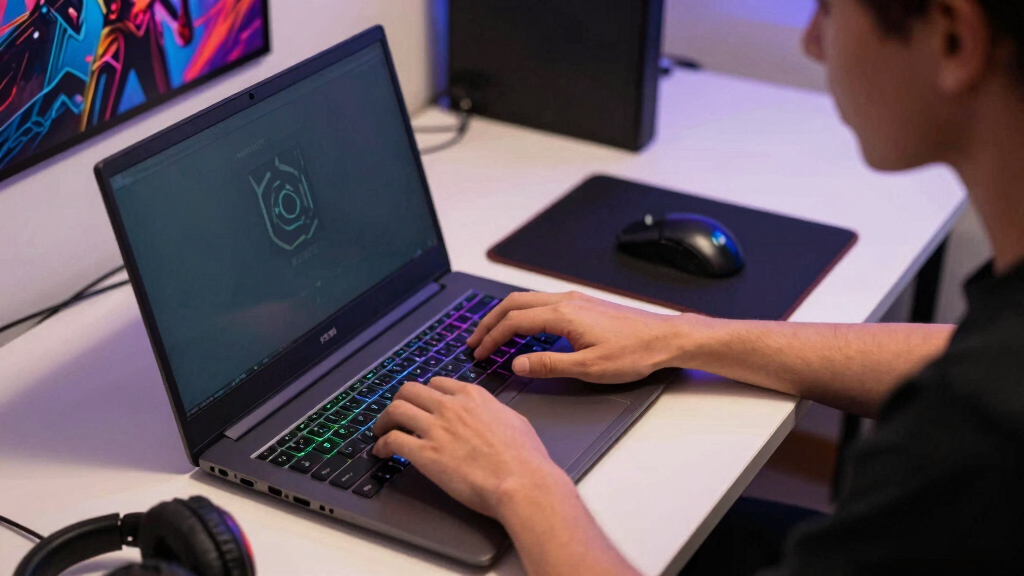
Gaming laptops for students should deliver solid performance without weighing you down. Think of it like a sports car that’s also easy to park — powerful yet practical. Key features include a fast GPU, a responsive CPU, and enough RAM to multitask.
For example, a student running multiple tabs, editing videos, or programming benefits from at least 16GB RAM. This amount allows seamless multitasking without lag, which is crucial when juggling academic work and gaming. A 512GB SSD speeds up load times for games and files alike, reducing waiting times and boosting productivity. Plus, a high-refresh-rate display (120Hz or above) makes gameplay buttery smooth, providing a competitive edge in fast-paced games, and reduces eye strain during long study sessions, which can improve focus and reduce fatigue. Durability matters too. Students move around a lot, so a sturdy build and a lightweight design can make or break your daily routine. A well-built chassis can withstand bumps and knocks, extending the lifespan of your investment, while a lightweight profile makes it easier to carry from class to class, ensuring that performance doesn’t come at the expense of convenience.

15.6" FHD-Laptop, AMD Ryzen 5 (Up to 3.7GHz, Beat i5-1135G7), 16GB RAM 512GB SSD, Radeon Vega 8 Graphics, 65W Fast Charging, Privacy Shutter, Numpad, Win 11, Gaming Laptop for College Students, Office
【Elite Ryzen 5 Power】Whether juggling intensive projects or crunching spreadsheets, this computer handles your daily hustle. Powered by…
As an affiliate, we earn on qualifying purchases.
As an affiliate, we earn on qualifying purchases.
How to Pick the Right GPU and CPU for Gaming and Schoolwork
The core of a gaming laptop’s power lies in its GPU and CPU. For gaming, the GPU handles the visuals, rendering detailed graphics and ensuring smooth frame rates, which directly impacts your gaming experience. A powerful GPU like NVIDIA’s RTX 3060 or better, or AMD’s Radeon RX 6000 series, allows you to run modern games at high settings with minimal lag, providing immersive visuals that enhance enjoyment and competitiveness. These GPUs also accelerate demanding tasks such as rendering videos or 3D modeling, saving you time and enabling creative projects to be completed more efficiently.
The CPU is equally critical, as it manages the overall processing power of your laptop. An Intel Core i5 or AMD Ryzen 5 is a good baseline, but upgrading to an i7 or Ryzen 7 offers significant advantages. These higher-tier processors excel at multitasking, allowing you to run multiple applications simultaneously — essential when you’re managing coursework, streaming, and gaming at the same time. They also handle creative software better, speeding up workflows and reducing frustrating delays. Choosing a laptop with a modern, high-performance CPU and GPU ensures your device remains relevant for years, avoiding the need for frequent upgrades, which is a key consideration for budget-conscious students. The tradeoff is often increased cost and power consumption, so balancing these specs with battery life and portability is important for a well-rounded purchase.
A quick comparison:
| Feature | Recommended for Students |
|---|---|
| GPU | NVIDIA RTX 3060 or higher / AMD Radeon RX 6000 series |
| CPU | Intel Core i5/i7 or AMD Ryzen 5/7 |
| Performance Bonus | Latest generation tech for future-proofing |
Choosing the right combo means your laptop can handle gaming and schoolwork without bottlenecks, ensuring smooth multitasking and a longer lifespan for your device, which is especially valuable as software and game requirements evolve over time.
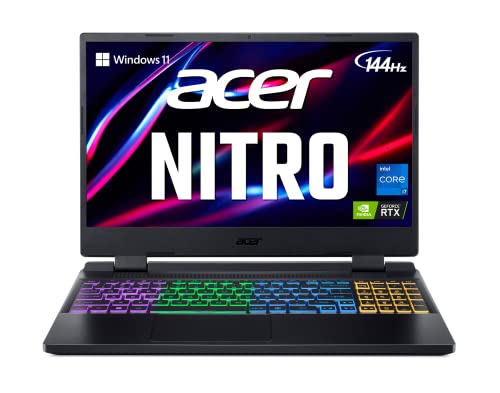
acer Nitro 5 AN515-58-725A Gaming Laptop | Intel Core i7-12700H | NVIDIA GeForce RTX 3060 Laptop GPU | 15.6" FHD 144Hz 3ms IPS Display | 16GB DDR4 | 512GB Gen 4 SSD | Killer Wi-Fi 6 | RGB Keyboard
Dominate the Game: With the 12th Gen Intel Core i7-12700H processor, your Nitro 5 is packed with incredible…
As an affiliate, we earn on qualifying purchases.
As an affiliate, we earn on qualifying purchases.
Portability vs. Power: Finding the Sweet Spot
Many gamers think bigger is better, but students need a balance. Heavy gaming laptops (over 5 pounds) can weigh down your backpack, making daily commutes cumbersome and tiring over time. Conversely, thinner models might sacrifice some power, which can limit gaming performance or upgradeability. The trick is finding a machine that’s light enough to carry daily but still packs a punch in terms of specs and build quality.
For example, models like the ASUS ROG Zephyrus G14 or MSI GF65 Thin weigh around 3-4 pounds, yet deliver high-end gaming performance. They feature sturdy builds and sleek profiles, perfect for campus life where portability and durability are essential. These models often incorporate premium materials and efficient cooling solutions, ensuring they stay cool during extended gaming or study sessions, which can extend component lifespan and maintain performance. Remember, a lighter laptop might have slightly shorter battery life, so plan accordingly. The tradeoff between portability and battery endurance is a key consideration, especially if you’re often away from power outlets for long periods.
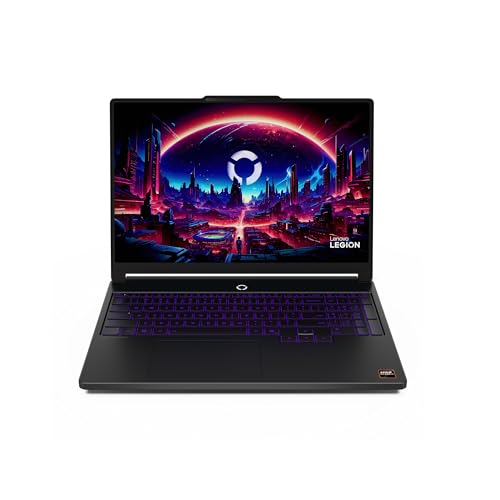
Lenovo Legion 5a – 2026 – Gaming Laptop – NVIDIA GeForce RTX 5060-15.3" OLED WQXGA Display – 165Hz Refresh Rate – Ryzen 7 250-32GB Memory – 1TB Storage – Eclipse Black
Laptop
As an affiliate, we earn on qualifying purchases.
As an affiliate, we earn on qualifying purchases.
Battery Life: How Long Can You Play Without Plugging In?
Gaming laptops are known for their high power consumption, which often results in shorter battery life — typically only 2-5 hours during intensive tasks like gaming or video editing. For students, this means you need to plan your usage carefully, perhaps by limiting gaming sessions on battery power or always carrying your charger. Longer unplugged use is desirable, but it often involves tradeoffs in performance, as high-end GPUs and CPUs draw more power.
Some brands now optimize power management better, like Dell’s G15 or ASUS TUF Gaming series, which incorporate features such as dynamic refresh rate switching and smarter power profiles. These enhancements can extend unplugged usage, allowing you to get through a lecture or study session without immediately needing to plug in. However, it’s important to recognize that even with these improvements, gaming laptops aren’t designed for all-day unplugged use like ultrabooks, so managing expectations is key. Pro tip: lowering screen brightness, disabling background processes, and using power-saving modes can stretch battery life during long classes or commutes, making your gaming laptop more versatile for everyday use.

2026 Laptops Computer,15.6" Windows 11 Pro Laptop with Office 365 included,8GB RAM 256GB SSD,Intel Pentium Process,6H Battery,Mini HDMI,cam|Mic,Portable Thin Lap Top for College Student Business Work
【Unbeatable Assurance & Support for Your Laptop】Shop with confidence on this laptop on sale, backed by a 2-Year…
As an affiliate, we earn on qualifying purchases.
As an affiliate, we earn on qualifying purchases.
Best Budget Gaming Laptops for Students Under $1,200
Budget-friendly gaming laptops offer impressive performance and features that can meet most students’ needs without breaking the bank. For example, the Acer Nitro 5 combines a GTX 1650 or RTX 3050 GPU with an Intel Core i5 processor and a 15.6″ Full HD display, all priced around $900. This combination provides a balanced experience, capable of handling popular games and demanding school projects alike. The affordability doesn’t mean sacrificing quality — these models often incorporate durable builds and decent cooling systems, essential for longevity and consistent performance.
Similarly, ASUS TUF Gaming F15 and Lenovo Legion 5 deliver great value with comparable specs, making them suitable for students who need reliable performance without premium pricing. They usually feature good battery life, sturdy construction, and upgrade options, which can extend their usability over several years. These models also tend to be more forgiving in terms of heat management, reducing the risk of thermal throttling during intensive use. Tip: look for student discounts, bundle deals, or refurbished options to maximize your budget and get the most value out of your purchase.
What Should You Actually Consider Before Buying?
Don’t just chase specs; understanding your personal needs and how you’ll use the laptop day-to-day is crucial. Will you be carrying it across campus multiple times a day? If so, weight and battery life become top priorities. Do you plan to do creative work like video editing or 3D modeling? Then, a higher-end GPU and CPU might be worth the investment, even if it adds some weight or cost. Are you willing to accept shorter battery life if it means better gaming performance? These questions help you weigh the tradeoffs.
Set your priorities based on your routine. For instance, if portability is essential, opt for a lighter model with slightly lower specs but easier to carry. If gaming performance and future-proofing matter most, choose a more powerful, albeit heavier, machine. Additionally, consider warranty coverage, customer reviews, and features like cooling systems or customizable keyboards — details that enhance daily use and longevity. Recognizing these factors ensures you make a balanced, personalized decision that aligns with your lifestyle and future needs, avoiding buyer’s remorse and ensuring your investment remains valuable over time.
Frequently Asked Questions
Are gaming laptops good for studying and everyday use?
Absolutely. Many gaming laptops are equipped with high-end processors, plenty of RAM, and fast SSDs, making them excellent for multitasking, video editing, and coding. They handle everyday tasks smoothly while doubling as gaming machines.
What’s the best budget gaming laptop for students?
Models like the Acer Nitro 5, ASUS TUF Gaming F15, and Lenovo Legion 5 offer great value under $1,200. They provide a good balance of performance, durability, and portability for everyday student needs.
How much should I spend on a gaming laptop for school?
Typically, $1000-$1500 hits the sweet spot. It’s enough to get a powerful GPU and CPU, decent battery life, and a lightweight design without overspending.
Will a gaming laptop be too heavy for daily carrying?
Many modern gaming laptops weigh around 3-4 pounds, making them manageable for daily use. However, some high-performance models can be heavier, so check the weight before buying if portability is a priority.
Can gaming laptops handle non-gaming tasks like programming or video editing?
Yes, their high-end specs make them perfect for demanding tasks like programming, 3D rendering, or video editing, making them versatile tools for students.
Conclusion
Picking the right gaming laptop for students isn’t just about chasing the latest specs. It’s about finding a machine that moves with your life — powerful enough for gaming and creative projects, yet portable enough for daily classes. Think of it as your trusty sidekick, ready for anything.
Invest wisely, and your new laptop won’t just boost your gaming — it’ll become a versatile tool for school, work, and fun. So, what will you do with your next gaming laptop?