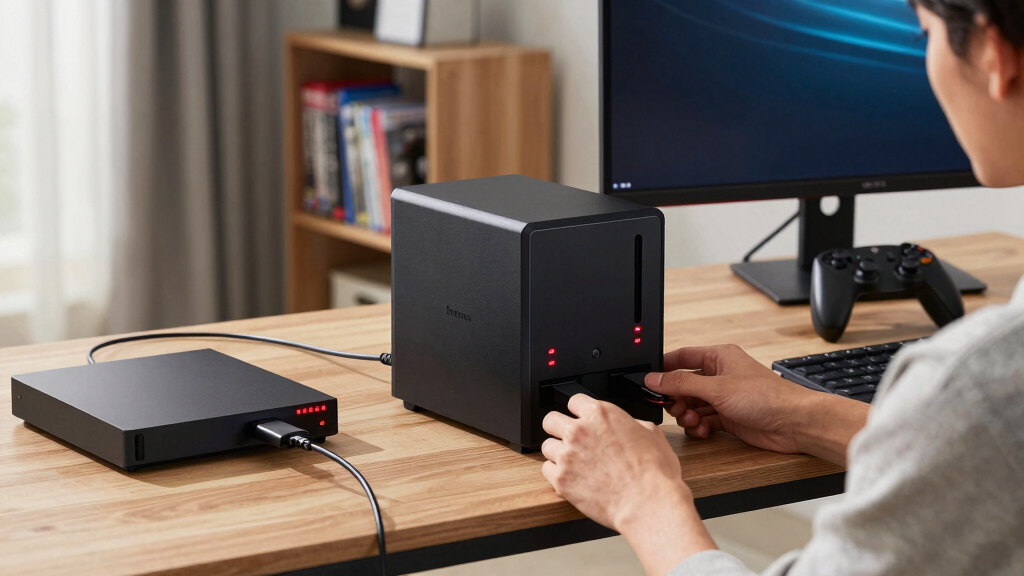

For buyers searching for the best NAS devices for game backups, the UGREEN NAS DXP2800 is my best overall pick because its 2.5GbE connection, Intel N100 processor, and NVMe expansion offer a strong balance of speed and price. The UGREEN NAS DXP4800 Plus is the premium choice for larger collections and faster multi-device transfers, while the Synology BeeStation offers the easiest starting point for beginners. The main choice is between a simple appliance with limited expansion and a diskless multi-bay NAS that costs more to equip but provides greater control. Network speed, usable drive capacity, software quality, and recovery options all affect how quickly and reliably a game library can be restored. Continue reading for the full breakdown and buyer-specific recommendations.

Play games on Amazon Luna for your game nights, included with Prime
- A rotating selection of games, no download needed
- Play on TV, laptop or phone
- Fast, free delivery for your gear, too
Complete the kit



Key Takeaways
- UGREEN NAS DXP2800 ranks first because 2.5GbE, 8GB of DDR5 memory, and two NVMe slots give it more performance headroom than the simpler two-bay models without reaching premium four-bay pricing.
- UGREEN NAS DXP4800 Plus is the performance leader, but its 10GbE port and four-bay layout offer the most value only when the rest of the home network can support faster transfers.
- Synology BeeStation is the easiest entry point because storage is included and setup is streamlined, though its fixed 4TB capacity makes it less suitable for large PC libraries.
- BUFFALO TeraStation Essentials 2025 reduces setup work by including 16TB of storage, making it more attractive than diskless rivals for buyers who want a ready-to-run four-bay system.
- Diskless models require a wider budget calculation: the DS223, DS225+, DXP2800, DH2300, and DXP4800 Plus may look affordable before drives, but final cost depends heavily on capacity and redundancy.
| Synology DS223 2-Bay Diskless NAS Home & Office Backup Hub |  | Best for Automated Backups | Model: DS223 | Device Type: Network-attached storage | Drive Bays: 2 | VIEW LATEST PRICE | See Our Full Breakdown |
| UGREEN NAS DXP2800 2-Bay Network Attached Storage |  | Best Overall | Processor: Intel N100 quad-core | Memory: 8GB DDR5 | Maximum Storage: Up to 80TB | VIEW LATEST PRICE | See Our Full Breakdown |
| UGREEN NAS DH2300 2-Bay Desktop NAS |  | Best for Beginners | Drive Bays: 2 | Maximum Storage: Up to 64TB | Memory: 4GB | VIEW LATEST PRICE | See Our Full Breakdown |
| BUFFALO TeraStation Essentials 2025 4-Bay Desktop NAS 16TB |  | Best Ready-to-Run Package | Installed Capacity: 16TB | Drive Bays: 4 | Drives Included: Yes | VIEW LATEST PRICE | See Our Full Breakdown |
| UGREEN NAS DXP4800 Plus 4-Bay NAS |  | Best Premium Performance | Processor: Intel Pentium Gold 8505 5-core | Memory: 8GB DDR5 | Built-in Storage: 128GB SSD | VIEW LATEST PRICE | See Our Full Breakdown |
| Synology DS225+ Private Cloud Media Server |  | Best Two-Bay All-Rounder | Processor: Intel CPU | Drive Bays: 2 | Drive Configuration: Diskless | VIEW LATEST PRICE | See Our Full Breakdown |
| BUFFALO LinkStation SoHo 220 2-Bay Personal Cloud NAS 8TB |  | Best Ready-to-Use Value | Installed Capacity: 8TB | Included Drives: 2 x 4TB | RAID 1 Capacity: 4TB usable | VIEW LATEST PRICE | See Our Full Breakdown |
| Synology BeeStation 4TB Personal Cloud Storage Device |  | Best for Beginners | Storage Capacity: 4TB | Device Type: Personal cloud storage | Setup Method: QR code | VIEW LATEST PRICE | See Our Full Breakdown |
| NAS devices for game backup | Drive Bays | Drive Configuration |
|---|---|---|
| Synology DS223 2-Bay Diskless | 2 | Diskless |
| UGREEN NAS DXP2800 2-Bay Netwo | — | Diskless |
| UGREEN NAS DH2300 2-Bay Deskto | 2 | Diskless |
| BUFFALO TeraStation Essentials | 4 | — |
| UGREEN NAS DXP4800 Plus 4-Bay | 4 | Diskless |
| Synology DS225+ Private Cloud | 2 | Diskless |
| BUFFALO LinkStation SoHo 220 2 | — | — |
| Synology BeeStation 4TB Person | — | — |
More Details on Our Top Picks
Synology DS223 2-Bay Diskless NAS Home & Office Backup Hub
I place the Synology DS223 here for buyers who value dependable backup workflows over headline hardware. Its automated jobs, file versioning, and multi-device access make it well suited to protecting game saves, installers, and PC libraries without constant manual copying. Synology’s software focus gives it an advantage over the UGREEN NAS DH2300 for more structured backup routines, though the UGREEN model may feel friendlier to a first-time owner. Compared with the UGREEN NAS DXP2800, the DS223 has more modest hardware and expansion potential, so it is less appealing for heavy applications or very fast transfers. The two-bay limit also restricts future growth, and drives add to the purchase price. I rank it as the sensible software-led choice, rather than the fastest or largest NAS in this group.
Pros:- Automated backup support reduces reliance on manual file copying
- File versioning can help recover overwritten saves and configuration files
- Centralized access works well across several household or office devices
- IP camera support adds value beyond game-library protection
Cons:- Only two drive bays, leaving limited room for long-term expansion
- Hard drives must be purchased separately
- Setup and backup configuration may feel involved for a first-time NAS owner
Best for: PC and multi-device households wanting scheduled backups, file history, and centralized game-save archives
Not ideal for: Buyers building very large game libraries or planning hardware-heavy server applications, because the two-bay platform limits growth
- Model:DS223
- Device Type:Network-attached storage
- Drive Bays:2
- Drive Configuration:Diskless
- Surveillance Support:IP cameras with remote monitoring
- Warranty:2 years
Our verdict“I recommend the DS223 to buyers who want polished backup management and can accept modest hardware and two-bay capacity.”
UGREEN NAS DXP2800 2-Bay Network Attached Storage
The UGREEN NAS DXP2800 takes my overall spot because it balances speed, memory, capacity, and price-oriented two-bay design better than the more specialized choices. Its Intel N100 processor, 8GB of DDR5 memory, and 2.5GbE networking provide useful headroom when several PCs are backing up large game folders or restoring files at once. Two M.2 NVMe slots also give enthusiasts more flexibility than the Synology DS223, while the 4K HDMI output broadens its home-server appeal. It is less approachable than the UGREEN NAS DH2300, however, and the diskless format means the real purchase cost rises once storage drives are added. It also cannot match the four-bay growth or 10GbE ceiling of the UGREEN NAS DXP4800 Plus. I see it as the strongest middle-ground choice for most PC gaming households.
Pros:- Intel N100 and 8GB DDR5 provide solid headroom for concurrent backup tasks
- 2.5GbE can shorten large game-library transfers on compatible networks
- Two M.2 NVMe slots add storage or acceleration flexibility
- Supports up to 80TB of total storage
Cons:- Hard drives are sold separately, raising the completed-system cost
- Initial configuration may be demanding for a NAS newcomer
- Two drive bays provide less redundancy and growth flexibility than four-bay models
Best for: PC gaming households that need fast shared backups, ample memory, and room for NVMe-based expansion without buying a four-bay NAS
Not ideal for: Buyers wanting drives included or the simplest possible setup, since storage selection and initial configuration require extra work
- Processor:Intel N100 quad-core
- Memory:8GB DDR5
- Maximum Storage:Up to 80TB
- Network:2.5GbE
- M.2 Slots:2 NVMe slots
- Video Output:4K HDMI
- Drive Configuration:Diskless
Our verdict“I would choose the DXP2800 as the balanced option for fast game backups without paying for premium four-bay hardware.”
UGREEN NAS DH2300 2-Bay Desktop NAS
I rank the UGREEN NAS DH2300 as the beginner pick because its focus stays on straightforward personal storage rather than server experimentation. A 64TB supported capacity leaves plenty of space for archived installers, recordings, and multiple PC game backups, while layered security and encryption help protect private files. Compared with the UGREEN NAS DXP2800, this model has half the memory and slower 1GbE networking, so restoring a very large library can take longer. It also lacks Docker and virtual-machine support, which makes the DXP2800 or DXP4800 Plus a better foundation for advanced home-lab projects. Those limits can be helpful for buyers who want fewer settings and a narrower purpose. Wi-Fi requires a separate USB adapter, and drives remain an added expense. For a first NAS centered on basic backups, I find its simpler scope easier to justify.
Pros:- Beginner-oriented setup lowers the barrier to centralized backups
- Up to 64TB capacity can accommodate several PC libraries
- Encryption and layered security protect personal backup data
- 4K HDMI output supports additional home-entertainment uses
Cons:- 1GbE networking is slower than the DXP2800 and premium alternatives
- No Docker or virtual-machine support limits advanced uses
- Wi-Fi needs an external USB adapter, while drives are also sold separately
Best for: First-time NAS buyers who want private game-save and personal-file backups without running containers or virtual machines
Not ideal for: Home-lab enthusiasts and users restoring huge libraries frequently, due to 1GbE networking and the lack of Docker or virtual machines
- Drive Bays:2
- Maximum Storage:Up to 64TB
- Memory:4GB
- Network:1GbE
- Video Output:4K HDMI
- Drive Configuration:Diskless
Our verdict“I favor the DH2300 for newcomers who want simple private backups and do not need advanced server tools.”
BUFFALO TeraStation Essentials 2025 4-Bay Desktop NAS 16TB
The BUFFALO TeraStation Essentials 2025 earns its place by including four pre-tested hard drives, removing the drive-selection work required by every diskless UGREEN model here. Its 16TB installed capacity, flexible RAID choices, and three-year drive-inclusive warranty make costs easier to predict for a household or small gaming group storing backups from several PCs. Native 2.5GbE is fast enough to improve bulk transfers when the rest of the network supports it. Against the UGREEN NAS DXP4800 Plus, however, the TeraStation favors appliance-like storage over high-powered server work: its 5400 RPM disks are slower, and it offers less appeal for Docker, virtual machines, or later hardware customization. RAID configuration may also reduce usable space below the stated capacity. I recommend it when convenience and bundled coverage matter more than maximum performance.
Pros:- Four pre-tested hard drives are included for a more predictable total cost
- Native 2.5GbE supports faster transfers than standard gigabit networking
- Flexible RAID options help balance usable capacity against redundancy
- Three-year warranty includes the installed hard drives
Cons:- Bundled 5400 RPM drives may constrain transfer and rebuild performance
- RAID can reduce usable storage below the advertised 16TB capacity
- Offers less application and hardware flexibility than the DXP4800 Plus
Best for: Households and small gaming teams that want a four-bay backup appliance with drives, RAID options, and warranty coverage included
Not ideal for: Performance enthusiasts planning containers, virtual machines, or frequent high-speed restores, because the bundled 5400 RPM drives and office-focused platform are limiting
- Installed Capacity:16TB
- Drive Bays:4
- Drives Included:Yes
- Drive Interface:Serial ATA-600
- Drive Form Factor:3.5-inch
- Drive Speed:5400 RPM
- Network:2.5GbE
- Warranty:3 years, including hard drives
Our verdict“I recommend this TeraStation when a complete, warrantied backup package matters more than advanced server flexibility.”
UGREEN NAS DXP4800 Plus 4-Bay NAS
I reserve the premium role for the UGREEN NAS DXP4800 Plus, whose four bays, 144TB ceiling, and 10GbE connection suit very large game archives and frequent multi-PC transfers. Its Pentium Gold 8505, 8GB DDR5 memory, and Docker and virtual-machine support make it far more capable as a multipurpose home server than the BUFFALO TeraStation Essentials 2025. It also offers greater expansion room than the two-bay DXP2800. That capability comes with added cost and complexity: no hard drives are included, wired networking is mandatory, and 10GbE delivers its full benefit only when switches, client adapters, and disks can keep pace. Buyers seeking uncomplicated backup storage may get better value from the DXP2800 or the drive-inclusive TeraStation. I rank this model highest for performance-focused enthusiasts, but not for buyers who only need occasional save-file copies.
Pros:- 10GbE and 2.5GbE ports support both high-speed and conventional wired networks
- Four bays and up to 144TB capacity provide strong long-term growth
- Pentium Gold processor supports Docker and virtual-machine workloads
- Two M.2 NVMe slots and a built-in 128GB SSD expand configuration options
Cons:- A complete system becomes expensive after adding four storage drives
- 10GbE may require new switches and client adapters to deliver its speed
- Wired-only connectivity and advanced features make setup less approachable
Best for: Enthusiasts with several gaming PCs, very large libraries, a fast wired network, and plans to run containers or virtual machines
Not ideal for: Casual users with gigabit networking and modest backup needs, since much of the hardware capability would go unused
- Processor:Intel Pentium Gold 8505 5-core
- Memory:8GB DDR5
- Built-in Storage:128GB SSD
- Drive Bays:4
- Network Ports:1x 10GbE and 1x 2.5GbE
- M.2 Slots:2 NVMe slots
- Maximum Storage:Up to 144TB
- Drive Configuration:Diskless
Our verdict“I would buy the DXP4800 Plus for a high-capacity gaming backup server that will also handle demanding home-lab workloads.”
Synology DS225+ Private Cloud Media Server
I rank the Synology DS225+ as the strongest two-bay all-rounder here because its Intel processor and reported 282 MB/s transfer speed suit large game-library backups, media streaming, and everyday file storage. Compared with the Synology BeeStation, it offers more control through RAID and snapshot protection, which can help recover files after accidental deletion or corruption. It also supports up to 30 IP cameras, giving it a wider role than a dedicated backup box. The tradeoff is added cost and effort: drives are separate, setup asks more of the buyer, and two bays limit long-term expansion. The four-bay UGREEN DXP4800 Plus is the stronger growth option, but the DS225+ delivers a better balance of speed, protection, and size for a focused home setup.
Pros:- Reported 282 MB/s transfers support large game-backup jobs
- RAID and snapshots provide layered protection against drive failure and accidental changes
- Intel processor supports storage and 4K media duties
- Three-year warranty and support for up to 30 IP cameras broaden its value
Cons:- Hard drives must be purchased separately
- Setup and storage management may challenge first-time NAS owners
- Two-bay design restricts future capacity and RAID choices
Best for: PC and console households that want fast game backups, snapshot protection, and media streaming from one compact two-bay server
Not ideal for: Beginners seeking storage that works immediately or collectors expecting to expand beyond two drive bays
- Processor:Intel CPU
- Drive Bays:2
- Drive Configuration:Diskless
- Reported Transfer Speed:Up to 282 MB/s
- Data Protection:RAID and snapshots
- Camera Support:Up to 30 IP cameras
- Warranty:3 years
Our verdict“I recommend the DS225+ to buyers who want a fast, protective two-bay game-backup hub and accept a hands-on setup.”
BUFFALO LinkStation SoHo 220 2-Bay Personal Cloud NAS 8TB
The BUFFALO LinkStation SoHo 220 earns my ready-to-use value pick because its two 4TB drives remove the biggest hidden expense attached to diskless models. Buyers can choose RAID 1 for 4TB of protected capacity or RAID 0 for the full 8TB, making the reliability-versus-space decision explicit. Compared with the Synology DS225+, it requires less hardware shopping and includes 24/7 US-based support, though Synology offers snapshots and a richer platform for buyers who want deeper control. Its 2.5 GbE connection is well suited to moving large game archives across a compatible network. Remote access still requires network configuration, some features have macOS version limits, and protected capacity is modest. I see this as the practical plug-in package, not the most expandable or flexible NAS.
Pros:- Two 4TB hard drives are included
- RAID 1 provides drive-failure protection for game backups
- 2.5 GbE supports faster transfers on compatible networks
- No subscription fee, with 24/7 US-based support and a three-year warranty
Cons:- RAID 1 cuts usable storage from 8TB to 4TB
- Remote access requires network configuration
- Some functions are limited to macOS 15 or earlier
Best for: Households or small gaming offices that want an inclusive two-drive backup package with support available around the clock
Not ideal for: Large-library collectors who need more than 4TB of protected capacity or Mac users relying on software beyond the stated compatibility range
- Installed Capacity:8TB
- Included Drives:2 x 4TB
- RAID 1 Capacity:4TB usable
- RAID 0 Capacity:8TB usable
- Network Connection:2.5 GbE
- Compatibility:Windows and macOS, with some features supporting up to macOS 15
- Support and Warranty:24/7 US-based support; 3-year warranty
Our verdict“I recommend the LinkStation SoHo 220 when included drives, predictable cost, and accessible support matter more than advanced NAS flexibility.”
Synology BeeStation 4TB Personal Cloud Storage Device
I place the Synology BeeStation 4TB first for beginners because it packages storage, web access, mobile access, and computer synchronization into a simpler personal-cloud device. Its QR-code setup removes much of the configuration associated with a traditional NAS, while backup support for Google Drive, OneDrive, Dropbox, and external drives helps consolidate scattered files. Compared with the Synology DS225+, BeeStation is easier to approach but gives buyers less control over drives, RAID, and future expansion. The fixed 4TB capacity can fill quickly when several modern game libraries are archived, and the lack of stated performance figures makes transfer-time expectations less certain. It is also less suitable than the BUFFALO LinkStation SoHo 220 for buyers wanting drive redundancy. I rank it as the simplest personal backup choice, not the strongest long-term storage platform.
Pros:- QR-code setup reduces the learning curve
- Built-in 4TB capacity avoids a separate drive purchase
- Web, desktop, and mobile access support flexible file retrieval
- Backs up supported cloud services and external drives
Cons:- Fixed 4TB capacity leaves little room for large multi-system archives
- No stated transfer-speed figures for estimating large backup times
- No listed multi-drive RAID protection or internal expansion
Best for: First-time personal-cloud buyers with one or two gaming computers and a moderate library that fits comfortably within 4TB
Not ideal for: Multi-user gaming households that need RAID protection, published transfer performance, or storage expansion beyond 4TB
- Storage Capacity:4TB
- Device Type:Personal cloud storage
- Setup Method:QR code
- Web Access:Supported
- Desktop Access:Supported
- Mobile Access:Supported
- Cloud Backup Sources:Google Drive, OneDrive, and Dropbox
- External Drive Backup:Supported
Our verdict“I recommend BeeStation for buyers who prize simple personal-cloud backups over RAID protection, speed transparency, and expandable capacity.”
How We Picked
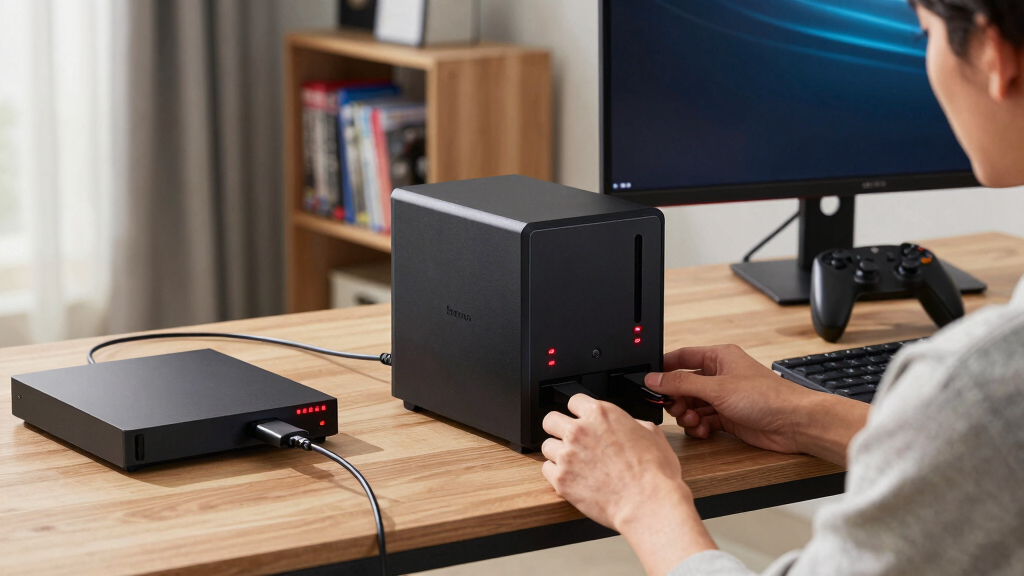
I ranked these NAS devices around the needs of game-library protection rather than general file storage. My highest weighting went to restore speed, usable capacity, and the ability to keep recoverable versions of large folders. I compared network interfaces, processor class, memory, bay count, expansion options, and whether drives were included. Faster hardware moved a model upward only when it could shorten real backup or recovery jobs. I also examined whether each device offered a clear advantage over another option in the lineup.
Usability and ownership cost shaped the remaining order. I gave credit for straightforward backup management, flexible storage layouts, established software tools, and room for a growing library. Diskless pricing was judged alongside the cost of suitable drives, while populated systems were judged on their included capacity and upgrade limits. I placed simpler appliances higher for beginners but lower for expansion because easy setup and long-term flexibility rarely arrive in equal measure. The final ranking favors the DXP2800 as the best balance, the DXP4800 Plus for maximum headroom, and BeeStation for buyers who value simplicity over customization.
Factors to Consider When Choosing Best NAS Devices For Game Backups
The right NAS depends on how large the library is, how quickly games must be restored, and how much storage administration the buyer accepts. I would budget for the whole system rather than compare enclosure prices alone. These factors help separate useful upgrades from expensive hardware that may sit idle.
Plan Around Usable Capacity, Not Advertised Capacity
A drive label shows raw capacity, but redundancy can reduce the space available for games. In a two-bay system using a mirrored layout, two equal drives usually provide roughly the capacity of one because the other holds a duplicate copy. I recommend totaling installed games, save archives, mods, configuration files, and older versions before choosing drives, then adding at least 25 percent growth room. A 4TB appliance may suit selected backups, while a large PC library can make two-bay expansion restrictive within a few years. Four bays provide more layout choices and make gradual growth easier, but they add drive and power costs. Buyers should also check the model’s supported drive sizes because an enclosure’s stated maximum capacity may depend on future drive replacements.
Match Network Speed to the Restore Job
Game folders can contain hundreds of gigabytes, so network speed changes recovery time more than it changes routine overnight backups. A 1GbE connection commonly tops out near 110MB/s under good conditions, while 2.5GbE can more than double that rate when the NAS, computer, switch, and cabling all support it. This makes 2.5GbE a practical middle ground for restoring modern PC games. A 10GbE NAS needs compatible network hardware and enough drive performance before its extra bandwidth pays off. Wi-Fi may be convenient for save files, but large restores are usually steadier over Ethernet. I would spend on faster networking before paying for processor power that the backup workflow will rarely use.
Separate Backup Performance From Game-Server Performance
Copying files to a NAS requires less processor power than running containers, media services, encryption, or several backup tasks at once. Entry-level hardware can handle scheduled game backups, but a stronger CPU and more memory help when the system must also verify data, compress archives, or serve multiple computers. The Intel N100 and 8GB memory in the DXP2800 offer useful headroom without demanding premium hardware. NVMe slots can help with applications and selected workloads, yet cache does not automatically accelerate every large sequential copy. Buyers interested only in backup may gain more from larger hard drives and 2.5GbE than from an SSD cache. I would pay for extra computing power when the NAS will carry several jobs beyond storing game files.
Compare Diskless and Drive-Inclusive Costs
A diskless NAS gives the buyer control over drive brand, capacity, noise, and replacement schedule. That freedom also means the displayed enclosure price is only part of the bill. Two or four NAS-rated hard drives, a possible memory upgrade, a faster network switch, and an uninterruptible power supply can move a seemingly affordable model into another price class. A populated system such as the BUFFALO TeraStation Essentials 2025 offers a clearer upfront cost and less assembly. The tradeoff is less control over the included drives and potentially weaker value when upgrading later. I compare total cost per usable terabyte after selecting a storage layout, not the enclosure price or raw capacity alone.
Build a Recovery Workflow Before Buying
A NAS is most useful when the backup process can run automatically and recovery steps are easy to understand. PC launchers may redownload purchased games, but local backups save bandwidth and can preserve mods, configuration files, and titles that are no longer easy to obtain. I prefer software that supports scheduled copies, version history, and integrity checks rather than a single manually updated folder. Consoles often cannot treat a generic NAS as native game storage, so their saves or captures may require platform cloud services, USB storage, or an intermediate computer. Running PC games directly from a network share can also create latency, update, or compatibility problems; restoring them to a local SSD is usually the cleaner approach. Buyers should map each device to a specific backup path before paying for faster hardware.
Frequently Asked Questions
Can I play PC games directly from a NAS instead of restoring them?
Some PC launchers can access a library stored on a network share, but support and reliability vary. Network latency, small-file access, anti-cheat tools, and launcher updates can make direct NAS play less predictable than local SSD storage. A fast 2.5GbE or 10GbE connection improves transfer rates but does not match the latency of a local NVMe drive. I treat the NAS as a backup and staging location, then restore active games to the gaming computer. This approach preserves fast loading while avoiding repeated internet downloads.
How much NAS capacity do I need for game backups?
I would start by measuring the folders that actually need protection rather than estimating from the number of games. A library of 2TB can require much more than 2TB once mods, captures, saves, and multiple backup versions are included. Plan for 25 to 50 percent free space if the collection grows frequently. Remember that mirrored storage reduces usable capacity, so two 8TB drives in a mirror usually provide about 8TB of usable space, not 16TB. Buyers with several gaming PCs or large media collections will often outgrow fixed 4TB storage faster than expected.
Should I buy a two-bay or four-bay NAS for game backups?
A two-bay NAS makes sense for one gaming PC, a moderate library, and buyers who want a simple mirrored drive layout. It uses less space and usually costs less to populate. A four-bay model is better for larger libraries, multiple computers, or staged expansion because it supports more flexible storage arrangements. The extra bays do not create free capacity; every drive adds cost, heat, noise, and another component to maintain. I would choose two bays for a focused backup appliance and four bays for long-term growth or mixed household storage.
Does RAID protect my game backups on its own?
No, RAID mainly keeps data available after certain drive failures. It does not protect against accidental deletion, corrupted files, malware, theft, fire, or a failed NAS enclosure. Versioned backups can help with unwanted changes, while a separate external or remote copy protects against loss of the whole device. I recommend using the NAS as one layer of a three-copy plan for irreplaceable saves and mod archives. Replaceable game installation files may need less protection, but unique save data deserves another copy.
Are 10GbE and NVMe slots worth paying for?
They are worthwhile when large libraries move frequently and the rest of the network can keep pace. A 10GbE port offers little benefit when the gaming PC or switch is limited to 1GbE, and hard-drive performance may also cap transfer speed. NVMe storage can help applications and selected high-speed workflows, but it is not a guaranteed shortcut for every backup. For most homes, 2.5GbE offers the better price-to-speed balance represented by the DXP2800. I would reserve 10GbE and multiple NVMe options for power users, multi-PC households, and buyers who will use the NAS for more than game backups.
Conclusion
For most buyers, I recommend the UGREEN NAS DXP2800 as the best overall choice because it balances fast 2.5GbE networking, capable hardware, and expansion without the cost of a four-bay flagship. The UGREEN NAS DH2300 is my value pick for buyers who want a flexible two-bay foundation and can accept lower performance ambitions. Beginners should choose the Synology BeeStation when easy setup matters more than drive choice or future capacity. Performance-focused buyers with larger libraries should step up to the UGREEN NAS DXP4800 Plus, provided they can use its 10GbE connection and four bays.
For a ready-populated system, the BUFFALO TeraStation Essentials 2025 is the stronger high-capacity choice, while the LinkStation SoHo 220 suits buyers seeking a smaller drive-inclusive package. The Synology DS225+ makes more sense for shoppers who prioritize Synology software with stronger hardware than the DS223. I would choose the Synology DS223 for straightforward home backups where 1GbE-class performance and two bays are enough. The final decision comes down to restore speed, usable capacity, and how much setup work the buyer wants to own.
Halloween Picks
halloween
As an affiliate, we earn on qualifying purchases.