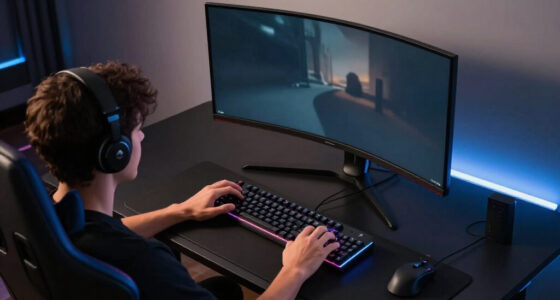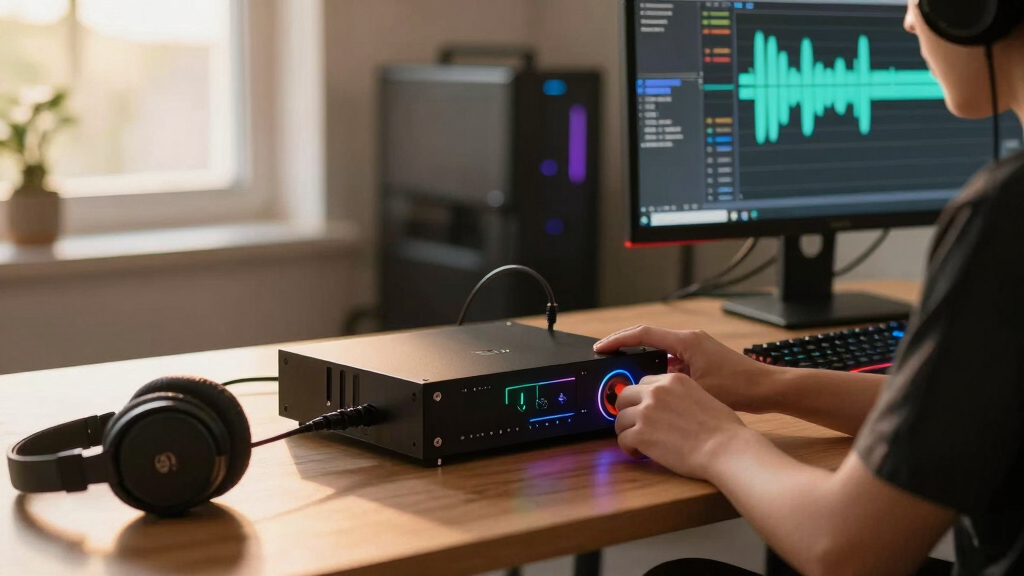

The Sound Blaster G8 is my best overall DAC amp for PC gaming because its dual USB-C inputs, detailed equalizer, and gaming-focused controls suit the widest range of desktop setups. The Fosi Audio K5 Pro is the stronger value choice, while the Fosi Audio K7 offers more power and connection flexibility for demanding headphones. The main tradeoffs are gaming software versus simple hardware controls, microphone support versus music-focused design, and useful amplification versus power that a typical headset never needs. Competitive players may also prefer positional-audio tools over the cleaner but less game-oriented approach of the FiiO K7. Continue reading for the full breakdown of which model fits each type of PC gamer.

Play games on Amazon Luna for your game nights, included with Prime
- A rotating selection of games, no download needed
- Play on TV, laptop or phone
- Fast, free delivery for your gear, too
Complete the kit



Key Takeaways
- Sound Blaster G8 ranks first overall because it combines dual-PC flexibility, extensive EQ control, and gaming features more effectively than the music-first models.
- Fosi Audio K5 Pro offers the best value for gamers who need a microphone input and physical controls without paying for balanced output or elaborate software.
- Fosi Audio K7 is the premium power pick, but its 4.4mm output and 2,100mW rating bring little benefit to easy-to-drive gaming headsets.
- Fosi Audio C3 has the clearest competitive niche through footstep enhancement, while the SteelSeries GameDAC models make more sense for convenient game-and-chat control.
- FiiO K7 is the better music-first choice, whereas the similarly named Fosi Audio K7 is better equipped for gaming sources, microphones, and wireless playback.
| SteelSeries GameDAC Gen 2 |  | Best for Multi-System Gaming | Audio resolution: 96kHz/24-bit | DAC: ESS Sabre Quad-DAC | Noise cancellation: AI noise cancellation | VIEW LATEST PRICE | See Our Full Breakdown |
| Fosi Audio Q4 |  | Best Budget Stereo Pick | Digital inputs: USB, optical, and coaxial | Line output: RCA | Headphone output: 3.5mm | VIEW LATEST PRICE | See Our Full Breakdown |
| Fosi Audio K5 Pro |  | Best Value for Wired Headsets | Digital inputs: USB Type-C, optical, and coaxial | Outputs: RCA and 3.5mm AUX | Microphone connection: Dedicated microphone interface | VIEW LATEST PRICE | See Our Full Breakdown |
| Fosi Audio C3 |  | Best for Competitive Footstep Audio | DAC: Cirrus Logic CS43131 | PCM support: Up to 32-bit/384kHz | DSD support: Up to DSD256 | VIEW LATEST PRICE | See Our Full Breakdown |
| SteelSeries GameDAC |  | Best Legacy SteelSeries Pick | DAC: ESS Sabre DAC | Maximum audio resolution: 96kHz/24-bit | Dynamic range: 121dB | VIEW LATEST PRICE | See Our Full Breakdown |
| SteelSeries GameDAC Gen 2 |  | Best for Multi-System Setups | Audio Resolution: 96 kHz / 24-bit | DAC: ESS Sabre Quad-DAC | Headset Connection: 3.5 mm | VIEW LATEST PRICE | See Our Full Breakdown |
| Fosi Audio K7 DAC Headphone Amp |  | Best for Power and Connectivity | DAC Chipset: AK4493S | USB Processor: XMOS XU208 | Headphone Power: 2,100 mW | VIEW LATEST PRICE | See Our Full Breakdown |
| Sound Blaster G8 |  | Best Dual-Source Control | USB Inputs: Dual USB-C | Maximum Playback: 32-bit / 384 kHz | Dynamic Range: 130 dB | VIEW LATEST PRICE | See Our Full Breakdown |
| Sound BlasterX G6 |  | Best for Virtual Surround | DAC Resolution: 32-bit / 192 kHz | Maximum Listed Sample Rate: 384 kHz | Signal-to-Noise Ratio: 130 dB | VIEW LATEST PRICE | See Our Full Breakdown |
| FiiO K7 Desktop DAC and Amplifier |  | Best Audiophile-Grade Desktop Pick | DACs: Dual AK4493SEQ | Amplifiers: Dual THX AAA 788+ | Output Power: 2,000 mW | VIEW LATEST PRICE | See Our Full Breakdown |
More Details on Our Top Picks
SteelSeries GameDAC Gen 2
I rank the SteelSeries GameDAC Gen 2 highly for players who regularly move between a PC and consoles. Its dual-system workflow is more gaming-focused than the Fosi Audio Q4, while AI microphone noise cancellation gives team-chat users a practical advantage over stereo-only DACs. The 96kHz/24-bit ESS Sabre Quad-DAC can reveal quieter positional cues, and 360-degree spatial audio adds directional scale in compatible games. Its limits are equally clear: every headset connects by wire, and much of the appeal centers on SteelSeries software and Arctis Nova integration. The Fosi Audio K7 offers stronger amplification and broader output choices, while the simpler Q4 is less intimidating. I see this as a feature-rich gaming hub, not the most flexible audiophile desktop amp.
Pros:- Multi-system connectivity supports a shared PC and console setup
- AI noise cancellation improves microphone clarity in busy rooms
- 96kHz/24-bit ESS Sabre conversion preserves positional detail
- 360-degree spatial audio supports directional awareness
Cons:- Headsets must connect through a cable
- Best integration is tied to the SteelSeries and Arctis Nova ecosystem
- Its controls and audio options can feel excessive for casual players
Best for: PC and console players who use wired gaming headsets and want quick source switching, spatial audio, and cleaner team chat
Not ideal for: Wireless-headset owners or buyers seeking powerful amplification for demanding audiophile headphones
- Audio resolution:96kHz/24-bit
- DAC:ESS Sabre Quad-DAC
- Noise cancellation:AI noise cancellation
- Spatial audio:360-degree surround sound
- Platform compatibility:PC, PS5, PS4, and Nintendo Switch
- Headset connection:3.5mm wired
- Primary headset pairing:Arctis Nova Pro
Our verdict“I recommend it to wired-headset players who value multi-system control and communication features more than maximum amplifier power.”
Fosi Audio Q4
The Fosi Audio Q4 earns my budget slot by concentrating on simple stereo improvement rather than gaming effects. USB, optical, and coaxial inputs make it easier to reuse with a PC, television, or older source, and its bass and treble knobs provide immediate tonal adjustment without software. Compared with the Fosi Audio K5 Pro, though, it lacks a microphone input and supplies less headroom for harder-to-drive headphones. It also offers none of the spatial processing or chat cleanup found on the Fosi Audio C3. Those omissions make the Q4 a weaker choice for competitive multiplayer, but they keep operation straightforward for single-player games, music, and powered speakers. I place it below gaming-specific models because its 16–200-ohm range and stereo-only design narrow its PC-gaming role.
Pros:- USB, optical, and coaxial inputs suit mixed desktop systems
- Physical bass and treble controls allow fast adjustments
- RCA and headphone outputs support speakers and headphones
- Compact metal enclosure fits crowded desks
Cons:- No microphone input for gaming headsets
- No virtual surround or game-specific processing
- Specified headphone range stops at 200 ohms
Best for: Budget PC gamers using 16–200-ohm headphones or powered speakers who want physical tone controls and several wired inputs
Not ideal for: Competitive players who need a microphone connection, virtual surround sound, or support for high-impedance headphones
- Digital inputs:USB, optical, and coaxial
- Line output:RCA
- Headphone output:3.5mm
- Maximum supported audio:24-bit/192kHz
- Headphone impedance range:16–200 ohms
- Tone controls:Bass and treble
- Enclosure:Metal shell
- Protection:Output protection circuit
Our verdict“I would choose the Q4 for inexpensive stereo upgrades, but multiplayer headset users should spend more on the K5 Pro or C3.”
Fosi Audio K5 Pro
I rate the Fosi Audio K5 Pro as the strongest value here for gamers who need both headphone amplification and a microphone connection. Its 500mW output at 32 ohms provides more driving headroom than the Fosi Audio Q4, while USB-C, optical, and coaxial inputs accommodate PCs and consoles. The front-panel bass and treble controls also let players emphasize dialogue or low-end impact without opening an app. It lacks the Fosi Audio C3’s 7.1 processing, footstep mode, and AI chat cleanup, so competitive players may prefer that model. Setup can also become cluttered when RCA speakers and a headset are attached, and wireless listening is absent. Even so, the low distortion rating, microphone interface, and broad headphone support give it a useful middle ground between basic stereo DACs and pricier gaming hubs.
Pros:- Microphone interface supports wired gaming headsets
- Up to 500mW at 32 ohms provides useful amplifier headroom
- USB-C, optical, and coaxial inputs cover common gaming sources
- Physical bass and treble controls simplify sound shaping
Cons:- No wireless connectivity
- No built-in virtual surround or dedicated footstep processing
- Multiple cables can make desktop setup untidy
Best for: Value-focused PC or PS5 players with wired headsets who want strong amplification, microphone support, and physical tone controls
Not ideal for: Players seeking Bluetooth, virtual surround processing, or software-based competitive sound profiles
- Digital inputs:USB Type-C, optical, and coaxial
- Outputs:RCA and 3.5mm AUX
- Microphone connection:Dedicated microphone interface
- Maximum sampling rate:24-bit/192kHz
- Total harmonic distortion:≤0.003%
- Signal-to-noise ratio:≥110dB
- Output power:1000mW at 16 ohms; 500mW at 32 ohms; 80mW at 300 ohms
- Op-amp:Texas Instruments NE5532
Our verdict“I recommend the K5 Pro as the value choice for wired-headset gamers who favor power and connectivity over surround effects.”
Fosi Audio C3
The Fosi Audio C3 takes the most competition-focused role in this group. Its HRTF-based 7.1 processing and footstep enhancement prioritize directional awareness, while AI microphone noise cancellation targets clearer squad communication. That pairing makes it more purpose-built for multiplayer PC gaming than the stereo-oriented Fosi Audio K5 Pro. The CS43131 DAC also supports 32-bit/384kHz PCM and DSD256, so the device is not relying on gaming effects alone. Still, players must accept 320mW per channel at 32 ohms, well below the power available from the Fosi Audio K7, and its advanced profiles may need adjustment before they sound natural. USB-C operation is convenient on current PCs but may require an adapter elsewhere. I rank it for competitive gaming utility, not for buyers prioritizing balanced outputs or high-impedance headphone power.
Pros:- Footstep enhancement targets positional cues in competitive games
- HRTF-based 7.1 processing expands directional presentation
- AI noise cancellation helps reduce background sound in team chat
- Driver-free USB-C setup and tactile controls suit desktop use
Cons:- 320mW-per-channel output trails more powerful desktop amplifiers
- Surround and sound profiles may require manual adjustment
- Some computers and consoles may need a USB adapter
Best for: Competitive PC gamers using moderate-impedance wired headsets who want clearer footsteps, virtual surround, and microphone cleanup
Not ideal for: Audiophile headphone owners who need balanced outputs, very high amplifier power, or an effects-free signal path
- DAC:Cirrus Logic CS43131
- PCM support:Up to 32-bit/384kHz
- DSD support:Up to DSD256
- Output power:320mW × 2 at 32 ohms
- Spatial processing:HRTF-based 7.1 surround
- Gaming mode:Footstep enhancement
- Microphone processing:AI noise cancellation
- Connection:USB-C with UAC modes
- Chassis:CNC-machined aluminum
Our verdict“I would pick the C3 for competitive headset gaming where positional cues and cleaner voice chat matter more than raw amplifier power.”
SteelSeries GameDAC
The original SteelSeries GameDAC remains relevant for PC and PS4 owners who want a dedicated control hub built around wired gaming audio. Its ESS Sabre DAC, 121dB dynamic range, and 96kHz/24-bit support provide a cleaner signal than a basic motherboard output, while DTS Headphone:X v2.0 adds virtual directionality. I rank it behind the SteelSeries GameDAC Gen 2 because the newer model expands platform support and adds AI microphone noise cancellation. The older unit can still make sense when priced well below its successor, especially for players committed to PS4-era hardware. Its disadvantages are aging compatibility, no standalone use, and a menu system that may be more involved than the physical knobs on the Fosi Audio K5 Pro. This is a price-dependent legacy choice, rather than my default recommendation for a new gaming PC.
Pros:- ESS Sabre conversion improves clarity over basic onboard audio
- DTS Headphone:X v2.0 provides virtual positional sound
- 121dB dynamic range supports clear quiet-to-loud separation
- Dedicated hardware controls keep key settings within reach
Cons:- Official compatibility is limited to PC and PS4
- Lacks the Gen 2 model’s AI noise cancellation and broader switching options
- Only compelling when priced well below newer gaming DACs
Best for: PC and PS4 owners who want SteelSeries gaming controls and DTS virtual surround at a substantial discount
Not ideal for: PS5, Switch, or multi-system buyers who need current platform support and modern microphone processing
- DAC:ESS Sabre DAC
- Maximum audio resolution:96kHz/24-bit
- Dynamic range:121dB
- THD:-115dB
- Surround technology:DTS Headphone:X v2.0
- Platform compatibility:PC and PS4
- Operating requirement:Connected PC or PS4
Our verdict“I would buy the original GameDAC only for a discounted PC or PS4 setup where SteelSeries controls and DTS surround are the main priorities.”
SteelSeries GameDAC Gen 2
I rank the SteelSeries GameDAC Gen 2 as the multi-system pick because its switching, microphone cleanup, and spatial processing address everyday gaming needs more directly than raw amplifier power. The 96 kHz/24-bit output is ample for detailed game audio, while AI noise cancellation can make team chat easier to follow in a noisy room. Compared with the FiiO K7, this model favors gaming conveniences over balanced outputs and demanding-headphone performance. It is also more approachable as a console companion than the Fosi Audio K7, though extracting every feature may depend on headset compatibility and software setup. I would choose it for a desk shared by a PC and console, but its ecosystem dependence and busier configuration make it less appealing for buyers who want a simple, platform-neutral DAC amp.
Pros:- Multi-system switching suits desks with both PC and console hardware
- AI noise cancellation can improve microphone clarity during team chat
- 96 kHz/24-bit playback provides ample resolution for PC games
- 360-degree spatial audio supports directional awareness in compatible games
Cons:- Some headline features depend on compatible headsets and software
- Configuration may feel crowded for buyers who only need volume control
- Offers less connection and headphone-output flexibility than the Fosi Audio K7
Best for: PC gamers who regularly switch between a gaming computer and Xbox or PlayStation while using voice chat
Not ideal for: Headphone enthusiasts seeking balanced outputs or maximum power for demanding headphones, since this model prioritizes gaming features
- Audio Resolution:96 kHz / 24-bit
- DAC:ESS Sabre Quad-DAC
- Headset Connection:3.5 mm
- Headset Compatibility:Arctis Nova Pro and wired headsets
- Multi-System Connect:Yes
- Platform Compatibility:PC, Xbox, PS5, PS4
Our verdict“I recommend this model to multi-platform players who value chat processing and fast device switching more than audiophile connection options.”
Fosi Audio K7 DAC Headphone Amp
The Fosi Audio K7 earns this role by combining gaming inputs with the strongest connection list in this group. Its 2,100 mW headphone output gives demanding headphones more breathing room than the SteelSeries GameDAC Gen 2, and the 4.4 mm balanced jack adds an upgrade path absent from many gaming-focused units. Compared with the FiiO K7, the Fosi is better equipped for mixed use because Bluetooth aptX HD/LL and a microphone input sit alongside USB-C, optical, and coaxial connections. That flexibility comes with a steeper learning curve, and high sample-rate support will not automatically improve positional cues in ordinary games. I rank it below simpler gaming-first choices for plug-and-play convenience, but above them for buyers building one high-powered desktop hub for PC gaming, consoles, music, and powered speakers.
Pros:- 2,100 mW output provides substantial headroom for harder-to-drive headphones
- USB-C, optical, coaxial, Bluetooth, and microphone inputs support varied setups
- Balanced and single-ended headphone outputs accommodate more cable types
- Aluminum chassis and angled controls suit permanent desktop placement
Cons:- The broad feature set creates a steeper setup and input-management learning curve
- High-resolution format support offers limited practical benefit in many games
- Less focused on virtual surround and game-specific processing than Sound Blaster models
Best for: PC gamers with demanding headphones who want one desktop unit for gaming, wireless playback, voice input, and powered speakers
Not ideal for: Beginners seeking a minimal plug-and-play device, since its many inputs, outputs, and audio formats add setup complexity
- DAC Chipset:AK4493S
- USB Processor:XMOS XU208
- Headphone Power:2,100 mW
- PCM Support:Up to 384 kHz / 32-bit
- DSD Support:DSD256
- Inputs:USB-C, coaxial, optical, Bluetooth, 3.5 mm microphone
- Outputs:4.4 mm balanced, 3.5 mm single-ended, RCA
- Chassis:Compact angled aluminum-alloy design
Our verdict“I would choose the Fosi Audio K7 for a powerful, connection-rich gaming desk that also serves as a serious music station.”
Sound Blaster G8
I give the Sound Blaster G8 the dual-source role because its two USB-C inputs can bring audio from separate devices into one gaming setup. That is more useful for a PC-and-console desk than the single-USB Sound BlasterX G6, while the 10-band equalizer offers finer tonal adjustment for footsteps, dialogue, or bass-heavy games. Its 130 dB dynamic range and discrete bi-amplifier also place it closer to serious desktop audio hardware than a basic external sound card. The cost of that control is complexity: beginners may spend time learning the Acoustic Engine, and the supplied data leaves platform support less clear than SteelSeries does. I rank it for streamers and multi-device players rather than purists, since its advantage is routing and customization, not merely the headline 32-bit/384 kHz playback figure.
Pros:- Dual USB-C inputs accommodate two source devices in one desktop setup
- 10-band equalizer allows detailed adjustment for different games and headphones
- 130 dB dynamic range supports a low-noise, wide-ranging output
- Discrete bi-amplifier is designed to deliver clear headphone drive
Cons:- The Acoustic Engine and equalizer can overwhelm first-time DAC amp buyers
- Platform compatibility is less clearly specified than on the SteelSeries GameDAC Gen 2
- Its highest playback rates provide little added value for typical game audio
Best for: Streamers and PC gamers who need audio from two USB-C source devices alongside detailed software equalization
Not ideal for: Buyers who want clearly documented console support and simple controls without software-driven audio tuning
- USB Inputs:Dual USB-C
- Maximum Playback:32-bit / 384 kHz
- Dynamic Range:130 dB
- Equalizer:10-band
- Audio Processing:Sound Blaster Acoustic Engine
- Amplification:Discrete bi-amplifier
Our verdict“I favor the Sound Blaster G8 for players who will actively use dual-source routing and detailed sound customization.”
Sound BlasterX G6
The Sound BlasterX G6 remains the clearest choice here for players who prioritize processed positional audio. Its 7.1 virtual surround, Dolby Digital decoding, sidetone control, and customizable profiles are more directly tied to gaming than the music-led circuitry of the FiiO K7. Compared with the newer Sound Blaster G8, it lacks dual USB-C source handling and the same emphasis on detailed equalizer control, but its compact body and broad listed platform support suit mixed PC and console play. The discrete headphone amplifier can serve both sensitive and high-impedance headphones, adding range beyond inexpensive USB sound cards. I would skip it for a general listening station, however: the USB-centered design, gaming-heavy software, and absence of a built-in microphone or dedicated chat hardware make it less flexible than the Fosi Audio K7.
Pros:- 7.1 virtual surround can strengthen directional presentation in supported games
- Dolby Digital decoding suits compatible console and media sources
- Discrete headphone amplification supports sensitive and high-impedance models
- Custom profiles and sidetone control provide useful gaming adjustments
Cons:- Single USB-centered connectivity is less flexible than the Sound Blaster G8 or Fosi Audio K7
- Gaming-oriented processing is less appealing for buyers seeking a neutral music setup
- No built-in microphone or dedicated chat-mixing hardware
Best for: Competitive PC and console players who want virtual 7.1 positioning, Dolby decoding, and adjustable chat monitoring
Not ideal for: Music-first desktop users who need Bluetooth, balanced outputs, or analog source switching beyond a gaming-focused USB setup
- DAC Resolution:32-bit / 192 kHz
- Maximum Listed Sample Rate:384 kHz
- Signal-to-Noise Ratio:130 dB
- Virtual Surround:7.1 channels
- Decoder:Dolby Digital
- Connectivity:USB
- Compatibility:PC, Mac, PS4, Xbox One, Nintendo Switch
- Dimensions:4.4 × 2.8 × 0.9 inches
Our verdict“I recommend the G6 when virtual surround and gaming profiles matter more than modern dual-source or balanced connectivity.”
FiiO K7 Desktop DAC and Amplifier
I place the FiiO K7 in the audiophile-focused slot because its dual AK4493SEQ DACs, dual THX AAA 788+ amplifiers, and six-stage circuit prioritize clean headphone drive over gaming effects. Its 2,000 mW output and 4.4 mm balanced connection suit demanding headphones far better than the SteelSeries GameDAC Gen 2, while USB, optical, coaxial, and AUX inputs support a permanent desktop system. Against the Fosi Audio K7, the FiiO loses Bluetooth, microphone input, and explicit gaming features, making it less convenient for voice chat or wireless sources. It also lacks the Sound BlasterX G6’s virtual surround tools. I rank it for players who want neutral, powerful playback for games and music alike, provided they can handle microphone duties separately and do not need a portable unit.
Pros:- Dual AK4493SEQ DACs and THX AAA amplification focus on clean, controlled playback
- 2,000 mW output can drive a wide range of desktop headphones
- Balanced and single-ended connections support varied headphone setups
- USB, optical, coaxial, and AUX inputs accommodate several stationary sources
Cons:- No microphone input or game-chat mixing controls
- Lacks Bluetooth and gaming effects found on the Fosi Audio K7 and Sound Blaster models
- Desktop-only design is poorly suited to portable play
Best for: PC gamers with demanding balanced headphones who also prioritize neutral music playback from a fixed desktop system
Not ideal for: Voice-chat players needing a microphone input, virtual surround, Bluetooth, or portable operation
- DACs:Dual AK4493SEQ
- Amplifiers:Dual THX AAA 788+
- Output Power:2,000 mW
- Headphone Outputs:4.4 mm balanced, 6.35 mm and 3.5 mm single-ended
- Inputs:USB, optical, coaxial, AUX
- Gain Levels:2
- Output Levels:3
- Indicators:RGB working-state and sample-rate lights
Our verdict“I would buy the FiiO K7 for powerful, music-grade desktop sound, not for chat controls or gaming-specific processing.”
How We Picked
I ranked these products by how well they solve real PC gaming audio needs, giving the most weight to stable USB connectivity, headphone compatibility, microphone routing, accessible controls, and game-specific sound adjustment. I treated high sample-rate support as a secondary factor because usable power and clean volume control affect more buyers than headline resolution figures. Build quality, input selection, desk footprint, software dependence, and price also shaped each position.
My ranking places well-rounded gaming models above specialist units when prices are close. That puts the Sound Blaster G8 ahead of the more music-oriented FiiO K7, while the Fosi Audio K5 Pro rises through value rather than raw output. Models such as the Fosi Audio C3, Sound BlasterX G6, and SteelSeries GameDAC earn narrower roles for competitive sound cues, Dolby support, or chat control. I also treat the two GameDAC Gen 2 listings cautiously because retailer titles may describe software bundles or packaging differences rather than separate hardware.
Factors to Consider When Choosing Best DAC Amps For PC Gaming
I would choose a gaming DAC amp by matching it to the headphones, microphone, games, and source devices already on the desk. More power and higher resolution do not automatically produce a better gaming setup. The right model removes a specific limitation without adding controls, software, or cables that will go unused.
Match Amplifier Power to the Headphones
I start with headphone sensitivity and impedance, not the largest power figure on the product page. Most gaming headsets reach ample volume from modest amplification, so a unit such as the Fosi Audio K5 Pro may be all that is needed. Harder-to-drive planar or high-impedance headphones give the Fosi Audio K7 and FiiO K7 a clearer purpose. Excess power can make the usable volume range too narrow with sensitive in-ear monitors, causing sudden jumps or audible channel imbalance at low settings. Balanced output adds connection flexibility, but it does not automatically improve imaging or detail. I would pay for a stronger amplifier only when the current headphones demand it or a future headphone upgrade is already planned.
Decide How Much Gaming Control You Need
A gaming DAC earns its place when it makes volume, chat balance, microphone monitoring, and EQ easier to manage during play. SteelSeries models suit buyers who want fast game-and-chat adjustment, while Sound Blaster products lean toward deeper software control. A conventional desktop DAC may sound clean yet force the user back into Windows menus whenever voice chat becomes too loud. I would check whether key functions remain available if the companion application is closed, since hardware controls are more dependable across launchers and games. Streamers may also need sidetone or direct microphone monitoring to avoid delayed vocal feedback. Buyers who never use voice chat can skip many of these features and direct more of the budget toward the amplifier stage.
Check Every Source and Output Before Buying
I map every planned device before comparing sound claims because USB, optical, coaxial, and Bluetooth solve different setup problems. Dual USB inputs on the Sound Blaster G8 can simplify switching between two computers or a PC and another compatible source. Optical input helps with older televisions and consoles, though platform-specific USB audio rules can limit microphone support. RCA output is useful when the DAC will also feed powered speakers, while a dedicated line output is usually easier to manage than a headphone jack adapted for that job. Bluetooth adds convenience for a phone, but even low-latency codecs may be less predictable than wired audio for competitive play. I would verify both playback and microphone compatibility for each device rather than assuming that one supported connection covers every function.
Treat Surround and Footstep Modes as Tools
Virtual 7.1 and footstep enhancement can help in some games, but neither feature guarantees more accurate positioning. Many modern titles already contain headphone spatial processing, and stacking that with DAC software can blur distance cues or exaggerate treble. The Fosi Audio C3 has a focused appeal for players who want a quick competitive preset, whereas the Sound Blaster models offer more room for custom EQ. I would compare processed audio against plain stereo in the games played most often, then keep the setting that makes direction and distance easiest to judge. A broad treble boost may expose footsteps while also making gunfire tiring, so adjustable EQ is safer than a fixed effect. Music and story-driven games usually benefit from a separate, less aggressive profile.
Know When a Premium Model Pays Off
I see the strongest case for spending more when one device must handle gaming, demanding headphones, speakers, and multiple sources. The premium price is harder to defend when the setup consists of one USB gaming headset or an easy-to-drive pair of headphones. Larger models may bring balanced jacks and stronger amplification, but they also occupy more desk space and add cable clutter. Software-heavy units offer powerful customization at the cost of updates, background services, and a steeper learning curve. Hardware-led products are simpler to move between computers, though their EQ and routing options may be limited. I would pay extra for connections and controls used every week, rather than maximum sample rates that rarely change the gaming experience.
Frequently Asked Questions
Will a DAC Amp Make Footsteps Easier to Hear?
A DAC amp can help if the current PC output is noisy, weak, or unable to apply a useful EQ profile, but it cannot create positional information missing from a game. Footstep enhancement and adjustable EQ can raise the frequency ranges where movement cues often sit. Excessive boosting may make gunfire and dialogue harsh, and it can hide distance differences. I would favor controlled EQ or a switchable mode, such as those offered by the Sound Blaster models or Fosi Audio C3, over buying based on DAC resolution alone.
Do I Need a Powerful Amplifier for a Gaming Headset?
Most gaming headsets are designed for modest output and do not need a desktop powerhouse. The Fosi Audio K5 Pro or SteelSeries GameDAC should provide a more appropriate feature set for many headset users than a high-output audiophile unit. Extra power becomes useful with inefficient planar headphones or high-impedance studio models. I would check the headphone specifications and current volume headroom before paying for the Fosi Audio K7 or FiiO K7.
Is Virtual 7.1 Better Than Stereo for PC Gaming?
Virtual 7.1 can improve directional perception for some listeners, yet good stereo headphones paired with a game’s native spatial mix may sound more precise. Running two surround systems at once often produces hollow tone and smeared positioning. The Sound BlasterX G6 is attractive when Dolby Digital and virtual surround are genuine requirements, while a simpler stereo DAC suits games with strong built-in headphone processing. I would keep both modes available and choose per game rather than treating surround as a permanent upgrade.
Should I Buy a DAC Amp With a Microphone Input?
I would choose a microphone-equipped model when using an analog gaming headset with separate headphone and mic plugs. It keeps playback, voice input, and monitoring in one device and may reduce trips into Windows audio settings. A USB microphone already performs its own conversion, so connecting it to a separate gaming DAC usually offers no benefit. Buyers using XLR microphones may be better served by an audio interface alongside a dedicated headphone amplifier.
What Is the Difference Between the Fosi Audio K7 and FiiO K7?
Despite the shared K7 name, these products target different desks. The Fosi Audio K7 emphasizes gaming versatility with a microphone input, Bluetooth, multiple digital connections, and both balanced and unbalanced headphone outputs. The FiiO K7 is the more conventional music-first desktop DAC and amplifier, making it better suited to buyers who prioritize headphones and powered speakers over voice-chat features. I would pick the Fosi for a mixed gaming setup and the FiiO for a cleaner audiophile-style signal chain.
Conclusion
For most PC gamers, my best overall pick is the Sound Blaster G8 because it combines flexible inputs, strong software control, and practical gaming features. The Fosi Audio K5 Pro is my best value choice, while the Fosi Audio Q4 is the easier starting point for beginners who want basic physical controls. Buyers with demanding headphones and several sources should choose the premium Fosi Audio K7; music-first listeners should favor the FiiO K7. Competitive players who want a direct footstep mode are better matched with the Fosi Audio C3, and Dolby users should look at the Sound BlasterX G6. SteelSeries headset owners gain the most from the GameDAC Gen 2, while the original GameDAC remains relevant mainly when its lower price offsets its older design. Between the two GameDAC Gen 2 listings, I would buy only after checking the exact model number, included cables, software features, and warranty.
Fall Picks
fall essentials
As an affiliate, we earn on qualifying purchases.