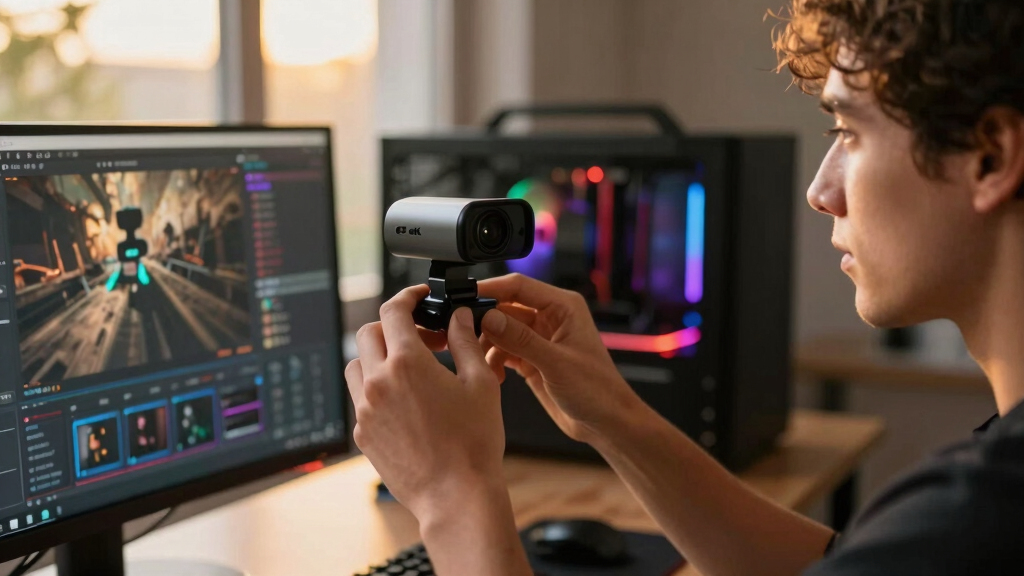
Among the best 4K webcams for streamers, I rank the Elgato Facecam 4K as the best overall because its Sony STARVIS 2 sensor and streaming-focused design put image quality ahead of meeting-room extras. The EMEET S600 is my value pick for buyers who want 4K capture, autofocus, microphones, and a privacy cover without paying for advanced tracking. For creators who move around on camera, the Insta360 Link 2 Pro offers a more capable premium route with PTZ framing. The main choices are 4K detail versus high-frame-rate motion, fixed composition versus automated tracking, and specialist video controls versus all-in-one convenience. Continue reading for the full breakdown of which model fits each streaming setup.
Listen free for 30 days with Audible
Thousands of audiobooks and originals — cancel anytime.
Start your free trialAs an affiliate, we earn on qualifying purchases.
Complete the kit



Key Takeaways
- Elgato Facecam 4K leads the ranking because its imaging hardware and creator-led design match dedicated streaming setups better than collaboration-focused alternatives.
- EMEET S600 offers the strongest value balance, combining the main convenience features most new streamers need without charging for motorized tracking.
- Insta360 owns the movement-focused roles: Link 2 suits active solo creators, Link 2C favors a fixed compact setup, and Link 2 Pro is the premium PTZ choice.
- 4K resolution alone did not determine placement; 1080p at 60 fps, exposure control, framing behavior, and software usability can matter more during live broadcasts.
- Logitech models suit mixed work-and-streaming use, but their collaboration and security features offer less value to creators who already use separate audio and fixed studio lighting.
| EMEET S600 4K Webcam |  | Best Value Pick | Maximum resolution: 4K (3840 x 2160) at 30 fps | High-frame-rate mode: 1080p at 60 fps | Sensor: Sony 1/2.55-inch CMOS | VIEW LATEST PRICE | See Our Full Breakdown |
| Razer Kiyo V2 Streaming Webcam |  | Best for Automatic Framing | Maximum resolution: 4K at 30 fps | High-frame-rate mode: 1080p at 60 fps | Sensor: Sony STARVIS | VIEW LATEST PRICE | See Our Full Breakdown |
| Insta360 Link 2 4K Webcam |  | Best for Moving Presenters | Maximum resolution: 4K UHD | Sensor: 1/2-inch CMOS | Focus: Autofocus | VIEW LATEST PRICE | See Our Full Breakdown |
| Elgato Facecam 4K Studio Webcam |  | Best Overall | Maximum resolution: 4K at 60 fps | Sensor: Sony STARVIS 2 CMOS | Video output: Uncompressed video | VIEW LATEST PRICE | See Our Full Breakdown |
| Acer A640 4K Webcam |  | Best for Multi-Platform Streaming | Maximum resolution: 4K at 30 fps | High-frame-rate modes: 2K and 1080p at 60 fps | Sensor: Sony 1/2.8-inch | VIEW LATEST PRICE | See Our Full Breakdown |
| Logitech MX Brio Ultra HD 4K Webcam for Collaboration and Streaming |  | Best for Manual Image Control | Maximum resolution: 4K at 30fps | High-frame-rate mode: 1080p at 60fps | Pixel size: 70% larger pixels | VIEW LATEST PRICE | See Our Full Breakdown |
| Logitech Brio 4K Webcam with HDR, Noise-Canceling Microphone, and Windows Hello |  | Best for Flexible Framing | Maximum resolution: 4K at 30fps | Field of view: 65°, 78°, or 90° | Microphones: Dual omnidirectional noise-canceling microphones | VIEW LATEST PRICE | See Our Full Breakdown |
| Insta360 Link 2C 4K Webcam for PC/Mac with Auto Framing and HDR |  | Best Compact AI Webcam | Resolution: 4K | Sensor: 1/2-inch | HDR: Yes | VIEW LATEST PRICE | See Our Full Breakdown |
| Insta360 Link 2 Pro 4K PTZ Webcam for PC/Mac |  | Best Premium Tracking Webcam | Resolution: 4K | Sensor: 1/1.3-inch | Camera system: PTZ with AI tracking | VIEW LATEST PRICE | See Our Full Breakdown |
| Logitech 4K Webcam |  | Best for Close-Up Cropping | Resolution: 4K Ultra HD | Zoom: 5x HD zoom | Field of view: 90°, 78°, or 65° | VIEW LATEST PRICE | See Our Full Breakdown |
| 4K webcams for streamer | Compatibility | Maximum resolution | Sensor |
|---|---|---|---|
| EMEET S600 4K Webcam | Windows 10/11, macOS 10.14+, Linux, Android TV 7.0+ | 4K (3840 x 2160) at 30 fps | Sony 1/2.55-inch CMOS |
| Razer Kiyo V2 Streaming Webcam | — | 4K at 30 fps | Sony STARVIS |
| Insta360 Link 2 4K Webcam | PC and Mac; ARM-based Windows unsupported | 4K UHD | 1/2-inch CMOS |
| Elgato Facecam 4K Studio Webca | — | 4K at 60 fps | Sony STARVIS 2 CMOS |
| Acer A640 4K Webcam | Windows, Mac, Switch 2, Microsoft Teams, Zoom, and Twitch | 4K at 30 fps | Sony 1/2.8-inch |
| Logitech MX Brio Ultra HD 4K W | Windows, macOS, Chrome OS, and Linux | 4K at 30fps | — |
| Logitech Brio 4K Webcam with H | Windows, Mac, and ChromeOS | 4K at 30fps | — |
| Insta360 Link 2C 4K Webcam for | Windows and Mac; excludes ARM-based Windows and Windows Hello Face Recognition | — | 1/2-inch |
| Insta360 Link 2 Pro 4K PTZ Web | Windows, macOS, Chrome OS, and Linux | — | 1/1.3-inch |
| Logitech 4K Webcam | Windows, Mac, and ChromeOS | — | — |
More Details on Our Top Picks
EMEET S600 4K Webcam
I rank the EMEET S600 as the value choice because it combines a Sony 1/2.55-inch sensor, fast PDAF autofocus, and 1080p at 60 fps without pushing into Elgato Facecam 4K pricing. That faster 1080p mode is often more useful for gameplay streams than 4K30, since motion looks smoother while the camera still retains a crisp image. Compared with the Acer A640, the S600 has a slightly larger stated sensor and similarly convenient privacy and microphone features. The compromise is flexibility: its 73-degree field of view at 4K is relatively tight, digital zoom reduces image quality, and there is no stabilization. I would also rule it out for Chromebook setups because Chrome OS is unsupported. For a stationary, budget-conscious streamer, its image-to-price balance is the main attraction.
Pros:- Sony 1/2.55-inch sensor supports detailed 4K video
- PDAF autofocus helps maintain facial sharpness
- 1080p60 mode gives gameplay streams smoother motion
- Integrated privacy cover and dual noise-canceling microphones
Cons:- 4K recording is limited to 30 fps with a fixed 73-degree view
- No image stabilization for a moving or vibration-prone setup
- Chrome OS is not supported
Best for: I recommend it for desk-based Twitch or YouTube streamers who want sharp 4K30 video and smooth 1080p60 without paying for advanced tracking.
Not ideal for: I would skip it for Chromebook users or creators who need a wide 4K frame for standing presentations and multi-person shots.
- Maximum resolution:4K (3840 x 2160) at 30 fps
- High-frame-rate mode:1080p at 60 fps
- Sensor:Sony 1/2.55-inch CMOS
- Focus:PDAF autofocus
- Field of view:73 degrees at 4K
- Zoom:2.1x digital
- Audio:Dual noise-canceling microphones
- Compatibility:Windows 10/11, macOS 10.14+, Linux, Android TV 7.0+
Our verdict“I would choose the S600 for an affordable fixed-desk stream where image quality matters more than tracking or wide framing.”
Razer Kiyo V2 Streaming Webcam
The Razer Kiyo V2 earns its place through AI face tracking and automatic framing, which can keep a solo streamer centered without constant camera adjustments. Its ultrawide lens gives that software room to reframe, while 4K30 and 1080p60 cover detailed talking-head footage and smoother live gameplay. Compared with the Insta360 Link 2, the Razer is better suited to creators who stay near their desk; the Insta360 offers more presentation-oriented modes and gesture control for people who move around. Razer Synapse adds granular exposure, white-balance, HDR, and noise-reduction controls, but reliance on compatible software makes the full feature set less portable. The built-in microphone is also poorly specified, so I would plan on a separate streaming mic. Its likely premium pricing makes sense only if hands-free composition will be used regularly.
Pros:- AI face tracking keeps solo creators centered
- Ultrawide lens provides room for automatic reframing
- Choice of detailed 4K30 or fluid 1080p60 video
- Synapse controls exposure, white balance, HDR, and noise reduction
Cons:- Full functionality depends on compatible Razer Synapse software
- Advanced framing features may carry a higher price than simpler 4K models
- Microphone specifications provide little basis for judging audio quality
Best for: I recommend it for solo gaming streamers who want software-controlled framing while shifting position within an ultrawide desk setup.
Not ideal for: I would skip it for creators who avoid companion software or expect the webcam microphone to replace a dedicated streaming mic.
- Maximum resolution:4K at 30 fps
- High-frame-rate mode:1080p at 60 fps
- Sensor:Sony STARVIS
- Lens:Ultrawide angle
- Framing:AI-powered auto-framing with face tracking
- Video processing:HDR, noise reduction, automatic exposure, and white balance
- Mount:Universal pivoting mount with tripod thread
- Audio:Built-in microphone
Our verdict“I would buy the Kiyo V2 for a fixed streaming station where reliable AI framing justifies added software and cost.”
Insta360 Link 2 4K Webcam
I would choose the Insta360 Link 2 for streams that extend beyond a seated talking head. Its AI tracking follows movement, while gesture control, DeskView, and Whiteboard modes let a creator change how content is shown without repeatedly reaching for a keyboard. The 1/2-inch sensor is larger than the sensors listed for the EMEET S600 and Acer A640, giving the Link 2 a stronger foundation for low-light detail and HDR. Compared with the Razer Kiyo V2, it offers a broader presentation toolkit and smartphone control, though stationary gamers may not benefit enough to justify the extra complexity. ARM-based Windows incompatibility is a firm limitation, and the stated external-power or battery requirement adds setup friction. There is also no image stabilization, so tracking cannot correct a vibrating desk or unstable mount. Its mobility-focused features define the value.
Pros:- AI tracking follows presenters who move around the frame
- Large 1/2-inch sensor supports strong HDR and low-light capture
- Gesture, DeskView, Whiteboard, and portrait modes broaden production options
- Noise-canceling audio and smartphone control reduce desk interaction
Cons:- Not compatible with ARM-based Windows systems
- Stated external-power and 9V battery requirement complicates setup
- No image stabilization for an unsteady mounting surface
Best for: I recommend it for educators, makers, and live presenters who move between their face, desk, and whiteboard during a stream.
Not ideal for: I would skip it for ARM-based Windows users or seated gaming streamers who would rarely use tracking and presentation modes.
- Maximum resolution:4K UHD
- Sensor:1/2-inch CMOS
- Focus:Autofocus
- Tracking:AI subject tracking
- Control:Gesture and smartphone remote control
- Capture modes:DeskView, Whiteboard, and 4K Portrait
- Imaging:HDR with no image stabilization
- Compatibility:PC and Mac; ARM-based Windows unsupported
Our verdict“I would pick the Link 2 when movement and hands-free presentation control matter more than a simple plug-in desk camera.”
Elgato Facecam 4K Studio Webcam
I place the Elgato Facecam 4K at the head of this group because it records 4K at 60 fps, while the EMEET S600, Acer A640, and Razer Kiyo V2 reach 4K at 30 fps. That difference gives high-end streams both fine facial detail and fluid motion, reducing the need to choose one over the other. A Sony STARVIS 2 CMOS sensor, HDR, and uncompressed output make it the strongest image-first option, while Camera Hub provides deeper visual control. Its 49mm filter support also gives studio creators room to shape reflections or exposure with camera-style accessories. The drawbacks follow from that ambition: it is likely expensive, 4K60 places heavier demands on USB bandwidth and the host computer, and filters cost extra. Unlike the Insta360 Link 2, it is not presented as a movement-tracking specialist. I rank it first for production quality, not convenience.
Pros:- 4K60 capture combines high detail with smooth movement
- Sony STARVIS 2 CMOS sensor and HDR support image-focused production
- Uncompressed video offers more latitude for a polished workflow
- 49mm filter support and Camera Hub expand creative control
Cons:- Premium imaging hardware is likely costlier than standard 4K30 webcams
- 4K60 and uncompressed video place greater demands on USB bandwidth and computer performance
- Lens filters required for physical image customization are separate purchases
Best for: I recommend it for established streamers with capable computers, dedicated audio, and lighting who want the strongest 4K motion and image controls.
Not ideal for: I would skip it for budget setups, low-powered computers, or creators who value AI tracking more than 4K60 capture.
- Maximum resolution:4K at 60 fps
- Sensor:Sony STARVIS 2 CMOS
- Video output:Uncompressed video
- Dynamic range:HDR
- Filter compatibility:49mm lens filters
- Connectivity:USB-C
- Software:Elgato Camera Hub
- Construction:Eco-friendly materials
Our verdict“I would choose the Facecam 4K for the best image-focused streaming setup when budget and computer performance can support 4K60.”
Acer A640 4K Webcam
The Acer A640 makes the most sense for creators who stream across a computer and Switch 2 rather than remaining tied to one desktop platform. Its Sony 1/2.8-inch sensor delivers 4K30, while 2K and 1080p at 60 fps provide smoother alternatives for fast-moving game commentary. PDAF autofocus, automatic low-light correction, and AI noise cancellation reduce the number of settings a new creator has to manage. Compared with the EMEET S600, the Acer offers wider stated platform support and a 2K60 option, but the EMEET lists a slightly larger sensor and may offer stronger value for a PC-only desk setup. The USB-A-to-C adapter adds connection flexibility, though needing an adapter can make portable cable management less tidy. It may also cost more than a basic 4K webcam, and its features are excessive for occasional calls. I favor it for cross-device convenience.
Pros:- Supports 4K30 plus 2K and 1080p at 60 fps
- PDAF autofocus responds quickly to changes in subject distance
- AI noise cancellation and low-light correction simplify live setup
- Windows, Mac, Switch 2, Twitch, Teams, and Zoom compatibility
Cons:- Some device connections depend on the included USB-A-to-C adapter
- Likely costs more than simpler webcams with similar 4K30 output
- Extra resolution modes and processing offer limited value for basic video calls
Best for: I recommend it for streamers who alternate between Windows, Mac, and Switch 2 and want 60 fps choices with automatic image and audio processing.
Not ideal for: I would skip it for occasional video callers or single-PC creators who can get similar 4K30 fundamentals from the cheaper EMEET S600.
- Maximum resolution:4K at 30 fps
- High-frame-rate modes:2K and 1080p at 60 fps
- Sensor:Sony 1/2.8-inch
- Focus:PDAF autofocus
- Audio:AI noise-canceling microphone
- Lighting:Automatic low-light correction
- Connectivity:USB with USB-A-to-C adapter
- Compatibility:Windows, Mac, Switch 2, Microsoft Teams, Zoom, and Twitch
Our verdict“I would select the A640 for a flexible computer-and-console setup that benefits from several 60 fps modes and automatic processing.”
Logitech MX Brio Ultra HD 4K Webcam for Collaboration and Streaming
I rank the Logitech MX Brio as the strongest choice for streamers who want to shape their image without moving to a dedicated camera. Its adjustable lighting, white balance, and AI processing provide more creative control than the older Logitech Brio 4K, while 1080p at 60fps gives motion-heavy streams a smoother alternative to 4K at 30fps. The larger pixels also make this model better suited to imperfect room lighting. It lacks the motorized tracking of the Insta360 Link 2 Pro, so presenters who move around will find it less flexible. The USB-C requirement, sizable body, and reliance on Logitech software for premium controls also raise the setup burden. My ranking places it below dedicated tracking models for active hosts but above simpler webcams for desk-based streaming.
Pros:- Detailed 4K image with AI-enhanced processing
- Manual lighting and white-balance controls support a consistent stream appearance
- 1080p at 60fps handles motion more smoothly than 4K/30fps
- Dual beamforming microphones and an integrated privacy cover
Cons:- USB-C connection can exclude older streaming computers
- Advanced controls depend on Logitech software
- Larger body takes up more monitor or rig space than compact alternatives
Best for: Desk-based streamers who want detailed control over lighting, white balance, and framing without buying a mirrorless camera
Not ideal for: Streamers using older computers without USB-C or presenters who need a camera that physically tracks movement
- Maximum resolution:4K at 30fps
- High-frame-rate mode:1080p at 60fps
- Pixel size:70% larger pixels
- Microphones:Dual beamforming noise-reducing microphones
- Image controls:Adjustable lighting and white balance
- Special mode:Show Mode
- Privacy:Integrated privacy cover
- Compatibility:Windows, macOS, Chrome OS, and Linux
Our verdict“This is my pick for stationary streamers who value image adjustment more than automated subject tracking.”
Logitech Brio 4K Webcam with HDR, Noise-Canceling Microphone, and Windows Hello
The Logitech Brio 4K earns its place through three field-of-view presets that let a streamer switch between a tight headshot, a balanced desk view, and a wider room composition. That 65°, 78°, and 90° flexibility is more useful for fixed multi-purpose setups than the single framing approach of many basic 4K webcams. Compared with the MX Brio, however, it offers fewer hands-on image adjustments and lacks a listed 1080p/60fps mode. Auto light correction reduces setup work, while Windows Hello adds value when the same PC handles streaming and daily work. I place it behind the MX Brio for image customization and behind the Insta360 Link 2 Pro for movement, but its Windows Hello support and privacy shutter make it a capable hybrid. The need for USB 3.0 and potentially fiddly setup are its main barriers.
Pros:- Three field-of-view presets suit different streaming layouts
- 4K capture with automatic light correction
- Windows Hello supports fast facial sign-in
- Dual noise-canceling microphones and a privacy shutter
Cons:- Requires USB 3.0 for full performance
- Offers less manual image control than the MX Brio
- Initial software and framing setup may feel complex
Best for: Windows streamers who frequently change between close-up, desk, and room-wide framing on one fixed camera
Not ideal for: Motion-focused creators who need 60fps capture or automatic physical tracking
- Maximum resolution:4K at 30fps
- Field of view:65°, 78°, or 90°
- Microphones:Dual omnidirectional noise-canceling microphones
- Light correction:Automatic
- Biometric login:Windows Hello
- Privacy:Privacy shutter
- Compatibility:Windows, Mac, and ChromeOS
- Warranty:1 year
Our verdict“I recommend this model to Windows-based streamers who prize adjustable fixed framing and facial sign-in over AI tracking.”
Insta360 Link 2C 4K Webcam for PC/Mac with Auto Framing and HDR
I see the Insta360 Link 2C as the compact choice for solo streamers who want smart framing without a motorized PTZ body. Its 1/2-inch sensor, HDR, and phase-detection autofocus support a clean image when lighting or subject distance changes, while natural bokeh helps separate a host from a busy background. Auto framing and gesture control give it more automation than the Logitech Brio 4K, and DeskView or Whiteboard modes broaden its use for tutorials. The Link 2 Pro remains better for creators who walk around because its AI tracking can physically follow a subject. By contrast, the 2C uses digital auto framing, which is better suited to seated hosts. Full functionality depends on software, setup is less immediate than a basic webcam, and ARM-based Windows PCs are excluded.
Pros:- Large 1/2-inch sensor supports strong low-light image quality
- Phase-detection autofocus reacts quickly to changes in subject distance
- Auto framing and gesture control simplify solo operation
- DeskView and Whiteboard modes add value for tutorial streams
Cons:- Digital framing cannot follow movement like the Link 2 Pro’s PTZ system
- Not compatible with ARM-based Windows systems
- Software is required to access the full feature set
Best for: Seated solo streamers who want AI framing, strong autofocus, and presentation modes in a compact fixed-camera setup
Not ideal for: ARM-based Windows users or creators who need a motorized camera to follow them across a room
- Resolution:4K
- Sensor:1/2-inch
- HDR:Yes
- Autofocus:Phase Detection Auto Focus (PDAF)
- Smart controls:Auto Framing and Gesture Control
- Special modes:DeskView and Whiteboard
- Audio:AI noise-canceling microphone
- Remote control:Smartphone control
- Compatibility:Windows and Mac; excludes ARM-based Windows and Windows Hello Face Recognition
Our verdict“This is my compact recommendation for seated creators who want smart framing without paying for motorized tracking.”
Insta360 Link 2 Pro 4K PTZ Webcam for PC/Mac
The Insta360 Link 2 Pro takes my premium slot because its PTZ design and AI tracking address a problem fixed webcams cannot: keeping an active streamer centered while moving. Its large 1/1.3-inch sensor also promises stronger low-light capture and more convincing background separation than the smaller Link 2C sensor. Stream Deck support is especially useful for live production, letting creators place camera actions alongside scene and audio controls. This model makes less sense for a seated host, who can get auto framing and specialized modes from the cheaper Link 2C without paying for motorized movement. It also brings more setup complexity, requires USB-C, and excludes ARM-based Windows systems. I rank it highest for standing demonstrations, fitness streams, and room-scale presentations, but its premium capabilities would be wasted in a static head-and-shoulders layout.
Pros:- Motorized PTZ tracking keeps moving presenters framed
- Large 1/1.3-inch sensor improves low-light capture and background separation
- Directional dual microphones help isolate the speaker
- Elgato Stream Deck support fits advanced live-production workflows
Cons:- USB-C requirement limits compatibility with older systems
- Not compatible with ARM-based Windows or Windows Hello Face Recognition
- AI tracking and workflow integrations require additional software setup
Best for: Active streamers, instructors, and demonstrators who move around and want camera tracking tied into a Stream Deck workflow
Not ideal for: Seated streamers with older USB hardware, since the PTZ system adds cost and setup without much benefit
- Resolution:4K
- Sensor:1/1.3-inch
- Camera system:PTZ with AI tracking
- HDR:Yes
- Microphones:Directional noise-canceling dual-mic system
- Controls:Gesture control
- Workflow integration:Elgato Stream Deck support
- Compatibility:Windows, macOS, Chrome OS, and Linux
- Hardware exclusions:ARM-based Windows and Windows Hello Face Recognition
Our verdict“I would choose the Link 2 Pro for movement-heavy streams where reliable subject tracking justifies the added cost and complexity.”
Logitech 4K Webcam
The Logitech 4K Webcam is my choice for streamers who need to crop tightly without constantly repositioning the camera. Its 5x HD zoom and three field-of-view presets make it easier to isolate a face, product, or desk detail than the fixed framing of the Insta360 Link 2C. Auto light adjustment with HDR also suits rooms where daylight changes during a long broadcast. This model is less appealing than the MX Brio for creators who want detailed white-balance and lighting controls, while the Insta360 Link 2 Pro is far better for tracking movement. The listed frame rate reaches up to 90fps, though the supplied data does not tie that maximum to 4K resolution, so buyers should not assume 4K/90fps capture. Its missing hardware microphone-mute button and dependence on companion software are meaningful workflow compromises.
Pros:- 5x HD zoom supports tighter crops and detailed product views
- Three field-of-view presets accommodate varied desk layouts
- Automatic light adjustment with HDR responds to changing room light
- Windows Hello and a privacy shutter add everyday utility
Cons:- No built-in microphone mute button
- Some controls require compatible Logitech software
- The listed 90fps maximum is not specified as available at 4K
Best for: Stationary product streamers and close-up presenters who need flexible cropping, zoom, and Windows Hello on a fixed camera
Not ideal for: Creators who want physical AI tracking, direct microphone muting, or extensive manual image controls
- Resolution:4K Ultra HD
- Zoom:5x HD zoom
- Field of view:90°, 78°, or 65°
- Maximum listed frame rate:Up to 90fps
- Light adjustment:Automatic with HDR technology
- Microphones:Dual omnidirectional noise-canceling microphones
- Security features:Windows Hello and privacy shutter
- Compatibility:Windows, Mac, and ChromeOS
- Warranty:1-year limited hardware warranty
Our verdict“I favor this webcam for fixed close-up streams where zoom and framing flexibility matter more than tracking or manual color control.”
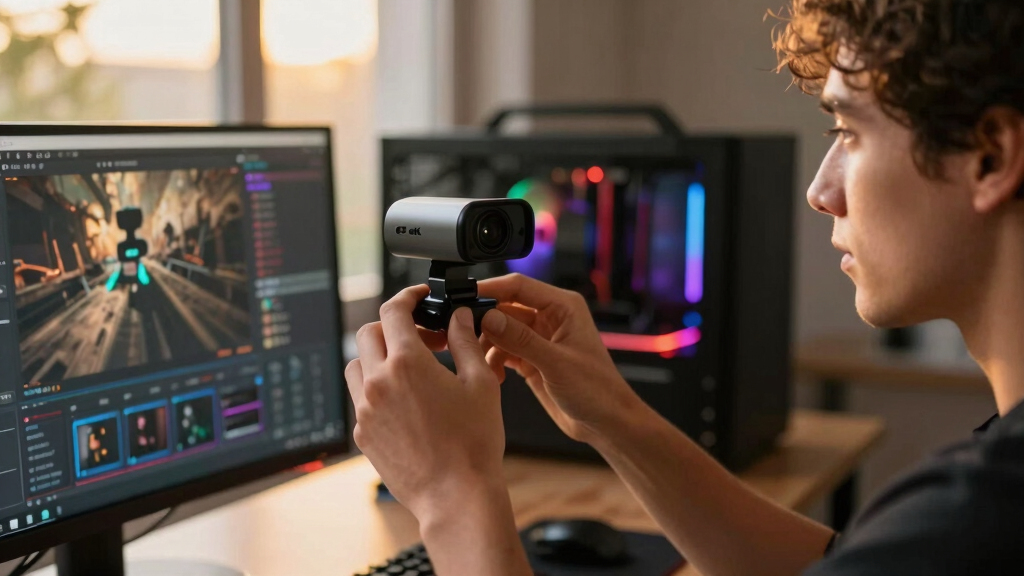
How We Picked
I ranked these webcams by how well they serve a streamer rather than by the length of each specification list. My highest weighting went to image quality under indoor lighting, followed by motion handling and framing reliability. I also examined autofocus, HDR, field-of-view choices, 1080p60 support, mounting flexibility, privacy controls, microphone utility, and connection requirements. Features earned more credit when they reduced setup work or improved a live broadcast, while office-focused additions carried less weight.
The ordering reflects distinct creator needs rather than ten interchangeable recommendations. Elgato Facecam 4K takes the overall position for streamers building around dedicated lighting and audio, while Insta360 Link 2 Pro earns the premium role through PTZ flexibility. EMEET S600 rises as the value choice, Acer A640 fits beginners, and Razer Kiyo V2 serves creators who want both 4K30 and smoother 1080p60 output. I placed more specialized Logitech options behind the strongest creator-led models when business-call features added cost without improving the stream itself.
| 4K webcams for streamer | Compatibility |
|---|---|
| EMEET S600 4K Webcam | Windows 10/11, macOS 10.14+, Linux, Android TV 7.0+ |
| Razer Kiyo V2 Streaming Webcam | — |
| Insta360 Link 2 4K Webcam | PC and Mac; ARM-based Windows unsupported |
| Elgato Facecam 4K Studio Webca | — |
| Acer A640 4K Webcam | Windows, Mac, Switch 2, Microsoft Teams, Zoom, and Twitch |
| Logitech MX Brio Ultra HD 4K W | Windows, macOS, Chrome OS, and Linux |
| Logitech Brio 4K Webcam with H | Windows, Mac, and ChromeOS |
| Insta360 Link 2C 4K Webcam for | Windows and Mac; excludes ARM-based Windows and Windows Hello Face Recognition |
| Insta360 Link 2 Pro 4K PTZ Web | Windows, macOS, Chrome OS, and Linux |
| Logitech 4K Webcam | Windows, Mac, and ChromeOS |
Factors to Consider When Choosing Best 4K Webcams For Streamers
I would choose a 4K webcam by matching its behavior to the broadcast, not by treating resolution as the whole decision. Frame rate, lighting, framing style, and software control often shape the finished stream more than the 4K label. The right purchase should also leave room in the budget for lighting and audio upgrades, which can produce a larger quality gain.
Choose Between 4K Detail and 60 FPS Motion
Most webcams in this class record 4K at 30 fps, which works well for talking-head streams with limited movement. I would prioritize 1080p at 60 fps for energetic gaming commentary, demonstrations, or any broadcast where hands and props move quickly. The lower resolution usually remains sharp after the camera feed is reduced to a corner of a 1080p stream. Full 4K becomes more useful when the webcam fills the frame, feeds a 4K recording, or supports digital cropping. A common mistake is paying for 4K and then using a platform, capture layout, or USB connection that never displays it. Buyers who alternate between full-screen presentation and fast motion should seek both 4K30 and 1080p60 rather than treating one mode as universally better.
Judge the Sensor Through Your Lighting Setup
A larger or newer sensor can retain cleaner detail in a dim room, but even strong imaging hardware cannot rescue poor light placement. I would fund a soft key light before paying a large premium solely for low-light claims. HDR can help when a bright monitor, window, or LED background sits behind the creator, though aggressive HDR may make skin tones look flat. Autofocus is useful for product demonstrations, while a locked focal position can be steadier for seated broadcasts. Lens width also changes the result: an ultrawide view shows more of the room but makes the face smaller and may introduce edge distortion. The best match is a sensor-and-lens combination that supports the intended scene, not merely the model with the largest resolution number.
Decide Whether Automated Tracking Helps the Format
Motorized PTZ and AI tracking can keep a presenter centered while standing, teaching, exercising, or moving between equipment. For a seated gaming stream, I often see fixed framing as the cleaner choice because it avoids unexpected camera movement and costs less. Software auto-framing crops the image rather than moving the lens, so it may sacrifice some 4K detail when zoomed closely. Gesture control can reduce trips back to the desk, but accidental commands and tracking delays deserve attention during live production. A manual preset is useful when the creator switches between face, desk, and whiteboard views. I would pay for physical PTZ movement only when motion is part of the content rather than an occasional novelty.
Check Software Control and Streaming Compatibility
Good companion software should expose exposure, white balance, focus, field of view, and image presets without forcing constant adjustments. I would check whether those settings remain stored when the webcam moves between applications or computers. Persistent camera settings save time when OBS, Discord, Zoom, and recording software all access the same device. Some AI functions consume extra system resources, which matters on a computer already handling gameplay encoding and overlays. USB bandwidth can also limit high-resolution or high-frame-rate modes when the camera shares a hub with capture cards and storage. Before buying, confirm the required port type, operating-system support, and whether headline features work inside the intended streaming app.
Spend on Features the Stream Will Actually Use
Built-in microphones provide a convenient fallback, but they rarely replace a close-positioned USB or XLR microphone in a polished stream. I would give more value to reliable autofocus, exposure control, and mounting options than to elaborate webcam audio claims. A privacy shutter matters on a camera that remains connected all day, while Windows Hello is more useful on a shared work-and-streaming computer. USB-C adapters and flexible monitor mounts may prevent extra purchases, particularly for laptop users. Premium pricing makes sense when it buys better imaging, dependable PTZ movement, or controls that reduce production work each week. It makes less sense when the added cost goes toward business-call features that never appear on stream.
Frequently Asked Questions
Should I Stream in 4K at 30 FPS or 1080p at 60 FPS?
I would use 4K30 for detail-heavy, mostly stationary content such as interviews, art instruction, or full-screen presentations. For gaming reactions, fitness, music, and quick demonstrations, 1080p60 produces smoother motion and may place less strain on the computer and connection. Many platforms and layouts reduce a webcam feed far below 4K anyway. Recording locally in 4K can still leave room for cropping and reframing during editing. A model such as Razer Kiyo V2 or Acer A640 makes sense when switching between these two modes is part of the workflow.
Is an AI-Tracking Webcam Worth Paying More for?
AI tracking is worth the premium when the stream involves frequent movement away from the desk. I would favor the Insta360 Link 2 or Link 2 Pro for teaching, demonstrations, and standing presentations because automated framing can replace manual camera adjustments. A seated creator gains less from tracking and may prefer the predictable composition of Elgato Facecam 4K or Insta360 Link 2C. Tracking can also become distracting if it reacts to background movement or reframes during a serious segment. The feature should solve a repeated production problem before it earns space in the budget.
Do I Need a Separate Microphone With a 4K Webcam?
I recommend a separate microphone for any stream where voice quality carries the program. Built-in noise reduction helps with calls, but the camera still sits farther from the speaker than a desk-mounted or boom-mounted mic. The EMEET S600 and Acer A640 offer practical onboard audio for beginners, travel, or backup use. Streamers choosing Elgato Facecam 4K are more likely to benefit from its image-focused approach because they already plan to add dedicated sound equipment. If the budget is fixed, I would pair a value webcam with a good microphone before spending everything on a premium camera.
Does HDR Make a Major Difference for Streaming?
HDR helps most when the frame contains both a bright background and a darker face. Models such as Insta360 Link 2 and Logitech Brio 4K can better manage that contrast than a basic exposure system, but HDR is not a substitute for controlled lighting. Some streaming platforms, applications, or capture modes may process the signal in ways that reduce the benefit. HDR can also soften contrast or alter skin tones when its processing is too strong. I would treat it as a useful safeguard for difficult rooms, while giving lighting control and accurate exposure higher priority.
Can a Premium 4K Webcam Replace a Mirrorless Camera?
A premium webcam can replace a camera-and-capture-card setup for creators who value speed, compactness, and reliable USB operation. The Elgato Facecam 4K and Insta360 Link 2 Pro offer strong creator-focused alternatives without batteries, HDMI cabling, or lens choices. A mirrorless camera still provides more control over depth of field, lens perspective, and demanding low-light scenes. It also brings higher cost, more desk space, and extra setup points that can fail before a live session. I would choose the webcam route for efficient weekly production and move to mirrorless only when a distinct cinematic look supports the channel.
Conclusion
I recommend the Elgato Facecam 4K as the best overall choice for streamers who prioritize image quality and already use dedicated audio. The EMEET S600 is my best-value pick, while the Acer A640 gives beginners a friendly mix of autofocus, microphone support, flexible frame rates, and included connectivity. For a premium moving-camera setup, I would choose the Insta360 Link 2 Pro; the regular Link 2 is the better fit for active solo creators who do not need the highest-tier PTZ package. Insta360 Link 2C suits compact fixed setups, and Razer Kiyo V2 fits creators who regularly switch between 4K detail and 1080p60 motion. Logitech MX Brio makes the most sense for hybrid work and streaming, while Logitech Brio 4K serves buyers who also want Windows Hello. The right final choice depends on whether the channel gains more from clean fixed imagery, lower-cost simplicity, smoother motion, or automated tracking.
College move-in / dorm season Picks
dorm essentials
As an affiliate, we earn on qualifying purchases.