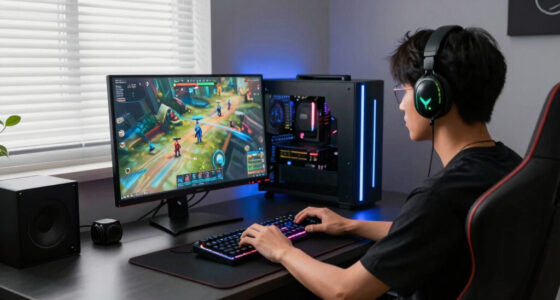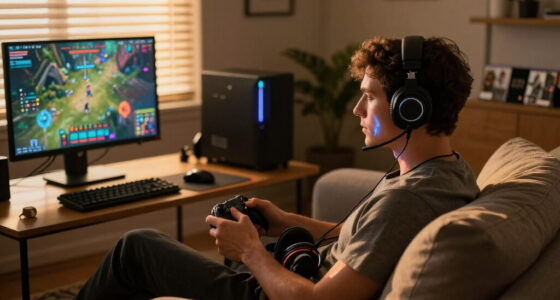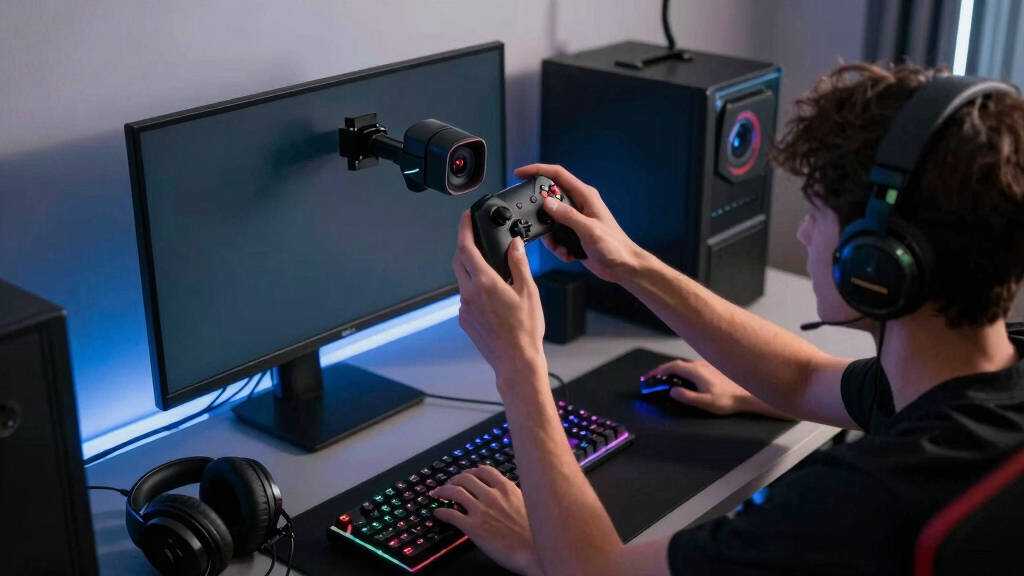

The Logitech MX Brio is my best overall webcam for gaming creators because its sharp 4K image, strong automatic adjustments, and flexible framing suit both livestreams and recorded content. The EMEET S600 is the better value choice for creators who want 4K detail without flagship pricing, while the Insta360 Link 2 Pro earns the premium spot through motorized tracking and more dynamic presentation options. The main choice is between dependable fixed framing, smoother 60 fps video, and advanced movement tracking that costs more and requires extra setup. Lighting, background space, mounting position, and streaming resolution matter more than buying the highest pixel count alone. Continue reading for my full breakdown of which model fits each creator type.

Play games on Amazon Luna for your game nights, included with Prime
- A rotating selection of games, no download needed
- Play on TV, laptop or phone
- Fast, free delivery for your gear, too
Complete the kit



Key Takeaways
- Logitech MX Brio takes the top rank because it offers the most balanced mix of 4K detail, automatic image control, framing flexibility, and everyday usability.
- Insta360 Link 2 Pro is the premium specialist: its PTZ tracking is more useful for creators who move on camera, but unnecessary for a seated face-cam window.
- EMEET S600 delivers the strongest value for buyers seeking 4K capture, though Logitech offers a more established software ecosystem across this lineup.
- Logitech StreamCam is the best motion-focused choice because 1080p at 60 fps can look more natural during energetic reactions than sharper 4K footage recorded at a lower frame rate.
- C920S and C922x remain practical entry points, but the C920S favors simple setup and privacy while the C922x makes more sense when 720p/60 fps streaming matters.
| Logitech MX Brio Ultra HD 4K Webcam for Collaboration and Streaming |  | Best for Fine-Tuned Image Control | Maximum Resolution: 4K at 30fps | High-Frame-Rate Mode: 1080p at 60fps | Sensor Pixels: 70% larger pixels | VIEW LATEST PRICE | See Our Full Breakdown |
| Logitech C922x HD Pro PC Webcam |  | Best Value for New Streamers | Maximum Resolution: 1080p at 30fps | High-Frame-Rate Mode: 720p at 60fps | Autofocus: Yes | VIEW LATEST PRICE | See Our Full Breakdown |
| Logitech StreamCam Premium Webcam for Streaming and Content Creation, Full HD 1080p 60 fps, Compatible with Microsoft Teams, Google Meet, Zoom, Nintendo Switch, PC/Mac – Graphite |  | Best for Smooth 1080p Streaming | Resolution: Full HD 1080p at 60fps | Lens: Premium glass lens | Autofocus: Smart autofocus | VIEW LATEST PRICE | See Our Full Breakdown |
| Logitech C920S HD Pro Webcam with Privacy Shutter and Full HD 1080p/30fps Video |  | Best Budget Pick with Privacy | Resolution: Full HD 1080p at 30fps | Autofocus: HD autofocus | Light Correction: Automatic | VIEW LATEST PRICE | See Our Full Breakdown |
| Insta360 Link 2 Pro 4K PTZ Webcam for PC/Mac |  | Best Overall | Resolution: 4K | Sensor: 1/1.3-inch | Tracking: AI subject tracking and auto-framing | VIEW LATEST PRICE | See Our Full Breakdown |
| Logitech Brio 4K Webcam |  | Best for Flexible Framing | Resolution: 4K at 30 fps | Field of View: 65°, 78°, and 90° presets | Microphones: Dual omnidirectional noise-cancelling microphones | VIEW LATEST PRICE | See Our Full Breakdown |
| EMEET S600 4K Webcam |  | Best for Fast 1080p Streaming | Sensor: Sony 1/2.55-inch sensor | 4K Resolution: 4K at 30 fps | 1080p Resolution: 1080p at 60 fps | VIEW LATEST PRICE | See Our Full Breakdown |
| webcams for gaming creator | Compatibility | Microphones | Autofocus | Resolution |
|---|---|---|---|---|
| Logitech MX Brio Ultra HD 4K W | Windows, macOS, Chrome OS, Linux | Dual beamforming noise-reducing microphones | — | — |
| Logitech C922x HD Pro PC Webca | Nintendo Switch 2, Microsoft Teams, Google Meet, Zoom, Mac, tablet | — | Yes | — |
| Logitech StreamCam Premium Web | Microsoft Teams, Google Meet, Zoom, Nintendo Switch, PC, Mac | — | Smart autofocus | Full HD 1080p at 60fps |
| Logitech C920S HD Pro Webcam w | PC, Mac, laptop, tablet, Xbox | Dual microphones | HD autofocus | Full HD 1080p at 30fps |
| Insta360 Link 2 Pro 4K PTZ Web | Windows, macOS, Chrome OS, Linux; excludes ARM-based Windows | Directional noise-canceling dual-microphone system | — | 4K |
| Logitech Brio 4K Webcam | Windows, macOS, and ChromeOS | Dual omnidirectional noise-cancelling microphones | Yes | 4K at 30 fps |
| EMEET S600 4K Webcam | Windows, macOS, and Linux | Noise-reduction microphones | PDAF phase-detection autofocus | — |
More Details on Our Top Picks
Logitech MX Brio Ultra HD 4K Webcam for Collaboration and Streaming
I rank the Logitech MX Brio highly for gaming creators who want detailed control over lighting, white balance, and framing without buying a separate camera. Its 4K at 30fps produces sharper recordings and thumbnails, while 1080p at 60fps suits streams where fluid motion matters more than resolution. Compared with the Logitech StreamCam, it adds 4K detail and more advanced adjustments, but the StreamCam offers a more creator-focused mounting design. The Insta360 Link 2 Pro is better for creators who move around because its motorized tracking follows the subject. By contrast, the MX Brio makes more sense in a fixed desk setup. I also value its privacy cover and noise-reducing microphones, though the premium price and USB-C requirement make it excessive for casual streaming.
Pros:- Sharp 4K recording supports detailed videos, crops, and thumbnails
- Smooth 1080p at 60fps is well matched to live gameplay streams
- Adjustable lighting and white balance provide greater image control
- Privacy cover and noise-reducing microphones suit multipurpose setups
Cons:- USB-C connection may require an adapter on older gaming PCs
- Costs more than the C922x and C920S
- Full customization may depend on Logitech software
Best for: I recommend it for desk-based gaming creators who record in 4K and want detailed control over exposure, color, and framing.
Not ideal for: I would skip it for casual streamers with older USB-A-only computers or anyone who needs motorized subject tracking.
- Maximum Resolution:4K at 30fps
- High-Frame-Rate Mode:1080p at 60fps
- Sensor Pixels:70% larger pixels
- Microphones:Dual beamforming noise-reducing microphones
- Image Processing:AI-enhanced image quality
- Image Controls:Adjustable lighting and white balance
- Privacy:Integrated privacy cover
- Compatibility:Windows, macOS, Chrome OS, Linux
Our verdict“I would choose the MX Brio for a fixed creator setup where refined image control matters more than tracking or a low price.”
Logitech C922x HD Pro PC Webcam
The Logitech C922x earns my value pick because it covers the two formats most new gaming creators need: 1080p for clear recordings and 720p at 60fps for smoother live video. It offers more frame-rate flexibility than the Logitech C920S, which stops at 1080p at 30fps, while remaining less ambitious and less expensive than the 1080p/60fps Logitech StreamCam. Automatic light correction and autofocus reduce setup work for creators broadcasting from bedrooms or shared spaces. The included XSplit VCam access also helps with background replacement, but it lasts only three months and should not drive the purchase by itself. I would also account for the missing privacy shutter and the softer 720p image required to reach 60fps. This is a practical starting point, not the strongest choice for polished 4K production.
Pros:- Offers both 1080p recording and a 60fps streaming mode
- Autofocus and light correction simplify beginner setups
- Dual microphones provide usable stereo audio
- Includes three months of XSplit VCam access
Cons:- 60fps video is limited to 720p
- No physical privacy shutter
- Bundled background software access expires after three months
Best for: I recommend it for first-time Twitch or YouTube streamers who want an affordable choice between sharp 1080p and smoother 60fps video.
Not ideal for: I would skip it for creators who require 1080p at 60fps, 4K recording, or a physical privacy shutter.
- Maximum Resolution:1080p at 30fps
- High-Frame-Rate Mode:720p at 60fps
- Autofocus:Yes
- Light Correction:Automatic
- Audio:Stereo with dual microphones
- Privacy Shutter:No
- Included Software:Three-month XSplit VCam license
- Compatibility:Nintendo Switch 2, Microsoft Teams, Google Meet, Zoom, Mac, tablet
Our verdict“I see the C922x as the strongest value for new streamers willing to trade resolution for 60fps when needed.”
Logitech StreamCam Premium Webcam for Streaming and Content Creation, Full HD 1080p 60 fps, Compatible with Microsoft Teams, Google Meet, Zoom, Nintendo Switch, PC/Mac – Graphite
I place the Logitech StreamCam above cheaper Full HD models for creators who want both clarity and motion at the same time. Its 1080p at 60fps preserves smoother gestures and reactions without dropping to the C922x’s softer 720p/60fps mode. Auto-framing, smart autofocus, and intelligent exposure also reduce the amount of adjustment needed during a broadcast. Compared with the MX Brio, the StreamCam gives up 4K recording but gains a design built around content creation, including portrait orientation and several mounting choices. That makes it useful for creators publishing gaming clips across landscape and vertical platforms. The tradeoffs are a USB-C requirement, a higher price than basic 1080p webcams, and software setup for some advanced functions. I would choose it for fluid live presentation, while video editors seeking maximum recorded detail should favor a 4K model.
Pros:- Records Full HD video at a smooth 60fps
- Auto-framing and smart autofocus keep the creator properly composed
- Portrait and landscape orientations support multiple content platforms
- Flexible monitor and tripod mounting fits varied gaming setups
Cons:- No 4K recording despite its premium positioning
- Requires USB-C connectivity
- Advanced functions may involve extra software configuration
Best for: I recommend it for gaming streamers who prioritize fluid 1080p face-camera footage and publish in both landscape and portrait formats.
Not ideal for: I would skip it for creators producing 4K videos or using a computer without a suitable USB-C connection.
- Resolution:Full HD 1080p at 60fps
- Lens:Premium glass lens
- Autofocus:Smart autofocus
- Auto-Framing:Yes
- Exposure:Intelligent exposure adjustment
- Orientation:Landscape and portrait
- Mounting:Monitor and tripod options
- Connection:USB Type-C
- Compatibility:Microsoft Teams, Google Meet, Zoom, Nintendo Switch, PC, Mac
Our verdict“I would pick the StreamCam when smooth 1080p presentation and flexible framing matter more than 4K detail.”
Logitech C920S HD Pro Webcam with Privacy Shutter and Full HD 1080p/30fps Video
The Logitech C920S is my straightforward budget choice for gaming creators who want dependable 1080p video and a physical privacy safeguard. Its built-in privacy shutter gives it a clear advantage over the Logitech C922x for a webcam that remains attached to a gaming PC all day. Autofocus and automatic light correction also help produce a usable image without extensive adjustments. The C922x is still the better streaming buy when 60fps matters, while the StreamCam delivers that smoother frame rate at full 1080p. The C920S is limited to 1080p at 30fps, so rapid hand movements and animated reactions will look less fluid. It also lacks the C922x’s temporary XSplit VCam bundle. I would buy it for simple face-camera footage, calls, and occasional uploads, but not for a channel built around high-frame-rate presentation.
Pros:- Produces clear Full HD video for entry-level recordings and streams
- Physical privacy shutter covers the lens between sessions
- Autofocus and automatic light correction reduce setup effort
- Dual microphones capture stereo sound
Cons:- Frame rate is capped at 30fps at 1080p
- Lacks auto-framing and advanced creator controls
- Does not include the C922x XSplit VCam offer
Best for: I recommend it for budget-conscious gaming creators who want basic 1080p face-camera video and a shutter for an always-connected desk setup.
Not ideal for: I would skip it for full-time streamers who need 60fps video, 4K recording, or creator-focused auto-framing.
- Resolution:Full HD 1080p at 30fps
- Autofocus:HD autofocus
- Light Correction:Automatic
- Audio:Stereo
- Microphones:Dual microphones
- Privacy Shutter:Yes
- Connection:USB
- Compatibility:PC, Mac, laptop, tablet, Xbox
Our verdict“I would choose the C920S for affordable 1080p video with physical privacy, provided 30fps is sufficient.”
Insta360 Link 2 Pro 4K PTZ Webcam for PC/Mac
I rank the Insta360 Link 2 Pro first because it combines sharp 4K capture with movement-friendly tools that directly benefit gaming creators. Its 1/1.3-inch sensor, HDR, and natural background separation are geared toward cleaner footage in dim gaming rooms, while AI tracking can follow a creator standing, demonstrating gear, or shifting around a larger setup. The MX Brio offers strong 4K quality and detailed manual controls, but it is better suited to a fixed seated position. The StreamCam provides fluid 1080p/60fps video, yet it cannot match the Link 2 Pro’s resolution or motorized framing flexibility. Gesture, smartphone, and Stream Deck controls also make adjustments easier during production. My reservations are the premium positioning, the software needed for some functions, and the lack of ARM-based Windows support. Creators who remain seated may get better value from the MX Brio or C922x.
Pros:- Large sensor supports detailed 4K footage and stronger low-light performance
- AI tracking and auto-framing accommodate movement around a creator space
- HDR and natural bokeh help separate the creator from the background
- Smartphone, gesture, and Stream Deck controls suit live production
Cons:- Not compatible with ARM-based Windows systems
- Advanced modes may require additional software setup
- Premium feature set may be poor value for seated, entry-level streamers
Best for: I recommend it for established gaming creators who record in varied lighting, move within the frame, and want automated 4K production tools.
Not ideal for: I would skip it for ARM-based Windows users, fixed-position beginners, and creators whose budget does not justify advanced tracking.
- Resolution:4K
- Sensor:1/1.3-inch
- Tracking:AI subject tracking and auto-framing
- Microphones:Directional noise-canceling dual-microphone system
- Imaging Features:HDR and natural bokeh
- Control Options:Smartphone remote and gesture control
- Production Integration:Stream Deck support
- Compatibility:Windows, macOS, Chrome OS, Linux; excludes ARM-based Windows
Our verdict“I consider the Link 2 Pro the best overall choice for serious gaming creators who will use its low-light ability, 4K capture, and automated tracking.”
Logitech Brio 4K Webcam
I rank the Logitech Brio 4K as the framing specialist because its 65°, 78°, and 90° presets let gaming creators move between a tight face-cam and a wider desk view. The EMEET S600 is fixed at 73° in 4K, so the Brio offers more control when recording at full resolution. RightLight 3 with HDR also helps balance bright monitors and darker backgrounds, while Windows Hello adds convenient facial login between sessions. There are compromises: 4K tops out at 30 fps, making the Logitech StreamCam’s 1080p/60 fps output better for fluid movement. Its dual microphones suit calls or temporary streaming setups, but I would still pair it with a dedicated gaming microphone. The price and configuration learning curve also make this excessive for creators who only need straightforward 1080p video.
Pros:- Three field-of-view presets provide more framing freedom than the EMEET S600 offers at 4K
- RightLight 3 with HDR helps manage monitor glare and uneven room lighting
- 4K capture supports detailed recordings and cleaner cropped compositions
- Windows Hello and the privacy shade add useful everyday convenience
Cons:- 4K capture is limited to 30 fps, while the Logitech StreamCam provides smoother 1080p/60 fps video
- Higher price is difficult to justify for creators publishing only in 1080p
- Accessing and learning its full set of controls can take extra setup time
Best for: Gaming creators who regularly switch between close face-cam framing, wider desk shots, and professional video calls
Not ideal for: Fast-moving streamers who prioritize 60 fps capture or beginners who only need uncomplicated 1080p video
- Resolution:4K at 30 fps
- Field of View:65°, 78°, and 90° presets
- Microphones:Dual omnidirectional noise-cancelling microphones
- Light Correction:RightLight 3 with HDR
- Autofocus:Yes
- Digital Zoom:Up to 5x
- Windows Hello:Supported through optical and infrared sensors
- Compatibility:Windows, macOS, and ChromeOS
Our verdict“I recommend the Logitech Brio 4K to creators who value adaptable framing and mixed work-and-streaming use more than 60 fps capture.”
EMEET S600 4K Webcam
I place the EMEET S600 here for creators who want detailed 4K recording without giving up 1080p at 60 fps for live gameplay. That second mode handles gestures and animated reactions more smoothly than the Logitech Brio 4K’s listed 4K/30 fps mode, while the Sony 1/2.55-inch sensor and PDAF autofocus are designed to keep faces sharp during movement. It also has a built-in privacy cover, whereas the Brio uses an attachable shade that can be misplaced. The main limitation appears when switching back to 4K: its 73° field of view is fixed, so the Brio is more adaptable for tight rooms or wide desk shots. I also see the need for software-based customization as extra friction for beginners, and the onboard microphones remain a backup rather than a substitute for a dedicated streaming mic.
Pros:- Combines detailed 4K/30 fps recording with smoother 1080p/60 fps streaming
- PDAF autofocus is well suited to creators who move frequently on camera
- Sony 1/2.55-inch sensor supports crisp video capture
- Built-in privacy cover cannot be misplaced like a detachable shade
Cons:- The 73° field of view cannot be adjusted while recording in 4K
- Resolution and image controls may require software configuration
- Noise-reduction microphones are less capable than a dedicated streaming microphone
Best for: Gaming streamers who want smooth 1080p/60 fps face-cam footage plus a 4K mode for recorded videos
Not ideal for: Creators who need adjustable 4K framing or want every control available without companion software
- Sensor:Sony 1/2.55-inch sensor
- 4K Resolution:4K at 30 fps
- 1080p Resolution:1080p at 60 fps
- Autofocus:PDAF phase-detection autofocus
- Field of View:73° at 4K; adjustable from 40° to 73° at 1080p
- Microphones:Noise-reduction microphones
- Connectivity:USB 2.0 and USB 3.0
- Compatibility:Windows, macOS, and Linux
Our verdict“I recommend the EMEET S600 to gaming creators who favor smooth 1080p streams but still want 4K available for edited content.”
How We Picked
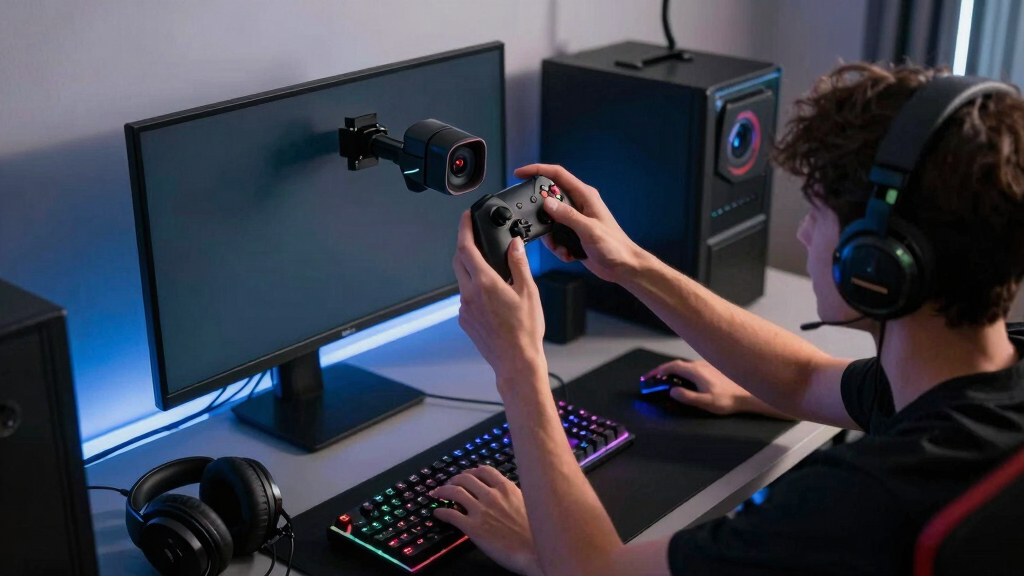
I ranked these webcams around the needs of gaming creators rather than video-call performance alone. My main criteria were image quality under typical desk lighting, frame-rate choices, autofocus behavior, field-of-view flexibility, mounting options, software control, and how easily each camera fits into a streaming workflow. I gave extra weight to models that can produce a clean face-cam image without demanding a large lighting rig or repeated manual adjustment.
The order also reflects value and audience fit. I placed the MX Brio first because it provides the strongest all-around balance, while the Link 2 Pro ranks as a premium specialist whose tracking features will not benefit every seated streamer. StreamCam rises above cheaper 1080p models for motion clarity, and the S600 earns its place through accessible 4K capture. The Brio 4K, C922x, and C920S rank lower because each involves a clearer compromise involving age, frame rate, price overlap, or creative flexibility, though each still serves a distinct buyer.
| webcams for gaming creator | Microphones | Autofocus |
|---|---|---|
| Logitech MX Brio Ultra HD 4K W | Dual beamforming noise-reducing microphones | — |
| Logitech C922x HD Pro PC Webca | — | Yes |
| Logitech StreamCam Premium Web | — | Smart autofocus |
| Logitech C920S HD Pro Webcam w | Dual microphones | HD autofocus |
| Insta360 Link 2 Pro 4K PTZ Web | Directional noise-canceling dual-microphone system | — |
| Logitech Brio 4K Webcam | Dual omnidirectional noise-cancelling microphones | Yes |
| EMEET S600 4K Webcam | Noise-reduction microphones | PDAF phase-detection autofocus |
Factors to Consider When Choosing Best Webcams For Gaming Creators
Choosing among the best webcams for gaming creators starts with deciding how the camera will appear in the finished content. I would match the resolution, frame rate, lens behavior, and control features to the actual size of the face-cam window rather than treating one specification as the answer.
Choose Resolution Around the Final Video
4K capture is most useful for cropping, reframing, and recording full-screen commentary, not merely for placing a small face-cam over gameplay. A creator publishing at 1080p can use a 4K source to crop closer while retaining detail. That advantage shrinks when the camera feed occupies only a corner of a livestream. Higher resolution can also increase USB bandwidth, processing demand, file size, and sensitivity to poor lighting or skin texture. I would pay for 4K when the camera regularly becomes a major part of the frame or when one recording needs to support several crops. For a compact overlay, a well-lit 1080p image may be the smarter purchase.
Balance Frame Rate Against Sharpness
Sixty frames per second can make quick reactions, hand movements, and energetic presentation look smoother. It also pairs naturally with gameplay captured at 60 fps, reducing the visual mismatch between the game and face-cam feeds. Yet 60 fps usually needs more light because each frame receives less exposure time. In a dim room, 30 fps may produce a cleaner image with less noise and fewer exposure swings. Some cameras offer 4K at 30 fps but require a drop to 1080p for 60 fps, making the choice a workflow decision rather than a simple quality ladder. I favor 1080p/60 for movement-heavy streams and 4K/30 for detailed, edit-friendly recordings.
Treat Lighting as Part of the Camera Budget
A premium webcam cannot fully compensate for a face lit only by a monitor and colored background LEDs. A soft light near eye level often improves skin tone, autofocus stability, and noise performance more than moving from a good 1080p camera to an expensive 4K model. Automatic light correction helps when brightness changes, but aggressive correction can introduce grain or make exposure pulse during dark game scenes. RGB lighting can also push automatic white balance toward unnatural colors. I would reserve part of the budget for a controllable key light before chasing maximum resolution. Creators who stream in changing daylight should prioritize manual exposure and white-balance controls in the camera software.
Match Framing Features to How You Present
Fixed webcams suit seated gaming streams because the creator remains in a predictable position and can set the frame once. Motorized pan, tilt, and tracking become more valuable for standing presentations, tabletop demonstrations, room-scale gaming, or content that moves between a desk and another set. Tracking adds cost and can occasionally reframe when movement in the background attracts the system. A wide field of view helps show more of the room, but it can distort facial proportions when the camera sits close. A narrower crop usually looks more polished for a solo face-cam and reveals less background clutter. I would buy PTZ tracking for movement-based formats, not simply because it is the most advanced option.
Check Mounting, Software, and Computer Overhead
Placement affects eye contact as much as lens quality. A webcam perched high on a large monitor can make the creator appear to look downward, while a compact mount positioned near the gameplay display keeps the sight line more natural. Before buying, I would check whether the included clip fits the monitor and whether the camera supports a tripod or separate arm. Software matters when a creator needs repeatable exposure, crop, field-of-view, or color settings across recording sessions. Advanced effects and tracking utilities may also consume processor resources that are already needed by the game, encoder, overlays, and voice tools. A stable USB connection, saved settings, and low workflow friction can be more valuable than a long feature list.
Frequently Asked Questions
Is a 4K webcam worth buying for a small gaming face-cam?
For a face-cam that stays small throughout a 1080p stream, I would not treat 4K as a requirement. Viewers may see little difference after the feed is reduced and compressed by the streaming platform. 4K becomes more useful for cropping, full-screen reaction segments, vertical clips, and edited videos that reuse the same recording. It also gives creators more freedom to reframe after filming. Buyers focused only on a corner overlay may get better results by pairing a strong 1080p webcam with better desk lighting.
Should I choose 1080p at 60 fps or 4K at 30 fps?
I would choose 1080p at 60 fps for fast reactions, movement-heavy streams, and a face-cam displayed beside 60 fps gameplay. Choose 4K at 30 fps when facial detail, cropping room, or full-screen recorded commentary carries more weight. The lighting setup can change the answer because 60 fps typically performs best with more illumination. Streaming bandwidth and computer load also favor 1080p in many setups. A creator mixing livestreaming with edited videos may benefit from a camera that offers both recording modes.
Do gaming creators need an autofocus webcam?
Reliable autofocus is useful when a creator leans toward the screen, holds products near the lens, or changes position during a stream. A fixed-focus camera can still work well when the seating position and camera distance never change. Poor autofocus is worse than either approach because visible hunting draws attention away from the content. Manual focus control can help creators lock a stable setup and prevent the background from taking priority. I would prioritize focus consistency over focus speed for a standard seated gaming channel.
Is an AI-tracking PTZ webcam useful for gaming streams?
I see AI tracking as format-specific rather than a universal upgrade. It can add real value for standing commentary, fitness gaming, tabletop coverage, room-scale VR, and creators who move between multiple positions. A seated streamer centered at a desk gains much less because a fixed crop already handles that scene. Tracking can also create unwanted movement if the camera reacts to gestures or activity behind the creator. The Insta360 Link 2 Pro makes sense when movement is part of the presentation; otherwise, the budget may be better spent on lighting or audio.
Can the webcam microphone replace a dedicated gaming microphone?
I would use a webcam microphone for calls, backup audio, or a simple beginner setup, but rarely as the long-term voice solution for gaming content. Its position near the monitor places it farther from the speaker and closer to keyboard clicks, controller sounds, and room reflections. Noise reduction may soften those distractions, yet it can also make speech sound processed. A basic USB microphone placed near the mouth usually provides clearer and fuller voice capture. Buyers with a limited budget should prioritize a dependable webcam image first, then plan for a separate microphone upgrade.
Conclusion
For most gaming creators, I recommend the Logitech MX Brio as the best overall choice because it balances detailed capture, flexible framing, automatic adjustment, and broad workflow appeal. The EMEET S600 is my best value pick for buyers who want an accessible route to 4K, while the Insta360 Link 2 Pro is the best premium option for movement-based content and automated tracking. Beginners who want simple 1080p video and a physical privacy shutter should start with the Logitech C920S. Streamers prioritizing smooth motion should choose the Logitech StreamCam, with the C922x serving as a lower-cost alternative when 720p/60 fps is acceptable. The older Logitech Brio 4K fits creators who want Windows Hello and adjustable framing but do not need the MX Brio’s newer all-around package. My final choice would follow the production style: MX Brio for versatility, S600 for budget-conscious 4K, Link 2 Pro for active presentation, and StreamCam for fluid 1080p streaming.
Halloween Picks
halloween
As an affiliate, we earn on qualifying purchases.