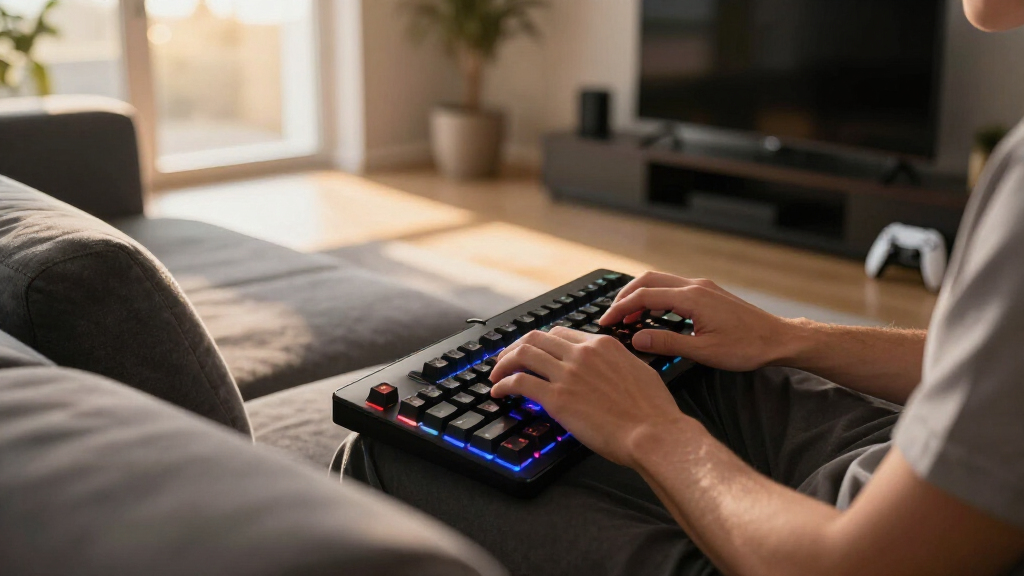

The best wireless gaming keyboards for couch gaming share three traits: a low-latency 2.4GHz connection, battery life that survives a week away from a cable, and a shape that stays comfortable on a lap. Of the eight boards in this roundup, the ASUS ROG Strix Scope II 96 Wireless is my best overall pick because it pairs near-1ms dongle wireless with hot-swappable switches, a full numpad, and battery life that outlasts most of this list. For buyers with a bigger budget, the Corsair K100 AIR stands out as the thinnest, most lap-friendly board here, while the Redragon K552-KRS makes the most sense for value hunters, delivering tri-mode wireless and mechanical switches at a fraction of flagship prices. The core tradeoff in this category is simple: premium boards buy you slim profiles, refined builds, and better software, while budget options give some of that polish back. Read on for the full breakdown of all eight picks, including who each one suits and who should skip it.
Open a free Amazon Business account
Business pricing, bulk buying and tax-exempt orders.
Create a free accountAs an affiliate, we earn on qualifying purchases.
Complete the kit



Key Takeaways
- Tri-mode connectivity became the dividing line: every keyboard I placed in the top half offers a dedicated 2.4GHz dongle alongside Bluetooth, because dongle latency is what holds up in fast games played from ten feet away.
- The ASUS ROG Strix Scope II 96 Wireless won best overall by being the only board here that combines a numpad, hot-swappable switches, and multi-week battery life without a flagship price tag.
- The ultra-thin premium boards — the Corsair K100 AIR and Logitech G515 — proved the most comfortable on an actual lap, but both cost three to four times more than the budget picks.
- Redragon claims half of this list, and the pattern is consistent: real mechanical or mechanical-feel switches and tri-mode wireless at low prices, traded against hollower cases and clunkier software.
- The Redragon S101M-KS combo was the only pick that solves the mouse problem too, which is why it beats technically better keyboards for first-time couch setups.
| ASUS ROG Strix Scope II 96 Wireless Mechanical Gaming Keyboard |  | Best Overall | Size: 96% full-size with num pad | Connectivity: Bluetooth, 2.4GHz wireless, USB wired | Switches: Hot-swappable ROG NX Snow linear or NX Storm clicky | VIEW LATEST PRICE | See Our Full Breakdown |
| Redragon K552-KRS Wireless Tri-Mode Mechanical Keyboard (87 Keys TKL) |  | Best Value Pick | Connection Modes: Bluetooth, 2.4GHz, Wired | Number of Keys: 87 | Layout: 75% TKL | VIEW LATEST PRICE | See Our Full Breakdown |
| Corsair K100 AIR Wireless RGB Mechanical Gaming Keyboard |  | Best Premium Low-Profile Pick | Thickness: 11mm | Connection Options: Slipstream wireless, Bluetooth, USB wired | Switch Type: Cherry MX Ultra Low Profile | VIEW LATEST PRICE | See Our Full Breakdown |
| Razer BlackWidow V4 TKL Wireless Gaming Keyboard, Orange Switches |  | Best TKL for Media Control | Switch Type: Razer Orange (tactile), hot-swappable | Connectivity: 2.4GHz wireless and Bluetooth | Battery Life: Up to 980 hours | VIEW LATEST PRICE | See Our Full Breakdown |
| Redragon S101M-KS Wireless Gaming Keyboard and Mouse Combo |  | Best Budget Bundle | Connectivity: 2.4G, Bluetooth, Wired | Backlighting: RGB | Keyboard Layout: Full-size QWERTY, 104 keys | VIEW LATEST PRICE | See Our Full Breakdown |
| Logitech G515 Lightspeed TKL Wireless Gaming Keyboard (Linear) – Black |  | Best Overall | Connectivity: LIGHTSPEED wireless, Bluetooth, wired | Switch Type: Low-profile GL mechanical (linear, factory-lubed) | Keycaps: Double-shot PBT, anti-oil | VIEW LATEST PRICE | See Our Full Breakdown |
| Redragon K517 Pro Wireless Gaming Keyboard, RGB Backlit, Tri-Mode BT/2.4GHz/USB-C, Mechanical Feel, 94 Keys with Macro Keys and Number Pad |  | Best Value | Connection Modes: Bluetooth 3.0/5.0, 2.4GHz wireless, USB-C wired | Number of Keys: 94 | Switch Type: Rubber dome with mechanical feel | VIEW LATEST PRICE | See Our Full Breakdown |
| Redragon K503 Wireless Gaming Keyboard, 3-Mode (2.4G/BT/USB), RGB Backlit, Programmable, with Wrist Rest for Windows PC |  | Best for Casual Couch Gaming | Connection Modes: Bluetooth, 2.4G wireless, USB wired | Battery Capacity: 4000mAh | Lighting: RGB backlit, 6 modes, adjustable | VIEW LATEST PRICE | See Our Full Breakdown |
| wireless gaming keyboards for couch gaming | Switch Type | Connectivity | Battery Life | Lighting |
|---|---|---|---|---|
| ASUS ROG Strix Scope II 96 Wir | — | Bluetooth, 2.4GHz wireless, USB wired | Up to 1,500 hours in wireless mode | Per-key RGB |
| Redragon K552-KRS Wireless Tri | Hot-swappable red switches | — | — | — |
| Corsair K100 AIR Wireless RGB | Cherry MX Ultra Low Profile | — | Up to 50 hours with backlighting; 200 hours without | — |
| Razer BlackWidow V4 TKL Wirele | Razer Orange (tactile), hot-swappable | 2.4GHz wireless and Bluetooth | Up to 980 hours | Chroma RGB, 16.8 million colors |
| Redragon S101M-KS Wireless Gam | — | 2.4G, Bluetooth, Wired | — | — |
| Logitech G515 Lightspeed TKL W | Low-profile GL mechanical (linear, factory-lubed) | LIGHTSPEED wireless, Bluetooth, wired | Up to 36 hours | RGB, 16.8 million colors |
| Redragon K517 Pro Wireless Gam | Rubber dome with mechanical feel | — | — | — |
| Redragon K503 Wireless Gaming | — | — | — | RGB backlit, 6 modes, adjustable |
More Details on Our Top Picks
ASUS ROG Strix Scope II 96 Wireless Mechanical Gaming Keyboard
For couch play, I put the ASUS ROG Strix Scope II 96 first because it solves the two problems that ruin living-room sessions: battery anxiety and lap comfort. Its 1,500-hour wireless battery life dwarfs the 50 hours the Corsair K100 AIR manages with lighting on, so you charge monthly instead of weekly. The 96% layout keeps a num pad for media keybinds while staying narrower than a full-size board, and the bundled wrist rest genuinely helps when the keyboard rests on your knees. Tri-mode connectivity lets the 2.4GHz dongle handle latency-sensitive shooters while Bluetooth covers a second device. The tradeoffs: it’s the bulkiest board in this lineup, and the hot-swappable, per-key RGB feature set adds cost and setup complexity that casual players may never touch.
Pros:- Up to 1,500 hours of wireless battery life — the longest in this roundup by a wide margin
- 96% layout keeps the num pad without full-size bulk
- Hot-swappable ROG NX switches in linear or clicky flavors
- Wrist rest, switch puller, and USB extender included in the box
Cons:- Higher price driven by features casual players may not use
- Bulky and potentially heavy with all its accessories
- Customizable feature set makes initial setup complex for newcomers
Best for: Couch gamers who want one do-everything board with a num pad, marathon battery, and a wrist rest for lap use
Not ideal for: Players with cramped lap desks or zero patience for software setup — it’s the widest pick here and the most involved to configure
- Size:96% full-size with num pad
- Connectivity:Bluetooth, 2.4GHz wireless, USB wired
- Switches:Hot-swappable ROG NX Snow linear or NX Storm clicky
- Battery Life:Up to 1,500 hours in wireless mode
- Compatibility:PC and Mac
- Lighting:Per-key RGB
- Included Accessories:Wrist rest, keycap & switch puller, wireless receiver, USB extender, USB cable
Our verdict“The most complete couch-gaming keyboard here — buy it if you want one board that handles everything and rarely needs charging.”
Redragon K552-KRS Wireless Tri-Mode Mechanical Keyboard (87 Keys TKL)
The Redragon K552-KRS is where I’d send anyone who balks at the Corsair and Razer prices. For a fraction of their cost you still get tri-mode connectivity with a 2.4GHz dongle for low-latency play, plus hot-swappable red switches whose light, linear press works well for gaming from the couch. The 87-key TKL layout balances easily on a lap, and 19 backlight modes keep legends readable in a dark living room. Compared with the Razer BlackWidow V4 TKL you give up the media roller, the premium finish, and the long rated battery life. The bigger caveat is the software: customization is Windows-only and disabled over Bluetooth, so any remapping has to happen while wired to a PC.
Pros:- Tri-mode connectivity with 2.4GHz for low-latency couch play
- Hot-swappable red switches at a budget price
- Compact 87-key layout sits comfortably on a lap
- 19 backlight modes for visibility in dark rooms
Cons:- Software customization doesn’t work in Bluetooth mode
- Software features limited to Windows
- Build and battery life can’t match the premium boards here
Best for: Budget-minded couch gamers who want real mechanical switches and a 2.4GHz dongle without a three-figure spend
Not ideal for: Mac or console-first players — the customization software is Windows-only and unavailable in Bluetooth mode
- Connection Modes:Bluetooth, 2.4GHz, Wired
- Number of Keys:87
- Layout:75% TKL
- Switch Type:Hot-swappable red switches
- Backlight Modes:19
- Battery:Built-in rechargeable
- Durability:Keys tested 500,000 times
- Software Compatibility:Windows only; unavailable in Bluetooth mode
Our verdict“The smart buy for couch gamers who want mechanical feel and proper 2.4GHz wireless at the lowest price in this lineup.”
Corsair K100 AIR Wireless RGB Mechanical Gaming Keyboard
If the ASUS Strix Scope II 96 feels too thick for your lap, the Corsair K100 AIR is the refinement pick. At 11mm thin with Cherry MX Ultra Low Profile switches, it reads more like a premium laptop deck than a gaming board, which makes it the most comfortable option here for long reclined sessions. The 0.8mm actuation and sub-1ms Slipstream wireless keep inputs sharp in fast games, and it can hop between PC, console, and tablet over Bluetooth. The cost is twofold. The price is the steepest in this lineup, and battery life is 50 hours with RGB on — a small fraction of what the Razer BlackWidow V4 TKL manages — so heavy backlight users will be charging it weekly.
Pros:- 11mm ultra-thin profile is the most lap-friendly design here
- Sub-1ms Slipstream wireless plus Bluetooth multi-device pairing
- 0.8mm actuation for very fast key response
- 200 hours of battery with backlighting off
Cons:- Highest price in the roundup
- Only 50 hours of battery with RGB on — far below ASUS and Razer
- NA layout only, which limits some buyers
Best for: Style-conscious couch gamers who want the thinnest, lightest board for lap use and the fastest wireless response
Not ideal for: Value hunters and heavy RGB users — it’s the priciest board here and needs frequent charging with lighting on
- Thickness:11mm
- Connection Options:Slipstream wireless, Bluetooth, USB wired
- Switch Type:Cherry MX Ultra Low Profile
- Actuation Distance:0.8mm
- Battery Life:Up to 50 hours with backlighting; 200 hours without
- Layout:NA, QWERTY
- Color:Black
Our verdict“Worth the premium only if thinness and lap comfort matter more to you than battery life and price.”
Razer BlackWidow V4 TKL Wireless Gaming Keyboard, Orange Switches
The Razer BlackWidow V4 TKL is the pick I’d hand to anyone whose couch setup doubles as a media center. Its multi-function roller and dedicated control buttons adjust volume and playback without leaving the couch — something neither the ASUS nor the Corsair matches as directly. The 980-hour battery life sits comfortably between the ASUS marathon and the Corsair’s 50 hours, and the TKL footprint balances better on a lapboard than the 96% Scope II. Hot-swappable Orange switches add a tactile bump that suits typing from an armchair. What you give up: Chroma RGB customization leans hard on Razer’s software ecosystem, and the price lands near the Corsair without that board’s ultra-thin design or the ASUS’s num pad.
Pros:- Multi-function roller and dedicated media buttons built for couch use
- Up to 980 hours of battery life
- Hot-swappable Orange switches with tactile feedback
- Fast 2.4GHz wireless plus multi-device Bluetooth
Cons:- Premium pricing without a num pad or wrist rest
- Full RGB customization depends on Razer’s software
- TKL size is still wide for very small laps or trays
Best for: Living-room players who constantly pause, skip, and adjust volume, and want a tactile TKL with strong battery life
Not ideal for: Buyers who need a num pad, or anyone unwilling to install Razer software to get the most out of the lighting
- Switch Type:Razer Orange (tactile), hot-swappable
- Connectivity:2.4GHz wireless and Bluetooth
- Battery Life:Up to 980 hours
- Lighting:Chroma RGB, 16.8 million colors
- Layout:Tenkeyless (TKL)
- Special Features:Multi-function roller, dedicated media and system control buttons
Our verdict“The right TKL for a couch-and-media-center setup, provided you’re comfortable living inside Razer’s software ecosystem.”
Redragon S101M-KS Wireless Gaming Keyboard and Mouse Combo
The Redragon S101M-KS makes sense for exactly one buyer: someone furnishing a couch PC setup from zero. It bundles a full-size 104-key board and a 4800 DPI mouse on one tri-mode connection, so a single 2.4GHz dongle can handle both — handy when USB ports sit behind a TV. The full-size layout and multimedia controls suit a living-room media PC better than the TKL boards here. Judged purely as a gaming keyboard, though, it’s the weakest in this roundup: at 1.06 kg it’s awkward on a lap, and it skips the hot-swap hardware and refined switches of the cheaper-looking Redragon K552-KRS, which is the better keyboard for less money if you already own a mouse. Buy this for the package value, not for the keyboard alone.
Pros:- Keyboard and 4800 DPI adjustable mouse in a single package
- Tri-mode connectivity (2.4G, Bluetooth, wired) for flexible setups
- Full-size 104-key layout with multimedia controls
- Programmable keys for media-PC shortcuts
Cons:- 1.06 kg weight makes it awkward for lap use
- Full customization requires a software download
- Less ergonomic than dedicated boards for long gaming sessions
Best for: First-time couch-PC builders who need a keyboard and a capable mouse in one affordable box
Not ideal for: Anyone who already owns a decent mouse — the standalone boards here are all better keyboards for the money
- Connectivity:2.4G, Bluetooth, Wired
- Backlighting:RGB
- Keyboard Layout:Full-size QWERTY, 104 keys
- Mouse:Included, adjustable up to 4800 DPI
- Power Source:Battery powered (1 battery included)
- Weight:1.06 kg
- Compatible Devices:Laptop, PC
- Minimum OS:Windows 7
Our verdict“A sensible one-box starter kit for a couch PC, but upgrade to a standalone board once you can.”
Logitech G515 Lightspeed TKL Wireless Gaming Keyboard (Linear) – Black
The Logitech G515 Lightspeed TKL earns the top spot because it solves the two problems that matter most on a couch: lag and lap space. Its 1 ms LIGHTSPEED connection behaves like a wired board, so inputs land when you expect them to, and the tenkeyless frame sits comfortably on a lap desk without crowding a mouse. The factory-lubed low-profile GL switches are genuinely mechanical — a clear step above the rubber-dome feel of the Redragon K517 Pro — and the slim deck keeps wrists neutral during long sessions. Compared with the Corsair K100 AIR, it delivers a similar low-profile experience for less money. The tradeoff: only 36 hours of battery life, far less than Redragon’s 4000mAh cells, and linear is the sole switch option, so tactile fans should look at the Razer BlackWidow V4 TKL instead.
Pros:- True factory-lubed low-profile mechanical switches, not a membrane imitation
- 1 ms LIGHTSPEED wireless plus Bluetooth and wired modes
- Slim tenkeyless footprint fits lap desks and leaves room for a mouse
- Durable double-shot PBT keycaps resist shine and oil
Cons:- 36-hour battery life is short next to the 4000mAh Redragon options
- Linear switches only — no tactile or clicky choice
- Some packages ship without the USB receiver
Best for: PC gamers who play fast-paced competitive titles from the couch and want wired-grade response on a lap desk
Not ideal for: Players who resent frequent charging — with RGB on, 36 hours means regular top-ups that Redragon’s big-battery boards avoid
- Connectivity:LIGHTSPEED wireless, Bluetooth, wired
- Switch Type:Low-profile GL mechanical (linear, factory-lubed)
- Keycaps:Double-shot PBT, anti-oil
- Battery Life:Up to 36 hours
- Lighting:RGB, 16.8 million colors
- Layout:Tenkeyless, slim profile
- Report Rate:1 ms
Our verdict“My pick for couch gamers who want wired-grade speed and a lap-friendly shape without paying Corsair K100 AIR money.”
Redragon K517 Pro Wireless Gaming Keyboard, RGB Backlit, Tri-Mode BT/2.4GHz/USB-C, Mechanical Feel, 94 Keys with Macro Keys and Number Pad
The Redragon K517 Pro is the pick when budget matters but you still want a full layout on the couch. Its 94-key design squeezes in a number pad and macro keys — handy for MMO skill bars or spreadsheet work from the sofa — while tri-mode connectivity lets you hop between a gaming PC and a laptop without re-pairing. The 4000mAh battery stretches well beyond the Logitech G515’s 36-hour rating, so charging becomes an occasional chore rather than a nightly routine. The compromise is feel: the mechanical sensation comes from rubber domes, not real switches, which means softer, less precise keypresses than the G515 or the ASUS ROG Strix Scope II 96 deliver. Deep customization also requires a software download, which is awkward when the keyboard lives in the living room rather than next to a desktop.
Pros:- 94-key layout keeps the numpad and adds macro keys in a compact frame
- Large 4000mAh rechargeable battery
- Tri-mode connectivity with Bluetooth 3.0/5.0, 2.4GHz, and USB-C
- Dual-system switch for Windows and Mac
Cons:- Mechanical feel is simulated with rubber domes, not true switches
- Full customization requires a software download
- Real-world battery life per charge is not specified
Best for: Budget-minded gamers who need a numpad and macros for MMOs, or who split couch time between gaming and productivity
Not ideal for: Switch purists who want genuine mechanical feedback — the rubber domes won’t satisfy anyone coming from a real mechanical board
- Connection Modes:Bluetooth 3.0/5.0, 2.4GHz wireless, USB-C wired
- Number of Keys:94
- Switch Type:Rubber dome with mechanical feel
- Backlighting:RGB, 8 preset modes, 7 solid colors, adjustable brightness
- Battery Capacity:4000mAh, rechargeable
- Compatibility:Windows, Mac
- Additional Features:Macro keys, number pad, dual-system switch
Our verdict“The sensible buy for couch gamers who want a full-size layout and big battery at a fraction of the Logitech G515’s price.”
Redragon K503 Wireless Gaming Keyboard, 3-Mode (2.4G/BT/USB), RGB Backlit, Programmable, with Wrist Rest for Windows PC
The Redragon K503 rounds out the list as the relaxed, living-room-friendly option. Two details suit couch life specifically: splash resistance shrugs off the drink that inevitably tips over mid-match, and the bundled wrist rest keeps typing comfortable when the keyboard is balanced on a cushion. Its 4000mAh battery and three connection modes match the Redragon K517 Pro, but the K503 adds 10 dedicated multimedia keys, so volume and playback are one press away instead of a function-key hunt — a genuine perk when the screen is across the room. The tradeoffs are real, though. This is a membrane board with no mechanical pretense, so competitive players will notice mushier inputs than the Logitech G515 delivers, and only 25-key anti-ghosting covers it — fine for most genres, limiting for fast multi-key MMO play. Software-dependent customization rounds out the caveats.
Pros:- Splash-resistant design protects against living-room spills
- Included wrist rest improves comfort during long sessions
- 10 dedicated multimedia keys for one-touch playback control
- 4000mAh battery with Bluetooth, 2.4G, and USB wired modes
Cons:- Membrane keys feel soft and imprecise next to mechanical options
- 25-key anti-ghosting limits complex multi-key input
- Full customization requires a software download
Best for: Casual gamers and streaming-PC users who want one comfortable keyboard for gaming, media control, and everyday typing
Not ideal for: Competitive players — membrane keys and 25-key anti-ghosting cap the fast, simultaneous inputs that shooters and MMOs demand
- Connection Modes:Bluetooth, 2.4G wireless, USB wired
- Battery Capacity:4000mAh
- Lighting:RGB backlit, 6 modes, adjustable
- Multimedia Keys:10 independent + 12 combination
- Anti-Ghosting:25 keys
- Compatibility:Windows, Mac
- Cable Length:6 feet
- Additional Features:Splash resistant, WIN lock, programmable keys, wrist rest
Our verdict“The easygoing choice for couch setups where comfort, spill protection, and media keys matter more than esports-grade response.”
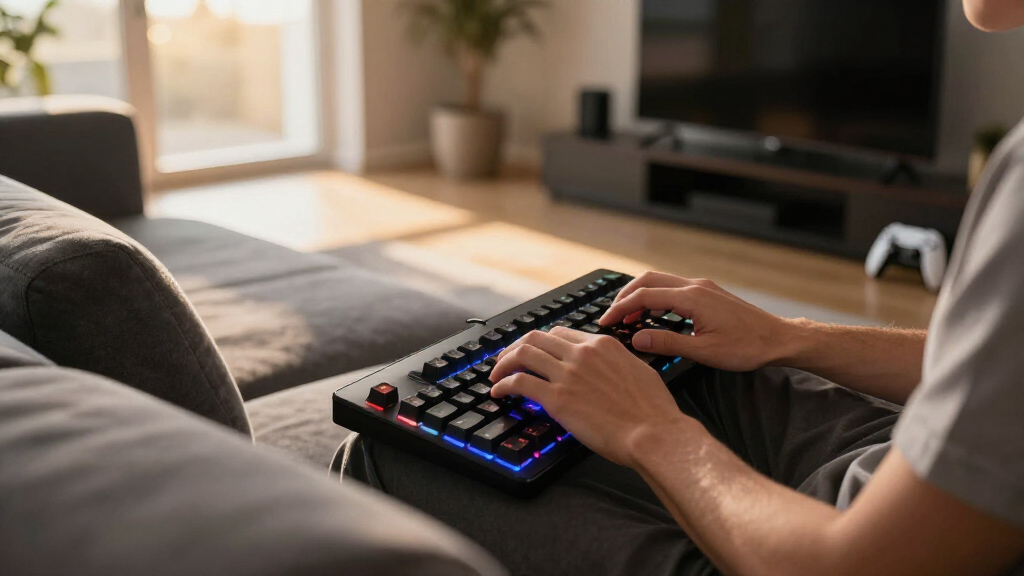
How We Picked
I weighed every board in this roundup against a single question: how well does it work when the couch is your desk? That meant ranking five criteria in a deliberate order. Wireless latency came first — any board leaning on Bluetooth alone started at a disadvantage, because dongle-grade response is the number-one thing living-room players notice. Battery life under real lighting use came second, followed by lap comfort (weight, profile height, and layout width), switch feel and noise for shared rooms, and finally value within each price band. A board that shines at a desk but is heavy, thick, or power-hungry placed lower here than its spec sheet might suggest.
That weighting explains the order. The ASUS ROG Strix Scope II 96 Wireless takes the top spot because it gives up the least: near-1ms dongle wireless, weeks of battery, hot-swappable switches, sound-dampening foam, and a layout that still fits on a lapboard. The Corsair K100 AIR and Logitech G515 beat it on thinness and lap comfort but lose on price, which is why they sit behind it as premium alternatives rather than above it. Razer’s BlackWidow V4 TKL ranks in the middle on the strength of its tactile switches and build, held back by the missing numpad and a firm price. The four Redragon boards cluster where they do because their hardware value is real but their build polish and software trail the big brands — a trade that is easy to defend at $40 to $60 and harder to ignore at twice that.
| wireless gaming keyboards for couch gaming | Battery Life | Lighting | Switch Type |
|---|---|---|---|
| ASUS ROG Strix Scope II 96 Wir | Up to 1,500 hours in wireless mode | Per-key RGB | — |
| Redragon K552-KRS Wireless Tri | — | — | Hot-swappable red switches |
| Corsair K100 AIR Wireless RGB | Up to 50 hours with backlighting; 200 hours without | — | Cherry MX Ultra Low Profile |
| Razer BlackWidow V4 TKL Wirele | Up to 980 hours | Chroma RGB, 16.8 million colors | Razer Orange (tactile), hot-swappable |
| Redragon S101M-KS Wireless Gam | — | — | — |
| Logitech G515 Lightspeed TKL W | Up to 36 hours | RGB, 16.8 million colors | Low-profile GL mechanical (linear, factory-lubed) |
| Redragon K517 Pro Wireless Gam | — | — | Rubber dome with mechanical feel |
| Redragon K503 Wireless Gaming | — | RGB backlit, 6 modes, adjustable | — |
Factors to Consider When Choosing Best Wireless Gaming Keyboards For Couch Gaming
The reviews above rank eight specific boards. This guide zooms out to the decisions behind those rankings: which specs genuinely change couch play, which ones mostly pad a product page, and the buying mistakes I see most often in this category.
A 2.4GHz Dongle Beats Bluetooth When It Counts
Every pick in the top half of this roundup offers tri-mode connectivity, and that pattern is no accident. A 2.4GHz dongle typically holds latency near 1ms, while Bluetooth adds several times that before your PC or TV even processes the signal. In a slow-paced RPG you will never feel the gap; in a shooter or rhythm game, inputs start arriving a beat late. The common mistake is buying a Bluetooth-only board because the spec sheet says wireless, then fighting pairing menus every session. My advice: treat Bluetooth as the backup for typing and media apps, and the 2.4GHz dongle as the primary for anything with a fail state. If your PC hides behind the TV, a cheap USB extension cable brings the receiver into line of sight and fixes most dropouts. Also look for onboard dongle storage — a receiver without a garage is a receiver you will eventually lose in the couch cushions.
Lap Comfort Beats Desk Specs
Desk reviews obsess over switch specs, but on a couch the board’s footprint and weight decide whether you use it for ten minutes or two hours. Full-size boards like the Redragon K503 give you a numpad and wrist rest, which suits coffee-table play; on an actual lap, a TKL like the Logitech G515 or Razer BlackWidow V4 leaves room for a mouse beside you. Low-profile boards sit flatter and steadier on legs and cushions, one reason the K100 AIR and G515 score so well for this use case despite their prices. Heavier aluminum builds feel premium at a desk and simply feel heavy on a lap. Buyers often overpay for layout here: if you never touch a numpad at your desk, you will not miss one on the couch. Measure the spot where the board will live — lap, cushion, or lapboard — and let that answer the size question before you compare anything else.
Battery Ratings Assume the Lights Are Off
Most battery claims on these product pages assume RGB lighting switched off, and real numbers with lighting on can drop by half or more. The practical dividing line in this roundup is between boards that need a weekly charge and boards that stretch toward a month, because a couch keyboard lives far from your desk’s charging cable. Budget boards tend to quote standby time rather than active play, so treat any vague hour count with suspicion. A simple habit solves most of this: drop backlight brightness one or two steps and let auto-sleep do its job. One quirk to know: some boards take a beat to wake from sleep, and that first keystroke can vanish into the void. If the board will sit idle between sessions, favor picks with big batteries or efficient low-profile LEDs, and keep a USB-C cable somewhere near the couch.
Switch Noise Matters More in a Shared Living Room
A keyboard that sounds fine in an empty room reads very differently next to someone watching a show. Linear switches are the quietest mechanical option, tactile switches like Razer’s Orange add a soft bump without much extra noise, and clicky switches are a fast route to dirty looks from across the sofa. Membrane and mechanical-feel boards like the Redragon K503 and K517 Pro run quieter still, though you give up some crispness in the keypress. The mistake I see most often is buyers choosing switches for feel alone and discovering the noise problem on night one. If your couch time overlaps with other people’s TV time, weight your choice toward quiet switches and dampened cases — the foam inside the ASUS ROG Strix Scope II 96 is exactly the kind of detail that matters here and never shows up in a headline spec.
What the Extra $100 Actually Buys
Roughly speaking, this roundup splits into three price bands. Under about $60, Redragon’s boards deliver real wireless and usable switches, with the savings showing up in hollower cases, rattlier stabilizers, and basic software. Between $130 and $180, you pay for battery size, case rigidity, and polished configuration apps — the ASUS and Razer picks live here. Above $200, you are paying for engineering thinness: the K100 AIR’s low-profile design genuinely improves lap comfort, but the gains are physical rather than magical. Spend up if this board will be your daily driver; stay cheap if it mostly comes out for weekend sessions. Whatever the budget, skip paying extra for headline specs like 8K polling — from ten feet away on a couch, you will never feel the difference.
Frequently Asked Questions
Is Bluetooth good enough for couch gaming, or do I need a 2.4GHz dongle?
For anything faster than a turn-based game, you want the 2.4GHz dongle. A good dongle connection holds latency around 1ms, while Bluetooth typically adds several times that, and TV or console Bluetooth stacks are often slower than a PC’s. In practice, Bluetooth feels fine in menus, strategy games, and MMO hotbar play, but shooters and rhythm games start to feel like your inputs arrive a half-beat late. Every board in the top half of this roundup includes tri-mode connectivity for exactly this reason. Use the dongle for games, and save Bluetooth for typing, media apps, and devices without a spare USB port.
Will a wireless gaming keyboard work with a PS5, Xbox, or smart TV?
Mostly yes, but with caveats that matter. The PS5 accepts USB and Bluetooth keyboards for typing, and a growing list of games support keyboard-and-mouse play directly. Xbox is more limited: the keyboard works in menus and supported titles, but many games simply ignore it. Smart TVs usually pair with Bluetooth keyboards for search boxes and apps, though rarely with gaming-grade latency. All eight boards here are built PC-first, and their low-latency dongles assume a USB port the host device will actually read for gameplay. If console play is your main plan, check the specific game’s keyboard support before buying anything on this list.
Do I need a lapboard or tray for couch keyboard gaming?
You do not need one, but a hard surface changes the experience. A keyboard alone works fine on your lap or a firm cushion — low-profile boards like the K100 AIR and G515 sit especially steady — but the moment a mouse enters the picture, fabric surfaces fight your aim. A basic lap desk or couch lapboard in the $20 to $35 range gives both devices a rigid home and usually includes a proper mouse zone. TKL boards like the Razer BlackWidow V4 and Logitech G515 leave the most room on smaller lapboards. If you would rather skip the accessory entirely, the Redragon S101M-KS combo at least means your keyboard and mouse are equally portable.
How much should I spend on a wireless keyboard for couch gaming?
This roundup splits into three useful price bands. Under about $60, Redragon’s tri-mode boards cover the fundamentals — low-latency dongles, mechanical or mechanical-feel switches, RGB — with the savings visible in case rigidity and software. Between roughly $130 and $180, the ASUS and Razer picks add bigger batteries, dampened cases, hot-swap sockets, and mature apps that keep working across updates. Above $200, the Corsair K100 AIR charges for thinness itself, which is a real comfort upgrade on a lap rather than a performance one. If the board will see daily use, the middle band is the sweet spot. If it only comes out for weekend sessions, the budget tier does the job and leaves money for the games themselves.
Are budget brands like Redragon reliable enough for daily couch use?
The pattern across this roundup is consistent: Redragon’s core hardware is solid for the price, and the compromises show up elsewhere. You get tri-mode connectivity and decent switches; you give up refined software, tight stabilizers, and battery ratings you can fully trust at face value. Support and warranty coverage also run thinner than what Corsair, Logitech, Razer, or ASUS offer, which matters more on a board you plan to use for years. For casual couch sessions the value is hard to argue with — that is why four of the eight picks wear the brand. If this keyboard will be your main input device for hours every day, the bigger brands’ polish and longevity justify their prices.
Conclusion
If I were spending my own money, here is how the decision shakes out. For most couch gamers, the ASUS ROG Strix Scope II 96 Wireless is the best overall pick — low-latency tri-mode wireless, real battery stamina, hot-swappable switches, and a numpad at a mid-range price. If you want the best premium option and the thinnest profile for actual lap use, the Corsair K100 AIR earns its price; the Logitech G515 does a similar job in a tidier TKL shape, and the Razer BlackWidow V4 TKL suits players who want tactile switches in a compact frame. On a tight budget, the Redragon K552-KRS is the best value in this lineup, while the Redragon K503 fits anyone after a quiet, full-size board with a wrist rest for the coffee table. First-time couch setups should start with the Redragon S101M-KS combo, the best for beginners pick because it answers the keyboard and mouse question in one box, and MMO or macro players should reach for the Redragon K517 Pro for its extra keys. Match the board to how you actually play, and you will only buy once.
Fall Picks
fall essentials
As an affiliate, we earn on qualifying purchases.