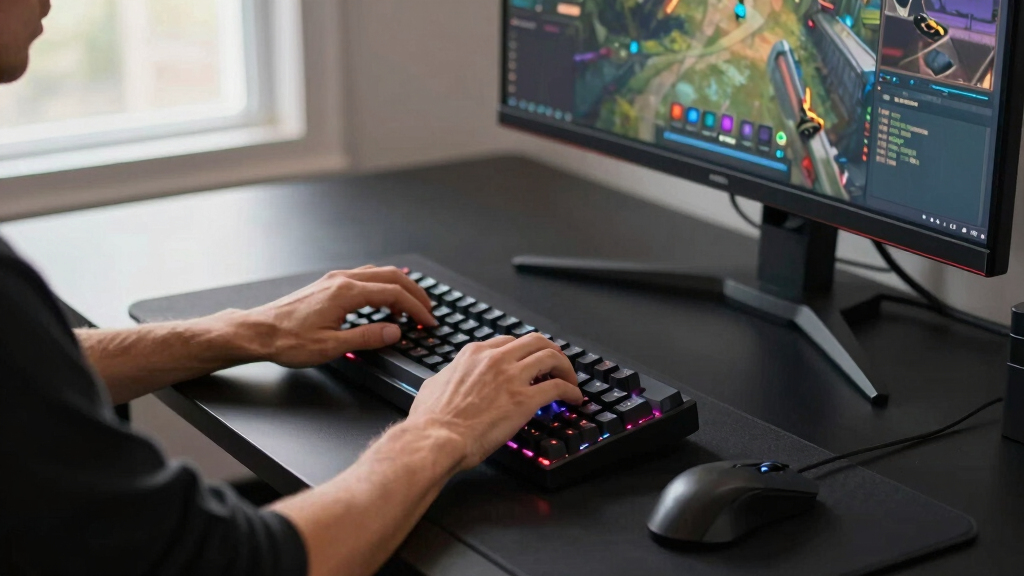

The Logitech MX Keys S Wireless Keyboard is my best overall choice among the best keyboards because it balances quiet typing, smart backlighting, and broad everyday appeal better than the rest of this lineup. For buyers who want a full desktop bundle, the Logitech MX Keys S Combo makes more sense, while the ASUS ROG Strix Scope II 96 Wireless is the stronger premium pick for gaming and mechanical feel. The main tradeoffs are key feel versus noise, compact layouts versus number pads, and simple wireless convenience versus hot-swappable mechanical customization. Budget picks like the Logitech K270 and MK345 keep costs low, but they give up the polished feel and smarter controls that separate the higher-ranked options. Keep reading for the full breakdown, including which keyboards are best for work, gaming, ergonomics, beginners, and buyers who want the most value.

Play games on Amazon Luna for your game nights, included with Prime
- A rotating selection of games, no download needed
- Play on TV, laptop or phone
- Fast, free delivery for your gear, too
Key Takeaways
- Logitech MX Keys S is the safest overall pick because it gives most people a polished typing feel, backlighting, and broad wireless support without the learning curve of a mechanical board.
- ASUS ROG Strix Scope II 96 Wireless earns the premium gaming lane because it keeps a near-full layout while adding hot-swappable switches, PBT keycaps, and richer customization than the Logitech gaming picks.
- Budget Logitech models such as the K270, MK345, and G213 win on price, but the tradeoff is a less refined feel, fewer customization options, and less desk-ready polish.
- Ergonomics and comfort split the field: the Ergo K860 is the most specialized comfort pick, while the Signature K650 and MK850 are easier full-size upgrades for shared desks.
- AULA mechanical keyboards bring enthusiast-style features at lower prices, but they suit buyers who like compact layouts and customization more than simple office familiarity.
| Logitech MX Keys S Combo |  | Best Overall Productivity Combo | Product Type: Wireless keyboard and mouse combo | Color: Graphite | Connectivity: Bluetooth Low Energy; Logi Bolt USB receiver included in mouse | VIEW LATEST PRICE | See Our Full Breakdown |
| Logitech MX Keys S for Mac |  | Best for Mac Users | Product Type: Wireless full-size keyboard | Color: Space Grey | Connectivity: Bluetooth Low Energy | VIEW LATEST PRICE | See Our Full Breakdown |
| Logitech MK345 Wireless Keyboard and Mouse Combo |  | Best Value Combo | Product Type: Wireless keyboard and mouse combo | Color: Black | Connectivity: 2.4 GHz USB receiver | VIEW LATEST PRICE | See Our Full Breakdown |
| SteelSeries Apex 3 RGB Gaming Keyboard |  | Best Budget Gaming Keyboard | Product Type: Wired gaming keyboard | Color: Black | Connectivity: Wired | VIEW LATEST PRICE | See Our Full Breakdown |
| Logitech Signature K650 |  | Best Comfort Keyboard for Everyday Work | Product Type: Full-size wireless keyboard | Color: Graphite | Connectivity: Bluetooth Low Energy or Logi Bolt USB receiver | VIEW LATEST PRICE | See Our Full Breakdown |
| ASUS ROG Strix Scope II 96 Wireless Mechanical Gaming Keyboard |  | Best Compact Full-Size Gaming Keyboard | Layout: 96% compact layout with numpad | Connectivity: Bluetooth, 2.4GHz ROG SpeedNova wireless, USB wired | Switches: Pre-lubed ROG NX Snow linear mechanical switches | VIEW LATEST PRICE | See Our Full Breakdown |
| Logitech MX Mechanical Wireless Illuminated Keyboard |  | Best Mechanical Keyboard for Office Work | Switch Type: Tactile Quiet mechanical | Connectivity: Bluetooth and USB-C receiver support | Device Switching: Pairs with up to 3 devices | VIEW LATEST PRICE | See Our Full Breakdown |
| Logitech G213 Prodigy Gaming Keyboard |  | Best Budget Gaming Keyboard | Layout: Full-size QWERTY | Number of Keys: 104 | Connectivity: USB wired | VIEW LATEST PRICE | See Our Full Breakdown |
| Logitech MK850 Performance Wireless Keyboard and Mouse Combo |  | Best Keyboard and Mouse Combo | Product Type: Wireless keyboard and mouse combo | Keyboard Layout: Full-size with cushioned palm rest | Mouse: Contoured right-handed mouse with hyper-fast scroll wheel | VIEW LATEST PRICE | See Our Full Breakdown |
| Logitech Ergo K860 Wireless Ergonomic Keyboard |  | Best Ergonomic Keyboard | Layout: Full-size split ergonomic QWERTY | Number of Keys: 105 | Connectivity: Bluetooth and USB receiver | VIEW LATEST PRICE | See Our Full Breakdown |
| AULA F99 Wireless Mechanical Keyboard |  | Best Customizable Full-Size Alternative | Layout: 99-key 96% compact layout | Connectivity: Bluetooth 5.0, 2.4 GHz wireless, USB-C wired | Device Pairing: Connects to up to five devices | VIEW LATEST PRICE | See Our Full Breakdown |
| Logitech K270 Wireless Keyboard |  | Best Budget Office Keyboard | Layout: Full-size 104-key QWERTY with number pad | Connectivity: 2.4 GHz wireless with USB receiver | Wireless Range: Up to 33 feet | VIEW LATEST PRICE | See Our Full Breakdown |
| Logitech G413 SE Full-Size Mechanical Gaming Keyboard |  | Best Wired Gaming Keyboard | Layout: Full-size 108-key QWERTY | Connectivity: USB 2.0 wired | Switches: Tactile mechanical switches | VIEW LATEST PRICE | See Our Full Breakdown |
| AULA F75 Pro Wireless Mechanical Keyboard |  | Best Compact Mechanical Keyboard | Layout: 81-key 75% compact layout | Connectivity: Bluetooth 5.0, 2.4 GHz wireless, USB-C wired | Device Pairing: Connects to up to five devices | VIEW LATEST PRICE | See Our Full Breakdown |
| Logitech MX Keys S Wireless Keyboard |  | Best Premium Productivity Keyboard | Keyboard Type: Low-profile wireless keyboard | Connectivity: Bluetooth or USB receiver | Device Pairing: Up to 3 devices | VIEW LATEST PRICE | See Our Full Breakdown |
More Details on Our Top Picks
Logitech MX Keys S Combo
I rank the Logitech MX Keys S Combo first because it solves the whole desk setup in one purchase: a low-profile keyboard, a premium mouse, 3-device pairing, and software shortcuts for repetitive work. Compared with the Logitech MX Keys S for Mac, this is the broader pick for mixed Windows, macOS, Linux, and Chrome OS setups, and the included MX Master 3S adds real value through fast MagSpeed scrolling and an 8K DPI sensor. The tradeoff is control: its best automation features depend on Logi Options+, and the receiver arrangement may annoy buyers who prefer simple plug-and-play storage. It is less budget-minded than the MK345, but it earns the higher rank by pairing comfort, precision, and cross-platform flexibility.
Pros:- Complete premium keyboard and mouse setup in one box
- MagSpeed scrolling and 8K DPI mouse sensor suit detailed work
- Pairs with up to 3 devices across major desktop operating systems
- Backlit keys adapt to room lighting
Cons:- Full feature set depends on the Logi Options+ app
- Costs more than simpler wireless combos
- USB receiver storage in the mouse can be inconvenient
Best for: I would point this toward remote workers, analysts, and multitaskers who want a refined keyboard and mouse for several computers.
Not ideal for: I would skip it for buyers who only need a basic keyboard or who do not want app-based customization.
- Product Type:Wireless keyboard and mouse combo
- Color:Graphite
- Connectivity:Bluetooth Low Energy; Logi Bolt USB receiver included in mouse
- Device Pairing:Up to 3 devices
- Compatibility:Windows, macOS, Linux, Chrome OS
- Mouse Sensor:8K DPI
- Scroll Wheel:MagSpeed, up to 1000 lines per second
- Recycled Materials:26% keyboard; 27% mouse in Graphite variant
Bottom line: I would choose this first for a polished productivity desk where the mouse matters as much as the keyboard.
Logitech MX Keys S for Mac
The Logitech MX Keys S for Mac earns its spot by being the cleanest choice for an Apple-centered desk. I would pick it over the standard MX Keys S Combo when a buyer already has a preferred mouse and wants a Mac-specific key layout, Space Grey finish, and Bluetooth pairing across macOS, iPadOS, and iOS. Compared with the Logitech Signature K650, it feels more focused on quiet desk work: smarter backlighting, programmable keys, and a slimmer profile make it better for typing-heavy tasks. The compromises are clear. It is not the right value play for Windows-first buyers, the Logi Bolt receiver is not included, and FileVault startup limits may require that separate receiver. It also lacks the included mouse value of the MX Keys S Combo.
Pros:- Mac layout and Apple-matching Space Grey finish
- Smart backlighting reacts to hand proximity and ambient light
- Pairs with up to 3 Apple devices over Bluetooth
- Low-profile shape suits long typing sessions
Cons:- Logi Bolt USB receiver is not included
- FileVault startup use may be limited over Bluetooth
- Less useful for mixed Windows and Mac desks than the MX Keys S Combo
Best for: I would recommend it to MacBook, iMac, and iPad users who want a full-size Apple-style keyboard with smart lighting.
Not ideal for: I would skip it for Windows-heavy households or buyers who need a receiver in the box for startup login reliability.
- Product Type:Wireless full-size keyboard
- Color:Space Grey
- Connectivity:Bluetooth Low Energy
- Charging:USB-C rechargeable
- Battery:Rechargeable Li-Po 1500 mAh
- Compatibility:macOS, iOS, iPadOS
- Keys:104 keys, QWERTY layout
- Dimensions:16.94 x 5.18 x 0.81 inches
- Weight:810 g
Bottom line: I would buy this for an Apple desk when typing feel and Mac layout matter more than getting a bundled mouse.
Logitech MK345 Wireless Keyboard and Mouse Combo
I place the Logitech MK345 as the value pick because it covers the everyday basics better than most low-cost bundles: a full-size layout, palm rest, media keys, spill resistance, and long battery life. Compared with the MX Keys S Combo, it gives up backlighting, multi-device switching, premium mouse tracking, and software automation, but it also asks less from the buyer. That makes it a stronger fit for a family PC, reception desk, or shared workstation than the more specialized SteelSeries Apex 3. The biggest caveat is the mouse: its right-handed shape excludes left-handed users, and the single 2.4 GHz receiver setup is less flexible than Bluetooth keyboards. Still, for dependable typing with minimal upkeep, this is the practical budget choice.
Pros:- Full-size keyboard and mouse bundle at a value-oriented level
- Keyboard battery lasts up to 3 years
- Spill-resistant keyboard with palm rest and media keys
- 2.4 GHz wireless range reaches up to 10 meters
Cons:- Mouse shape is right-handed only
- No keyboard backlighting
- No Bluetooth or multi-device pairing
Best for: I would point this toward families, office admins, and shared PC setups that need a low-maintenance keyboard and mouse.
Not ideal for: I would skip it for left-handed mouse users, night typists, and anyone who needs quick switching between multiple devices.
- Product Type:Wireless keyboard and mouse combo
- Color:Black
- Connectivity:2.4 GHz USB receiver
- Wireless Range:Up to 10 meters
- Keyboard Battery Life:Up to 3 years
- Mouse Battery Life:Up to 18 months
- Compatibility:PC, laptop, Windows, macOS, ChromeOS
- Keyboard Features:Spill-resistant design, palm rest, media keys
Bottom line: I would choose this when low upkeep and price matter more than premium typing feel or device switching.
SteelSeries Apex 3 RGB Gaming Keyboard
The SteelSeries Apex 3 is the gaming pick because it gives buyers RGB lighting, media controls, a magnetic wrist rest, and IP32 water resistance without jumping to a pricier mechanical board. Compared with the Logitech MK345, it is much more gaming-focused, with anti-ghosting and console support, but it is wired and does not include a mouse. Compared with premium mechanical options in the wider lineup, its whisper-quiet switches trade sharp mechanical feedback for quieter shared-room use. That makes it better for dorms, bedrooms, and living-room setups than for players chasing a crisp switch feel. I would not rank it above the MX Keys S Combo for work, but for affordable gaming comfort and desk presence, it has the clearer role.
Pros:- 10-zone RGB lighting with reactive effects
- IP32 water resistance helps protect against small spills
- Quiet switches suit shared spaces
- Magnetic wrist rest and media controls add daily comfort
Cons:- Wired only, so it is less flexible than Logitech wireless picks
- Whisper-quiet switches lack the feel of true mechanical switches
- No bundled mouse
Best for: I would recommend it to casual PC and console players who want quiet keys, RGB, and a wrist rest at a modest price.
Not ideal for: I would skip it for mechanical-keyboard fans or buyers who need wireless connectivity for a clean desk.
- Product Type:Wired gaming keyboard
- Color:Black
- Connectivity:Wired
- Backlighting:10-zone RGB illumination
- Water Resistance:IP32 rated
- Switch Type:Whisper Quiet gaming switches
- Keys:104 keys, QWERTY layout
- Compatibility:Windows, Mac OS X, Xbox Series S/X, PS4, PS5
- Dimensions:17.52 x 5.94 x 1.57 inches
Bottom line: I would buy this for budget gaming when quiet operation and spill resistance matter more than mechanical switch feel.
Logitech Signature K650
The Logitech Signature K650 sits between the basic MK345 and the more polished MX Keys S models. I rank it as the comfort-focused everyday pick because the integrated soft-touch palm rest, deep-cushioned keys, full-size layout, and shortcut keys make routine typing easier for long workdays. Compared with the Logitech MK345, it offers broader platform support and both Bluetooth Low Energy and Logi Bolt connection options, but it does not include a mouse. Compared with the MX Keys S for Mac, it is less sleek and lacks smart backlighting, yet it is more approachable for mixed-device households using Windows, macOS, Chrome OS, Linux, iPadOS, iOS, and Android. Its size and no-frills membrane feel are the main tradeoffs, especially for compact desks or mechanical-keyboard fans.
Pros:- Built-in soft-touch palm rest supports longer typing sessions
- Bluetooth Low Energy and Logi Bolt receiver give two connection choices
- Works across desktop, mobile, and tablet operating systems
- Battery life is rated up to 36 months
Cons:- Full-size body takes more desk space than compact keyboards
- No backlighting for dim rooms
- Keyboard only, unlike the MX Keys S Combo and MK345
Best for: I would point this toward home-office users who want a cushioned full-size keyboard with shortcut keys and broad device support.
Not ideal for: I would skip it for small desks, buyers who need backlit keys, or anyone who wants a mouse included.
- Product Type:Full-size wireless keyboard
- Color:Graphite
- Connectivity:Bluetooth Low Energy or Logi Bolt USB receiver
- Battery Life:Up to 36 months
- Compatibility:Windows, macOS, Chrome OS, Linux, iPadOS, iOS, Android
- Layout:Full-size keyboard with numpad
- Comfort Features:Integrated soft-touch palm rest and deep-cushioned keys
- Durability:Easy-clean, spill-resistant design
- Recycled Materials:28% certified post-consumer recycled plastic in Graphite
Bottom line: I would choose this for comfortable everyday typing when a full-size layout matters more than premium materials or lighting.
ASUS ROG Strix Scope II 96 Wireless Mechanical Gaming Keyboard
I rank the ASUS ROG Strix Scope II 96 Wireless as the gaming pick for buyers who want a numpad without giving up much mouse space. Compared with the Logitech G213 Prodigy, it offers true hot-swappable mechanical switches, stronger wireless flexibility, and a more refined acoustic build with foam and switch pads. It is also more desk-friendly than the full-size Logitech MX Mechanical, while keeping nearly the same key coverage. The tradeoff is complexity: the 96% layout can feel cramped at first, and buyers who only need quiet office typing may find its gaming controls, RGB, and software depth more than they need. I would choose it for a hybrid setup where gaming, number entry, and clean desk space all matter.
Pros:- 96% layout keeps the numpad while saving desk space
- Tri-mode connection supports Bluetooth, 2.4GHz wireless, and USB wired use
- Hot-swappable pre-lubed ROG NX switches give buyers room to tune feel later
- Sound-dampening foam and switch pads help reduce hollow keyboard noise
Cons:- Compact key spacing can take adjustment for full-size keyboard users
- Gaming software and RGB features may feel excessive for office-only setups
- Premium feature set usually costs more than basic wired gaming keyboards
Best for: PC or Mac gamers who want mechanical switches, a numpad, and a smaller footprint than a standard full-size board
Not ideal for: Minimalist office users who want a simple, quiet keyboard without RGB, gaming hotkeys, or layout adjustment time
- Layout:96% compact layout with numpad
- Connectivity:Bluetooth, 2.4GHz ROG SpeedNova wireless, USB wired
- Switches:Pre-lubed ROG NX Snow linear mechanical switches
- Keycaps:PBT keycaps
- Lighting:Per-key RGB
- Compatibility:PC and Mac
- Battery Life:Up to 1,500 hours in 2.4GHz wireless mode
- Included Accessories:Detachable wrist rest, puller, receiver, USB extender, themed spacebar, USB cable, sticker
Bottom line: I would pick this for gamers who want near-full-size utility in a tighter, more customizable mechanical board.
Logitech MX Mechanical Wireless Illuminated Keyboard
The Logitech MX Mechanical earns its place as my office-first mechanical pick because it balances tactile feedback with a quieter, lower-profile design. Compared with the ASUS ROG Strix Scope II 96 Wireless, it feels less gaming-focused and more suited to multi-device productivity, especially for people moving between Windows, macOS, tablets, and phones. The adaptive backlighting is more practical than flashy, lighting keys when needed instead of turning the desk into a light show. Against the Logitech Ergo K860, though, it favors typing feel over wrist posture, so comfort-focused buyers may prefer the split ergonomic shape. Its downsides are the full-size footprint and premium price. I would buy it for a polished desk setup where quiet mechanical feel matters more than heavy gaming customization.
Pros:- Tactile Quiet switches give mechanical feedback with lower noise
- Smart illumination adjusts to nearby light conditions
- Pairs with up to three devices across major operating systems
- Low-profile full-size layout feels familiar for productivity work
Cons:- Costs more than many non-mechanical productivity keyboards
- Full-size body takes more desk space than compact boards
- Battery life drops when backlighting is used often
Best for: Office users, writers, and multi-device workers who want mechanical feedback without loud switches
Not ideal for: Buyers with small desks or wrist strain concerns, since the full-size straight layout takes space and lacks a split ergonomic frame
- Switch Type:Tactile Quiet mechanical
- Connectivity:Bluetooth and USB-C receiver support
- Device Switching:Pairs with up to 3 devices
- Battery:Rechargeable Li-Po 1500 mAh
- Battery Life:Up to 15 days
- Compatibility:Windows, macOS, Linux, iOS, Android
- Dimensions:1.02 x 17.08 x 5.18 in
- Weight:29.2 oz (828 g)
Bottom line: I would choose this for a premium work keyboard when quiet mechanical typing is the main reason to upgrade.
Logitech G213 Prodigy Gaming Keyboard
I see the Logitech G213 Prodigy as the sensible entry point for gaming buyers who want RGB, media keys, and spill resistance without paying for a true mechanical board. Compared with the ASUS ROG Strix Scope II 96 Wireless, it is less refined: the Mech-Dome keys aim for a tactile feel, but they do not offer the same switch precision, hot-swap freedom, or compact wireless setup. Still, the full-size layout, integrated palm rest, and dedicated media controls make it easier for beginners than smaller enthusiast boards like the AULA F75 Pro. The key tradeoff is growth room. It works well as a starter gaming keyboard, but buyers chasing sharper actuation, metal construction, or quieter acoustics will outgrow it faster.
Pros:- Affordable way to get gaming RGB, macros, and media controls
- Spill-resistant design is more forgiving for shared desks
- Integrated palm rest supports longer gaming sessions
- Full-size 104-key layout works for both games and productivity
Cons:- Mech-Dome keys are not true mechanical switches
- Wired-only connection limits setup flexibility
- Large body and built-in palm rest take considerable desk space
Best for: Beginner PC gamers who want a full-size wired keyboard with RGB and media controls at a lower price
Not ideal for: Mechanical keyboard enthusiasts who want hot-swappable switches, premium materials, or a compact layout
- Layout:Full-size QWERTY
- Number of Keys:104
- Connectivity:USB wired
- Switch Type:Tactile Mech-Dome
- Lighting:5-zone RGB with 16.8 million colors
- Water Resistance:Water resistant, spill-resistant construction
- Dimensions:8.58 x 17.8 x 1.3 in
- Compatibility:Windows PC
Bottom line: I would pick this for a first gaming keyboard when price and easy controls matter more than mechanical feel.
Logitech MK850 Performance Wireless Keyboard and Mouse Combo
The Logitech MK850 Performance is my pick when the keyboard is only half the buying decision. Unlike the Logitech MX Mechanical, this set prioritizes a matched desk workflow over mechanical feel, bundling a full-size comfort keyboard with a contoured right-handed mouse and hyper-fast scrolling. Compared with the cheaper Logitech MK345 in the wider lineup, it is better suited to people who bounce between a computer, tablet, and phone because both devices support multi-device use. The compromise is typing feel: this is a quiet productivity combo, not a mechanical upgrade, and the mouse shape favors right-handed users. I would choose it for office setups where switching devices and getting a coordinated mouse matters more than switch customization or RGB.
Pros:- Includes both a full-size keyboard and contoured wireless mouse
- Multi-device pairing supports computers, tablets, and phones
- Cushioned palm rest makes long desk sessions more comfortable
- Hyper-fast mouse scroll wheel helps with long documents and web pages
Cons:- Keyboard does not offer mechanical switches
- Right-handed mouse shape excludes some users
- Full-size combo takes more space than a compact keyboard-only setup
Best for: Home-office workers who want one wireless keyboard-and-mouse set for multiple computers or mobile devices
Not ideal for: Left-handed mouse users or mechanical keyboard buyers who care more about switch feel than a bundled pointing device
- Product Type:Wireless keyboard and mouse combo
- Keyboard Layout:Full-size with cushioned palm rest
- Mouse:Contoured right-handed mouse with hyper-fast scroll wheel
- Connectivity:Bluetooth and 2.4GHz USB receiver
- Device Switching:Keyboard and mouse pair with up to 3 devices
- Compatibility:Windows, macOS, and ChromeOS
- Software:Logitech Options with DuoLink support
- Color:Graphite
Bottom line: I would buy this when a coordinated keyboard and mouse matter more than enthusiast-grade typing feel.
Logitech Ergo K860 Wireless Ergonomic Keyboard
The Logitech Ergo K860 belongs highest for buyers who put posture ahead of gaming features or mechanical feel. Its split, curved frame and pillowed wrist rest set it apart from the Logitech MX Mechanical, which feels more premium under the fingers but keeps a conventional straight shape. It also offers more wrist-focused support than the Logitech MK850 keyboard, though it does not include a mouse. The payoff is comfort during long typing sessions, especially for people trying to reduce wrist bend at a seated or standing desk. The tradeoff is adaptation: split layouts can slow some typists at first, and the wide body is not friendly to cramped desks. I would choose it when the best keyboard is the one that makes daily typing feel less strained.
Pros:- Curved split keyframe encourages a more natural wrist and forearm position
- Pillowed wrist rest adds substantial support during long typing sessions
- Adjustable palm lift works for seated and standing desk setups
- Full-size layout keeps the numpad for productivity work
Cons:- Wide ergonomic shape needs more desk space
- Split layout can take time to learn
- Not mechanical and not built around gaming controls
Best for: Desk workers, writers, and spreadsheet users who want a full-size keyboard designed around wrist posture
Not ideal for: Gamers, compact-desk users, or anyone unwilling to relearn a split curved layout
- Layout:Full-size split ergonomic QWERTY
- Number of Keys:105
- Connectivity:Bluetooth and USB receiver
- Power:2 AAA alkaline batteries
- Palm Lift:Adjustable 0, -4, and -7 degree tilt legs
- Compatibility:Windows, macOS, Linux, and ChromeOS
- Dimensions:17.95 x 9.17 x 1.89 in
- Weight:40.92 oz
Bottom line: I would pick this for comfort-first buyers who type for hours and want ergonomic support more than mechanical switches.
AULA F99 Wireless Mechanical Keyboard
The AULA F99 earns its spot by packing enthusiast-style features into a near-full-size board without giving up the number area. I would rank it above the AULA F75 Pro for buyers who do spreadsheet work or data entry, since its 96% layout keeps more daily keys on hand while still saving desk space. It is also more flexible than the Logitech G413 SE thanks to tri-mode wireless, hot-swappable switches, RGB control, and an 8000mAh battery. The tradeoff is focus: this is a busier keyboard with software, lighting, and customization layers, while the Logitech MX Keys S is calmer for office typing. It also takes more desk room than the F75 Pro and may feel excessive for anyone who only wants plug-and-play basics.
Pros:- 96% layout keeps arrows and number keys while saving desk space
- Tri-mode connection supports Bluetooth, 2.4 GHz wireless, and USB-C
- Hot-swappable PCB works with 3-pin and 5-pin switches
- Large 8000mAh battery suits long wireless sessions
Cons:- More complex than a basic office keyboard
- RGB and driver features may feel unnecessary for non-gamers
- Still larger than compact 75% boards
Best for: PC gamers and productivity users who want mechanical feel, wireless flexibility, and a number pad in a smaller-than-full-size layout
Not ideal for: Minimalist office users who want quiet low-profile typing with no lighting or switch customization
- Layout:99-key 96% compact layout
- Connectivity:Bluetooth 5.0, 2.4 GHz wireless, USB-C wired
- Device Pairing:Connects to up to five devices
- Switches:Pre-lubed linear mechanical switches
- Hot Swap Support:3-pin and 5-pin switches
- Battery:8000mAh rechargeable battery
- Keycaps:Double-shot PBT keycaps
- Lighting:RGB with 16 effects and driver-based color control
Bottom line: Choose the AULA F99 if you want a customizable mechanical keyboard that keeps near-full-size utility without the bulk of a traditional full-size board.
Logitech K270 Wireless Keyboard
The Logitech K270 is the practical pick in this group: a full-size wireless keyboard for buyers who care more about cost, familiarity, and battery life than mechanical feel. Compared with the AULA F99 or Logitech G413 SE, it lacks the more satisfying switch feel and gaming extras, but its plug-and-play 2.4 GHz receiver and 24-month battery life make it easier to live with in a shared desk, home office, or basic workstation. I would put it below the Logitech MX Keys S for typing refinement and multi-OS polish, yet above it for pure value. The main compromise is that it feels more utilitarian: plastic build, no rechargeable battery, no Bluetooth, and a Windows-first design that limits its appeal for mixed-device setups.
Pros:- Very approachable full-size layout with number pad
- Long 24-month battery life reduces upkeep
- Simple USB receiver setup with no software needed
- Spill-resistant design helps with everyday desk accidents
Cons:- No Bluetooth or USB-C rechargeable battery
- Plastic construction feels basic beside premium models
- Windows-focused compatibility is less flexible than the MX Keys S
Best for: Budget-focused Windows users who want a familiar full-size wireless keyboard for office work, school, or a shared family PC
Not ideal for: Mechanical keyboard shoppers, Mac-heavy users, or anyone who wants rechargeable Bluetooth pairing across several devices
- Layout:Full-size 104-key QWERTY with number pad
- Connectivity:2.4 GHz wireless with USB receiver
- Wireless Range:Up to 33 feet
- Battery Life:Up to 24 months
- Hotkeys:8 multimedia hotkeys
- Compatibility:Windows 7, 8, 10 or later
- Dimensions:17.25 x 5.75 x 0.75 inches
- Weight:1.1 pounds
Bottom line: Pick the Logitech K270 when price, battery life, and familiar typing matter more than premium feel or customization.
Logitech G413 SE Full-Size Mechanical Gaming Keyboard
The Logitech G413 SE is the most straightforward gaming pick here because it favors stability over flash. Compared with the AULA F99 and AULA F75 Pro, it skips wireless modes, hot-swap sockets, and heavy RGB customization, but that stripped-back approach gives buyers a wired USB connection, tactile switches, and a sturdy aluminum top case with fewer settings to manage. Its PBT keycaps are a real advantage over many entry gaming boards, since legends and texture should hold up better over time. I would choose the AULA models for customization and desk style, while this Logitech makes more sense for players who want a dependable full-size board. The drawbacks are clear: single-color lighting, only 6-key rollover, and no compact footprint.
Pros:- Tactile mechanical switches give clearer key feedback than membrane boards
- Aluminum top case adds stiffness and a more premium feel
- PBT keycaps resist shine and wear better than standard ABS caps
- Full-size layout suits gaming and productivity
Cons:- No wireless connectivity
- White backlighting is less customizable than RGB models
- 6-key rollover is less advanced than N-key rollover boards
Best for: Gamers who want a durable wired mechanical keyboard with a number pad and a clean, low-distraction setup
Not ideal for: Buyers who want wireless play, hot-swappable switches, per-key RGB, or a smaller keyboard for mouse space
- Layout:Full-size 108-key QWERTY
- Connectivity:USB 2.0 wired
- Switches:Tactile mechanical switches
- Keycaps:PBT keycaps
- Lighting:White LED backlighting
- Rollover:6-key rollover anti-ghosting
- Compatibility:Windows and macOS
- Dimensions:17.13 x 1.97 x 1.43 inches
Bottom line: The Logitech G413 SE is the best fit for buyers who want a sturdy wired gaming keyboard without paying for wireless extras.
AULA F75 Pro Wireless Mechanical Keyboard
The AULA F75 Pro is the best compact choice in this batch because it trims the layout to 75% while keeping arrows, a control knob, and serious customization. Compared with the AULA F99, it gives up the number area, but the smaller 81-key footprint leaves more room for mouse movement and makes a desk feel less crowded. It is also much more customizable than the Logitech G413 SE, with hot-swap switch support, tri-mode connection, RGB lighting, programmable keys, and side-printed PBT caps. I would still steer office-first buyers toward the Logitech MX Keys S because the F75 Pro has a more playful mechanical personality. Its weaker points are the shorter 4000mAh battery versus the F99, no number pad, and a learning curve around modes and driver settings.
Pros:- 75% layout saves desk space while keeping arrow keys
- Tri-mode connection works across wireless and wired setups
- Knob controls lighting or media depending on mode
- Hot-swappable design supports 3-pin and 5-pin switches
Cons:- No dedicated number pad
- Smaller battery than the AULA F99
- Driver and knob modes add setup complexity
Best for: Gamers, students, and desk-space-conscious users who want a compact wireless mechanical keyboard with customization room
Not ideal for: Spreadsheet-heavy workers or finance users who rely on a built-in number pad every day
- Layout:81-key 75% compact layout
- Connectivity:Bluetooth 5.0, 2.4 GHz wireless, USB-C wired
- Device Pairing:Connects to up to five devices
- Switches:Pre-lubed LEOBOG Reaper switches
- Hot Swap Support:3-pin and 5-pin switches
- Battery:4000mAh rechargeable battery
- Keycaps:Side-printed PBT keycaps
- Lighting:16.8 million RGB colors with 16 preset effects
- Controls:Multi-function knob for lighting or media
Bottom line: Choose the AULA F75 Pro if you want a compact mechanical keyboard that feels customizable without losing core daily keys.
Logitech MX Keys S Wireless Keyboard
The Logitech MX Keys S is the strongest productivity pick here because it prioritizes quiet, precise typing over gaming flair. Compared with the Logitech K270, it costs more, but it adds USB-C recharging, multi-device Bluetooth pairing, programmable keys, and adaptive backlighting that suits a polished desk setup. Against the AULA F99 or F75 Pro, it feels less customizable and lacks mechanical switch swapping, yet its low-profile laptop-like typing is better for shared offices and long writing sessions where noise matters. I would rank it ahead for cross-platform work because it supports Windows, macOS, Linux, and Chrome OS. The downsides are price, fewer hardware-tuning options, and a typing feel that may be too flat for mechanical keyboard fans.
Pros:- Quiet low-profile typing is well suited to office spaces
- Pairs with up to three devices for multi-computer workflows
- USB-C rechargeable battery lasts up to 10 days with backlighting on
- Programmable keys and Smart Actions support workflow shortcuts
Cons:- Higher price than basic wireless keyboards
- Low-profile feel will not satisfy every mechanical keyboard fan
- Smart Actions customization takes time to set up well
Best for: Professionals who move between computers and want a quiet, rechargeable, low-profile keyboard for focused productivity
Not ideal for: Gamers or mechanical keyboard hobbyists who want hot-swappable switches, deep key travel, or heavier tactile feedback
- Keyboard Type:Low-profile wireless keyboard
- Connectivity:Bluetooth or USB receiver
- Device Pairing:Up to 3 devices
- Battery Life:Up to 10 days with backlighting on, up to 5 months off
- Rechargeable:USB-C
- Backlighting:Adaptive backlighting activates as hands approach
- Programmable Keys:Yes
- Compatibility:Windows, macOS, Linux, Chrome OS
- Recycled Materials:26% post-consumer recycled plastic in Graphite model
Bottom line: The Logitech MX Keys S is the right pick when quiet typing, premium workflow features, and multi-device support matter more than mechanical customization.
How We Picked
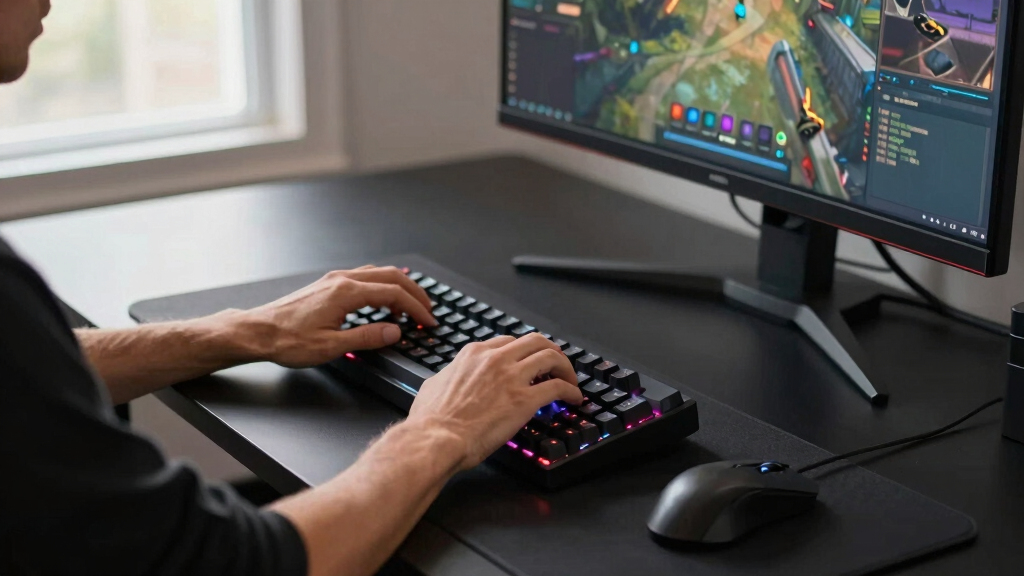
I ranked these keyboards by how well each one solves a real buying problem: daily typing comfort, layout usefulness, wireless reliability, build quality, and value for the price. The top slots go to models with the broadest appeal because a best keyboards guide should help more than one narrow user group. That is why the Logitech MX Keys S sits above flashier choices: it is quieter, easier to place on most desks, and more balanced for mixed work than the gaming-first boards. Combos such as the MX Keys S Combo and MK850 moved up only when the included mouse and multi-device workflow made the package more useful than buying a keyboard alone.
Specialized keyboards earned their place when they were clearly stronger for a specific buyer. The ASUS ROG Strix Scope II 96 Wireless ranks high because it offers a premium mechanical feel without losing much layout utility, while the Logitech Ergo K860 is more focused on posture than speed or gaming. The AULA F75 Pro and AULA F99 reward buyers who want hot-swap boards and RGB, but they sit behind broader picks because compact layouts and custom switch feel are not for everyone. Low-cost options like the K270, MK345, G213, and G413 SE were judged on whether their price savings outweighed their simpler materials, fewer software features, and less refined typing feel.
Factors to Consider When Choosing Best Keyboards
Choosing from the best keyboards gets easier when I start with how you type, where the keyboard sits, and what device mix it needs to support. A gaming keyboard, an office keyboard, and an ergonomic keyboard can all be excellent, but they solve different problems. The right pick should reduce friction in daily use, not just add more features to the box.
Key Feel and Noise Decide Daily Satisfaction
Key feel should come before brand loyalty because it changes every hour you type. Low-profile scissor-style boards like the MX Keys S feel fast, quiet, and familiar for laptop users, which is why they rank above many niche options for everyday work. Mechanical boards such as the ASUS ROG Strix Scope II 96 Wireless, MX Mechanical, AULA F99, and AULA F75 Pro give more feedback and customization, but they can sound louder and feel less familiar at first. Quiet membrane models like the SteelSeries Apex 3 and Logitech G213 make sense when shared spaces matter more than crisp switch feedback. The common mistake is buying a mechanical keyboard because it sounds more premium, then finding the switch weight or height tiring. If you type all day, I would pick comfort and consistency before RGB or switch marketing.
Full-Size, 96%, 75%, or Split Layout
Layout is where many keyboard purchases go sideways because the wrong size changes how your desk works. A full-size keyboard such as the MX Keys S, K270, MK345, K650, or G413 SE is the better fit if you use a number pad, spreadsheet shortcuts, or media controls often. A 96% layout like the ASUS ROG Strix Scope II 96 Wireless or AULA F99 saves space while keeping most keys, which is why those models appeal to gamers who also work. A 75% board like the AULA F75 Pro frees up mouse room, but it asks you to accept a tighter key cluster and fewer dedicated controls. Split ergonomic boards such as the Ergo K860 are different again; they help wrist and shoulder angle, but they take more adaptation than a standard rectangle. I would only go compact if the saved space matters every day, not just because the board looks cleaner in photos.
Wireless Convenience Versus Wired Certainty
Wireless keyboards are easier to place, easier to share across devices, and cleaner on a desk, but the type of wireless matters. Bluetooth support is useful for laptops, tablets, and switching between Mac and Windows machines, while a 2.4 GHz USB receiver usually feels more dependable for a fixed desk setup. The MX Keys S family, MK850, K650, Ergo K860, AULA F99, AULA F75 Pro, and ROG Strix Scope II 96 Wireless all appeal to buyers who want fewer cables. Wired models like the G213 and G413 SE make sense when battery upkeep would be annoying or when a gaming PC stays in one place. The hidden cost of wireless is maintenance: charging, batteries, receivers, and occasional pairing friction. I would pay more for tri-mode connectivity only if you truly move between several devices or want one keyboard for work and play.
When Paying More Makes Sense
Higher prices are easier to justify when the keyboard changes your daily routine, not when it only adds decoration. The premium tier in this roundup buys better keycaps, stronger switches, smarter backlighting, better software support, or a more complete desk bundle. That is why the MX Keys S, MX Keys S Combo, MX Mechanical, and ROG Strix Scope II 96 Wireless sit above cheaper boards for buyers who type or game often. Value picks still have a place: the K270 is fine for basic wireless typing, and the MK345 is compelling when you need a keyboard and mouse at the lowest practical cost. The tradeoff is longevity of feel; cheaper boards may keep working, yet still feel mushier, louder, or less stable over time. I would spend more when the keyboard is used for hours per day, and spend less when it is a spare, family-room, or occasional desk keyboard.
Ergonomics Are About Fit, Not Labels
An ergonomic label does not mean a keyboard is automatically better for every hand, desk, or posture. The Logitech Ergo K860 is the clearest comfort-first option here because its split shape and raised center encourage a more relaxed wrist angle. The Signature K650 and MK850 are less radical, which can make them easier choices for buyers who want palm support without changing every typing habit. A compact board can also improve comfort if it brings the mouse closer, especially for gaming or small desks. The tradeoff is adaptation: split boards and compact boards both ask your muscle memory to change. I would pick the Ergo K860 for strain reduction, the K650 for simple cushioned comfort, and the AULA F75 Pro only if desk space is the bigger pain point.
Frequently Asked Questions
Which keyboard is the best overall for most people in this roundup?
My best overall pick is the Logitech MX Keys S Wireless Keyboard because it lands in the sweet spot between comfort, quietness, and everyday versatility. Compared with the MX Mechanical and ROG Strix Scope II 96 Wireless, it asks less from buyers who just want a clean, reliable work keyboard. Compared with the K270 or MK345, it feels more polished and gives you smarter backlighting and multi-device support. It is not the best choice for switch swapping or serious gaming customization, so mechanical fans should move toward ASUS or AULA. For most desks, though, the MX Keys S is the pick I would start with.
Should I choose the MX Keys S or the MX Mechanical?
Choose the MX Keys S if you want quiet, low-profile typing that feels closer to a laptop keyboard. Choose the MX Mechanical if you want more tactile feedback and a stronger mechanical identity without buying a gaming board. The MX Keys S is better for shared offices, late-night typing, and buyers who dislike taller keys. The MX Mechanical has more character, but it can feel like a compromise if you wanted either a silent work board or a full enthusiast mechanical keyboard. I would pick based on feel first, then decide whether backlighting style, switch feedback, and desk noise match your routine.
Is a gaming keyboard a good choice for work?
A gaming keyboard can be a good work keyboard if the layout, noise level, and typing feel match your daily tasks. The ASUS ROG Strix Scope II 96 Wireless is the strongest crossover gaming option here because it keeps most full-size keys while adding better switches and tri-mode connectivity. The SteelSeries Apex 3 and Logitech G213 are more budget-friendly, but their membrane-style feel is less crisp than a real mechanical board. For office-heavy use, RGB and gaming software matter less than comfort, key stability, and how much space the keyboard leaves for your mouse. I would only buy a gaming model for work if you also play games or prefer the feel over the MX Keys S style.
Are the cheaper Logitech keyboards still good buys?
Yes, but only when expectations are clear. The Logitech K270 is a simple wireless pick for buyers who want a full-size layout and low price above all else. The MK345 is stronger if you need a mouse in the same box, while the G213 is the budget route for RGB gaming controls. What you give up is the smoother typing feel, smarter device switching, and cleaner design of the MX Keys S family. I would buy these for secondary desks, school setups, shared computers, or tight budgets, not for a premium daily workstation.
Which keyboard should I buy if wrist comfort is the priority?
The Logitech Ergo K860 is the best fit when wrist angle and posture matter more than compact size or gaming features. Its split layout makes it more specialized than the Signature K650 or MK850, which use traditional shapes with cushioned palm support. If you want comfort without relearning key positions, the Signature K650 is the easier step up. If you already feel strain from reaching for a mouse, a compact board like the AULA F75 Pro may also help by shortening that reach. I would pick the Ergo K860 for dedicated ergonomic needs and the K650 for a gentler comfort upgrade.
Conclusion
For most buyers, my recommendation is the Logitech MX Keys S Wireless Keyboard because it gives the best mix of quiet typing, smart features, and broad device support. Pick the Logitech MX Keys S Combo if you want the cleanest full desk upgrade with a mouse included, and choose the Logitech MX Keys S for Mac if your setup is Apple-first. For premium gaming and mechanical feel, the ASUS ROG Strix Scope II 96 Wireless is the standout because it brings stronger switches and a space-saving 96% layout without dropping too many keys.
For value, I would choose the Logitech K270 as the simplest low-cost wireless keyboard or the MK345 if a mouse bundle matters more. For beginners, the Logitech Signature K650 is easier to live with than most mechanical options because it keeps a full-size layout, wrist support, and simple wireless setup. For ergonomic needs, the Logitech Ergo K860 is the clearest choice, while compact mechanical buyers should look at the AULA F75 Pro and customization-minded buyers should compare it with the AULA F99. If gaming is the main use but the budget is tight, the Logitech G413 SE gives a real mechanical feel, while the SteelSeries Apex 3 and G213 make more sense when quiet keys or RGB controls matter more than switch feel.
Fall Picks
fall essentials
As an affiliate, we earn on qualifying purchases.