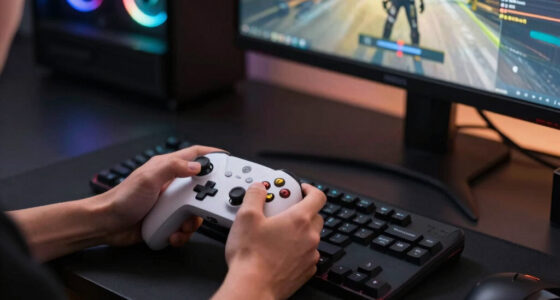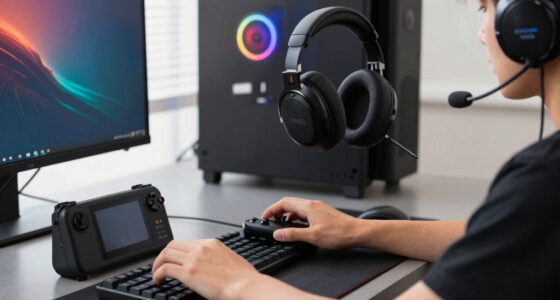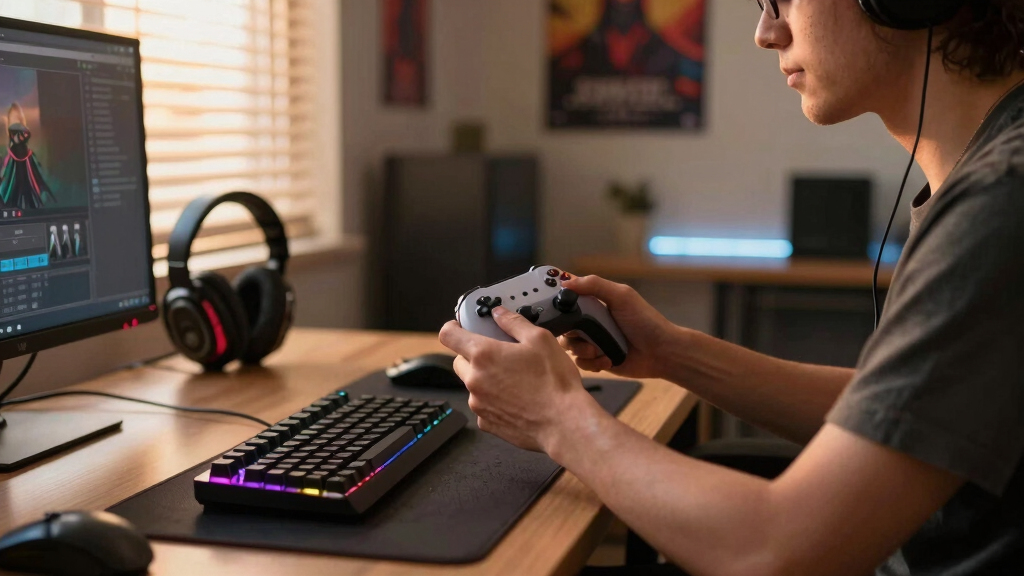

The best gaming accessories are the ones that remove friction from how I actually play: faster inputs, clearer team chat, cleaner audio, and a desk that feels less messy. For most players, the Razer BlackShark V2 X is the most broadly useful pick here because sound, comfort, and microphone quality affect almost every session. If control customization matters more, the Razer Tartarus V2 is the specialist upgrade, while the FIFINE AM8T microphone kit makes the most sense for streaming, Discord-heavy squads, and creators who want a growth path from USB to XLR.

Play games on Amazon Luna for your game nights, included with Prime
- A rotating selection of games, no download needed
- Play on TV, laptop or phone
- Fast, free delivery for your gear, too
My ranking favors impact per session, then setup flexibility, then value. That is why a headset lands above a keypad: more players will benefit from better audio than from 32 programmable keys. The tradeoff is that each pick solves a different problem. The Gimars RGB wireless charging mouse pad is the least performance-focused, but it is the neatest desk upgrade; the Tartarus is the most game-changing for macro-heavy PC players, but also the easiest to skip if you prefer a standard keyboard.
Key Takeaways
- The Razer BlackShark V2 X is my Best Overall pick because it improves audio, chat, comfort, and platform support more broadly than the other accessories.
- The Razer Tartarus V2 is the strongest control upgrade for PC players who use macros, hotbars, or repeated commands, but it is too specialized for casual console play.
- The FIFINE AM8T kit is the best streaming accessory because USB and XLR support give it more room to grow than the headset microphone.
- The Gimars RGB wireless charging mouse pad is the best desk setup pick, trading raw performance gains for a larger surface, cleaner charging, and fewer loose items.
- The right choice depends on the weak point in your setup: sound first, controls for PC specialists, microphone for creators, and desk surface for organization.


More Details on Our Top Picks
Razer BlackShark V2 X Gaming Headset with 7.1 Surround Sound and 50mm Drivers
The Razer BlackShark V2 X earns the top spot because it improves the parts of gaming most players notice immediately: positional audio, voice chat, and comfort. Compared with the FIFINE AM8T, it is less specialized for recording, but it covers both listening and speaking in one simpler package. Compared with the Razer Tartarus V2, it has broader appeal because every genre benefits from clearer sound, while a keypad mainly helps players who already know they want macros and custom bindings.
The 50mm drivers and closed earcups make this pick better suited to competitive shooters, co-op games, and late-night play where outside noise is distracting. The 240g weight is also a major reason it ranks above heavier desk-focused gear: comfort matters when an accessory stays on your head for hours. The drawback is that its 7.1 surround sound is software-enabled on Windows, so console players still get a useful wired headset, but not the full PC feature set.
This is not the cleanest option for streamers who want richer broadcast audio. The FIFINE AM8T has more room for voice quality and upgrade paths, especially with XLR gear later. Still, for a buyer choosing one accessory that changes the most sessions with the least setup hassle, the BlackShark V2 X is the most sensible first upgrade.
Pros:- Clear 50mm-driver audio helps with footsteps, effects, and voice chat separation
- Lightweight 240g design is better for long sessions than bulkier desk hardware
- Closed earcups give useful noise isolation for shared spaces
- Works across PC, Mac, PlayStation, Xbox One, and Switch
Cons:- 7.1 surround support is software-based and limited to Windows 10
- Xbox One use may require a stereo adapter
- Microphone positioning is less flexible than a boom-arm mic
Best for: Players who want one affordable accessory that improves sound, team chat, comfort, and cross-platform use.
Not ideal for: Streamers who want a dedicated microphone setup or Xbox One users who do not want adapter concerns.
- Surround Sound:7.1 software-enabled surround
- Drivers:50mm custom-tuned drivers
- Weight:240g
- Microphone:Razer HyperClear cardioid mic
- Earcups:Closed noise-isolating design
- Cushions:Breathable memory foam
- Compatibility:PC, Mac, PS4, PS5, Xbox One, Switch
Bottom line: This is my first pick for most gamers because it improves the widest range of sessions without demanding much desk space or setup time.
Razer Tartarus V2 Gaming Keypad with Mecha-Membrane Switches, 32 Programmable Keys, Chroma RGB Lighting, and Thumbpad
The Razer Tartarus V2 is the most specialized accessory in this lineup, and that is exactly why it ranks high. Its value is not universal like the BlackShark V2 X; it is about giving PC players a compact command center with 32 programmable keys, an 8-way thumbpad, and macro support. For MMO players, strategy fans, simulation players, and creative users, that can mean faster access to skills, tools, or repeated commands without stretching across a full keyboard.
The mecha-membrane switches sit between soft membrane feel and crisp mechanical response. That makes the Tartarus more tactile than a basic keyboard but less satisfying than a true mechanical keypad for players who care about switch feel. The adjustable palm rest helps its case, especially next to the Gimars desk mat, which improves surface comfort but does not change input control. Here, the buyer outcome is speed and consistency: fewer awkward reaches, more commands under one hand, and more freedom to build game-specific layouts.
The weakness is commitment. This is not a casual plug-in upgrade like the headset, and it is not useful for console-focused players. It also costs more than many people expect from an accessory that does one narrow job. I would pick it before the FIFINE AM8T only if control customization matters more than voice quality; streamers and chat-heavy players should reverse that order.
Pros:- 32 programmable keys support complex macros and game-specific layouts
- 8-way thumbpad adds directional control without reaching across the keyboard
- Adjustable palm rest improves ergonomics for long PC sessions
- Chroma RGB lighting can match the rest of a Razer setup
Cons:- PC-focused design makes it a poor choice for console setups
- Mecha-membrane switches may disappoint mechanical keyboard fans
- Higher cost for a specialized accessory with a learning curve
Best for: PC gamers who play macro-heavy games or want a dedicated left-hand control surface.
Not ideal for: Console players, minimalists, or anyone who prefers a standard keyboard layout with true mechanical switches.
- Switch Type:Mecha-membrane
- Keys:32 programmable keys
- Thumbpad:8-way directional thumbpad
- Lighting:Razer Chroma RGB
- Palm Rest:Adjustable ergonomic palm rest
- Connectivity:USB-A corded
- Compatible Devices:PC
- OS Compatibility:Windows 11 SE, Mac OS 14 Sonoma, Ubuntu 24.04
Bottom line: The Tartarus V2 is the pick I would choose for PC control depth, but only for buyers ready to build custom layouts and actually use them.
FIFINE XLR/USB Gaming Microphone Set with Boom Arm, RGB Lighting, Mute Button, Headphone Jack, for Streaming and Recording
The FIFINE AM8T microphone kit is the strongest pick here for anyone whose voice matters as much as gameplay. Compared with the Razer BlackShark V2 X, it is less convenient because it needs desk space and positioning, but it offers a more creator-focused path with USB and XLR connectivity. That dual connection is the big differentiator: USB keeps the setup simple now, while XLR leaves room for a mixer or audio interface later.
The included boom arm gives it a practical advantage over buying only a mic body. Better placement can make voice pickup more consistent, and the mute button, headphone jack, and volume control are useful during live calls or streams. Against the Razer Tartarus V2, this is not about input speed; it is about sounding cleaner on Discord, Twitch, YouTube, podcast recordings, or team comms. For players who already have a decent keyboard and mouse, upgrading voice can be more noticeable to everyone else in the session.
The downsides are real. The XLR cable is not included, so the upgrade path requires another purchase. The clamp also needs a desk under 2 inches thick, which can rule out chunky desks or unusual edges. Beginners may find the extra controls and arm setup more involved than a headset. I would choose this over the BlackShark only if microphone quality is the priority; for pure gaming convenience, the headset remains easier.
Pros:- USB and XLR support make it useful for both simple and upgraded audio setups
- Included boom arm helps position the mic closer to the speaker
- Mute button, headphone jack, and volume control support live use
- RGB lighting fits gaming desks without needing extra decoration
Cons:- XLR cable is not included
- Clamp requires a desktop thinner than 2 inches
- More setup work than a headset microphone
Best for: Streamers, podcasters, Discord-heavy players, and creators who want a microphone that can grow beyond USB.
Not ideal for: Players with limited desk space, thick desktop edges, or no interest in managing a separate mic arm.
- Connectivity:USB and XLR
- Polar Pattern:Unidirectional
- Frequency Range:50Hz-16kHz
- Signal-to-Noise Ratio:80 dB
- Controls:Mute, headphone monitoring, volume control
- Included Stand:Adjustable boom arm
- Compatibility:Computer, mixer, audio interface, Mac OS, Windows
- Materials:ABS plastic and metal
Bottom line: This is the best accessory here for players who care about how they sound, especially if streaming or content creation is part of the setup.
Gimars RGB Gaming Mouse Pad with Wireless Charging, 15W Qi, 10 Light Modes, XXL Waterproof Desk Mat, Non-Slip, Type-C Interface
The Gimars RGB gaming mouse pad is not the most performance-driven item in this list, but it fills a role the other picks do not: it cleans up the physical setup. Its XXL desk mat size gives the keyboard and mouse one shared surface, while the built-in 15W Qi charging pad can reduce cable clutter for compatible phones or earbuds. Compared with the Razer Tartarus V2, it will not add commands or macros, but it changes how the whole desk feels under daily use.
The surface matters for gaming because a consistent pad can make mouse movement feel less cramped, especially for lower-sensitivity players. The water-resistant fabric and non-slip rubber base are practical touches, and the 10 RGB lighting modes help it match a gaming setup without buying another light strip. Against the FIFINE AM8T, the Gimars mat is easier to live with: no boom arm, no mic gain, no placement puzzle. It is more of a foundation piece than a feature-heavy tool.
Its limits explain why it ranks fourth. The wireless charging only helps if your device supports Qi, and fast charging needs the right power adapter, which is not included. It may also arrive curled and need time to flatten. I would not buy this before a good headset if gaming performance is the goal, but for a player whose desk is cluttered or whose mouse area feels cramped, it is the best comfort-and-organization pick here.
Pros:- Large 31.5-inch width gives keyboard and mouse a shared surface
- Built-in 15W Qi wireless charging reduces loose charging cables
- Water-resistant fabric is easier to clean after spills
- Non-slip rubber base keeps the desk mat stable during play
Cons:- Fast charging requires a compatible adapter that is not included
- Wireless charging is limited to Qi-compatible devices
- May need time to flatten after shipping
Best for: Players who want a cleaner desk, a larger mouse surface, RGB accent lighting, and Qi charging in one accessory.
Not ideal for: Buyers seeking a major competitive upgrade or anyone without Qi-compatible devices.
- Dimensions:11.81 in L x 31.5 in W x 0.16 in H
- Material:Rubber and fabric
- Wireless Charging:15W Qi charging
- Lighting Modes:10 RGB modes
- Thickness:4mm
- Water Resistance:Waterproof surface
- Interface:Type-C
- Base:Non-slip rubber base
Bottom line: The Gimars mat is the best choice for desk comfort and cable reduction, but it should come after audio or controls for performance-focused players.
How We Picked
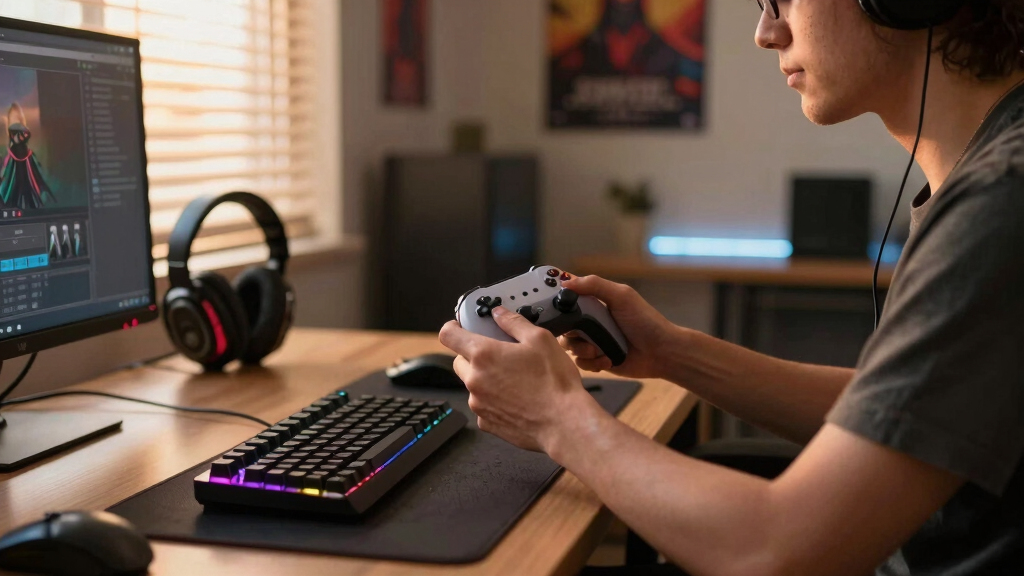
I ranked these accessories by how directly they improve a gaming setup. I put the most weight on day-to-day impact, because an accessory should change how sessions feel, not just add lights to a desk. Audio, comfort, input speed, communication quality, compatibility, and setup friction all mattered in my ordering.
I also looked for clear buyer fit. A strong accessory is not always the best accessory for everyone. The Razer Tartarus V2 offers deeper control than the Gimars mat, but it asks for more learning and is tied to PC play. The FIFINE AM8T can beat a headset mic for creator audio, but it adds desk hardware and setup steps. I gave higher placement to products that solve a common gaming problem while still making their limits easy to understand.
Factors to Consider When Choosing Best Gaming Accessories
The easiest way to choose between gaming accessories is to start with the weak point in the setup. I would not buy RGB, extra controls, or streaming gear just because they look exciting on a desk. I would match the accessory to the problem it solves.Start With The Problem You Feel Most
If games sound muddy, teammates are hard to hear, or long sessions feel uncomfortable, the Razer BlackShark V2 X should be the starting point. If the issue is too many keyboard commands, the Razer Tartarus V2 is more targeted. If people hear background noise or thin voice quality from your current setup, the FIFINE AM8T is the better upgrade. If the desk itself feels cramped or cluttered, the Gimars mat solves that physical problem better than the other three.
Platform Compatibility Matters
Console players should be careful with PC-first gear. The BlackShark V2 X is the safest cross-platform pick here, though Windows gets the full 7.1 feature. The Tartarus V2 is built around PC workflows, so I would skip it for a PlayStation, Xbox, or Switch setup. The FIFINE AM8T is also strongest at a computer desk, while the Gimars mat works anywhere there is USB-C power and a Qi-compatible device.
Convenience Versus Control
Some accessories help immediately, while others reward setup time. A headset is simple: plug it in, adjust fit, and play. The Tartarus V2 asks for custom profiles before it earns its place. The FIFINE AM8T asks for mic placement and desk space, but it can make voice quality feel more polished than a headset mic. I would choose convenience for casual play and deeper control for players who already know what they want to customize.
Do Not Overbuy For The Wrong Setup
A premium-feeling accessory can still be the wrong purchase. I would skip the Tartarus V2 if most games are played with a controller. I would skip the FIFINE AM8T if the headset mic already sounds good enough for friends. I would skip the Gimars mat if the desk already has a large mouse pad and wireless charging is not used. The best accessory is the one that fixes a daily annoyance, not the one with the longest feature list.
Frequently Asked Questions
What gaming accessory should I buy first?
I would buy a gaming headset first for most setups, which is why the Razer BlackShark V2 X ranks highest here. Better sound helps with awareness, story immersion, and team chat, and a comfortable headset affects almost every session. A keypad or microphone can be more powerful for the right buyer, but they serve narrower needs.
Is a gaming keypad better than a keyboard?
A gaming keypad like the Razer Tartarus V2 is better for players who want custom macros, compact hand placement, and game-specific command layouts. It is not a full keyboard replacement for everyone. If you play MMOs, MOBAs, strategy games, or complex PC titles, it can make sense; if you mostly play controller games or simple shooters, a normal keyboard may feel easier.
Do I need a separate microphone for gaming?
A separate microphone is not required for casual gaming, but the FIFINE AM8T makes sense when voice quality is part of the experience. Streamers, podcasters, and Discord-focused players can benefit from better mic placement and USB/XLR flexibility. For quick matchmaking and console play, the BlackShark V2 X headset mic is the simpler route.
Are RGB accessories useful or just cosmetic?
RGB is mostly visual, but it can still help a setup feel organized when it is paired with useful hardware. The Gimars mouse pad combines lighting with a large surface and Qi charging, while the Tartarus V2 uses Chroma lighting on a programmable control pad. I would treat RGB as a bonus, not the main reason to buy.
Which accessory is best for a small desk?
For a small desk, I would be careful with boom arms and oversized mats. The Razer BlackShark V2 X is the easiest fit because it does not take permanent desk space. The Tartarus V2 can also work if you want a compact left-hand control area, but the FIFINE AM8T and Gimars mat need more physical room.
Conclusion
For most buyers, I would start with the Razer BlackShark V2 X because audio and comfort touch almost every game. For PC players who want more control, the Razer Tartarus V2 is the smarter specialist pick. For streamers and voice-first players, the FIFINE AM8T is the better long-term audio choice. For desk cleanup, larger mouse movement, and built-in phone charging, the Gimars RGB wireless charging mouse pad is the practical finishing piece.
My simple rule: choose the accessory that fixes the annoyance you feel every session. If that is sound, buy the headset. If it is command overload, buy the keypad. If it is voice quality, buy the mic. If it is clutter and surface space, buy the desk mat.
Fall Picks
fall essentials
As an affiliate, we earn on qualifying purchases.