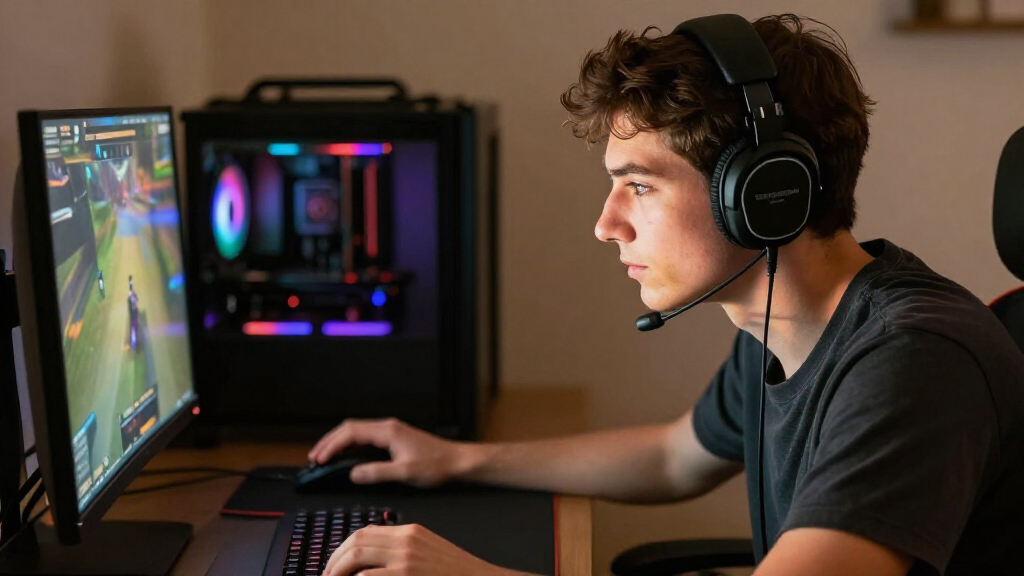

Choosing a PC gaming headset often comes down to a room-level tradeoff: do you want a more open, natural presentation, or do you need to keep outside noise out and game sound in? Open-back gaming headsets have ventilated earcups that let air and sound pass through. Closed-back models seal around the ears to provide more isolation. Neither design automatically has better imaging, microphone quality, or comfort; those depend on the particular headset. But the acoustic difference affects how each works at a desk.

Play games on Amazon Luna for your game nights, included with Prime
- A rotating selection of games, no download needed
- Play on TV, laptop or phone
- Fast, free delivery for your gear, too

HyperX Cloud III Wired Gaming Headset
- ✔ Connection: Wired; USB and 3.5 mm
- ✔ Drivers: Angled 53 mm dynamic drivers
- ✔ Microphone: Detachable 10 mm, noise-cancelling, mesh filter

Logitech G733 Lightspeed Wireless Gaming Headset
- ✔ Connection: 2.4 GHz Lightspeed wireless
- ✔ Wireless range: Up to 20 meters
- ✔ Battery life: Up to 29 hours

Razer BlackShark V2 X Gaming Headset
- ✔ Connection: Wired 3.5 mm
- ✔ Weight: 240 g
- ✔ Drivers: 50 mm TriForce Titanium dynamic drivers
Open-back headsets are the stronger fit for quiet rooms, long sessions, and players who value a spacious presentation. Closed-back headsets make more sense in shared spaces, near background noise, or when others should not hear the game. The key question is whether you can use an open design without disturbing anyone—and whether you need isolation more than an airy sound.
At a Glance
| Criteria | Open-back gaming headsets | Closed-back gaming headsets | Winner |
|---|---|---|---|
| Sound presentation | Airier, more spacious presentation; varies by model | More contained presentation with stronger bass potential | Depends |
| Noise isolation and sound leakage | Little isolation; sound leaks both ways | Better passive isolation; less sound leakage | B |
| Positional audio | Can feel spacious, but accuracy depends on tuning and game mix | Can provide clear positioning; depends on model and tuning | Depends |
| Comfort and heat | More airflow for many players | Can feel warmer during long sessions | A |
| Microphone privacy | Nearby people may hear game audio | Better privacy for voice chat and game audio | B |
| Room suitability | Best in quiet, private rooms | Works better in shared or noisy rooms | B |
| Value | Worth paying for when openness is a priority | Often the practical value pick when isolation matters | Depends |
HyperX Cloud III Wired Gaming Headset
The HyperX Cloud III earns our top position through versatility rather than a single headline feature. On a PC, the listed USB and 3.5 mm connectivity gives it more ways to fit a setup than the Razer’s 3.5 mm-only connection, while keeping the dependable simplicity of a wired headset. Its aluminum frame and memory-foam headband and ear cushions are aimed at players who keep a headset on through long sessions and want a build designed for regular handling.The angled 53 mm drivers and DTS Spatial Audio give the Cloud III a more feature-rich PC sound setup than the BlackShark V2 X’s software-enabled 7.1 surround, which is specifically limited to Windows 10 64-bit. HyperX also supplies a detachable, noise-cancelling 10 mm microphone with a mesh filter and an LED mute indicator; that visible status cue can help avoid speaking while muted. Compared with the G733, however, the Cloud III has no wireless freedom or stated battery convenience. Its wired design is a good fit for a desk, but a cable can feel restrictive if you move around while playing.Choose this model if you want one wired headset that can adapt across PC ports and other listed platforms. Skip it if wireless movement is central to your setup, or if you specifically want RGB lighting and software filters like those offered with the Logitech.
Pros:
- USB and 3.5 mm connectivity for flexible PC connection options.
- Aluminum frame and memory foam are designed for regular, extended use.
- Detachable 10 mm mic has noise cancellation, mesh filter, and LED mute indicator.
- Angled 53 mm drivers and DTS Spatial Audio add PC sound features.
Cons:
- Wired connection limits movement compared with the Logitech G733.
- No RGB lighting or wireless mode is listed.
- Sound and fit preferences vary; the listed features do not guarantee an ideal match for every listener.
Best for: PC players who want a durable wired headset with USB and 3.5 mm connection options, plus direct microphone controls.
Not ideal for: Players who want wireless freedom, RGB lighting, or a cable-free setup.
Bottom line: The Cloud III is our strongest all-round PC choice for players who value wired flexibility, durability, and a clear mute status.
“The Cloud III is our strongest all-round PC choice for players who value wired flexibility, durability, and a clear mute status.”
Logitech G733 Lightspeed Wireless Gaming Headset
If you want to leave the cable behind, the Logitech G733 Lightspeed is the only wireless option in this trio. Its 2.4 GHz connection is specified for up to 20 meters of range, and its battery is rated for up to 29 hours. Those features make it better suited than the wired HyperX or Razer to players who stand up, shift around, or simply prefer a clear space between their chair and PC.Logitech’s reversible suspension headband and memory-foam earcups emphasize a lightweight fit, though the listed 278 g weight is higher than the BlackShark V2 X’s 240 g. Its dual-zone RGB lighting and Blue VO!CE microphone filters are customizable through G HUB, so this headset has more personalization options than the other two—but using those software features means adding a companion app to your setup. The G733 is also the least forgiving if you want a backup connection: the supplied details state there is no wired fallback, so its use depends on the wireless link and battery.Pick it when wireless convenience and customization outrank connection redundancy. If you prefer a wired headset with USB and 3.5 mm options, the Cloud III is more adaptable; if low weight and a simple analog connection matter more, the Razer is the lighter alternative.
Pros:
- 2.4 GHz Lightspeed wireless with stated range up to 20 meters.
- Battery life listed as up to 29 hours.
- G HUB supports dual-zone RGB customization and Blue VO!CE filters.
- Reversible suspension headband and memory-foam earcups.
Cons:
- No wired fallback is listed.
- At 278 g, it weighs more than the Razer BlackShark V2 X.
- RGB and audio customization rely on G HUB software.
Best for: Players who want a wireless PC headset with long stated battery life, RGB customization, and software-based mic filters.
Not ideal for: Buyers who want a wired backup, the lightest headset in this comparison, or to avoid companion software.
Bottom line: The G733 is the clear choice for cable-free PC play, provided you are comfortable depending on wireless and battery power.
“The G733 is the clear choice for cable-free PC play, provided you are comfortable depending on wireless and battery power.”
Razer BlackShark V2 X Gaming Headset
At a listed 240 g, the Razer BlackShark V2 X is the lightest headset here and the most straightforward option for a PC gamer who wants to plug in and play. Its 3.5 mm connection avoids the battery routine of the Logitech G733, and its closed earcups and cushions are designed to create a closer seal for passive noise isolation. The HyperClear cardioid microphone is intended to emphasize voice pickup while reducing sound from the back and sides.Compared with the HyperX Cloud III, the BlackShark is lighter but has fewer listed connection choices: it uses a 3.5 mm jack, while the HyperX adds USB. It also includes software-enabled 7.1 surround sound, but the product details limit that feature to Windows 10 64-bit, so PC buyers using other systems should not count on it. The 50 mm TriForce Titanium drivers are divided for separate tuning of highs, mids, and lows, which is intended to support clearer distinctions across the sound range. Still, this model offers less PC software customization than the Logitech and no wireless option.This pick makes sense if you prioritize a lighter headset, a simple analog connection, and a microphone designed for voice chat. Choose the Cloud III instead if USB connectivity and a sturdier aluminum frame matter more; go with the G733 if your priority is moving around without a cable.
Pros:
- Listed weight of 240 g makes it the lightest option here.
- 3.5 mm wired connection needs no battery charging.
- Closed earcups and cushions are designed for passive noise isolation.
- Cardioid microphone is designed to focus more on voice than rear and side sound.
Cons:
- Only 3.5 mm connectivity is listed, compared with the HyperX’s USB and 3.5 mm options.
- 7.1 surround feature is limited to Windows 10 64-bit.
- No wireless mode or lighting customization is listed.
Best for: PC players seeking a lightweight, analog headset with a cardioid mic and closed earcups.
Not ideal for: Players who want wireless play, USB connectivity, or 7.1 software support on an operating system other than Windows 10 64-bit.
Bottom line: The BlackShark V2 X is a practical lightweight pick for players who want a simple 3.5 mm PC headset and can live without USB or wireless features.
“The BlackShark V2 X is a practical lightweight pick for players who want a simple 3.5 mm PC headset and can live without USB or wireless features.”
As an Amazon Associate we earn from qualifying purchases.
Key Differences
The biggest difference is acoustic containment. Open-back earcups allow sound to pass through, so they can sound less confined and feel cooler during extended play. The tradeoff is immediate: background noise remains audible, and people nearby may hear effects or dialogue. Closed-back earcups reduce both problems, though they do not provide active noise cancellation unless the specific model includes it. Their sealed feel can also make ears warmer.
Neither design guarantees better competitive performance. Positional cues depend on the headset’s drivers, tuning, fit, and the game’s audio mix. Open-back models may give some players a more spacious sense of the scene, while a good closed-back headset can still place footsteps and effects accurately. Choose based on the listening environment first, then compare individual models for imaging, microphone quality, comfort, and PC connectivity.
For most buyers, the room decides the value. An open-back headset can justify a higher price for a player with a quiet private setup who will use its airy presentation regularly. In a shared room, the same feature may be a liability. Closed-back is the safer practical choice across more home setups, while open-back is the more specialized choice for quiet spaces.
Detailed Comparison
Sound presentation (moderate difference)
Open-back headsets generally produce a more airy, less sealed-in presentation. Closed-back headsets sound more contained and can support stronger perceived bass, though tuning varies widely. The gap is moderate: it changes the character of listening, but does not make every open-back model more accurate or every closed-back model bass-heavy. Choose open-back for a spacious feel; choose closed-back if you prefer a more enveloping presentation or want game audio to feel contained.
Noise isolation and sound leakage (Closed-back gaming headsets wins — major)
Closed-back wins by a major margin for keeping outside noise lower and sound from reaching people nearby. The earcups provide passive isolation, which can help in a busy home or when someone is sleeping nearby. Open-back designs offer little isolation and leak sound in both directions. If you game beside other people or need to hear less household noise, closed-back is the clear fit. In a quiet room with no nearby listeners, the difference matters much less.
Positional audio (minor difference)
There is no reliable category-wide winner. Open-back designs can make a game’s sound field feel wider, which some players enjoy for environmental awareness. Closed-back models can deliver precise directional cues too, particularly when their tuning and fit suit the listener. The gap is minor between design types compared with the effect of the specific headset and game settings. For competitive play, compare model-level imaging and comfort rather than assuming an open design will reveal footsteps better.
Comfort and heat (Open-back gaming headsets wins — moderate)
Open-back has a moderate advantage for airflow because the earcups are not sealed. That can make long sessions more comfortable for players who tend to feel warm. Closed-back headsets may hold more heat, but comfort also depends on clamp force, weight, pads, and head shape; a well-fitting closed-back model can beat an uncomfortable open one. If heat is a recurring issue, open-back deserves priority, but try to judge the complete fit rather than the cup design alone.
Microphone privacy (Closed-back gaming headsets wins — moderate)
Closed-back wins by a moderate margin when game sound should stay private. Open-back leakage can be picked up by a sensitive microphone, especially at high volume, potentially sending effects or dialogue to voice chat. A directional mic, sensible volume, and noise suppression can reduce the problem, but they do not change the fact that sound escapes the earcups. Choose closed-back for quiet calls or shared spaces; in a private room, leakage may be irrelevant.
Room suitability (Closed-back gaming headsets wins — major)
Closed-back is the more versatile choice across different homes, a major advantage for shared desks and rooms with background noise. Open-back works best when the room is quiet and nearby people will not mind hearing some game audio. The practical consequence is simple: the same open headset that feels excellent alone can be disruptive in a bedroom or living room. If you cannot control noise or privacy, closed-back is the dependable option.
Value (moderate difference)
Value depends on whether the design’s main benefit solves a real problem. Paying more for open-back makes sense when spacious sound and airflow matter in a quiet room. Paying more for closed-back is justified when isolation, less leakage, or voice-chat privacy improves daily use. There is no universal price premium or sound-quality advantage by category, so compare complete models at their actual prices. For an uncertain setup, closed-back is usually the safer purchase because it suits more rooms.
Open-back gaming headsets: Pros and Cons
Pros:
- Airier presentation that can feel spacious
- More airflow may help during long sessions
- Good match for quiet, private rooms
Cons:
- Lets background noise in
- Leaks game audio to nearby people
- Can be a poor fit for shared rooms and sensitive voice chat
Closed-back gaming headsets: Pros and Cons
Pros:
- Reduces outside noise through passive isolation
- Keeps more game sound contained
- More practical in shared or noisy rooms
Cons:
- Can feel warmer during extended use
- Presentation may feel more enclosed
- Isolation and bass response vary by model
Who Should Choose What
Choose Open-back gaming headsets if:
- You play in a quiet private room and want a spacious presentation.
- You tend to overheat in sealed earcups and value airflow.
- Sound leakage will not disturb anyone nearby.
Choose Closed-back gaming headsets if:
- You share your room or game near people who need quiet.
- You want less background noise and more private voice chat.
- You need one headset that works in varied home environments.
Skip both if: Skip both headset types if you need speakers for full-room awareness, or if you already have a separate microphone and prefer choosing headphones independently.
Value for Money
Paying more is worthwhile only when the design advantage matches your setup. Spend extra on an open-back model if you have a quiet room, will benefit from airflow, and prefer a spacious sound. Its leakage makes that premium poor value in a shared space. Spend extra on a closed-back model if better isolation and privacy will improve most sessions; otherwise, a well-fitting lower-cost headset may do the job.
Closed-back is the stronger default value for buyers who are unsure because it accommodates more rooms. Open-back can be the better value for a private-room player who specifically wants its presentation. Compare individual models for microphone performance, comfort, connection type, and controls before paying a category premium.
Final Verdict
Choose a closed-back PC gaming headset if you share your space, contend with background noise, or want to keep game audio private. It is the practical recommendation for most home setups because it handles more listening environments. Choose open-back if you game alone in a quiet room and value airflow and a spacious presentation enough to accept sound leakage.
The biggest deciding factor is whether people or noise are nearby. If they are, closed-back is the better buy. If they are not, open-back can be the more comfortable and enjoyable fit. Do not pay extra based on design alone: a particular model’s fit, microphone, and positional performance still matter.
Frequently Asked Questions
Are open-back headsets better for competitive PC gaming?
Not automatically. Their spacious presentation may help some players perceive the game scene, but directional accuracy depends on the headset’s tuning, fit, and the game’s audio mix. Compare specific models and try them with the games you play.
Can people hear an open-back gaming headset?
Usually, yes, especially when the volume is high or someone is sitting nearby. The amount of leakage varies by model and listening level, but open-back earcups do not keep game sound contained like closed-back ones.
Do closed-back headsets block all outside noise?
No. They provide passive isolation that reduces some outside sound, but they do not create silence. Fit and earcup seal affect results, and only models with active noise cancellation offer that additional feature.
Which type is more comfortable for long sessions?
Open-back often feels cooler because air can pass through the earcups. Overall comfort still depends on weight, clamp force, padding, and fit, so a comfortable closed-back model may suit you better than a poorly fitting open-back one.