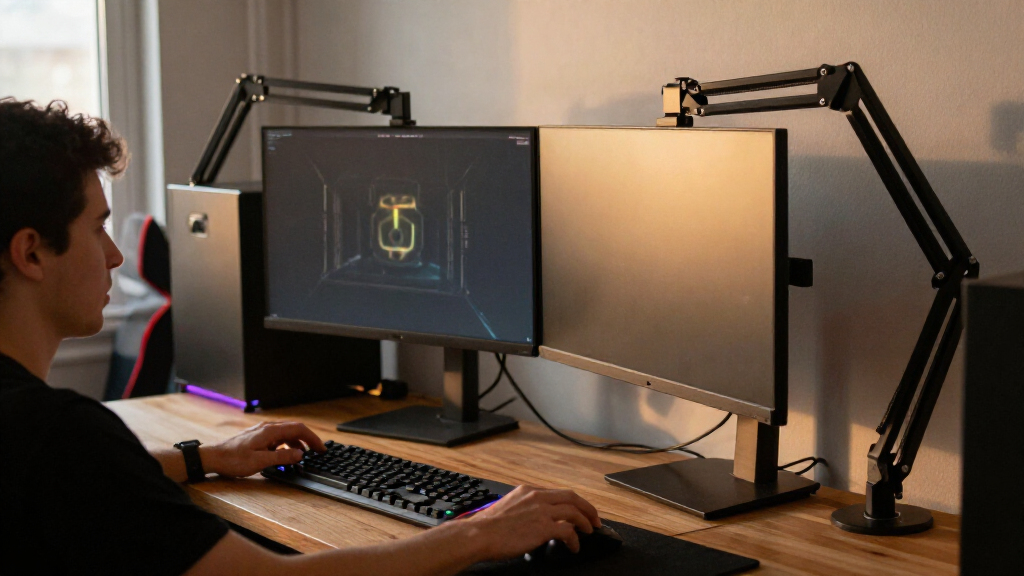
The best gaming monitor arms give you more room for your mouse and keyboard while making screen position easier to adjust. I’d name the Ergotron LX Single Monitor Arm my best overall pick for a single-screen setup, while the MSI MPG MT201R V2 stands out for large, heavy displays and the HUANUO FlowLift Dual for a two-monitor desk. The main tradeoffs are single versus dual-screen flexibility, the desk space and mounting method available, and how much adjustability your monitor’s size and weight require. A gas-spring arm can make repositioning easier, but fit and desk stability matter more than a long feature list. Read on for the full breakdown of all 15 gaming monitor arms and the setups each one suits.

Play games on Amazon Luna for your game nights, included with Prime
- A rotating selection of games, no download needed
- Play on TV, laptop or phone
- Fast, free delivery for your gear, too
Complete the kit



Key Takeaways
Screen size and weight change the shortlist: The MSI MPG MT201R V2 supports screens up to 49 inches and 44 pounds, while many other options here are aimed at smaller displays.
Dual arms suit matched two-screen setups: The HUANUO FlowLift Dual and VIVO AeroPoise Dual offer a different kind of flexibility from single arms, but need enough desk depth and width for two screens to move freely.
Mounting choice affects desk compatibility: Several HUANUO and MSI models offer clamp or grommet mounting, so buyers can match the base to their desk rather than choosing by arm features alone.
Premium does not automatically mean a better fit: The Ergotron LX and ASUS ROG Ergo offer distinct single-screen alternatives, but a simpler WALI, Acer, or ErGear arm may make more sense for a lighter monitor and a straightforward setup.
USB and RGB are secondary to mechanical fit: Features such as USB on the HUANUO HNDS7 or RGB on the MSI may suit particular setups, but neither replaces checking VESA compatibility, monitor weight, and desk clearance.
| HUANUO Dual Monitor Desk Mount with C-Clamp or Grommet Base, White |  | Best Dual Arm for a Clean White Setup | Brand and model: HUANUO HNDS6W-US | Color: White | Material: Alloy steel | VIEW LATEST PRICE | See Our Full Breakdown |
| WALI Adjustable Dual Monitor Arm for 13–32-Inch Screens |  | Best for Long-Reach Dual-Screen Positioning | Brand and model: WALI GSMP002N | Monitor capacity: Two monitors, 13–32 inches | Maximum load: 22 lb per arm | VIEW LATEST PRICE | See Our Full Breakdown |
| Acer Adjustable Single Monitor Arm for 17–34-Inch Screens |  | Best Single-Arm Choice for a Larger Gaming Display | Brand and model: Acer AMS001 | Screen compatibility: 17–34 inches | Monitor weight capacity: 4.4–19.8 lb (2–9 kg) | VIEW LATEST PRICE | See Our Full Breakdown |
| HUANUO FlowLift Dual Monitor Stand for 13–32-Inch Screens |  | Best Established-Spec Pick for a Wood Desk | Brand and model: HUANUO HNDS6 | Screen compatibility: Two monitors, 13–32 inches each | Weight capacity: 4.4–19.8 lb per arm | VIEW LATEST PRICE | See Our Full Breakdown |
| VIVO AeroPoise Dual Monitor Desk Mount for 17–32-Inch Screens |  | Best Tool-Free Dual-Arm Adjustment | Brand and model: VIVO STAND-V002O | Screen compatibility: Two monitors, 17–32 inches each | Weight capacity: 4.4–19.8 lb per screen | VIEW LATEST PRICE | See Our Full Breakdown |
| ASUS ROG Ergo Mechanical Monitor Arm with Desk Clamp and Grommet Mount |  | Best for Large Gaming Displays | Screen size: 19–49 inches | Weight capacity: 3–13.5 kg flat; 3–10.5 kg curved | VESA compatibility: 100 × 100 mm | VIEW LATEST PRICE | See Our Full Breakdown |
| MSI MPG MT201R V2 Premium RGB Single Monitor Stand Arm |  | Best for RGB Gaming Setups | Screen size: 17–49 inches in description; another supplied listing states 35-inch maximum | Weight capacity: 44 lb (20 kg) | VESA compatibility: 75 × 75 mm and 100 × 100 mm | VIEW LATEST PRICE | See Our Full Breakdown |
| WALI Adjustable Single Monitor Arm for 13–34-Inch Screens, up to 26.4 lbs |  | Best for Long-Term Flexibility | Screen compatibility: 13–34 inches; regular screens up to 32 inches | Maximum load: 26.4 lb flat; 19.8 lb curved | VESA compatibility: 75 × 75 mm and 100 × 100 mm | VIEW LATEST PRICE | See Our Full Breakdown |
| Acer Dual Monitor Arm with Gas Spring for 17–32-Inch Screens |  | Best for Dual-Screen Gaming | Monitor capacity: Two screens, 17–32 inches each | Weight capacity: 4.4–19.8 lb per monitor | VESA compatibility: 75 × 75 mm and 100 × 100 mm | VIEW LATEST PRICE | See Our Full Breakdown |
| ErGear Adjustable Single Monitor Arm for 13–34-Inch Screens |  | Best for Straightforward Setup | Screen compatibility: 13–34 inches | Supported monitor weight: 4.84–19.8 lb | VESA patterns: 75 × 75 mm and 100 × 100 mm | VIEW LATEST PRICE | See Our Full Breakdown |
| HUANUO FlowLift Single Monitor Mount for 13–32 Inch Monitors |  | Best Value Single-Monitor Flexibility | Compatible monitor size: 13–32 inches | Monitor weight capacity: 4.4–19.8 lbs | VESA compatibility: 75 × 75 mm and 100 × 100 mm | VIEW LATEST PRICE | See Our Full Breakdown |
| Ergotron LX Single Monitor Arm, Matte Black |  | Best for Heavier Gaming Monitors | Supported screen size: Up to 34 inches | Monitor weight capacity: 7–25 lbs | VESA compatibility: 75 × 75 mm and 100 × 100 mm | VIEW LATEST PRICE | See Our Full Breakdown |
| HUANUO Dual Monitor Stand for 13–40-Inch Monitors, HNDS7 |  | Best for Two Large Gaming Screens | Monitor capacity: Up to 26.4 lbs per arm | Listed screen size: 13–40 inches; another listing detail states 13–32 inches | VESA compatibility: 75 × 75 mm and 100 × 100 mm | VIEW LATEST PRICE | See Our Full Breakdown |
| HUANUO FlowLift Pro Adjustable Monitor Arm for 13–32-Inch Screens |  | Best for Easy, Guided Setup | Screen size: 13–32 inches | Supported monitor weight: 4.4–15.4 lbs | VESA compatibility: 75 × 75 mm and 100 × 100 mm | VIEW LATEST PRICE | See Our Full Breakdown |
| ErGear Dual Monitor Arm for 13–32-Inch Screens |  | Best for a Matched Dual-Screen Gaming Desk | Monitor size: 13–32 inches | Load capacity: 4.84–19.8 lbs per monitor | VESA compatibility: 75 × 75 mm or 100 × 100 mm | VIEW LATEST PRICE | See Our Full Breakdown |
| gaming monitor arm | VESA compatibility | Warranty | Mounting |
|---|---|---|---|
| HUANUO Dual Monitor Desk Mount | 75 × 75 mm or 100 × 100 mm | — | C-clamp or grommet base |
| WALI Adjustable Dual Monitor A | 75 × 75 mm and 100 × 100 mm | 10 years | — |
| Acer Adjustable Single Monitor | 75 × 75 mm and 100 × 100 mm | 1 year | C-clamp or grommet |
| HUANUO FlowLift Dual Monitor S | 75 × 75 mm and 100 × 100 mm | 5 years | C-clamp or grommet |
| VIVO AeroPoise Dual Monitor De | 75 × 75 mm and 100 × 100 mm | 3 years | C-clamp for desk tops up to 3.1 inches; optional grommet mount up to 1.9 inches |
| ASUS ROG Ergo Mechanical Monit | 100 × 100 mm | 3 years | Desk clamp or grommet |
| MSI MPG MT201R V2 Premium RGB | 75 × 75 mm and 100 × 100 mm | 3 years | Clamp or grommet base |
| WALI Adjustable Single Monitor | 75 × 75 mm and 100 × 100 mm | 10 years | C-clamp or grommet; desk thickness 0.39–2.76 inches |
| Acer Dual Monitor Arm with Gas | 75 × 75 mm and 100 × 100 mm | 1 year | C-clamp or grommet |
| ErGear Adjustable Single Monit | — | 2 years | — |
| HUANUO FlowLift Single Monitor | 75 × 75 mm and 100 × 100 mm | 5 years | — |
| Ergotron LX Single Monitor Arm | 75 × 75 mm and 100 × 100 mm | 10 years | — |
| HUANUO Dual Monitor Stand for | 75 × 75 mm and 100 × 100 mm | — | Clamp or bolt-through grommet; desk thickness up to 3.54 inches |
| HUANUO FlowLift Pro Adjustable | 75 × 75 mm and 100 × 100 mm | Lifetime | C-clamp or grommet base |
| ErGear Dual Monitor Arm for 13 | 75 × 75 mm or 100 × 100 mm | 5 years | — |
More Details on Our Top Picks
HUANUO Dual Monitor Desk Mount with C-Clamp or Grommet Base, White
For a two-screen gaming desk, this HUANUO is a strong fit when matching a light-colored setup matters as much as clearing desk space. Its white alloy-steel arms support 13–32-inch monitors from 4.4 to 19.8 lb each, with tilt, swivel, rotation, and height adjustment for arranging screens around a centered gaming position. The C-clamp and grommet options give it more mounting flexibility than a clamp-only setup, while cable management keeps cords routed along the arms.
Compared with the WALI GSMP002N, this model has a lower stated per-arm weight ceiling, so heavier gaming displays may rule it out. Its listed tilt reaches 85 degrees, but the product data does not specify extension or maximum height. Choose it for a coordinated dual-monitor desk; skip it if either screen exceeds the weight range or lacks compatible VESA holes.
Pros:- Supports two 13–32-inch monitors, with a defined weight range for each arm
- Offers tilt, swivel, rotation, and height adjustment for screen positioning
- C-clamp and grommet mounting options suit different compatible desk layouts
- White finish and cable management help keep a gaming desk visually tidy
Cons:- Each monitor must weigh at least 4.4 lb and no more than 19.8 lb
- Requires 75 × 75 mm or 100 × 100 mm VESA mounting holes
- Maximum height and arm extension are not specified in the supplied product data
Best for: Gamers building a white dual-monitor setup with two VESA-compatible screens that each weigh 4.4–19.8 lb.
Not ideal for: Players with heavier ultrawide displays, non-VESA monitors, or a desk that cannot accept a C-clamp or grommet mount.
- Brand and model:HUANUO HNDS6W-US
- Color:White
- Material:Alloy steel
- Screen compatibility:Two monitors, 13–32 inches each
- Weight capacity:4.4–19.8 lb per arm
- VESA compatibility:75 × 75 mm or 100 × 100 mm
- Movement:Tilt, swivel, rotation, and height adjustment; maximum tilt 85°
- Mounting:C-clamp or grommet base
Our verdict“Choose this HUANUO for a coordinated white dual-screen gaming desk, provided both monitors fit its VESA and weight limits.”
WALI Adjustable Dual Monitor Arm for 13–32-Inch Screens
The WALI GSMP002N earns its place for gamers who need to pull screens closer or shift them around a desk: its arms extend up to 19.3 inches, with a stated maximum height of 17.3 inches above the desktop. That reach is more clearly defined than the HUANUO HNDS6W-US listing, making layout planning easier when a keyboard, controller space, or speakers compete for room. Each arm supports up to 22 lb, above the HUANUO model’s 19.8 lb ceiling.
It handles two 13–32-inch flat or curved monitors and offers full motion, cable guides, and both clamp and grommet mounting. The tradeoff is desk fit: WALI recommends a wooden desk without an obstructing underside crossbeam. It is a practical choice for a flexible dual-screen gaming layout, but not for buyers who need a mount suited to glass or uncertain desk construction.
Pros:- 19.3-inch maximum extension gives useful reach for changing screen positions
- Supports up to 22 lb per arm, exceeding the listed capacity of the HUANUO HNDS6W-US
- Includes height, extension, tilt, swivel, and 360° rotation adjustments
- Provides C-clamp and grommet mounting plus built-in cable guides
Cons:- Installation is recommended only on compatible wooden desks
- Underside crossbeams can interfere with mounting
- Monitor size, weight, and VESA pattern must all fall within the mount’s limits
Best for: Gamers with a compatible wooden desk who want two screens they can extend, reposition, and rotate around a changing play or work setup.
Not ideal for: Players with glass desks, obstructing underside beams, monitors outside the stated size or weight limits, or a need for a mount explicitly suited to non-wood desks.
- Brand and model:WALI GSMP002N
- Monitor capacity:Two monitors, 13–32 inches
- Maximum load:22 lb per arm
- VESA compatibility:75 × 75 mm and 100 × 100 mm
- Maximum extension:19.3 inches
- Maximum height above desktop:17.3 inches
- Movement:Swivel ±90°, tilt +70°/−45°, rotation 360°
- Desk and mounting:C-clamp or grommet; desk thickness 0.39–2.76 inches; wood recommended
- Warranty:10 years
Our verdict“Pick the WALI if you want a dual arm with defined extension and extra per-arm capacity, and your desk is compatible wood.”
Acer Adjustable Single Monitor Arm for 17–34-Inch Screens
For a gaming setup built around one larger screen, Acer’s AMS001 accommodates displays up to 34 inches, while the dual-arm options here stop at 32 inches. Its gas spring supports monitors weighing 4.4–19.8 lb, and the arm allows tilt from −60° to +90°, ±90° swivel, and full rotation. That range is useful for changing a screen from a seated gaming position to a rotated orientation without adding a second arm to the desk.
The WALI GSMP002N is the better match if you need two screens or more stated load capacity per arm; this Acer is for a single-display layout. Gas spring tension must be adjusted to match the monitor, so setup takes some tuning, and the desk must provide a secure clamp or grommet fit. Its one-year warranty is also shorter than the WALI’s listed ten years.
Pros:- Accommodates monitors up to 34 inches, larger than the dual mounts in this batch
- Gas spring tension can be adjusted to balance the monitor
- Offers wide tilt, swivel, and 360° rotation adjustments
- Supports C-clamp or grommet installation
Cons:- Gas spring tension needs adjustment for the monitor’s weight
- Desk features such as curved edges or enclosed panels can prevent secure mounting
- One-year warranty is shorter than the WALI GSMP002N’s listed warranty
Best for: Single-monitor gamers using a 17–34-inch VESA display within the 4.4–19.8 lb range who want adjustable gas-spring positioning.
Not ideal for: Dual-screen players, owners of monitors outside the stated weight range, or anyone whose desk has a curved edge, enclosed back, or underside shelf that blocks secure mounting.
- Brand and model:Acer AMS001
- Screen compatibility:17–34 inches
- Monitor weight capacity:4.4–19.8 lb (2–9 kg)
- VESA compatibility:75 × 75 mm and 100 × 100 mm
- Movement:Tilt −60° to +90°, swivel ±90°, rotation 360°
- Maximum height from desk:18.1 inches
- Mounting:C-clamp or grommet
- Desk thickness compatibility:15–80 mm (0.59–3.15 inches)
- Warranty:1 year
Our verdict“Choose the Acer for a single gaming display up to 34 inches; pick a dual arm instead if you need a second screen.”
HUANUO FlowLift Dual Monitor Stand for 13–32-Inch Screens
The HUANUO FlowLift suits gamers who want two screens on a wooden desk and value a clearly stated range of adjustment: each arm supports a 13–32-inch monitor weighing 4.4–19.8 lb, with tilt, ±90° swivel, and 360° rotation. Its 15.75-inch maximum height and compatibility with desks 0.59–3.54 inches thick help buyers check fit before committing. Cable routing also keeps cords from hanging freely across the gaming surface.
Compared with the WALI GSMP002N, the FlowLift has a lower stated load limit and no listed extension distance, while WALI specifies up to 22 lb per arm and 19.3 inches of reach. The HUANUO does include a five-year warranty and a wide desk-thickness range. It is a sensible fit for standard-weight displays, but its wood-only recommendation and VESA requirements narrow the audience.
Pros:- Supports two 13–32-inch monitors weighing up to 19.8 lb each
- Offers tilt, swivel, and 360° rotation for independent screen positioning
- Fits desks 0.59–3.54 inches thick with C-clamp or grommet mounting
- Includes cable management and a five-year warranty
Cons:- Wooden desks are recommended; plastic and glass desks are unsuitable
- Obstructing crossbeams or panels can prevent mounting
- Maximum extension is not specified, and per-arm capacity is below the WALI GSMP002N
Best for: Gamers with a compatible wooden desk and two standard-weight VESA monitors who want defined desk-thickness and height limits.
Not ideal for: Players using glass or plastic desks, monitors over 19.8 lb, or a layout that depends on a specified long extension from the desk edge.
- Brand and model:HUANUO HNDS6
- Screen compatibility:Two monitors, 13–32 inches each
- Weight capacity:4.4–19.8 lb per arm
- VESA compatibility:75 × 75 mm and 100 × 100 mm
- Movement:Tilt +85°/−50°, swivel ±90°, rotation 360°
- Maximum height:15.75 inches
- Desk compatibility:0.59–3.54 inches thick; wood recommended
- Mounting:C-clamp or grommet
- Warranty:5 years
Our verdict“Choose the FlowLift for a dual-screen gaming setup on a compatible wooden desk when its stated weight and height limits fit your monitors.”
VIVO AeroPoise Dual Monitor Desk Mount for 17–32-Inch Screens
The VIVO AeroPoise is aimed at gamers who regularly reposition both screens: its mechanical spring arms allow tool-free adjustment, with tilt from +90° to −90°, 180° swivel, and 360° rotation. It supports two 17–32-inch flat or curved monitors, each weighing 4.4–19.8 lb. Compared with the HUANUO FlowLift, the VIVO starts at 17 inches rather than 13, so it is less suitable for smaller secondary displays but offers broad movement for a dual gaming setup.
The mounting choices are a C-clamp for desk tops up to 3.1 inches or an optional grommet mount for tops up to 1.9 inches. One layout drawback is especially relevant for compact desks: the backs of the arms extend beyond the desk edge. Pick it for flexible screen positioning, but check rear clearance and confirm each monitor’s weight before buying.
Pros:- Mechanical spring arms support tool-free screen adjustment
- Fits two flat or curved monitors from 17–32 inches
- Provides wide tilt, 180° swivel, and 360° rotation
- Includes C-clamp hardware and step-by-step assembly instructions
Cons:- Arm backs extend beyond the desk edge and need rear clearance
- Each monitor must weigh 4.4–19.8 lb
- Grommet mounting is optional, and its desk-top thickness limit is lower than the C-clamp limit
Best for: Gamers with two 17–32-inch VESA-compatible monitors who want to reposition screens by hand without tools.
Not ideal for: Small-desk users with little space behind the desk, owners of monitors under 17 inches, or anyone whose display falls outside the 4.4–19.8 lb range.
- Brand and model:VIVO STAND-V002O
- Screen compatibility:Two monitors, 17–32 inches each
- Weight capacity:4.4–19.8 lb per screen
- VESA compatibility:75 × 75 mm and 100 × 100 mm
- Movement:Tilt +90° to −90°, swivel 180°, rotation 360°
- Mounting:C-clamp for desk tops up to 3.1 inches; optional grommet mount up to 1.9 inches
- Material and color:Alloy steel, black
- Warranty:3 years
Our verdict“Choose the VIVO AeroPoise if quick, tool-free repositioning matters more than keeping the area behind a compact desk clear.”
ASUS ROG Ergo Mechanical Monitor Arm with Desk Clamp and Grommet Mount
The ASUS ROG Ergo earns this role with support for screens up to 49 inches and a broad set of adjustments, making it a better fit for a large gaming display than the 34-inch WALI or ErGear arms. Its 63.8 cm extension and 32 cm lift give more room to position a screen around a deep desk or gaming setup, while clamp and grommet mounting provide two ways to attach it. Integrated cable management helps keep a larger monitor’s wiring under control. The main limit is the curved-screen capacity: it drops to 10.5 kg, below the 13.5 kg flat-screen maximum, so check the monitor’s weight rather than relying on its size alone. Its 11.2 lb arm and desk-fit requirements also make it less suited to lightweight desks or quick, simple setups.
Compared with the MSI MPG MT201R V2, the ASUS offers more specific adjustment detail and lower stated curved-screen capacity, while MSI lists a higher overall load limit and adds RGB lighting.
Pros:- Supports displays up to 49 inches, including a stated weight limit for both flat and curved screens.
- Long extension and 32 cm lift provide flexibility for deep desks and varied screen positions.
- Offers desk-clamp and grommet mounting.
- Integrated cable management helps control wires around a gaming setup.
Cons:- Curved displays are limited to 10.5 kg, less than the flat-display limit.
- The 11.2 lb arm may be more than a simple, lightweight setup needs.
- Desk thickness and grommet-hole dimensions must fall within the listed ranges.
Best for: Gamers with a large 19–49-inch display who want extensive positioning adjustments and a choice of clamp or grommet mounting.
Not ideal for: Owners of heavy curved monitors above 10.5 kg, or buyers whose desk falls outside the stated clamp and grommet dimensions.
- Screen size:19–49 inches
- Weight capacity:3–13.5 kg flat; 3–10.5 kg curved
- VESA compatibility:100 × 100 mm
- Maximum extension:63.8 cm
- Maximum height:49.98 cm
- Tilt:+80° to −25°
- Mounting:Desk clamp or grommet
- Warranty:3 years
Our verdict“Choose the ASUS ROG Ergo for a large gaming screen and wide-ranging adjustment, provided your monitor weight and desk dimensions fit its limits.”
MSI MPG MT201R V2 Premium RGB Single Monitor Stand Arm
The MSI MPG MT201R V2 is the style-led pick here: its adjustable RGB lighting adds a gaming-focused detail that the ASUS ROG Ergo, WALI, and ErGear arms do not list. Its stated 44 lb capacity and gas-spring movement also make it a candidate for a large, heavy display, with clamp and grommet bases for different desk setups. That combination suits gamers who want lighting and substantial load support from one arm. The tradeoff is less adjustment information: MSI specifies a 50-degree tilt range but does not provide the same detailed height, reach, and swivel figures listed for the ASUS. There is also a screen-size discrepancy in the supplied information: the product description says up to 49 inches, while another listing says 35 inches.
Compared with the ASUS ROG Ergo, MSI has the higher stated maximum load and RGB lighting, but buyers should confirm screen-size fit before choosing it for a 49-inch display.
Pros:- Lists a 44 lb maximum capacity for heavy monitors.
- Adjustable RGB lighting suits coordinated gaming setups.
- Gas-spring articulation supports monitor repositioning.
- Clamp and grommet mounting options accommodate different desk setups.
Cons:- Screen-size information conflicts between the description and supplied specification.
- The listed 50-degree tilt range is less detailed than adjustment data for several alternatives.
- Installation may be difficult for buyers unfamiliar with clamp or grommet mounts.
Best for: Gamers building an RGB-coordinated desk setup who need a heavy-duty single arm and have confirmed their monitor fits the screen-size listing.
Not ideal for: Buyers who need clearly documented extension and height ranges, or who cannot verify whether their screen size fits the conflicting specifications.
- Screen size:17–49 inches in description; another supplied listing states 35-inch maximum
- Weight capacity:44 lb (20 kg)
- VESA compatibility:75 × 75 mm and 100 × 100 mm
- Mounting:Clamp or grommet base
- Adjustment:Heavy-duty gas spring and articulating swivel
- Maximum tilt:50 degrees
- Material:Aluminum and metal
- Warranty:3 years
Our verdict“Pick the MSI for RGB styling and its stated heavy load capacity, but verify the screen-size limit before buying.”
WALI Adjustable Single Monitor Arm for 13–34-Inch Screens, up to 26.4 lbs
The WALI GSMP001N stands out for pairing a 10-year warranty with full-motion positioning for a single monitor. It supports flat screens up to 26.4 lb, extends 19.3 inches, and includes height, tilt, swivel, and rotation adjustment, giving it more reach than the ErGear’s 18.1-inch maximum. The stated 13–34-inch range is qualified for regular screens up to 32 inches, so buyers should check the exact fit for larger displays. Its curved-screen weight limit also falls to 19.8 lb, a meaningful distinction for heavier curved gaming monitors. The included clamp and grommet options add setup flexibility, though the manufacturer recommends a wooden desk without an obstructing crossbeam.
Compared with the Acer dual arm, WALI is the more direct choice for one display and a longer warranty; Acer makes more sense for a two-screen gaming or streaming setup.
Pros:- Offers up to 19.3 inches of extension and 17.3 inches of height adjustment.
- Supports a stated maximum of 26.4 lb for flat screens.
- Includes clamp and grommet mounting options.
- Ten-year warranty is longer than the warranties listed for ASUS, MSI, Acer, and ErGear.
Cons:- Curved screens have a lower maximum load of 19.8 lb.
- The manufacturer recommends a wooden desk without an obstructing crossbeam.
- Regular screens are listed up to 32 inches despite the broader 34-inch compatibility range.
Best for: Single-monitor gamers who want generous arm reach, multiple viewing adjustments, and a long warranty for a wooden desk.
Not ideal for: Users with a heavy curved screen above 19.8 lb, a desk with an obstructing crossbeam, or a two-monitor setup.
- Screen compatibility:13–34 inches; regular screens up to 32 inches
- Maximum load:26.4 lb flat; 19.8 lb curved
- VESA compatibility:75 × 75 mm and 100 × 100 mm
- Arm extension:Up to 19.3 inches
- Height adjustment:Up to 17.3 inches above the desktop
- Tilt:+70° to −45°
- Mounting:C-clamp or grommet; desk thickness 0.39–2.76 inches
- Warranty:10 years
Our verdict“Choose WALI for a single monitor when long reach and a long warranty matter more than dual-screen support.”
Acer Dual Monitor Arm with Gas Spring for 17–32-Inch Screens
For a gaming desk that needs two separate displays, the Acer AMS002 is the clearest fit in this group: each gas-spring arm supports a 17–32-inch screen weighing 4.4–19.8 lb. That lets a player keep a game on one screen and chat, guides, or streaming tools on the other without buying two separate mounts. Height adjustment reaches 18.1 inches, and the arms also offer extension, tilt, swivel, and rotation. The clamp or grommet mounting choices add flexibility, while cable clips help tidy the pair of displays. Compared with the single-screen WALI GSMP001N, Acer trades a longer listed warranty for dual-monitor capacity. Its one-year warranty and restrictions against glass or plastic desks are real limits, so check the desk surface and thickness first.
Pros:- Holds two monitors, each rated for 4.4–19.8 lb.
- Gas springs and adjustable tension support position changes.
- Provides height, extension, tilt, swivel, and rotation adjustments.
- Includes clamp or grommet mounting and cable clips.
Cons:- Not suitable for glass or plastic desk surfaces.
- Desk thickness must be 0.59–3.15 inches, and grommet mounting requires a hole wider than 10 mm.
- One-year warranty is shorter than the coverage listed for the single-monitor WALI and ASUS arms.
Best for: Gamers, streamers, and multitaskers who want two 17–32-inch monitors on one mount and have a compatible, sturdy desk.
Not ideal for: Users with glass or plastic desks, desks outside the 0.59–3.15-inch thickness range, or buyers seeking a long warranty.
- Monitor capacity:Two screens, 17–32 inches each
- Weight capacity:4.4–19.8 lb per monitor
- VESA compatibility:75 × 75 mm and 100 × 100 mm
- Height adjustment:Up to 18.1 inches
- Maximum extension:21.25 inches
- Tilt:+90° to −60°
- Mounting:C-clamp or grommet
- Warranty:1 year
Our verdict“Choose the Acer when you need two adjustable gaming displays and your desk meets its surface and mounting requirements.”
ErGear Adjustable Single Monitor Arm for 13–34-Inch Screens
The ErGear EGDMA69B is the practical choice for a standard single-monitor gaming setup: it supports 13–34-inch flat or curved screens in a 4.84–19.8 lb range and includes both clamp and grommet bases. Its tool-free VESA mounting can make attaching a compatible monitor simpler than a setup that relies on more involved assembly, and the 18.1-inch reach provides useful repositioning without the longer extension of the WALI GSMP001N. Tilt, swivel, and 360-degree rotation cover the common adjustments for gaming and portrait-oriented side use. This is a more straightforward option than the feature-heavy ASUS ROG Ergo, but it does not list the same large-screen support or extended reach. Buyers still need a compatible VESA pattern and a desk within the selected mount’s thickness limits.
Pros:- Supports flat or curved screens from 13 to 34 inches within its stated weight range.
- Tool-free VESA mounting can simplify monitor attachment.
- Offers height, reach, tilt, swivel, and 360-degree rotation.
- Includes C-clamp and grommet mounting options with cable clips.
Cons:- Maximum reach is 18.1 inches, less than the WALI GSMP001N’s 19.3 inches.
- Requires a 75 × 75 mm or 100 × 100 mm VESA pattern.
- Desk thickness limits vary by mounting method.
Best for: Gamers with a 13–34-inch VESA-compatible monitor who want a single arm with tool-free monitor mounting and both desk attachment options.
Not ideal for: Owners of displays heavier than 19.8 lb, monitors without 75 × 75 mm or 100 × 100 mm VESA holes, or desks outside the mount thickness limits.
- Screen compatibility:13–34 inches
- Supported monitor weight:4.84–19.8 lb
- VESA patterns:75 × 75 mm and 100 × 100 mm
- Maximum height adjustment:17.5 inches
- Maximum reach:18.1 inches
- Tilt:+80° to −50°
- Desk mounting:C-clamp for 0.39–2.56-inch desks; grommet for 0.39–2.95-inch desks
- Warranty:2 years
Our verdict“Pick ErGear for a straightforward, adjustable single-monitor setup if your display and desk meet its VESA, weight, and thickness limits.”
HUANUO FlowLift Single Monitor Mount for 13–32 Inch Monitors
The HUANUO FlowLift suits gaming setups that need a broad range of screen positioning without moving up to a larger or heavier monitor arm. Its 4.4–19.8-pound capacity covers many 13–32-inch displays, while tilt, swivel, and full rotation make it easier to shift between centered gameplay and a portrait-oriented side screen. Unlike the Ergotron LX, it does not list support for screens above 32 inches or a 25-pound load, so owners of heavier ultrawides should look elsewhere. The choice of C-clamp or grommet mounting also helps with different desk layouts. The tradeoff is that setup depends on a compatible desk edge or grommet hole, and the tension needs adjustment to suit the monitor’s weight.
Pros:- Supports monitors from 4.4 to 19.8 pounds, covering a useful range of gaming displays.
- Tilt, swivel, and 360-degree rotation support varied screen positions.
- Offers both C-clamp and grommet mounting.
- Includes installation hardware and a five-year warranty.
Cons:- Desk thickness and underside clearance may prevent installation.
- Tension must be adjusted to match the monitor’s weight.
- Its 32-inch and 19.8-pound limits exclude some larger or heavier screens supported by the Ergotron LX.
Best for: PC gamers with a 13–32-inch VESA monitor who want flexible positioning and a choice of clamp or grommet installation.
Not ideal for: Owners of monitors over 32 inches or 19.8 pounds, and anyone whose desk edge or underside prevents a secure clamp or grommet fit.
- Compatible monitor size:13–32 inches
- Monitor weight capacity:4.4–19.8 lbs
- VESA compatibility:75 × 75 mm and 100 × 100 mm
- Tilt range:-50° to +85°
- Swivel:±90°
- Rotation:360°
- Maximum lift from desktop:39.6 cm
- Mounting options:C-clamp or grommet
- Warranty:5 years
Our verdict“Choose the HUANUO FlowLift for an adaptable single-screen setup within its 32-inch and 19.8-pound limits, but pick the Ergotron LX for a heavier or larger display.”
Ergotron LX Single Monitor Arm, Matte Black
The Ergotron LX is the stronger fit for a gaming monitor that exceeds the limits of lighter single-arm options: it supports screens up to 34 inches and 25 pounds. That extra capacity gives it an advantage over the HUANUO FlowLift, which tops out at 32 inches and 19.8 pounds. The arm provides 13 inches of lift, 360-degree rotation, and up to 75 degrees of tilt, giving gamers room to reposition a screen around a seated setup. Built-in cable management helps keep display wiring gathered along the arm. Its clamp and grommet mounts add flexibility, but each has a stated desk-thickness range. It is also a 9.8-pound arm, so buyers should check both monitor compatibility and desk attachment fit before choosing it.
Pros:- Supports monitors up to 34 inches and 25 pounds.
- Provides 13 inches of lift and up to 75 degrees of tilt.
- Includes both desk clamp and grommet mounting options.
- Built-in cable management helps route monitor wiring.
Cons:- Only supports 7–25-pound monitors, excluding lighter screens.
- Clamp and grommet installations have specific desk-thickness limits.
- Its 9.8-pound arm is heavier than the HUANUO FlowLift single arm.
Best for: Gamers with a compatible flat, curved, or ultrawide monitor weighing 20–25 pounds who want a single arm with substantial lift and adjustment.
Not ideal for: Owners of monitors below 7 pounds, screens without 75 × 75 mm or 100 × 100 mm VESA mounting, or desks outside the listed attachment thickness limits.
- Supported screen size:Up to 34 inches
- Monitor weight capacity:7–25 lbs
- VESA compatibility:75 × 75 mm and 100 × 100 mm
- Lift:13 inches
- Maximum height above worksurface:17.3 inches
- Maximum tilt:75°
- Rotation:360°
- Mounting options:Desk clamp or grommet
- Warranty:10 years
Our verdict“Pick the Ergotron LX when your single gaming monitor needs more capacity than the HUANUO FlowLift offers and your desk meets its mounting limits.”
HUANUO Dual Monitor Stand for 13–40-Inch Monitors, HNDS7
For a two-screen gaming station with large or heavy displays, the HUANUO HNDS7 offers a higher per-arm capacity than the ErGear Dual Monitor Arm: each arm is rated for up to 26.4 pounds, and the listed screen range reaches 40 inches. Its 21.1-inch height adjustment and 25.59-inch extension give more reach for positioning screens across a deeper desk. The dual C-clamp design, larger base, and aluminum arms are intended to support heavier displays, while two built-in USB ports offer a handy charging point. That added scale comes with a desk-fit tradeoff: mounting calls for a compatible surface up to 3.54 inches thick and a suitable grommet opening if using bolt-through installation. Check the product’s conflicting screen-size details before relying on the 40-inch figure.
Pros:- Supports up to 26.4 pounds per arm.
- Long arm reach and height adjustment help position two screens across a larger desk.
- Provides tilt, swivel, and 360-degree rotation.
- Includes two USB ports and integrated cable management.
Cons:- The dual-arm base and reach require more desk space than a single-monitor arm.
- Grommet installation needs a hole between 0.39 and 1.97 inches in diameter.
- The listing gives conflicting supported screen-size information, so verify fit before purchase.
Best for: Gamers building a dual-display setup with larger, heavier VESA monitors and a desk that can accommodate the arm’s clamp or grommet base.
Not ideal for: Buyers with a shallow or space-constrained desk, monitors outside the stated VESA and weight limits, or anyone seeking a straightforward single-screen arm like the HUANUO FlowLift.
- Monitor capacity:Up to 26.4 lbs per arm
- Listed screen size:13–40 inches; another listing detail states 13–32 inches
- VESA compatibility:75 × 75 mm and 100 × 100 mm
- Maximum height adjustment:21.1 inches
- Maximum extension:25.59 inches
- Tilt range:-30° to +85°
- Swivel range:-90° to +90°
- Mounting:Clamp or bolt-through grommet; desk thickness up to 3.54 inches
- USB ports:2
Our verdict“Choose the HNDS7 for two heavy gaming monitors and a roomy compatible desk; choose the ErGear dual arm for screens within its more clearly specified 13–32-inch range.”
HUANUO FlowLift Pro Adjustable Monitor Arm for 13–32-Inch Screens
The HUANUO FlowLift Pro is aimed at gamers who want help dialing in a single monitor rather than a higher weight ceiling. Its visible tension indicator makes it easier to match the arm’s support to a screen weighing 4.4–15.4 pounds, while the MechaSpring mechanism handles positioning. A tool-free quick-release VESA plate can simplify attaching the display compared with the standard HUANUO FlowLift, though the Pro supports less weight: 15.4 pounds versus 19.8. That makes it a better match for lighter gaming monitors, not heavier models. It also offers clamp or grommet mounting, but is recommended for wood desks within a stated thickness range. Its rotation and tilt details are not quantified in the supplied specifications.
Pros:- Visible tension indicator helps match support to monitor weight.
- Tool-free quick-release VESA plate simplifies monitor attachment.
- Offers tilt, swivel, and rotation adjustments.
- Includes C-clamp and grommet mounting options and a lifetime warranty.
Cons:- Its 15.4-pound limit is lower than the standard HUANUO FlowLift’s 19.8-pound capacity.
- Recommended for wood desks only, within the stated thickness range.
- The supplied specifications do not state numerical tilt, swivel, or rotation ranges.
Best for: Gamers with a lighter 13–32-inch VESA monitor who value a quick-release plate and a visible guide for setting arm tension.
Not ideal for: Owners of monitors heavier than 15.4 pounds, desks made from materials other than the recommended wood, or buyers who need a published movement range before choosing.
- Screen size:13–32 inches
- Supported monitor weight:4.4–15.4 lbs
- VESA compatibility:75 × 75 mm and 100 × 100 mm
- Desk compatibility:Recommended for wood desks 0.59–3.54 inches thick
- Mounting:C-clamp or grommet base
- Arm mechanism:MechaSpring
- Adjustment types:Tilt, swivel, and rotation
- Item weight:4.9 lbs
- Warranty:Lifetime
Our verdict“Pick the FlowLift Pro for a lighter monitor and guided tension setup, but choose the standard FlowLift if your screen weighs more than 15.4 pounds.”
ErGear Dual Monitor Arm for 13–32-Inch Screens
The ErGear Dual Monitor Arm gives gamers independent positioning for two screens, making it a practical fit when a main display and a secondary monitor need different angles. Each supported monitor must fall within 4.84–19.8 pounds and 13–32 inches; that is a lower per-arm ceiling than the HUANUO HNDS7’s stated 26.4 pounds. The ErGear compensates with tool-free VESA plate installation, cable clips, and useful movement ranges, including up to 17.5 inches of height adjustment and 18.1 inches of extension. It is designed for compatible desks with an unobstructed underside, so a crossbeam can rule out an otherwise suitable setup. Its 32-inch screen limit also makes it less suited to larger gaming displays than the HNDS7.
Pros:- Allows independent positioning of two screens.
- Supports tilt, swivel, and 360-degree rotation.
- Tool-free VESA plate installation and cable clips simplify setup and routing.
- Tested for more than 20,000 movement cycles.
Cons:- The 19.8-pound per-monitor limit is below the HUANUO HNDS7’s stated 26.4-pound capacity.
- Installation is recommended on a wooden desk with an unobstructed underside.
- Screen support is limited to 13–32 inches.
Best for: Gamers using two 13–32-inch monitors within the stated weight range who want separate screen positioning and a clear cable route.
Not ideal for: Owners of monitors heavier than 19.8 pounds or larger than 32 inches, and buyers whose wooden desk has an underside crossbeam in the mounting area.
- Monitor size:13–32 inches
- Load capacity:4.84–19.8 lbs per monitor
- VESA compatibility:75 × 75 mm or 100 × 100 mm
- Height adjustment:Up to 17.5 inches
- Extension:Up to 18.1 inches
- Tilt:-50° to +80°
- Swivel:±90°
- Rotation:360°
- Warranty:5 years
Our verdict“Choose the ErGear for two independently adjustable monitors up to 32 inches; select the HUANUO HNDS7 if your screens exceed its per-arm weight limit.”
How We Picked
I compared these gaming monitor arms by the factors that affect day-to-day setup: supported screen size and weight, single- or dual-monitor layout, mounting options, and the range of adjustment implied by each design. I also looked at practical fit questions, including whether a desk clamp or grommet mount is available and whether a larger display calls for a more capable arm. The roundup includes economical-looking straightforward designs alongside premium and feature-specific options, so readers can weigh convenience against complexity.
The ranking favors fit, stability, and useful flexibility over appearance or extras. Arms suited to a wider range of gaming setups rank ahead of more specialized choices; dual arms are judged on their value to two-screen users rather than treated as universal upgrades. A product’s stated capacity is not a guarantee that it fits every monitor or desk, so I call out where buyers should verify compatibility before choosing.
Factors to Consider When Choosing Gaming Monitor Arms
Choosing a gaming monitor arm starts with the physical limits of your monitor and desk, not with the longest feature list. I’d work through these factors before deciding whether a single arm, dual mount, or premium model makes sense.
Match the Arm to Monitor Weight and Size
Check your monitor’s weight without its original stand and compare it with the arm’s stated capacity. Leave some margin rather than buying right at the limit, especially for a large, curved, or ultrawide screen that can place more leverage on the mount. Screen size matters too: a capacity rating alone does not confirm that the arm can reach around a wide display or hold it at your preferred height. VESA compatibility is another separate check, since a screen can be light enough but lack the required mounting pattern. A common mistake is relying on the monitor’s diagonal size as the only measure of fit. For a particularly large screen, the MSI’s stated 49-inch and 44-pound support makes it a more relevant candidate than arms designed for smaller displays, subject to checking the exact monitor and desk fit.
Choose Single or Dual Arms Around Your Actual Workflow
A dual arm is useful when two screens are part of the way you play, stream, chat, or work, but it is not automatically a better gaming setup. Two monitors take up more visual and physical space, and their position can be harder to coordinate on a narrow desk. A single arm keeps the mount simpler and leaves more room for a wide mouse sweep or a large keyboard. If your second screen is used only occasionally, think about whether its everyday footprint is worth the added hardware. Dual models such as the HUANUO FlowLift Dual and Acer dual arm are aimed at two-screen layouts, while single options like the Ergotron LX and Acer single arm keep the choice focused. Measure the space between your screens and nearby walls before deciding.
Check Desk Construction and Mounting Clearance
A clamp mount needs a desk edge that it can grip securely, with enough clearance underneath for the clamp hardware. A grommet mount uses a desk hole, which can create a tidy, stable attachment when the desk is designed for it, but not every tabletop has a suitable opening. Thin, fragile, hollow, or unusually shaped desks may need extra care; an arm’s weight rating does not tell you whether the furniture can safely support it. Inspect the back edge for crossbars, cable trays, and wall proximity, since these can block the base or restrict arm movement. Several models in this roundup offer clamp or grommet choices, but buyers should confirm the exact mounting parts and desk requirements for the selected model. A clamp pad or reinforcement plate can help spread pressure when the desk maker permits that setup.
Prioritize Movement You Will Actually Use
Adjustability is most useful when it matches your routine: raising a screen for a standing session, pulling it closer for play, or turning a side monitor toward someone else. If the monitor will stay in one position, paying extra for a highly adjustable mechanism may bring little benefit. Gas-spring designs can make frequent repositioning easier, but their range and feel depend on the screen’s weight falling within the arm’s supported limits. Before buying, check whether the monitor can move far enough forward and back without hitting a wall, lamp, or second display. Also think about whether you need to rotate the screen into portrait orientation or simply adjust its height and tilt. Set your intended viewing position before tightening the mount so you can judge whether the arm’s reach will be practical.
Account for Cables, Desk Space, and Screen Movement
Moving a screen off its factory stand can open space underneath it, but the arm base and monitor still occupy room behind the desk. Cable routing can make a clean setup easier to maintain, though it cannot compensate for cables that are too short or attached too tightly. Leave slack for the full range of motion so a repositioned screen does not pull on its power or display connection. On a dual mount, allow for both screens to swing without colliding with each other or desk accessories. Measure the distance from the desk edge to the wall, and consider where a monitor sits when pushed fully back. These checks often prevent more frustration than choosing between extra finishes or lighting features.
Decide When Premium Features Are Worth It
A premium arm can be a sensible choice if you adjust your monitor often, own a demanding display, or want a mount built around a particular style of setup. It is harder to justify when a basic arm already holds your monitor at a fixed position and leaves enough usable desk space. Compare the practical benefit of each extra: RGB lighting is a visual choice, while a USB port may reduce cable reach problems only if its location and connection suit your desk. Spending more does not remove the need to confirm weight, VESA pattern, mounting style, and clearance. For a straightforward, lighter screen, a simpler Acer, WALI, or ErGear option may be a better match than a feature-rich arm. Reserve the upgrade for a specific need rather than treating premium branding as proof of compatibility.
Frequently Asked Questions
How do I know whether a monitor arm can hold my gaming monitor?
Check the monitor’s weight without its stand, then compare that figure with the arm’s stated weight capacity. Also confirm the screen size range and VESA mounting pattern, since capacity alone does not prove that the display will physically fit. For a large or curved screen, leave some capacity margin and check the arm’s reach and clearance. The MSI MPG MT201R V2 is listed for screens up to 49 inches and 44 pounds, while many other options in this roundup target smaller displays. Verify the exact monitor and arm specifications before ordering.
Should I choose a single or dual monitor arm for gaming?
Choose a dual arm if two screens are part of your regular setup, such as a main gaming display beside a stream, chat, or reference screen. It can hold both displays off their factory stands, but requires room for each screen to move without hitting the other or nearby objects. A single arm is usually simpler when you play on one main monitor and want to free desk space. Consider how often you use the second screen, rather than buying a dual mount only because it can support two displays. Measure desk width and depth before committing to a dual layout.
Is a gas-spring arm necessary for a gaming setup?
No; a gas-spring arm is most useful if you expect to reposition your screen often. If your monitor will stay in one place, a simpler design may meet your needs without paying for movement you rarely use. Gas-spring mechanisms also need the monitor to fall within the arm’s supported weight range to hold position as intended. Check the arm’s adjustment range against your desk and wall clearance, not just the mechanism type. For frequent changes between gaming, work, or shared viewing, easier repositioning can be worth prioritizing.
Will a desk clamp work on my gaming desk?
It depends on the desk’s edge, thickness, construction, and the space underneath it. Check the arm’s clamp requirements and look for crossbars, cable trays, or other hardware that could block the clamp. Desks made from fragile or hollow materials may need a reinforcement plate or a different mounting approach, subject to the desk maker’s guidance. A grommet base can be an alternative if the desk has a suitable hole and the arm supports that mounting method. Do not assume that an arm’s monitor capacity confirms that your desk can support the mount.
Are USB ports or RGB lighting worth prioritizing on a monitor arm?
Usually, fit and usable movement matter more than either extra. A USB connection may help if it places a port within easy reach and its cable can connect cleanly to your computer, but check what connection the model requires. RGB lighting is mainly a visual preference and does not improve monitor support or arm reach. The HUANUO HNDS7 includes USB, while the MSI MPG MT201R V2 offers RGB; those details may help distinguish them after core compatibility checks. Decide whether you will use the feature before letting it outweigh capacity, mounting, and clearance.
Conclusion
For a single-screen setup where adjustability and a premium option matter, I’d start with the Ergotron LX Single Monitor Arm as my best overall pick. For buyers prioritizing large-screen capacity and RGB styling, the MSI MPG MT201R V2 is the best premium fit in this lineup, provided its stated limits match the display and desk. The HUANUO FlowLift Dual is my best value choice for a two-monitor layout, while the ErGear Adjustable Single is a straightforward starting point for buyers who want a basic single-arm setup. For an extra-wide display, look first at the MSI’s stated support; for dual screens, compare the HUANUO, VIVO, Acer, and ErGear options against your desk dimensions. My final recommendation is to verify monitor weight, VESA pattern, and desk mounting clearance before choosing a model.