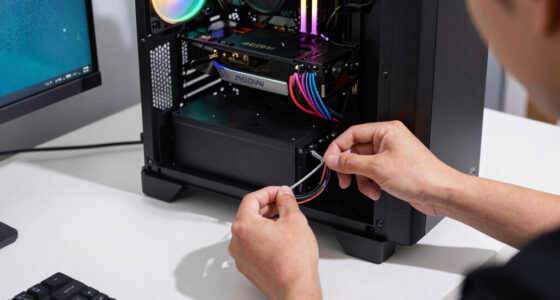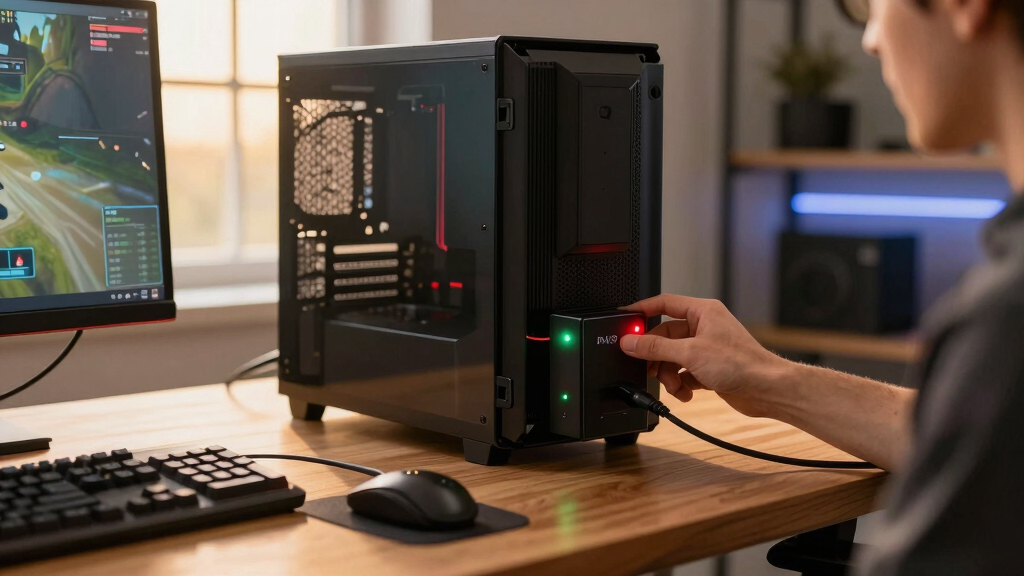

The CyberPower CP1500PFCLCD is my best overall UPS battery backup for gaming PCs because its 1000W output, sine-wave power, and automatic voltage regulation suit demanding hardware without paying for cosmetic extras. The CyberPower CP1000AVRLCD offers better value for midrange systems, while the CyberPower GX150C2-E pairs 1000W capacity with gaming-focused styling and more outlets. The main tradeoffs are usable wattage, waveform quality, battery runtime, outlet allocation, and the premium attached to displays, charging ports, or RGB lighting. Smaller units can protect budget PCs or networking equipment, but their limited output leaves little room for powerful GPUs and monitors. Continue reading for the full breakdown and a buyer-focused explanation of where each model fits.

Play games on Amazon Luna for your game nights, included with Prime
- A rotating selection of games, no download needed
- Play on TV, laptop or phone
- Fast, free delivery for your gear, too
Complete the kit



Key Takeaways
- CyberPower CP1500PFCLCD ranks first because its 1000W ceiling and sine-wave output provide the strongest balance for modern gaming hardware.
- CyberPower CP1000AVRLCD is the value pick: its 600W rating suits many midrange PCs, though it has less upgrade room than the 1500VA models.
- CyberPower GX150C2-E is the premium gaming pick, adding 13 outlets, USB-C charging, and RGB lighting without sacrificing the 1000W capacity offered by the overall winner.
- APC UPS 600VA is not a high-power gaming solution; its 330W limit makes more sense for a router, NAS, console, or modest entry-level computer.
- Waveform separates similarly sized units: the CyberPower CP1500PFCLCD and APC 1500VA Sine Wave are better matches for active-PFC power supplies than basic stepped-wave alternatives.
| CyberPower GX950UC Gaming UPS Battery Backup and Surge Protector |  | Best Compact Gaming Pick | Capacity: 950VA/510W | Output waveform: Simulated sine wave | Outlets: 8 total | VIEW LATEST PRICE | See Our Full Breakdown |
| APC Back-UPS Pro 1500VA Sine Wave UPS |  | Best for Extended Runtime | Capacity: 1500VA/900W | Output waveform: Pure sine wave | Runtime at 100W: Up to 73 minutes | VIEW LATEST PRICE | See Our Full Breakdown |
| CyberPower BRG1500AVRLCD2 Intelligent LCD UPS Battery Backup |  | Best Warranty and Outlet Count | Capacity: 1500VA/900W | Output waveform: Simulated sine wave | Outlets: 12 NEMA 5-15R | VIEW LATEST PRICE | See Our Full Breakdown |
| CyberPower CP1000AVRLCD Intelligent LCD UPS Battery Backup and Surge Protector |  | Best for Modest Gaming PCs | Capacity: 1000VA/600W | Input voltage: 120V | Outlets: 9 | VIEW LATEST PRICE | See Our Full Breakdown |
| CyberPower CP1500PFCLCD PFC Sinewave UPS Battery Backup and Surge Protector |  | Best Overall | Capacity: 1500VA/1000W | Output waveform: Sine wave | Outlets: 12 NEMA 5-15R | VIEW LATEST PRICE | See Our Full Breakdown |
| CyberPower GX150C2-E Gaming UPS Battery Backup and Surge Protector |  | Best Gaming-Focused Pick | Capacity: 1500VA/1000W | Output: Sine wave | Outlets: 13 total: 7 battery backup and surge-protected, 6 surge-only | VIEW LATEST PRICE | See Our Full Breakdown |
| APC UPS 600VA/330W Battery Backup |  | Best for Low-Power Gaming Setups | Capacity: 600VA | Maximum Power: 330W | Input Voltage: 120V | VIEW LATEST PRICE | See Our Full Breakdown |
| APC BX1500M 1500VA/900W Back-UPS Pro |  | Best for Long Runtime at Light Loads | Capacity: 1500VA | Maximum Power: 900W | Outlets: 10 total: 5 battery backup and 5 surge-only | VIEW LATEST PRICE | See Our Full Breakdown |
| UPS battery backups for gaming PC | Capacity | Outlets | Warranty | Output waveform |
|---|---|---|---|---|
| CyberPower GX950UC Gaming UPS | 950VA/510W | 8 total | 3 years, including battery | Simulated sine wave |
| APC Back-UPS Pro 1500VA Sine W | 1500VA/900W | 10 total | 3 years | Pure sine wave |
| CyberPower BRG1500AVRLCD2 Inte | 1500VA/900W | 12 NEMA 5-15R | 5 years | Simulated sine wave |
| CyberPower CP1000AVRLCD Intell | 1000VA/600W | 9 | — | — |
| CyberPower CP1500PFCLCD PFC Si | 1500VA/1000W | 12 NEMA 5-15R | 3 years | Sine wave |
| CyberPower GX150C2-E Gaming UP | 1500VA/1000W | 13 total: 7 battery backup and surge-protected, 6 surge-only | 3 years | — |
| APC UPS 600VA/330W Battery Bac | 600VA | — | — | — |
| APC BX1500M 1500VA/900W Back-U | 1500VA | 10 total: 5 battery backup and 5 surge-only | — | — |
More Details on Our Top Picks
CyberPower GX950UC Gaming UPS Battery Backup and Surge Protector
I place the CyberPower GX950UC in the compact gaming slot because its 950VA/510W capacity fits a mainstream PC, monitor, and router without the bulk of a 1500VA tower. Its eight outlets accommodate a busy desk, while USB-C and USB-A provide emergency device charging. Customizable RGB is cosmetic, but it helps the UPS blend into a visible gaming setup.
Compared with the CyberPower GX150C2-E, this model sacrifices substantial power headroom and three battery-backed outlets for a smaller footprint. The CyberPower CP1000AVRLCD also offers 90W more output. That lower power ceiling makes the GX950UC a poor match for flagship GPUs or multiple monitors, and its USB ports only operate during outages. I rank it below the larger models for performance-heavy systems, but ahead of plain entry-level units for desk-friendly gaming features.
Pros:- Compact gaming-focused design with customizable RGB lighting
- Eight outlets, including five with battery backup
- USB-C and USB-A emergency charging
- Three-year warranty includes the battery
Cons:- 510W output leaves little headroom for power-hungry gaming systems
- Simulated sine wave output is less suitable for sensitive active-PFC hardware than a pure sine wave model
- USB charging ports operate only during power outages
Best for: Mainstream gaming-PC owners with limited desk space, a single monitor, and a total protected load comfortably below 510W
Not ideal for: Owners of flagship GPUs, high-wattage power supplies, or multi-monitor rigs that could approach the 510W limit
- Capacity:950VA/510W
- Output waveform:Simulated sine wave
- Outlets:8 total
- Battery-backed outlets:5
- Surge-only outlets:3
- Charging ports:USB-C and USB-A
- Power cord:5 feet
- Warranty:3 years, including battery
Our verdict“I recommend the GX950UC for space-conscious mainstream gaming setups, but not for high-end PCs that need more wattage headroom.”
APC Back-UPS Pro 1500VA Sine Wave UPS
The APC Back-UPS Pro 1500VA earns its place through pure sine wave output and a stated 73-minute runtime at 100W. That combination suits a gaming PC with an active-PFC power supply, especially when the goal is enough time to save progress, shut down cleanly, or keep networking equipment online. Its LCD also exposes load, runtime, and battery health instead of leaving the user to guess.
Against the CyberPower CP1500PFCLCD, APC provides the clearer low-load runtime figure and adds coaxial and Ethernet surge protection, but it trails the CyberPower model’s 1000W ceiling by 100W and has two fewer outlets. The large, heavy chassis and premium price also weaken its appeal for modest systems. I favor it for buyers who value documented runtime and replaceable batteries more than maximum output per dollar.
Pros:- Pure sine wave output supports active-PFC power supplies
- Rated for up to 73 minutes at a 100W load
- User-replaceable APCRBC163 battery
- Coaxial and Ethernet surge protection
Cons:- 900W ceiling is lower than the CyberPower CP1500PFCLCD
- Large and heavy compared with lower-capacity models
- Higher price than basic simulated sine wave units
Best for: Owners of active-PFC gaming PCs who want documented low-load runtime, clean output, and an accessible replacement battery
Not ideal for: Budget buyers or 900W-plus protected loads, since the chassis is large and output is capped at 900W
- Capacity:1500VA/900W
- Output waveform:Pure sine wave
- Runtime at 100W:Up to 73 minutes
- Outlets:10 total
- Battery-backed outlets:6
- Surge-only outlets:4
- Replacement battery:APCRBC163
- Warranty:3 years
Our verdict“I recommend this APC for buyers who prioritize clean power and a stated runtime over compact size or the highest wattage ceiling.”
CyberPower BRG1500AVRLCD2 Intelligent LCD UPS Battery Backup
I give the CyberPower BRG1500AVRLCD2 the warranty-and-connectivity role because it combines 12 outlets and a five-year warranty with a useful 1500VA/900W rating. That capacity provides far more breathing room than the GX950UC, while automatic voltage regulation corrects routine voltage swings without repeatedly draining the battery. The color LCD makes load and power conditions easier to check at a glance.
The compromise is simulated sine wave output. Both the APC Back-UPS Pro 1500VA and CyberPower CP1500PFCLCD provide sine wave power, making them safer choices for demanding active-PFC gaming systems. This unit also stops at 900W, versus 1000W for the CP1500PFCLCD, and remote management requires optional hardware. Still, its longer warranty and generous outlet count make it appealing for a gaming desk with many moderate-load accessories rather than one exceptionally power-hungry tower.
Pros:- Twelve outlets support PCs, displays, networking gear, and peripherals
- Five-year warranty is longer than the other reviewed models
- 1500VA/900W capacity suits many upper-midrange gaming setups
- Automatic voltage regulation reduces unnecessary battery use
Cons:- Simulated sine wave output is a weaker fit for sensitive active-PFC systems
- Remote management requires an optional card
- Replacement batteries may add considerable ownership cost
Best for: Gaming desks with numerous peripherals whose combined load stays below 900W and whose owners value a five-year warranty
Not ideal for: Buyers with sensitive active-PFC systems who prefer pure sine wave output or need remote management without extra hardware
- Capacity:1500VA/900W
- Output waveform:Simulated sine wave
- Outlets:12 NEMA 5-15R
- USB Type-A ports:1
- USB Type-C ports:1
- Voltage regulation:Automatic voltage regulation
- Display:Color LCD
- Warranty:5 years
Our verdict“I recommend the BRG1500AVRLCD2 for accessory-heavy gaming desks that value outlet count and warranty length over pure sine wave output.”
CyberPower CP1000AVRLCD Intelligent LCD UPS Battery Backup and Surge Protector
The CyberPower CP1000AVRLCD occupies the practical middle ground between entry-level router backups and large 1500VA towers. Its 1000VA/600W capacity gives a modest gaming PC more headroom than the 510W GX950UC, while nine outlets and automatic voltage regulation suit a complete desk setup. The LCD provides immediate load and battery information, which helps users avoid accidentally exceeding the unit’s limit.
Its weakness is very short full-load runtime: the supplied figure is only two minutes at 600W. The CyberPower CP1500PFCLCD offers a 1000W ceiling, sine wave output, and more outlets, so it is a better fit for expensive GPUs and active-PFC power supplies. This model also lacks the GX950UC’s USB charging. I still see strong midrange utility for buyers who need enough battery time to shut down safely, not continue playing through a lengthy outage.
Pros:- 600W output provides more headroom than compact entry-level units
- Automatic voltage regulation handles voltage swings without battery use
- Nine outlets support a full desk setup
- LCD reports real-time power and battery status
Cons:- Only two minutes of stated runtime at full load
- No USB charging ports listed
- Lower capacity and fewer outlets than the 1500VA CyberPower models
Best for: Owners of modest single-GPU PCs who need brief shutdown time, automatic voltage regulation, and more than 510W of capacity
Not ideal for: High-end gaming rigs or anyone expecting to continue gaming during an outage, given the two-minute full-load runtime
- Capacity:1000VA/600W
- Input voltage:120V
- Outlets:9
- Full-load runtime:2 minutes
- Surge rating:1080 joules
- Frequency range:57–63Hz
- Form factor:Mini-tower
- Battery average life:3 years
- Plug:NEMA 5-15P
Our verdict“I recommend the CP1000AVRLCD as a shutdown-focused UPS for modest gaming PCs that remain safely below its 600W ceiling.”
CyberPower CP1500PFCLCD PFC Sinewave UPS Battery Backup and Surge Protector
I rank the CyberPower CP1500PFCLCD as the best overall option because its 1500VA/1000W capacity supplies the most wattage headroom among these five picks while retaining sine wave output for active-PFC gaming power supplies. Twelve outlets accommodate a tower, monitors, networking equipment, and selected peripherals, while automatic voltage regulation handles minor power fluctuations without consuming battery cycles.
Compared with the APC Back-UPS Pro 1500VA, the CyberPower adds 100W of output and two outlets, making it better suited to a higher-draw gaming station. APC counters with a stated 73-minute runtime at 100W and data-line surge protection, while no runtime figure is supplied here. The CP1500PFCLCD also has a shorter warranty than the BRG1500AVRLCD2 and may require more setup familiarity. Even with those drawbacks, its power-and-waveform balance gives it the broadest gaming-PC appeal.
Pros:- 1000W ceiling provides the most output headroom among these five products
- Sine wave output suits active-PFC gaming power supplies
- Twelve outlets support a large gaming and networking setup
- Automatic voltage regulation preserves battery cycles during minor fluctuations
Cons:- No backup-runtime figure is provided in the supplied product data
- Three-year warranty is shorter than the BRG1500AVRLCD2 warranty
- Setup and load planning may feel complex for first-time UPS buyers
Best for: Owners of high-performance gaming PCs with active-PFC power supplies who want 1000W of headroom and room for many peripherals
Not ideal for: Buyers who need a published runtime estimate before purchase or want the longest available warranty
- Capacity:1500VA/1000W
- Output waveform:Sine wave
- Outlets:12 NEMA 5-15R
- USB Type-A ports:1
- USB Type-C ports:1
- Voltage regulation:Automatic voltage regulation
- Warranty:3 years
- Connected-equipment guarantee:$500,000
Our verdict“I recommend the CP1500PFCLCD for most high-performance gaming PCs because it pairs the lineup’s highest wattage rating with sine wave output.”
CyberPower GX150C2-E Gaming UPS Battery Backup and Surge Protector
I rank the CyberPower GX150C2-E as the best gaming-focused pick because its 1500VA/1000W sine-wave output provides useful headroom for a powerful PC, display, and network hardware. Compared with the CyberPower GX950UC, it nearly doubles the wattage ceiling and adds five outlets, making it better suited to demanding desktop builds. It also matches the CyberPower CP1500PFCLCD’s 1000W rating while adding RGB lighting and two USB-C ports. The 13-outlet layout helps accommodate power bricks without sacrificing every socket. That gaming styling has limited practical value, however, and the five-foot cord and unspecified battery-replacement path reduce placement and ownership flexibility. I would choose it for a coordinated gaming station, while buyers uninterested in lighting may prefer the more restrained CP1500PFCLCD.
Pros:- 1000W sine-wave output accommodates more demanding gaming systems
- Thirteen outlets provide room for a PC, displays, networking gear, and large adapters
- Two USB-C ports keep mobile devices and gaming accessories powered
- Customizable RGB lighting fits coordinated gaming desks
Cons:- Battery replacement and upgrade options are not specified
- Five-foot power cord can restrict placement around larger desks
- RGB lighting adds little value for buyers focused solely on power protection
Best for: Enthusiasts powering a high-performance gaming PC, monitor, router, and USB-C accessories from one gaming-styled UPS
Not ideal for: Buyers who want a plain, serviceable UPS with a clearly documented replacement-battery path
- Capacity:1500VA/1000W
- Output:Sine wave
- Outlets:13 total: 7 battery backup and surge-protected, 6 surge-only
- USB-C Ports:2 fast-charging ports
- Input Plug:NEMA 5-15P right-angle plug with 45-degree offset
- Power Cord:5 feet
- Lighting:Customizable RGB
- Warranty:3 years
- Certification and Guarantee:UL Certified; $100,000 connected-equipment guarantee
Our verdict“I recommend the GX150C2-E for buyers who want serious 1000W backup capacity without giving up gaming-desk styling.”
APC UPS 600VA/330W Battery Backup
I place the APC 600VA UPS in the low-power role because its 330W maximum output is better matched to integrated-graphics computers, routers, consoles, and monitors than full gaming towers. Compared with the CyberPower CP1000AVRLCD and its 600W rating, this APC cannot support the same class of desktop hardware. At a 100W load, the claimed 23-minute runtime gives a lightweight system time to ride through a brief outage or shut down safely. A user-replaceable battery also makes long-term ownership more practical. The limitations are substantial: a discrete-GPU PC may exceed its capacity, recharging takes ten hours, and the compact format leaves little scope for expansion. I would use it for modest gaming hardware or network support, not as the primary backup for a performance desktop.
Pros:- Provides up to 23 minutes of backup at a light 100W load
- Replaceable internal battery can extend the unit’s service life
- Compact form factor fits beneath smaller desks
- USB charging keeps a phone available during an outage
Cons:- 330W output is inadequate for many dedicated gaming PCs
- Ten-hour battery charge time is slow after an extended outage
- Replacement battery must be purchased separately
Best for: Players with an integrated-graphics PC, console, router, or other gaming equipment drawing well below 330W
Not ideal for: Owners of discrete-GPU gaming towers, since startup or gaming loads may exceed the 330W ceiling
- Capacity:600VA
- Maximum Power:330W
- Input Voltage:120V
- Amperage:1.5A
- Runtime at 100W:Up to 23 minutes
- Battery Charge Time:10 hours
- Battery:User-replaceable; replacement sold separately
- Charging:USB phone-charging port
Our verdict“I recommend this APC only for low-draw gaming equipment and network hardware, not a modern performance tower.”
APC BX1500M 1500VA/900W Back-UPS Pro
I rank the APC BX1500M as the light-load runtime pick because its 68-minute rating at 100W gives a low-draw PC or network setup a generous shutdown window. That is far longer than the APC 600VA model’s 23-minute claim at the same load. Against the CyberPower GX150C2-E, however, its 900W ceiling and five battery-backed outlets offer less room for a powerful tower and multi-monitor station. The trade is better monitoring: the LCD reports operating status, while automatic voltage regulation handles many voltage swings without immediately draining the battery. Buyers should not expect 68 minutes while gaming, since that figure reflects only a 100W load. A separately sold replacement battery adds future expense, and the LCD can be difficult to read in bright rooms.
Pros:- Long 68-minute runtime rating at a 100W load
- LCD provides immediate battery and operating information
- Automatic voltage regulation corrects unstable input power
- Replaceable battery supports longer service life
Cons:- 900W ceiling trails 1000W gaming-focused alternatives
- Only five of the ten outlets receive battery backup
- Replacement battery costs extra, and the LCD can be hard to read in bright light
Best for: Players with a midrange PC who also want extended light-load runtime, visible status data, and protection for networking equipment
Not ideal for: Owners of very high-draw towers or accessory-heavy desks that need more than five battery-backed outlets
- Capacity:1500VA
- Maximum Power:900W
- Outlets:10 total: 5 battery backup and 5 surge-only
- Runtime at 100W:68 minutes
- Voltage Regulation:Automatic voltage regulation
- Battery:Replaceable APCRBC124, sold separately
- Monitoring:LCD status display
- Protection:Surge, Ethernet, coaxial, and connected-equipment protection
- Warranty and Efficiency:3-year warranty; Energy Star certified
Our verdict“I recommend the BX1500M for midrange setups that value light-load runtime and clear power monitoring over maximum wattage.”
How We Picked
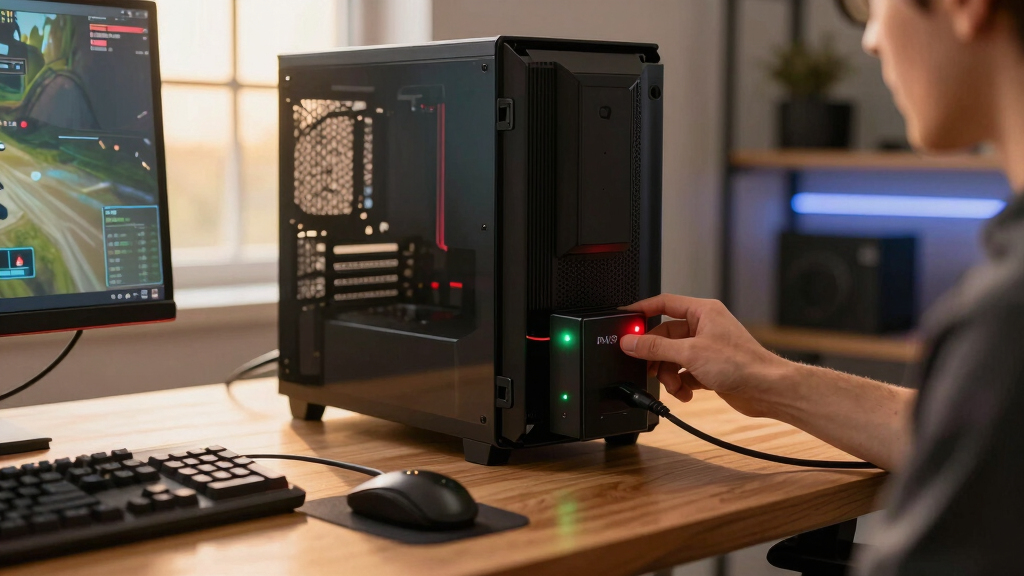
I ranked these models around the demands of a gaming PC rather than treating every UPS as interchangeable. My highest priorities were usable watt capacity, compatibility with active-PFC power supplies, waveform quality, automatic voltage regulation, and enough headroom for short GPU power spikes. I also examined battery-backed outlet counts, charging ports, displays, physical size, and whether extra features improve daily use or merely raise the price.
The leading positions went to units that can support powerful or upgradeable gaming systems while delivering stable output. Mid-capacity models placed lower but earned value or compact-system roles when their specifications matched a clear buyer type. I treated runtime as shutdown time, not extended gaming time, since load level changes battery duration sharply. Low-wattage models ranked near the bottom for desktop gaming, even when they remain useful for networking gear and other supporting equipment.
| UPS battery backups for gaming PC | Output waveform |
|---|---|
| CyberPower GX950UC Gaming UPS | Simulated sine wave |
| APC Back-UPS Pro 1500VA Sine W | Pure sine wave |
| CyberPower BRG1500AVRLCD2 Inte | Simulated sine wave |
| CyberPower CP1000AVRLCD Intell | — |
| CyberPower CP1500PFCLCD PFC Si | Sine wave |
| CyberPower GX150C2-E Gaming UP | — |
| APC UPS 600VA/330W Battery Bac | — |
| APC BX1500M 1500VA/900W Back-U | — |
Factors to Consider When Choosing Best UPS Battery Backups For Gaming PCs
Choosing a UPS starts with the PC’s real electrical load, not the size of the power supply printed on its label. I would match watt capacity, waveform, and runtime to the system before paying extra for RGB lighting, USB charging, or a larger display. The sections below explain the decisions that most often separate a good match from an undersized or needlessly expensive one.
Size the UPS by Watts, Not VA Alone
I use the UPS’s watt rating as the primary capacity limit, because VA alone does not reveal how much real power it can deliver. A 1500VA model may support 900W or 1000W, while smaller products can fall below the draw of a gaming desktop and monitor. GPU-heavy systems can also create brief power spikes that leave an undersized unit overloaded even when average consumption looks acceptable. I would target 20% to 30% headroom above the measured maximum wall draw. Add the monitor and any equipment that must stay active during shutdown, but exclude printers and nonessential accessories. If a future graphics-card upgrade is likely, buying capacity once can cost less than replacing the whole UPS later.
Match the Waveform to the Power Supply
Most current gaming power supplies use active power-factor correction, which makes pure sine-wave output the safest pairing during battery operation. Some active-PFC units work with stepped approximations, but others may buzz, behave erratically, or shut down when the UPS switches to battery. I favor sine-wave models for expensive PCs, high-wattage power supplies, and systems used for competitive play or creative work. A stepped-wave unit can still be reasonable for a modest setup when the power-supply maker confirms compatibility. The price gap buys broader PSU compatibility, not extra battery time by itself. Buyers comparing two 1500VA units should check waveform and watt rating separately, since matching VA labels can hide meaningful differences.
Treat Runtime as a Safe-Shutdown Window
A UPS is rarely meant to keep a gaming session running through a long outage. I view five to ten minutes at the expected load as enough time to save progress, exit software, and shut down cleanly. Runtime figures advertised at half load can shrink sharply when a powerful GPU is drawing near the unit’s limit. For longer battery life, reducing the load often helps more than moving one step higher in VA. Connect only the computer, primary display, and network gear needed for an orderly shutdown to battery-backed outlets. If outages are frequent or lengthy, a generator or portable power station is a better companion than an oversized desktop UPS. Software-controlled shutdown adds value for unattended downloads or servers because it turns short runtime into automatic protection.
Separate Voltage Regulation From Battery Backup
Automatic voltage regulation corrects many sags and overvoltage events without consuming the battery. That matters in homes where lights dim when appliances start or where utility voltage varies during peak hours. Without AVR, a UPS may switch to battery more often, adding wear and shortening the useful life of the battery pack. Surge protection handles a different job by limiting brief voltage spikes, while battery backup keeps equipment running after input power disappears. I would prioritize AVR over decorative features when the local supply is inconsistent. A premium model cannot protect against every electrical event, so proper grounding and building-level surge protection still matter. The strongest setup combines those layers with a UPS sized for the actual PC load.
Count the Right Kind of Outlets
A large outlet count can be misleading because some receptacles provide surge protection without battery power. I would identify which devices truly need battery-backed sockets before comparing totals. The tower, main monitor, modem, and router are common priorities; speakers, lamps, and spare chargers can use surge-only sockets. Wide power adapters may block neighboring outlets, making spacing as useful as the raw count. Front USB-C charging is convenient during an outage, but it should not outweigh capacity or waveform quality. Models with many receptacles suit elaborate desks, while a compact unit may be easier to place and cable cleanly. Planning the layout in advance prevents overloading the battery bank with accessories that add little shutdown value.
Budget for Battery Replacement and Noise
The battery is a consumable part, so the purchase price is only one piece of long-term value. Heat, frequent discharge cycles, and age gradually reduce runtime, with many sealed lead-acid batteries needing replacement after roughly three to five years. I would check replacement-battery availability and cost before choosing between similarly priced units. User-replaceable packs can extend the life of the electronics and keep a heavy UPS out of the waste stream. Fan behavior also matters in a quiet gaming room, since some higher-output units run a fan while charging or operating from battery. LCD panels and RGB lighting may add standby brightness, though many models provide controls for dimming them. A slightly plainer product can offer better ownership value when batteries are easy to source and desk-side noise remains low.
Frequently Asked Questions
How many watts should a UPS provide for a gaming PC?
I would measure the whole setup at the wall during a demanding game, then choose a UPS rated at least 20% to 30% above that peak. Many midrange towers plus one monitor fit within a 600W UPS, while high-end GPUs and power-hungry processors can justify a 900W or 1000W model. The power supply’s advertised wattage is not the same as the computer’s actual draw, so matching a 1000W PSU to a 1000W UPS can waste money. At the same time, sizing too closely leaves little protection against short spikes or future upgrades. For a powerful new build, 1500VA with 900W to 1000W of usable output is the more flexible target.
Does a gaming PC need a pure sine-wave UPS?
A gaming PC does not always require pure sine-wave output, but I prefer it for systems with active-PFC power supplies. It more closely resembles utility power and reduces the chance of buzzing, instability, or shutdown during battery operation. A stepped-wave UPS may work perfectly with a compatible PSU and can cost less. Buyers with an entry-level computer can check the PSU manufacturer’s guidance before paying the premium. For expensive hardware or uncertain compatibility, pure sine wave removes a major variable.
Will a UPS let me keep gaming during a power outage?
Usually only for a short period, especially when the graphics card is under heavy load. I treat a UPS as time to save and shut down, not as a way to finish a long match during an outage. Continuing to play can drain the battery in minutes and may leave too little reserve for a controlled shutdown. Lowering the PC load, closing the game, and turning off secondary displays can extend the remaining time. Anyone needing extended operation should pair the UPS with a longer-duration backup power source.
I would connect the primary monitor because a running computer is difficult to shut down safely without a display. A router and modem are also useful additions when online access must remain available, and their power draw is usually modest. Secondary monitors, speakers, and decorative lighting consume battery capacity without helping much during shutdown. Check that the combined load remains below the UPS watt rating after every device is connected. For a high-draw PC, placing networking equipment on a separate low-wattage UPS can preserve more runtime for both systems.
Is a 600VA UPS enough for a gaming PC?
A 600VA/330W model is suitable only when the complete load stays comfortably below 330W. That can include a modest entry-level PC, a console setup, or networking equipment, but many discrete-GPU desktops will exceed the limit during play. I would not pair this size with a high-end graphics card because overload protection may shut the UPS down when it is needed most. Measuring wall draw gives a better answer than guessing from component labels. In this lineup, the APC 600VA makes the most sense as a router, NAS, or secondary-device backup rather than the default choice for a gaming tower.
Conclusion
For most demanding gaming PCs, I would choose the CyberPower CP1500PFCLCD as the best overall pick; its 1000W output, sine-wave delivery, and AVR form the strongest all-around package. The CyberPower CP1000AVRLCD is my best-value choice for a midrange build that stays comfortably below 600W. Buyers assembling a feature-rich gaming desk should choose the CyberPower GX150C2-E as the premium option, while the APC 1500VA Sine Wave is the cleaner fit for anyone who favors PSU compatibility and a less gaming-styled design.
For beginners with a modest desktop, the CyberPower GX950UC offers approachable capacity, charging ports, and gaming-focused styling, though its 510W limit needs careful load matching. The CyberPower BRG1500AVRLCD2 and APC BX1500M suit buyers who want high-capacity AVR protection without making RGB a priority. I would reserve the APC 600VA for a router, NAS, console, or very low-power PC. The final choice should follow measured wall draw: choose 1000W headroom for a high-end or upgradeable rig, 600W for a restrained midrange setup, and smaller units only when the connected load is clearly documented.
Halloween Picks
halloween
As an affiliate, we earn on qualifying purchases.