
The best 8TB external drives for game storage provide enough capacity for a large library without forcing every buyer to pay SSD prices. My best overall pick is the WD_BLACK 8TB D10 Game Drive because its gaming-focused design, strong HDD performance, and broad platform fit create the best balance. The Western Digital 8TB Elements is the better value choice for straightforward bulk storage, while the SanDisk 8TB Desktop External SSD suits buyers willing to pay more for faster transfers and shorter PC loading times. The core choice is HDD capacity per dollar versus SSD speed, followed by portability, console restrictions, desk space, and power requirements. Continue reading for the full breakdown of which drive fits each type of game library.

Play games on Amazon Luna for your game nights, included with Prime
- A rotating selection of games, no download needed
- Play on TV, laptop or phone
- Fast, free delivery for your gear, too
Complete the kit



Key Takeaways
- The WD_BLACK D10 ranks first because it offers the most convincing blend of gaming-oriented performance, capacity, and platform flexibility without entering 8TB SSD pricing.
- Western Digital Elements is the value leader, but its low-frills design makes more sense for stationary libraries than buyers seeking lighting, ruggedness, or gaming extras.
- The SSD models divide into two groups: the SanDisk Desktop External SSD favors stationary speed, while the Lexar Armor 700 and SanDisk Extreme favor portability and physical protection.
- Current-generation console restrictions narrow the benefit of SSD speed. Many PS5 and Xbox Series games can be stored externally but must be moved to supported internal storage before play.
- The lower-ranked drives serve narrower audiences: FireCuda X Vault targets Xbox setups, the Starfield drive prioritizes themed design, and Backup Plus Hub favors extra connectivity.
| Seagate Starfield Special Edition 8TB External Gaming Hard Drive |  | Best for Xbox Libraries | Capacity: 8TB | Drive Type: External hard drive | Interface: USB 3.2 Gen 1 | VIEW LATEST PRICE | See Our Full Breakdown |
| Seagate FireCuda X Vault 8TB External Hard Drive HDD |  | Best for Xbox Gaming on PC | Capacity: 8TB | Drive Type: External HDD | Connectivity: USB-C | VIEW LATEST PRICE | See Our Full Breakdown |
| SanDisk 8TB Extreme Portable SSD (Old Model) |  | Best Portable SSD | Capacity: 8TB | Drive Type: Portable NVMe SSD | Maximum Read Speed: 1050MB/s | VIEW LATEST PRICE | See Our Full Breakdown |
| Seagate One Touch 8TB External Hard Drive Desktop HDD |  | Best Simple USB-C Storage | Capacity: 8TB | Drive Type: Desktop external HDD | Connection: USB-C | VIEW LATEST PRICE | See Our Full Breakdown |
| WD_BLACK 8TB D10 Game Drive |  | Best High-Speed Gaming HDD | Capacity: 8TB | Drive Type: External hard drive | Maximum Speed: Up to 250MB/s | VIEW LATEST PRICE | See Our Full Breakdown |
| Seagate Backup Plus Hub 8TB External Desktop Hard Drive |  | Best Archive Hub | Storage Capacity: 8TB | Storage Type: External hard disk drive | Form Factor: Desktop | VIEW LATEST PRICE | See Our Full Breakdown |
| SanDisk 8TB Desktop External SSD Drive |  | Best Desktop SSD | Capacity: 8TB | Storage Type: Solid-state drive | Form Factor: Desktop external SSD | VIEW LATEST PRICE | See Our Full Breakdown |
| Lexar 8TB Armor 700 Portable SSD |  | Best Rugged Performance | Capacity: 8TB | Storage Type: Portable solid-state drive | Maximum Read Speed: 2000 MB/s | VIEW LATEST PRICE | See Our Full Breakdown |
| Western Digital 8TB Elements Desktop External Hard Drive, USB 3.0 |  | Best No-Frills HDD | Capacity: 8TB | Storage Type: External hard disk drive | Form Factor: Desktop | VIEW LATEST PRICE | See Our Full Breakdown |
| 8TB external drives for game storage | Capacity | Drive Type |
|---|---|---|
| Seagate Starfield Special Edit | 8TB | External hard drive |
| Seagate FireCuda X Vault 8TB E | 8TB | External HDD |
| SanDisk 8TB Extreme Portable S | 8TB | Portable NVMe SSD |
| Seagate One Touch 8TB External | 8TB | Desktop external HDD |
| WD_BLACK 8TB D10 Game Drive | 8TB | External hard drive |
| Seagate Backup Plus Hub 8TB Ex | — | — |
| SanDisk 8TB Desktop External S | 8TB | — |
| Lexar 8TB Armor 700 Portable S | 8TB | — |
| Western Digital 8TB Elements D | 8TB | — |
More Details on Our Top Picks
Seagate Starfield Special Edition 8TB External Gaming Hard Drive
I rank the Seagate Starfield Special Edition as the best fit for Xbox-focused households because its 8TB capacity can hold a large archive across Xbox Series X|S, Xbox One, and PC. Unlike the FireCuda X Vault, which targets Xbox gaming on PC, this model supports several Xbox console generations and adds both USB-C and USB-A hub ports for accessories. Its Starfield artwork and customizable RGB lighting also suit a display-oriented gaming desk better than the plain Seagate One Touch. The tradeoff is that this is a bulky hard drive, not a fast SSD, and Xbox Series X|S-optimized games generally need moving to internal storage before play. I place it below faster solid-state choices for load times, while its three-year recovery service gives large libraries useful protection.
Pros:- 8TB capacity provides ample room for archived games and captures
- Supports Xbox Series X|S, Xbox One models, and PC
- Dual USB-C and USB-A ports can connect or charge accessories
- Three-year Rescue Data Recovery Service adds protection for a large library
Cons:- Hard-drive performance trails the SanDisk Extreme Portable SSD
- Xbox Series X|S-optimized games may require transfer to internal storage before play
- Large desktop-style design takes up more setup space
Best for: Xbox Series X|S and Xbox One owners who want a large, decorative archive drive with extra accessory ports
Not ideal for: Players who want to launch Xbox Series X|S-optimized titles directly from external storage or need a compact travel drive
- Capacity:8TB
- Drive Type:External hard drive
- Interface:USB 3.2 Gen 1
- Hub Ports:USB-C and USB-A
- Lighting:Customizable RGB LED
- Console Compatibility:Xbox Series X|S, Xbox One X, Xbox One S
- Computer Compatibility:PC
- Coverage:3-year Rescue Data Recovery Service; 1-year warranty
Our verdict“This is my pick for Xbox owners who value broad console support, visual flair, and accessory ports more than SSD speed.”
Seagate FireCuda X Vault 8TB External Hard Drive HDD
The Seagate FireCuda X Vault earns its place through a focused combination of USB-C convenience, Xbox-on-PC certification, and lighting controlled through Windows Dynamic Lighting. It makes more sense for a modern PC desk than the Starfield Special Edition, whose wider Xbox console support is its main advantage. The included month of Xbox Game Pass Ultimate adds some immediate value, though I would not let a short subscription decide an 8TB purchase. Compared with the WD_BLACK D10, the FireCuda offers a cleaner USB-C connection but lacks the D10’s stated 7200 RPM performance, active cooling, and charging ports. Its mechanical drive also cannot match the SanDisk Extreme Portable SSD for transfers or portability. I rank it as a specialist PC pick, with RGB integration carrying more weight than raw speed.
Pros:- 8TB capacity accommodates a substantial PC game archive
- USB-C connection suits newer gaming PCs and laptops
- RGB lighting works with Windows Dynamic Lighting
- Includes one month of Xbox Game Pass Ultimate
Cons:- Xbox certification is specified for PC rather than broad console use
- No transfer-speed or rotational-speed figure is supplied
- Mechanical storage is slower and bulkier than an 8TB portable SSD
Best for: Windows PC players using the Xbox ecosystem who want one USB-C game archive with system-controlled RGB lighting
Not ideal for: Console-first buyers or performance seekers who need clear speed specifications and SSD-class loading
- Capacity:8TB
- Drive Type:External HDD
- Connectivity:USB-C
- Lighting:RGB with Windows Dynamic Lighting support
- Gaming Certification:Certified for Xbox on PC
- Included Subscription:1 month of Xbox Game Pass Ultimate
- Protection:Data recovery services included
Our verdict“I recommend this to Xbox-on-PC users who want USB-C and coordinated RGB, but speed-focused buyers should favor an SSD.”
SanDisk 8TB Extreme Portable SSD (Old Model)
I give the SanDisk 8TB Extreme Portable SSD the portable-performance role because its 1050MB/s read and 1000MB/s write ratings sit far above the WD_BLACK D10’s stated 250MB/s ceiling. That difference means shorter transfers when moving large installations, provided the computer and cable support USB 3.2 Gen 2 speeds. The IP65 rating, three-meter drop protection, silicone shell, and carabiner loop also make it far easier to carry than any desktop HDD here. Encryption is useful when game saves and personal files share the drive. Yet this is an older model, host hardware can limit throughput, and the likely SSD price premium buys mobility rather than extra capacity. It also lacks the Starfield drive’s Xbox-oriented hub ports. For buyers who move an 8TB library between PCs, I find its speed-to-size balance hard to beat.
Pros:- Up to 1050MB/s reads and 1000MB/s writes shorten large game transfers
- IP65 resistance and three-meter drop protection suit frequent travel
- Compact silicone-covered body includes a carabiner loop
- 256-bit AES hardware encryption and a five-year warranty add long-term value
Cons:- Higher SSD cost is hard to justify for stationary archival storage
- Real-world speed depends heavily on the host port and workload
- Old-model status may make newer alternatives more attractive at similar prices
Best for: PC and laptop players who regularly carry a large game library and have a USB 3.2 Gen 2 port
Not ideal for: Budget-focused buyers who keep storage beside one console and gain little from ruggedness or SSD transfer speeds
- Capacity:8TB
- Drive Type:Portable NVMe SSD
- Maximum Read Speed:1050MB/s
- Maximum Write Speed:1000MB/s
- Interface:USB-C, USB 3.2 Gen 2
- Ingress Protection:IP65 water and dust resistance
- Drop Protection:Up to 3 meters
- Encryption:256-bit AES hardware encryption
- Warranty:5 years
Our verdict“This is my choice for mobile PC gamers who will pay more for fast transfers, rugged construction, and pocketable 8TB storage.”
Seagate One Touch 8TB External Hard Drive Desktop HDD
The Seagate One Touch 8TB is my straightforward choice for players who want USB-C storage without gaming-themed extras. Its Windows and macOS support makes it more flexible for mixed-computer households than the Xbox-centered FireCuda X Vault, while the two-year warranty is longer than the Starfield Special Edition’s one-year hardware coverage. A bus-powered connection also reduces cable clutter compared with desktop drives that need a separate power arrangement. That simplicity comes with thin performance detail: Seagate provides no quoted transfer rate here, so I would not select it over the WD_BLACK D10 when a stated 7200 RPM mechanism and 250MB/s ceiling matter. It also offers no RGB, accessory hub, or rugged protection. I see it as a practical game archive rather than a performance drive, and its recovery-service coverage is the feature that separates it from bare-bones storage.
Pros:- 8TB capacity handles large game and media collections
- USB-C and bus power keep desk cabling simple
- Works with both Windows and macOS computers
- Two-year warranty and Rescue Data Recovery Services add reassurance
Cons:- No read speed, write speed, or RPM rating is provided
- Lacks the RGB lighting and accessory ports found on gaming-focused Seagate models
- USB-C-only connectivity may require an adapter on older systems
Best for: Windows and macOS players who want a tidy, bus-powered USB-C archive for installed games and media
Not ideal for: Buyers who need published speed figures, console-specific features, or ports for charging gaming accessories
- Capacity:8TB
- Drive Type:Desktop external HDD
- Connection:USB-C
- Power:Bus-powered
- Windows Compatibility:Supported
- macOS Compatibility:Supported
- Warranty:2 years
- Recovery Coverage:Rescue Data Recovery Services included
Our verdict“I would choose this for a mixed Windows-and-Mac household that wants uncomplicated USB-C capacity rather than gaming styling or declared high performance.”
WD_BLACK 8TB D10 Game Drive
I place the WD_BLACK 8TB D10 Game Drive ahead of the other hard drives for buyers who want stronger stated HDD performance. Its 7200 RPM mechanism and speeds up to 250MB/s give it a clearer performance case than the Seagate One Touch, which publishes no comparable figures. Active cooling is designed to support sustained operation, while two 7.5W USB-A ports can charge controllers, headsets, or phones without occupying more console or PC ports. Those advantages make the D10 a capable stationary game library, but they add bulk, fan noise, and power use. It is also much slower and less travel-friendly than the SanDisk Extreme Portable SSD. Older USB-A connectivity may call for an adapter on newer USB-C-only hardware. I view its charging hub as genuinely useful, yet buyers sensitive to desk noise should choose a silent SSD instead.
Pros:- 7200 RPM drive offers a stronger performance profile than typical archival HDDs
- Rated transfers up to 250MB/s help with large game moves
- Active cooling supports sustained desktop workloads
- Two 7.5W USB-A ports can charge controllers and other accessories
Cons:- Cooling fan may add audible noise and greater power consumption
- Large stationary design is poorly suited to travel
- USB-A connection is less convenient for USB-C-only systems
Best for: Desk-based console or PC players who want a faster mechanical archive and two charging ports for gaming accessories
Not ideal for: Traveling players, silent-setup enthusiasts, or USB-C-only laptop owners who do not want adapters
- Capacity:8TB
- Drive Type:External hard drive
- Maximum Speed:Up to 250MB/s
- Rotational Speed:7200 RPM
- Cooling:Active cooling
- Accessory Ports:2 USB Type-A ports
- Charging Output:7.5W per USB Type-A port
- Form Factor:Desktop gaming drive
Our verdict“This is my preferred mechanical drive for a permanent gaming station where transfer speed and accessory charging outweigh fan noise and size.”
Seagate Backup Plus Hub 8TB External Desktop Hard Drive
I rank the Seagate Backup Plus Hub as the connectivity-first HDD because it adds front USB ports to its 8TB archive capacity. Unlike the simpler WD Elements, its hub can handle controller charging or another drive without sending me behind a desk. That convenience suits a fixed PC setup where a large game library matters more than portable speed. Against the SanDisk 8TB Desktop External SSD, though, this is a slower mechanical drive, so moving huge installs and loading games will take longer. It also needs desktop space, and Mac users must install an NTFS driver rather than getting the cleanest cross-platform setup. I favor it over basic HDDs for accessory convenience, but the bundled recovery service and two-year warranty do not erase the speed gap to an SSD.
Pros:- Two front USB ports support device charging and data transfers
- 8TB capacity can hold a substantial archive of large game installations
- Works with both Windows and Mac when configured correctly
- Includes data recovery services and a two-year warranty
Cons:- Mechanical-drive performance trails every SSD in this batch
- Mac users need an NTFS driver for the stated setup
- Desktop design takes more space and is less convenient to transport
Best for: Desktop PC players who want an 8TB game archive plus accessible USB ports for charging controllers and connecting accessories
Not ideal for: Players seeking SSD-level loading speeds, portable storage, or driver-free Mac compatibility
- Storage Capacity:8TB
- Storage Type:External hard disk drive
- Form Factor:Desktop
- Connectivity:USB 3.0
- Hub Functions:USB device charging and data transfer
- Compatibility:Windows and Mac
- Mac Requirement:NTFS driver installation
- Warranty:2 years
- Bundled Services:Data recovery services and Adobe Creative Cloud membership
Our verdict“Choose this drive when an accessible USB hub adds more value to your gaming desk than SSD speed.”
SanDisk 8TB Desktop External SSD Drive
I give the SanDisk 8TB Desktop External SSD the desktop-speed role because its up to 1000 MB/s performance makes large transfers and frequently played games far less tedious than on the WD Elements HDD. Its compact body also occupies less workspace than many desktop hard drives while retaining the full 8TB capacity. The Lexar Armor 700 can reach twice the quoted speed and withstand harsher treatment, but SanDisk is better matched to a stationary PC or Mac where rugged protection brings little benefit. The catch is its USB-C-centered connection: older ports can limit performance or require an adapter, and its listed compatibility does not give console-focused buyers the same confidence as the WD_BLACK D10. I rank it highly for fast library access, but no stated water or drop protection makes it a poor travel choice.
Pros:- Up to 1000 MB/s speed cuts transfer and access times compared with desktop HDDs
- 8TB capacity accommodates a large active game collection
- Compact desktop footprint suits space-limited gaming setups
- Listed for Windows and Mac compatibility out of the box
Cons:- A compatible USB-C connection is needed to obtain its best performance
- No stated water, dust, or drop resistance
- Console compatibility is not specified in the supplied product data
Best for: PC and Mac players who keep a large active game library at a desk and want faster transfers without a rugged-drive premium
Not ideal for: Console-only players, frequent travelers, or owners of computers without a fast USB-C connection
- Capacity:8TB
- Storage Type:Solid-state drive
- Form Factor:Desktop external SSD
- Maximum Speed:Up to 1000 MB/s
- Interface:USB 3.2 Gen 2
- Connector:USB-C
- Compatibility:Windows and Mac
Our verdict“This is the sensible high-capacity SSD for desk-based PC or Mac players who value speed more than travel protection.”
Lexar 8TB Armor 700 Portable SSD
I reserve the rugged-performance spot for the Lexar Armor 700. Its quoted 2000 MB/s read and write speeds double the SanDisk Desktop SSD’s maximum, while IP66 protection and three-meter drop resistance make it much better suited to carrying a game library between locations. USB-C and USB-A cable support also broadens the devices I can connect without building the setup around one connector. That combination puts it well ahead of the WD_BLACK D10 for mobility and transfer speed, but it comes with two catches: premium pricing and a USB 3.2 Gen 2×2 interface that the host device must support to approach the headline rate. Many consoles and older PCs will deliver less speed. I rank it for buyers who genuinely need fast, protected portability; desk-bound players can spend less on the SanDisk or an HDD.
Pros:- Up to 2000 MB/s read and write speeds lead this four-product batch
- IP66 rating protects against dust and powerful water jets
- Rated to survive drops of up to three meters
- USB-C and USB-A connectivity supports a broad device mix
Cons:- Premium cost is difficult to justify for stationary game archives
- Full quoted speed requires USB 3.2 Gen 2×2 host support
- Its rugged features add little value for a drive that never leaves a desk
Best for: Players who transport an 8TB library between PCs, consoles, recording setups, or outdoor locations and need strong physical protection
Not ideal for: Desk-bound or budget-focused players whose hardware cannot take advantage of USB 3.2 Gen 2×2 speeds
- Capacity:8TB
- Storage Type:Portable solid-state drive
- Maximum Read Speed:2000 MB/s
- Maximum Write Speed:2000 MB/s
- Interface:USB 3.2 Gen 2×2
- Connections:USB-C and USB-A
- Water and Dust Resistance:IP66
- Drop Resistance:Up to 3 meters
- Compatibility:iPhone 15, cameras, gaming consoles, PC, Mac, and Android
Our verdict“Pay for the Armor 700 when both high transfer speed and serious travel protection will earn their keep.”
Western Digital 8TB Elements Desktop External Hard Drive, USB 3.0
I choose the WD Elements 8TB as the no-frills archive pick because it concentrates on straightforward Windows storage rather than gaming decoration, extra ports, or bundled software. Compared with the Seagate Backup Plus Hub, it lacks controller-charging connections and recovery services, but its simpler design makes sense for a player who only needs somewhere to park completed or infrequently played games. It also avoids the gaming-focused extras of the WD_BLACK D10, though buyers wanting a console-oriented drive may find that model easier to justify. The compromises are substantial: this is a desktop mechanical drive, so transfers and game loading trail the SanDisk and Lexar SSDs, while Mac support may require added setup. I rank it for economical capacity and simplicity, not performance. The absence of included backup or encryption features also leaves data management to the buyer.
Pros:- 8TB capacity provides ample room for archived game installations
- Plug-and-play setup keeps Windows installation simple
- USB 3.0 offers broad compatibility with Windows PCs
- No-frills design suits buyers who do not need lighting or accessory ports
Cons:- HDD performance is much slower than the SanDisk and Lexar SSD options
- Mac use may require extra software or reformatting
- No included backup, encryption, or recovery features are specified
Best for: Windows PC players who want a simple 8TB repository for archived games and do not need gaming-specific extras
Not ideal for: Mac users, portable setups, and players who want rapid loading or an explicitly console-focused drive
- Capacity:8TB
- Storage Type:External hard disk drive
- Form Factor:Desktop
- Connectivity:USB 3.0
- Primary Compatibility:Windows PCs
- Windows Setup:Plug-and-play
Our verdict“Pick the WD Elements when low-complexity Windows archive space matters more than speed, portability, or gaming extras.”
How We Picked
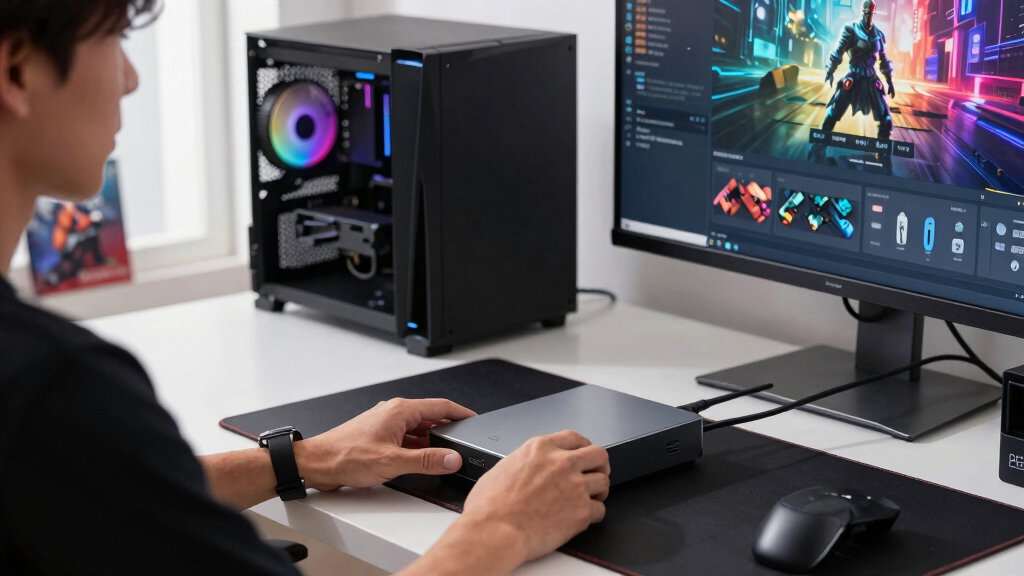
I ranked these drives by how well they solve the specific demands of an 8TB game library, not by capacity alone. My main criteria were sustained transfer performance, compatibility with PC and consoles, cost relative to drive type, connection limits, physical size, power needs, and suitability for frequent game transfers. I also weighed whether gaming features such as Xbox certification, lighting, rugged construction, or a built-in hub create a useful buyer outcome rather than merely raising the price.
The ranking gives the highest positions to products with broad appeal and balanced tradeoffs. The WD_BLACK D10 leads because it is purpose-built for large game libraries without the steep cost of an 8TB SSD, while Western Digital Elements scores highly on value. Premium SSDs rank according to whether their speed can be put to practical use, and narrower products fall lower when their main advantage is platform-specific, cosmetic, or tied to an older design. I treated advertised maximum speeds as ceilings and placed more weight on the performance buyers can reasonably use through their computer or console connection.
| 8TB external drives for game storage | Drive Type |
|---|---|
| Seagate Starfield Special Edit | External hard drive |
| Seagate FireCuda X Vault 8TB E | External HDD |
| SanDisk 8TB Extreme Portable S | Portable NVMe SSD |
| Seagate One Touch 8TB External | Desktop external HDD |
| WD_BLACK 8TB D10 Game Drive | External hard drive |
| Seagate Backup Plus Hub 8TB Ex | — |
| SanDisk 8TB Desktop External S | — |
| Lexar 8TB Armor 700 Portable S | — |
| Western Digital 8TB Elements D | — |
Factors to Consider When Choosing Best 8TB External Drives For Game Storage
Choosing among the best 8TB external drives for game storage starts with how the library will be used. I would separate games played directly from the drive from titles kept there as an archive, then decide whether speed, portability, or price deserves priority. The right purchase may be a simple desktop HDD for one console, a rugged SSD for travel, or a fast desktop SSD for a PC library.
Choose HDD Value or SSD Speed
At 8TB, the gap between HDD and SSD pricing can be large. I favor an HDD for maximum capacity per dollar, especially when the drive will hold archived games or older console titles. An SSD earns its premium through faster installations, transfers, updates, and compatible PC loading times, not through extra capacity. For a PC library that moves between systems often, those saved minutes can justify the expense. For a stationary console archive, the same premium may deliver little benefit because platform rules can block direct play. Paying for an 8TB SSD makes the most sense when the host device and connection can use its speed regularly.
Check What Your Console Can Play Externally
The fastest external drive cannot bypass a console’s storage rules. PS5 games generally need supported internal storage for play, though an external drive can hold them and run many PS4 titles. Xbox Series X and Series S games carrying current-generation enhancements often require internal storage or an approved expansion card, while backward-compatible games have broader USB-drive support. I would buy an 8TB external drive as a large archive if current-generation games dominate the library. If the goal is direct play, check the requirements for the actual games rather than relying on a general compatibility badge. This distinction often matters more than the difference between HDD and SSD benchmark speeds.
Match the Connection to the Drive
A USB-C plug describes the connector, not the speed available behind it. Most external HDDs remain limited by their mechanical hardware, so changing the cable shape will not make them perform like an SSD. Fast SSDs need a compatible USB data standard on the computer to approach their advertised transfer rates. I check both the drive interface and the host port because the slower side sets the limit. On a desktop PC, a rear motherboard port may offer more consistent bandwidth than an unpowered hub. On a console, compatibility and game-placement rules may matter more than whether the drive advertises four-digit megabytes-per-second speeds.
Decide Between Desktop and Portable Designs
Most 8TB external HDDs use a desktop format with a separate power adapter. They fit permanent gaming stations well, but they add cables, occupy desk space, and are less convenient to move. Portable SSDs remove much of that friction and handle travel better, especially when paired with water, dust, or impact protection. I also factor in noise and heat, since a mechanical drive may remain audible during large installations or library scans. A drive marketed as portable can still be awkward if its cable is short or its enclosure needs open airflow. If the drive will move between a PC, console, and laptop, compact size may be worth more than gaming lighting or a themed shell.
Judge Value Beyond the Purchase Price
An inexpensive 8TB drive can become poor value if slow transfers discourage regular use or if replacing a proprietary cable is difficult. I compare warranty coverage, included software, cable availability, and enclosure design alongside capacity. Older models may offer attractive discounts, but buyers should verify current warranty eligibility and avoid paying collector prices for discontinued hardware. For backups and secondary libraries, redundancy matters because no single external drive should hold the only copy of irreplaceable saves or personal files. For a primary game library, a mainstream product with easy support may be a safer purchase than an obscure high-spec alternative. A premium gaming enclosure is worthwhile only when its extra ports, ruggedness, or platform features solve a real need.
Frequently Asked Questions
Can I Play PS5 and Xbox Series Games Directly From an 8TB External Drive?
Some games can run externally, but many current-generation titles cannot. PS5 games generally need supported internal storage, while an external drive can run many PS4 games and hold PS5 games for later transfer. Xbox Series X and Series S titles built around current-generation storage often need the internal SSD or an approved expansion card, though many older games run from USB storage. I would treat an 8TB USB drive as an archive first unless the specific games are confirmed for external play. This makes transfer speed more relevant than loading speed for many console buyers.
Is an 8TB External SSD Worth the Extra Cost for Gaming?
An 8TB SSD is worthwhile when it will serve a large PC library, move games frequently, or connect to hardware capable of using its bandwidth. It can cut transfer and installation time sharply compared with a mechanical drive, and compatible PC games may load faster. The return is weaker for a console archive because an SSD does not remove platform storage restrictions. I would choose an 8TB HDD for economical bulk storage and reserve the SSD premium for buyers who value time, silence, and portability. A smaller SSD paired with a larger HDD can offer a better speed-and-capacity split for some setups.
Does USB-C Make an External Hard Drive Faster?
USB-C alone does not guarantee higher performance because it describes a connector rather than a single transfer standard. A mechanical HDD may use only a fraction of the bandwidth available through a modern USB-C port. An SSD can benefit more, but only when the drive, cable, and host port support the same high-speed mode. I would check the stated USB generation and supported data rate instead of choosing by connector shape. For desktop HDDs, rotational performance is usually the main limit, while fast SSDs make port compatibility much more relevant.
Should I Buy a Desktop or Portable 8TB Drive for My Game Library?
A desktop drive is usually the better match for a fixed PC or console station because HDD versions offer lower prices at this capacity. The tradeoff is a separate power adapter, more desk space, and less convenient transport. A portable SSD costs more but provides easy movement between systems, silent operation, and better resistance to bumps when properly protected. I would choose desktop storage for a single large home library and portable storage for travel, tournaments, or regular device switching. Buyers who move a desktop HDD should power it down fully first because mechanical drives dislike impacts while operating.
How Many Games Will Fit on an 8TB External Drive?
The total varies widely because individual games can range from a few gigabytes to well over 100GB after updates and downloadable content. An 8TB drive will also show less usable space after formatting than the number printed on the box. I would expect room for dozens of very large games or several hundred smaller titles, with most mixed libraries landing between those extremes. Keeping 10 to 15 percent free can help with updates, temporary files, and library management. Buyers should estimate from their current average game size rather than relying on a fixed games-per-drive claim.
Conclusion
For most buyers, I recommend the WD_BLACK 8TB D10 Game Drive as the best overall choice because it balances gaming-focused performance, broad compatibility, and HDD economics. The Western Digital 8TB Elements is my best value pick for a stationary archive without decorative extras. Buyers seeking the best premium experience should choose the SanDisk 8TB Desktop External SSD for fast PC transfers and quiet operation. The Seagate One Touch 8TB is the beginner-friendly option for buyers who want straightforward desktop storage and broad computer compatibility.
For an Xbox-centered setup, the Seagate FireCuda X Vault makes more sense than the general-purpose drives because its certification and lighting suit that role. The Lexar 8TB Armor 700 is my rugged portable choice, while the SanDisk Extreme Portable SSD is better when compact size matters more than buying the newest model. Both remain expensive beside an HDD, so I would pay that premium only for frequent travel or repeated large transfers.
The Starfield Special Edition is best reserved for collectors who value its design enough to accept weaker value, while the Seagate Backup Plus Hub fits buyers who need extra desktop connectivity from an older-style storage hub. My final choice would follow the workload: WD_BLACK D10 for balance, WD Elements for low-cost capacity, SanDisk Desktop SSD for speed, and a rugged portable SSD for a library that travels.
Fall Picks
fall essentials
As an affiliate, we earn on qualifying purchases.